


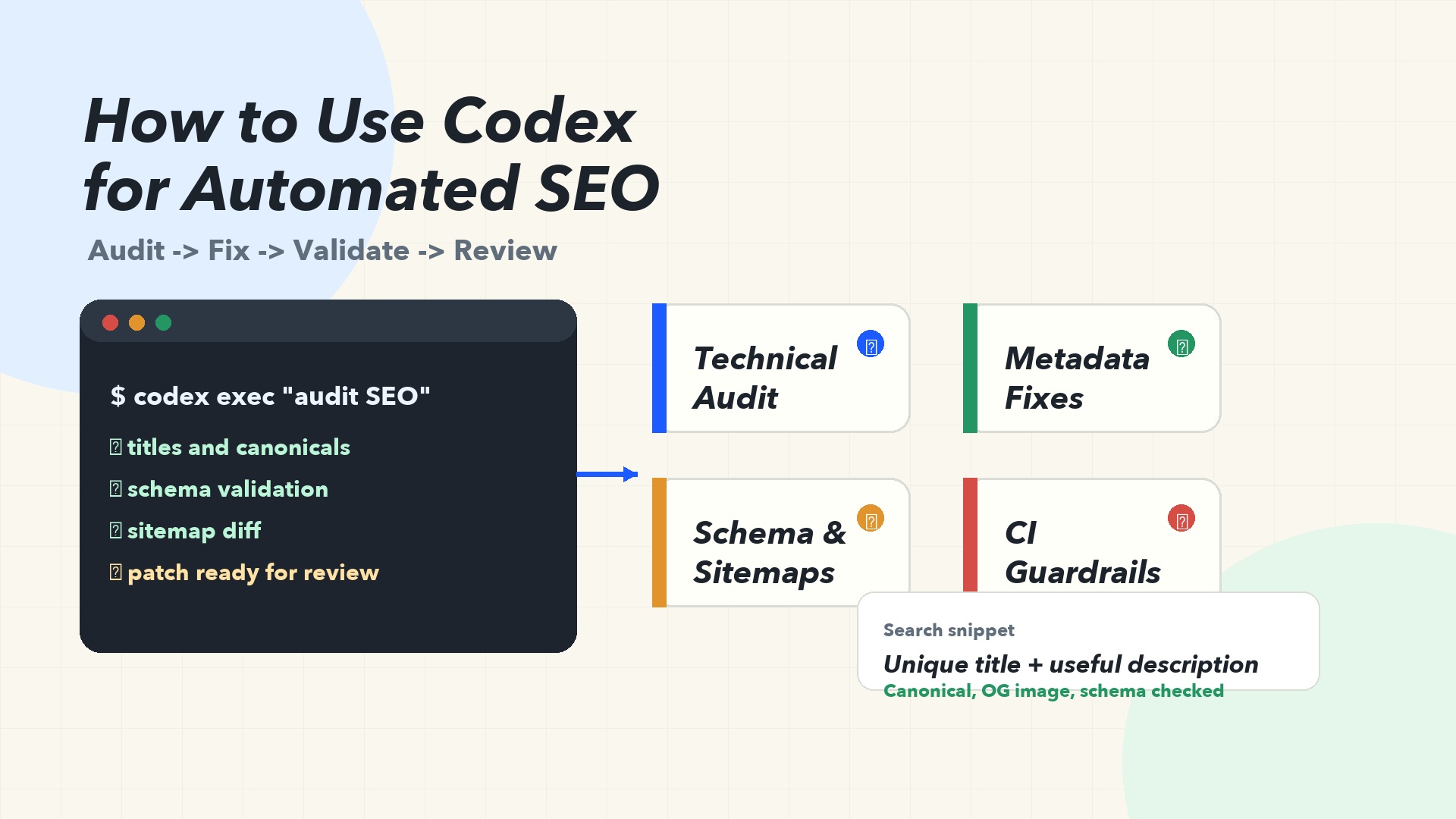
The short answer
Codex can automate a lot of SEO work, but the safest use case is not "let AI publish everything." The better use case is this: give Codex a repository, your SEO rules, your analytics exports, and a clear definition of done, then let it inspect, patch, test, and summarize the work.
That turns SEO into an engineering loop:
- Detect issues across templates, content, metadata, schema, sitemaps, redirects, and performance.
- Ask Codex to propose a scoped fix.
- Let Codex edit the code or content files.
- Run validation commands.
- Review the diff before publishing.
- Repeat the same workflow through a skill, script, or CI job.
This matters because SEO is no longer a once-a-quarter audit. Sites change every day. Templates drift. Content ages. Product pages ship without metadata. JavaScript hides important copy. Canonicals break during migrations. Internal links disappear when navigation changes. Codex is useful because it can work inside the codebase where many of those problems are born.
This Auspia playbook focuses on practical automation: what to automate, what to keep human-reviewed, how to prompt Codex, and how to build a repeatable SEO operating system.
What Codex is good at in SEO
Codex is a coding agent, so it is strongest when the SEO task touches files, code, templates, tests, or structured data. It can read a site repository, inspect routing, update content models, edit Markdown, modify React or Astro templates, add validation scripts, and run local checks.
That makes it a good fit for tasks such as:
SEO task | What Codex can do | Human review needed? |
|---|---|---|
Metadata cleanup | Find pages with missing titles, duplicate descriptions, or weak social metadata | Yes, for brand and intent fit |
Structured data | Add or repair Article, Product, FAQ, Breadcrumb, Organization, or SoftwareApplication JSON-LD | Yes, for factual accuracy |
Sitemap and robots checks | Inspect generated sitemap URLs, blocked paths, and accidental noindex rules | Yes, before deploy |
Internal links | Suggest links between related pages and add them in content files | Yes, to avoid spammy linking |
Content refreshes | Update stale sections, FAQs, examples, and snippets from provided source material | Yes, always |
JavaScript SEO fixes | Move critical copy into crawlable HTML, fix lazy-loaded content, or improve SSR output | Yes, with technical testing |
CI SEO gates | Add scripts that fail builds for missing metadata, broken canonicals, or invalid schema | Yes, when thresholds change |
Codex is less suited for unsupervised strategy decisions. It should not decide your positioning, invent case-study metrics, publish claims without sources, or rewrite hundreds of pages with no editorial review. Treat it like a fast SEO engineer, not an oracle.
Why this fits modern SEO
Google's own SEO starter guidance is still plain: help search engines understand your content and help users decide whether to visit your site. It also warns that there are no secrets that automatically rank a site first, and that many changes take time to show results. That is the right mental model for Codex automation too.
Codex does not replace fundamentals. It helps you apply them more consistently.
Google also says crawlers should ideally see a page the way an average user does, including access to important CSS and JavaScript resources. That is where engineering automation matters. If a template hides product copy behind client-only rendering, if a noindex tag ships to production, or if structured data is generated from stale fields, a content calendar will not fix the root cause.
For AI-assisted content, Google's guidance is also useful: automation is not inherently disallowed, but content should be helpful, reliable, and created for people rather than search manipulation. So the Codex workflow should include evidence, review, and quality gates. The goal is not to flood a site. The goal is to ship better pages with fewer technical mistakes.
The Codex SEO automation stack
A practical setup has five layers.
Layer | Purpose | Example |
|---|---|---|
Repository context | Let Codex understand routes, components, templates, content files, tests, and build commands |
|
Durable SEO rules | Store your team's SEO requirements in a reusable file |
|
Data inputs | Feed Codex exports from Search Console, crawl tools, logs, or keyword research | CSVs, JSON, Markdown briefs, screenshots |
Validation scripts | Give Codex commands that prove the fix worked |
|
Publishing control | Keep humans in the final review loop | PR review, CMS draft, staging deploy, manual approval |
Codex works best when it knows what "done" means. For SEO, that means your prompt should not be "improve SEO." It should be closer to: "Find all blog templates missing canonical URLs, add canonical generation from the route slug, run the build, and summarize every file changed."
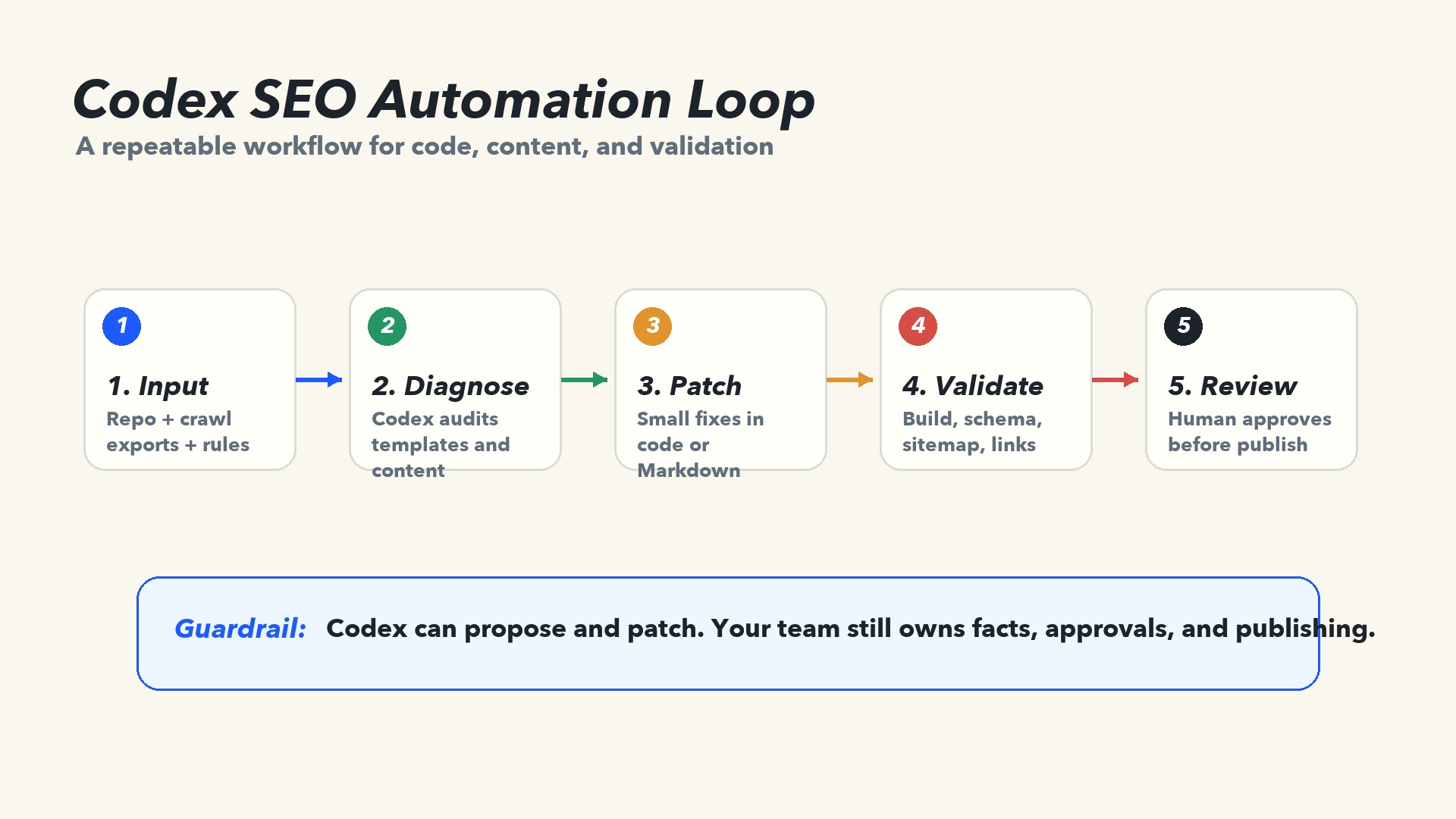
Caption: Codex works best when SEO is framed as a loop: input, diagnose, patch, validate, review.
Start with an SEO AGENTS.md
Codex can load durable repository guidance from AGENTS.md. For SEO automation, this file is where you turn your recurring preferences into rules Codex can follow.
A lightweight SEO section might look like this:
## SEO rules

- Every indexable page needs a unique title, meta description, canonical URL, and OG image.
- Blog posts should include Article JSON-LD when the required fields are available.
- Product pages should not invent ratings, reviews, prices, or availability.
- Do not add FAQ schema unless the FAQ is visible on the page.
- Keep internal links useful and limited. Do not add keyword-stuffed link blocks.
- Run `pnpm lint:seo` and `pnpm build` before saying the task is complete.
- If a claim needs external evidence, mark it for review instead of inventing a source.
This is small, but it changes the workflow. You no longer need to repeat the same SEO standards in every prompt. When a mistake repeats, update the guidance.
For bigger teams, split the rules:
AGENTS.mdfor short repo-level instructions.docs/seo-rules.mdfor detailed requirements.docs/content-quality.mdfor editorial standards.- A Codex skill for the repeatable workflow.
Workflow 1: automated technical SEO audit
Use this when you want Codex to inspect a codebase and produce a prioritized issue list before making edits.
Prompt:
Audit this website repository for technical SEO issues.

Focus on:
- missing or duplicate titles and meta descriptions
- canonical URL generation
- robots and noindex handling
- sitemap generation
- structured data validity
- internal links in blog templates
- client-only rendering of important indexable text

Do not edit files yet. Return a prioritized table with issue, evidence, affected files, risk, and suggested fix.
Why this works: it keeps Codex in diagnosis mode. You get a scoped plan instead of a surprise rewrite.
Once you approve the plan, use a second prompt:
Implement only the high-confidence fixes from the audit.

Constraints:
- Do not change page design.
- Do not rewrite article body content.
- Add or update tests where practical.
- Run `pnpm build` and any existing SEO validation commands.
- Summarize the diff and list anything that still needs human review.
That two-step pattern is safer than asking for audit and implementation in one broad prompt.
Workflow 2: metadata and snippet repair at scale
Metadata is repetitive enough to automate, but subjective enough to review.
Give Codex a CSV with URLs, primary keyword, page intent, current title, current description, and notes from Search Console or your crawl tool. Ask it to write proposed titles and descriptions into a review file first.
Use `seo-pages.csv` to propose improved titles and meta descriptions.

Rules:
- Keep titles under 60 characters where possible.
- Keep descriptions under 155 characters where possible.
- Match the page intent in the CSV.
- Do not use clickbait or unsupported claims.
- Output to `tmp/metadata-proposals.csv` only. Do not edit templates yet.
After review, let Codex patch the approved records into your CMS seed files, Markdown frontmatter, or route metadata.
The useful distinction is "propose first, patch second." It keeps the AI fast without letting it silently change search snippets across the site.
Workflow 3: structured data generation and validation
Structured data is one of the best Codex use cases because it is code-like, rule-based, and easy to validate. But it is also risky because invalid or misleading schema can create quality problems.
Good tasks for Codex:
- Add Article JSON-LD to blog templates.
- Add BreadcrumbList schema from route segments.
- Add Organization schema from approved company fields.
- Add Product schema only from real product fields.
- Build a schema validation test that checks required properties.
Bad tasks for Codex:
- Invent aggregate ratings.
- Add review markup when reviews are not visible.
- Generate FAQ schema for hidden or unrelated questions.
- Create fake author credentials.
A strong prompt:
Add Article JSON-LD to the blog post template.

Use only fields already available in the content model:
- title
- excerpt
- publishedAt
- updatedAt
- author name
- featured image
- canonical URL

Do not invent missing values. If a required field is unavailable, add a TODO and explain what content model field is needed. Run the build after editing.
Codex can also create a regression test so future posts do not ship without required schema fields.
Workflow 4: sitemap and robots regression checks
Sitemaps and robots files are small, but a bad change can damage discovery quickly. Google describes sitemaps as files that tell search engines about URLs you care about, while robots.txt controls crawler access to parts of a site. Codex can help keep both from drifting.
Ask Codex to add a check that compares expected routes with the generated sitemap:
Create an SEO validation script named `scripts/check-seo.ts`.

It should:
- build or read the generated sitemap
- confirm that indexable pages are present
- confirm that draft, admin, and preview routes are absent
- confirm that canonical URLs use the production domain
- warn if robots.txt blocks important public directories

Add an npm script `lint:seo` and document how to run it.
Then wire that command into CI. The point is not to make Codex manually check the sitemap every time. The point is to let Codex create the guardrail once, then run it automatically.
Workflow 5: content refresh with source control
Content refreshes are where teams most often misuse AI. The wrong version is: "Rewrite these 80 posts for SEO." The better version is: "Use these approved sources and update specific outdated sections."
For each article, give Codex:
- the current page content
- target query and search intent
- approved source notes
- product facts
- internal links allowed
- sections that must not change
- tone and claim rules
Prompt:
Refresh this article for 2026 search intent.

Use only the facts in `source-notes.md` and the existing article.
Update:
- the intro
- outdated tool references
- the comparison table
- FAQ questions
- meta title and description

Do not invent statistics. Mark any uncertain claim as `[needs review]`.
Keep the existing URL slug.
Return a short change log after editing.
That workflow gives you scale without losing editorial accountability.
Workflow 6: internal link suggestions without spam
Internal links are useful, but automated internal linking can become ugly fast. Codex should understand the site graph and reader intent, not just match keywords.
Ask it to produce a review table first:
Analyze the latest 30 blog posts and suggest internal links.

Rules:
- Max 2 suggested links per article.
- The link must help the reader continue the task.
- Avoid repeated exact-match anchors.
- Do not link every mention of a keyword.
- Output a table with source page, target page, suggested anchor, sentence context, and reason.
Only after review should Codex edit files.
For Auspia-style SEO and GEO programs, this is especially useful because internal links are not just ranking signals. They also help AI systems understand topic relationships across your site.
Workflow 7: CI-based SEO guardrails with codex exec
Codex can also run non-interactively from scripts with codex exec. OpenAI's Codex manual describes this as a way to run Codex in pipelines, produce output that other tools can consume, and use explicit sandbox and approval settings.
A simple use case is a nightly SEO triage job:
pnpm lint:seo --json \
  | codex exec --json \
      "Summarize these SEO validation failures. Group by template, estimate severity, and propose the smallest safe fix. Do not edit files." \
  > seo-triage.jsonl
For CI, keep permissions tight. Codex documentation notes that non-interactive runs default to a read-only sandbox, and that broader access should be granted only when needed. That is a good SEO automation rule too. A reporting job should not need write access. A patch-generation job should run in a controlled branch or isolated runner.
A mature pattern looks like this:
- CI runs your SEO validation script.
- If it fails, Codex summarizes the failures.
- For high-confidence issues, Codex opens a patch in a separate branch.
- A human reviews the PR.
- The same validation script must pass before merge.
This is where automated SEO starts to feel like real operations instead of a pile of manual audits.
What not to automate
Some SEO work should stay human-led.
Do not let Codex automatically publish:
- legal, medical, financial, or compliance-sensitive claims
- customer case studies with numbers
- pricing, discounts, or contractual terms
- review schema, rating data, or author credentials
- large batches of AI-written pages designed only to capture keywords
- redirects or robots changes without staging verification
Also avoid using Codex to create content without a source packet. If a page needs research, give it research. If a claim needs evidence, add the evidence. If a product limitation matters, state it directly. Codex can organize, patch, and explain, but your team owns the truth.
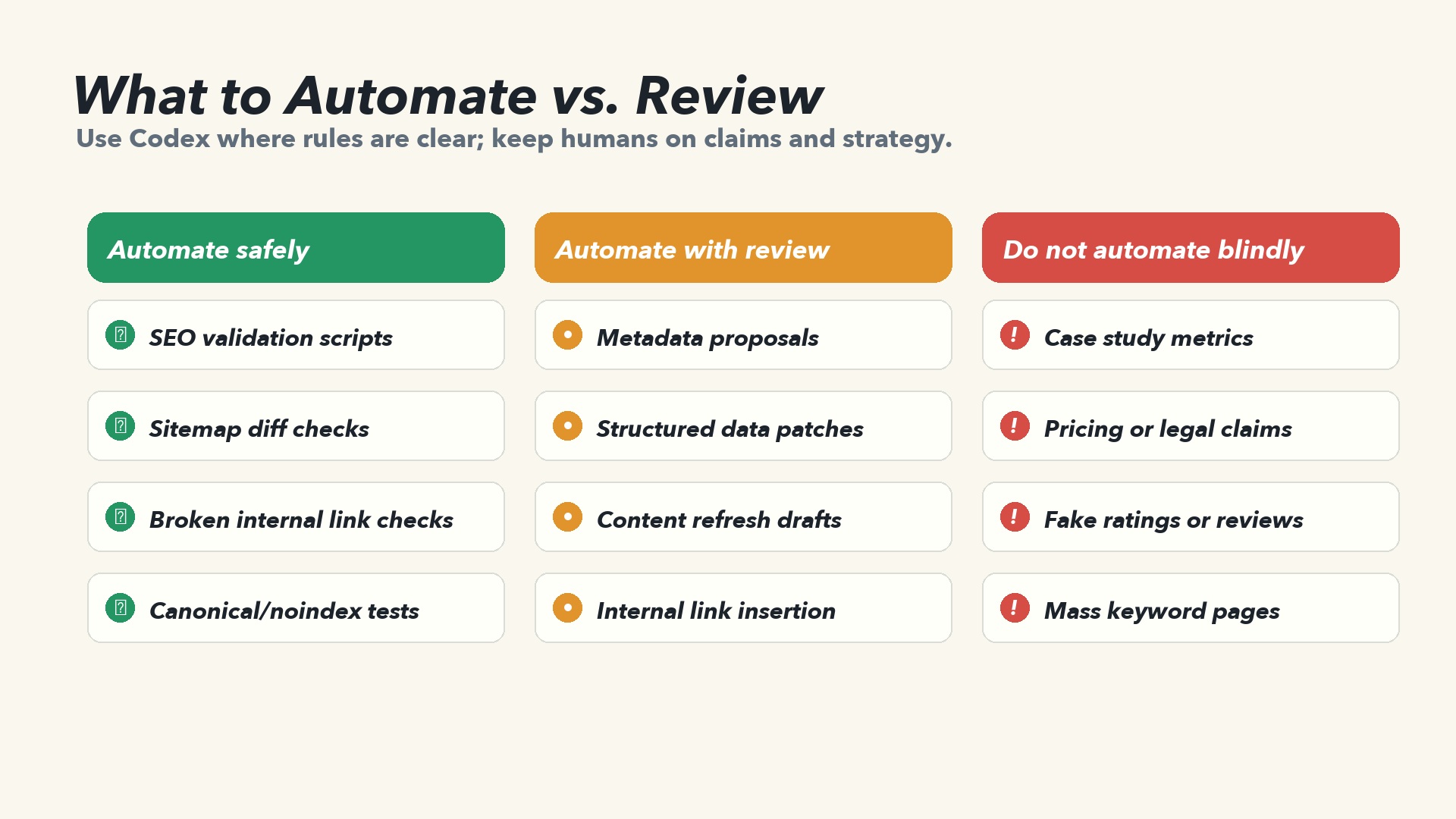
Caption: Automate rule-based checks first. Keep strategy, claims, and publishing under human control.
A practical 30-day rollout plan
Week | Goal | Codex workflow |
|---|---|---|
Week 1 | Baseline audit | Ask Codex to inspect templates, metadata, sitemap, robots, schema, and crawlability. No edits yet. |
Week 2 | Fix technical blockers | Implement high-confidence template and validation fixes. Add |
Week 3 | Refresh priority pages | Use approved source packets to update 5-10 high-value pages. Review all changes. |
Week 4 | Automate the loop | Convert repeated prompts into |
By the end of the month, the win is not just cleaner metadata or a better sitemap. The win is a repeatable system: diagnose, fix, validate, review, publish.
Auspia take
Most SEO teams still separate strategy from implementation. Strategy lives in docs and spreadsheets. Implementation lives in templates, CMS fields, schemas, and deploy pipelines. That gap is where SEO recommendations die.
Codex is useful because it can sit inside the implementation layer. It can inspect the actual files, see how routes are generated, patch the template, run the test, and explain what changed. Used well, it makes SEO less dependent on one heroic audit and more dependent on repeatable checks.
If your team is building a broader AI traffic system, connect this workflow with Auspia's SEO, GEO, and AEO tools. Use tools to identify visibility gaps, then use Codex to turn the fix into code, content, and validation.
Codex SEO prompt template
Use this as a starter prompt:
You are helping with SEO automation for this repository.

Goal:
[Describe the specific SEO outcome.]

Context:
- Important files: [list files/folders]
- Data inputs: [CSV, crawl export, Search Console export, brief]
- Target pages: [URLs or route patterns]

Constraints:
- Do not invent facts, metrics, ratings, reviews, or sources.
- Do not change slugs unless explicitly requested.
- Keep human-readable content helpful and natural.
- Follow Google Search fundamentals: make pages crawlable, understandable, and useful.
- Keep changes small enough to review.

Validation:
- Run [build command].
- Run [SEO validation command].
- If validation cannot run, explain why.

Done when:
- The issue is fixed in code or content.
- Tests or validation pass.
- The final response includes changed files, remaining risks, and manual review notes.
FAQ
Can Codex fully automate SEO?
Codex can automate many SEO workflows, especially technical audits, metadata cleanup, schema implementation, sitemap checks, internal link suggestions, and content refresh operations. It should not fully automate strategy, factual claims, publishing, or high-risk changes without review.
Is Codex better for technical SEO or content SEO?
It is strongest at technical SEO because it can work directly in the repository. It can also help with content SEO when you provide source notes, product facts, target intent, and editorial rules.
Can Codex create SEO content at scale?
It can draft and refresh content, but scale without quality control is risky. Use source packets, human review, and clear rules. The goal should be helpful pages, not mass-produced search filler.
How should teams measure Codex SEO automation?
Track operational metrics first: issues found, issues fixed, validation pass rate, time saved, pages refreshed, and regressions prevented. Search performance may take weeks or months to reflect changes.
What is the safest first project?
Start with a read-only technical SEO audit. Then add one validation script, such as checking titles, canonicals, sitemap inclusion, and robots rules. That gives Codex a clear, low-risk role before it starts editing production-facing content.
Source notes
This article is based on OpenAI's Codex manual for prompting, AGENTS.md, skills, and non-interactive codex exec workflows, plus Google Search Central guidance on SEO fundamentals, generative AI content, sitemaps, and robots.txt.
Codex SEO/GEO learning path
This article is part of the Codex SEO/GEO operator series. If you are building the workflow from scratch, follow the sequence:
1. How to Use Codex for Automated GEO in 2026
2. How to Use Codex for Automated SEO
3. How to Set Up a Codex SEO Workspace with AGENTS.md
4. How to Connect Codex to SEO Data with MCP
5. The Best Codex GEO Skill in 2026
6. How to Build a Codex Skill for Keyword Clustering
7. How to Use Codex Subagents for SERP, Content, and Technical SEO
8. How to Use Codex for Technical SEO Fixes Without Breaking Production
9. How to Run Daily SEO/GEO Monitoring with Codex Automations
10. Codex SEO/GEO Quality Gates: Diff, Evidence, Tests, and Human Approval
11. How to Use Codex to Build and Deploy an SEO/GEO-Ready Website


