


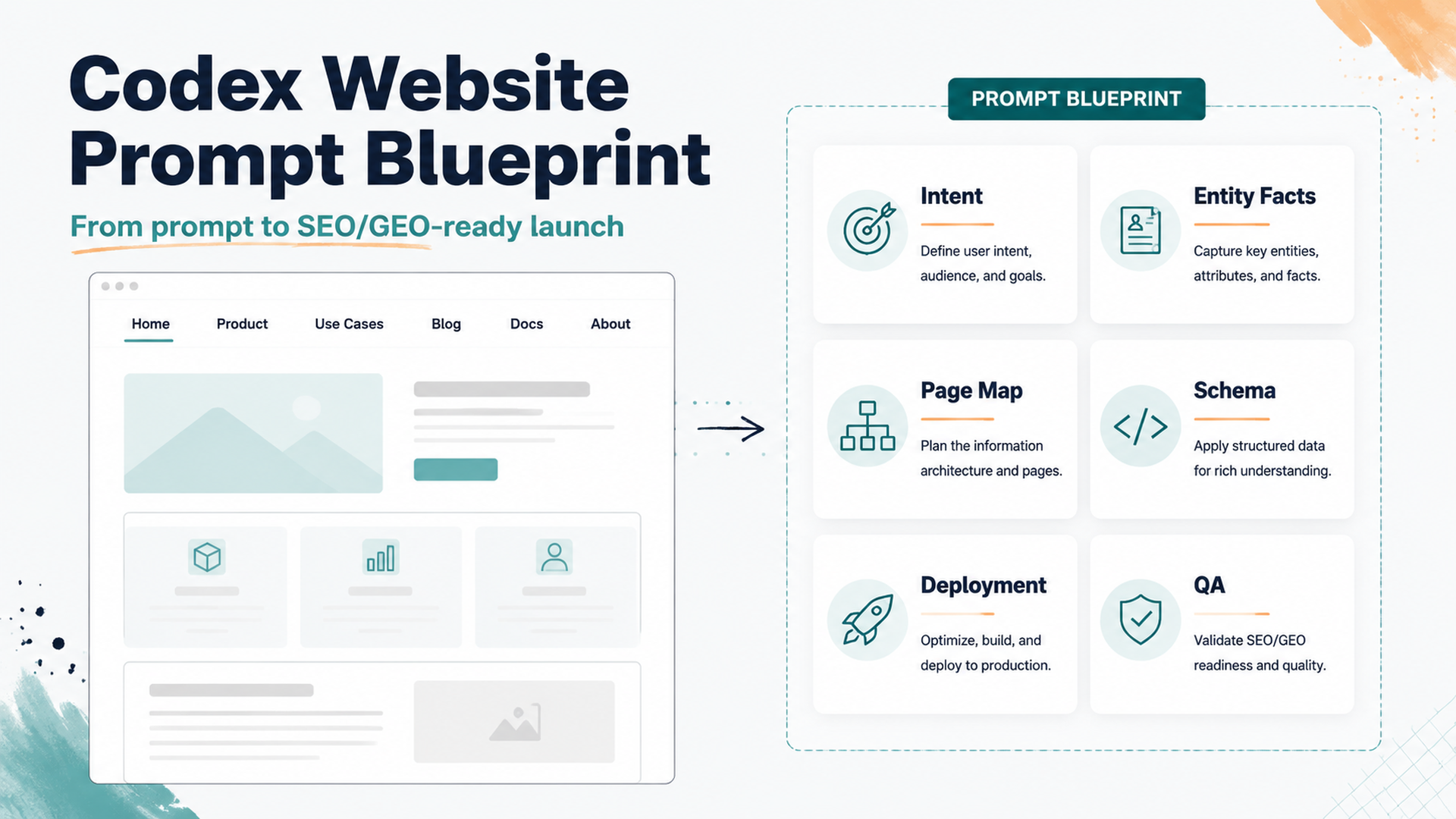
The outcome: a launchable website, not just a pretty mockup
You can use Codex to build a strong company website if you treat the first prompt like a product brief, SEO brief, GEO brief, and deployment brief in one. The goal is not to ask for "a beautiful homepage". The goal is to give Codex enough context to create a site that has clear positioning, crawlable structure, extractable answer blocks, schema-ready content, and a deployment path.
The beginner-safe workflow is:
- Ask Codex to plan the website before writing code.
- Give it brand facts, audience, offers, keywords, GEO questions, and proof.
- Let it create a small but complete site architecture.
- Review the page plan and only then ask it to implement.
- Run local checks, fix the diff, deploy a preview, then connect analytics.
Codex works best when it can verify its work. OpenAI's Codex prompting guidance recommends including validation steps and breaking complex tasks into smaller focused requests. For a website build, that means prompts should include build commands, lint checks, accessibility checks, and deployment acceptance criteria, not only design taste.
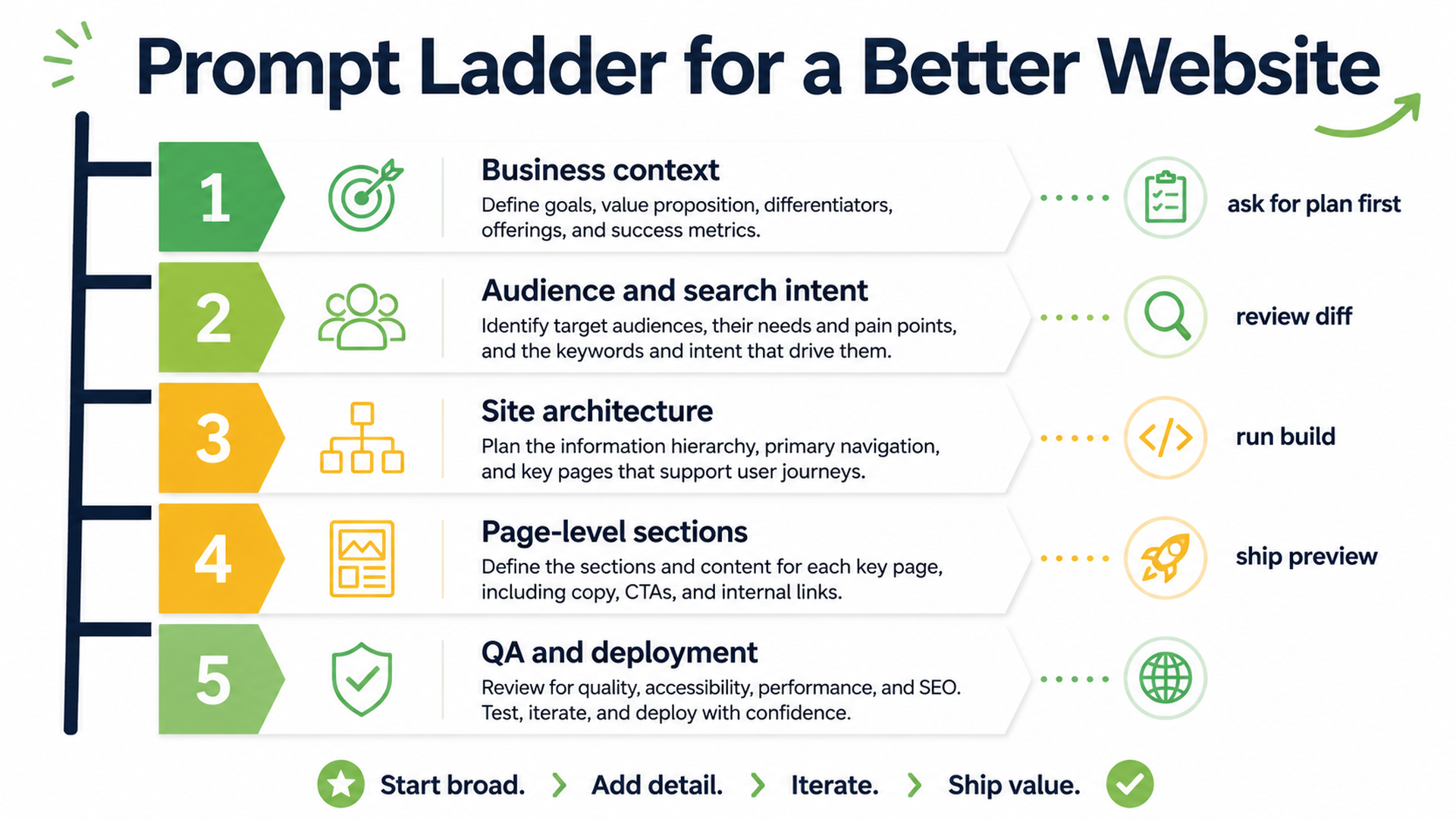
Caption: Use a prompt ladder: context first, page plan second, code third, validation fourth.
Before opening Codex: prepare these six inputs
A weak prompt asks Codex to invent the business. A strong prompt gives Codex a source of truth.
Prepare a short website-brief.md file before you start. It can be rough, but it should include these six sections:
Input | What to write | Why it matters for SEO/GEO |
|---|---|---|
Business facts | Company name, category, location if relevant, product, pricing model, customer type | Helps search engines and AI systems identify the entity clearly |
Primary audience | Who buys, who researches, who blocks the purchase | Shapes page language, examples, and CTAs |
Offers | Product/service pages, lead magnet, demo, audit, free tool, newsletter | Prevents the site from becoming a generic brochure |
Keyword targets | 5-20 seed keywords and 5-10 buyer questions | Gives Codex a search-intent map instead of random headings |
Proof | Customer types, public examples, stats you can support, integrations, screenshots, testimonials | Improves trust and gives AI answers evidence to cite |
Constraints | Tech stack, brand tone, pages you do not want, legal claims to avoid | Reduces risky copy and unnecessary dependencies |
If you already have Google Search Console, Bing Webmaster Tools, GA4, CRM notes, or sales-call questions, add a short export summary. If you do not, start with customer questions and competitor SERP observations.
The first Codex prompt: ask for a website plan, not code
Start with a planning prompt. This keeps Codex from immediately creating a generic landing page.
Copy this prompt and replace the bracketed parts:
I want to build a new company website that is strong for both SEO and GEO.

You are acting as a senior product-led SEO strategist, technical SEO reviewer, and frontend implementer.

Do not write code yet. First, read the brief below and produce a website plan.

Business context:
[Paste company facts, product, audience, market, offer, proof, and constraints]

Target outcomes:
- The website should explain the product clearly to a first-time visitor.
- It should be crawlable and indexable.
- It should include pages that match real search intent.
- It should include answer-style sections that AI search systems can extract.
- It should include entity signals: About, product facts, use cases, pricing or CTA, and evidence.
- It should be deployable to Vercel or Netlify.

Please produce:
1. Recommended tech stack and why.
2. Site architecture with URLs.
3. Page-by-page purpose, target keyword, GEO question, CTA, and required proof.
4. Homepage wireframe section order.
5. SEO/GEO checklist for title tags, meta descriptions, schema, internal links, sitemap, robots.txt, llms.txt, and analytics.
6. Deployment plan with build command and output directory.
7. Risks or missing information I should provide before implementation.

Do not invent unsupported claims. Mark missing proof as TODO.
Read the plan before you approve implementation. If the plan has pages like /solutions, /features, and /blog with no clear intent, push back. Ask Codex to explain why each URL deserves to exist.
What a strong Codex-generated site map should include
For most small SaaS, agency, tool, or B2B websites, a good first version is not huge. It is usually 6-10 durable pages:
Page | Purpose | SEO/GEO job |
|---|---|---|
| Position the business and route visitors | Clear category, primary offer, proof, core CTA |
| Explain what the product does | Feature/entity clarity and comparison-ready facts |
| Match buyer situations | Long-tail intent and AI-answer scenarios |
| Reduce purchase ambiguity | Pricing intent, plan comparison, objections |
| Establish entity trust | Brand facts, team/company facts, contact signals |
| Publish educational assets | Topical authority and internal-link hub |
| Offer calculators, checklists, templates | Linkable utility pages and citation assets |
| Convert demand | Lead capture and local/business credibility |
For GEO, each important page should answer specific questions in clean blocks. For example:
- What does this company do?
- Who is it for?
- What problem does it solve?
- How is it different from alternatives?
- What evidence supports the claim?
- What should a user do next?
That answer structure matters because AI search systems often synthesize short, direct explanations from pages that expose clear facts, definitions, comparisons, and proof.
The implementation prompt: make Codex build with guardrails
Once the plan is good, ask Codex to implement. The implementation prompt should tell it what files to create, what to avoid, and how to verify the site.
Implement the approved website plan in this repository.

Build requirements:
- Use [Next.js/Astro/Vite/etc.] with TypeScript if appropriate.
- Keep the site fast, static-first, and easy to deploy.
- Create reusable components for navigation, footer, SEO metadata, FAQ blocks, CTA sections, and schema helpers.
- Create pages exactly from the approved URL map.
- Add title tags, meta descriptions, canonical URLs, Open Graph data, structured data where appropriate, sitemap generation, robots.txt, and llms.txt.
- Add internal links from the homepage to product/use-case pages and from blog/resource pages back to commercial pages.
- Add answer blocks for GEO: concise definitions, comparison tables, FAQ sections, and evidence sections.
- Use accessible HTML: semantic headings, readable contrast, labels, alt text, and keyboard-friendly navigation.
- Do not add unsupported claims, fake testimonials, fake logos, fake customer names, or made-up statistics.
- Do not install heavy UI libraries unless you explain why.

Design direction:
[Describe visual style: bold editorial, calm enterprise, technical docs-like, premium agency, etc.]

Validation:
- Run install if needed.
- Run the build command.
- Run lint/typecheck if available.
- Report changed files, commands run, errors fixed, and remaining TODOs.
- Stop before deployment and wait for my review.
If the generated site feels generic, do not ask for "make it better." Give Codex a sharper design and conversion prompt:
The current site is too generic. Rework the homepage so it feels specific to [category].

Keep the same technical stack, but improve:
1. Above-the-fold message: name the exact customer, pain, product category, and outcome.
2. Proof: replace vague claims with TODO proof slots I can fill.
3. Section rhythm: avoid repeated card grids; use a mix of comparison, workflow, checklist, and objection sections.
4. SEO/GEO: add one extractable answer block after the hero and one comparison table near the middle.
5. Conversion: make the primary CTA match the offer, not a generic "Get started".
6. Visuals: use CSS-created diagrams or simple product placeholders, not fake screenshots.

Run the build again and summarize only the meaningful changes.
A homepage prompt that usually produces better results
The homepage is where most beginner Codex websites fail. They get a hero, three benefits, three cards, testimonials, FAQ, and a CTA. That is not enough.
Ask for a homepage with a persuasive sequence:
Create the homepage using this section order:

1. Hero: one-sentence positioning, specific audience, primary CTA, secondary CTA, 3 trust signals.
2. Problem diagnosis: show the symptoms the buyer recognizes.
3. Product mechanism: explain how the product solves the problem in 3-5 concrete steps.
4. Use-case routing: link to the main use-case pages with intent-specific copy.
5. Proof section: include supported proof only; use TODO placeholders where proof is missing.
6. Comparison section: compare our approach with the old/manual/alternative approach.
7. SEO/GEO answer block: answer "What is [brand/product/category]?" in 60-90 words.
8. FAQ: answer buying, implementation, pricing, and risk questions.
9. Final CTA: repeat the offer with a low-friction next step.

For every section, include:
- H2 or H3 heading
- 1 short paragraph
- bullets or a table when useful
- internal links where relevant
- notes for what proof or screenshot should be added later
This prompt gives Codex a conversion path, not a decorative layout.
Page-level SEO/GEO checklist Codex should generate
Ask Codex to create a seo-geo-checklist.md file in the repo and fill it as it builds. That file becomes your review sheet.
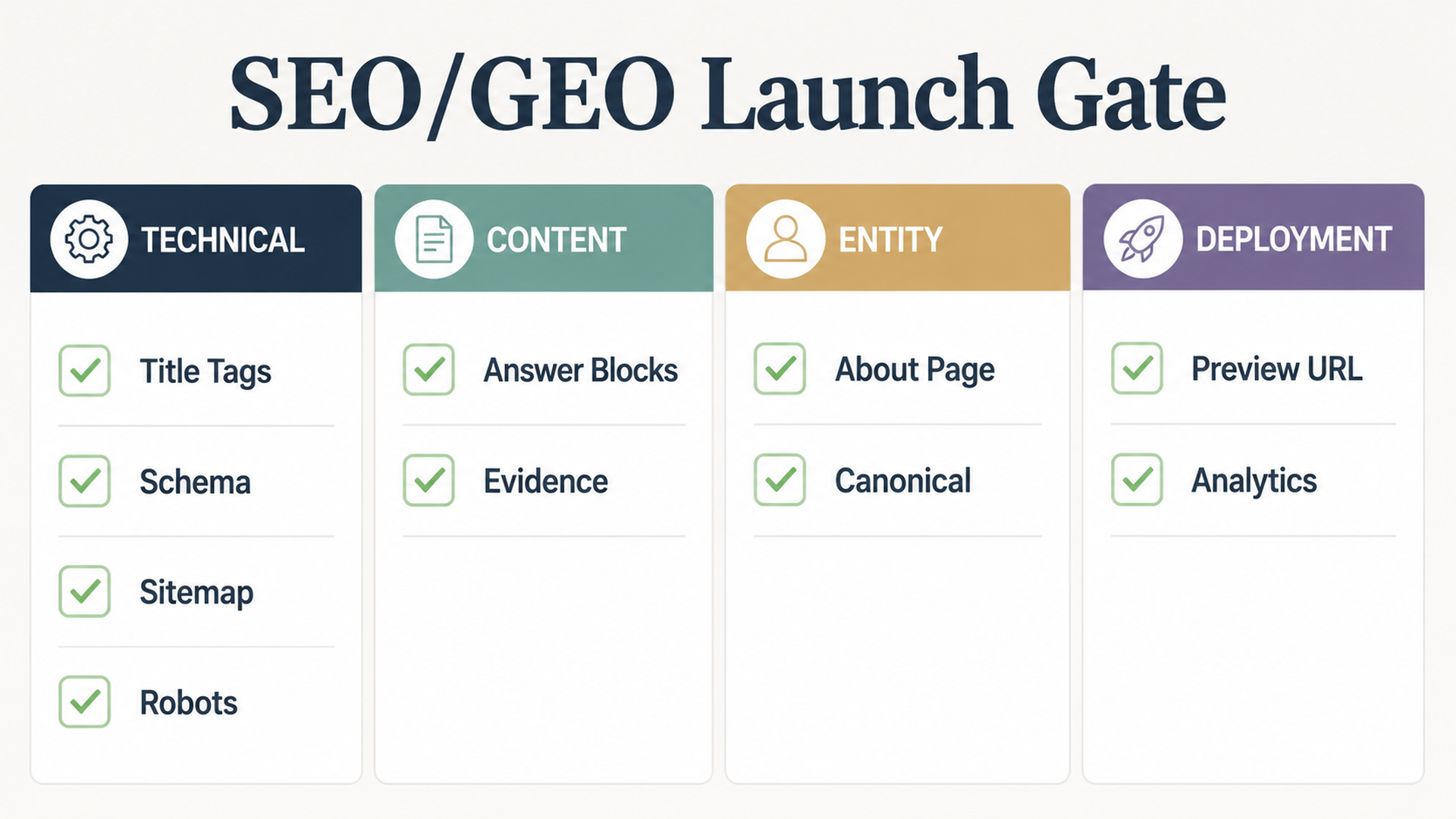
Caption: Review the launch gate before connecting a custom domain or submitting the site for indexing.
The checklist should include:
Check | Beginner pass condition |
|---|---|
Page titles | Every page has a unique, descriptive title under about 60 characters when possible |
Meta descriptions | Every important page has a specific summary and CTA |
H1 | One clear H1 per page that matches the page intent |
Internal links | Homepage links to commercial pages; educational pages link to relevant conversion pages |
Schema | Organization, WebSite, BreadcrumbList, FAQPage, Article, or Product schema used only where appropriate |
Sitemap |
|
Robots |
|
llms.txt |
|
Canonicals | Canonical URLs match the production domain |
Performance | Build passes; no obvious oversized assets or blocking scripts |
Accessibility | Images have alt text; forms have labels; headings are logical |
Proof | Claims are supported or marked TODO |
Analytics | GA4, GSC, Bing Webmaster, or privacy-friendly analytics plan is documented |
You can ask Codex to run this review after implementation:
Audit the generated website against seo-geo-checklist.md.

Return a table with:
- Issue
- URL/file
- Why it matters
- Suggested fix
- Risk level
- Whether you can fix it now

Fix only low-risk code/content issues. Do not change positioning, pricing, legal claims, or unsupported proof without asking me first.
Deployment: how to get the Codex site online
A beginner-friendly deployment path is:
- Push the repository to GitHub.
- Import the repository into Vercel or Netlify.
- Confirm framework, install command, build command, and output directory.
- Deploy a preview URL first.
- Review the preview with Codex.
- Connect the custom domain only after the preview passes.
- Submit sitemap to Google Search Console and Bing Webmaster Tools.
For Vercel, the official docs say Vercel can automatically detect many frameworks and configure sensible build settings; you can override the build command and output directory in project settings when needed. For Netlify, the build configuration docs explain the same core idea: set the build command, publish directory, and base directory when the project is not a simple root-level site.
Use this deployment prompt after your first preview URL is live:
Review this deployed preview URL: [paste preview URL].

Check it as a launch reviewer for SEO, GEO, usability, and deployment quality.

Please inspect:
1. Homepage message clarity.
2. Navigation and internal links.
3. Page titles, meta descriptions, canonical URLs, robots.txt, sitemap.xml, and llms.txt.
4. Mobile layout issues.
5. Broken links or missing images.
6. Whether important claims need proof.
7. Whether AI search systems can extract a clear answer about the company.
8. What should be fixed before connecting the production domain.

Return a prioritized launch checklist. Do not make changes until I approve the fixes.
If you are using Codex cloud, remember that cloud tasks run in an isolated container and check out your repository. OpenAI's Codex cloud environment docs explain that setup scripts can install dependencies and that agent internet access is controlled separately. For a deployment workflow, keep secrets in your hosting provider, not pasted into prompts.
After deployment: make the site usable for search, AI search, and humans
Deployment is not the finish line. Do these steps within the first day:
Task | Tool | What to confirm |
|---|---|---|
Indexing setup | Google Search Console | Domain property verified; sitemap submitted |
Bing setup | Bing Webmaster Tools | Site added; sitemap submitted |
Analytics | GA4 or privacy-friendly analytics | Pageviews, conversions, and events are recording |
Crawl check | Screaming Frog, Sitebulb, or a simple script | Important pages return 200; no accidental noindex |
AI visibility baseline | ChatGPT, Perplexity, Gemini, Felo Search, or a SERP API | Brand/category prompts have a starting snapshot |
Conversion check | Manual browser test | Forms, calendar links, email links, and CTAs work |
Then create a recurring Codex task:
Every week, review this website for SEO/GEO launch quality.

Inputs:
- Production URL: [domain]
- Sitemap: [sitemap URL]
- GSC export: [file or connector]
- Bing export: [file or connector]
- GA4 export: [file or connector]
- AI visibility prompt set: [file]

Return:
1. Indexing changes.
2. Pages gaining or losing impressions.
3. Queries with high impressions and low CTR.
4. AI answers that mention or miss the brand.
5. Content updates to improve extractability.
6. Technical fixes that need approval.
7. A 7-day action queue.

Do not publish changes automatically.
Common mistakes when asking Codex to create a website
- Asking for beauty before strategy. Codex can make a site look polished while the message stays vague.
- Letting Codex invent proof. Fake testimonials and fake customer logos damage trust and can create legal risk.
- Skipping page intent. Every URL should have a reason to exist.
- Forgetting deployment details. If Codex does not know the framework and build command, the site may work locally but fail on Vercel or Netlify.
- Using one giant prompt. Plan, implement, audit, and deploy should be separate steps.
- Not reviewing the diff. Beginners should ask Codex to summarize changed files and risky decisions before deployment.
- Ignoring analytics. A site is not SEO/GEO-ready until you can observe indexing, traffic, citations, and conversions.
A full beginner prompt you can paste into Codex
Use this when you want Codex to create the site from an empty or starter repository:
I want you to help me create a professional company website that is ready for SEO, GEO, and deployment.

Work in phases. Do not skip ahead.

Phase 1: Planning only
- Read my business brief.
- Ask up to 10 clarification questions if needed.
- Recommend a simple tech stack.
- Create a site map with URLs, search intent, GEO questions, CTA, and proof needed.
- Create a homepage wireframe and page templates.
- Create an SEO/GEO launch checklist.

Phase 2: Implementation after I approve the plan
- Build the website in the selected stack.
- Add semantic HTML, responsive layout, reusable components, metadata, schema, sitemap, robots.txt, and llms.txt.
- Use TODO markers for unsupported proof instead of inventing facts.
- Keep dependencies minimal.

Phase 3: Validation
- Run install, lint/typecheck if available, and build.
- Fix build errors.
- Review SEO/GEO checklist.
- Summarize changed files and remaining launch risks.

Phase 4: Deployment support
- Give me exact deployment settings for Vercel and Netlify: framework preset, install command, build command, output directory, environment variables, and domain steps.
- After I share the preview URL, audit it before production launch.

Business brief:
[Paste your website-brief.md content here]
Codex SEO/GEO learning path
This article is part of the Codex SEO/GEO operator series. If you are building the workflow from scratch, follow the sequence:
1. How to Use Codex for Automated GEO in 2026
2. How to Use Codex for Automated SEO
3. How to Set Up a Codex SEO Workspace with AGENTS.md
4. How to Connect Codex to SEO Data with MCP
5. The Best Codex GEO Skill in 2026
6. How to Build a Codex Skill for Keyword Clustering
7. How to Use Codex Subagents for SERP, Content, and Technical SEO
8. How to Use Codex for Technical SEO Fixes Without Breaking Production
9. How to Run Daily SEO/GEO Monitoring with Codex Automations
10. Codex SEO/GEO Quality Gates: Diff, Evidence, Tests, and Human Approval
11. How to Use Codex to Build and Deploy an SEO/GEO-Ready Website
Where to go next
Previous: Codex SEO/GEO Quality Gates: Diff, Evidence, Tests, and Human Approval
Sources and notes
- OpenAI Codex docs: Prompting, AGENTS.md guidance, and Codex cloud environments.
- Vercel docs: Configuring a build and Project configuration.
- Netlify docs: Build configuration overview.
Author: Leah Foster, Conversion SEO Strategist for 400+ Landing Pages at Auspia. Leah writes about landing pages, conversion paths, and content-to-demo journeys for SEO and GEO teams.


