


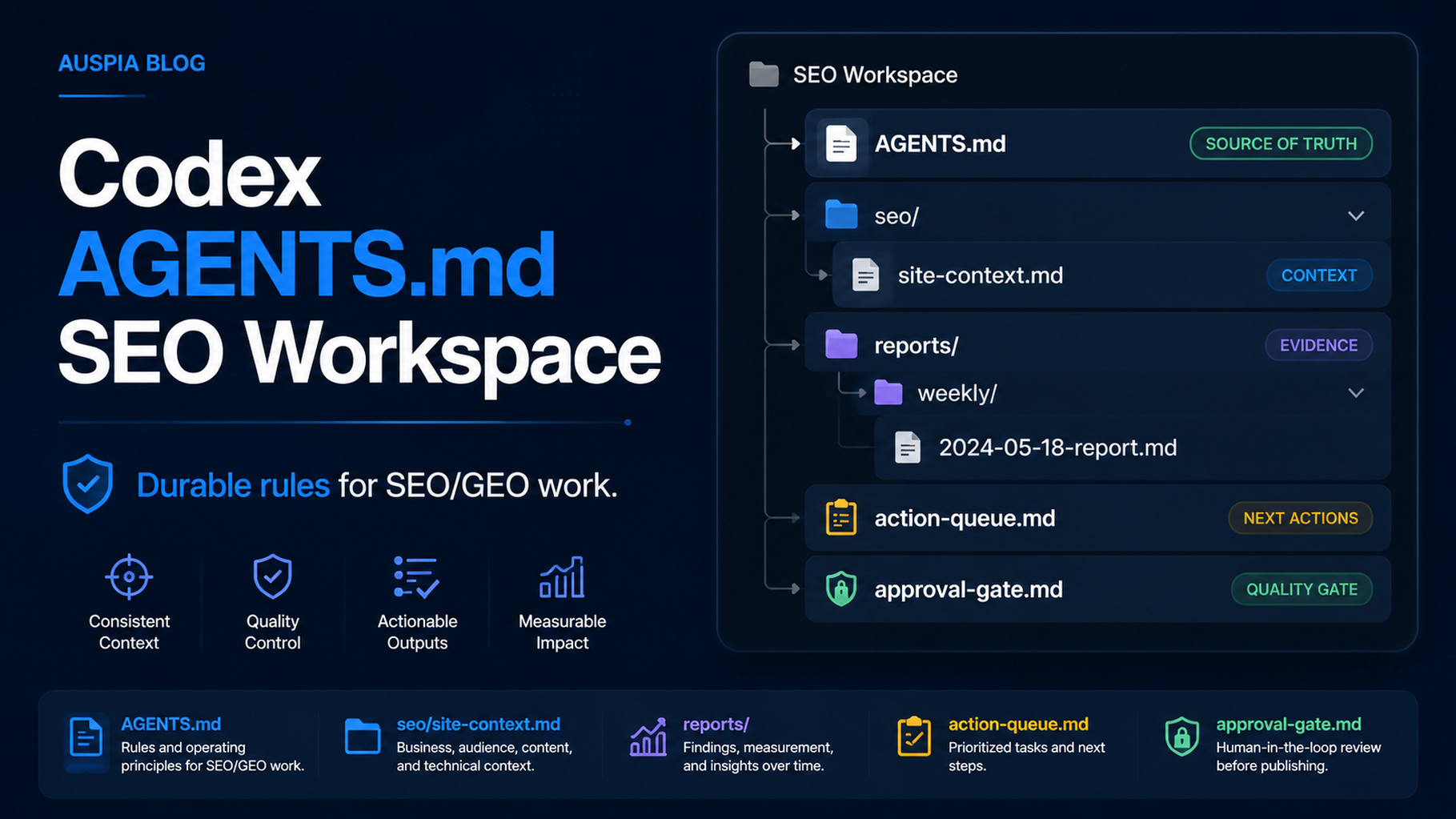

Codex SEO workspace structure: `AGENTS.md`, site context, data map, reports, and approval gate.
The practical outcome
A Codex SEO workspace is not just a folder full of prompts. It is a project where Codex can read durable instructions, inspect site files, run safe checks, and produce reviewable SEO/GEO artifacts. The center of that setup is AGENTS.md: a project instruction file that tells Codex how to behave inside the repository.
Use this workflow when you want Codex to remember SEO rules across sessions without pasting a giant prompt every time. Put stable rules in AGENTS.md; put changing data in seo/ files; put one-off requests in the chat.
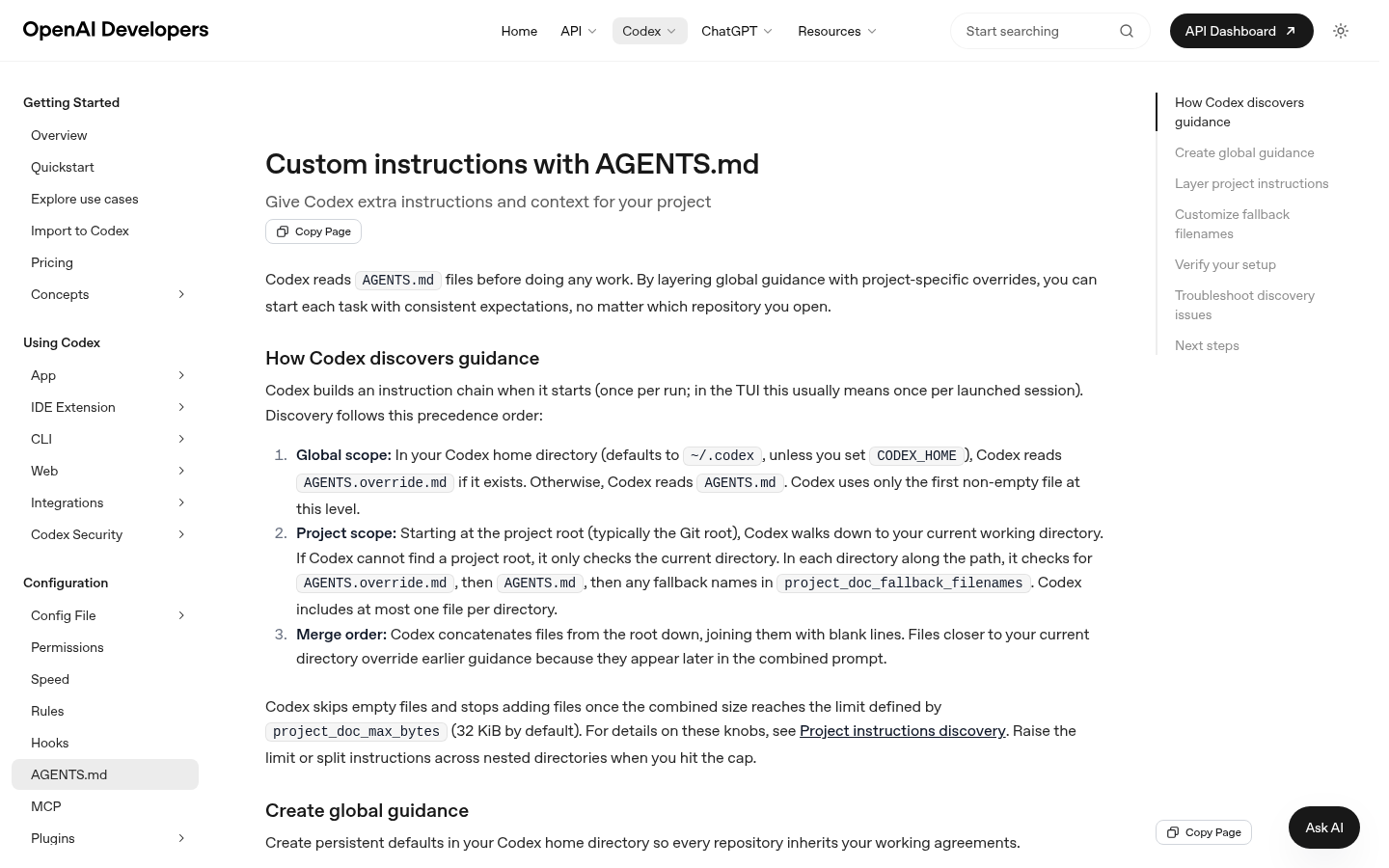
The official Codex documentation page for `AGENTS.md`, captured for this tutorial so readers can connect the workflow to the real Codex surface.
What belongs in AGENTS.md
AGENTS.md should be specific enough to guide Codex, but not so large that it becomes a second CMS. Keep it focused on operating rules.
Section | What to include | What not to include |
|---|---|---|
Role | Codex is an SEO/GEO operator, not an autopublisher | Broad brand philosophy paragraphs |
Workspace paths | Where exports, reports, screenshots, and queues live | Raw API keys or secrets |
Safety rules | No production publish, no URL submission, no canonical/robots changes without approval | Vague "be careful" instructions |
Output formats | Briefs, tickets, tables, QA memos | Unreviewable free-form summaries |
Verification | Commands, checks, expected evidence | Unsupported ranking guarantees |
Create the workspace structure
Start with a clean project folder:
codex-seo-workspace/
  AGENTS.md
  seo/
    site-context.md
    data-map.md
    prompt-map.csv
    monitored-urls.csv
    action-queue.md
    reports/
    exports/
    screenshots/
Then ask Codex to inspect the folder before doing any SEO work:
Read AGENTS.md and the files under seo/. Do not change any production file.
Summarize what data is available, what is missing, and what SEO/GEO tasks are safe to run.
Starter AGENTS.md for SEO/GEO
# Codex SEO/GEO Operator Instructions

You are assisting with SEO and GEO operations for this site.

## Allowed work
- Read public site files and exported analytics data.
- Create briefs, reports, tickets, and review checklists.
- Propose changes with evidence.
- Run local validation commands when they are safe.

## Blocked work without explicit approval
- Publishing CMS content.
- Submitting URLs to search engines.
- Editing robots.txt, redirects, canonicals, schema, sitemap files, or production config.
- Changing account settings or using write-enabled API keys.

## Required outputs
Every recommendation must include:
- evidence source
- affected URL
- confidence
- risk level
- next action
- whether human approval is required

## File conventions
- Store exports in seo/exports/.
- Store reports in seo/reports/.
- Append approved tasks to seo/action-queue.md.
- Keep raw snapshots separate from summaries.
Add site context before asking for strategy
Codex works better when it can read facts instead of guessing. Create seo/site-context.md:
# Site Context

Brand:
Primary audience:
Main product or service:
Priority markets:
Important URLs:
Known competitors:
Conversion paths:
Topics we should avoid:
Then create seo/data-map.md:
# Data Map

| Source | File or connector | What it proves | Freshness | Limitations |
| --- | --- | --- | --- | --- |
| GSC | seo/exports/gsc-queries.csv | queries, clicks, impressions, CTR | weekly | Google only |
| Bing | seo/exports/bing-pages.csv | Bing clicks and crawl hints | weekly | smaller volume |
| GA4 | seo/exports/landing-pages.csv | engagement and conversion | weekly | attribution limits |
First task to run
Do not start with "do SEO." Start with an inventory task:
Using AGENTS.md, site-context.md, and data-map.md, create a first-week SEO/GEO action plan.
Do not write final copy. Do not change files outside seo/reports/.
Return:
1. missing data
2. top safe checks
3. pages to inspect
4. risks
5. approval needed before any edits
What good output looks like
A useful Codex output should name files, evidence, and next steps:
Finding | Evidence | Safe next action | Approval |
|---|---|---|---|
Setup guide gets impressions but low CTR |
| Draft title/meta options in a brief | Editorial |
GEO prompt map has no target URL for comparison prompts |
| Add target URL column and page mapping | SEO lead |
Robots rule may block an AI crawler |
| Create technical ticket, do not edit | Engineering + SEO |
Common mistakes
- Putting temporary data in
AGENTS.mdinstead of files underseo/. - Asking Codex to publish or submit URLs before the approval gate.
- Using one huge prompt instead of durable workspace files.
- Letting Codex rewrite a page before it has evidence.
- Forgetting to record why a recommendation was accepted or rejected.
FAQ
Is AGENTS.md the same as a prompt?
No. Treat it as durable project guidance. Use it for rules that should apply repeatedly inside the workspace.
Should I put API keys in AGENTS.md?
No. Keep secrets in your normal secure environment. AGENTS.md should describe allowed data sources and safety rules, not credentials.
Can a beginner use this without MCP?
Yes. Start with CSV exports from GSC, Bing Webmaster Tools, GA4, or keyword tools. Add MCP once the workflow proves useful.
Codex SEO/GEO learning path
This article is part of the Codex SEO/GEO operator series. If you are building the workflow from scratch, follow the sequence:
1. How to Use Codex for Automated GEO in 2026
2. How to Use Codex for Automated SEO
3. How to Set Up a Codex SEO Workspace with AGENTS.md
4. How to Connect Codex to SEO Data with MCP
5. The Best Codex GEO Skill in 2026
6. How to Build a Codex Skill for Keyword Clustering
7. How to Use Codex Subagents for SERP, Content, and Technical SEO
8. How to Use Codex for Technical SEO Fixes Without Breaking Production
9. How to Run Daily SEO/GEO Monitoring with Codex Automations
10. Codex SEO/GEO Quality Gates: Diff, Evidence, Tests, and Human Approval
11. How to Use Codex to Build and Deploy an SEO/GEO-Ready Website
Where to go next
Previous: How to Use Codex for Automated SEO
Next: How to Connect Codex to SEO Data with MCP
Sources and notes
Use OpenAI's official Codex documentation as the source of truth for current syntax and product behavior:
- Codex CLI: https://developers.openai.com/codex/cli
- AGENTS.md: https://developers.openai.com/codex/guides/agents-md
- Codex Skills: https://developers.openai.com/codex/skills
- Codex MCP: https://developers.openai.com/codex/mcp
- Codex subagents: https://developers.openai.com/codex/subagents
- Codex configuration: https://developers.openai.com/codex/config-reference
Author: Camille Rhodes, Architect of 300+ AI Content Workflows at Auspia. Camille writes about AI-assisted content systems, automation, and editorial quality control for growth teams.


