


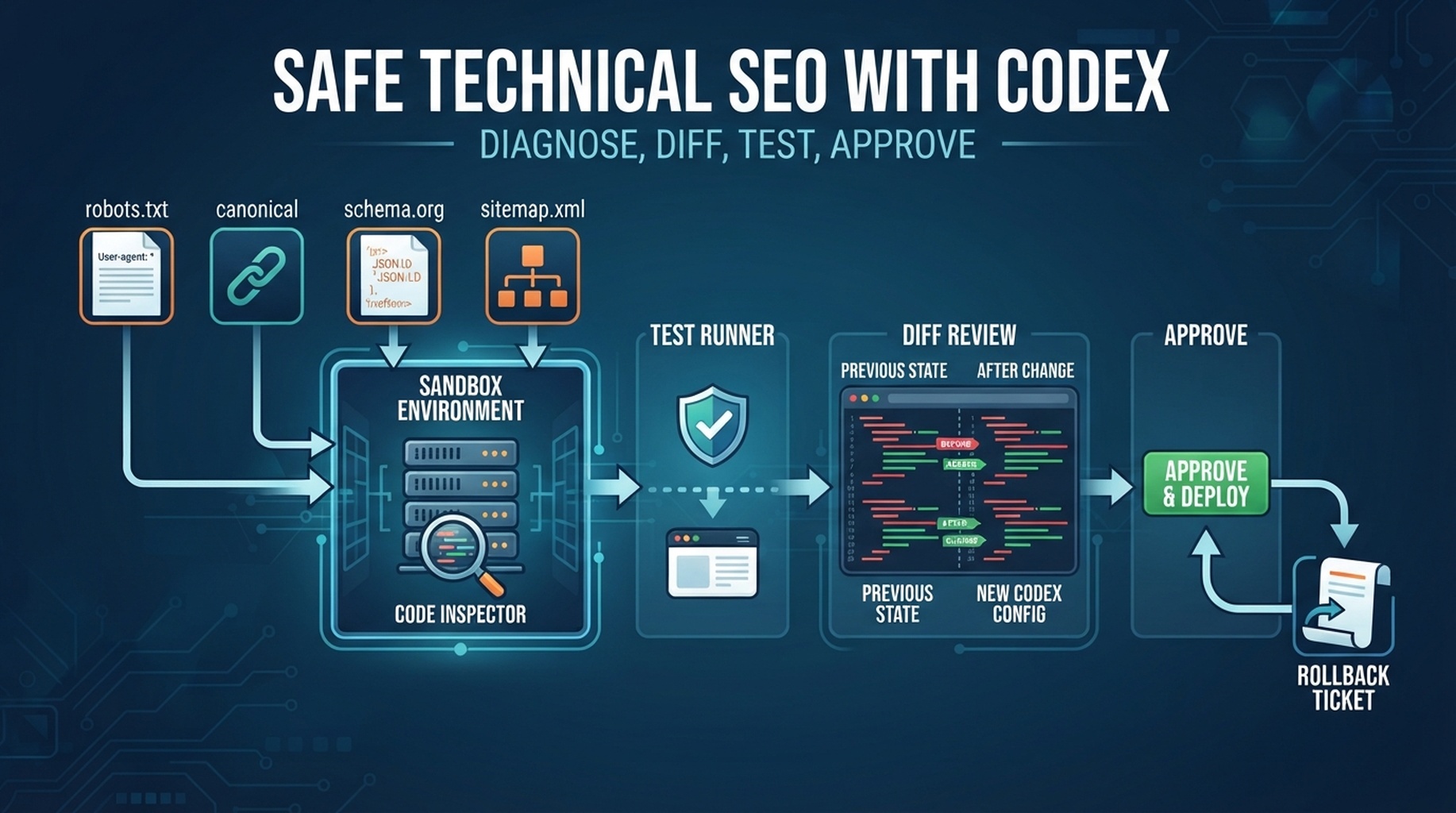

Codex technical SEO workflow: diagnose, create a diff, run tests, and wait for approval before production changes.
The rule: Codex can edit files, so slow down
Technical SEO is where Codex can be extremely useful and genuinely risky. It can inspect code, generate fixes, run tests, and prepare diffs. That means you should not ask it to "fix technical SEO" in production. Ask it to diagnose, create a ticket, propose a patch, run validation, and wait for approval.
Use Codex for technical SEO when the issue touches files such as templates, schema, sitemap generation, robots rules, redirects, canonical tags, internal link components, or rendered metadata.
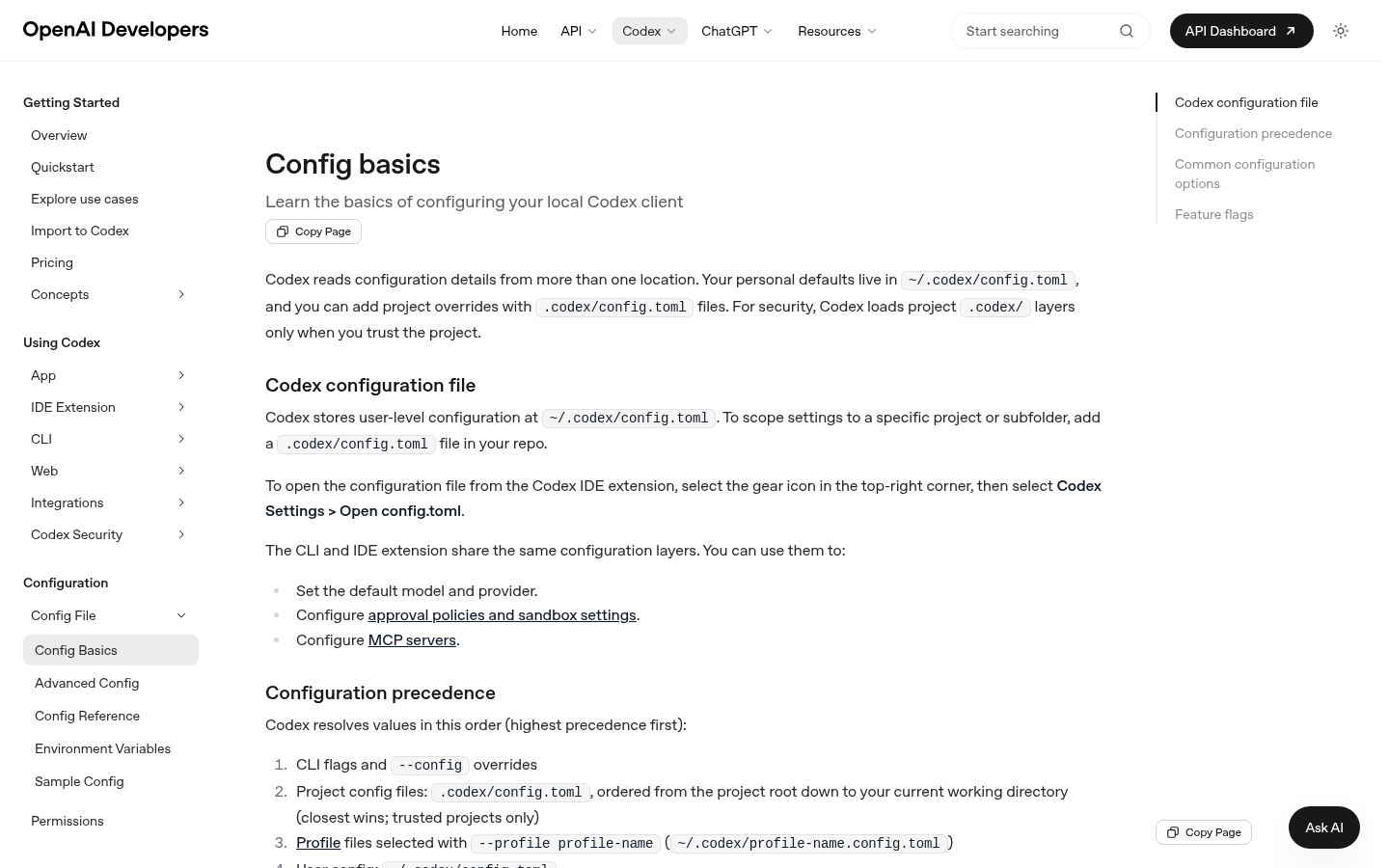
Codex configuration and approval behavior matter most when technical SEO tasks can touch production-facing files.
Start with diagnosis only
Run a technical SEO/GEO diagnosis for these URLs and files.
Do not edit anything yet.
Check crawlability, robots rules, noindex, canonical, sitemap presence, schema, rendered headings, FAQ visibility, and internal links.
Return evidence, affected files, risk level, and validation steps.
Technical audit map
Layer | Codex checks | Evidence | Owner |
|---|---|---|---|
Crawl access | robots, status codes, blocked paths | file + request result | SEO + engineering |
Index signals | noindex, canonical, sitemap | rendered/source evidence | engineering |
Rendered page | headings, links, visible copy | browser/test output | frontend |
Structured data | schema presence and consistency | validator/test output | engineering |
GEO extraction | answer blocks, definitions, FAQs | page section evidence | content + SEO |
Ask for a patch plan before a patch
Create a technical SEO patch plan.
For each proposed change, include:
- file path
- exact issue
- why it matters
- risk level
- test command
- rollback plan
Do not edit files until I approve the plan.
Safe patch workflow
- Diagnose issue.
- Create patch plan.
- Get human approval.
- Apply the smallest diff.
- Run tests and local checks.
- Produce a review memo.
- Do not deploy automatically.
Example review memo:
## Technical SEO patch memo

Changed files:
Validation commands:
Before evidence:
After evidence:
Remaining risks:
Rollback:
Approval needed:
What Codex should not do automatically
Action | Why blocked |
|---|---|
Edit production | Can remove crawl access |
Change canonical logic | Can consolidate the wrong URLs |
Add or remove noindex | Can deindex valuable pages |
Submit URLs | Changes external search engine state |
Modify redirects | Can break traffic and attribution |
Publish schema changes without tests | Can create invalid structured data |
GEO-specific technical checks
GEO visibility also depends on technical accessibility. Ask Codex to check:
- whether important answer blocks render without user interaction
- whether FAQs are visible in rendered HTML
- whether key definitions are not hidden behind tabs
- whether public pages return stable status codes
- whether internal links connect definitions, tutorials, and measurement pages
- whether robots rules accidentally block useful crawlers
FAQ
Should Codex directly fix schema?
Only after a patch plan and validation. Schema is code and search-facing metadata; treat it like production code.
What is the best first technical task?
A read-only audit of 10 priority URLs. Do not start with automated repo-wide rewrites.
How do I know whether a fix worked?
Require before/after evidence: rendered page output, test command result, source diff, and a rollback path.
Codex SEO/GEO learning path
This article is part of the Codex SEO/GEO operator series. If you are building the workflow from scratch, follow the sequence:
1. How to Use Codex for Automated GEO in 2026
2. How to Use Codex for Automated SEO
3. How to Set Up a Codex SEO Workspace with AGENTS.md
4. How to Connect Codex to SEO Data with MCP
5. The Best Codex GEO Skill in 2026
6. How to Build a Codex Skill for Keyword Clustering
7. How to Use Codex Subagents for SERP, Content, and Technical SEO
8. How to Use Codex for Technical SEO Fixes Without Breaking Production
9. How to Run Daily SEO/GEO Monitoring with Codex Automations
10. Codex SEO/GEO Quality Gates: Diff, Evidence, Tests, and Human Approval
11. How to Use Codex to Build and Deploy an SEO/GEO-Ready Website
Where to go next
Previous: How to Use Codex Subagents for SERP, Content, and Technical SEO
Next: How to Run Daily SEO/GEO Monitoring with Codex Automations
Sources and notes
Use OpenAI's official Codex documentation as the source of truth for current syntax and product behavior:
- Codex CLI: https://developers.openai.com/codex/cli
- AGENTS.md: https://developers.openai.com/codex/guides/agents-md
- Codex Skills: https://developers.openai.com/codex/skills
- Codex MCP: https://developers.openai.com/codex/mcp
- Codex subagents: https://developers.openai.com/codex/subagents
- Codex configuration: https://developers.openai.com/codex/config-reference
Author: Camille Rhodes, Architect of 300+ AI Content Workflows at Auspia. Camille writes about AI-assisted content systems, automation, and editorial quality control for growth teams.


