


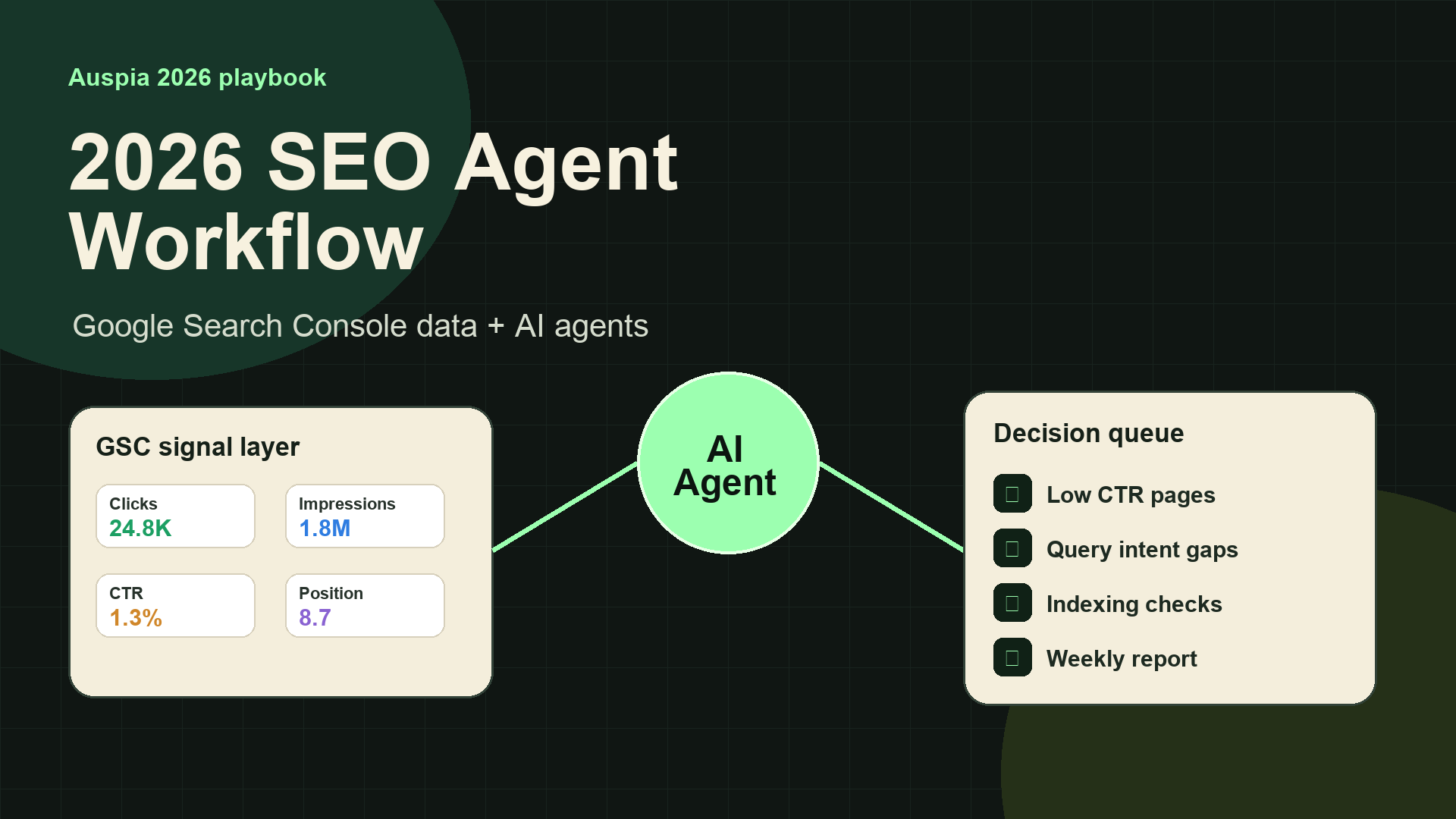
Quick answer: SEO agents are becoming useful because they can read the boring data first
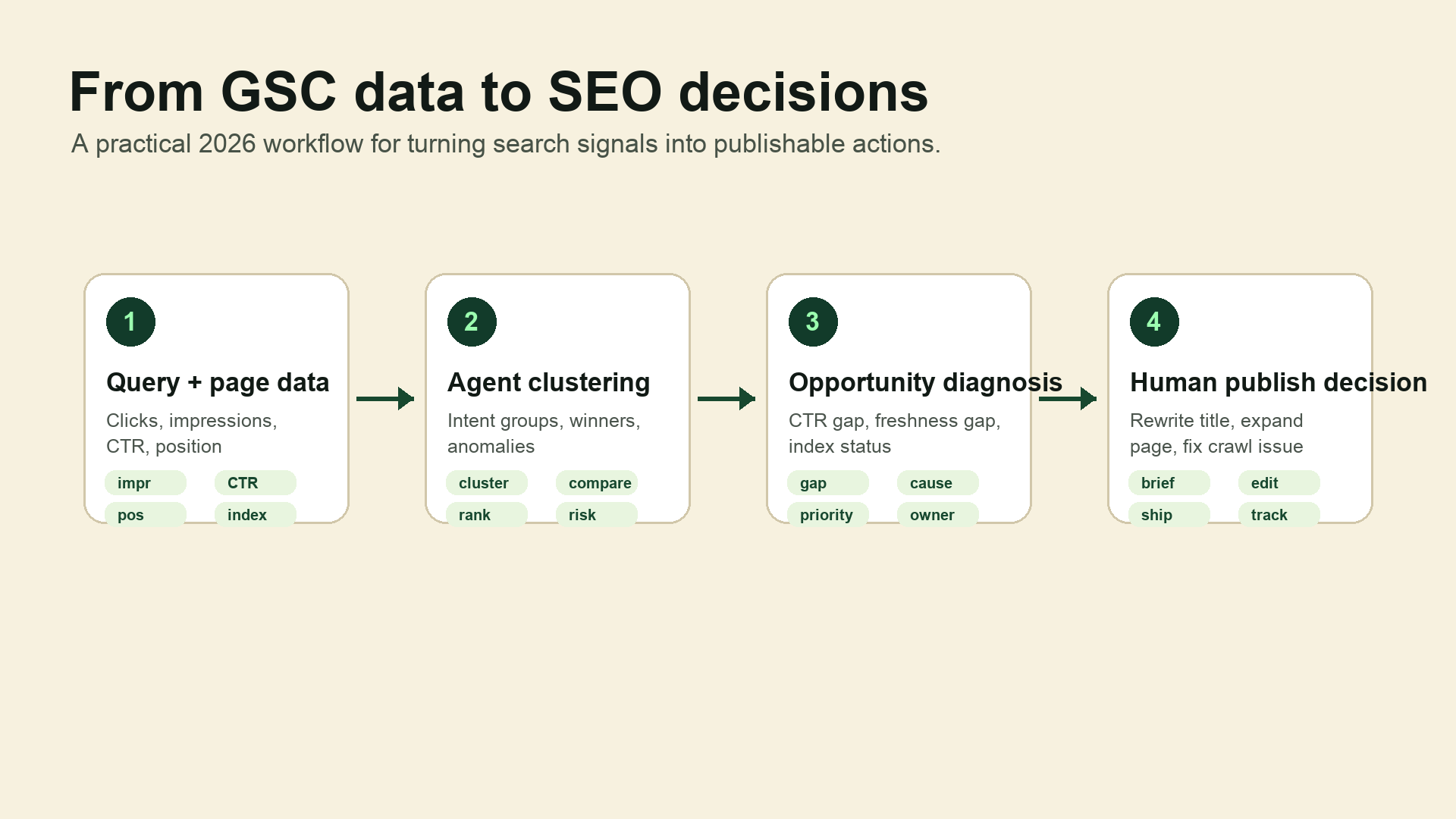
In 2026, one of the highest-leverage SEO workflows is no longer "open Google Search Console, export a CSV, sort rows, copy URLs, then guess what happened." The better workflow is: connect Search Console data to an AI agent, ask a narrow diagnostic question, and let the agent assemble the page, query, CTR, ranking, and index signals before a human decides what to change.
That is the practical value of projects like google-search-console-mcp: they connect Google Search Console to MCP-compatible clients such as Codex CLI, Claude Desktop, and Cursor, so an AI assistant can inspect real search performance instead of working from a pasted screenshot or a stale spreadsheet.
This does not replace SEO judgment. It removes the part that drains the afternoon: jumping between Performance, Pages, Queries, URL Inspection, spreadsheets, and notes just to find the first clue.
For teams working on SEO, GEO, content refreshes, or technical audits, this is where AI agents start to feel less like a chat toy and more like an analyst sitting next to the data.
Why Google Search Console is still the right starting point in 2026
Search Console is not glamorous, but it has something most SEO tools do not: first-party search performance from Google.
The data is imperfect. It is sampled in some views, delayed, and sometimes awkward to join across dimensions. Still, it tells you what Google has actually tested your pages for:
Signal | Why it matters |
|---|---|
Queries | Shows the language Google associates with the page |
Pages | Shows which URLs are gaining or losing demand |
Impressions | Reveals where Google is willing to show you |
CTR | Shows whether the result earns the click it should |
Average position | Separates visibility problems from click problems |
URL Inspection | Helps explain indexing, canonical, robots, and crawl issues |
The old pain was not access to the data. The pain was stitching these signals together fast enough to make a decision before the meeting ends.
That is exactly the job an agent can do well.
What an AI agent can do with GSC data
A Search Console-connected agent is not a new dashboard. Think of it as a queryable SEO analyst that can pull the right slices of data on demand.
Instead of asking a tool to show another chart, you ask a work question:
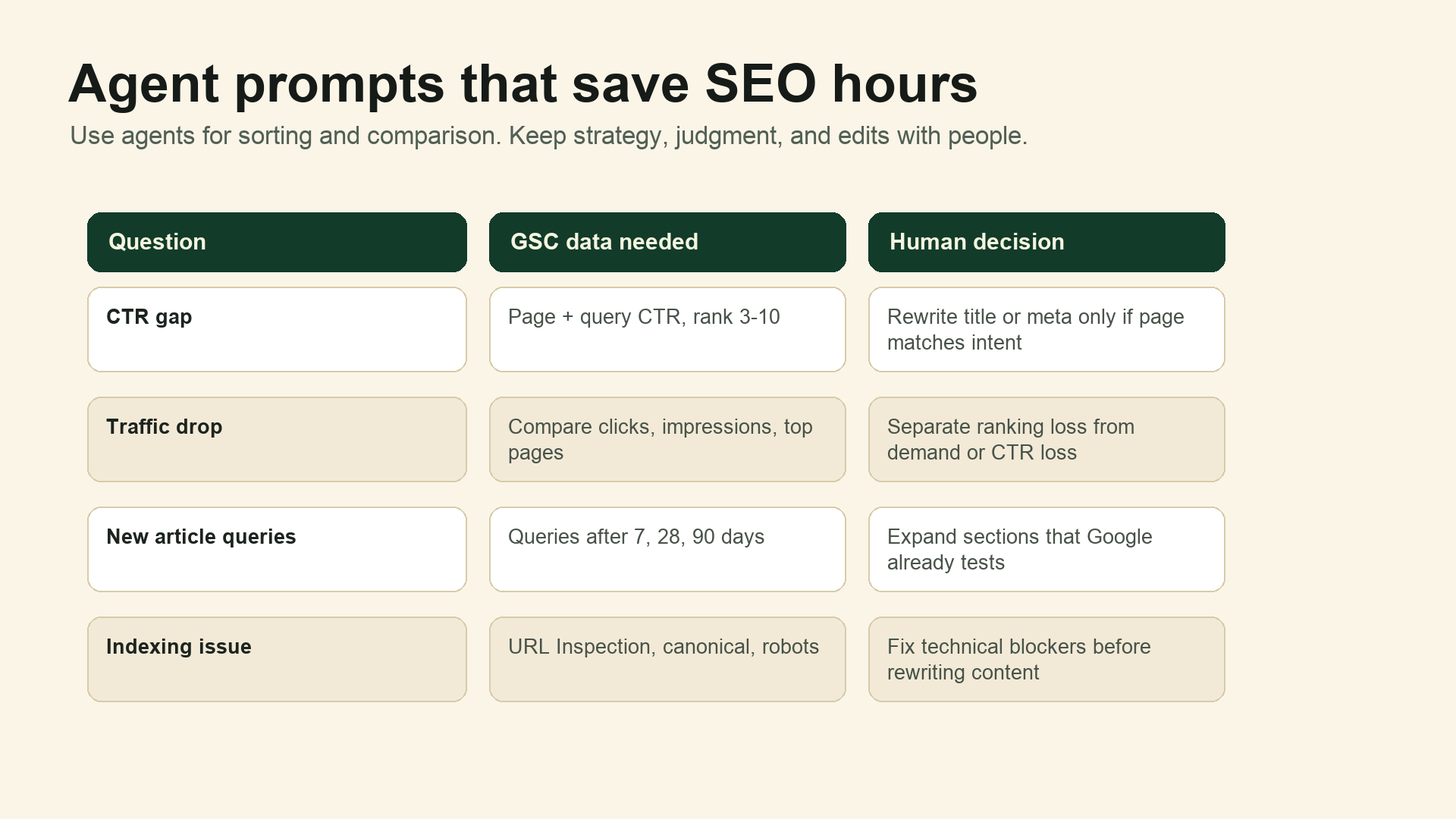
Find pages from the last 28 days with high impressions, position 3-10, and low CTR.
Group them by search intent and suggest title changes only where the page actually matches the query intent.
Or:
Compare the last 28 days with the previous 28 days for this property.
Which pages explain most of the click decline, and is the loss coming from impressions, rank, or CTR?
Or:
For this new article, show the queries that started appearing in the first 90 days.
Which sections should we expand based on the queries Google is already testing?
The difference is subtle but important. You are not asking AI to invent an SEO strategy. You are asking it to retrieve, compare, cluster, and explain the data you already own.
Example 1: find low-click opportunities without drowning in exports
A page with 80,000 impressions and 800 clicks has a 1% CTR. That number alone is not enough.
The useful question is: low CTR for what?
An agent can pull the page-level and query-level data together and look for patterns:
- The page ranks in positions 3-10 for several queries but earns fewer clicks than expected.
- The title promises a broad guide, while the query is looking for a specific checklist or template.
- The page gets impressions for comparison queries, but the snippet does not mention the comparison.
- The page is visible in one country or device type but underperforms in another.
The human decision comes after that. Maybe the title needs a tighter value proposition. Maybe the meta description should mention pricing, year, template, or use case. Maybe the page should not be targeting that query at all.
A decent SEO agent should make the choice clearer. It should not make the choice for you.
Example 2: separate a traffic drop from a panic attack
When organic traffic drops, teams often jump to the loudest explanation: algorithm update, technical bug, competitor attack, content quality, seasonality.
Sometimes one of those is true. Often the first step is simpler.
Ask the agent to compare two periods and identify where the loss concentrates:
Pattern | Likely first diagnosis |
|---|---|
Impressions fell, position stayed similar | Search demand or query mix changed |
Position fell, impressions fell | Ranking loss or relevance shift |
Position stayed similar, CTR fell | Snippet, title, SERP feature, or intent mismatch |
One directory lost most clicks | Template, internal linking, canonicals, or content cluster issue |
A few pages lost all impressions | Indexing, canonical, robots, or crawl problem |
This does not prove the final cause. It gives you a sane starting point.
A traffic drop investigation should feel like triage, not archaeology.
Example 3: turn new article queries into content updates
One underused Search Console workflow is checking what Google tests after a new article goes live.
For a fresh blog post, the first 7 days are usually too noisy. After 28 or 90 days, the query data often shows early intent signals:
- queries you expected;
- adjacent questions you did not cover;
- comparison terms that deserve a section;
- product or tool terms that need a clearer explanation;
- long-tail questions that could become FAQ entries.
This is especially useful for AI search and GEO content. If Google already associates a page with a set of questions, the page can often become more useful by answering those questions directly, with clearer headings, tables, examples, and sourceable statements.
That same structure also helps answer engines extract the page more cleanly. If you are checking AI visibility, pair this workflow with an AI Search Visibility Checker so you can compare search demand against AI-answer inclusion.
Example 4: inspect indexing issues before rewriting content
Not every SEO problem is a writing problem.
If a page is not indexed, or is indexed under the wrong canonical, rewriting the introduction will not fix much. A Search Console-connected agent can help by checking URL Inspection data, then putting the result next to the performance record.
Useful prompts include:
Check these URLs for indexing, canonical, robots, and crawl issues.
Summarize which ones need technical fixes before content work.
Or:
For pages with falling impressions, check whether any have index coverage or canonical changes.
Separate technical suspects from content suspects.
The point is not to automate technical SEO away. The point is to stop wasting editorial time on pages that first need crawl or index repair.
What you need before connecting GSC to an agent
The open-source google-search-console-mcp project currently requires a few basics:
- Node.js 20 or newer.
- A Google Cloud project with the Search Console API enabled.
- Access to the target property in Google Search Console.
- OAuth credentials or a service account setup, depending on your workflow.
- An MCP-compatible client, such as Codex CLI, Claude Desktop, or Cursor.
For local use, OAuth is often the most straightforward path because it authorizes through your own Google account. After setup, the agent can access the properties you are allowed to see.
Treat the permissions seriously. Search Console data can expose search demand, page performance, and content strategy. Give access to the people and machines that need it, not to every experiment in the stack.
A 2026 prompt library for SEO teams
Start with narrow prompts. Broad prompts produce vague reports.
Use case | Better prompt |
|---|---|
Weekly reporting | "Generate a 28-day SEO performance summary. Separate changes in clicks, impressions, CTR, and average position. List the five pages that explain most of the movement." |
CTR optimization | "Find pages ranking 3-10 with high impressions and below-site-average CTR. Show the top queries and suggest title angles based only on query intent." |
Content refresh | "For this URL, list the top queries from the last 90 days. Which missing subtopics should be added to the article?" |
Traffic decline | "Compare the latest 28 days with the previous 28 days. Is the loss mainly from impressions, position, or CTR?" |
Technical triage | "Check these URLs for index status, canonical, robots, and crawl issues. Mark which pages need technical action before content edits." |
Keep the prompt grounded in a time window, a property or URL, and a decision you need to make. That gives the agent enough structure to be useful.
Where humans still matter
There is a trap here: because the agent can produce a polished answer, teams may start treating the answer as the decision.
That is risky.
An SEO agent can surface that a page has low CTR for a high-impression query. It cannot fully know whether your brand should chase that query, whether the page should be rewritten, whether the offer is commercially useful, or whether a title change would mislead the reader.
Use agents for:
- pulling and comparing data;
- clustering queries;
- identifying anomalies;
- drafting hypotheses;
- creating repeatable reports;
- separating content issues from indexing issues.
Keep humans in charge of:
- prioritization;
- brand and product positioning;
- final titles and copy;
- technical fixes that affect crawl behavior;
- deciding whether a query is worth owning.
The best 2026 SEO workflow is not AI instead of SEO. It is AI doing the data prep so SEOs can spend more time on judgment.
Auspia take: agentic SEO should be measured by decisions shipped
The useful metric is not how many agent reports you generate. It is how many better decisions the workflow helps you ship.
A practical weekly loop looks like this:
- Pull 28-day Search Console performance.
- Ask the agent for page-level winners, losers, and CTR gaps.
- Check index status for abnormal pages.
- Pick five actions: rewrite title, expand section, fix canonical, improve internal links, or leave unchanged.
- Record the change date.
- Review the same page after 28 days.
That loop is simple enough to survive a busy week. It also creates a record that helps you learn which agent recommendations are actually useful.
For Auspia, this is the direction SEO work is moving in 2026: fewer static audits, more connected workflows; fewer generic recommendations, more page-specific actions; fewer one-off content updates, more search data feeding back into the content system.
FAQ
Can an AI agent improve rankings automatically?
No. It can help find opportunities and diagnose problems faster, but rankings still depend on relevance, content quality, technical accessibility, links, brand demand, competition, and search intent. Treat the agent as an analyst, not a ranking machine.
Is Google Search Console enough for SEO analysis?
It is enough for many first-party diagnostics: clicks, impressions, CTR, average position, query/page relationships, and indexing checks. For competitor research, backlinks, SERP features, or market sizing, you still need other SEO tools and human review.
Should every SEO team connect GSC to Codex or another MCP client?
If the team regularly exports GSC data, investigates traffic drops, refreshes content, or produces SEO reports, the workflow is worth testing. If you only check Search Console once a month, a dashboard may be enough.
What is the safest first workflow to test?
Start with read-only weekly reporting. Ask the agent to summarize the last 28 days, list the pages driving the biggest changes, and explain whether the movement came from impressions, CTR, or average position. Do not let the workflow make site changes automatically.
How does this relate to GEO and AI search optimization?
GSC shows the queries and pages Google already associates with your content. GEO and AI search work benefit from the same clarity: direct answers, structured sections, sourceable claims, and pages that map cleanly to user questions. Search data can tell you which questions deserve more explicit answers.


