


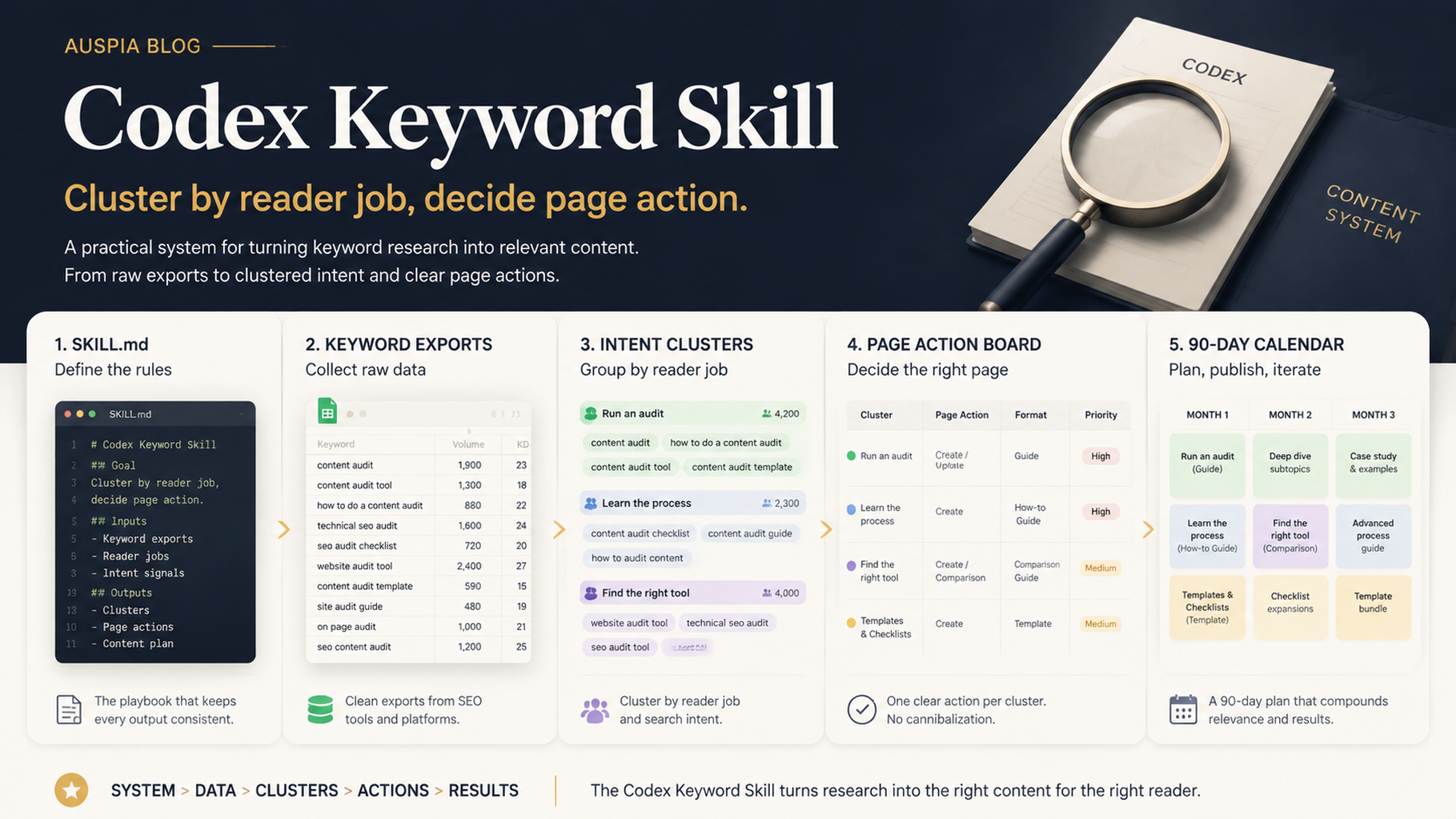

Codex Skill package for keyword clustering: instructions, scripts, exports, clusters, and page decisions.
Why this should be a Codex Skill
Keyword clustering is not a one-time prompt. You will run it every month, with new GSC exports, Bing queries, keyword tool data, competitor URLs, and GEO prompts. That makes it a good candidate for a Codex Skill: a reusable workflow with instructions, expected inputs, optional scripts, and a consistent output format.
The goal is not a list of article titles. The goal is a decision table: create, refresh, merge, support, monitor, or ignore.
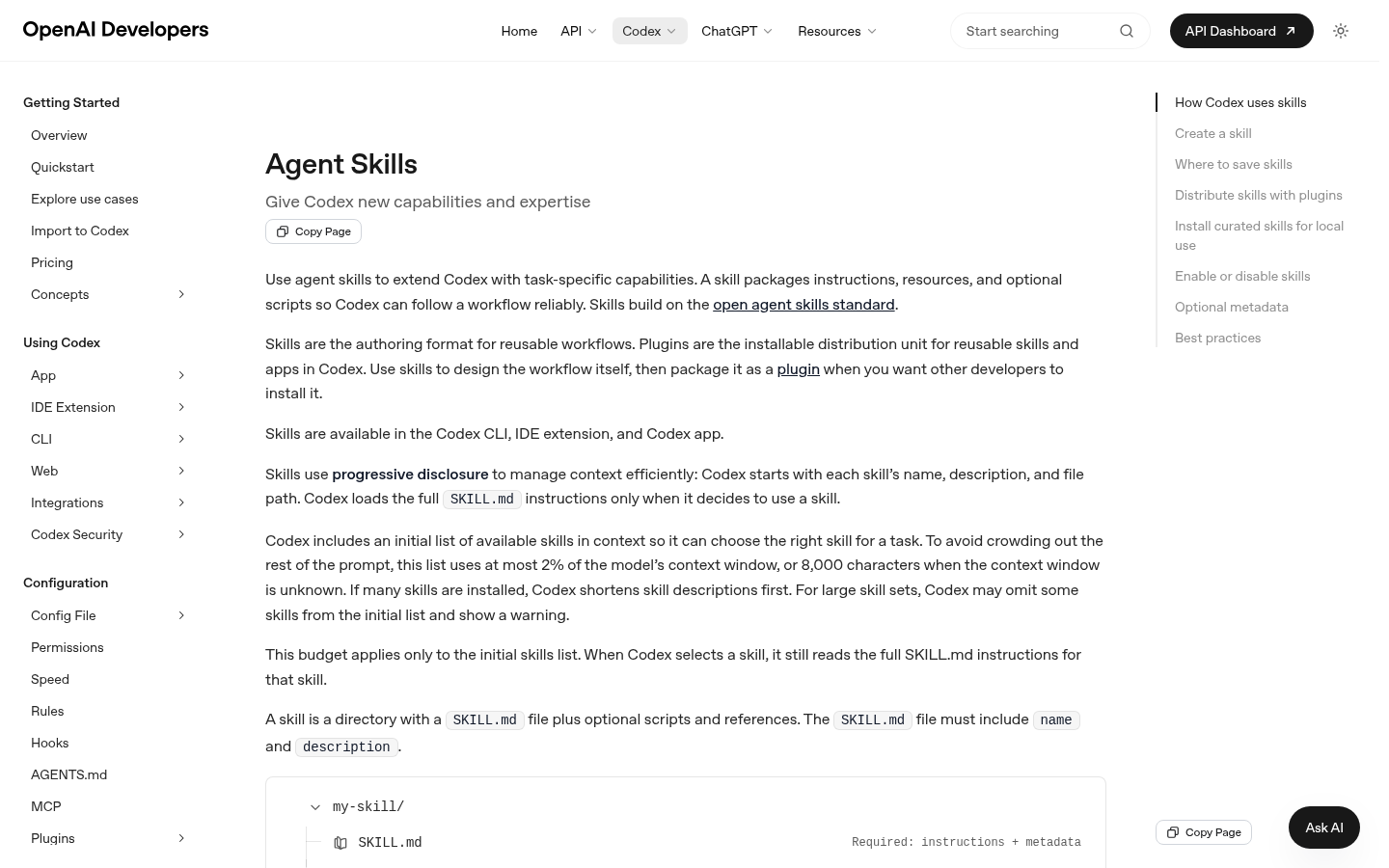
Codex Skills are reusable workflow packages, which is why keyword clustering should be packaged instead of pasted as one long prompt.
Skill folder shape
A practical project-local skill can look like this:
.codex/skills/keyword-cluster-planner/
  SKILL.md
  references/
    clustering-rules.md
    page-action-rules.md
  scripts/
    normalize_keywords.py
    detect_cannibalization.py
If you do not want to maintain scripts yet, start with SKILL.md only. Add scripts after the workflow proves repeatable.
SKILL.md starter
---
name: keyword-cluster-planner
description: Turn SEO query exports, keyword data, competitor URLs, and GEO prompts into intent clusters and page actions.
---

# Keyword Cluster Planner

Inputs:
- GSC query export
- Bing query export
- keyword tool export
- existing URL inventory
- competitor URL notes
- GEO prompt map

Rules:
- Preserve source labels.
- Do not invent volume or difficulty.
- Cluster by reader job, not shared words.
- Assign one page action per cluster.
- Flag cannibalization before recommending new pages.

Output:
- normalized keyword table
- intent clusters
- page action table
- 90-day content calendar
- rejected cluster log
Normalize the inputs
Ask Codex to clean data before it clusters:
Use the keyword-cluster-planner skill.
Normalize these exports into seo/keyword-planning/normalized-keywords.csv.
Keep source labels, market, current URL, query, volume, difficulty, CPC, intent guess, and notes.
Remove duplicates only after preserving source frequency.
Cluster by reader job
Weak grouping | Better Codex instruction |
|---|---|
Same words | Group by the job the reader wants done |
High volume only | Score business fit and effort too |
One keyword = one article | Map each cluster to an existing or new page |
GEO prompts separate | Attach prompt opportunities to page decisions |
Page action table
Cluster | Existing URL | Search signal | GEO signal | Action | Reason |
|---|---|---|---|---|---|
Set up SEO agent |
| GSC impressions | setup prompts | refresh | existing page can answer better |
AI citation monitoring | none | medium demand | high GEO value | create | no page covers daily checks |
Codex skill packaging |
| low volume | strong fit | support | link from operator guide |
90-day calendar output
Build a 90-day content calendar from the approved page-action table.
Rules:
- no duplicate pages for the same intent
- max 2 new pages per week
- mix refreshes and new posts
- include owner, evidence, and approval gate
- keep rejected clusters in a log
Quality gate
Before accepting the calendar, ask Codex:
Review this keyword calendar for cannibalization, weak evidence, missing existing URLs, and overproduction.
Mark every risky item and recommend whether to keep, merge, monitor, or reject.
FAQ
Should Codex collect keyword metrics itself?
Use Codex to normalize and interpret data. Use trusted exports or APIs for the metrics.
Should this Skill publish articles?
No. It should produce clusters, briefs, and calendar decisions. Publishing belongs behind a separate approval gate.
How many clusters should the first run include?
Start with 12 to 30 useful clusters. More clusters do not help if the team cannot publish or refresh them well.
Codex SEO/GEO learning path
This article is part of the Codex SEO/GEO operator series. If you are building the workflow from scratch, follow the sequence:
1. How to Use Codex for Automated GEO in 2026
2. How to Use Codex for Automated SEO
3. How to Set Up a Codex SEO Workspace with AGENTS.md
4. How to Connect Codex to SEO Data with MCP
5. The Best Codex GEO Skill in 2026
6. How to Build a Codex Skill for Keyword Clustering
7. How to Use Codex Subagents for SERP, Content, and Technical SEO
8. How to Use Codex for Technical SEO Fixes Without Breaking Production
9. How to Run Daily SEO/GEO Monitoring with Codex Automations
10. Codex SEO/GEO Quality Gates: Diff, Evidence, Tests, and Human Approval
11. How to Use Codex to Build and Deploy an SEO/GEO-Ready Website
Where to go next
Previous: The Best Codex GEO Skill in 2026
Next: How to Use Codex Subagents for SERP, Content, and Technical SEO
Sources and notes
Use OpenAI's official Codex documentation as the source of truth for current syntax and product behavior:
- Codex CLI: https://developers.openai.com/codex/cli
- AGENTS.md: https://developers.openai.com/codex/guides/agents-md
- Codex Skills: https://developers.openai.com/codex/skills
- Codex MCP: https://developers.openai.com/codex/mcp
- Codex subagents: https://developers.openai.com/codex/subagents
- Codex configuration: https://developers.openai.com/codex/config-reference
Author: Camille Rhodes, Architect of 300+ AI Content Workflows at Auspia. Camille writes about AI-assisted content systems, automation, and editorial quality control for growth teams.


