


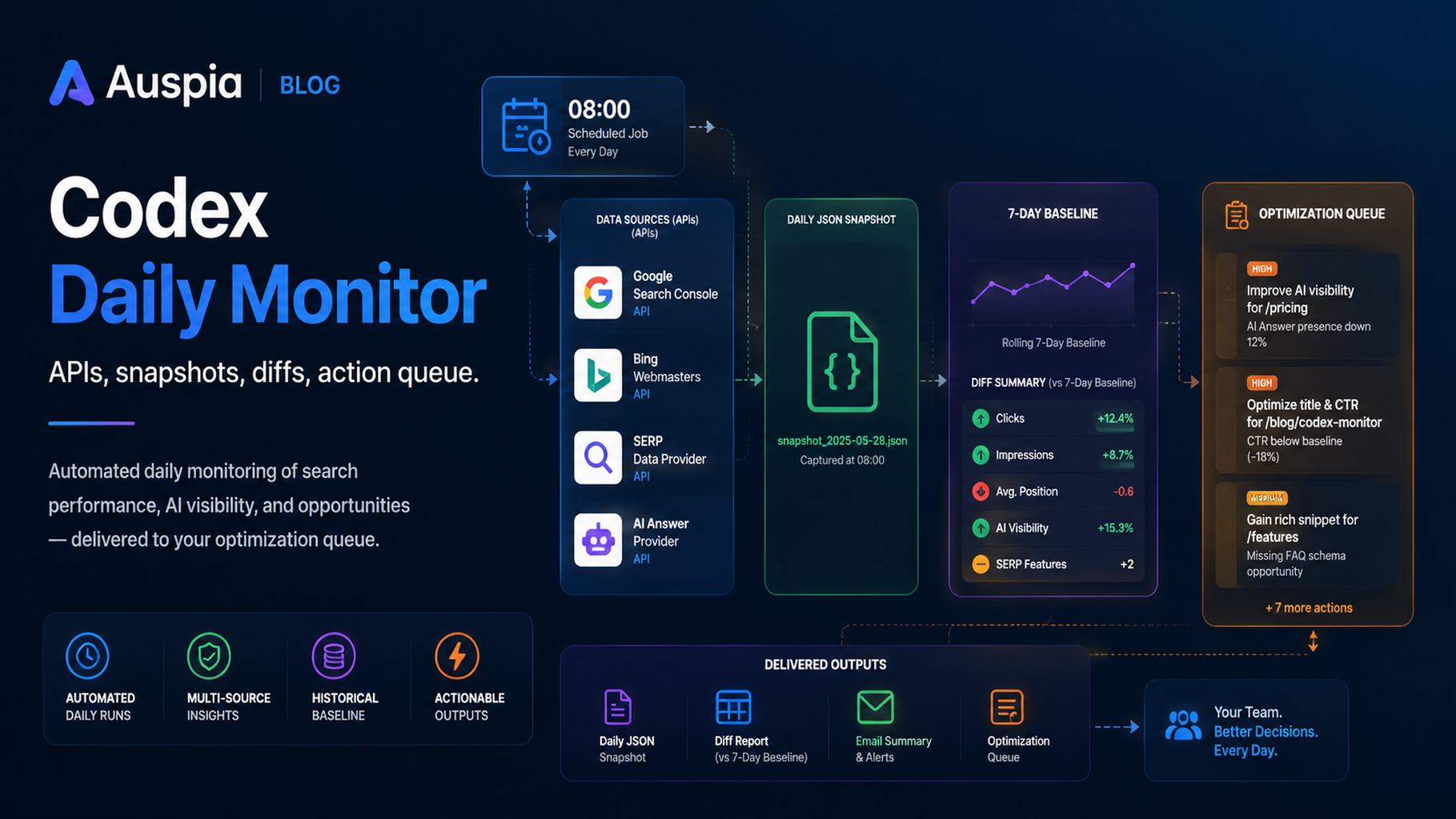

Codex daily monitor: approved APIs, raw snapshots, 7-day baseline, and human-reviewed action queue.
Daily monitoring needs scripts, not memory
If you ask Codex every morning, "How are we doing?" you will get inconsistent answers. A daily SEO/GEO monitor should run the same query set, call the same approved APIs, store raw snapshots, compare against yesterday and the 7-day baseline, then write a short decision memo.
Codex is useful here because it can maintain scripts, inspect output files, update reports, and propose next actions. It should not automatically publish fixes.
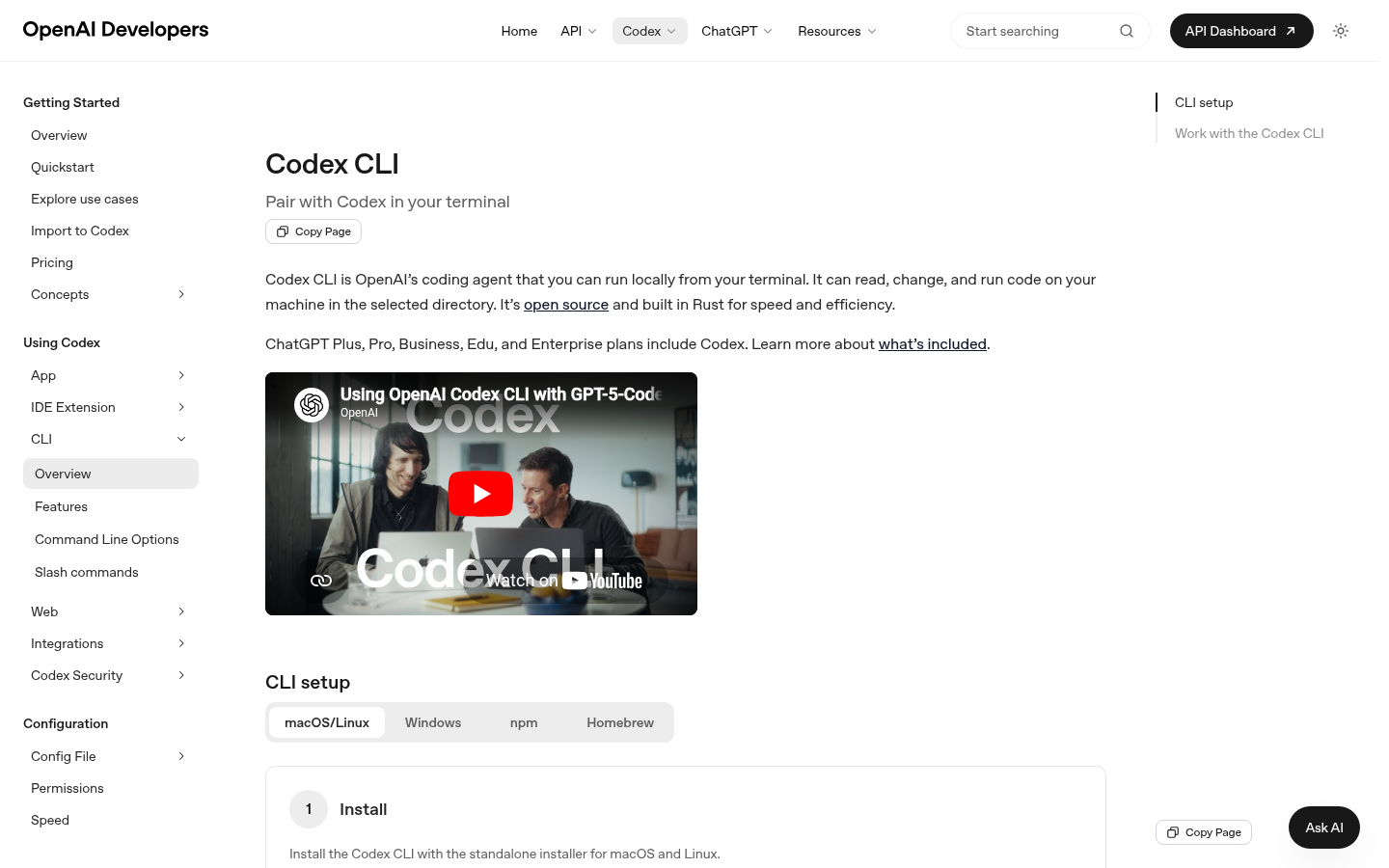
Codex CLI is the practical surface for repeatable local monitoring workflows that create files, run scripts, and write reports.
Workspace structure
seo-monitor/
  AGENTS.md
  monitoring/
    queries.csv
    monitored-urls.csv
    providers.md
    snapshots/
    reports/
    action-queue.md
    data-quality-log.md
  scripts/
    pull_serp.py
    pull_ai_answers.py
    normalize_snapshot.py
    compare_snapshots.py
Query set
id | type | queryorprompt | target_url | priority |
|---|---|---|---|---|
q001 | index |
|
| high |
q002 | seo |
|
| high |
q003 | geo |
|
| high |
q004 | competitor |
|
| medium |
Keep this list stable. If the query set changes every day, the diff becomes meaningless.
Approved data sources
Job | Source type | Example |
|---|---|---|
SEO performance | search console export/API | GSC, Bing Webmaster |
Ranked results | SERP API | DataForSEO, SerpAPI, Bing data |
AI answer citations | grounded answer/search API | Perplexity, Felo Search, other approved APIs |
Rendered checks | browser or fetch tool | Playwright, browser tooling |
Technical status | local scripts | status, canonical, noindex, schema checks |
Daily command prompt
Run the daily SEO/GEO monitoring workflow.
Use only approved read-only providers from monitoring/providers.md.
Store raw responses in monitoring/snapshots/YYYY-MM-DD/.
Normalize results, compare with yesterday and the 7-day baseline, write monitoring/reports/daily-YYYY-MM-DD.md, and update action-queue.md.
Do not publish, submit URLs, change account settings, or edit production files.
Snapshot schema
Field | Meaning |
|---|---|
| monitoring date |
| data provider |
| stable row from |
| web result, AI answer, index check, technical check |
| result or citation URL |
| result rank if applicable |
| true/false |
| true/false |
| list |
| high/medium/low |
| raw response path |
Daily report format
## Daily SEO/GEO Monitor

Date:
Providers used:
Providers failed:
Snapshot path:

## Executive decision
One paragraph on what changed and whether action is needed.

## Meaningful changes
| Priority | Query ID | Change | Evidence | Confidence | Action |
| --- | --- | --- | --- | --- | --- |

## Data quality notes

## Action queue updates
What Codex should recommend
Finding | Good recommendation | Bad recommendation |
|---|---|---|
URL vanished from index check | run technical audit | rewrite article |
competitor gained AI citation | compare evidence blocks | add keywords |
brand mentioned but not cited | strengthen source page and internal links | write more posts |
API failed | retry and mark missing data | assume visibility dropped |
FAQ
Should this run daily or weekly?
Collect daily. Summarize weekly if the team is small. AI answer surfaces can change quickly enough that daily snapshots are useful.
Can Codex run the API scripts itself?
Yes, if the scripts and environment are already approved. Keep API keys out of prompts and keep write actions blocked.
Should Codex automatically create tasks from every alert?
No. It should add only high-confidence, actionable items to the queue and mark the rest as monitoring notes.
Codex SEO/GEO learning path
This article is part of the Codex SEO/GEO operator series. If you are building the workflow from scratch, follow the sequence:
1. How to Use Codex for Automated GEO in 2026
2. How to Use Codex for Automated SEO
3. How to Set Up a Codex SEO Workspace with AGENTS.md
4. How to Connect Codex to SEO Data with MCP
5. The Best Codex GEO Skill in 2026
6. How to Build a Codex Skill for Keyword Clustering
7. How to Use Codex Subagents for SERP, Content, and Technical SEO
8. How to Use Codex for Technical SEO Fixes Without Breaking Production
9. How to Run Daily SEO/GEO Monitoring with Codex Automations
10. Codex SEO/GEO Quality Gates: Diff, Evidence, Tests, and Human Approval
11. How to Use Codex to Build and Deploy an SEO/GEO-Ready Website
Where to go next
Previous: How to Use Codex for Technical SEO Fixes Without Breaking Production
Next: Codex SEO/GEO Quality Gates: Diff, Evidence, Tests, and Human Approval
Sources and notes
Use OpenAI's official Codex documentation as the source of truth for current syntax and product behavior:
- Codex CLI: https://developers.openai.com/codex/cli
- AGENTS.md: https://developers.openai.com/codex/guides/agents-md
- Codex Skills: https://developers.openai.com/codex/skills
- Codex MCP: https://developers.openai.com/codex/mcp
- Codex subagents: https://developers.openai.com/codex/subagents
- Codex configuration: https://developers.openai.com/codex/config-reference
Author: Camille Rhodes, Architect of 300+ AI Content Workflows at Auspia. Camille writes about AI-assisted content systems, automation, and editorial quality control for growth teams.


