


Quick answer
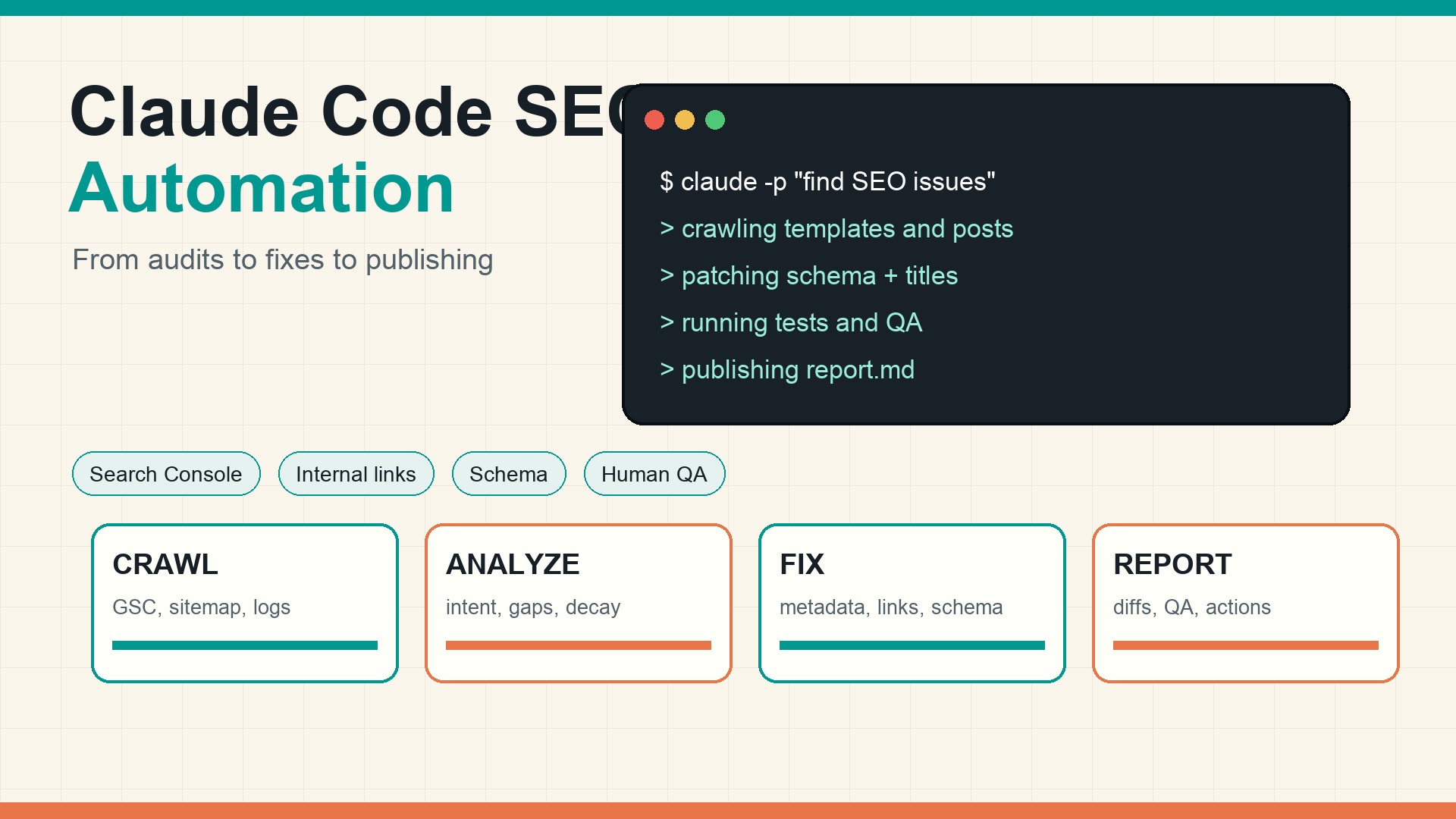
Claude Code can automate SEO work when the task lives close to your website's files, data exports, and publishing workflow. The safest use cases are technical audits, metadata cleanup, internal-link checks, schema patches, content refresh briefs, QA reports, and repeatable publishing chores. The risky use cases are strategy, brand claims, legal wording, large information-architecture changes, and anything that can ship without review.
The practical setup is simple: give Claude Code a repository, a clear CLAUDE.md, a small set of SEO scripts, read-only data exports from Google Search Console or analytics, and a workflow that requires human approval before publishing. Treat it as an SEO operations agent, not as a magic ranking machine.
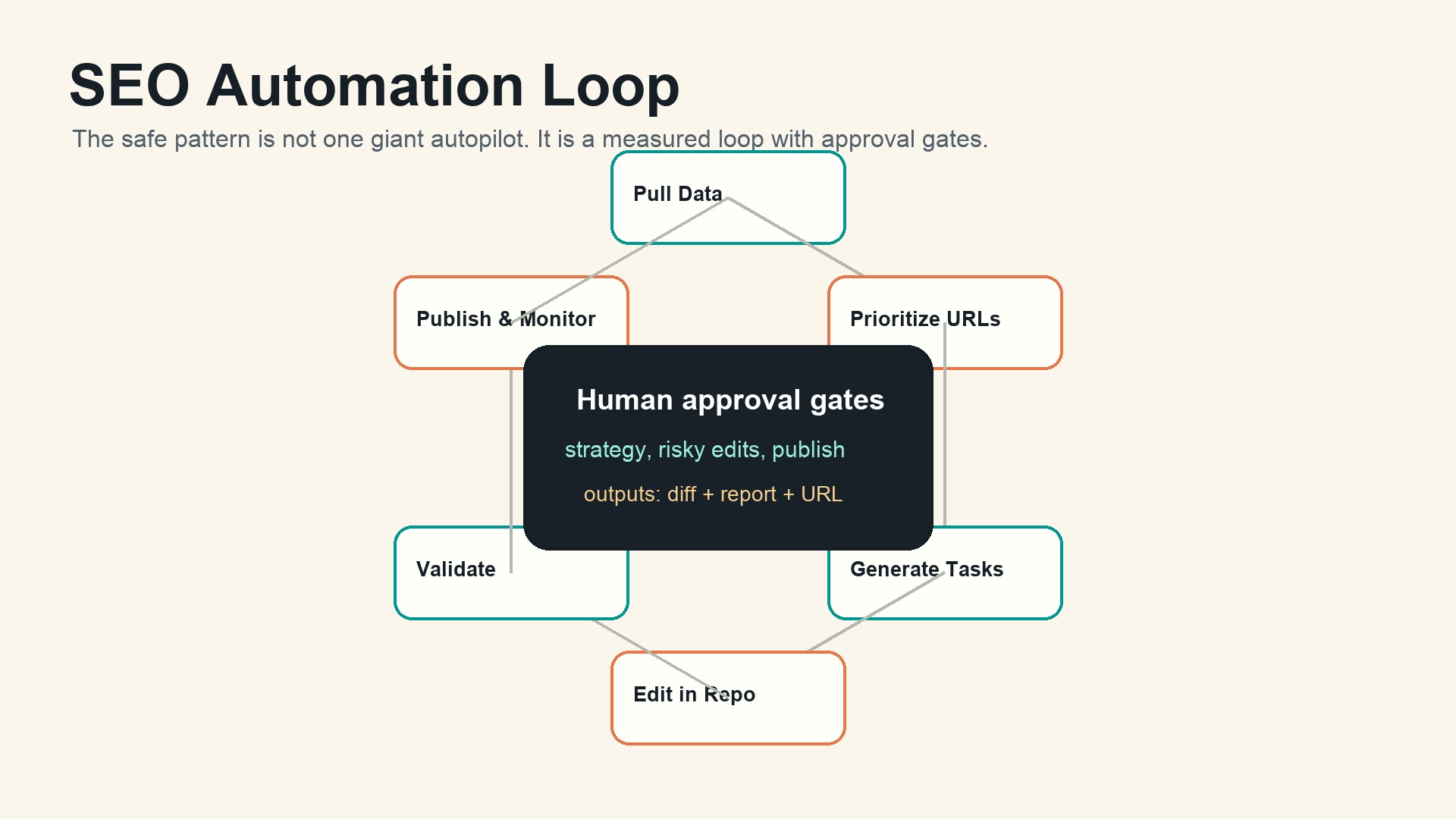
Caption: A safe Claude Code SEO workflow runs in loops, with validation and approval gates before anything public changes.
Why Claude Code fits SEO automation
Most SEO work is not one task. It is a loop.
A team finds a crawl issue, checks the affected templates, edits code or content, validates the output, publishes the change, and watches whether impressions, clicks, indexation, or AI-answer visibility move. Claude Code is useful because it can work inside that loop instead of sitting outside it as a chat box.
Anthropic describes Claude Code as an agentic coding tool that can read a codebase, edit files, run commands, and integrate with development tools. That matters for SEO because many SEO problems are now codebase problems: rendering, schema, metadata, redirects, sitemap generation, hreflang, robots rules, internal linking, programmatic page templates, and page-speed regressions.
There is also visible search demand around this topic. A DataForSEO SERP check for "claude code seo automation" on June 22, 2026 showed Google results around courses, agency guides, YouTube workflows, open-source Claude SEO tools, and AI Overview presence. The SERP is still thin enough that a practical, source-grounded guide can compete, but it is no longer an empty niche.
What to automate first
Start with jobs that are frequent, measurable, and easy to reverse. Do not begin with "write 100 articles." That is usually where quality drops and review debt piles up.
SEO job | Good Claude Code task | Human still approves |
|---|---|---|
Technical audit | Run crawl checks, parse logs, list affected templates | Priority and business impact |
Metadata cleanup | Find missing, duplicated, or overlong titles and descriptions | Final wording on important pages |
Schema fixes | Patch JSON-LD templates and validate examples | Claims, ratings, author, pricing |
Internal links | Detect orphan pages and suggest contextual links | Placement and anchor tone |
Content refresh | Compare decayed URLs with SERP intent and draft a refresh brief | Final angle and publish decision |
Reporting | Generate weekly change logs from GSC exports and git diffs | Interpretation and next bets |
This is where Claude Code beats a general AI writer. It can connect recommendations to files, tests, and diffs.
The basic stack
A lean Claude Code SEO setup usually needs five pieces.
- A repository with the site code or content source. This may be Astro, Next.js, WordPress theme code, Markdown content, MDX, Sanity/EmDash export files, or a static site generator.
- A project instruction file. Use
CLAUDE.mdto explain site conventions, SEO rules, taxonomy, forbidden edits, test commands, and publishing constraints. - Data inputs. Start with CSV exports from Google Search Console, crawl tools, sitemap URLs, analytics reports, and rank-tracking snapshots. Keep sensitive data out unless you need it.
- Validation scripts. Add small scripts for title length, canonical tags, schema parsing, broken internal links, image alt coverage, sitemap checks, and build tests.
- A review path. Claude Code should produce diffs, reports, or drafts. A person approves strategy and publishing.
If you already use Auspia SEO/GEO/AEO tools, you can pair the tool output with Claude Code tasks. Use Auspia to diagnose visibility and page readiness, then ask Claude Code to turn the diagnosis into repository-level fixes and QA reports.
Step 1: create a repo-level SEO brief
Before asking Claude Code to automate anything, write the rules once.
A useful CLAUDE.md section for SEO might look like this:
## SEO rules

- Do not publish or commit without showing a diff and summary.
- Preserve existing URL slugs unless the task explicitly asks for redirects.
- Page titles should be readable, under 60 characters when practical, and match search intent.
- Meta descriptions should explain the page benefit without keyword stuffing.
- Every article needs one primary category, 2-4 accurate tags, a descriptive image alt, and FAQ only when useful.
- Validate JSON-LD after edits.
- Run `pnpm build` and `pnpm seo:check` before marking the task complete.
This file changes the quality of the output. Without it, Claude Code has to infer your editorial and technical rules from scattered files.
Step 2: add small SEO check scripts
Claude Code can write scripts, but it needs deterministic checks to run. A lightweight SEO checker is better than a long prompt.
Useful scripts include:
seo:titles: detect missing, duplicated, too-short, or too-long titles.seo:descriptions: check missing descriptions and obvious duplication.seo:links: crawl local routes and report broken internal links.seo:schema: parse JSON-LD and fail on invalid syntax.seo:images: find missing alt text on content images.seo:sitemap: compare generated routes with sitemap entries.
Then Claude Code can work against a measurable target: "Run pnpm seo:check, fix the top 20 issues, and stop before publishing."
That prompt is much safer than "improve SEO."
Step 3: feed it search data, not guesses
Claude Code should not invent priorities from vibes. Give it data.
For a weekly refresh workflow, export a Search Console table with URL, query, clicks, impressions, CTR, average position, and previous-period comparison. Then ask for a prioritized brief:
Analyze gsc-last-28-days.csv and gsc-previous-28-days.csv.
Find pages with rising impressions but weak CTR, pages with click decay, and pages ranking positions 8-20.
Create /reports/seo-refresh-YYYY-MM-DD.md with:
- affected URL
- likely intent
- recommended edit
- file path if found
- risk level
Do not edit content yet.
The separation matters. First, Claude Code diagnoses. Then a human chooses the pages. Then Claude Code edits.
Step 4: let Claude Code make narrow edits
Once the brief is approved, move from analysis to patches.
Good edit prompts are specific:
Use /reports/seo-refresh-2026-06-22.md.
Only edit the 5 URLs marked low risk.
For each page:
- improve the title and meta description
- add one relevant internal link where natural
- preserve the existing slug
- add a short answer paragraph near the top if the page lacks one
Run the SEO checks and show the diff.
Bad prompts are broad:
Optimize the site for SEO and publish everything.
Claude Code is powerful because it can act. That also means vague instructions can create a large review mess.
Step 5: use hooks for quality gates
Claude Code supports hooks, which run commands automatically at specific workflow events. Anthropic's docs describe hooks as deterministic actions, useful when something must happen every time rather than merely being suggested in instructions.
For SEO, hooks are useful for gates such as:
- run a formatter after content or code edits;
- block changes to
robots.txt, redirects, or migrations unless the prompt explicitly mentions them; - run
pnpm seo:checkafter edits; - warn when a post has no featured image, category, or canonical URL;
- prevent a task from ending if required validation failed.
Use hooks for rules that should not depend on memory or goodwill. A CLAUDE.md instruction can be ignored by accident. A failing validation hook forces the issue into the workflow.
Step 6: run non-interactive jobs carefully
Anthropic's Claude Code documentation says non-interactive mode can be used with claude -p "your prompt" in CI, pre-commit hooks, scripts, and automated workflows. It also supports machine-readable output formats such as JSON or streaming JSON.
That opens the door to scheduled SEO tasks:
claude -p "Read reports/gsc.csv and create a prioritized SEO decay report. Do not edit files." \
  --output-format json
This is useful for reports and triage. Be more careful with unattended edits. If the job can change public pages, require a pull request, a staged diff, or a CMS draft rather than direct publishing.
Step 7: connect CI and pull requests
Claude Code can also be used through GitHub Actions. The most practical SEO use is not to let it rewrite your whole site in CI. Use it to review pull requests for SEO regressions.
Examples:
- A page template changed. Claude Code checks whether canonical tags, Open Graph fields, and schema still render.
- A content batch changed. Claude Code checks duplicate titles, missing descriptions, thin summaries, and internal link coverage.
- A migration touched routes. Claude Code checks redirect coverage and sitemap output.
This turns SEO from a monthly audit into a pull-request habit.
What to automate vs what to approve
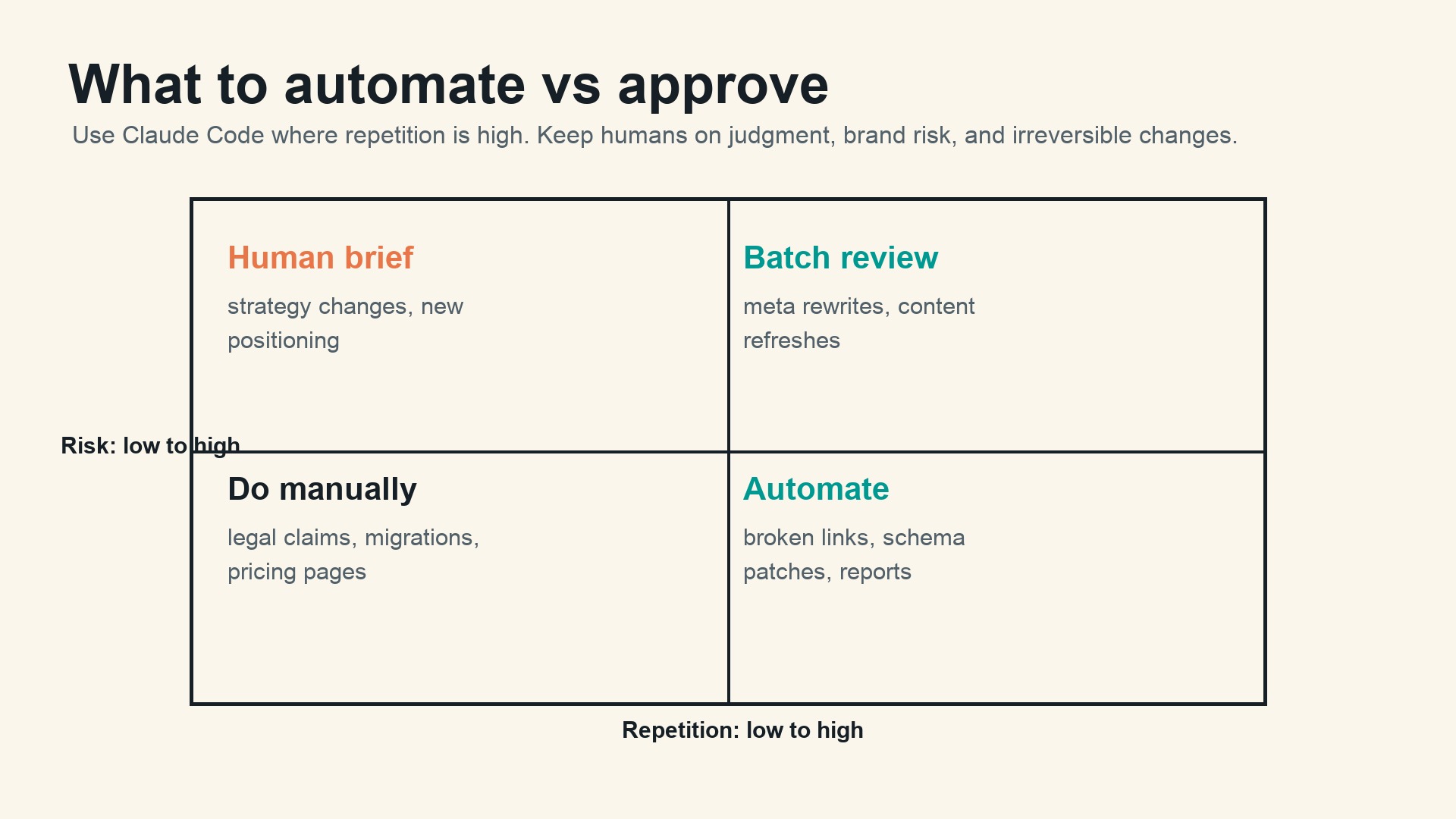
Caption: The more repetitive and lower-risk the task, the more automation makes sense. High-risk strategic edits still need human review.
A useful rule: automate repetition, not judgment.
Automate | Batch review | Human brief | Do manually |
|---|---|---|---|
Broken internal links | Meta description rewrites | New content clusters | Legal, medical, or financial claims |
Missing alt text reports | Title rewrites on low-risk pages | Brand positioning | Pricing and offer pages |
Schema syntax checks | Internal link suggestions | Information architecture | Redirect strategy for large migrations |
Sitemap diffs | Content refresh drafts | Competitive narrative | Pages with regulatory risk |
This is not a conservative stance. It is how SEO automation survives contact with real businesses.
Example workflow: weekly SEO decay recovery
Here is a workflow a growth team can run every Monday.
- Export Search Console URL/query data for the last 28 days and the previous 28 days.
- Place both files in
/data/seo/. - Ask Claude Code to create a decay report, grouped by URL and intent.
- Review the top opportunities and mark 5-10 pages as approved.
- Ask Claude Code to patch only those pages.
- Run build, SEO checks, and visual QA.
- Publish through the normal CMS or pull-request flow.
- Recheck clicks, impressions, and CTR after 14-28 days.
The output should be boring: a report, a diff, a checklist, and a follow-up date. Boring is good. Boring means the workflow can run every week.
Example workflow: technical SEO regression guard
Use this when developers ship templates often.
Prompt:
Review this branch for SEO regressions.
Compare changed templates against main.
Check title rendering, canonical tags, meta robots, Open Graph fields, JSON-LD, hreflang, image alt behavior, and sitemap impact.
Do not edit files. Return findings with file paths and suggested fixes.
If the findings are valid, run a second prompt:
Fix only the confirmed SEO regressions from the review.
Do not change layout, copy, or unrelated components.
Run tests and show the diff.
This two-step pattern keeps review and editing separate. It also makes it easier to catch false positives.
Example workflow: AI search and GEO readiness
Claude Code can help with AI-search readiness because many GEO issues are structural. AI answer systems need clear entities, direct answers, crawlable pages, consistent claims, and pages that can be cited without heavy interpretation.
A practical workflow:
- Run an AI Search Visibility Checker or prompt-tracking report.
- Export prompts where the brand is missing, misdescribed, or uncited.
- Ask Claude Code to map each prompt to existing pages, missing pages, and claim gaps.
- Patch pages with concise answer blocks, entity facts, author/source details, and better internal links.
- Validate schema, crawlability, and page rendering.
This does not guarantee citations. No tool can. It does make the site easier to understand, quote, and verify.
Common mistakes
The first mistake is giving Claude Code too much authority too early. A new workflow should produce reports before it edits files, and drafts before it publishes pages.
The second mistake is automating content volume instead of content decisions. If the brief is weak, automation makes the weakness faster.
The third mistake is skipping validation. SEO work touches invisible parts of a site. A page can look fine and still ship with a broken canonical, invalid schema, missing indexation, or duplicate metadata.
The fourth mistake is using one giant prompt. Build small loops. Report first. Edit second. Validate third. Publish last.
The fifth mistake is ignoring ownership. Decide who approves strategy, who reviews diffs, who owns publishing, and who checks results after launch.
A practical starter checklist
Use this checklist before your first Claude Code SEO automation run.
- Add SEO rules to
CLAUDE.md. - Create or document the SEO check commands.
- Export a small, non-sensitive Search Console sample.
- Start with 5-10 low-risk URLs.
- Ask for a report before edits.
- Require diffs before approval.
- Run build and SEO checks after edits.
- Publish through a draft, pull request, or CMS approval flow.
- Track results after 14-28 days.
If a workflow cannot pass this checklist, it is not ready for automation yet.
Auspia take
Claude Code changes SEO operations because it can move between analysis and implementation. That is the part most SEO tools never handled. They found problems, then left humans to translate recommendations into code, content, tickets, and QA.
The winning pattern is not full autopilot. It is an operating loop: measure, prioritize, patch, validate, publish, monitor. Claude Code can handle much of the middle work. Humans still own the bet.
For teams building SEO, GEO, and AEO systems, that distinction matters. Automation should reduce the distance between insight and shipped improvement. It should not remove the judgment that makes the improvement worth shipping.
FAQ
Can Claude Code replace an SEO specialist?
No. Claude Code can automate audits, edits, reports, and validation. An SEO specialist still needs to choose strategy, interpret trade-offs, approve risky changes, and connect SEO work to business goals.
Is Claude Code better than a normal AI chatbot for SEO?
For repository-based work, yes. A chatbot can suggest improvements. Claude Code can inspect files, edit templates, run checks, and produce diffs. That makes it better for technical SEO, content systems, and repeatable workflows.
What SEO tasks should not be automated?
Do not fully automate legal claims, medical or financial content, pricing pages, redirect strategy, brand positioning, or large information-architecture changes. Use Claude Code to prepare briefs and options, then keep human approval in the loop.
Can Claude Code publish SEO articles automatically?
Technically, yes, if connected to a CMS or repository publishing flow. Operationally, it should publish drafts or pull requests first. Direct publishing is only reasonable after the workflow has strong validation, rollback, and editorial review.
How do I measure whether Claude Code SEO automation works?
Track shipped fixes, time saved, validation pass rate, indexation issues, organic clicks, CTR changes, ranking movement for target queries, and AI-search visibility. Measure by workflow, not by one isolated page.
Sources and further reading
- Anthropic Claude Code docs: Overview, hooks, non-interactive mode, GitHub Actions, and Agent SDK documentation.
- DataForSEO SERP check for "claude code seo automation," run June 22, 2026.
- Auspia tools for SEO, GEO, AEO, AI search visibility, and agent readiness workflows.
Claude Code SEO/GEO learning path
This article is part of the Claude Code SEO/GEO operator series. If you are building the workflow from scratch, follow the sequence:
1. How to Use Claude Code for SEO Automation
2. How to Build a Claude Code SEO/GEO Workflow Cockpit
3. How to Use CLAUDE.md and Memory for SEO/GEO Workflows
4. How to Refresh SEO Pages with the Claude Code VS Code Extension
5. Best GEO Claude Code Skills in 2026
6. How to Use Claude Code Subagents for GEO Research
7. How to Use Claude Code Hooks as SEO/GEO Quality Gates
8. How to Connect Claude Code to SEO Data with MCP
9. How to Use Claude Code GitHub Actions for SEO/GEO Reviews
10. How to Run Daily SEO/GEO Monitoring in Claude Code


