


The Problem: Your Browser Isn't Googlebot
You publish a page, open it in Chrome, and everything looks right. Navigation is there. The related-content links point where they should. The CTA is visible.
Then weeks later, you notice an important page has dropped out of the index — or worse, was never discovered at all.
The problem is simple. You checked the page in a desktop browser, with cookies, localStorage, and a logged-in session. Googlebot fetched it as a fresh mobile user agent, ran JavaScript in a different rendering environment, and built its link graph from whatever survived that process. The two views can be genuinely different, and you will not see the gap until you go looking for it.
That gap is exactly what the new **Googlebot Spider Simulator** closes.
What the Tool Does
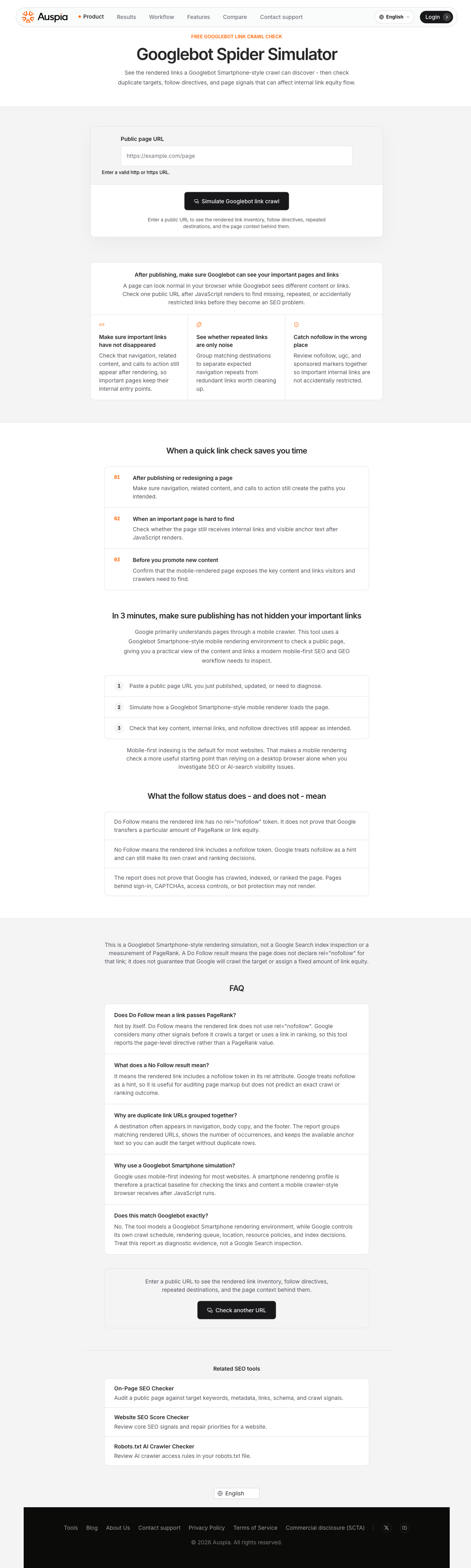
The simulator fetches a public URL with a Googlebot Smartphone user agent, renders the page in a mobile viewport, and reports every link a crawler would discover after JavaScript runs. Instead of wondering whether your key links survived rendering, you get a clean inventory you can scan in a couple of minutes.
The report covers four things that matter for SEO and crawl budget:
Rendered link inventory. Every <a href> the simulator finds after JavaScript runs — internal and external — listed with its destination URL, anchor text, and follow status.
Duplicate destination grouping. When a URL appears in the navigation, body copy, and footer, the report groups those occurrences instead of showing the same target three times. You see the count, all the anchor text variants, and whether each instance is follow or nofollow — which helps you separate structural repeats from real redundancy.
Follow and nofollow at a glance. Each link gets a clear Do Follow or No Follow label based on the rendered rel attribute. You can scan for important internal links accidentally marked nofollow, or check that external links you intended to restrict actually carry the directive.
Page-level context signals. The report includes the rendered page title, meta description, canonical URL, and a content preview — so you can confirm the simulator received the page you meant to check, not an error page, redirect, or empty shell.
You do not need Google Search Console access, server logs, or a crawler subscription. It is a single-URL check, on demand, and results come back in seconds.
Try the Googlebot Spider Simulator →
Three Times a 3-Minute Check Saves Hours
The tool is built for a few specific moments, not for continuous monitoring. Here is when it earns its keep.
1. Right After You Publish or Redesign a Page
You changed the template, updated the navigation component, or moved a section into a client-side include. Before you move on to the next task, paste the URL into the simulator and confirm:
- The main navigation links still resolve to the right destinations.
- Related-content or "read next" modules expose real internal paths.
- Any CTA button rendered as a link appears with a follow directive.
A 3-minute check at publish time can prevent a crawl gap from going unnoticed for weeks.
2. When an Important Page Is Hard to Find
If a core service page, case study, or cornerstone article is not showing up in site search or Google results, one of the first things to check is whether it still receives internal links from the pages that should point to it.
Run those referring pages through the simulator and search the link inventory for the target URL. If the destination does not appear, the page has probably lost its entry points — and no amount of content improvement will help if Googlebot cannot find a path to it.
3. Before You Promote a Piece of Content
You have a new guide, tool page, or landing page going into a newsletter, social campaign, or paid promotion. Before you send traffic, confirm that the mobile-rendered version of the page exposes:
- The primary internal links you want visitors and crawlers to follow next.
- Key body content and structured data that search engines use to understand the page.
- No unexpected
nofollowtokens on links that should pass crawl signals.
A promotion amplifies whatever state the page is in. Checking the rendered output first means you amplify the version you intended.
How the Tool Works
The workflow is simple by design. You do not need to configure user agents, set viewport sizes, or manage crawl depth.
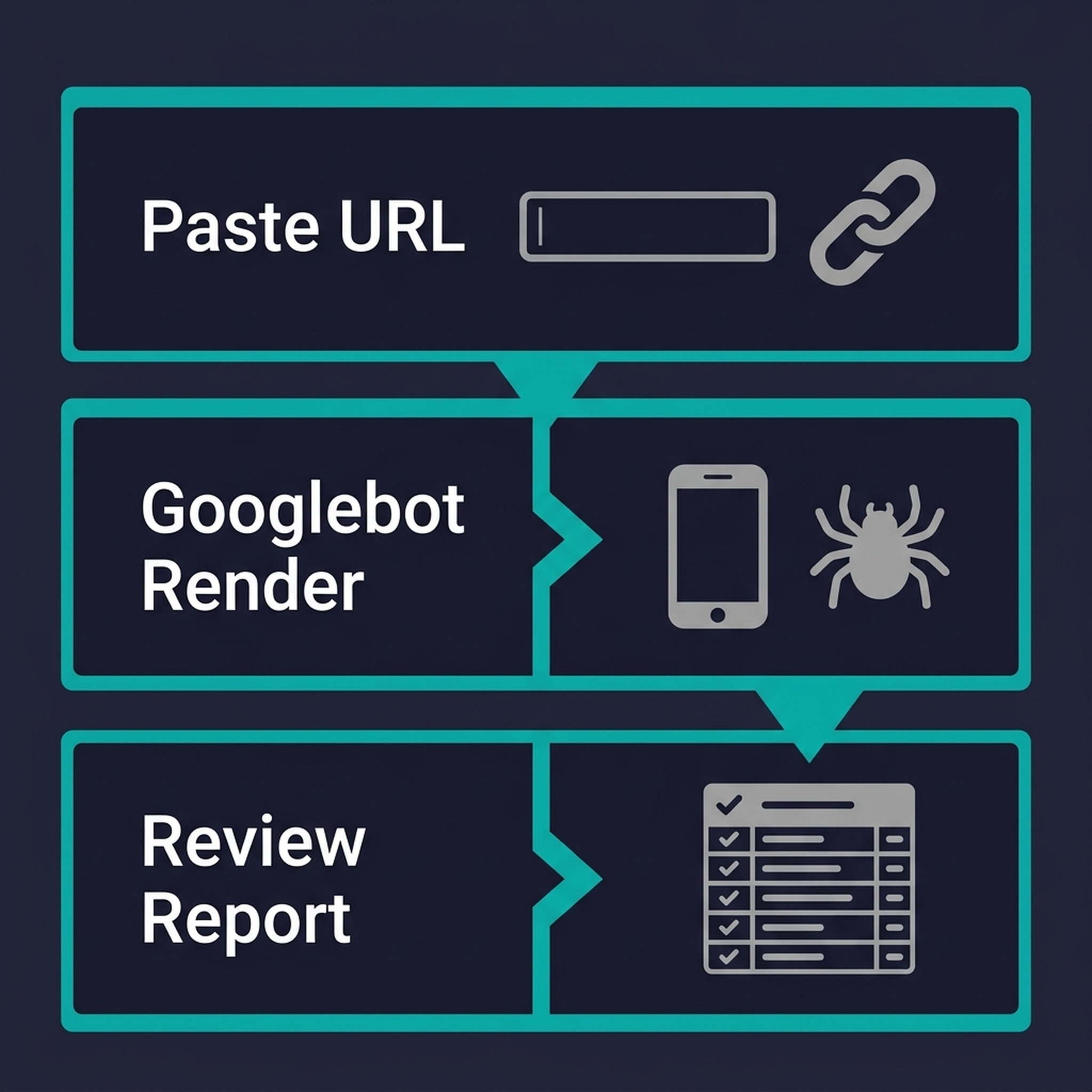
- Paste a public URL. Any accessible
httporhttpspage works — a blog post, a landing page, a product page, or a documentation article. - Run the simulation. The tool fetches the page with a Googlebot Smartphone user agent string, renders it in a mobile viewport, and extracts every link from the resulting DOM.
- Review the report. Scan the link inventory for missing destinations, inspect the follow/nofollow column for surprises, and check the page context to confirm the simulator received the right content.
That is the whole workflow. It treats link auditing as a quick diagnostic step rather than a separate project.
What the Follow Status Tells You — And What Stays Outside Its Scope
A few caveats upfront, because these distinctions matter when you act on the report.
Do Follow means the rendered <a> element does not contain rel="nofollow" (or a nofollow token inside a multi-value rel). It is a page-level markup fact. It does not measure PageRank, predict crawl priority, or guarantee that Google will visit the destination.
No Follow means the nofollow token is present in the rendered rel attribute. Since Google treats nofollow as a hint rather than a directive, the label is useful for auditing your own markup decisions — it does not mean Google is forbidden from crawling the target.
The tool also does not:
- Prove that Google has crawled, indexed, or ranked any page.
- Measure or estimate PageRank or link equity.
- Work on pages behind sign-in, CAPTCHAs, access controls, or aggressive bot protection.
- Replace Google Search Console's index coverage or crawl stats reports.
Think of the simulator as a rendered-source inspector for links. It shows what Googlebot is likely to find. What Google does with that information — crawl scheduling, indexing decisions, ranking — is a separate, much more involved process.
FAQ
Does Do Follow mean the link passes ranking value?
Not by itself. Do Follow means the rendered link does not carry a nofollow token. Google weighs many additional signals — including page context, link placement, and destination quality — before using a link in ranking. The tool reports the on-page directive; it does not calculate or estimate link equity.
Why use a Smartphone simulation instead of a desktop check?
Google uses mobile-first indexing for most websites. A smartphone rendering profile reflects how Googlebot primarily sees your pages. Checking the mobile-rendered link graph is a more practical starting point than relying on what you see in a desktop browser.
Why are duplicate destinations grouped?
A single URL often appears multiple times on a page — in the header navigation, the body content, the sidebar, and the footer. Grouping by destination lets you audit the target once, see every anchor text variant available to crawlers, and decide whether the repeat instances add value or just create noise.
Does this tool match Googlebot exactly?
No simulation matches Googlebot exactly. Google controls its own crawl schedule, rendering queue, IP location, resource budget, and index decisions. This tool models the user agent and viewport environment of Googlebot Smartphone; treat the report as diagnostic evidence, not a search engine inspection.
Can I check pages behind a login or paywall?
No. The simulator fetches public URLs only. Pages that require authentication, CAPTCHA completion, or IP-allowlisting will not return usable results.
What to Check Next
The Googlebot Spider Simulator is one piece of a broader link and crawl audit. Once you have confirmed the rendered links on a page, here is where to go next:
- Check your robots.txt rules for AI crawlers and search bots with the Robots.txt AI Crawler Checker — a blocked page cannot be rendered, no matter how clean its link structure.
- Run an on-page SEO audit on the same URL with the On-Page SEO Checker to check metadata, schema, keyword signals, and additional crawl factors.
- Get a site-wide SEO health score with the Website SEO Score Checker when you need repair priorities beyond a single page.
The simulator is free and requires no sign-up. If a page matters to your traffic, try it now — three minutes checking how Googlebot sees it beats weeks of wondering why a page stopped performing.
Author: Julian Mercer, 14-Year Technical SEO Practitioner at Auspia. Julian writes about crawlability, rendering, site architecture, and the technical foundations that make content discoverable by both search crawlers and AI retrieval systems.


