


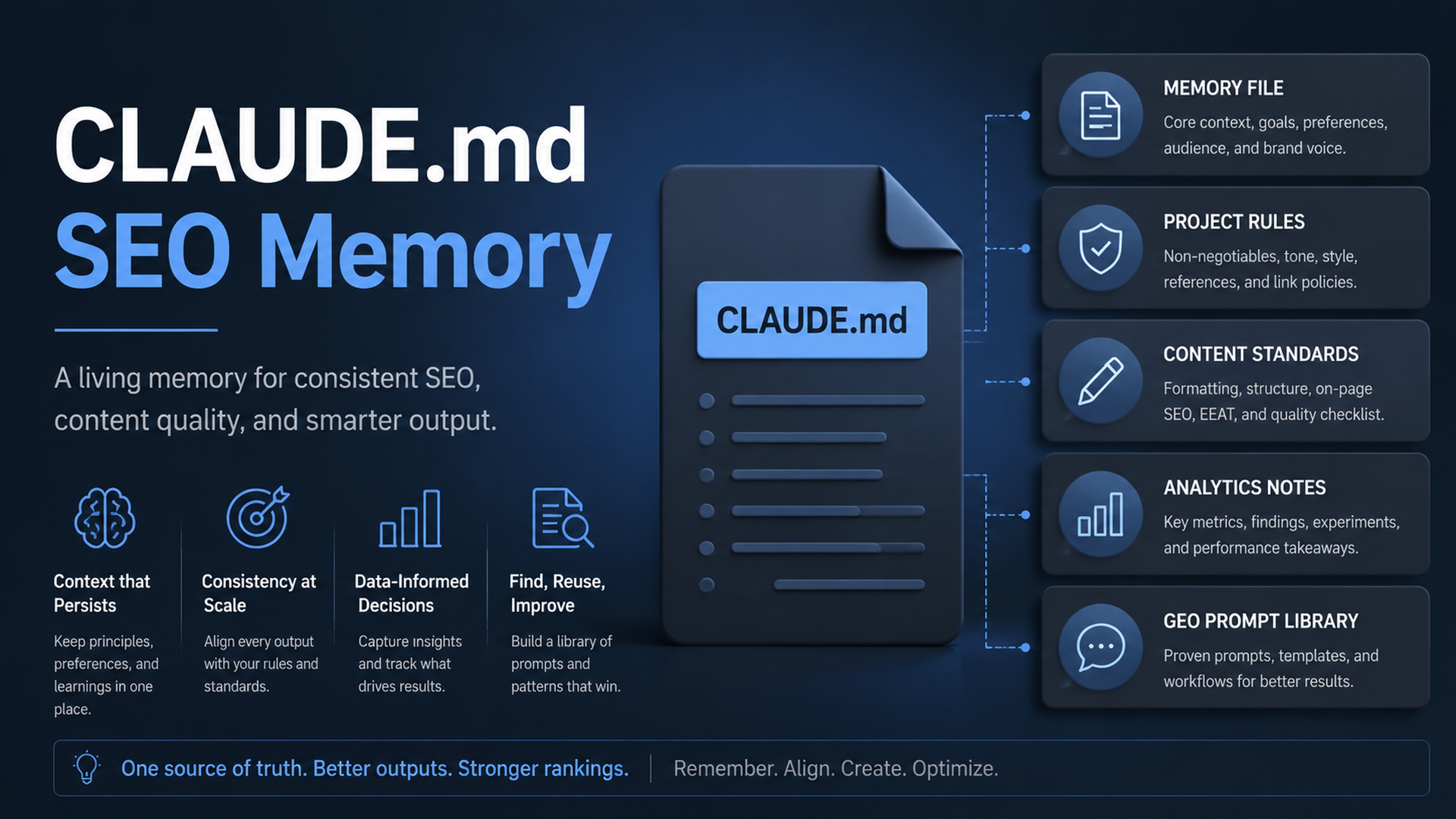
The rule: put stable SEO/GEO behavior in CLAUDE.md, not in every prompt
Claude Code has two memory surfaces that matter for SEO/GEO work: CLAUDE.md files and auto memory. Anthropic's docs explain that CLAUDE.md files are markdown instruction files loaded at the start of sessions, while auto memory can preserve learnings from corrections. For growth teams, the practical rule is simple: put project standards in CLAUDE.md; let auto memory capture small personal preferences, not business-critical policy.
This article shows how to write a CLAUDE.md that makes Claude Code useful for SEO, GEO, content refreshes, schema edits, and analytics-driven reviews.
What belongs in CLAUDE.md
A good SEO/GEO CLAUDE.md should be short enough to stay useful and specific enough to prevent generic output.
Use this starter file:
# CLAUDE.md

## Website context
- Brand: [brand]
- Category: [category]
- Primary audience: [audience]
- Main offer: [demo / tool / consultation / product]
- Production domain: https://example.com

## SEO/GEO standards
- Do not invent customer logos, statistics, testimonials, awards, or legal claims.
- Prefer clear answer blocks, comparison tables, evidence sections, and FAQ only when useful.
- Every important page should have title, meta description, canonical, H1, internal links, and schema review.
- For GEO, make brand facts, product category, use cases, alternatives, and proof easy to extract.

## Files and commands
- Pages live in: [path]
- Metadata lives in: [path]
- Components live in: [path]
- Content lives in: [path]
- Run before final answer: [npm run build / pnpm build / etc.]

## Approval boundaries
- Ask before changing pricing, legal copy, redirects, robots.txt, canonical strategy, analytics scripts, or schema type.
- Never publish or deploy without explicit approval.
- Mark missing evidence as TODO instead of filling it in.
Use /memory for audit, not magic
Claude Code's memory docs include /memory as a way to view and edit memory. For SEO/GEO teams, schedule a monthly memory audit:
Open /memory and help me audit whether any saved memory is outdated, too broad, or unsafe for SEO/GEO work. Suggest deletions or edits, but do not change project files yet.
Why this matters: memory can make repeated work smoother, but stale brand positioning or old deployment commands can create bad edits. Treat memory as context, not compliance. If you need a hard rule, use hooks or review gates.
Split durable rules from procedures
Do not overload CLAUDE.md with long SOPs. Keep it as the constitution. Put long procedures in files Claude can reference:
seo-geo/qa/content-refresh-sop.md
seo-geo/qa/schema-review-sop.md
seo-geo/qa/ai-visibility-check.md
seo-geo/briefs/page-brief-template.md
Then add this to CLAUDE.md:
## Reusable SOPs
- For content refresh tasks, read `seo-geo/qa/content-refresh-sop.md` first.
- For schema edits, read `seo-geo/qa/schema-review-sop.md` first.
- For AI visibility checks, read `seo-geo/qa/ai-visibility-check.md` first.
This keeps the active memory small while preserving detailed operating knowledge.
Prompt to initialize SEO/GEO memory
Use this once per project:
Read the repository and draft a project-specific CLAUDE.md for SEO/GEO work.

Do not overwrite files yet. Propose the file first.

Include:
1. Website context inferred from the repo, marked as inferred.
2. Paths for pages, content, metadata, schema, and routing.
3. Build/lint/test commands detected from package files.
4. SEO/GEO standards for content, metadata, schema, internal links, llms.txt, robots, and sitemap.
5. Approval boundaries for risky changes.
6. A section listing unknowns I must confirm.
After review, ask Claude to create the file and run a tiny verification task:
Create CLAUDE.md from the approved draft. Then summarize the instructions you loaded and explain how they will change your next SEO/GEO task.
Nested memory for large sites
Large sites often need different rules for docs, blog, product pages, and localized pages. Put local instruction files near specialized work when the platform supports them, or use folder-specific SOPs referenced from the main file.
Example:
Site area | Rule that should differ |
|---|---|
| Editorial tone, author byline, FAQ rules, internal link policy |
| API accuracy, version warnings, code sample validation |
| Approval required for claims and plan wording |
| Localization, hreflang, translated image policy |
Ask Claude:
Inspect the site sections and recommend whether we need folder-specific SEO/GEO instructions. Keep the global CLAUDE.md short; propose separate SOP files only where they reduce mistakes.
Mistakes to avoid
- Putting secrets in
CLAUDE.md. - Storing outdated positioning and never reviewing it.
- Writing vague rules like “make content high quality.”
- Letting memory replace tests, hooks, or human approval.
- Adding every past preference until the file becomes unreadable.
FAQ
Should CLAUDE.md include keywords?
Include core category language and strategic query themes, but keep full keyword lists in separate dated files. Keyword data changes; project rules should be stable.
Can Claude Code remember analytics credentials?
No. Keep credentials in approved local environment files, MCP configuration, or platform secrets. Never paste them into memory files.
How often should I update CLAUDE.md?
Update it after repeated mistakes, architecture changes, command changes, or positioning changes. Otherwise, review it monthly.
Claude Code SEO/GEO learning path
This article is part of the Claude Code SEO/GEO operator series. If you are building the workflow from scratch, follow the sequence:
1. How to Use Claude Code for SEO Automation
2. How to Build a Claude Code SEO/GEO Workflow Cockpit
3. How to Use CLAUDE.md and Memory for SEO/GEO Workflows
4. How to Refresh SEO Pages with the Claude Code VS Code Extension
5. Best GEO Claude Code Skills in 2026
6. How to Use Claude Code Subagents for GEO Research
7. How to Use Claude Code Hooks as SEO/GEO Quality Gates
8. How to Connect Claude Code to SEO Data with MCP
9. How to Use Claude Code GitHub Actions for SEO/GEO Reviews
10. How to Run Daily SEO/GEO Monitoring in Claude Code
Where to go next
Previous: How to Build a Claude Code SEO/GEO Workflow Cockpit
Next: How to Refresh SEO Pages with the Claude Code VS Code Extension
Sources and notes
- Anthropic Claude Code docs: Overview, Memory, VS Code integration, Skills, Subagents, Hooks, MCP, and GitHub Actions.
Author: Camille Rhodes, Architect of 300+ AI Content Workflows at Auspia. Camille writes about AI-assisted publishing systems, workflow design, and editorial quality control.


