


The practical answer
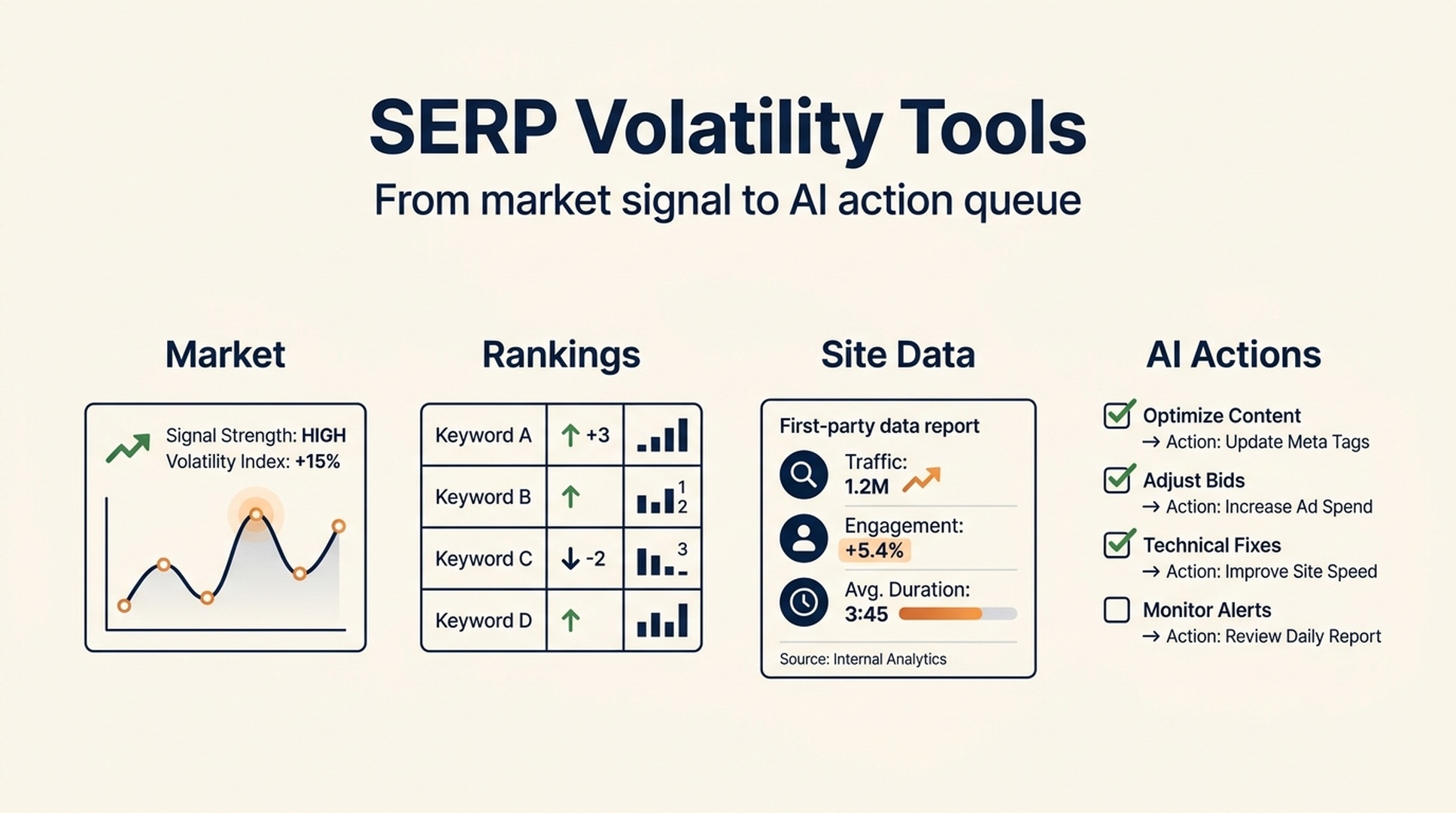
SERP volatility tools are useful early-warning systems. They show whether a selected set of Google search results is changing more than usual. When several independent trackers rise at the same time, it is reasonable to investigate whether a broader search-system shift is affecting your site.
They do not prove that Google released an update, explain why one URL fell, or tell you what to change. A spike can come from news, seasonality, local intent shifts, SERP feature changes, competitors, or a different sample of keywords. Treat the number as a smoke alarm. Do not rebuild the house because it beeped.
The 14 products below are often grouped together, but they are not interchangeable. Some measure market-wide movement; some help you track your own keyword set; others provide the underlying data or a combined view. The right choice depends on the question you are trying to answer.
Use a volatility tool to decide whether to investigate. Use first-party and site-level data to decide what to fix.
First, separate three kinds of SEO data
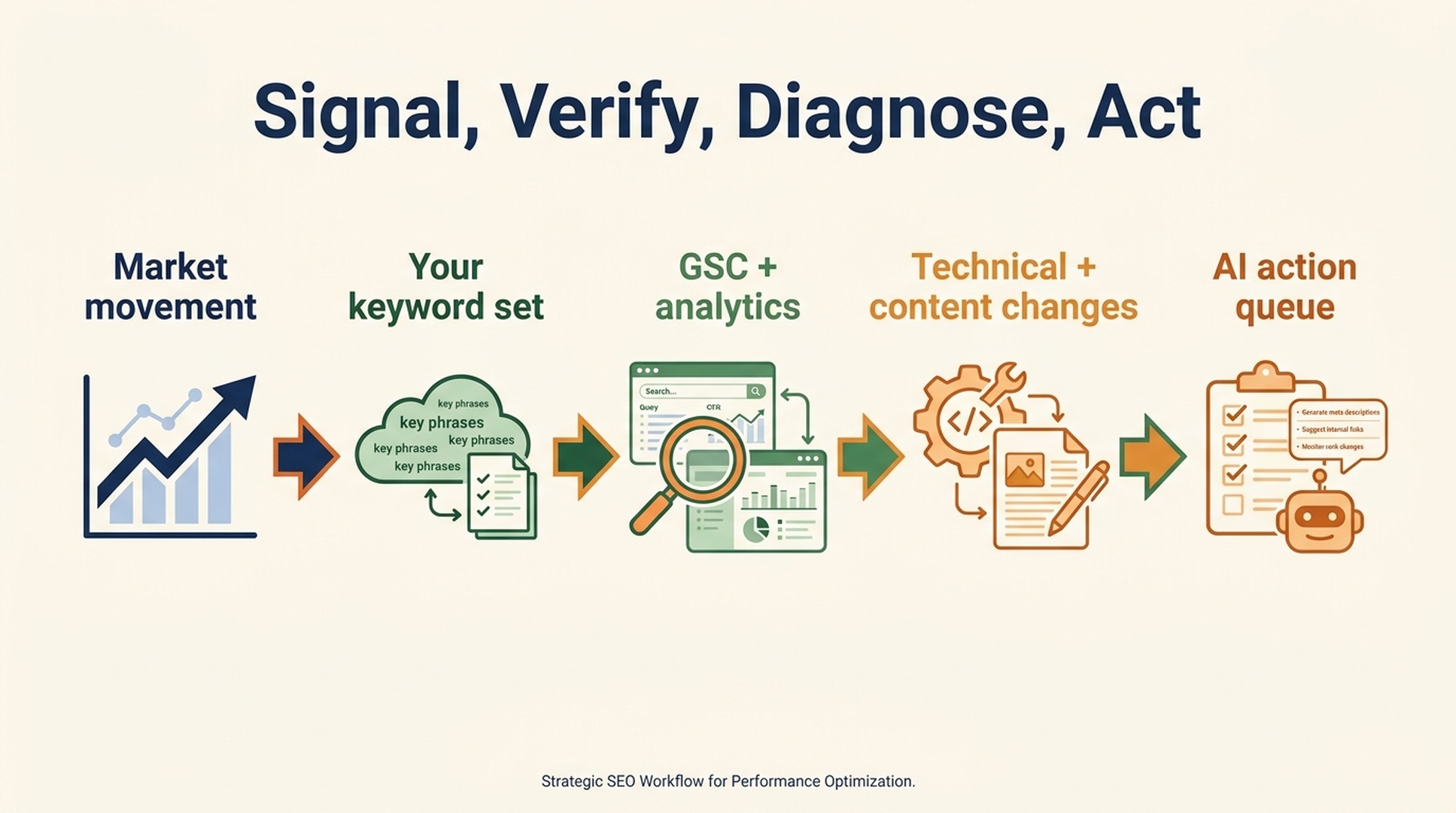
Most bad decisions start with a category error. A market volatility chart and your Search Console report answer different questions.
Data layer | The question it answers | Useful examples | What it cannot tell you alone |
|---|---|---|---|
Market-level volatility | "Are Google results moving unusually fast in this market?" | Semrush Sensor, MozCast, AccuRanker Grump | Whether your site has a real problem |
Site and keyword tracking | "Which of our tracked queries and URLs moved?" | AWR, Wincher, Mangools SERPWatcher, AccuRanker | Whether the movement is caused by a broad Google change |
First-party and diagnostic data | "What changed for our search traffic, pages, clicks, and crawlability?" | Google Search Console, analytics, server logs, change history | Whether competitors are seeing the same pattern |
That distinction matters when traffic drops on a Monday morning. A hot volatility score should change the order of your checks, not replace them. Start with Search Console: impressions, clicks, average position, affected queries, affected pages, countries, devices, and dates. Then compare the pattern with your own deployment log, content changes, redirects, indexing state, and tracked competitors.
A map of 14 tools and the job each one does best
The list below is intentionally practical. Product labels and access models change, so verify the current scope and pricing on the official product page before building a reporting process around any one tool.
Tool | Best understood as | What stands out | Best fit | Watch-out |
|---|---|---|---|---|
Market volatility indicator plus rank-tracking ecosystem | Uses a simple “mood” metaphor to make daily movement easy to scan | Teams that want a fast market check alongside keyword tracking | A mood label is a prompt to investigate, not a diagnosis | |
Lightweight Google fluctuation monitor | Long-running, visual view of change with a simple score | Solo SEOs who want a quick independent second opinion | Its sample and geography may not match your market | |
Advanced Web Ranking (AWR) | Enterprise rank-tracking platform | Strong for building a controlled keyword, device, location, and competitor view | Agencies and teams reporting across many markets | Your tracked set measures your business, not the whole SERP |
Algorithm-change signal monitor | Pairs a visible volatility signal with update-oriented context | SEOs checking whether movement is isolated or wider | Do not turn correlation on the chart into a causal claim | |
Search data infrastructure and API provider | Useful when a team needs data inside its own reporting, alerting, or AI workflow | Analysts, developers, and custom dashboards | API data still needs a clear sampling and QA plan | |
Keyword rank-performance tracker | Friendly rank monitoring and performance orientation for a defined set of terms | Small teams monitoring a focused portfolio | It is more useful for your keyword movement than for declaring a Google-wide event | |
Public “weather report” for Google SERPs | The temperature metaphor makes broad instability memorable at a glance | Anyone who wants a public market-weather reference | It reflects Moz’s tracked result set, not every query in Google | |
Broad SERP volatility dashboard | Often useful for comparing categories and SERP feature movement | Teams already using Semrush for research and competitive monitoring | A category-level signal can still miss your niche or country | |
SEO suite with rank and competitive research capabilities | Convenient when keyword research, tracking, and analysis live in one stack | Budget-conscious teams that want one wider SEO platform | Confirm the current volatility view and market coverage before relying on it | |
Search-market intelligence and ranking analytics | Adds market and competitor context around what rankings may mean commercially | Larger teams connecting SERPs to demand and competitor behavior | Estimated market data is not a replacement for your analytics | |
Visibility-index and historical SEO analysis platform | Particularly useful for looking at longer visibility patterns around known update periods | Teams that need historical comparison and competitor visibility context | Visibility indexes are modeled metrics, not your raw click data | |
Rank tracking with reporting and monitoring | Keeps attention on a defined set of business-critical keywords | In-house teams that want a simple owned-keyword view | A narrow tracked set can overstate or hide a wider change | |
Cross-tool aggregation view | Helps spot agreement or disagreement among separate market signals | Analysts who want a fast consensus check | Aggregation does not make the underlying signals independent evidence | |
Rank tracking and SEO monitoring platform | Useful for ongoing keyword and visibility alerts within a broader toolkit | Small businesses and agencies needing practical monitoring | Check whether the feature, country, and device support match your use case |
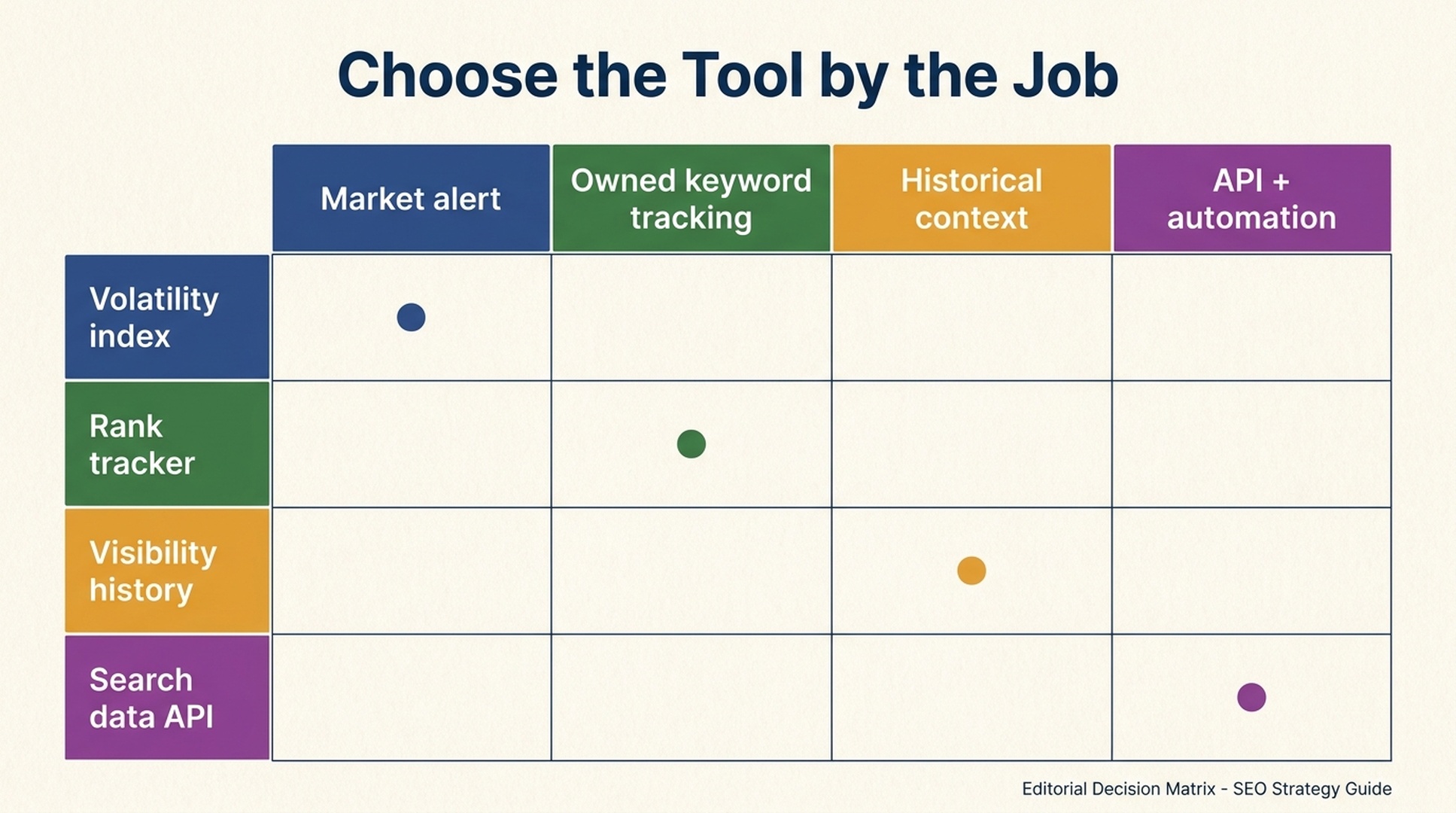
The table also explains why people get mixed results from “the best volatility tool” searches. There is no universal winner. A public weather-style index is excellent for situational awareness; it is weak for a revenue-impact review. A custom tracker is excellent for your priority keywords; it is weak evidence of a global update. An API is powerful for automation; it does not make interpretation automatic.
Pick the tool by decision, not by brand popularity
Use this short decision guide.
You need a quick answer to “Is something broader happening?”
Check two or three market-level trackers with different methodologies, such as Semrush Sensor, MozCast, AccuRanker Grump, Algoroo, or cognitiveSEO Signals. If they move in the same direction, record the date and move on to your own data. Do not spend an afternoon comparing tiny differences between their scores.
You need to protect a list of revenue-driving queries
Use a controlled rank tracker such as AWR, AccuRanker, Wincher, Mangools SERPWatcher, Zutrix, or a comparable suite. Segment the list before you look at the chart: branded versus non-branded, country, device, product category, commercial versus informational intent, and page template. A 15% movement in one segment tells you much more than a blended dashboard average.
You need custom reporting, alerts, or a data product
DataForSEO is the more natural fit in this group because it is built for programmatic access. The important work happens after collection: normalize locations and devices, keep a data dictionary, log missing rows, and retain the raw response when a metric triggers an alert. Otherwise an automated report becomes a very fast way to distribute a confusing number.
You need historical competitor context
SISTRIX and Similarweb/Rank Ranger are worth evaluating alongside your core tracker. Their value is not a magic answer to “what did Google do?” It is the ability to compare trends, competitors, and visibility patterns across time. Use them to form hypotheses, then validate the hypotheses against first-party data.
The investigation sequence that prevents panic edits
Here is the sequence I would use when a market indicator spikes and your site appears to move.
- Write down the time window. Record the tracker date, timezone, country, device, and result type. “Google changed yesterday” is too vague to test.
- Check your own search data first. In Search Console, compare the affected dates with a previous equivalent period. Separate impressions from clicks. A click decline with stable impressions may be a CTR or SERP-layout issue, not a ranking collapse.
- Slice before you explain. Break the movement by query intent, page group, location, device, brand status, and search feature. Look for a concentrated pattern before looking for a story.
- Check your change log. Releases, templates, redirects, canonicals, robots rules, structured data, content updates, migrations, CDN incidents, and tracking changes routinely create false “algorithm update” narratives.
- Inspect representative SERPs. Review a small, documented sample of affected queries manually. Did local packs, AI features, video, shopping, forums, news, or a new page type displace the classic organic result?
- Compare competitors carefully. If several comparable sites move in the same direction, the broader-market hypothesis gets stronger. If only your pages move, investigate your site before blaming Google.
- Create a reversible queue. Prioritize fixes that remove clear defects: indexing blocks, accidental noindex tags, broken canonicals, thin answer sections, stale evidence, bad redirects, or lost internal links. Avoid broad rewrites before the pattern is clear.
This is slower than opening one dashboard and declaring an update. It is also how you avoid damaging a healthy site with an emergency “fix” for a problem that was never there.
Why the classic tool stack becomes hard to operate
None of these tools are inherently difficult. The friction appears when a team tries to answer one business question with ten disconnected interfaces.
An analyst may have to check a market index, export rank tracking, filter Search Console, review analytics, inspect releases, compare competitors, and write a summary before anyone can decide whether to act. Every system has its own date convention, sampling logic, geography, metric definitions, export format, and access level. That is manageable once. It becomes expensive when it happens every week or every time an executive forwards a volatility chart.
The deeper problem is interpretive, not visual. A dashboard can show a red line. It cannot reliably connect that line to the pages that lost impressions, the query groups that changed intent, the release that affected rendering, or the fixes worth validating first.
The AI-assisted alternative: one investigation, not fourteen tabs
SEO teams should use AI to reduce the work between signal and decision, not to generate a confident explanation from a single score.
The right AI workflow starts with structured inputs:
- exports from your rank tracker and Search Console
- a defined market-volatility snapshot from one or two external tools
- analytics and conversion trends
- a site-change log and release calendar
- a small sample of affected SERPs and competitor URLs
- clear rules for which recommendations require human approval
Then ask the AI to perform bounded jobs: align dates and countries, identify segments with unusual movement, list competing explanations, flag missing evidence, draft a short investigation brief, and turn approved findings into tickets. Keep the raw files and links attached to the output. An answer without traceable evidence is a suggestion, not an SEO conclusion.
Here is a useful prompt shape:
Compare these Search Console, rank-tracking, analytics, and deployment exports for the stated country, device, and date window. Identify changes that appear in at least two sources. Separate observations from hypotheses. For every hypothesis, list the evidence, counter-evidence, and the smallest reversible check we can run. Do not recommend a sitewide rewrite.
This is where an AI-first SEO workspace earns its place. Instead of asking a marketer to manually reconcile a volatility chart with five exports, Auspia’s SEO and AI visibility tools can help teams start from the website and the question: what is visible, what is missing, what is changing, and what should be checked next. The goal is not another score. It is a smaller, clearer action queue.
A 30-minute volatility response checklist
Minute | Action | Output |
|---|---|---|
0-5 | Check two independent market-level signals and note their scope | A dated market-context note |
5-15 | Compare Search Console by query group, page group, country, and device | Affected versus unaffected segments |
15-20 | Review releases, migrations, index coverage, and tracking anomalies | A short list of site-side causes to rule out |
20-25 | Manually inspect a small sample of changed SERPs | Observed SERP-layout or competitor changes |
25-30 | Use AI to summarize evidence, uncertainty, and reversible next checks | A human-reviewed action queue |
The checklist has a deliberately boring ending: you may decide to do nothing for 48 hours except monitor. That is often the correct call when evidence is thin.
FAQ
What is a normal SERP volatility score?
There is no universal normal number because every provider uses its own keyword sample, calculation method, country, device coverage, and scale. Compare a tool against its own historical baseline, then cross-check it with your site data.
Can a volatility tool confirm a Google algorithm update?
No. It can show unusual movement in the results it tracks. Only Google can confirm an official update, and many real ranking changes happen without a public confirmation.
Should I use more than one SERP volatility tool?
Two or three differently sampled market indicators are usually enough for cross-checking. More tools do not automatically create better evidence. Spend the saved time on first-party analysis and a documented change log.
Can AI replace rank trackers and Search Console?
No. AI needs reliable source data. It is most useful for reconciling exports, spotting patterns, documenting uncertainty, and turning an investigation into an action plan. Search Console, analytics, and controlled rank tracking remain essential inputs.
The takeaway
SERP volatility tools are worth using when you treat them for what they are: context. They tell you whether the road may be rough, not why your car slowed down. Choose one market-level signal, one tracker for your own critical queries, and a source of first-party truth. Then use AI to connect the evidence and reduce the time between a suspicious chart and a sensible next step.
Traditional SEO stacks ask people to collect the clues by hand. Modern SEO needs an AI-assisted investigation loop that makes the clues comparable, keeps the uncertainty visible, and gives the team a short list of safe actions to validate.
Author: Alice Monroe, AI SEO Tools Analyst Covering 150+ Tools at Auspia. Alice writes about choosing SEO software, building practical data workflows, and using AI without losing analytical discipline.


