


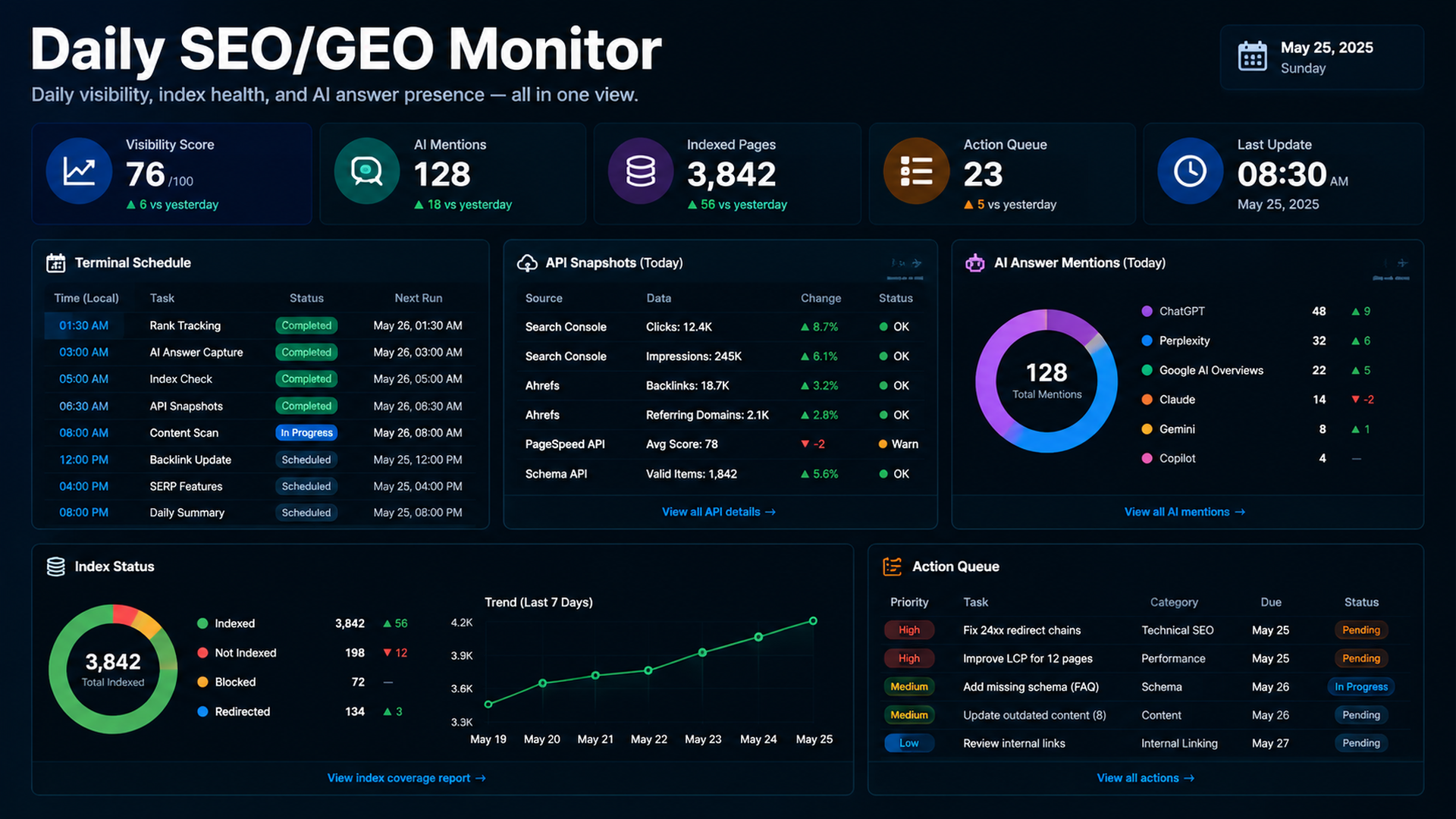
Daily monitoring should be boring, repeatable, and file-based
Claude Code can run in a terminal workflow where it reads files, runs commands, and produces reports. For daily SEO/GEO monitoring, do not ask it to “check everything.” Give it a small data pipeline: approved APIs or exports, dated snapshots, a prompt library, a comparison script, and a daily report.
The goal is to notice changes early: indexing drops, CTR opportunities, AI answer mentions, missing citations, broken pages, or pages that need refresh.
The daily folder structure
seo-geo/monitoring/
  prompts/core-prompts.md
  snapshots/
    2026-07-05/
      gsc-pages.csv
      bing-queries.csv
      ga4-pages.csv
      ai-answers.json
  reports/
    2026-07-05.md
  scripts/
    fetch-search-data.mjs
    fetch-ai-visibility.mjs
    compare-snapshots.mjs
Data sources to use
Source | Daily question |
|---|---|
GSC | Are impressions, clicks, CTR, or indexed pages moving? |
Bing Webmaster | Are Bing queries or crawl issues changing? |
GA4 | Are landing pages converting or bouncing differently? |
Felo Search / Perplexity API / SERP APIs | Does the brand appear in AI/search answers today? |
Site crawl | Are important URLs still returning 200 and indexable? |
Terminal prompt for daily monitoring
Run today's SEO/GEO monitoring workflow.

Inputs:
- Use scripts in seo-geo/monitoring/scripts/.
- Store raw outputs in seo-geo/monitoring/snapshots/YYYY-MM-DD/.
- Compare against yesterday and the 7-day baseline when available.
- Produce seo-geo/monitoring/reports/YYYY-MM-DD.md.

Report:
1. Indexing and crawl changes.
2. Query/page changes from GSC and Bing.
3. Landing page engagement changes from GA4.
4. AI/search answer mentions and citation changes from approved APIs.
5. Suspicious drops or new opportunities.
6. Recommended actions with priority and owner.
7. What data was missing or failed.

Do not edit website content unless I explicitly approve a follow-up task.
A daily report template
# SEO/GEO Daily Monitor - YYYY-MM-DD

## Executive signal
- Status: green / yellow / red
- Main change:
- Biggest opportunity:
- Biggest risk:

## Search data
| URL/query | Source | Change | Interpretation | Action |

## AI visibility
| Prompt | Surface/API | Brand mentioned | Citation URL | Change |

## Technical checks
| URL/check | Result | Risk | Next step |

## Action queue
| Priority | Owner | Action | Evidence | Due |
Make recommendations conservative
Daily monitoring should not create panic. Ask Claude to classify actions:
Priority | Meaning |
|---|---|
P0 | Technical breakage or indexing issue |
P1 | High-value page losing traffic or AI visibility |
P2 | Content refresh opportunity |
P3 | Watchlist only |
A one-day dip is often noise. A repeated 7-day pattern deserves action.
FAQ
Should this run every day or every week?
Use daily snapshots for monitoring and weekly review for decisions. Daily reports catch issues; weekly reports choose work.
Can Claude Code call Felo Search or Perplexity APIs?
Yes if you provide approved scripts, MCP tools, or environment configuration. Keep API keys outside prompts and store only outputs in snapshots.
What should happen after Claude finds an issue?
Create a separate task: diagnose one page, propose a diff, run checks, and wait for human approval.
Claude Code SEO/GEO learning path
This article is part of the Claude Code SEO/GEO operator series. If you are building the workflow from scratch, follow the sequence:
1. How to Use Claude Code for SEO Automation
2. How to Build a Claude Code SEO/GEO Workflow Cockpit
3. How to Use CLAUDE.md and Memory for SEO/GEO Workflows
4. How to Refresh SEO Pages with the Claude Code VS Code Extension
5. Best GEO Claude Code Skills in 2026
6. How to Use Claude Code Subagents for GEO Research
7. How to Use Claude Code Hooks as SEO/GEO Quality Gates
8. How to Connect Claude Code to SEO Data with MCP
9. How to Use Claude Code GitHub Actions for SEO/GEO Reviews
10. How to Run Daily SEO/GEO Monitoring in Claude Code
Where to go next
Previous: How to Use Claude Code GitHub Actions for SEO/GEO Reviews
Sources and notes
- Anthropic Claude Code docs: Overview, Memory, VS Code integration, Skills, Subagents, Hooks, MCP, and GitHub Actions.
Author: Ethan Marlowe, GEO Measurement Lead Across 500+ Prompts at Auspia. Ethan writes about prompt tracking, citation reporting, and AI visibility dashboards.


