


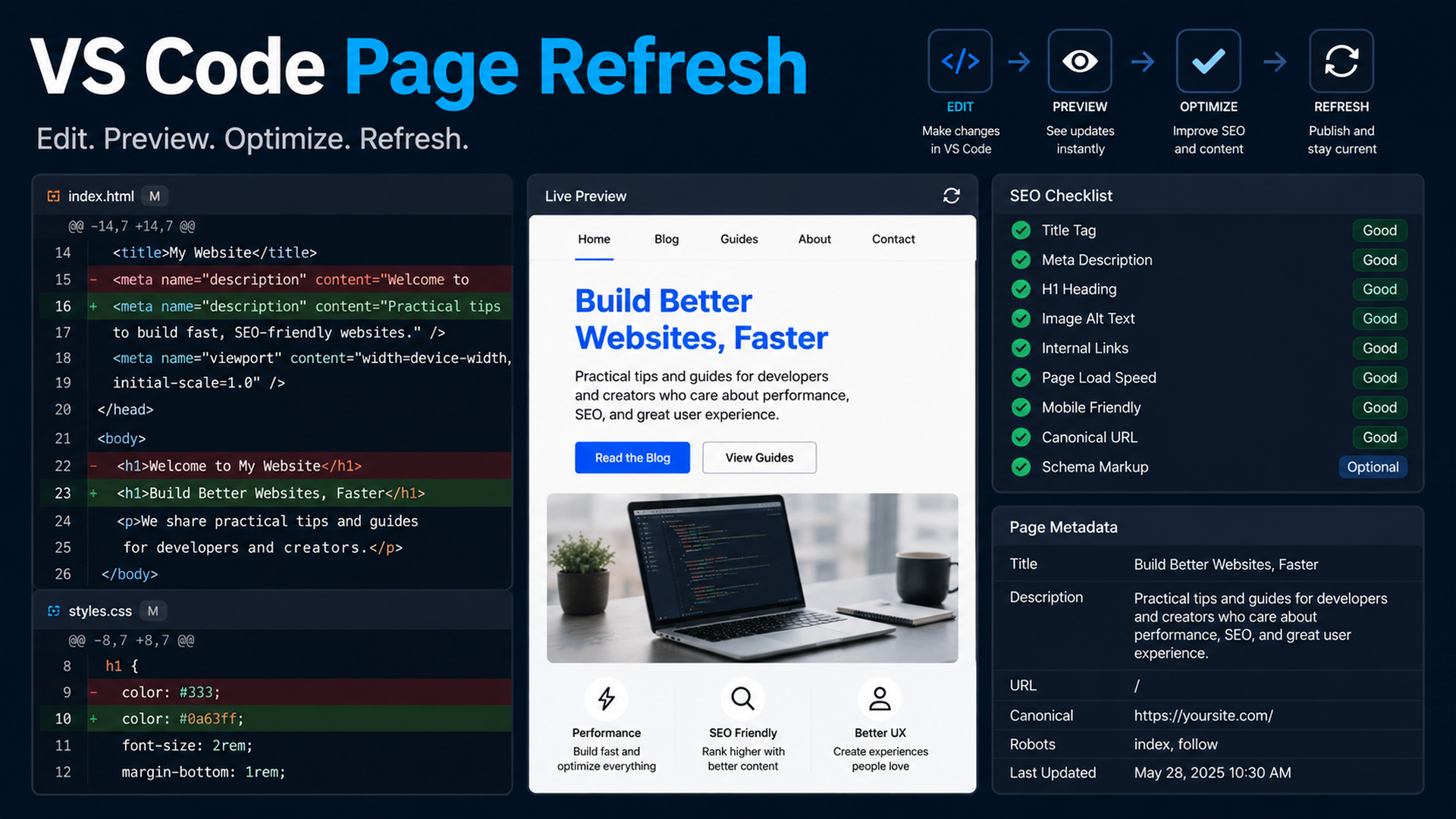
Why VS Code is the safest place to refresh SEO pages with Claude Code
Claude Code's VS Code extension is useful for SEO work because it brings Claude into the editor where the page files, selected text, diffs, and review decisions are visible. Anthropic's docs describe the extension as providing inline diffs, @-mentions, plan review, and conversation history inside VS Code. For a beginner, that is safer than asking an AI to rewrite a page in a separate chat and then manually copying content back.
Use VS Code when you need to refresh one existing page: improve title/meta, add answer blocks, update schema, repair internal links, and run the build.
The page refresh setup
Open the website repo in VS Code. Open the page file, metadata file, and any related component. Then open the Claude Code panel from the Spark icon.
Give Claude a narrow scope:
I want to refresh only the currently open SEO page.

Use the selected/open files as context. Do not edit other pages unless you ask first.

Goal:
- Improve the page for SEO and GEO extraction.
- Preserve the original offer and factual claims.
- Add clearer answer blocks, internal links, and metadata where appropriate.
- Run the build command after edits.

Before editing, produce a short page diagnosis and wait for approval.
What Claude should diagnose first
Ask for a table, not a vague critique:
Area | What Claude should check |
|---|---|
Search intent | Does the page answer the query it targets? |
GEO extractability | Are definitions, comparisons, proof, and FAQs easy to quote? |
Metadata | Title, description, canonical, Open Graph |
Structure | H1/H2 hierarchy and section order |
Internal links | Links to related pages and conversion pages |
Schema | Correct type and no fake data |
Conversion | CTA matches page intent |
Technical risk | Build, imports, broken components |
Then approve only the fixes you want.
A practical refresh prompt
Refresh this page in three passes.

Pass 1: Content structure
- Keep the factual claims conservative.
- Add a direct answer near the top.
- Add one comparison table or checklist if it helps the reader.
- Add FAQ only if the questions are real buyer/search questions.

Pass 2: SEO/GEO metadata
- Improve title and meta description.
- Check canonical and Open Graph fields.
- Add or update schema only if the page type supports it.
- Do not create fake ratings, reviews, prices, or organizations.

Pass 3: Validation
- Show the diff.
- Run lint/typecheck/build if available.
- Summarize files changed, risks, and follow-up metrics.
Use inline diffs as the approval layer
When Claude proposes edits in VS Code, review the diff like a pull request. Reject changes that:
- Add unsupported proof.
- Change product positioning without approval.
- Stuff keywords into headings.
- Replace specific examples with generic copy.
- Modify shared components when the task was page-specific.
- Change robots, canonical, redirects, or analytics unexpectedly.
The point of VS Code is not only convenience. It forces the work back into reviewable files.
Example: refreshing a weak use-case page
Before:
H1: AI Automation for Marketing
Sections: Overview, Benefits, Features, FAQ
After asking Claude to diagnose, a better page plan might be:
H1: AI SEO Automation for B2B Content Teams
Sections:
- Direct answer: what the workflow does
- Symptoms: when manual SEO review breaks down
- Workflow: data, brief, edit, review, publish, measure
- Comparison: spreadsheet process vs repo-based Claude Code process
- Evidence needed: GSC export, examples, screenshots, workflow logs
- FAQ: setup, safety, analytics, human approval
That change is not just copy editing. It clarifies intent, entity language, and answer extraction.
Validation prompt after the diff
Review your own diff as a skeptical SEO/GEO reviewer.

Return:
1. Changed files.
2. SEO improvements.
3. GEO improvements.
4. Claims that still need proof.
5. Technical risks.
6. Commands run and results.
7. What I should measure in GSC, Bing, GA4, and AI answer checks after publishing.
FAQ
Should I let Claude refresh multiple pages in one VS Code task?
Not at first. Refresh one page, learn the review pattern, then batch similar pages only after the SOP is stable.
Can Claude Code see my selected text?
The VS Code integration is designed to work with editor context such as open files and selected ranges. Still, state the files and scope explicitly in the prompt.
What if Claude suggests schema I do not understand?
Ask it to explain the schema type, required fields, and risks before accepting. Do not add Product, Review, or FAQ schema with fake data.
Claude Code SEO/GEO learning path
This article is part of the Claude Code SEO/GEO operator series. If you are building the workflow from scratch, follow the sequence:
1. How to Use Claude Code for SEO Automation
2. How to Build a Claude Code SEO/GEO Workflow Cockpit
3. How to Use CLAUDE.md and Memory for SEO/GEO Workflows
4. How to Refresh SEO Pages with the Claude Code VS Code Extension
5. Best GEO Claude Code Skills in 2026
6. How to Use Claude Code Subagents for GEO Research
7. How to Use Claude Code Hooks as SEO/GEO Quality Gates
8. How to Connect Claude Code to SEO Data with MCP
9. How to Use Claude Code GitHub Actions for SEO/GEO Reviews
10. How to Run Daily SEO/GEO Monitoring in Claude Code
Where to go next
Previous: How to Use CLAUDE.md and Memory for SEO/GEO Workflows
Next: Best GEO Claude Code Skills in 2026
Sources and notes
- Anthropic Claude Code docs: Overview, Memory, VS Code integration, Skills, Subagents, Hooks, MCP, and GitHub Actions.
Author: Elise Morgan, 15-Year Editorial SEO Strategist at Auspia. Elise writes about content refreshes, editorial quality, and search-focused page improvements.


