


What you'll finish with
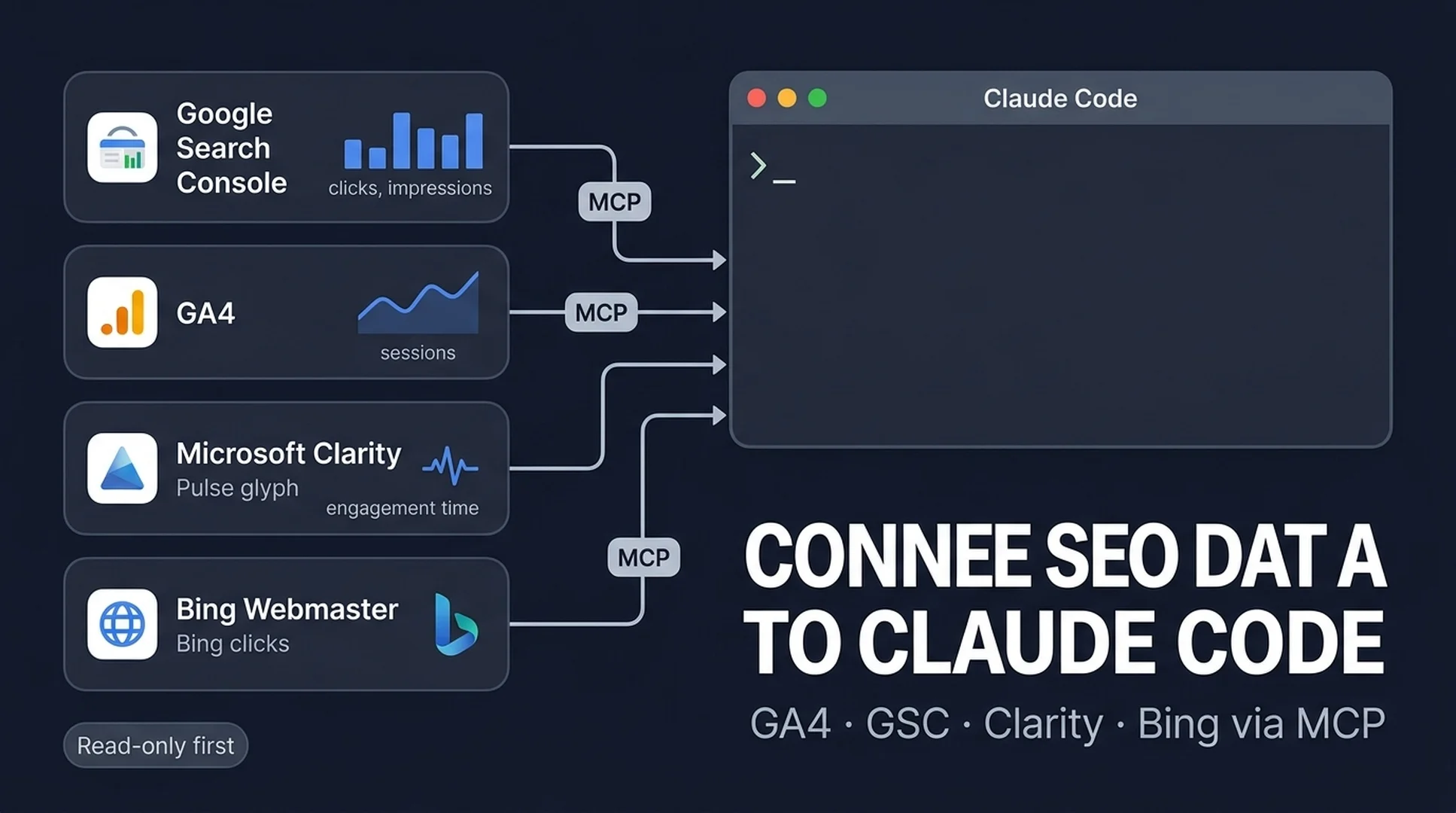
This guide gets Claude Code talking to four analytics tools you probably already use: Google Search Console (GSC), GA4, Microsoft Clarity, and Bing Webmaster Tools. If you run a website, you likely have accounts in two or three of these already. When you finish, Claude can answer questions like "which pages lost clicks this month?" using your real account data, instead of you copying numbers out of dashboards into a prompt.
Who this is for: anyone who runs a website, uses Claude Code, and wants their SEO data in one place. No prior MCP or API experience assumed.
What done looks like: you run claude mcp list, see four servers (gsc, ga4, clarity, bing-webmaster), run a test prompt for each, and Claude returns real numbers from your accounts.
Time: about 30-45 minutes the first time. Most of it is collecting tokens from each tool, which you can reuse later.
Why not just paste a screenshot?
Copying a dashboard screenshot into a prompt works once. Then it goes stale, it's private data you keep re-pasting, and Claude can only react to what's in the image. MCP (Model Context Protocol) is a standard plug that lets Claude Code call a tool directly. Think of it as handing Claude a read-only key to your analytics accounts instead of a photo of the screen.
The setup pattern is the same for all four tools:
- Get a token or credential from the tool.
- Add the MCP server to Claude Code with one command.
- Restart Claude Code.
- Ask a question and get real data back.
Keep this in mind the whole way through: read-only first, write access only when you understand the risk. Every server below starts read-only. That is the safe default.

MCP turns each tool into a read-only data source Claude Code can call directly.
Before you start
You need three things ready before the first setup step.
Requirement | What it is | Where to get it |
|---|---|---|
Claude Code | Terminal coding agent | Install from the official Claude Code docs, or |
Node.js 22+ | Runs the MCP servers locally | nodejs.org (LTS). Some servers need newer Node, so 22+ covers all four |
A project folder | Where you'll test | Any folder works; create one for this experiment |
You also need login access to the four tools and their tokens. Collect them before you start, because each recipe below assumes you have them:
Tool | What you need to grab | Where it lives |
|---|---|---|
Google Search Console | Google Cloud OAuth client file (Desktop app) + Search Console API enabled | console.cloud.google.com → APIs & Services → Credentials |
GA4 | Property ID + refresh token | Admin → Property settings for the ID; token via the server's connect page |
Microsoft Clarity | API token | Clarity project → Settings → Data Export → Generate new API token |
Bing Webmaster | API key | Bing Webmaster Tools → Settings → API Access |
Recipe 1: Connect Google Search Console
What you need: a Google Cloud project with the Search Console API enabled, and an OAuth client JSON file (application type: Desktop app). Download that file and remember the path.
Step 1 - Authorize once (opens a browser):
export GOOGLE_GSC_CREDENTIALS_PATH=/path/to/credentials.json
npx mcp-gsc setup
This opens Google's login, saves a refresh token locally, and confirms which properties you can read. You only do this once.
Step 2 - Add the server to Claude Code:
claude mcp add gsc --scope user --transport stdio \
  -e GOOGLE_GSC_CREDENTIALS_PATH=/path/to/credentials.json \
  -- npx -y mcp-gsc@latest
Restart Claude Code after adding it.
Step 3 - Test it:
Show me my top 10 queries from the last 28 days, with clicks, impressions, and CTR.
If it fails: the most common error is a property mismatch. Call list_properties first to see the exact property format (https://example.com/ vs sc-domain:example.com), then ask Claude to use that exact value. If npx is slow to start, the server is still loading; wait a few seconds and try again.
Recipe 2: Connect GA4
What you need: your GA4 Property ID (the number in Admin → Property settings, not the G-XXXXXX measurement ID) and a refresh token from the server's connect page (ga4-connect.vercel.app), which walks you through Google login and hands you a token.
Step 1 - Add the server to Claude Code:
claude mcp add ga4 \
  -e GA4_REFRESH_TOKEN=your_refresh_token \
  -e GA4_PROPERTY_ID=your_property_id \
  -- npx -y ga4-intelligence-mcp
Restart Claude Code.
Step 2 - Test it:
What were my top 10 landing pages by sessions in the last 28 days?
If it fails: double-check the property ID is the numeric one from Admin, and that the token was generated for the same Google account that owns the property. A "permission denied" usually means one of those two is wrong.
Note: basic reports (traffic summary, top pages, traffic sources) are free. Some advanced tools (conversions, audiences) need a paid license. If you don't plan to pay for those, use a fully free read-only alternative such as seo-tools-mcp-ga4, which authorizes through a chat prompt and keeps everything read-only.
Recipe 3: Connect Microsoft Clarity
Clarity is the easiest of the four because Microsoft ships an official MCP server, so there is no third-party setup.
What you need: an API token from Clarity → Settings → Data Export → Generate new API token. Store it somewhere safe; you only see it once.
Step 1 - Add the server to Claude Code:
claude mcp add clarity -- npx -y @microsoft/clarity-mcp-server --clarity_api_token=YOUR_TOKENRestart Claude Code.
Step 2 - Test it:
Give me traffic and engagement time segmented by browser for the last 2 days.
If it fails: confirm the token is valid and the account has data in the last few days. Clarity's data export is limited to 10 requests per project per day and roughly the last 3 days, so an empty result is often a data-range problem, not a connection problem.
Recipe 4: Connect Bing Webmaster Tools
What you need: an API key from Bing Webmaster Tools → Settings → API Access.
Step 1 - Add the server to Claude Code:
claude mcp add bing-webmaster \
  -e BING_WEBMASTER_API_KEY=YOUR_KEY \
  -- npx -y @isiahw1/mcp-server-bing-webmaster@latest
Restart Claude Code.
Step 2 - Test it:
List my verified sites in Bing Webmaster Tools, then get traffic statistics for my website for the last month.
If it fails: most issues are a bad API key or an unverified site. Recheck the key under Settings → API Access, and make sure the site is verified before you ask about it.
Check that everything is wired up
Run this in your terminal:
claude mcp listYou should see four servers: gsc, ga4, clarity, bing-webmaster. Inside a Claude Code session you can also type /mcp to see live connection status and reconnect any server that dropped.
Now run one combined check:
Using all four data sources, tell me which of my pages lost the most clicks in the last 28 days. Use GSC for clicks, GA4 for landing pages, Clarity for engagement, and Bing for Bing-side traffic. If a source has no data, say so.
If Claude answers with real numbers from each tool, you are done with setup.
One prompt that uses all four sources
This is the part that makes the setup useful. Instead of asking four separate questions, ask Claude to design the analysis and produce one report. This keeps your raw data inside your accounts and only surfaces the findings you asked for.
You have four data tools: gsc, ga4, clarity, and bing-webmaster.

1. First, tell me which tools and data each one exposes.
2. Design a minimal data contract: what fields we need from each source, and a normalized CSV shape we could save under ./seo-geo/exports/.
3. Pull the last 28 days of GSC search analytics, GA4 top landing pages, Clarity engagement by device, and Bing traffic stats.
4. Produce a joined opportunity report as a markdown table with columns: URL | source signal | diagnosis | recommended action | confidence.
5. Do not edit, submit, or publish anything. Read-only.

Base your report on the actual data returned. For each row, explain why you flagged it, not just "optimize this page."
A good row looks like:
URL | Source signal | Diagnosis | Recommended action | Confidence |
|---|---|---|---|---|
/tools/ai-search-visibility-checker | High impressions, low CTR (GSC) | Title does not mention the comparison use case | Test a title and meta refresh | High |
The final line matters. A useful report explains the why, and it leaves the editing to you. You review the diagnosis, approve changes, and only then does anyone touch a page.
Keep it read-only
Before you go further, lock in the safe defaults:

- Secrets go in environment variables, not in files you commit. If you use a shared
.mcp.jsonfor a team, keep tokens out of it or reference env vars like$TOKEN. - Leave write tools off. The GSC server keeps write tools (submit sitemap, request indexing) disabled unless you set
GOOGLE_GSC_ENABLE_WRITES=true. Keep it off until you need it. - Clarity and Bing are query-only out of the box, and GA4 reports are read-only. That is a good default.
- Scope servers to yourself with
--scope userunless a teammate really needs them.
One honesty note: with the exception of the Microsoft Clarity server, these MCP packages are community-maintained. They are widely used, but read the repo before you trust one with your data, and only connect tools you already use.
When to go further
After the basic setup works, three upgrades are natural next steps, in order:
- Turn on GSC extended analytics (
GOOGLE_GSC_ENABLE_EXTENDED_TOOLS=true) for weekly SEO report tools, cannibalization checks, and content decay detection. - Automate a weekly snapshot. Have Claude save the joined report to
./seo-geo/exports/on a schedule, so you can compare weeks instead of re-asking. - Measure what the search engines don't show you. First-party data from GSC, GA4, and Bing covers what you know. For AI visibility, run your pages against a dedicated checker, for example Auspia's AI Search Visibility Checker, to see how they appear in AI answers.
FAQ
Is MCP required to work with SEO data in Claude Code? No. CSV exports are enough to start. MCP becomes worth the setup when you want fresh data on demand, repeated workflows, or Claude to combine sources without you re-downloading files.
Do I need any paid plans? No. GSC, Clarity, and Bing are free. GA4 is free. The GA4 server in this guide has free reporting tools; advanced tools need a paid license, and a free read-only alternative exists if you prefer.
Which of these is the easiest to set up? Clarity, because Microsoft maintains an official server and the token takes 30 seconds. GSC takes the longest because it requires a Google Cloud OAuth client.
Can Claude edit my site through these connections? Not by default. Everything here starts read-only, and the one server with write tools keeps them switched off until you turn them on. Do your first week of analysis read-only, then decide.
How do I know a server is safe to add? Start with the official one (Clarity). For community servers, check the npm page and GitHub repo, confirm the token is scoped to the tool it belongs to, and never commit tokens to version control.
Author: Nathan Reed, AI Marketing Workflow Designer for 80+ Growth Systems at Auspia. Nathan writes about connecting AI tools into practical marketing and SEO workflows.


