


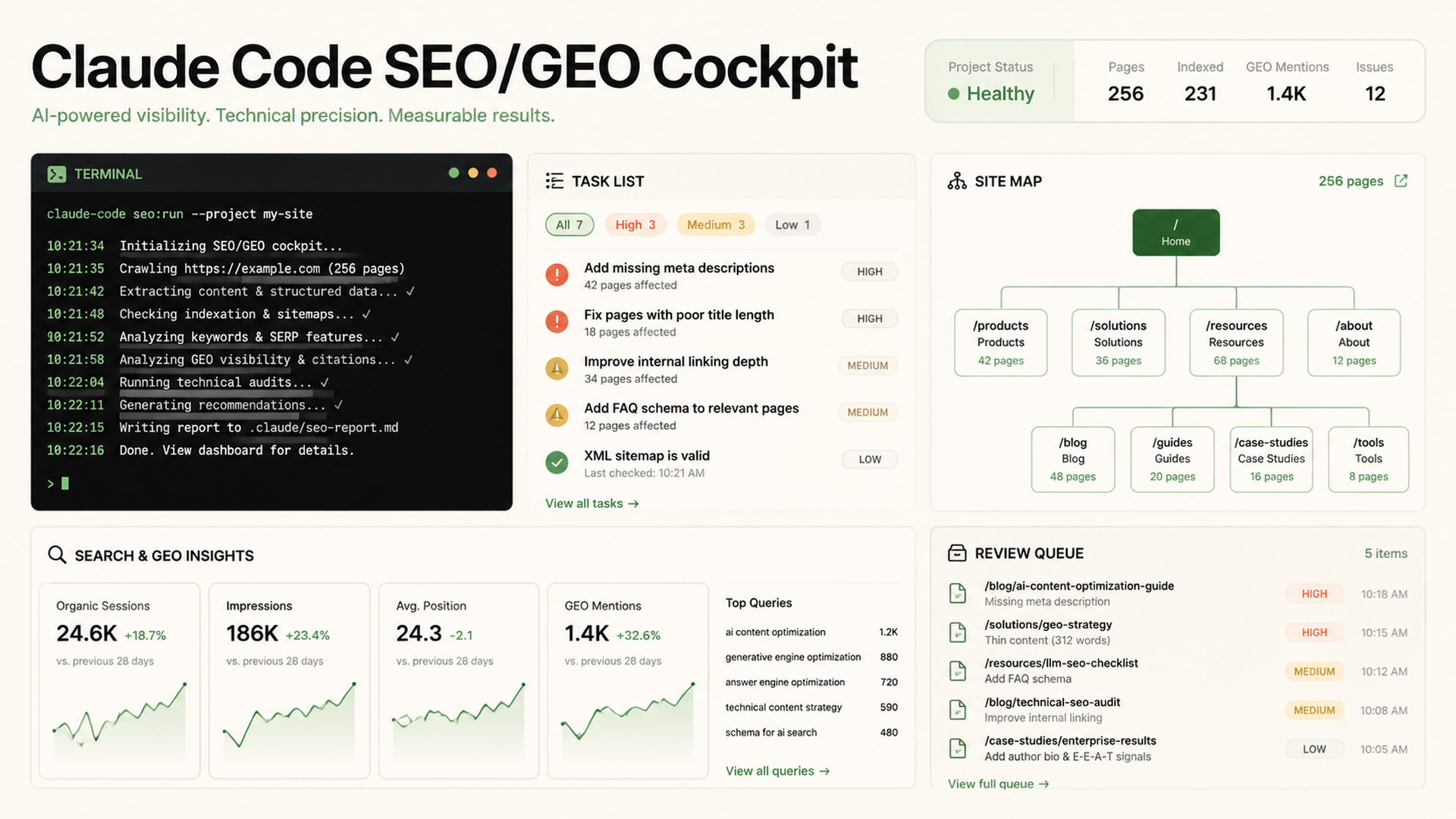
The cockpit: one Claude Code workspace that can plan, edit, review, and measure
Claude Code is not just a chat box for code. Anthropic describes it as an agentic coding tool that can read a codebase, edit files, run commands, and integrate with development tools from the terminal, IDE, desktop app, and browser. For SEO/GEO work, that means you can turn one repository into a working cockpit: source files, page briefs, analytics exports, prompt libraries, review rules, and deployment checks live together instead of being scattered across docs and dashboards.
The beginner version is simple: create a project folder, add CLAUDE.md, keep data in predictable folders, ask Claude to plan before editing, review diffs, and only publish after checks pass.
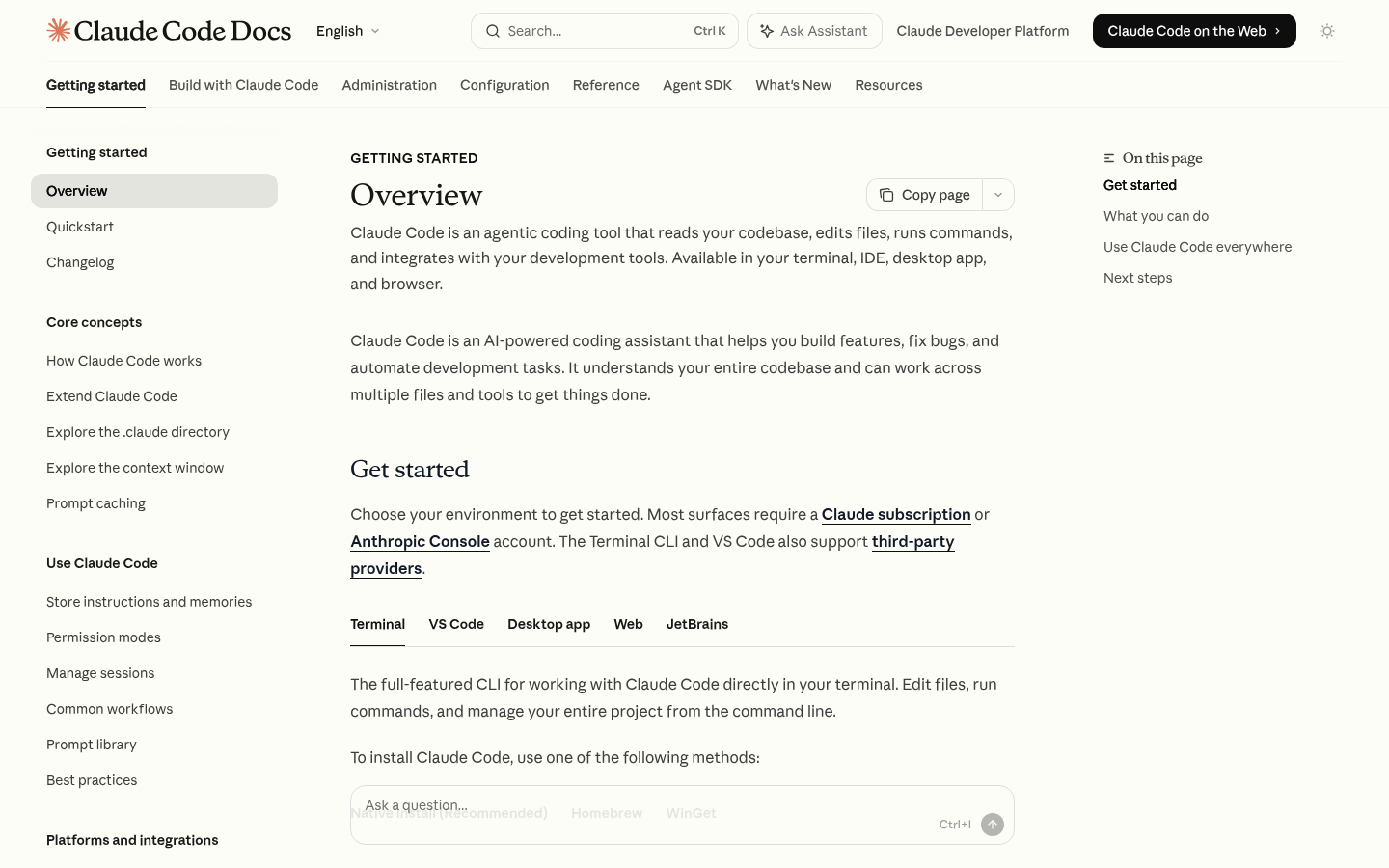
Caption: Start by treating Claude Code as a repo-aware operator, not a generic content writer.
What belongs in the SEO/GEO cockpit
Create this folder structure in your website repository:
seo-geo/
  briefs/
  exports/
    gsc/
    bing/
    ga4/
  prompt-library/
  reports/
  screenshots/
  qa/
CLAUDE.md
Each folder has a job. briefs/ stores page briefs. exports/ stores CSVs from Google Search Console, Bing Webmaster Tools, GA4, SERP APIs, or AI visibility tools. prompt-library/ stores the questions you use to test ChatGPT, Perplexity, Gemini, Google AI Overviews, Felo Search, and other answer surfaces. qa/ stores launch gates.
This matters because Claude Code is strongest when it can inspect real files and produce a diff you can review. Do not paste ten dashboards into chat. Put the data in files and ask Claude to read the files.
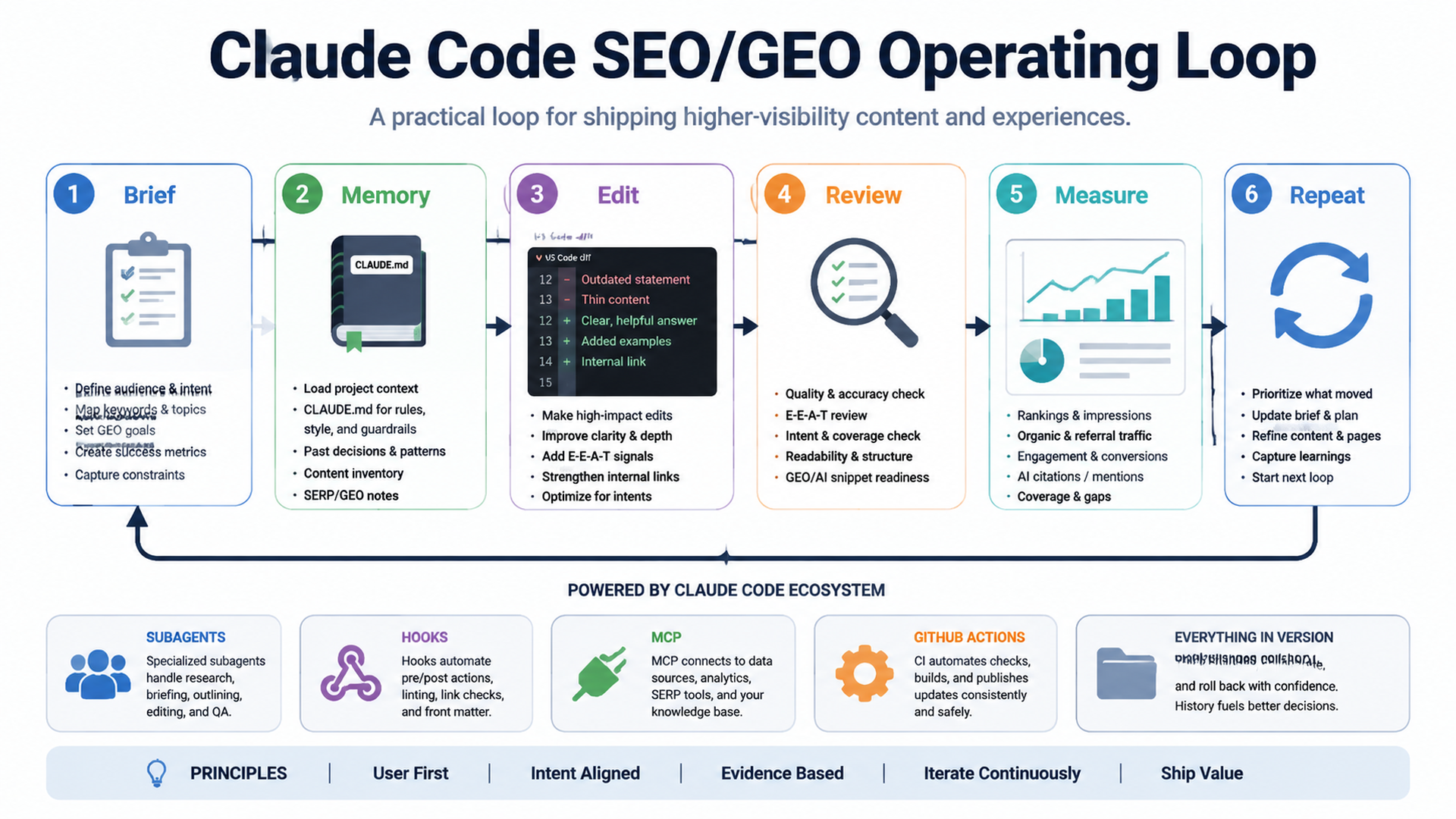
First prompt: make Claude inspect before changing anything
Use this prompt in a fresh repository:
I want to use Claude Code as an SEO/GEO workflow cockpit for this website.

Do not edit files yet. First inspect the repository and tell me:
1. What framework the site uses.
2. Where pages, metadata, routes, components, and content files live.
3. Whether the site has sitemap, robots.txt, schema, canonical URLs, and analytics.
4. Where I should store SEO/GEO briefs, exports, prompt libraries, QA reports, and screenshots.
5. What commands I should run for install, lint, typecheck, test, and build.
6. The safest first workflow to improve one page without breaking production.

Return a cockpit setup plan and wait for approval.
If Claude jumps into edits, stop it and ask for a plan. The plan should name files and commands. If it says “improve SEO” without naming where metadata is stored, the plan is not specific enough.
The weekly cockpit routine
A practical weekly routine looks like this:
Step | Input | Claude Code output | Human approval point |
|---|---|---|---|
1. Read performance | GSC/Bing/GA4 exports | Opportunity list | Confirm target pages |
2. Read visibility | AI prompt snapshots | Mention/citation gaps | Confirm priority prompts |
3. Inspect page | Source files and rendered page | Diagnosis | Approve edit scope |
4. Edit | Page file, metadata, schema | Diff | Review content claims |
5. Validate | Build/lint/test | Pass/fail report | Approve deploy |
6. Record | Report markdown | Next action queue | Assign owner |
Ask Claude to keep a report:
Create seo-geo/reports/YYYY-MM-DD-weekly-review.md.
Include pages checked, data files used, decisions made, diffs created, commands run, risks, and next actions. Do not claim improvements until we have post-change data.
What makes this Claude Code-specific
The cockpit should use Claude Code features deliberately:
CLAUDE.mdfor persistent project instructions.- VS Code extension for inline diff review and selected-file context.
- Subagents for noisy research that should not flood the main conversation.
- Hooks for deterministic checks before risky edits or after file changes.
- MCP for controlled access to external systems and APIs.
- GitHub Actions for PR review with
@claudewhen changes move to GitHub.
That is different from a generic AI writing workflow. Claude Code is useful here because it can connect strategy to actual repository files, validation commands, and reviewable diffs.
Beginner-safe rule: one page, one diff, one report
Do not ask Claude Code to “optimize the whole site” on the first day. Use this starter task:
Pick one existing page that has commercial or GEO value.
Use available metadata, content, and exports to propose a safe improvement.
Only edit that one page and any directly related metadata/schema file.
Run the build command.
Write a report explaining what changed, why it should help, and what data we need to check later.
This keeps the workflow reviewable. Beginners get in trouble when they let an agent touch navigation, schema, copy, redirects, and deployment settings in one giant task.
QA checklist for the cockpit
Before using the cockpit for real SEO/GEO work, confirm:
Check | Pass condition |
|---|---|
Repository map | Claude can explain page, component, metadata, and build locations |
| Project rules include SEO/GEO standards and approval boundaries |
Data folders | Exports and prompt snapshots have dated filenames |
Validation | Build/lint/typecheck commands are documented |
Diff review | Claude summarizes changed files and risky assumptions |
Measurement | Every change has a follow-up metric or prompt to check |
FAQ
Can Claude Code publish SEO changes automatically?
It can edit files and help with deployment workflows, but beginners should keep publishing behind human review. Let Claude prepare diffs, reports, and PR comments; approve production changes yourself.
Is this only for developers?
No. A marketer can use the workflow if the website is in a repository and the team agrees on review steps. The key is to ask for plans, reports, and safe diffs.
Should I use Claude Code or a CMS AI writer?
Use Claude Code when the SEO/GEO change touches code, metadata, schema, routing, deployment, or reusable page templates. Use a CMS AI writer when you only need draft copy.
Claude Code SEO/GEO learning path
This article is part of the Claude Code SEO/GEO operator series. If you are building the workflow from scratch, follow the sequence:
1. How to Use Claude Code for SEO Automation
2. How to Build a Claude Code SEO/GEO Workflow Cockpit
3. How to Use CLAUDE.md and Memory for SEO/GEO Workflows
4. How to Refresh SEO Pages with the Claude Code VS Code Extension
5. Best GEO Claude Code Skills in 2026
6. How to Use Claude Code Subagents for GEO Research
7. How to Use Claude Code Hooks as SEO/GEO Quality Gates
8. How to Connect Claude Code to SEO Data with MCP
9. How to Use Claude Code GitHub Actions for SEO/GEO Reviews
10. How to Run Daily SEO/GEO Monitoring in Claude Code
Where to go next
Previous: How to Use Claude Code for SEO Automation
Next: How to Use CLAUDE.md and Memory for SEO/GEO Workflows
Sources and notes
- Anthropic Claude Code docs: Overview, Memory, VS Code integration, Skills, Subagents, Hooks, MCP, and GitHub Actions.
Author: Nina Patel, Organic Growth Strategist for 250+ Content Programs at Auspia. Nina writes about practical growth systems that connect content, tooling, and measurement.


