


What you will build
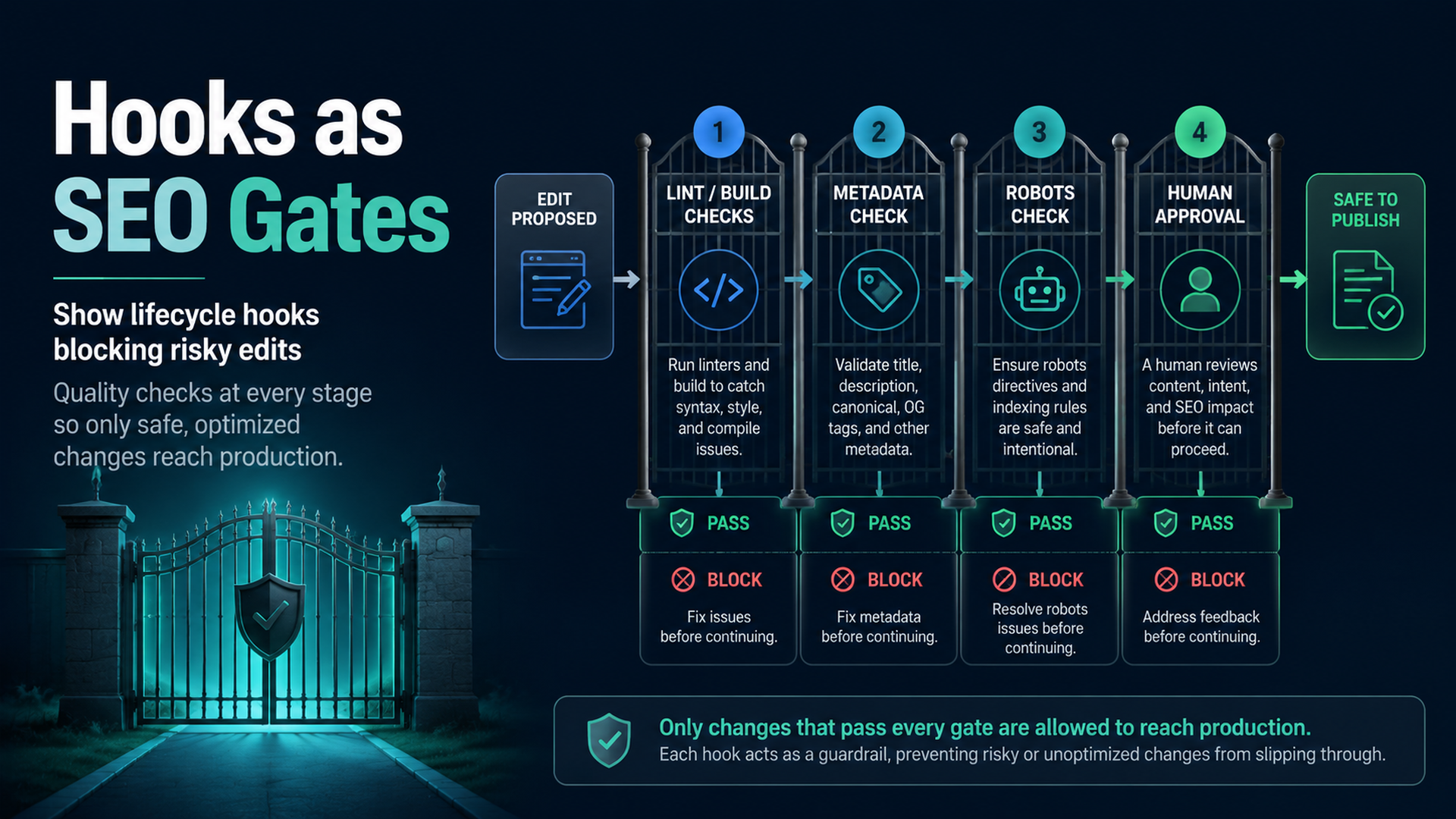
This tutorial shows how to use Claude Code hooks as practical SEO/GEO quality gates. The goal is not to make Claude “more careful” in a vague way. The goal is to run deterministic checks when Claude edits files that can damage search visibility: metadata helpers, schema, robots rules, sitemap generation, canonical tags, analytics, and content templates.
You will build:
.claude/
  settings.local.json
scripts/
  seo-geo-hook-guard.mjs
  seo-geo-launch-gate.mjs
seo-geo/
  qa/
    hook-test-plan.md
    hook-reports/
Start with warning hooks. After you trust the checks, turn only the high-confidence ones into blocking hooks.
Step 1: create a small hook guard script
Create the folders:
mkdir -p .claude scripts seo-geo/qa/hook-reports
Create a hook script that inspects the current git diff and flags high-risk SEO/GEO files:
cat > scripts/seo-geo-hook-guard.mjs <<'EOF2'
#!/usr/bin/env node
import { execSync } from 'node:child_process';
import { mkdirSync, writeFileSync } from 'node:fs';

mkdirSync('seo-geo/qa/hook-reports', { recursive: true });

function sh(cmd) {
  try { return execSync(cmd, { encoding: 'utf8' }).trim(); }
  catch { return ''; }
}

const changed = sh('git diff --name-only HEAD').split('
').filter(Boolean);
const riskyPatterns = [
  /robots\.txt$/,
  /sitemap/i,
  /canonical/i,
  /noindex/i,
  /schema|json-ld|structured-data/i,
  /middleware\.(js|ts)$/,
  /analytics|gtm|ga4/i,
  /seo\.(js|ts|tsx|mjs)$/,
  /metadata|meta-tags/i,
];

const risky = changed.filter(file => riskyPatterns.some(pattern => pattern.test(file)));
const report = [
  '# SEO/GEO Hook Guard',
  '',
  `Changed files: ${changed.length}`,
  '',
  risky.length ? '## Risky files' : '## Risky files
None detected.',
  ...risky.map(file => `- ${file}`),
  '',
  '## Required reviewer action',
  risky.length
    ? 'Review crawl/indexing/schema/analytics impact before continuing.'
    : 'No high-risk SEO/GEO file pattern detected.',
].join('
');

writeFileSync('seo-geo/qa/hook-reports/latest-guard.md', report);

if (risky.length) {
  console.error(report);
  // Exit 0 for warning mode. Change to exit 2 only after the team trusts the rule.
  process.exit(0);
}
EOF2
chmod +x scripts/seo-geo-hook-guard.mjs
Run it once before wiring it into Claude Code:
node scripts/seo-geo-hook-guard.mjs
cat seo-geo/qa/hook-reports/latest-guard.md
If your repo is not Git-based, change the script to read a list of changed files from your build system or PR export.
Step 2: create a launch gate script
Hooks should be fast. Put heavier checks in a launch gate that Claude can run before final response or before a PR.
cat > scripts/seo-geo-launch-gate.mjs <<'EOF2'
#!/usr/bin/env node
import { execSync } from 'node:child_process';

const commands = [
  ['git status', 'git status --short'],
  ['changed files', 'git diff --name-only HEAD'],
];

let failed = false;
for (const [label, cmd] of commands) {
  try {
    const out = execSync(cmd, { encoding: 'utf8' }).trim();
    console.log(`
## ${label}
${out || '(no output)'}`);
  } catch (err) {
    failed = true;
    console.error(`
## ${label}
FAILED: ${err.message}`);
  }
}

console.log('
## Manual SEO/GEO review still required');
console.log('- Check title/meta/canonical changes');
console.log('- Check schema and unsupported claims');
console.log('- Check robots, sitemap, redirects, noindex, analytics');
console.log('- Check internal links and answer extraction blocks');

process.exit(failed ? 1 : 0);
EOF2
chmod +x scripts/seo-geo-launch-gate.mjs
Add your real build command later, for example npm run build, npm run lint, or a site-specific crawler.
Step 3: ask Claude Code to propose the hook config
Do not paste a hook config blindly. Ask Claude Code to inspect your repo and produce the safest version for your current Claude Code installation:
Inspect this repository and help me configure Claude Code hooks for SEO/GEO quality gates.

Use these scripts:
- scripts/seo-geo-hook-guard.mjs
- scripts/seo-geo-launch-gate.mjs

Requirements:
- Start in warning mode, not blocking mode.
- Run the guard after file edits that may touch SEO/GEO files.
- Do not auto-approve edits.
- Do not publish, deploy, submit URLs, or change credentials.
- Put the proposed configuration in `.claude/settings.local.json` or the current Claude Code settings location recommended by the docs.
- Explain how I can test the hook with one harmless metadata edit.

Do not edit live content until I approve the settings.
Why ask Claude to generate the exact config? Claude Code hook syntax can evolve. Let Claude use the installed version and current docs, while your scripts and safety policy remain stable.
Step 4: use this starter settings pattern
If your Claude Code version supports JSON hook settings, your local settings will look similar to this:
{
  "hooks": {
    "PostToolUse": [
      {
        "matcher": "Edit|MultiEdit|Write",
        "hooks": [
          {
            "type": "command",
            "command": "node scripts/seo-geo-hook-guard.mjs"
          }
        ]
      }
    ]
  }
}
Treat this as a starter pattern, not a universal copy-paste guarantee. After adding it, restart Claude Code or reload the session if your environment requires it.
Step 5: test the hook safely
Create a harmless branch:
git checkout -b test/seo-geo-hooks
Ask Claude Code:
Make a harmless test change to a temporary markdown file under `seo-geo/qa/`. Then confirm whether the SEO/GEO hook ran and show me `seo-geo/qa/hook-reports/latest-guard.md`.
Then test a risky filename without changing production logic:
mkdir -p seo-geo/qa/fake-risk
cat > seo-geo/qa/fake-risk/test-sitemap-note.md <<'EOF2'
This is a test note. It is not the real sitemap.
EOF2
Ask Claude:
Run the hook guard and explain whether it warns on this fake-risk file. Do not edit production sitemap, robots, canonical, schema, or analytics files.
Step 6: decide what should warn vs block
Use this table before making any hook blocking:
Gate | Start mode | When to block later |
|---|---|---|
Build failure | Warn | When the build command is stable |
Robots/noindex changed | Warn | When the file matcher is precise |
Canonical helper changed | Warn | Usually keep human approval |
Schema validation failed | Warn | Block if validator has low false positives |
Analytics touched | Warn | Keep human approval |
Many content files changed | Warn | Block only for unapproved bulk edits |
A beginner-safe hook warns, writes a report, and forces review. A mature hook can block only when the failure is mechanical and low ambiguity.
Step 7: add the rule to CLAUDE.md
Hooks run commands. CLAUDE.md explains the policy behind them. Add a short section:
## SEO/GEO quality gates

Before final response on SEO/GEO tasks:
- summarize changed files
- run the available validation command
- read `seo-geo/qa/hook-reports/latest-guard.md` if it exists
- flag any robots, sitemap, canonical, noindex, schema, metadata, analytics, or routing change
- do not publish, deploy, or submit URLs without explicit approval
This keeps Claude's reasoning aligned with the hook output.
What good hook output looks like
A useful warning is specific:
Risky files:
- src/lib/seo.ts
- src/components/JsonLd.tsx

Required reviewer action:
Review canonical generation and JSON-LD output before continuing. Run build and inspect one rendered page.
A weak warning is vague:
SEO issue found. Be careful.
If the warning does not name files and review steps, improve the script before relying on it.
FAQ
Should hooks replace human review?
No. Hooks catch repeatable mechanical risks. Humans still review claims, positioning, legal language, competitor comparisons, redirects, analytics interpretation, and release timing.
Should I make hooks blocking on day one?
No. Start with warning mode. After several safe runs, block only the checks with low false-positive risk.
Where should hook scripts live?
Keep shared scripts in the repo under scripts/. Keep personal hook settings in local Claude Code settings unless the whole team has agreed to the same behavior.
Claude Code SEO/GEO learning path
This article is part of the Claude Code SEO/GEO operator series. If you are building the workflow from scratch, follow the sequence:
- How to Use Claude Code for SEO Automation
- How to Build a Claude Code SEO/GEO Workflow Cockpit
- How to Use CLAUDE.md and Memory for SEO/GEO Workflows
- How to Refresh SEO Pages with the Claude Code VS Code Extension
- Best GEO Claude Code Skills in 2026
- How to Use Claude Code Subagents for GEO Research
- How to Use Claude Code Hooks as SEO/GEO Quality Gates
- How to Connect Claude Code to SEO Data with MCP
- How to Use Claude Code GitHub Actions for SEO/GEO Reviews
- How to Run Daily SEO/GEO Monitoring in Claude Code
Sources and notes
- Anthropic Claude Code docs: Hooks guide and Claude Code overview.
Author: Julian Mercer, 14-Year Technical SEO Practitioner at Auspia. Julian writes about crawlability, schema, rendering, and technical foundations for AI-readable content.


