


The practical answer
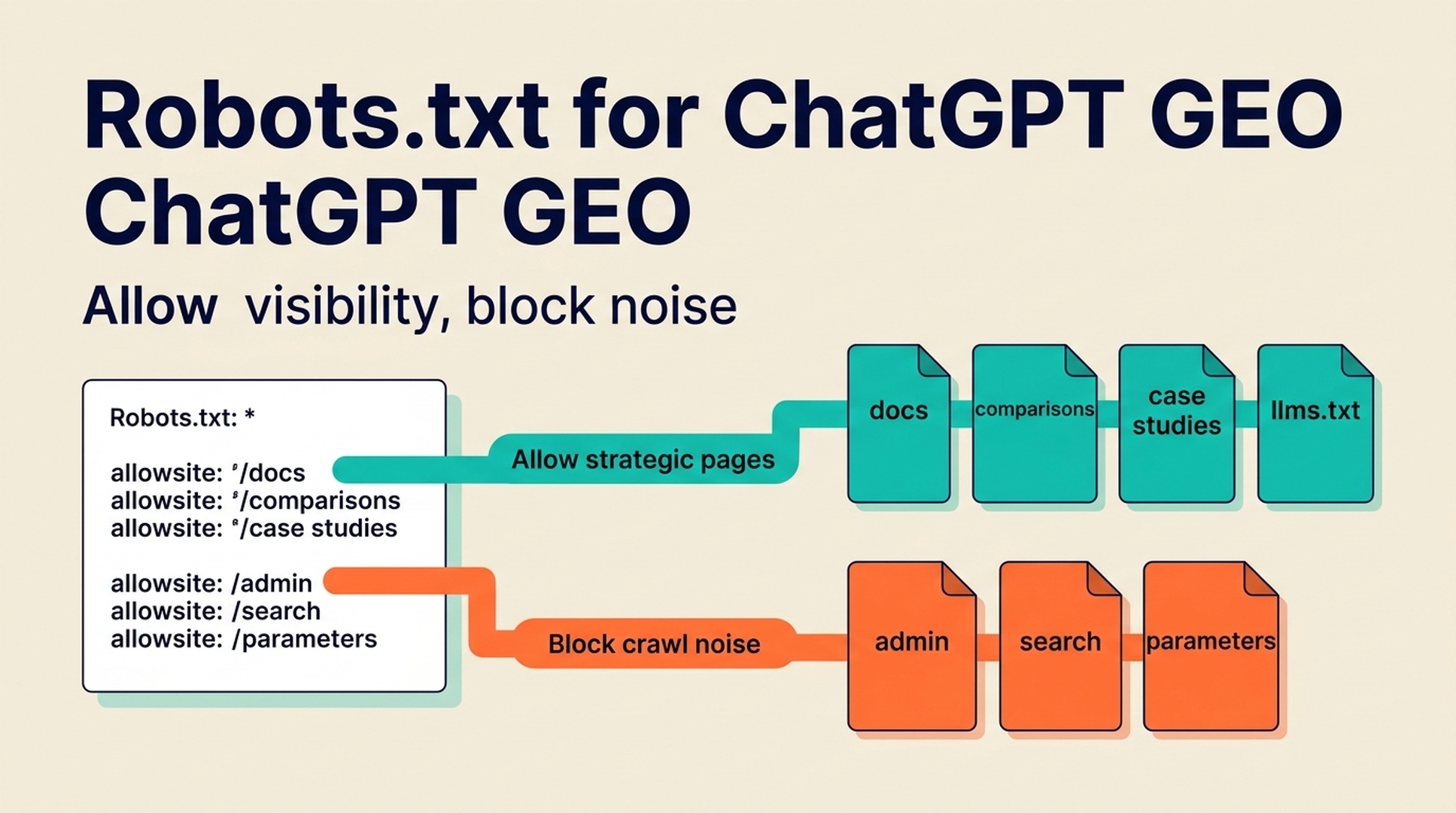
Robots.txt can protect parts of your site from crawlers, but a careless rule can also weaken ChatGPT GEO and AI search visibility. If you block the pages that explain your brand, product, category, documentation, comparisons, or evidence, AI systems and search engines may have less source material to understand and recommend you.
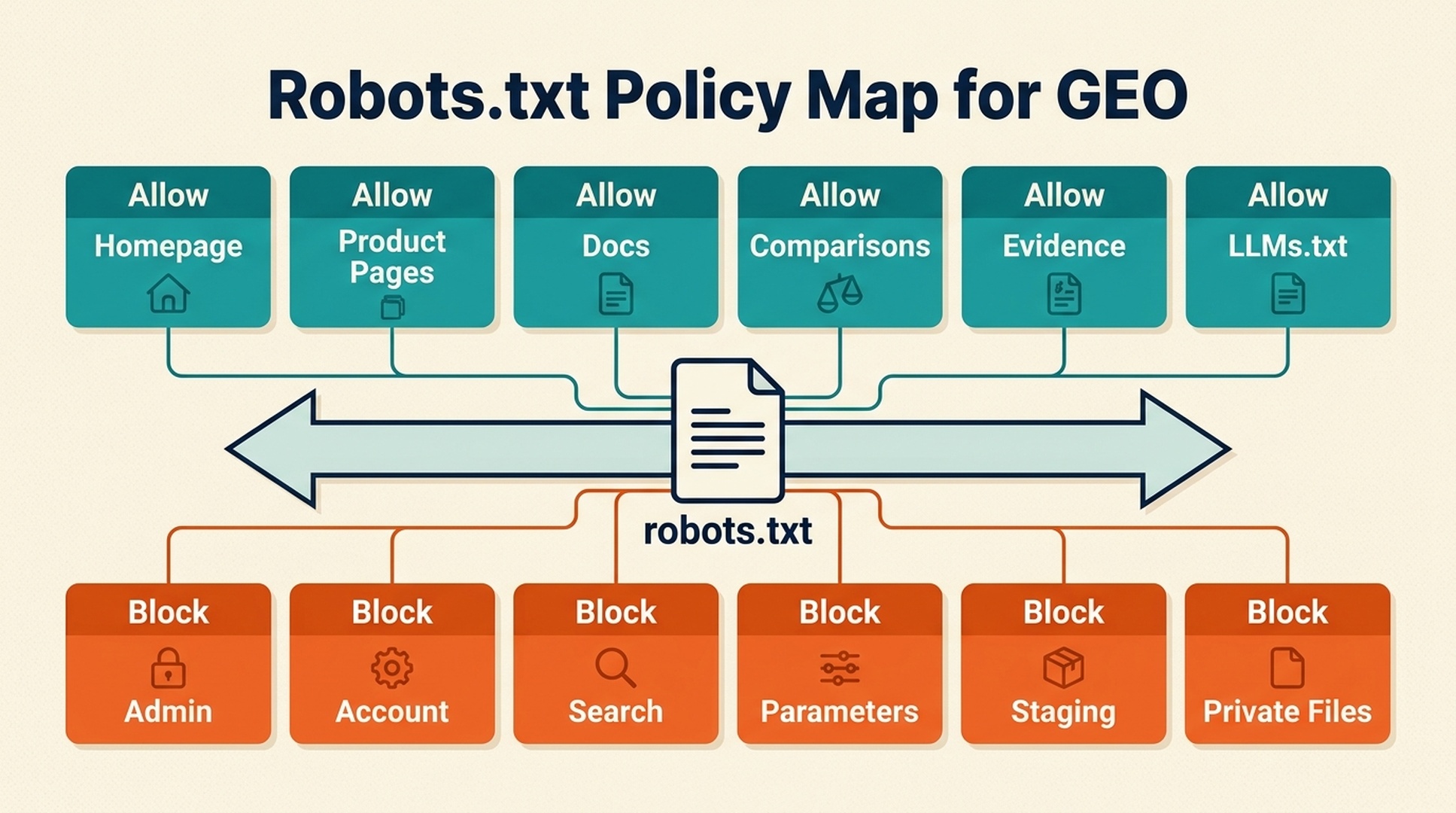
For GEO, the goal is not to open everything. The goal is controlled visibility: allow access to public pages that help AI systems understand your brand, and restrict pages that are private, duplicate, low-quality, sensitive, or not meant for indexing.
A good robots.txt policy should match your AI visibility strategy. It should not be copied blindly from another site.
What robots.txt does and does not do
Robots.txt is a file at the root of a site, usually:
https://example.com/robots.txt
It gives crawler instructions about which paths are allowed or disallowed. It is an access guidance mechanism for crawlers that choose to follow it.
It does not:
- remove pages from every index by itself
- guarantee privacy for sensitive content
- control every AI system
- replace authentication
- replace noindex tags
- explain which pages are important
- improve content quality
For sensitive content, use authentication and proper access controls. Do not rely on robots.txt as security.
Why robots.txt matters for ChatGPT GEO
AI visibility depends on accessible source material. If important pages are blocked, AI systems may rely on weaker or outdated sources.
For example, if your product docs, comparison pages, and case studies are blocked, an AI answer may still know your brand from third-party snippets, but it may miss your best explanations. That can lead to vague, outdated, or competitor-biased answers.
Important GEO pages often include:
- homepage
- about page
- product pages
- category explainers
- use-case pages
- comparison pages
- documentation
- case studies
- templates
- research pages
- pricing pages, if public
- policy pages
- llms.txt
Blocking these pages without a clear reason can reduce the amount of trustworthy public information available about your brand.
The crawler policy tradeoff
Robots.txt decisions sit between two risks.
Risk | What happens | Example |
|---|---|---|
Overblocking | AI/search systems cannot access useful public pages | docs, case studies, or comparison pages are disallowed |
Overopening | crawlers waste time or access pages that should not be public | internal search, parameters, staging paths, private files |
A good policy is selective. It opens strategic public source pages and closes noise.
Pages to allow for GEO
For most public SaaS, B2B, ecommerce, or content sites, these pages should usually remain crawlable unless there is a specific reason to block them:
Page type | GEO value |
|---|---|
Homepage | core brand/entity description |
About page | official company facts |
Product pages | what the product does |
Documentation | proof of features and workflows |
Use-case pages | audience and problem association |
Comparison pages | market map and alternatives |
Case studies | evidence and examples |
Research/benchmarks | citation-ready proof |
Templates/tools | practical source material |
Blog explainers | topic authority and prompt coverage |
Pricing | public fit and packaging context |
llms.txt | curated AI reading guide |
If you want AI systems to understand your category and recommendations, do not hide the pages that explain them.
Pages to consider blocking
Blocking can be useful for pages that add noise, waste crawl budget, or expose content that should not be crawled.
Common candidates:
- internal search results
- faceted URL combinations
- duplicate parameter pages
- cart and checkout paths
- account pages
- admin paths
- staging or preview routes
- thank-you pages
- low-value tag archives
- generated filter pages with no unique value
- private files
- temporary experiments
The rule of thumb: block crawl noise, not public proof.
A simple GEO-safe robots.txt review
Use this checklist before changing robots.txt.
1. List your strategic source pages
Create a list of pages that explain your brand, product, category, evidence, and comparisons.
2. Check whether any are blocked
Review robots.txt rules and test important URLs.
Look for broad rules like:
Disallow: /blog/
Disallow: /docs/
Disallow: /resources/
Disallow: /compare/
These can damage GEO if those paths contain important public source pages.
3. Check AI crawler-specific rules
Some sites create user-agent-specific rules for AI crawlers. If you do this, document the reason. Do not block strategic public pages by accident.
4. Confirm noindex and canonical behavior
Robots.txt is not the only control. Check noindex tags, canonical tags, redirects, and authentication.
A page can be technically accessible but still excluded or canonicalized away.
5. Monitor logs
If available, review server logs for crawler activity. Look for requests to robots.txt, llms.txt, docs, blog pages, and strategic source pages.
Example robots.txt patterns
A simple public site might use:
User-agent: *
Disallow: /admin/
Disallow: /account/
Disallow: /checkout/
Disallow: /search
Disallow: /*?sort=
Disallow: /*?filter=

Sitemap: https://example.com/sitemap.xml
A site with public docs should avoid blocking /docs/ unless docs are private.
A site with a GEO content hub should avoid blocking /blog/, /resources/, /compare/, or /customers/ if those pages support AI visibility.
How to handle AI crawlers
There is no universal policy for AI crawlers. Different companies have different legal, business, and visibility goals.
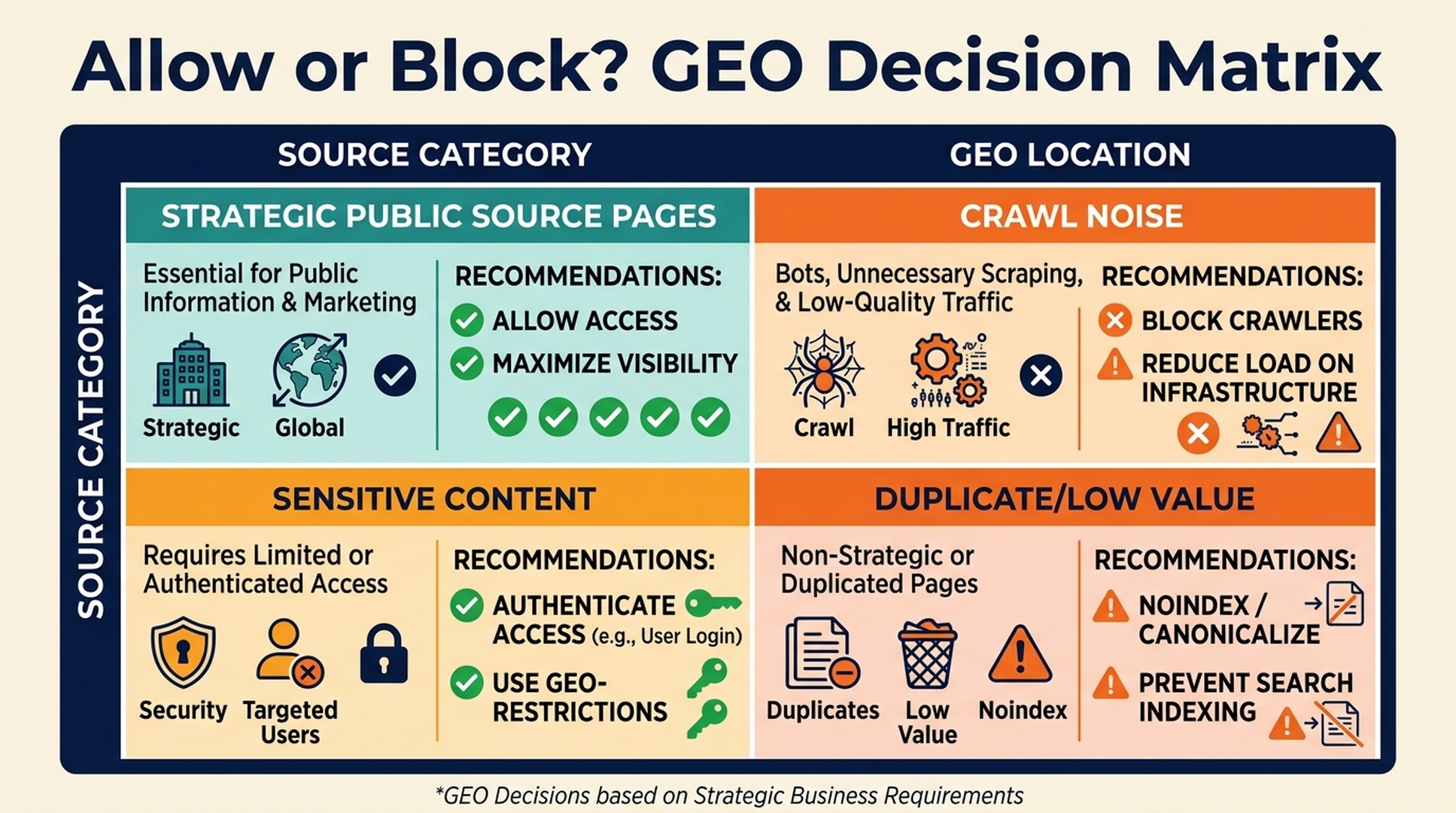
Use this decision framework:
Question | If yes | If no |
|---|---|---|
Is the page public and meant to help buyers? | usually allow | consider blocking |
Does the page contain sensitive or licensed content? | protect/block/authenticate | allow if strategic |
Does the page explain brand, product, or evidence? | allow if public | lower priority |
Is the page duplicate or low value? | block or noindex | keep accessible |
Do you want AI systems to use this content? | allow and make it clear | restrict deliberately |
The important word is deliberately. Accidental blocking is the enemy of GEO.
Robots.txt vs noindex vs authentication
Use the right control for the job.
Control | Best for | Not for |
|---|---|---|
robots.txt | crawl guidance and crawl noise control | privacy or guaranteed deindexing |
noindex | keeping a crawlable page out of search index | blocking crawler access |
canonical | consolidating duplicate or similar pages | hiding sensitive content |
authentication | protecting private content | public source pages |
llms.txt | guiding AI readers to important pages | blocking or allowing crawlers |
For GEO pages, the usual goal is: crawlable, indexable when appropriate, canonicalized correctly, and included in your internal links and llms.txt.
A 15-minute robots.txt GEO audit
Use this quick workflow:
- Open
/robots.txt. - Copy every
Disallowrule. - Check whether it affects
/blog/,/docs/,/resources/,/compare/,/customers/,/case-studies/,/tools/, or/llms.txt. - Test five important URLs with crawler inspection tools.
- Check noindex/canonical tags on those pages.
- Review whether sitemap.xml includes strategic pages.
- Document intentional AI crawler blocks.
- Update rules only after confirming the business reason.
If the audit finds no accidental blocks, keep the file simple.
Common mistakes
Mistake 1: blocking all AI crawlers without a visibility plan
This may be the right legal or business decision for some sites, but it should be deliberate. If you want AI search visibility, blocking strategic public pages can work against you.
Mistake 2: blocking docs or resources by accident
Docs and resource pages often contain the clearest product explanations. Blocking them can weaken AI understanding.
Mistake 3: using robots.txt for private content
Robots.txt is public and not a security tool. Use authentication for private pages.
Mistake 4: forgetting parameter rules
Parameter blocking can accidentally match useful pages if written too broadly. Test before deploying.
Mistake 5: ignoring llms.txt and sitemap.xml
Robots.txt should work with sitemap.xml and llms.txt. One controls crawl guidance, one helps URL discovery, and one gives AI readers a curated source map.
FAQ
Should I block AI crawlers for GEO?
It depends on your business goals. If you want AI systems to understand and reference public source pages, blocking them may reduce visibility. If you have legal, licensing, or content-protection concerns, you may choose to block certain crawlers or paths deliberately.
Does robots.txt control ChatGPT?
Robots.txt provides crawler instructions, but behavior can vary by system and retrieval method. Do not treat it as a guaranteed control for every ChatGPT answer.
Can robots.txt improve ChatGPT visibility?
Indirectly. It can help by ensuring important public pages are not blocked and by reducing crawl noise. It does not improve visibility by itself; your pages still need clarity, evidence, and entity consistency.
Is robots.txt the same as noindex?
No. Robots.txt guides crawling. Noindex tells compliant search engines not to index a page they can access. Use the right tool for the goal.
What should I check first?
Check whether important GEO pages are blocked: homepage, product pages, docs, blog explainers, comparison pages, case studies, tools, resources, and llms.txt.
Author: Julian Mercer, 14-Year Technical SEO Practitioner at Auspia. Julian writes about crawlability, schema, rendering, site architecture, and technical foundations for AI-readable content.


