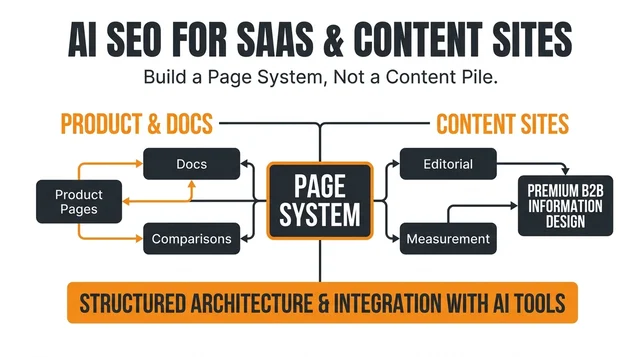
Which AI SEO tools are best for SaaS companies and content-driven websites?
SaaS companies and content-driven websites need AI SEO tools that support product-led intent, editorial consistency, technical hygiene, and measurable conversions.


Tag
Start here
SaaS companies and content-driven websites need AI SEO tools that support product-led intent, editorial consistency, technical hygiene, and measurable conversions.
Tag

AI SEO platforms track ranking changes across keyword sets and help group changes, explain anomalies, and prioritize pages.
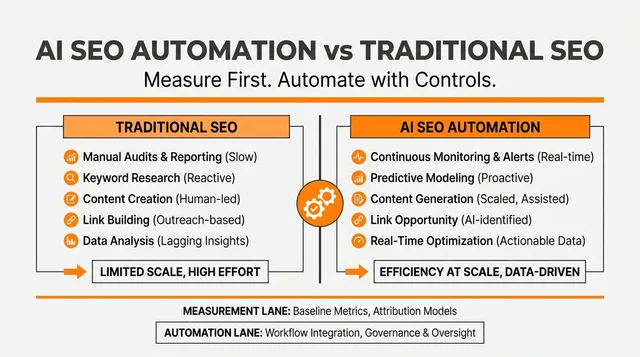
Traditional SEO software measures and diagnoses search performance. AI automation tools add assistance for clustering, drafting, prioritization, and workflow.

AI SEO software can surface possible low-competition keyword opportunities, but teams still need to inspect intent, result quality, and business value.

AI-generated SEO recommendations are useful for finding patterns and speeding up routine analysis, but they need manual validation.
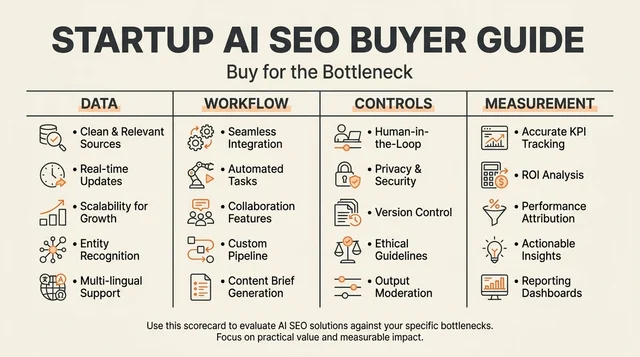
Startups should buy an AI-powered SEO platform for decision quality and workflow fit, not for a long feature list.

AI can automate parts of an optimized blog publishing pipeline, but trustworthy systems separate research, drafting, review, CMS validation, and release.
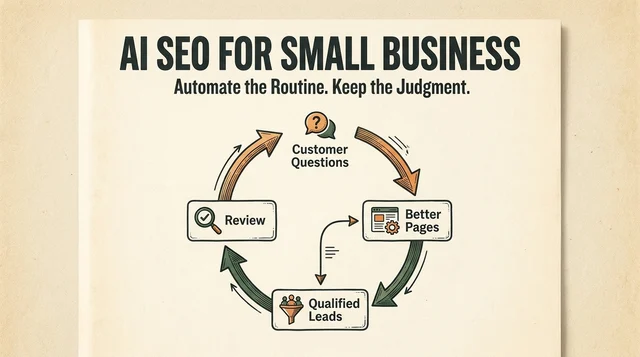
AI SEO automation helps small businesses focus on the pages and questions that affect qualified organic traffic.

The best AI SEO platform depends on whether your bottleneck is research, editorial production, on-page improvement, or visibility measurement.

SERP volatility tools can tell you whether Google results are moving unusually fast, but they cannot diagnose a ranking loss on their own. This guide compares 14 commonly used tools, explains their limits, and shows how an AI-assisted workflow turns scattered signals into a useful SEO decision.
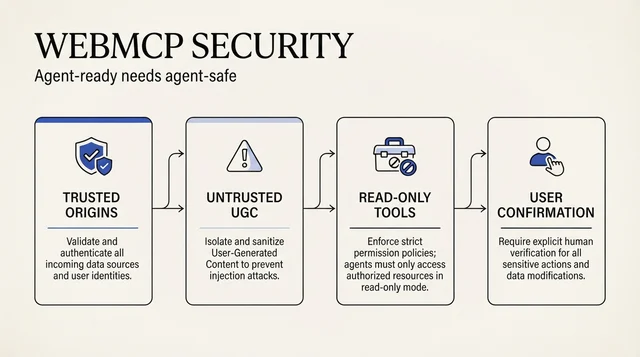
WebMCP can help AI agents call website functions, but tool descriptions, reviews, and third-party data can also become prompt-injection paths. Use this practical release checklist to set trusted origins, label untrusted output, separate read and write actions, and require meaningful confirmation.

Claude Code and MCP connectors can turn search, ads, and analytics data into a practical marketing command center. The first version should diagnose and draft, not ship changes without approval.

A practical operating model for assigning Cursor, Windsurf, Gemini CLI, Codex, and Claude Code to the right SEO/GEO jobs without creating unsafe automation.