


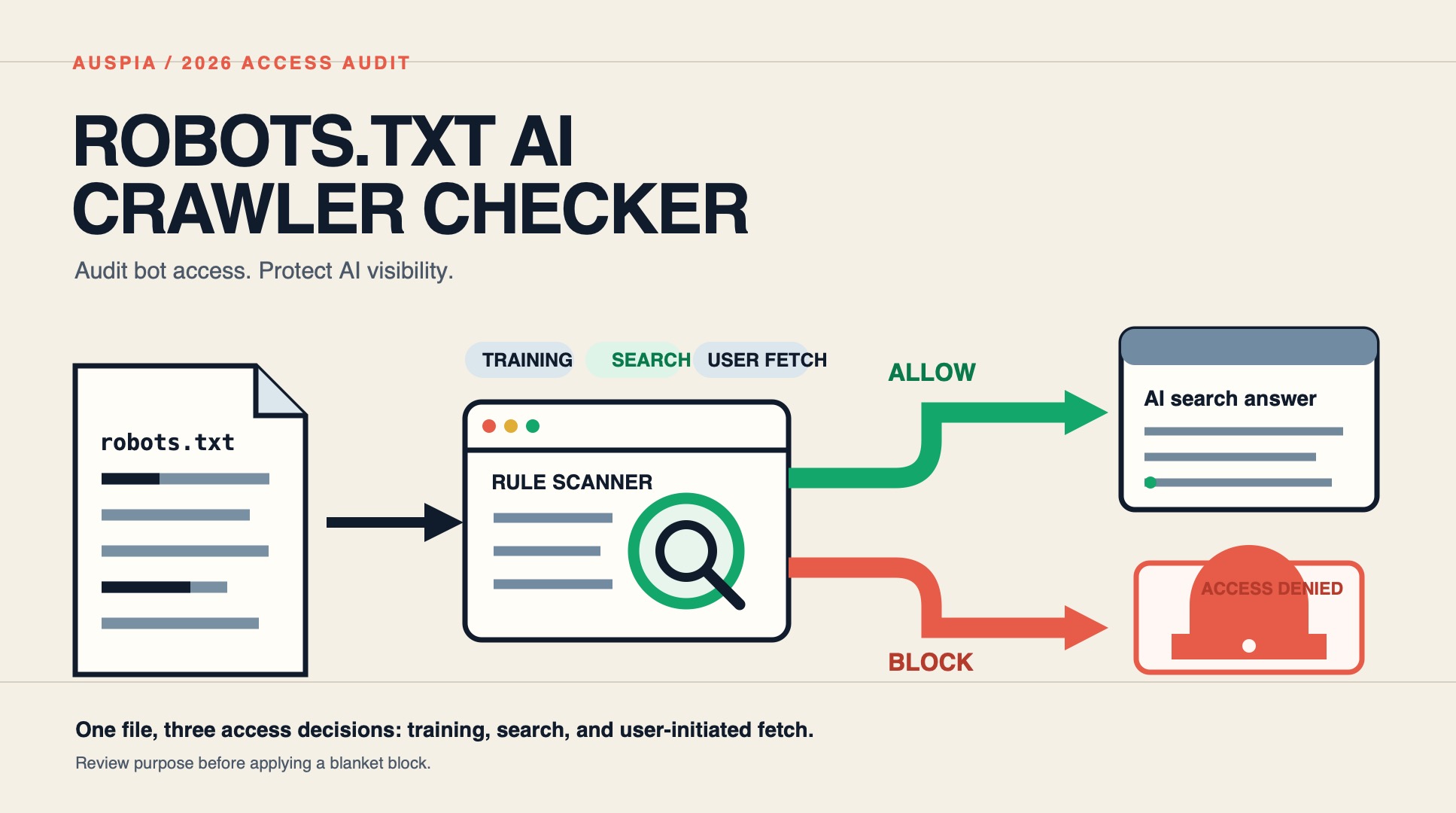
Why your robots.txt is now a GEO control panel
For most of SEO history, robots.txt was a quiet housekeeping file. You blocked parameter faceted URLs, pointed to your sitemap, and moved on. In 2026 that file has become one of the most consequential levers in generative engine optimization (GEO), because it is the single document that decides whether OpenAI, Anthropic, Google AI, and Perplexity crawlers can read your content before they decide whether to cite it.
The shift happened fast. Cloudflare's Q1 2026 network analysis found that GPTBot is the most-blocked AI crawler across the sites it proxies, and AI crawlers now account for roughly 26.7% of verified bot traffic — split between training crawlers and a fast-growing cohort of retrieval crawlers that fetch pages in real time to power AI answers. A misconfigured robots.txt can quietly cut your brand out of ChatGPT, Claude, Perplexity, and Google AI Overviews overnight, and most site owners never realize it happened.
This guide explains how to use a robots.txt AI crawler checker to audit which AI bots can access your site, how to read the results through a GEO lens, and how to make a deliberate allow/block decision for each crawler instead of leaving it to defaults.
Training crawlers vs. retrieval crawlers: the distinction that decides your AI visibility
The most important concept to understand before you run any AI crawler check is that not all AI bots do the same job. In 2026, every major AI vendor runs at least two distinct crawler types, and they are controlled separately in robots.txt.
Crawler type | What it does | Examples | GEO impact |
|---|---|---|---|
Training crawlers | Pull content into the model training corpus. Do not return traffic. | GPTBot, ClaudeBot, Google-Extended (training) | Indirect. Blocking protects IP but does not reduce AI search citations. |
Retrieval / search crawlers | Fetch a live page at query time to generate a cited answer. Can send referral traffic. | OAI-SearchBot, ChatGPT-User, PerplexityBot, Perplexity-User, Claude-SearchBot, Claude-User | Direct. Blocking these removes you from AI answer citations. |
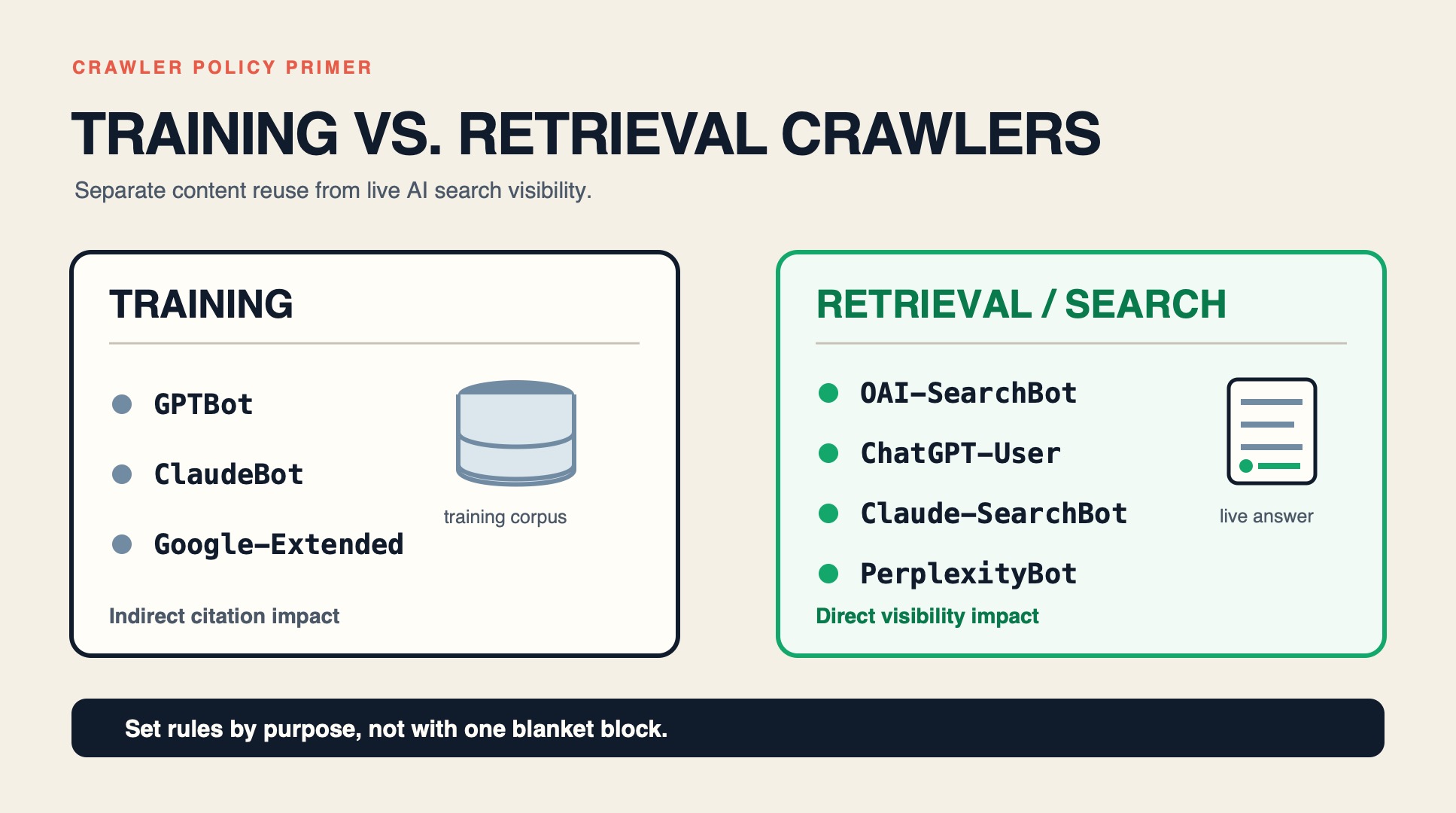
This split is why a blanket User-agent: * / Disallow: / rule is dangerous for GEO. It may not cleanly separate training from retrieval, and several AI crawlers look for a rule that names them explicitly before falling back to the wildcard. If you block the wildcard but never write a per-bot Allow rule for retrieval crawlers, you can disappear from AI answers without any error message telling you.
A good ai crawler checker reads your robots.txt line by line against both groups and tells you not just "blocked or allowed" but which kind of access each bot has — training, retrieval, or none.
The 2026 AI crawler list your checker should cover
A checker is only useful if it knows the bots that matter right now. At minimum, an audit should evaluate these user-agents:
OpenAI
GPTBot— trainingOAI-SearchBot— ChatGPT Search retrievalChatGPT-User— logged-in ChatGPT live fetch
Anthropic
ClaudeBot— trainingClaude-SearchBot— Claude retrievalClaude-User— end-user triggered fetch
Perplexity
PerplexityBot— indexing for the answer engine (hybrid training + retrieval)Perplexity-User— real-time user fetch
Google-Extended— Gemini training and Grounding fetchGooglebot— standard search (almost always allowed)
Others worth checking
Applebot-Extended— Apple Intelligence trainingcohere-ai— Cohere trainingMeta-ExternalAgent/Meta-ExternalFetcher— Meta AIBytespider— ByteDance
If your current checker only tests GPTBot, it is giving you a 2024 answer to a 2026 problem. The Auspia robots.txt AI crawler checker evaluates the full set above and scores your configuration against what each crawler actually respects.
How to run a robots.txt AI crawler check (step by step)
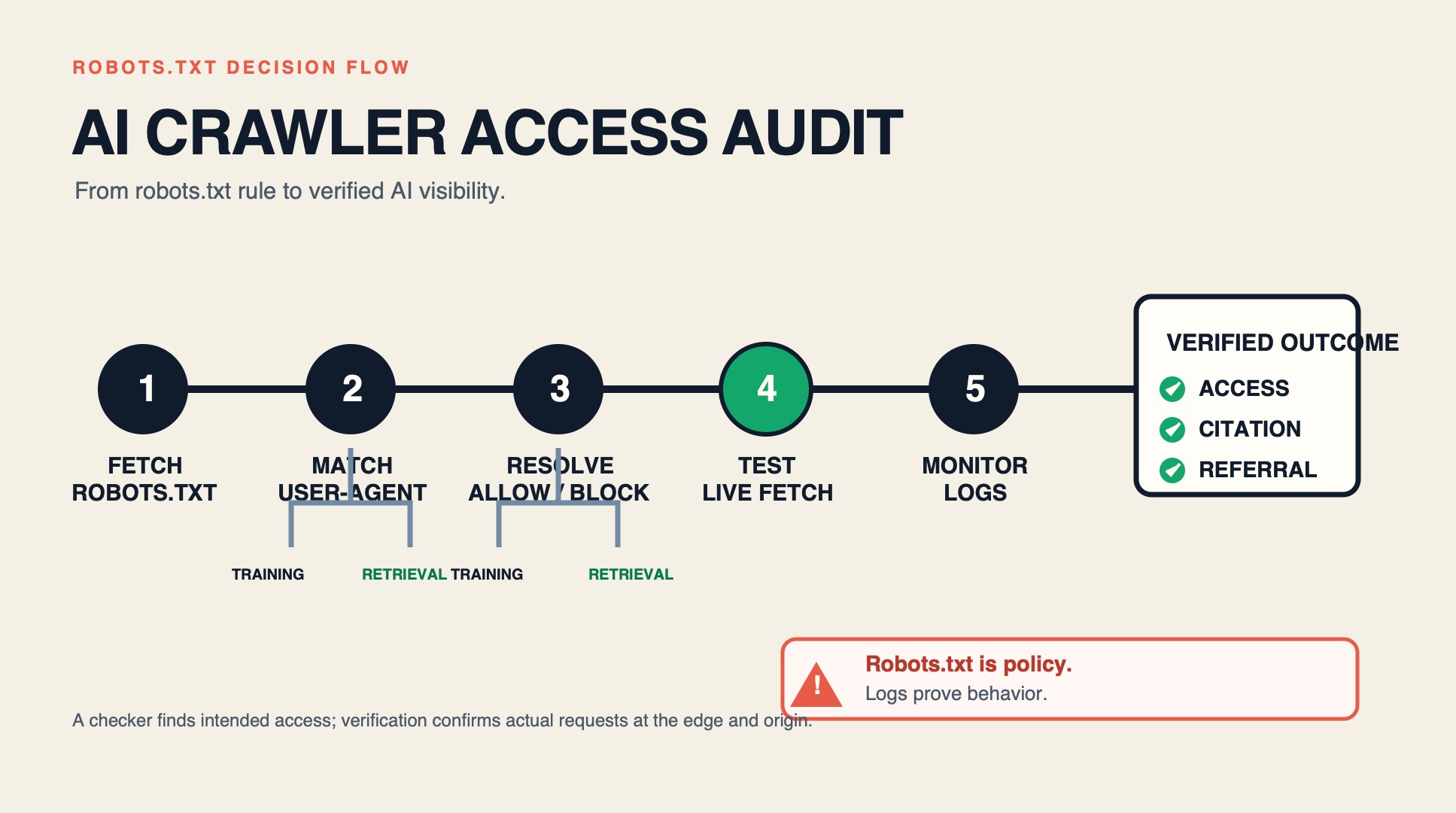
Step 1 — Fetch your live robots.txt
Visit https://yoursite.com/robots.txt directly. Confirm the file loads with HTTP 200 and is not behind a login, redirect, or Cloudflare challenge page that returns a different body to bots than to browsers. A surprisingly common issue: the file renders in your browser but returns a 403 or interstitial to crawlers, which Google and AI bots interpret as "no rules published."
Step 2 — Run it through the AI crawler checker
Paste your URL (or the raw robots.txt text) into the Auspia checker. The tool parses each User-agent and Disallow/Allow group and reports, per crawler:
- Whether it is explicitly named
- Whether training access is allowed or blocked
- Whether retrieval access is allowed or blocked
- Whether it falls back to the wildcard rule
- A GEO readiness score reflecting whether the retrieval bots that drive citations are open
Step 3 — Cross-check against server logs
A checker reads the rules as written. Server logs tell you what crawlers actually arrived. Pull the last 30 days of access logs and filter for the user-agents above. Two diagnostic patterns to look for:
- A bot is allowed in robots.txt but never appears in logs — the vendor may not be crawling you yet, or a WAF/Cloudflare bot-fight rule is blocking it before it reaches your origin. This is a silent GEO leak.
- A bot is blocked in robots.txt but still hitting your server — some crawlers ignore disallow for certain fetch types, or a CDN-level rule is fighting your origin rule.
Step 4 — Classify each crawler against your business model
Use the decision framework below to decide allow vs. block per crawler, not globally.
The allow/block decision framework by business type
There is no universally correct robots.txt for AI crawlers. The right configuration depends on whether your content is the product or a funnel.
Ecommerce and marketplaces — allow broadly. Product visibility in AI answers drives sales. Block training crawlers only if you have a clear IP concern; otherwise allow both training and retrieval. The upside of being cited in ChatGPT shopping answers outweighs the downside of model training on public product pages.
Media and publishing — block training, allow retrieval. Your articles are the product. Letting ChatGPT and Perplexity cite you in answers sends referral traffic and brand exposure; letting GPTBot and ClaudeBot vacuum the full archive into training data does not. This is the configuration most large publishers (NYT, Reddit-at-large) have converged on.
SaaS and freemium content — allow retrieval, decide training deliberately. Blog and docs pages should be citable in AI answers. Gated product content should be disallowed entirely. For training crawlers on public content, the decision depends on whether you view model exposure as distribution (positive) or IP leakage (negative).
Lead-gen B2B — allow retrieval, lean toward blocking training. Whitepaper and gated content should be disallowed. Public thought-leadership content benefits from citation in AI answers but does not need to be in the training corpus.
The default trap to avoid: many WordPress SEO plugins and Shopify apps shipped a "block AI bots" toggle that is enabled by default as of 2026. If you installed one of these and never checked, your site is likely invisible to ChatGPT, Claude, and Perplexity retrieval crawlers right now. Run a checker immediately.
How to write a GEO-aware robots.txt
Here is a reference configuration for a content site that wants AI search visibility but wants to limit training. It blocks training crawlers while keeping retrieval crawlers open:
# --- Training crawlers: blocked for this content site ---
User-agent: GPTBot
Disallow: /

User-agent: ClaudeBot
Disallow: /

User-agent: Google-Extended
Disallow: /

User-agent: Applebot-Extended
Disallow: /

User-agent: cohere-ai
Disallow: /

User-agent: Bytespider
Disallow: /

# --- Retrieval / search crawlers: allowed for AI answer citations ---
User-agent: OAI-SearchBot
Allow: /

User-agent: ChatGPT-User
Allow: /

User-agent: Claude-SearchBot
Allow: /

User-agent: Claude-User
Allow: /

User-agent: PerplexityBot
Allow: /

User-agent: Perplexity-User
Allow: /

# --- Gated / private paths: always blocked ---
User-agent: *
Disallow: /admin/
Disallow: /cart
Disallow: /checkout
Disallow: /*?sessionid=

Sitemap: https://yoursite.com/sitemap.xml
Two rules that matter:
- Write a separate rule for each AI bot you want to control. Many AI crawlers look for a rule that names them explicitly and do not reliably honor a wildcard
User-agent: *directive for their specific access decisions. Naming each bot is the only way to be certain. - *Do not rely on `User-agent: ` to block AI training.** That pattern blocks conventional search engines too, and it is the most common cause of accidental AI-search invisibility. Explicit per-bot rules let you block GPTBot training while leaving Googlebot and OAI-SearchBot open.
After writing the file, re-run the checker to confirm every intended bot resolved to the correct decision.
Common mistakes the checker catches
*Mistake 1 — Blocking `User-agent: ` and assuming AI bots follow it.** Cloudflare's data shows GPTBot is frequently blocked by a wildcard rule the site owner thought only applied to scrapers. The checker flags any AI crawler that has no explicit rule and is falling back to the wildcard.
Mistake 2 — Forgetting that Anthropic split its crawlers. Blocking ClaudeBot (training) does not block Claude-SearchBot or Claude-User (retrieval). If you wrote your rules before the split and never updated, you may be unintentionally allowing Claude retrieval while believing you blocked Claude entirely — or vice versa. The checker evaluates each Anthropic user-agent independently.
Mistake 3 — Confusing Google-Extended with Googlebot. Google-Extended controls Gemini training and AI Overviews grounding fetch. Googlebot controls standard search indexing. Blocking Google-Extended does not remove you from Google search results, but it can reduce your presence in AI Overviews. Many site owners block one meaning to block the other.
Mistake 4 — A CMS plugin silently re-enabling AI blocks after an update. This is the single most common cause of sudden AI-visibility drops in 2026. Schedule a monthly checker run so a plugin update cannot quietly cut you off.
How often to audit
AI crawler releases and user-agent splits happen multiple times per year. A one-time check is not enough. Recommended cadence:
- Weekly: review server logs for new or renamed AI user-agents you have not seen before.
- Monthly: run the Auspia robots.txt AI crawler checker and confirm no CMS/plugin update changed your rules.
- Quarterly: update your master AI user-agent list with any new crawlers vendors have announced.
- Every six months: do a full robots.txt audit that re-evaluates your allow/block decisions against your current business model and GEO goals.
Pair the robots.txt audit with a GEO visibility check so you can correlate crawler access changes with citation movements. If you blocked a training crawler and your Perplexity citations dropped the next week, the checker + GEO leaderboard together tell you whether you accidentally blocked a retrieval crawler too.
From audit to action
A robots.txt AI crawler checker is only useful if it changes a decision. The output you want is not a green checkmark — it is a deliberate, documented configuration where every AI crawler is either allowed or blocked on purpose, with a reason recorded. Run the check, fix any accidental blocks on retrieval crawlers, write explicit per-bot rules, and re-verify. That single discipline is what separates sites that are cited in AI answers from sites that are invisible to them.
Author: Julian Mercer, 14-Year Technical SEO Practitioner at Auspia. Julian writes about crawlability, structured data, and the technical infrastructure that decides whether AI search engines can read and cite your content.


