


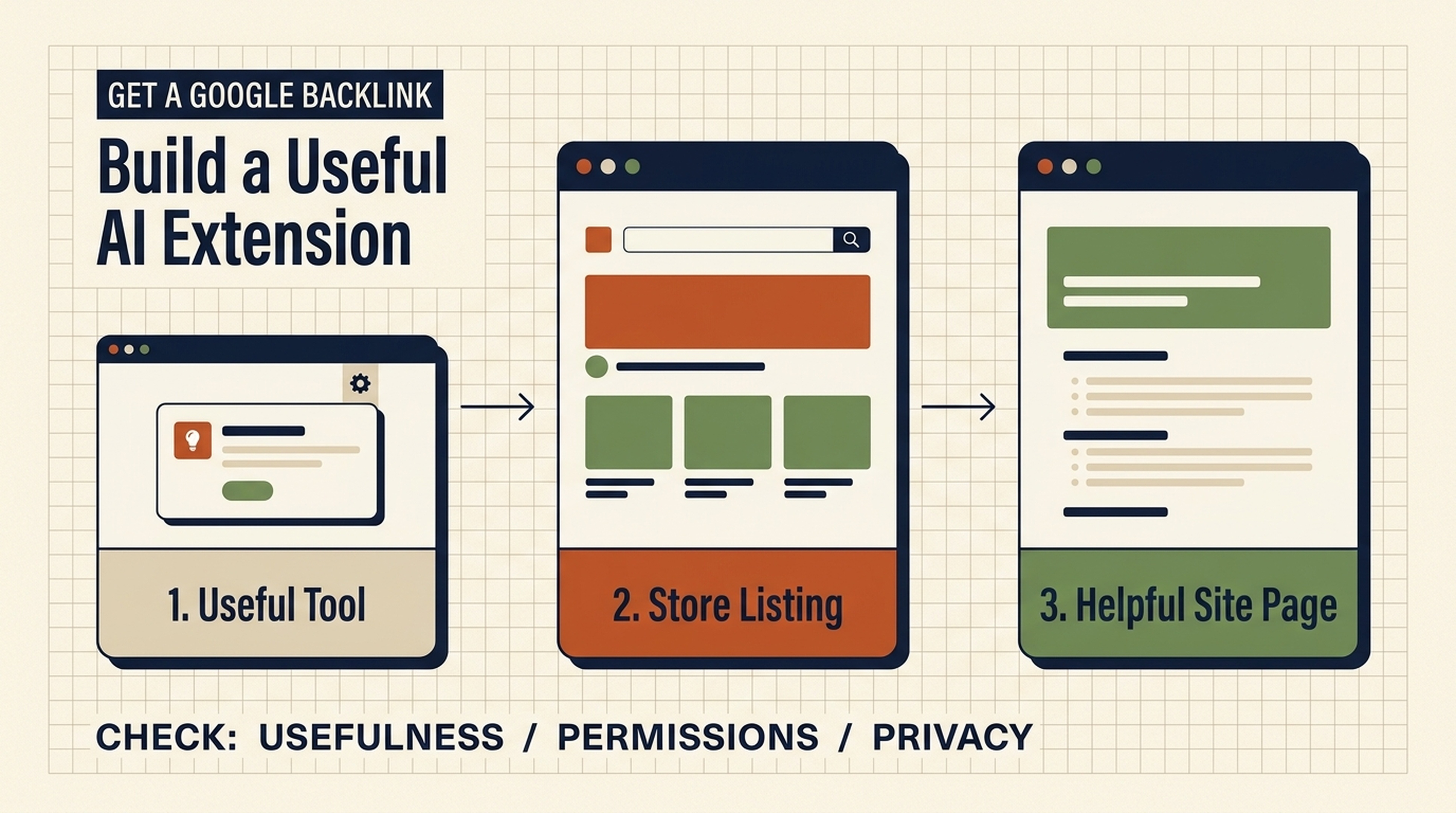
How to get a backlink from Google
One way to get a backlink from Google is to publish a useful Chrome extension in the Chrome Web Store and add your website as the extension's official site. The Store listing can give users a legitimate route back to your business. The same basic idea applies to Google Sites and public Google Docs: publish something that has a job to do, then link to the page that helps the reader continue.
That is very different from trying to manufacture a large number of links on Google-owned properties. A link can be nofollowed, redirected, removed, or ignored as a ranking signal. Google does not promise that a link from one of its products will improve rankings. The worthwhile outcome is a real listing or resource that users can find, trust, and occasionally visit.
The Chrome Web Store, Google Sites, Search Console Community, and Google Docs can all contain links back to a website. The Chrome extension route is the one worth treating as a small product project. It has more work behind it, but it can also create something people actually use.
Start with the right expectation: one useful reference, not a ranking trick
Before choosing a platform, be clear about what it can do.
Google property | Sensible use | What the link can do | What it should not be used for |
|---|---|---|---|
Chrome Web Store | Distribute a browser tool | Point users to your official site, support page, or privacy policy | Publishing a thin extension just to place a URL |
Google Sites | Host a small public resource or project hub | Give readers a relevant next step | Spinning up many near-empty sites |
Google Docs | Share a public template, checklist, or research note | Send a reader to the full guide or tool | Posting duplicate articles with one commercial link |
Search Console Community | Ask or answer a real product question | Cite a page only when it solves the exact problem | Pretending to be a confused user or dropping promotional links |
"Google backlinks" is useful shorthand, but it hides the important part: the source, editorial context, destination page, and link attributes all matter. Treat these as discovery and trust assets. Measure referral visits, installs, support clicks, and whether the asset remains useful after a few months. Do not promise a change in rankings from a single platform link.
The best method: use AI to build a tiny Chrome extension people need
AI has made this route much more accessible. It has not made quality optional.
The most reliable first extension solves one narrow browser problem for the same people your website already serves. Avoid broad ideas such as "an AI SEO assistant." Choose a job someone can understand in one sentence.
For example, a content team might build "Copy Page Meta," an extension that copies the current page's title, meta description, canonical URL, H1, and word count into the clipboard. An ecommerce operator could build a product-page SKU formatter. A recruiter could build a job-description character counter. The tool should work without an account if possible.
Pick an extension idea from your existing customer questions
Open your support inbox, sales-call notes, customer reviews, or on-site search queries. Look for a task that has all four traits below.
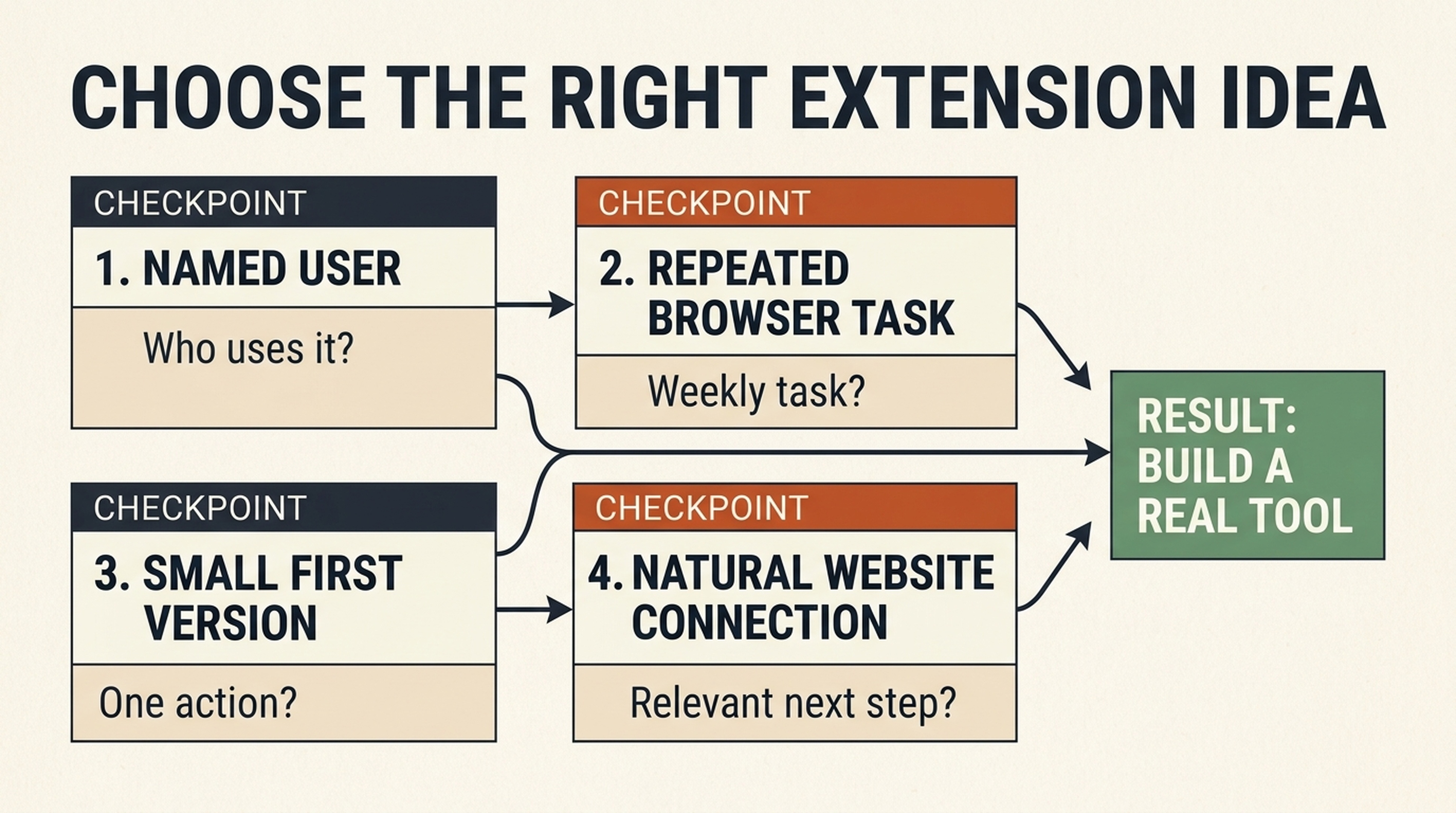
A useful extension starts with a named user and a repeated browser task, not with a place to put a URL.
Test | Good sign | Warning sign |
|---|---|---|
Clear user | You can name who uses it | "Anyone on the internet" |
Repeated browser task | It happens several times a week | It happens once a year |
Small first version | One screen, one action, one result | A full SaaS application in a popup |
Natural website connection | Your site has related documentation or a deeper tool | The only connection is an unrelated homepage link |
Here is a practical way to use an AI assistant at this stage. Give it your actual customer language, not a vague request to invent an extension.
I run a website for [audience]. Here are 12 real questions customers ask:
[paste questions]

Suggest 10 small Chrome Extension ideas. Each idea must:
- solve one task that happens in the browser;
- work in under 30 seconds;
- need no more than the activeTab permission for version one, if possible;
- avoid collecting personal data;
- include a one-sentence store listing value proposition.

For each idea, explain the user, trigger, output, edge cases, and why a website about [topic] could document it naturally. Do not recommend features that exist only to collect links.
Then reject ideas that require broad access to browsing data, background tracking, login credentials, or a complex backend. The smaller your permissions and scope, the easier it is to explain why the extension deserves to exist.
Turn the winning idea into a build brief before asking AI for code
Coding agents are much better when they receive constraints. Write a one-page brief with the extension's promise, inputs, outputs, unsupported cases, and permissions. This is also where you decide which page on your website the Store listing should link to.
For the "Copy Page Meta" example, the brief could be:
Field | Decision |
|---|---|
User | SEO writer or site owner reviewing a public page |
Trigger | Click the extension icon on the active tab |
Output | Copy title, meta description, canonical, H1, and word count as Markdown |
Does not do | Crawl a site, store page data, send content to a server, or use AI APIs |
Permissions |
|
Official site link | A help page that explains the fields and offers a deeper on-page audit |
The destination matters. Pointing every extension listing to a homepage throws away context. A relevant help page or tool page makes the link useful to the person who clicked it. If the extension is about page checks, a page such as Auspia's Website SEO Score Checker is a more coherent destination than a generic company page.
Ask AI to build a minimum viable Manifest V3 extension
Chrome Web Store submissions need to follow Chrome's current policies and use the platform's supported extension format. Read Google's Manifest V3 overview and Chrome Web Store program policies before you submit. AI can draft the files, but it cannot make policy or privacy decisions for you.
Use a constrained prompt like this:
Build a minimal Chrome Extension using Manifest V3.

Purpose: When the user clicks the extension icon, read the active page and display:
1. document title
2. meta description
3. canonical URL
4. first H1
5. visible-text word count

Requirements:
- Use only activeTab and scripting permissions.
- Do not make network requests, collect data, use analytics, or inject persistent scripts.
- Use plain HTML, CSS, and JavaScript. No frameworks.
- Include manifest.json, popup.html, popup.js, popup.css, and a README.
- Handle pages with no meta description, canonical, or H1.
- Include a Copy as Markdown button.
- Explain every permission in the README.
- Add a short test checklist for Chrome's extension page.

Return the complete file tree and code. After the code, list security and privacy assumptions that I must verify manually.
Do not simply paste the result into the Store. Run the extension locally, inspect its permissions, and read every request it makes. If the AI proposes tabs, webRequest, <all_urls>, remote code, or a data collection library for a tool that only reads the active page, stop and ask why. A smaller permission footprint is better for users and easier to defend in the listing.
Test it like a product, even if the extension is small
Load the unpacked extension in Chrome, then test it on a normal article, a page with no meta description, a page with several H1s, a long page, and a page where scripts are restricted. Check that copying works and that no page contents leave the browser.
Use AI for test generation too, but keep a human in the loop:
Here is my extension's manifest and popup code:
[paste code]

Create a manual QA checklist. Include behavior tests, permission checks,
privacy checks, accessibility checks, and Chrome Web Store listing claims that
the product must be able to support. Flag any claim that the code cannot prove.
Take two honest screenshots of the working extension. Write a plain-English privacy policy if one is required by your data practices or the Store listing. Never claim that the extension is "privacy-first" if you have not inspected its data flow. Never describe a feature that is still a plan.
Publish the listing and add the website link naturally
Create your developer account, package the extension, and complete the listing in the Chrome Web Store Developer Dashboard. Store fields and review requirements can change, so follow the current instructions in Google's publish guide.
Your listing should make a reader comfortable installing the extension without ever visiting your site. That sounds counterintuitive if you are thinking about a backlink. It is the correct standard.
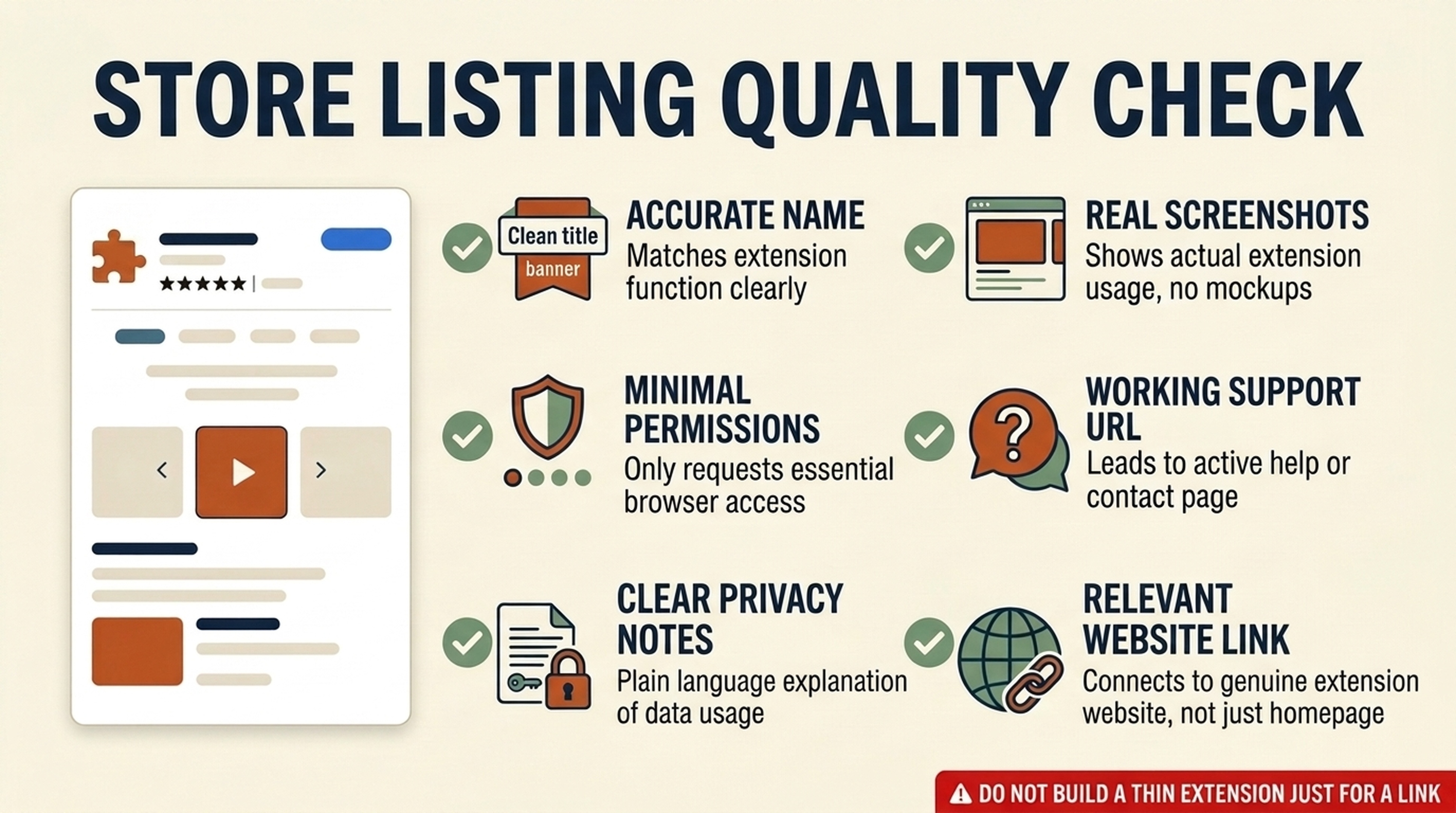
A listing earns attention when it explains the tool clearly and makes its permissions easy to understand.
Include:
- A specific name: "Copy Page Meta" is clearer than "SEO Power Tool."
- A short description that says what happens after a click.
- Screenshots of the actual popup and output.
- The smallest accurate permission explanation.
- Support and privacy URLs that work.
- Your official site or relevant help page, where the listing permits it.
The outbound website field is the natural place for your backlink. It should lead to the owner, documentation, privacy details, or a closely related resource. Do not bury a dozen external links in the description, use misleading brand names, or add functionality only to make the listing appear substantial. Those choices make a small tool look like a link scheme, and they create review and maintenance risk.
Give the extension a reason to earn links beyond the Store
The Store listing gives you one Google-platform reference. The larger opportunity comes from the useful asset around it. Publish a short documentation page with the problem it solves, the exact output, permissions, privacy behavior, screenshots, and a changelog. Add a five-minute walkthrough video or a copyable template if that helps users.
That page can earn links from writers, communities, and customers because it answers a real question. The extension is the proof that the page is not just another generic SEO article. Check whether the page is crawlable and technically healthy before you ask anyone to share it.
Google Sites: build one resource hub, not a network of empty sites
Google Sites is useful when you need a simple public home for a workshop, open resource, volunteer project, event, or lightweight collection of templates. It can link to the full resource on your site when that link saves the reader time.
For example, a cybersecurity consultant might publish a small Google Site for a public browser-safety session. It could contain the event schedule, printable checklist, and links to the full guide and booking page. That is understandable. Creating ten keyword-targeted Sites pages that repeat the same article and all point to one domain is not.
Use this short quality test before publishing:
- Would this page still be worth sharing if every link to my website were removed?
- Does the linked page provide the next step promised by the page?
- Is this a distinct public resource rather than a duplicate of an existing page?
If any answer is no, build the resource on your main site instead. You will have fewer properties to maintain and a clearer reason for visitors to trust it.
Google Docs: publish a template, not a recycled blog post
A public Google Doc can work well for a worksheet, meeting agenda, content brief, audit checklist, research log, or comparison template. In those cases, the document itself is useful in a format people can copy. Link to your main guide only where a reader needs the explanation behind a step.
An SEO team could share a "content refresh brief" Doc with fields for URL, intent, evidence, internal links, and review date. The document may include one link to a fuller guide explaining how to complete the brief. This is a natural relationship: the Doc is the working file; the guide supplies the method.
Avoid publishing a 1,500-word copy of your existing blog post in a Doc just to add a link at the bottom. It gives users duplicate material, makes maintenance harder, and is unlikely to create any lasting value.
Search Console Community: help first, link only when it is the answer
Do not ask a Search Console Community question while pretending not to understand the issue just to place a URL. A fabricated question is deceptive, and it can waste the time of people trying to help.
There is a legitimate use of the community: ask a real question about Search Console or answer a real question from your own experience. Include a link only when it is necessary for someone to reproduce a bug, inspect a public example, or use a genuinely relevant guide. Your website is not a required citation in every answer.
This is the simplest rule: if you would remove the URL because the answer is complete without it, leave it out. If the URL contains the exact diagnostic steps or public evidence the person needs, disclose your relationship and use it sparingly.
A 90-minute plan to start this week
Time | Task | Deliverable |
|---|---|---|
0-20 minutes | Review customer questions and select one tiny browser task | One-sentence extension promise |
20-35 minutes | Write the build brief and choose the relevant website destination | Scope, permissions, output, and linked page |
35-65 minutes | Use an AI coding assistant to build the first Manifest V3 version | Local extension file tree |
65-80 minutes | Test normal and failure cases; inspect every permission | QA checklist with fixes |
80-90 minutes | Draft the Store listing, screenshots, support URL, and privacy notes | Submission-ready copy |
Do not rush the final review just to get a link live. A tiny tool that is useful and maintained is a better asset than four abandoned Google properties.
FAQ
Does a Chrome Web Store link improve Google rankings?
Google does not guarantee that it will. Link attributes, platform handling, relevance, and Google's systems can all affect how a link is treated. Build the extension because it is useful and gives people a clear route to your site, not because you expect one listing to change rankings.
Can AI build a Chrome extension without a developer?
AI can produce a small starting codebase, explain files, and create test cases. You still need to choose the data practices, test the extension, verify permissions, and accept responsibility for what you publish. For a sensitive or complex extension, use a security review or experienced developer.
Which Google property is easiest for a first backlink?
Google Docs is usually the quickest if you already have a genuinely useful template to share. It is not automatically the best. Choose the format that makes the resource easier for a real person to use.
Should I create many Google Sites or Google Docs for backlinks?
No. Multiple thin properties built around the same URL are hard to maintain and provide little reader value. Create one resource only when it has a distinct audience, function, and reason to exist.
Author: Camille Rhodes, Architect of 300+ AI Content Workflows at Auspia. Camille writes about AI-assisted product workflows, automation, and editorial systems that still need human judgment.


