Step 0: Meet Hermes and run your first task
Hermes is the open-source AI agent framework from Nous Research, and you start it from the command line with hermes chat. Before adding any SEO-specific files, confirm your install works: run one basic task or conversation end to end, for example ask hermes chat to summarize a short page using web search.
The official documentation at https://hermes-agent.nousresearch.com/docs is the reference for installation, supported tools (including web search, page extraction, and browser actions), skills and file access, scheduled cronjob tasks, messaging integrations, and MCP toolsets. The source repository is at https://github.com/NousResearch/hermes-agent.
Your minimum acceptance test: you can complete one basic task or conversation without errors. If you cannot, fix the install before creating the workspace in Step 1. Everything later in this tutorial builds on a working base setup.
What you will build
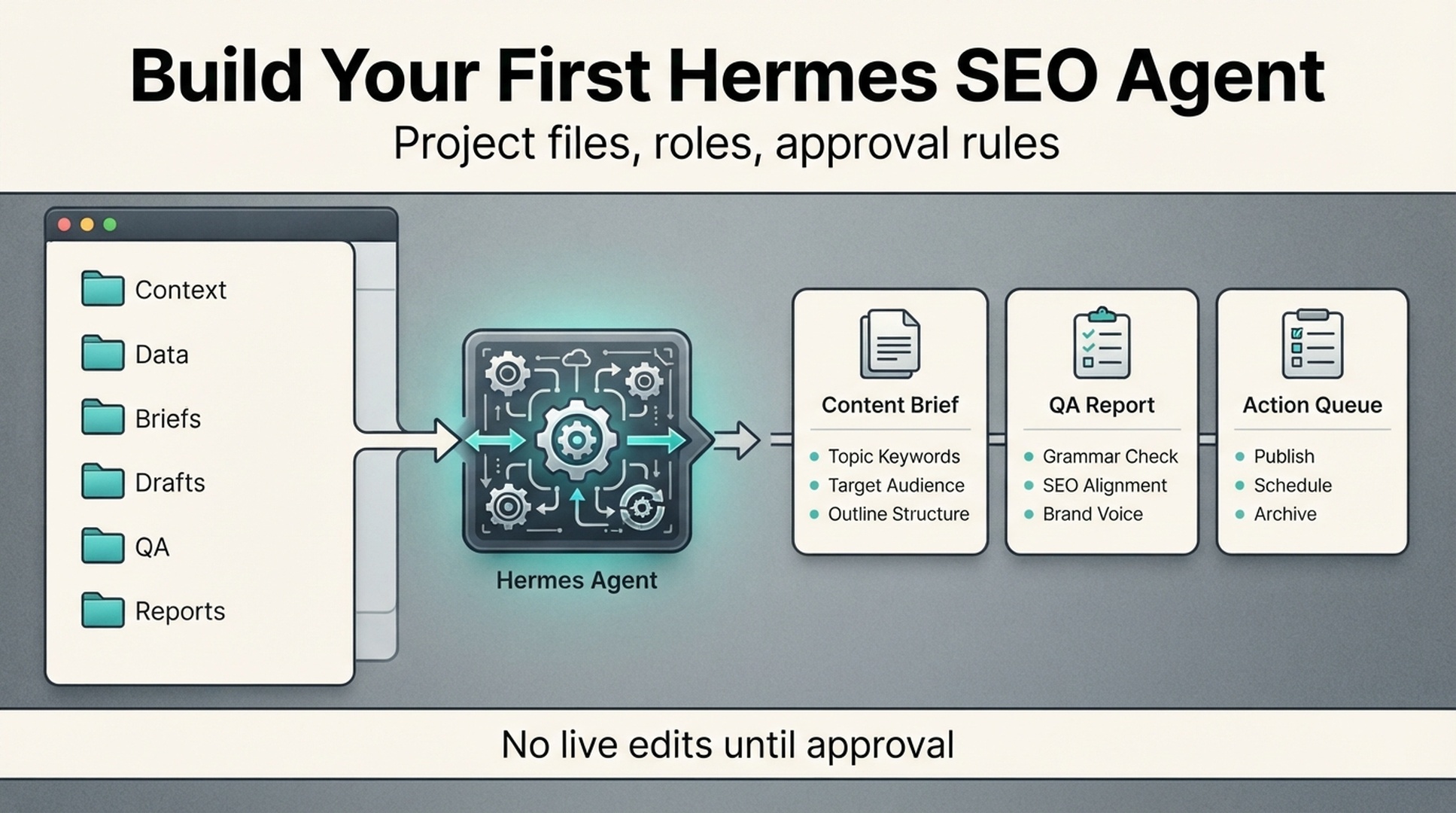
This tutorial helps you build a first Hermes SEO Agent that is safe enough for a beginner to use. It will not publish pages, change your website, or touch technical SEO settings. It will create structured files: a website summary, approval rules, agent roles, one content brief, and one QA checklist.
The goal is not automation for the sake of automation. The goal is to give Hermes enough context and boundaries that it can help with real SEO work without guessing. By the end, you should have a small workspace that can support keyword research, content briefs, page refresh plans, low-CTR diagnosis, internal link suggestions, and GEO prompt mapping. GEO (generative engine optimization) is the practice of structuring content so AI assistants and answer engines can surface and cite it, and the prompt mapping above is where that work starts.
Start small. Plan for 1-2 hours to create the files in this tutorial, then run the workflow manually for the first week to get comfortable with it before adding any automation.
What you need before starting
You do not need a complex data stack for the first setup. You need basic access and a few decisions.
Requirement | Beginner version | Better version later |
|---|---|---|
Hermes access | Installed and able to run a basic task | Connected to tools, skills, files, schedules, and messaging |
Website context | A short brand and website note | Full product, ICP, positioning, competitors, and content inventory |
SEO data | Optional CSV exports | GSC, Bing Webmaster, GA4, crawl, rank, and AI visibility data |
Approval rules | One Markdown file | Role-based approval workflow with owners |
First task | One content brief | Weekly action queue and multi-agent workflow |
Use the official Hermes quickstart as the setup reference. The public docs are the right place to confirm install steps, supported tools, model options, and platform-specific details before you run anything locally.
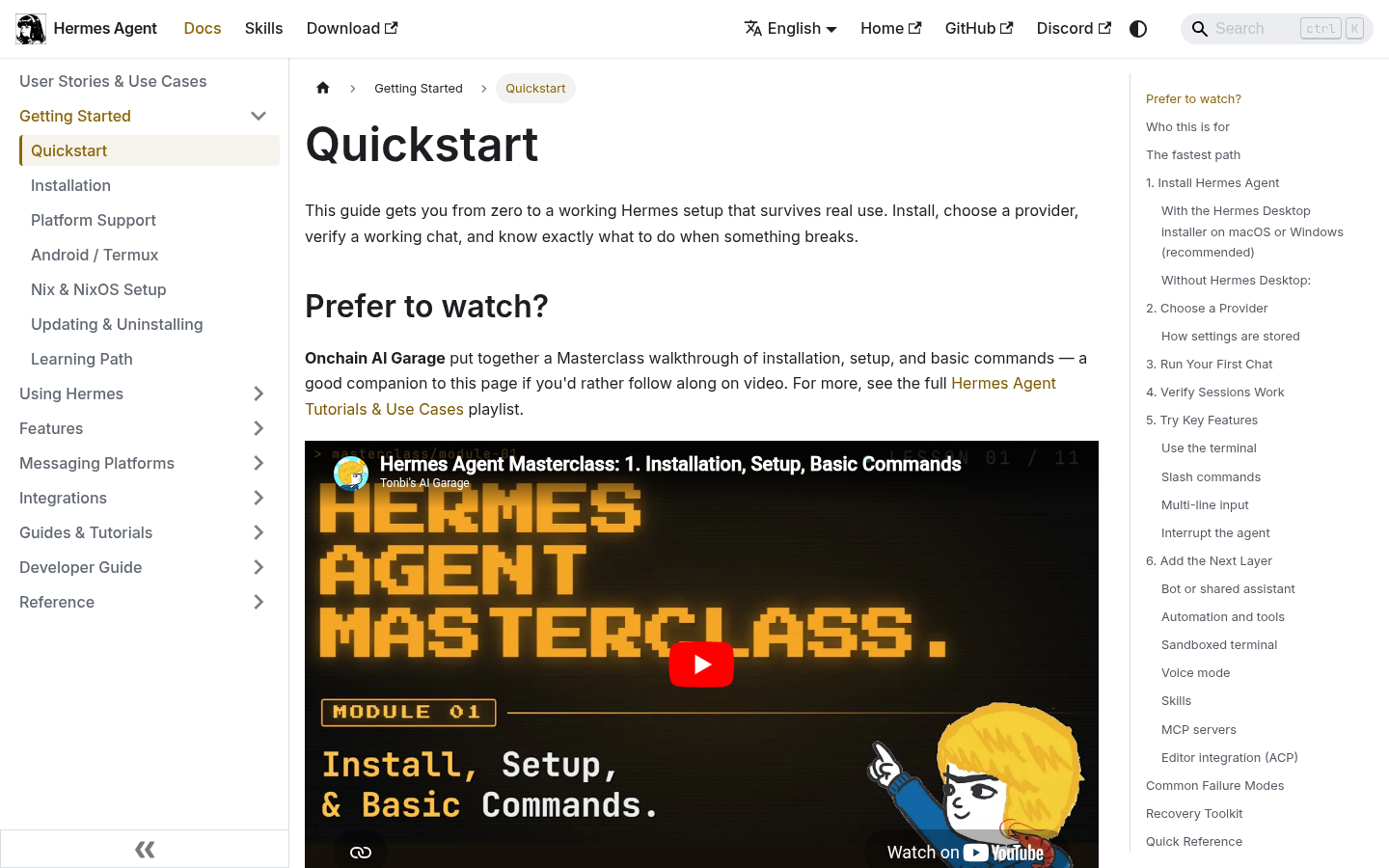
Caption: Start with the official Hermes quickstart, then add SEO-specific project files and approval rules before running growth tasks.
Step 1: create the SEO agent workspace
Create a dedicated folder for this project. Do not mix it with random downloads, client files, or old drafts.
Recommended structure:
/hermes-seo-agent
  /context
    brand.md
    website.md
    audience.md
    competitors.md
    content-rules.md
  /data
    README.md
    gsc-export.csv
    bing-webmaster-export.csv
    ga4-landing-pages.csv
    crawl-export.csv
  /briefs
  /drafts
  /qa
    content-quality-gate.md
    technical-risk-gate.md
  /reports
  /prompts
    system-prompt.md
    first-brief-prompt.md
    qa-prompt.md
  approval-rules.md
If you are testing on your own site, create this in a normal project directory. If you work with clients, create one workspace per client. Do not let Hermes blend one site's context with another site's data.
Add a short data/README.md so future you remembers what goes there:
# Data folder

This folder stores exported SEO and analytics files.

Allowed files:
- Google Search Console exports
- Bing Webmaster Tools exports
- GA4 landing page reports
- Crawl exports
- Rank tracking exports
- AI visibility or prompt tracking exports

Rules:
- Do not add private customer data.
- Redact sensitive revenue or lead data if not needed.
- Include export date in file names when possible.
- Hermes must not invent missing metrics.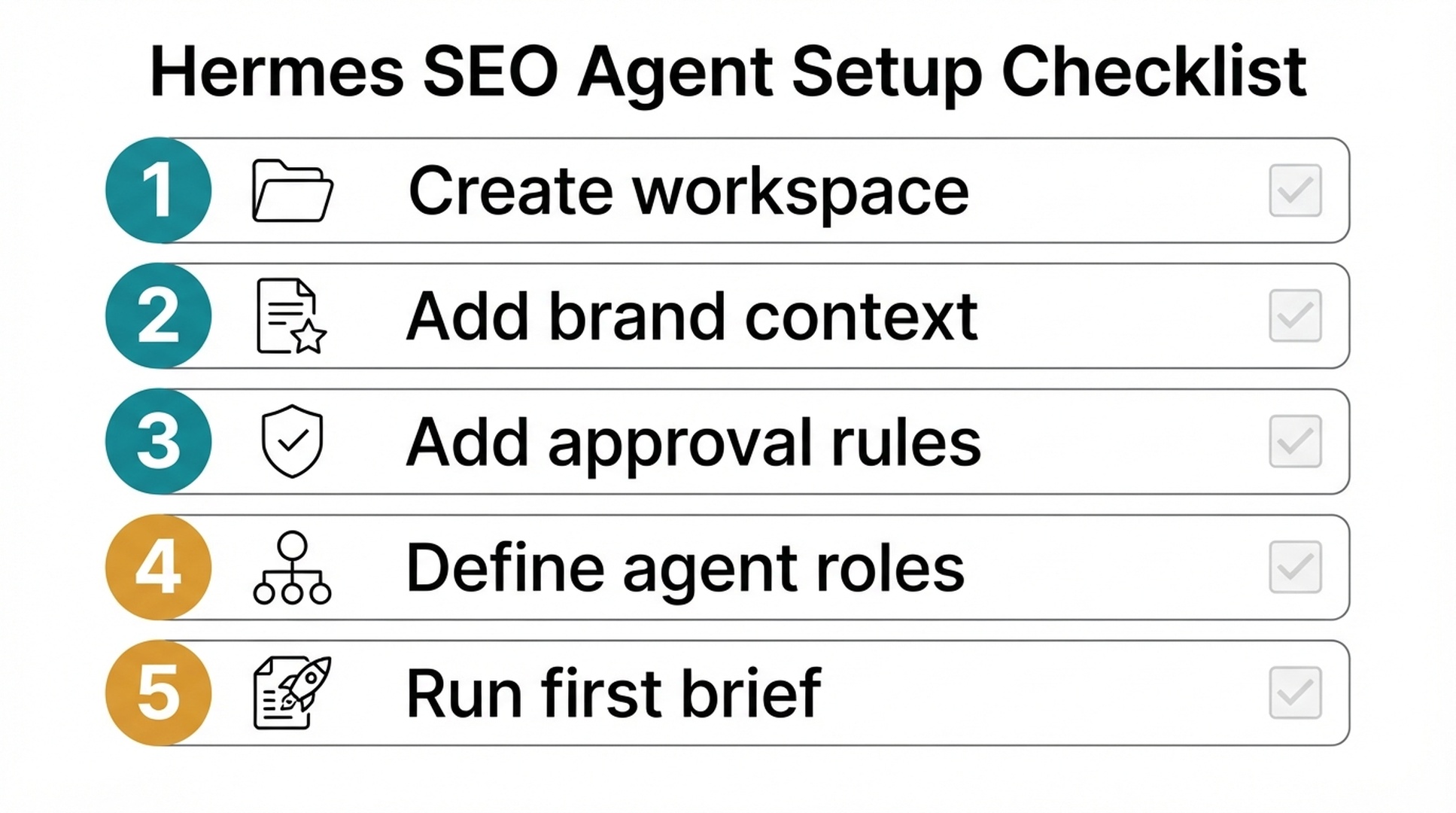
Step 2: write the brand context file
Hermes needs context before it can make useful SEO decisions. Without context, it will produce generic advice like "write high-quality content" or "optimize for search intent." That will not help much.
Create context/brand.md:
# Brand context

Brand name:
Website:
Primary product or service:
Short description:
Target customers:
Customer pain points:
Main conversion goal:
Secondary conversion goals:
Markets served:
Languages:
Brand tone:
Topics we want to own:
Topics we should avoid:
Proof we can use:
Claims we cannot make:
Example:
# Brand context

Brand name: Acme Analytics
Website: https://example.com
Primary product or service: Analytics software for small B2B SaaS teams
Short description: Helps founders monitor product signups, activation, and content-driven pipeline in one dashboard.
Target customers: B2B SaaS founders, growth leads, and content marketers at teams with 5-50 employees.
Customer pain points: They publish content but cannot connect organic traffic to signups and pipeline.
Main conversion goal: Free trial signup
Secondary conversion goals: Demo request, newsletter signup
Markets served: United States, United Kingdom, Canada, Australia
Languages: English
Brand tone: Clear, practical, founder-friendly, not corporate
Topics we want to own: SEO analytics, content attribution, product-led growth reporting
Topics we should avoid: Enterprise BI, paid media attribution, financial forecasting
Proof we can use: Product screenshots, anonymized workflow examples, public help docs
Claims we cannot make: Guaranteed revenue growth, guaranteed ranking improvement
Keep this file factual. Do not let Hermes invent positioning. If a line is unknown, write TODO.
Step 3: write the website context file
Create context/website.md:
# Website context

Homepage:
Main product pages:
Main blog or resource hub:
Important conversion pages:
Existing SEO pages:
Known weak pages:
Known technical issues:
CMS:
Publishing workflow:
Who approves content:
Who approves technical changes:
Example:
# Website context

Homepage: https://example.com/
Main product pages:
- https://example.com/product
- https://example.com/pricing
- https://example.com/integrations

Main blog or resource hub:
- https://example.com/blog

Important conversion pages:
- https://example.com/demo
- https://example.com/signup

Existing SEO pages:
- /blog/seo-dashboard-template
- /blog/content-attribution-guide
- /blog/ga4-for-saas-founders

Known weak pages:
- /blog/old-content-roi-guide, outdated examples
- /integrations/google-search-console, thin copy

Known technical issues:
- Some old blog posts have missing meta descriptions
- Several redirects from 2024 migration still need review

CMS: Webflow
Publishing workflow: Draft in Markdown, edit in Google Docs, publish in Webflow
Who approves content: Marketing lead
Who approves technical changes: Developer
This file helps Hermes separate content work from technical work. That matters. A title rewrite and a canonical change should not go through the same approval path.
Step 4: set approval rules before assigning tasks
Create approval-rules.md in the root folder:
# Approval rules

Hermes may do these without approval:
- Read project context files.
- Analyze exported SEO data.
- Create content briefs.
- Draft internal reports.
- Suggest title and meta tests.
- Suggest internal link opportunities.
- Flag technical SEO risks.

Hermes needs content approval before:
- Writing a full public article.
- Rewriting a live page.
- Changing title tags or meta descriptions.
- Adding claims, statistics, or comparisons.
- Adding internal links to public pages.

Hermes needs technical approval before:
- Changing robots.txt.
- Changing sitemap files.
- Adding or removing noindex.
- Changing canonicals.
- Adding redirects.
- Editing structured data.
- Submitting URLs for indexing.

Hermes must never:
- Publish directly to the CMS.
- Invent data.
- Invent citations.
- Claim guaranteed rankings or guaranteed AI citations.
- Create bulk pages only to target keywords.
- Use private customer data in public content.
Now add the output rule:
# Required recommendation format

Every recommendation must include:
- URL or page name
- Evidence
- Suggested action
- SEO impact
- GEO impact
- Risk level: low, medium, high
- Approval required: yes/no
- Owner suggestion
A beginner SEO agent should never be unclear about risk. If Hermes cannot explain why a recommendation is safe, it should not move forward.
Step 5: define one agent role first
Do not start with five agents. Start with one role: the supervised SEO operator.
Create prompts/system-prompt.md:
The prompt below mentions AEO (answer engine optimization), which means structuring content so AI answer engines can extract and quote a direct answer.
You are a supervised SEO/GEO operator for this website.

Your job is to help with SEO, GEO, AEO, AI search visibility, content planning, technical SEO review, and performance diagnosis.

You work from project files. You must read context files before making recommendations.

Operating rules:
- Do not publish or edit live pages.
- Do not invent metrics, facts, citations, or customer results.
- If data is missing, write "missing".
- Separate SEO impact from GEO impact.
- Flag technical changes as high-risk unless a developer approves them.
- Use the approval rules in approval-rules.md.
- Prefer a small, evidence-backed next action over a large vague strategy.

Default output format:
- Summary
- Evidence reviewed
- Recommended actions
- Risks
- Approval needed
- Next file to create
This role is narrow on purpose. Later, you can split it into Researcher, Writer, Editor, Technical QA, and Publisher. For the first week, one supervised operator is easier to debug.
Step 6: add the first content brief prompt
Create prompts/first-brief-prompt.md:
Create a beginner-safe SEO/GEO content brief for this topic:
[INSERT TOPIC]

Before writing, read:
- context/brand.md
- context/website.md
- context/audience.md if available
- approval-rules.md

Do not write the full article.
Do not invent data.
If SEO data is missing, mark it as missing.

Return:
1. Working title
2. Target reader
3. Search intent
4. GEO prompt intent
5. Primary keyword
6. Related questions
7. Entities that must be explained clearly
8. Recommended page structure
9. Evidence and sources needed
10. Internal link opportunities
11. Suggested title tag
12. Suggested meta description
13. Risks and approval requirements
14. Next step after approval
Now run it with a safe topic. Pick something low-risk, such as an educational article. Avoid pricing, legal, medical, financial, or high-stakes claims.
Example topic:
How B2B SaaS teams can connect Google Search Console data with GA4 landing page reportsA good output should be specific. A weak output will say things like "optimize for SEO" without showing the reader, page type, evidence, or risk.
Step 7: check the first brief before drafting
Create qa/brief-quality-gate.md:
# Brief quality gate

A content brief is ready only if:

- [ ] Target reader is specific.
- [ ] Search intent is clear.
- [ ] GEO prompt intent is clear.
- [ ] Primary keyword is relevant to the business.
- [ ] Related questions are real reader questions.
- [ ] Page structure matches the intent.
- [ ] Required evidence is listed.
- [ ] Internal links are relevant, not forced.
- [ ] Claims that need verification are marked.
- [ ] Approval requirements are clear.
Then ask Hermes to review its own brief:
Review the content brief against qa/brief-quality-gate.md.

Return:
1. Pass/fail for each checklist item.
2. What is too vague.
3. What may be risky.
4. What information is missing.
5. A revised brief only if the first version fails.
Do not skip this. Beginners usually want to jump from prompt to article. The brief is where you catch bad assumptions while they are still cheap to fix.
Step 8: add data only after the workflow works
Once Hermes can create and QA one useful brief, add exports.
Start with these files:
/data/gsc-export-YYYY-MM-DD.csv
/data/bing-webmaster-export-YYYY-MM-DD.csv
/data/ga4-landing-pages-YYYY-MM-DD.csv
/data/crawl-export-YYYY-MM-DD.csv
Minimum columns:
Data source | Useful beginner columns |
|---|---|
Google Search Console | Query, Page, Clicks, Impressions, CTR, Average position |
Bing Webmaster Tools | Query, Page, Clicks, Impressions, Crawl issue, Indexed status |
GA4 | Landing page, Organic sessions, Engaged sessions, Key events, Conversion rate |
Crawl export | URL, Status code, Title, Meta description, Canonical, Indexability, Word count |
Then use this prompt:
Read the files in /data and create a first SEO opportunity report.

Return:
1. Low-CTR pages from search data.
2. Pages with impressions but weak clicks.
3. Pages with organic traffic but weak engagement or conversions.
4. Pages with crawl or indexability issues.
5. Pages that may need clearer answer blocks for GEO.
6. Top 5 recommended actions for this week.

For each action, include evidence, risk, and approval required.
Do not invent data.
This is where the agent starts to become useful. It can stop giving generic advice and start showing which page deserves attention first.
Step 9: set up the first three recurring outputs
For the first month, ask Hermes for only three recurring files.
/reports/weekly-action-queue.md
/briefs/[topic-or-page].md
/qa/[page-or-draft]-qa.md
Use this operating rhythm:
Day | Hermes task | Human task |
|---|---|---|
Monday | Review data exports and create action queue | Pick 1-3 actions |
Tuesday | Create briefs or refresh plans | Approve or revise |
Wednesday | Draft or prepare changes in Markdown | Edit for accuracy and voice |
Thursday | Run QA gates | Approve safe updates |
Friday | Log what changed | Check next week's measurement plan |
This does not require full automation. You can run it manually at first. Manual is fine while you learn. Automation should come after the workflow is stable.
Step 10: know when your agent is ready for more power
Your first Hermes SEO Agent is ready for more advanced tasks only when it passes these checks:
Readiness check | Pass condition |
|---|---|
Context handling | It uses your brand and website files accurately. |
Data honesty | It marks missing data instead of guessing. |
Risk control | It flags technical and live-page changes for approval. |
Output quality | Its briefs are specific enough for a human writer or editor. |
GEO thinking | It maps reader questions to AI prompt intent, not only keywords. |
Repeatability | It can produce the same report format every week. |
If it fails any of these, do not add publishing access. Fix the workflow first.
Copy-and-paste starter pack
If you only want the minimum setup, copy these four files.
context/brand.md
# Brand context

Brand name:
Website:
Product or service:
Target customer:
Main conversion goal:
Markets:
Languages:
Topics to own:
Topics to avoid:
Allowed claims:
Forbidden claims:
Tone:
approval-rules.md
# Approval rules

Hermes may create briefs, reports, recommendations, and QA checklists.
Hermes may not publish, edit live pages, change technical SEO settings, invent data, or invent citations.

Human approval is required for:
- Live page updates
- Title/meta changes
- Internal link additions
- Structured data changes
- Robots, sitemap, canonical, noindex, or redirect changes
- CMS publishing
- Claims based on external sources or metrics
prompts/system-prompt.md
You are a supervised SEO/GEO operator.
Read context files before making recommendations.
Use approval-rules.md.
Do not publish, edit live pages, or invent data.
Separate SEO impact from GEO impact.
Every recommendation must include evidence, risk, and approval required.
prompts/first-brief-prompt.md
Create an SEO/GEO content brief for: [TOPIC]

Return target reader, search intent, GEO prompt intent, primary keyword, related questions, entities, page structure, evidence needed, internal links, title tag, meta description, risks, and approval requirements.
Do not write the article yet.
Auspia take
The first Hermes SEO Agent should feel more like a careful junior operator than a magic content machine. It should ask for context, mark missing data, produce tidy files, and tell you when approval is needed.
That is enough for week one. Once the setup works, you can add GSC, Bing Webmaster, GA4, crawl, and AI visibility data as file exports in /data, or connect them directly if your Hermes setup includes the relevant integrations or MCP toolsets. Then Hermes can move from content briefs to data supervision and weekly SEO/GEO action queues.
If the first setup feels controlled, that is fine. Controlled systems are easier to trust, improve, and automate later.
Troubleshooting
The first brief comes back too generic
Recovery: rerun the QA gate in qa/brief-quality-gate.md and ask Hermes to mark each checklist item pass or fail, as shown in Step 7. Fix the failed items in the brief before drafting anything.
Hermes does not seem to read the context files
Recovery: check every path reference in the prompt. Make sure the file names and folder paths match the workspace structure from Step 1 exactly, and confirm the files exist before you run the task again.
CSV exports are missing columns or look wrong
Recovery: compare your exports against the minimum column table in Step 8. Missing columns often break the opportunity report, so add the missing columns and re-export before rerunning the prompt.
The output format keeps drifting from the template
Recovery: re-read the system prompt at the start of the session, paste the default output format from Step 5 back into the conversation, and ask Hermes to follow it exactly.
FAQ
Do I need API integrations to set up a Hermes SEO Agent?
No. For the first setup, use Markdown files and CSV exports. API integrations are useful later, but they are not required to create briefs, QA reports, approval rules, and simple opportunity reports.
What should the first Hermes SEO task be?
Start with a content brief or a small opportunity report. Do not start with publishing, technical SEO changes, or a full site rewrite.
Can one Hermes Agent handle SEO and GEO together?
Yes, if the instructions separate the two. Ask Hermes to label SEO impact and GEO impact separately. SEO usually focuses on queries, pages, crawlability, snippets, links, and performance. GEO focuses on prompts, entities, clear answers, evidence, and AI search visibility.
When should I add more agents?
Add more agents only after the single supervised operator produces reliable briefs and QA reports. If your Hermes setup supports multi-agent workflows, adding Researcher, Writer, Editor, QA, and Publisher roles can make sense later, but only once the base workflow is stable. If the base workflow is messy, adding more roles will only make the mess harder to debug.
What should never be automated in the beginner setup?
Do not automate publishing, redirects, noindex changes, canonical changes, robots.txt edits, structured data changes, or URL submissions. These actions need human review because they can affect indexing, traffic, and conversions.
How do I know the setup is working?
The setup is working when Hermes can read your context, produce a specific brief, explain missing data, flag risk, and create a next action that a human can approve or reject without asking for a complete rewrite.
Author: Clara Bennett, 10-Year Content Strategy Practitioner at Auspia. Clara writes about editorial systems, topic maps, repeatable content operations, and SEO/GEO production workflows.