


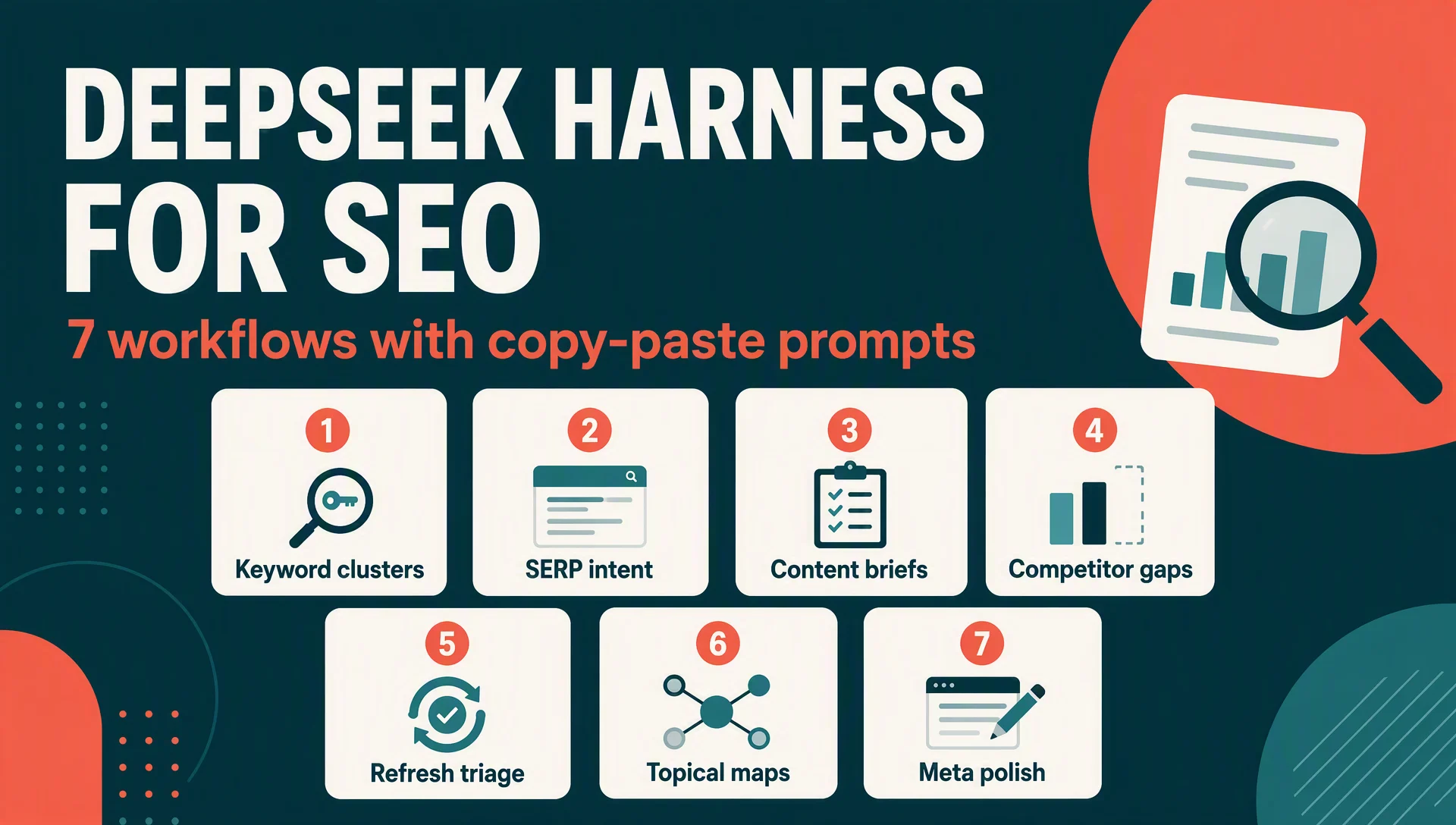
What you need before starting
These workflows assume the setup from the install article in this series: DeepSeek Harness running locally (dsh web at http://127.0.0.1:3080), an API key configured in Settings → Models, and a workspace that contains your site files or a notes file with your keyword list. Standard mode is the default and covers everything here.
Every workflow below follows the same four-part shape:
- Task — what you're trying to produce.
- Prompt — copy, paste, replace the bracketed parts.
- Expected output — what a good answer looks like.
- Verify — the one check that tells you the output is usable.
The example outputs in this article are real: they come from live headless sessions (dsh --profile headless "...") run on a demo workspace for a fictional Portland coffee roaster called Moonlight Roasters. Same engine, same prompts, no cherry-picking.
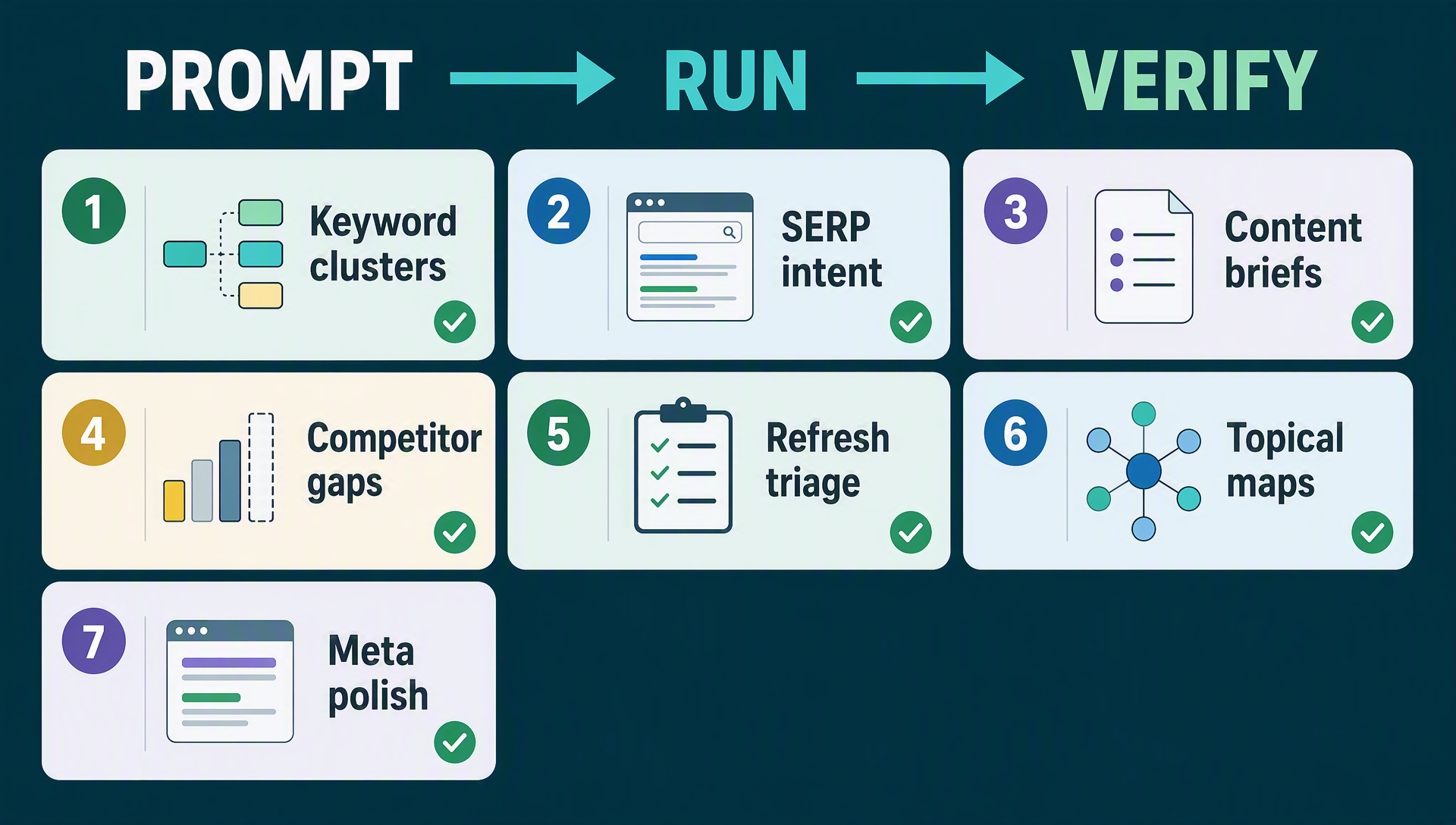
Every workflow in this article follows the same loop: prompt → run → verify.
Workflow 1 — Keyword cluster discovery
Task. Turn a blank sheet into a keyword map: five to six clusters, each with example queries and the intent behind them, so you know which page type should target which query.
Prompt.
Act as an SEO strategist. For [business description], propose 5 keyword
clusters with 3-5 query examples each and the search intent behind each
cluster. Output as a markdown table: Cluster | Example queries | Intent.
Expected output. A cluster table plus a strategy note. Here is the actual output from the live run, for "a specialty coffee roastery (Moonlight Roasters, Portland, whole-bean coffee, subscriptions, brewing gear)":
# | Cluster | Example Queries | Search Intent |
|---|---|---|---|
1 | Brand & Navigational | "Moonlight Roasters" · "Moonlight Roasters Portland" · "Moonlight Roasters menu" | Navigational — users already know the brand and want the official site or a specific page. Low volume, near-100% conversion, critical for protecting SERP real estate |
2 | Whole-Bean Product & Transactional | "single origin whole bean coffee" · "dark roast whole bean coffee online" · "best specialty coffee beans" | Transactional / Commercial — high purchase intent; maps to product and category pages |
3 | Subscription & Recurring Commerce | "coffee subscription" · "best coffee subscription box" · "coffee delivery Portland" | Commercial investigation → Transactional — evaluating options, then committing to recurring checkout |
4 | Brewing Gear & Commercial Investigation | "best pour over kettle" · "burr grinder for pour over" · "best coffee scale for espresso" | Commercial investigation — researching gear before purchase; a natural upsell bridge to beans and subscriptions |
5 | Local Portland & Nearby | "best coffee roasters in Portland" · "coffee roastery near me" · "whole bean coffee Portland OR" | Local / Commercial — drives the Google Business Profile, local pack rankings, and in-store pickup traffic |
The run also flagged a useful gap unprompted: an informational cluster ("how to brew pour over coffee," "coffee water ratio") that won't convert directly but feeds clusters 2-4 via blog content and internal links.
Verify. Every cluster names a concrete page type it maps to (product page, subscription landing page, local pack, blog). If a cluster has no obvious home, you either need a new page or the cluster is too vague.
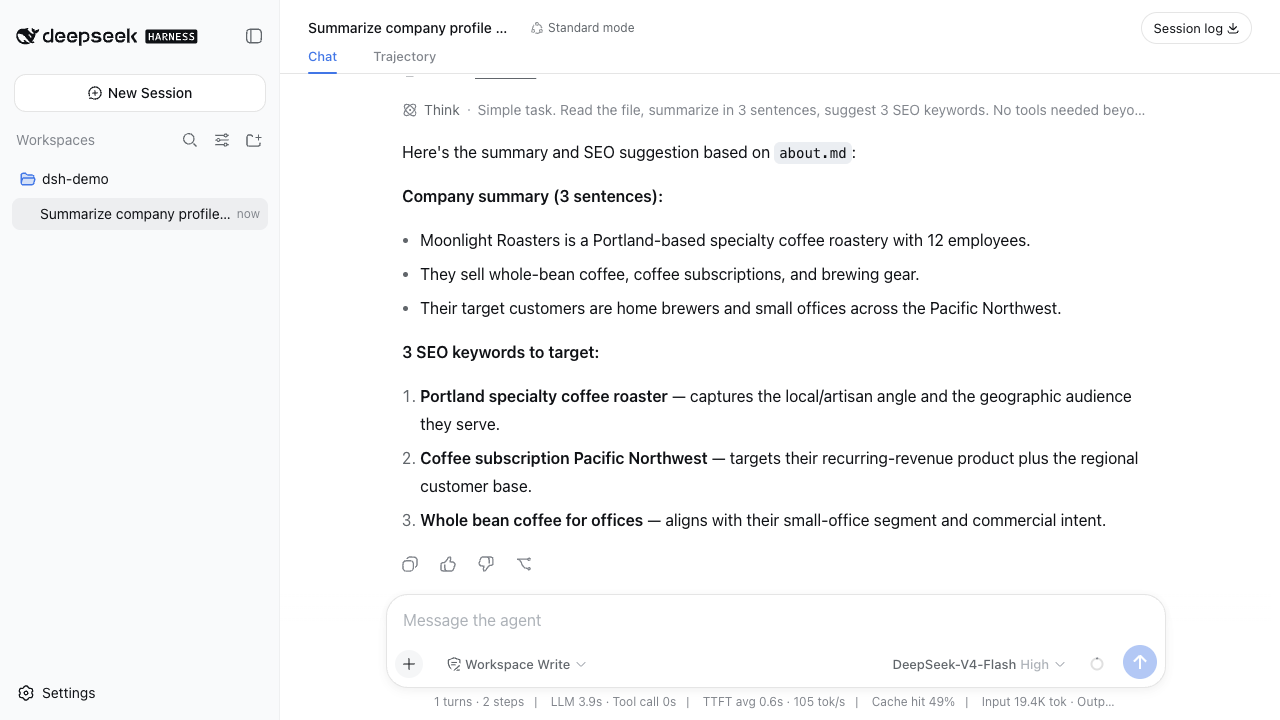
A live session in the web UI — the same engine that produced the outputs in this article, with every tool call logged.
Workflow 2 — SERP intent breakdown
Task. Before writing a page, know exactly what searchers expect from the query and what format wins the results page.
Prompt.
Act as a search intent analyst. For the query "[your keyword]", analyze what
searchers actually want: list the dominant intent (informational, commercial,
transactional, navigational), the content formats that rank (lists, reviews,
tools, forums), and 3 angles a new page could take. Be specific, not generic.
Expected output. A one-screen analysis: the dominant intent, the ranking formats, and three non-obvious angles. The "be specific, not generic" line matters; without it, the model tends to say "create useful content" instead of naming formats you can actually look up in the SERP.
Verify. Check the formats it names against the real results page. If the agent says lists rank but the SERP is actually all comparison tools, the prompt needs more context (paste the URLs of the current top 5 results).
Workflow 3 — Content brief generator
Task. Produce a brief a writer can execute without further questions: target entity, intent, H2 outline, entities to cover, internal links, and a meta description.
Prompt.
Act as an SEO content strategist. Write a content brief for a [word count]-
word article targeting "[keyword]": target entity, searcher intent, outline
with H2s, 3 entities to cover, suggested internal links, and a meta
description. Be concise.
Expected output. A complete brief. This is the actual brief from the live run for a 1,500-word article targeting "best coffee subscription Pacific Northwest":
Target entity. Coffee subscription service (Pacific Northwest roasters) — a LocalBusiness/Organization entity with offers (subscription plans) and areaServed (WA/OR/ID). Treat the "PNW coffee subscription" as the primary entity, with individual roasters as sub-entities linked out to (schema: ItemList of roasters).
>
Searcher intent. Commercial investigation (transactional-leaning): the searcher wants recurring coffee delivery from roasters in Portland, Seattle, or the broader PNW, and cares about roast-date freshness, local sourcing, price per bag, and flexible delivery.
>
Outline (H2s). Why the Pacific Northwest Is a Coffee Subscription Powerhouse → What to Look for in a Coffee Subscription (roast date, single-origin vs. blend, frequency options, pause/skip/cancel flexibility) → The 7 Best Coffee Subscriptions in the PNW (each entry with price per bag, delivery cadence, roast profile, "best for" line) → PNW Subscriptions vs. National Ones: Which Wins? → How to Choose Your Roast and Delivery Frequency → FAQ → The Bottom Line.
>
3 entities to cover. PNW roasters (Stumptown, Heart Coffee, Olympia Coffee, Caffe Vita, Coava) with locations and roast style · Subscription attributes (roast-date freshness, grind vs. whole bean) · Pricing and plan mechanics (per-bag cost, frequency tiers, pause/cancel policy, shipping).
>
Suggested internal links. National coffee subscription roundup · Roast-date freshness explainer · Brewing guides · Individual roaster review pages · Subscription landing page (conversion CTA).
>
Meta description. "Looking for the best coffee subscription in the Pacific Northwest? We compared 7 top PNW roasters on freshness, price, and delivery to find your perfect cup." (148 chars)
Verify. Two checks. First, the meta description is under 160 characters (it was 148). Second, the outline actually covers the three entities it named. A brief that lists entities and then ignores them in the outline is the signal to rerun.
Workflow 4 — Competitor gap analysis
Task. Find the topics competitors rank for that you don't cover, ranked by business value.
Prompt.
Act as a competitive SEO analyst. [If you have competitor URLs, list them
here; otherwise describe your 3 main competitors.] Compare their content
coverage against [our site / this workspace's content] and list 5 topics
they rank for that we don't cover, ranked by business value.
Expected output. Five topics with a business-value ranking, not a listicle of "they have more blog posts." The quality bar: each gap is tied to a revenue line or funnel stage, and the ranking argues why one gap matters more than another.
Verify. Open the two competitor pages the agent cites as evidence. If they don't actually rank for the claimed topic, replace the competitor description with real URLs and rerun. The prompt works best when it can read a sitemap or a content inventory file from the workspace.
Workflow 5 — Content refresh triage
Task. Decide whether an existing page is worth refreshing, consolidating, or leaving alone.
Prompt.
Read [URL or file path] in this workspace. Act as a content decay analyst.
Judge whether this page needs a refresh: list signs of decay (old dates,
thin sections, missed entities), the top 3 updates you'd make, and whether
the page is worth refreshing vs consolidating. Be decisive.
Expected output. A verdict with three named updates. The "be decisive" instruction is deliberate: the default behavior is to hedge ("the page could benefit from..."). For triage you want a yes/no verdict you can push back on.
Verify. Cross-check the "signs of decay" against the actual page. If the agent claims an old date that isn't there, it hallucinated; ground it by putting the page file or a saved HTML export in the workspace instead of a URL.
Workflow 6 — Entity and topical map
Task. Build the map that tells you what a pillar page must cover to be authoritative on a niche.
Prompt.
Act as a topical authority strategist. For [niche, e.g., "specialty coffee
subscriptions"], build a topical map: the core entity, 4-6 supporting
sub-entities, and 3-5 questions per sub-entity that a pillar page should
answer. Output as a nested markdown outline.
Expected output. A nested outline: core entity, sub-entities, and the exact questions each section must answer. This doubles as both a page outline and a citation-fodder checklist, because AI answer engines quote pages that cleanly answer discrete questions.
Verify. For every question in the map, you can answer it from a single section of the future page. If answers would require jumping between sections, the map needs restructuring before you write a word.
Workflow 7 — Meta title and description batch polish
Task. Refresh titles and descriptions across a set of pages in one pass.
Prompt.
Read the title and meta list in this workspace. For each page, rewrite the
title (under 60 characters) and meta description (under 155 characters) to
match searcher intent. Output as a table: Page | Current | New title | New
description | Why.
Expected output. A table with the current values, proposed values, and a one-line rationale per row. The rationale column is what separates this from a sloppy find-and-replace: it forces the agent to tie each rewrite to intent.
Verify. Check three things mechanically: every title is under 60 characters, every description under 155, and no two proposed titles are near-duplicates. Then spot-check the "Why" column against the query intent from Workflow 2.
Output-quality checklist
Run these over any workflow output before you act on it:
- [ ] Named entities are real (roasters, tools, sites, brands) and spelled correctly
- [ ] Claims are tied to something verifiable: a file, a URL, a number, a SERP you can open
- [ ] Formats are followed: tables are tables, word counts are respected, character limits hold
- [ ] Nothing reads like a generic essay ("create quality content," "leverage your strengths")
- [ ] You could hand the output to a teammate and they'd know what to do next
If an output fails three or more, don't re-run the same prompt and hope. Add context: paste the SERP, put the file in the workspace, or tighten the format demand.
FAQ
Do I need a separate tool for these workflows? No. The harness runs them with its built-in web search, file access, and model. You still need your rank tracker and analytics for measurement, but research and drafting happen in the harness.
Are these prompts reusable every week? Yes, and that's the point. Save the ones that work into a notes file in your workspace; the weekly monitoring article in this series builds a repeatable schedule on exactly that pattern.
Why use DeepSeek Harness instead of just ChatGPT for this? File access and repetition. The harness reads your sitemap, drafts, and notes in the workspace, and headless mode lets you run the same prompt on schedule. A chat window can't do either reliably.
How much does each run cost? Fractions of a cent at DeepSeek's API rates. A full cluster analysis like Workflow 1 costs less than most pay-per-word AI writing tools charge for a single paragraph.
Can I adapt these prompts to my niche? That's the design. Replace the bracketed parts with your business and your files; the structure stays useful because it's built around intents and page types, not any specific industry.
Other articles in this series
- What is DeepSeek Harness? A Beginner's Guide to the 93k-Star Open-Source Agent Platform
- How to Install DeepSeek Harness and Run Your First Task (2026 Walkthrough)
- DeepSeek Harness for GEO: How to Get Cited by ChatGPT, Perplexity & Google AI Overviews
- 35 Copy-Paste Prompts for SEO & GEO Work in DeepSeek Harness
- Build Your First Automation: Weekly GEO & SEO Monitoring with dsh Headless Mode
- DeepSeek Harness CLI Cheat Sheet + Troubleshooting for Beginners
Author: Elena Shaw, SEO Workflow Designer for 40+ Content Systems at Auspia. Elena writes about prompt-driven SEO processes, content operations, and repeatable research workflows.


