


Stop choosing keywords from scratch every Monday
Most teams do not need a brand-new keyword universe each week. They need to notice when an existing opportunity changed enough to deserve attention: a page is earning impressions without clicks, a cluster lost its owner, a customer question keeps recurring, or a new result format makes the old page less useful.
Hermes Agent fits that recurring job when you use it as a supervised monitor. Hermes Agent is the open-source AI agent framework from NousResearch, operated through a CLI (hermes chat). As of mid-2026, it ships with built-in web search and extraction, browser automation, reusable skills, scheduled cron jobs, and MCP toolsets, with the full manual at https://hermes-agent.nousresearch.com/docs. That toolkit covers the whole loop below, from reading an approved export to checking a live SERP. Its output is not an autonomous content calendar. It is a keyword exception queue: a small, evidence-backed list of items that deserve a human decision this week.
Who this is for: teams with regular exports or reports and a review cadence.
You will finish with: a recurring queue, named evidence checks, an owner for each item, and one action decision per exception.
You need: approved data sources, a safe report directory, a schedule your team understands, existing-page inventory, and a weekly reviewer.
Estimated time: about 30 minutes to set up the first baseline and exception rules, then about 30 minutes per weekly review.
Done means: the queue contains only meaningful changes, and every item ends as act, watch, collect evidence, or close.
Choose the changes that should create a ticket
Start with exception rules, not a schedule. An agent running daily against every query will generate noise unless your site is unusually volatile.
Use only rules tied to a decision:
Exception | Why it matters | Initial owner question |
|---|---|---|
Rising impressions with weak CTR | The current snippet or page angle may not match demand | Refresh owner page or investigate intent? |
New high-impression query on an existing URL | A topic may be emerging inside a page | Expand section or protect focus? |
Two URLs associated with one query family | Cannibalization may be developing | Consolidate, differentiate, or watch? |
Repeated customer question with no owner page | Evidence may support a new asset | Is the business able to answer it? |
SERP format shift observed by a reviewer | The old content format may no longer fit | Test a different page type? |
Set thresholds from your own baseline instead of hardcoding a universal "good" CTR or impression increase.
Build a read-only evidence loop
Keep the monitor separate from the website source and publishing system. A simple directory model is enough:
keyword-monitor/
  inputs/          # dated approved exports
  baselines/       # prior normalized snapshots
  observations/    # human SERP notes and customer signals
  queue/           # generated exception items
  decisions/       # reviewed outcomes
Give Hermes Agent permission to read the inputs and write reports only in the approved report area. The agent should never alter a CMS, repository, redirect list, or analytics configuration as part of the monitoring run.
Quality check: the output can be reproduced from dated input files. If an item cannot say what changed and compared with which baseline, drop it.
Run a weekly triage cycle
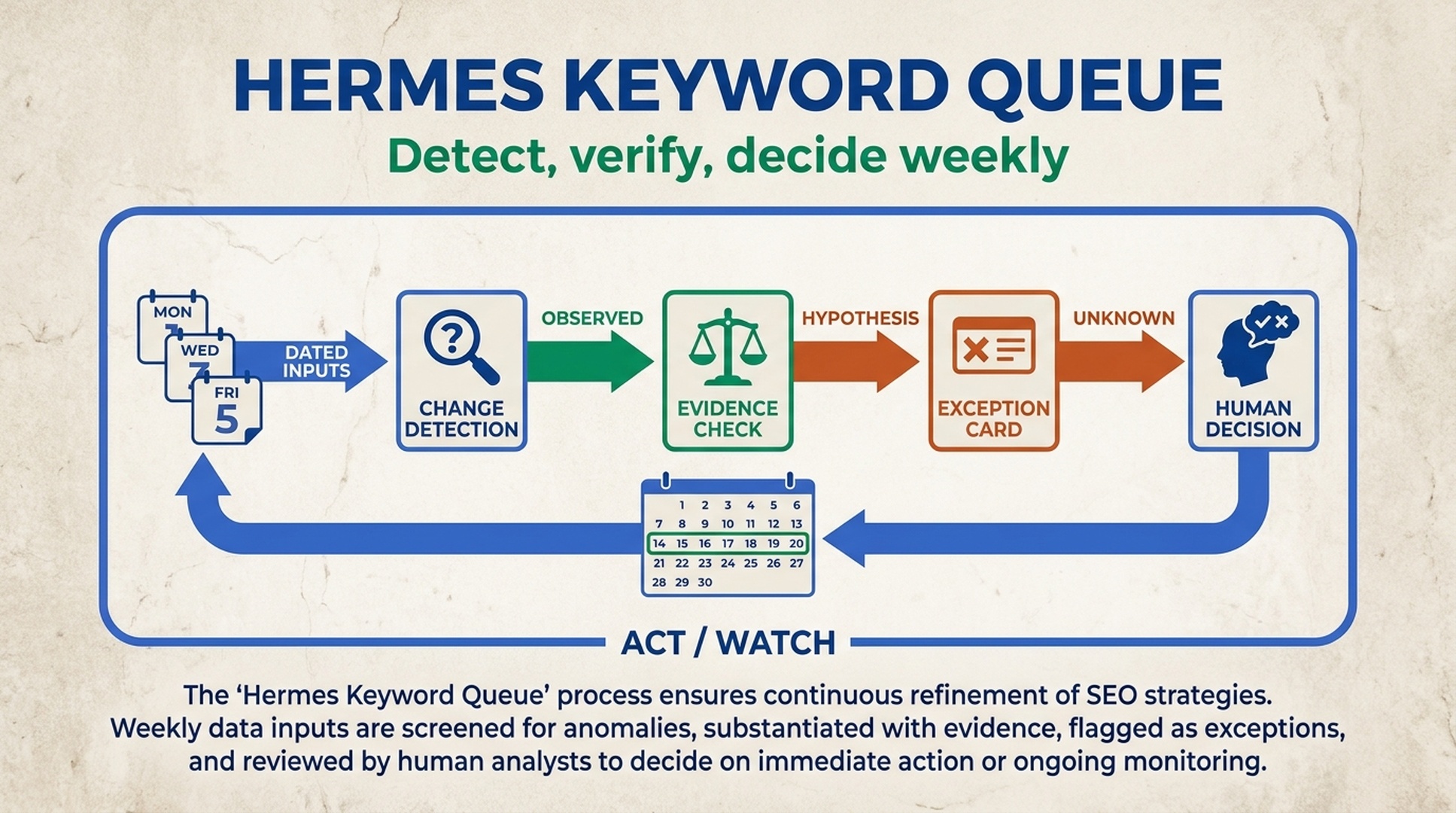
For most content programs, weekly is a sensible rhythm. The cycle has four stages.
1. Detect
Hermes compares current approved inputs with the last accepted baseline and creates potential exceptions. It should preserve the raw numbers and dates.
2. Verify
One task checks whether the URL inventory still supports the proposed owner. Another checks that the shift is not a reporting artifact, tracking change, or known campaign effect.
3. Explain
The agent creates a plain-language case: what changed, why it may matter, what is known, and what is unknown. It does not prescribe a page change yet.
4. Decide
A human owner picks one outcome: act, watch, collect evidence, or close.
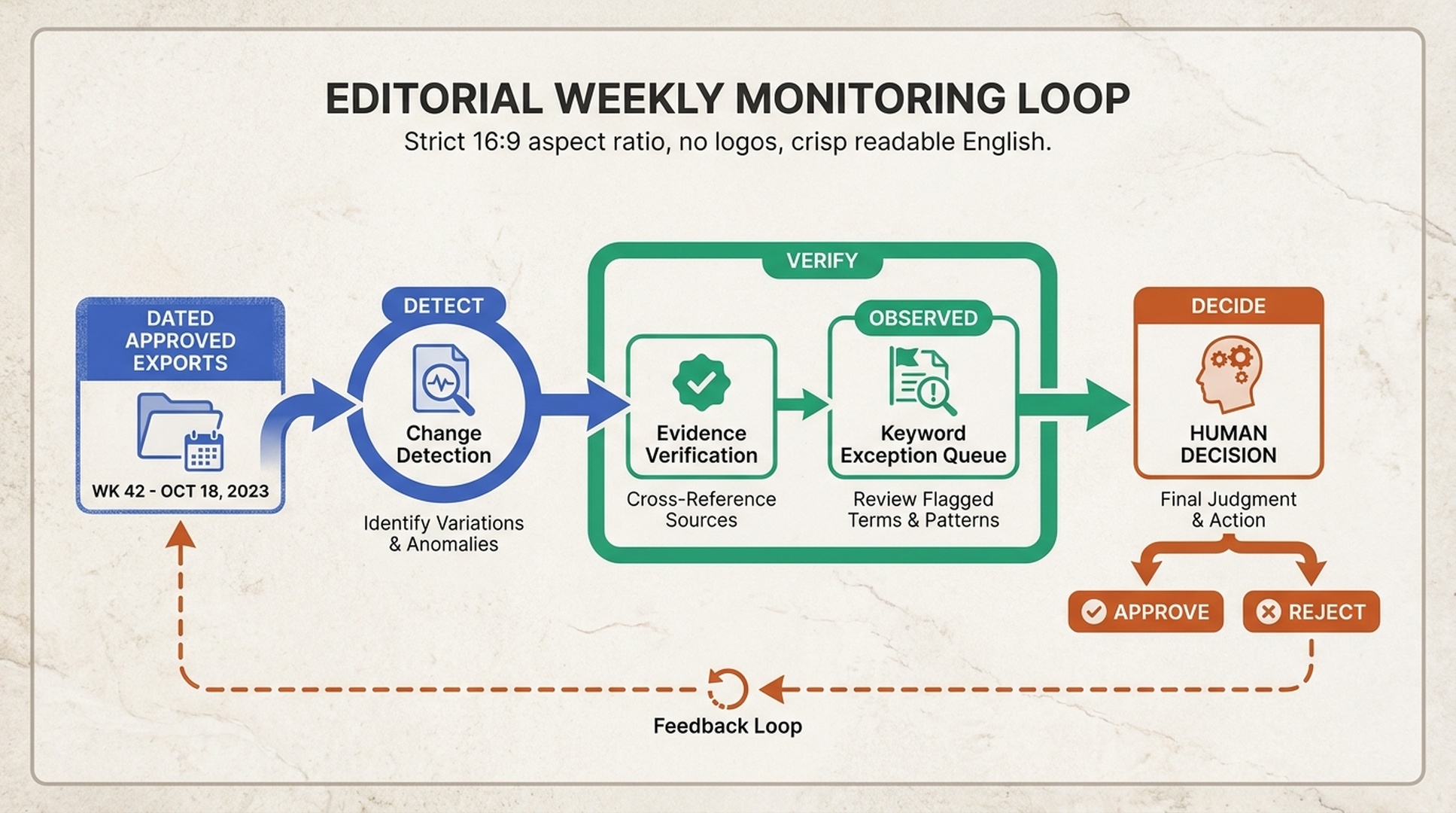
Caption: A monitoring cycle is useful only when exceptions lead to a named decision instead of an ever-growing backlog.
Give each queue item a case card
Avoid a generic ranked list. Every exception gets a card with operational fields:
Exception ID:
Detected on:
Query or query family:
Market and device, if supplied:
Owner URL(s):
Change from baseline:
Source files and dates:
Customer or SERP observation:
Likely decision type:
Known limitations:
Assigned reviewer:
Decision state:
The words "likely decision type" matter. A rise in impressions does not automatically mean "write a new article." It may mean a title needs testing, an existing page needs a clearer answer, a separate URL needs consolidation, or nothing should happen until the pattern persists.
Separate detection from explanation
This is where scheduled agents are often misused. Detection is quantitative and repeatable. Explanation requires business context, content judgment, and sometimes a live search review.
Ask Hermes Agent to label explanations by confidence:
- Observed: directly present in an approved source.
- Hypothesis: a plausible reason to investigate.
- Unknown: requires data or human review.
A hypothesis becomes an action ticket only after a reviewer has seen it. A queue that distinguishes those labels is far more useful than one that pretends every signal has a certain cause.
Hold a short queue review, not a long planning meeting
At the weekly review, select only a manageable number of items. For each one, answer these questions in order:
- Is the change real enough to act on?
- Does one existing URL own the searcher job?
- What evidence can the business add or clarify?
- What is the smallest reversible next move?
- When will we check the result?
The accepted action should point to a writer brief, content refresh request, technical ticket, or research task. A vague order to "optimize the keyword" is not an accepted action.
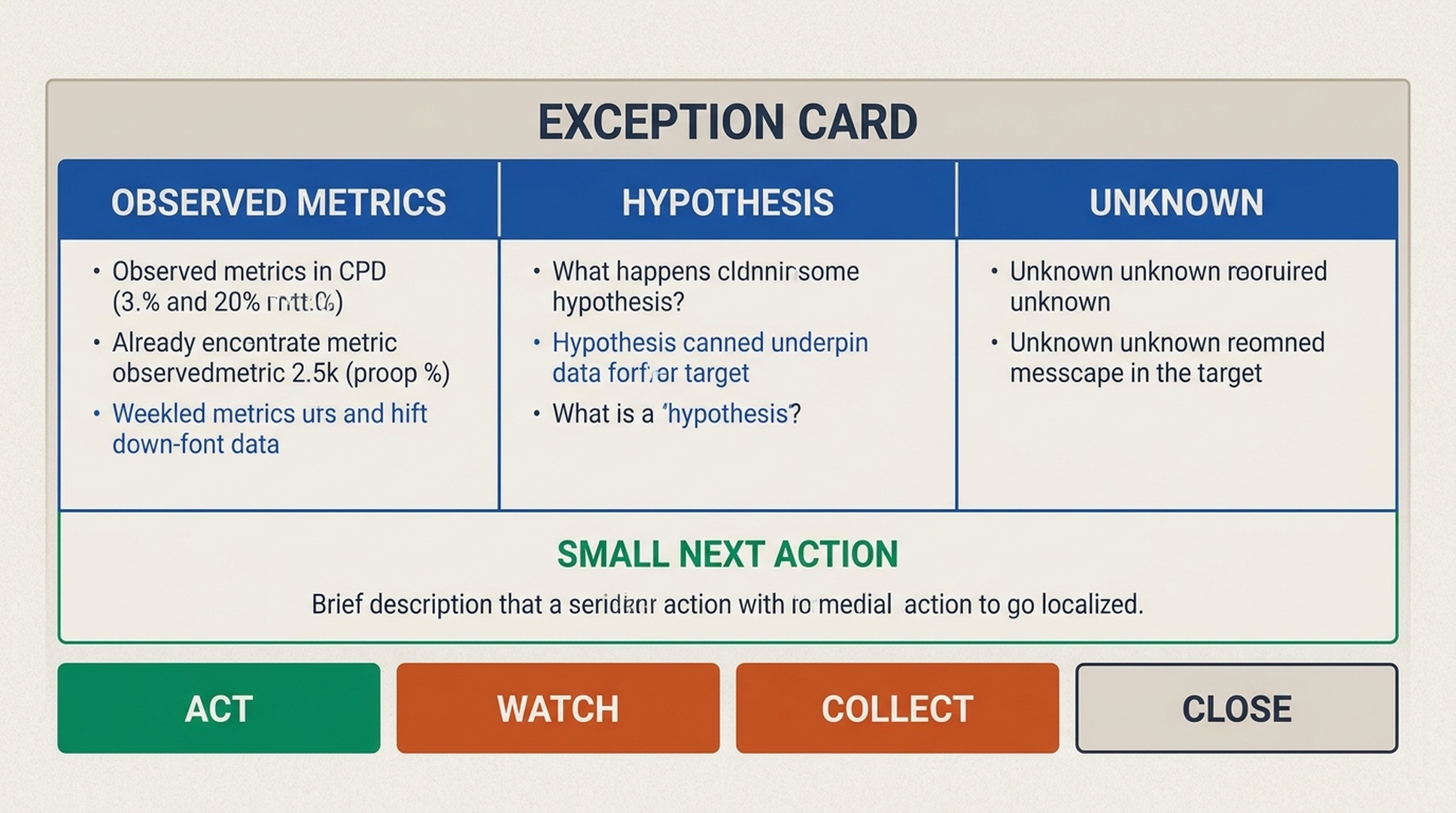
Caption: An exception card makes it harder to confuse a metric movement with a proven content recommendation.
Maintain the queue without training it on noise
When an item closes, record why. Over time, the team can refine thresholds and filters based on which exceptions led to useful work. Turn a past decision into a permanent rule only after it has survived several cycles, because seasonality, campaigns, tracking changes, and site migrations can make old patterns misleading.
Review the schedule, sources, and retention rules whenever the site or reporting setup changes. Pause the monitor during major instrumentation changes until a new baseline is accepted.
Verification checklist
- [ ] Every exception compares dated inputs with a known baseline.
- [ ] The monitor has no publishing or site-editing authority.
- [ ] The queue distinguishes observations, hypotheses, and unknowns.
- [ ] Every item names an owner URL or explains why one is missing.
- [ ] Weekly review produces a closing state for each selected item.
- [ ] The next action is small, specific, and reviewable.
Troubleshooting
The queue comes back empty every week. Detection usually stops because the baseline is missing, undated, or in a different schema. Recovery: name snapshots by date (for example, exports-2026-08-02.csv), keep one schema note per approved source, and re-run with an explicit baseline.
Exceptions look like reporting artifacts. A tracking change or campaign window can masquerade as a keyword shift. Recovery: confirm the export's tracking filter with the analyst before accepting a new baseline, and pause the monitor until the instrumentation change is settled.
The queue grows faster than the weekly review can handle. The thresholds are too sensitive for the current baseline. Recovery: close borderline items as watch instead of act, raise the impression or CTR filter, and re-baseline after a stable period.
A scheduled run never completes. Cron tasks can fail silently when an input path changes or the report directories do not exist. Recovery: create keyword-monitor/queue and keyword-monitor/decisions first, keep every other path read-only, check the run log, confirm input file names match the schedule, and re-run the failed cycle manually.
Run this keyword workflow as a Hermes skill
Everything above can be packaged as a reusable Hermes skill, so the same exception rules, evidence checks, and case card format run on demand or on a schedule without re-typing the instructions. A skill is a SKILL.md file with frontmatter and instructions that Hermes loads when you ask for it by name. Here is a complete SKILL.md distilled from this article:
---
name: hermes-keyword-research-workflow
description: Runs a supervised weekly keyword exception workflow that detects meaningful changes in approved SEO exports, verifies them against baselines, and produces a decision-ready queue for human review.
---

# Hermes Keyword Research Workflow

A supervised weekly monitor for keyword changes: read approved SEO exports, compare them with the last accepted baseline, verify each signal, and return a queue of exception cards for a human reviewer.

## When to run
- Weekly by default. Use a faster cadence only for a migration, launch, outage, or high-volume content program.
- Only after an approved baseline exists and the report directory is set up.

## Report directory
```text
keyword-monitor/
  inputs/          # dated approved exports
  baselines/       # prior normalized snapshots
  observations/    # human SERP notes and customer signals
  queue/           # generated exception items
  decisions/       # reviewed outcomes
```

## Exception rules
Use only rules tied to a decision:
- Rising impressions with weak CTR: refresh the owner page or investigate intent.
- New high-impression query on an existing URL: expand the section or protect focus.
- Two URLs associated with one query family: consolidate, differentiate, or watch.
- Repeated customer question with no owner page: propose a new asset if the business can answer it.
- SERP format shift observed by a reviewer: test a different page type.

## Steps
1. Detect. Compare current approved inputs with the last accepted baseline and list potential exceptions, preserving raw numbers and dates.
2. Verify. Check that the URL inventory still supports the proposed owner, and that the shift is not a reporting artifact, tracking change, or campaign effect.
3. Explain. Write a plain-language case per item: what changed, why it may matter, what is known, and what is unknown. Do not prescribe a page change yet.
4. Decide. Assign each item to a human owner with one outcome: act, watch, collect evidence, or close.
5. Deliver. Return the queue as a markdown list of case cards, the exception rules and thresholds used, and the source files referenced.

## Case card fields
Exception ID, Detected on, Query or query family, Market and device (if supplied), Owner URL(s), Change from baseline, Source files and dates, Customer or SERP observation, Likely decision type, Known limitations, Assigned reviewer, Decision state.

## Confidence labels
- Observed: directly present in an approved source.
- Hypothesis: a plausible reason to investigate.
- Unknown: requires data or human review.

## Constraints
- Never modify a CMS, repository, redirect list, or analytics configuration.
- Never write outside the approved report area.
- Drop any item that cannot say what changed and compared with which baseline.
- Do not change thresholds without the team that owns the queue.
- Pause the monitor during instrumentation changes until a new baseline is accepted.

## Quality gates
- Every exception compares dated inputs with a known baseline.
- The queue distinguishes observations, hypotheses, and unknowns.
- Every item names an owner URL or explains why one is missing.
- The weekly review produces a closing state for each selected item.
- The next action is small, specific, and reviewable.

## Output format
Return a markdown list of case cards followed by a summary that, for each item, names the likely decision type and the evidence behind it. End with the explicit list of items that need a human decision this week.
To install it, save that block as ~/.hermes/skills/seo/hermes-keyword-research-workflow/SKILL.md, then confirm the skill is registered:
hermes skills listYou should see hermes-keyword-research-workflow in the output. Then start hermes chat and say: "Use the hermes-keyword-research-workflow skill to research keywords for my niche."
Not ready to install anything? Paste this article's URL, or its full body, into hermes chat and say: "Follow this article and run the keyword research for my niche." The same supervision rules still apply: the queue ends with a human decision.
This workflow pairs well with our companion guide on Hermes keyword clustering and content calendars (https://auspia.ai/blog/hermes-keyword-clustering-content-calendar), and the Hermes repository (https://github.com/NousResearch/hermes-agent) covers installation and the skills reference.
FAQ
How often should Hermes Agent run this workflow?
Weekly is enough for most teams. Use a faster schedule only when you have a real operational reason, such as a migration, launch, outage, or high-volume content program.
Can it watch keyword rankings automatically?
Only when an approved provider or export supplies that data, for example a dated export from Google Search Console (https://search.google.com/search-console). The workflow should preserve the source and date rather than imply direct access.
Does an exception mean we should create a page?
No. An exception starts a decision. Many correct outcomes are to refresh, consolidate, watch, or gather more evidence.
Can Hermes Agent change the thresholds on its own?
No. Threshold changes alter the work queue and should be reviewed by the team that owns it.
Author: Camille Rhodes, Architect of 300+ AI Content Workflows at Auspia. Camille writes about supervised automation, recurring evidence loops, and editorial quality controls.


