



The "Lazy PageSpeed Fix" Went Viral — But Most People Are Fixing the Wrong Number
A simple workflow keeps circulating on SEO Twitter: open PageSpeed Insights, copy the audit report, paste it into an AI coding tool like Cursor or Claude Code, and let the agent fix every issue. The promise is that hours of developer work collapse into minutes.
The workflow is real, and it works — partly. The part most people miss is that PageSpeed Insights shows you two different datasets, and only one of them influences your Google rankings. Burn through AI fixes chasing the wrong number and you can ship a perfect 100/100 Lighthouse score while your Core Web Vitals field data — the metric Google actually uses — stays stuck in the red.
This is a tested, step-by-step breakdown of how to use AI coding tools to fix Core Web Vitals the right way in 2026: what to measure, what to hand the agent, what it fixes well, what it breaks, and how to confirm your work moved the number that actually matters.
Why Core Web Vitals Still Matter in 2026
Core Web Vitals are Google's three user-experience signals: LCP (Largest Contentful Paint, how fast the main content appears), INP (Interaction to Next Paint, how responsive the page feels), and CLS (Cumulative Layout Shift, how stable the layout stays). They are a confirmed ranking factor and, more importantly, a conversion factor — a 1-second delay in load time still costs roughly 7% of conversions.
What changed in 2026 is the tooling around them. AI coding agents can now plan multi-step tasks, edit dozens of files, run terminal commands, and even spin up a browser to visually verify a fix. That turns the old "hand the dev a Lighthouse report and wait two weeks" model into a loop you can run yourself in an afternoon. The catch is that speed of execution makes it just as easy to optimize the wrong thing fast.
The One Distinction That Determines Whether Your Fixes Count
Before touching an AI tool, understand the two panels PageSpeed Insights shows:
- Lab data — simulated by Lighthouse on a single device, under fixed network conditions. Fast, repeatable, great for catching obvious regressions. This is not what Google ranks on.
- Field data — real Chrome user measurements (CrUX), aggregated over a rolling 28-day window. This is the data Google uses for ranking.
A page can score 95 in the lab and still fail Core Web Vitals in the field, because real users are on slow phones, flaky networks, and interact with the page in ways Lighthouse never simulates. The single biggest mistake in the AI-assisted workflow is handing the agent the lab report, getting a green score, and assuming rankings will follow. They often don't.
The correct sequence is: use lab data to find problems fast, then confirm every fix against field data before declaring victory.
The 5-Step AI-Assisted Core Web Vitals Workflow
Step 1: Measure and capture the real audit
Go to PageSpeed Insights and run your URL. Wait for the full audit. You want two things: the field-data Core Web Vitals assessment at the top (the one that actually matters) and the detailed "Opportunities" and "Diagnostics" sections below (which tell you what to fix).
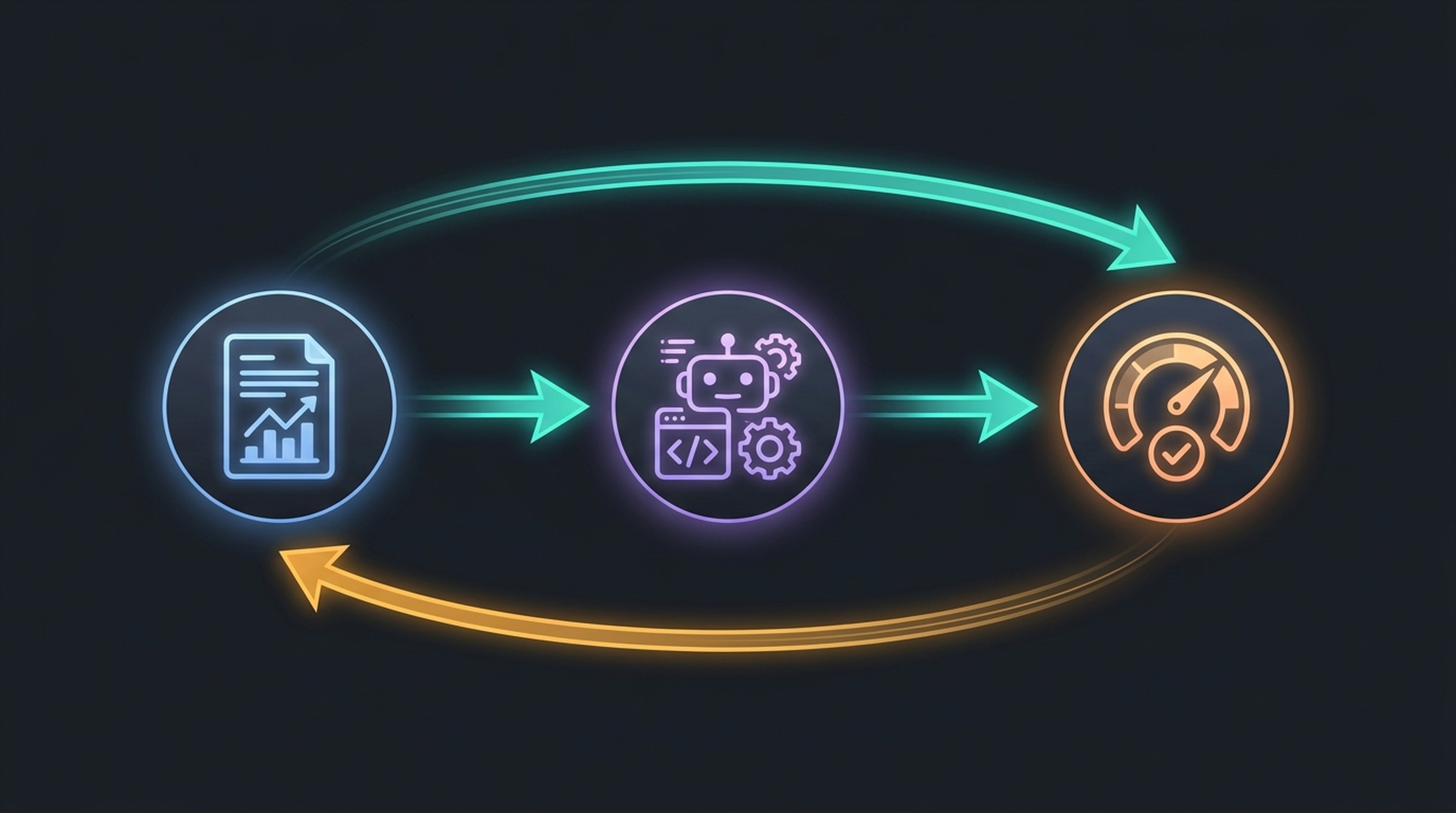
If your field data shows "Needs improvement" or "Failing," that is your real target. Copy the entire text of the report — both the summary and the diagnostics — into a text file. The richer the context you give the AI, the better the fixes.
Step 2: Hand the audit to your AI coding agent
Open your AI coding tool with your site's codebase loaded. Paste the audit and give a structured prompt:
"Here is a PageSpeed Insights audit for our site. Identify the issues that affect LCP, INP, and CLS field data. For each issue, tell me the file and line responsible, the proposed fix, and the risk level (low/medium/high). Do not make changes yet — propose a plan first."
Asking for a plan first matters. A 2026 study found roughly 65% of AI-generated fix pull requests get merged — meaning over a third are rejected by human reviewers. Performance fixes skew higher-risk because they touch rendering, asset loading, and JavaScript execution. Reviewing the plan before execution is how you avoid the rejected third.
Tool note: Cursor's agent mode is strong for cross-file refactors (loading-order changes, CSS consolidation). Claude Code's CLI works well for running audits and iterating in the terminal. GitHub Copilot suits single-file fixes inside VS Code but has a narrower context window for large codebase-wide optimizations.
Step 3: Execute the high-confidence fixes first
Let the agent implement the fixes, but sequence them by confidence. The issues AI coding tools handle most reliably are the well-documented, pattern-based ones:
LCP fixes the AI handles well:
- Preloading the LCP image or the hero font
- Deferring or removing render-blocking CSS and JavaScript
- Compressing and converting images to modern formats (WebP, AVIF)
- Setting explicit
widthandheighton images to reserve space
CLS fixes the AI handles well:
- Adding
width/heightattributes (oraspect-ratioCSS) to images, ads, and embeds - Reserving space for dynamically injected content
- Stopping late-loading fonts from causing layout jumps (
font-display: swapplus preloading)
INP fixes — handle with more care:
- Breaking up long JavaScript tasks with
scheduler.yield()orsetTimeoutchunking - Reducing main-thread blocking time
- Deferring third-party scripts (analytics, chat widgets) that hijack interaction
INP is the newest and trickiest vital. It replaced FID in 2024 and measures the entire interaction latency, not just the first input. AI fixes here are more likely to have side effects, so test them one at a time.
Step 4: Verify in the lab, then reject the false green
After the agent's fixes, re-run PageSpeed Insights. Your lab score will likely jump. Do not stop here. A green lab score with unchanged field data is the most common false win in this workflow.
Instead, deploy the fixes and wait. Field data (CrUX) updates on a 28-day rolling window, so you will not see movement immediately. To get an earlier read, use Chrome DevTools' "Performance Insights" panel on a real device profile, or check your Real User Monitoring data if you run a RUM tool.
Step 5: Confirm against Google Search Console's Core Web Vitals report
This is the step that ties your work to rankings. Open Google Search Console → Core Web Vitals report. It shows field data grouped by URL group and status (Good / Needs improvement / Poor). When your fixed pages move from "Poor" or "Needs improvement" to "Good" here, you have moved the number Google actually uses.
If a page does not improve in GSC after a reasonable window, the fix optimized lab conditions without addressing what real users experience. Go back to the audit, focus on field-data-informed diagnostics, and re-run the loop.
What AI Coding Tools Get Wrong (and How to Catch It)
The workflow is fast, but speed amplifies mistakes. Watch for these failure modes:
- Over-deferring JavaScript. An agent told to "reduce main-thread work" may defer scripts that are actually critical, breaking interactivity or analytics. Verify functionality, not just the score.
- Inlining too much CSS. "Eliminate render-blocking CSS" can become "inline all CSS," which bloats the HTML and hurts LCP on slow connections. The agent rarely weighs the tradeoff.
- Image format regressions. Aggressive conversion can produce larger files or break Safari/Firefox support if the agent skips fallback
srcsetentries. - Chasing the lab score. The most common failure: shipping a 100/100 Lighthouse page whose field data is unchanged. Always close the loop with GSC.
The rule: treat the AI agent as a fast junior developer. It can implement the obvious fixes quickly, but it needs review on anything that touches rendering behavior or asset strategy.
Keep Core Web Vitals Green With Ongoing Monitoring
A one-time fix decays. New images, third-party scripts, and feature code drift your scores back down. Set up a lightweight monitoring loop:
- Check the GSC Core Web Vitals report weekly for new "Needs improvement" URLs.
- Run a quick Website SEO Score Checker audit after any major deploy to catch performance regressions alongside on-page SEO issues in one pass.
- For sites where AI answer visibility also matters, pair the performance check with a GEO Checker run — slow pages get crawled and cited less by AI engines, so speed supports both classic SEO and generative search visibility.
The combination matters: a fast site that AI engines can't parse, or a well-structured site that loads slowly, both lose. Monitoring both signals together is how you keep the gains.
The Honest Verdict on the "Lazy Workflow"
The viral workflow — paste the audit, let AI fix it — genuinely works for the pattern-based Core Web Vitals problems that make up most real-world regressions. LCP image preloading, CLS dimension attributes, and render-blocking script deferral are exactly the kind of repetitive, well-documented fixes AI coding tools handle reliably.
Where it fails is the part the viral threads skip: lab data is not field data, and a green Lighthouse score is not a ranking signal. The fixes that move your Google rankings are the ones confirmed in Search Console's Core Web Vitals report, measured against real Chrome users over a 28-day window.
Use the AI workflow to move fast on the obvious wins. Then do the unglamorous part — verify against field data, review the risky fixes, and monitor for decay. That is the difference between a fast green score and Core Web Vitals that actually hold.
FAQ
Does PageSpeed Insights score directly affect Google rankings? No — the Lighthouse lab score does not. Google uses Core Web Vitals field data (CrUX), the rolling 28-day real-user measurements shown in the top section of PageSpeed Insights and in Search Console's Core Web Vitals report.
Which AI coding tool is best for fixing Core Web Vitals? For cross-file refactors like loading-order changes, Cursor's agent mode handles the broadest context. For terminal-driven audit-fix loops, Claude Code works well. GitHub Copilot is fine for single-file fixes but has a narrower context window for codebase-wide optimizations.
How long until my Core Web Vitals field data improves after fixes? Field data updates on a 28-day rolling window, so you may not see movement for days to weeks. Use lab re-runs and real-device profiling for faster feedback, but only treat GSC's Core Web Vitals report as the ranking-relevant confirmation.
Can I fully automate Core Web Vitals fixes with AI? You can automate the high-confidence, pattern-based fixes. INP optimizations and anything touching render behavior still need human review — roughly a third of AI-generated fix PRs get rejected, and performance fixes skew toward the riskier end.
Author: Julian Mercer, 14-Year Technical SEO Practitioner at Auspia. Julian writes about Core Web Vitals, crawlability, structured data, and the technical layer that makes content rank — and get cited by AI engines.


