


Most Image SEO Guides Stop at Alt Text — Here Are the 5 Steps That Actually Drive Traffic in 2026
A content team uploaded 47 blog illustrations last quarter. Every single one had a descriptive filename, compressed file size, and keyword-rich alt text. Google Images traffic: flat.
Then they added ImageObject schema to 12 of those pages. Within six weeks, those 12 pages accounted for 6,600+ new image search impressions — without writing a single new word.
The gap between "image SEO best practices" and actual traffic results isn't effort. It's completeness. Most guides cover three of the five steps that move rankings. The missing two — structured data and original imagery — are where compounding returns live in 2026, especially as AI search engines like Perplexity and ChatGPT increasingly parse visual context alongside text.
Here is the exact five-step method, what each step actually does for your rankings, and the one most teams get wrong.
Step 1: Rename Files Before Upload (Not After)
The filename is the first signal Google uses to categorize an image. IMG_4829.jpg tells the search engine nothing. onpage-seo-audit-checklist.jpg tells it exactly what the image contains and which query cluster it belongs to.
What to do:
- Use lowercase words separated by hyphens:
geo-strategy-framework-2026.jpg - Include the target keyword naturally — don't stuff:
ai-search-optimization-workflow.png, notai-search-optimization-ai-seo-geo-aeo.png - Rename before uploading to your CMS. Most platforms won't retroactively update the stored filename even if you edit it in the media library.
Why it matters now: Google's multimodal models cross-reference filenames with surrounding text, alt attributes, and page content. A descriptive filename that matches the page's topic cluster strengthens the semantic signal across all three.
Step 2: Compress Without Losing the Details That Matter
Page speed is a ranking factor. Images account for roughly 36% of total page weight across the web. A single uncompressed hero image can add 2-3 seconds to your Largest Contentful Paint.
The compression hierarchy for 2026:
Format | Best For | Size Reduction vs JPEG | Browser Support |
|---|---|---|---|
AVIF | Photos, complex gradients | ~50% smaller | 92% global (check Safari edge cases) |
WebP | General purpose, transparency | ~25-35% smaller | 96% global |
JPEG | Photographic content (legacy) | Baseline | Universal |
SVG | Icons, logos, diagrams | Infinite scalability | Universal |
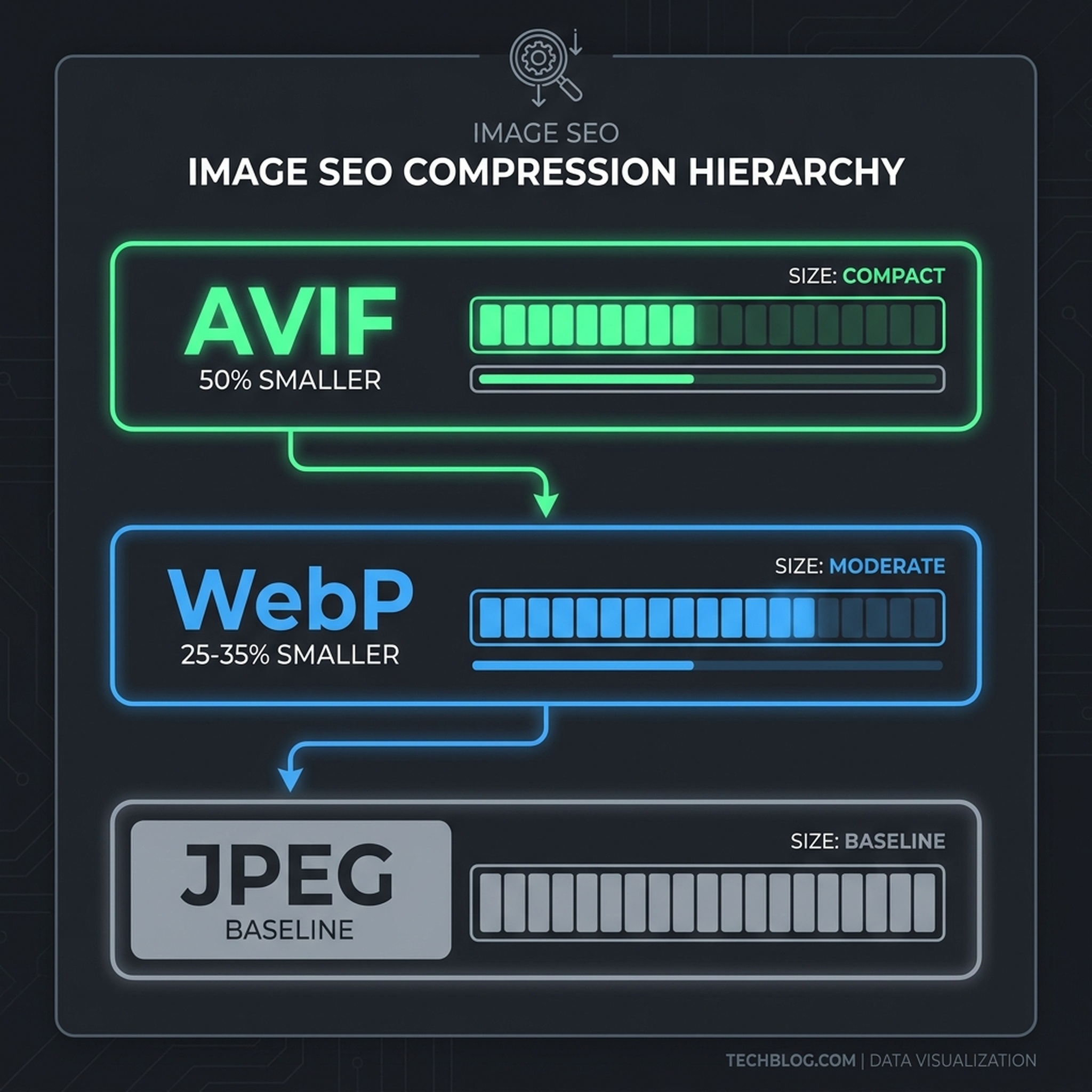
The 2026 compression hierarchy: AVIF delivers the smallest files, but always test quality at your target display size.
Practical workflow:
- Export from your design tool at 2x the display width (for retina screens)
- Run through Squoosh, TinyPNG, or ImageMin for lossy compression
- Serve with
<picture>element fallbacks: AVIF → WebP → JPEG - Always specify
widthandheightattributes to prevent Cumulative Layout Shift
The mistake: Teams compress aggressively and lose the text inside diagrams, the labels on charts, or the fine detail in product screenshots. Compress to the point where the image still communicates clearly at its display size — not smaller.
Step 3: Write Alt Text That Serves Both Accessibility and AI Context
Alt text has two jobs: describe the image for screen readers, and provide context for search engines. In 2026, there's a third job — AI search engines like ChatGPT and Perplexity reference alt text when deciding which sources to cite in generated answers.
The formula that works:
- Be specific: "Dashboard showing organic traffic growth from 1,200 to 4,800 monthly visits between March and August 2026" beats "traffic chart"
- Include the keyword naturally, not forcefully: "GEO audit checklist with 12 items covering AI search visibility" not "GEO SEO AI search optimization checklist template"
- Skip decorative images: use
alt=""for spacers, dividers, and purely visual elements - Never start with "Image of" or "Picture of" — screen readers already announce it as an image
What changed for AI search: When Perplexity generates an answer about "how to optimize for AI search," it may reference your page. If your images have alt text that precisely describes frameworks, data, or processes mentioned in the text, the AI engine has stronger evidence that your page contains authoritative, specific information — increasing citation probability.
Step 4: Add ImageObject Schema (The Step Almost Everyone Skips)
This is where the 6,600+ impressions came from. ImageObject structured data tells Google exactly what each image represents, who created it, and how it relates to the page content. It's the difference between Google guessing what your image is about and knowing.
Implementation:
Add JSON-LD to your page for each key image:
{
  "@context": "https://schema.org",
  "@type": "ImageObject",
  "contentUrl": "https://yoursite.com/images/geo-framework-2026.jpg",
  "name": "GEO Operating Model Framework",
  "description": "Five-layer GEO operating model covering prompt tracking, content optimization, citation measurement, entity clarity, and iteration cadence",
  "creator": {
    "@type": "Organization",
    "name": "Your Brand"
  },
  "license": "https://yoursite.com/license",
  "acquiringLicense": "https://yoursite.com/license"
}
What this unlocks:
- Eligibility for rich results with image thumbnails
- Google's improved understanding of image-to-page relevance
- Better performance in Google Discover and visual search surfaces
- Stronger entity signals that feed into AI search citation decisions
Why teams skip it: It requires developer involvement or a CMS plugin. Most content teams consider it "technical SEO" and assume someone else handles it. Nobody does. If you're publishing images without schema, you're leaving ranking signal on the table.
Step 5: Use Original Images (Stock Photos Are a Ranking Liability)
Google has explicitly stated that original, unique images are preferred in search results. Stock photos are already indexed across thousands of websites. When Google encounters your page with the same stock hero image used by 400 other sites, your image has zero competitive advantage in image search rankings.
What counts as "original":
- Screenshots of your own product, dashboard, or data
- Custom diagrams, flowcharts, and frameworks you designed
- Photos taken by your team (office, events, product shots)
- Original infographics with your brand's data or research
- Annotated comparisons you created
The AI search angle: AI engines weight source uniqueness when selecting citations. A page with original screenshots and custom diagrams signals first-hand expertise more strongly than a page with generic stock illustrations. This matters for E-E-A-T evaluation in both traditional and AI search.
Practical constraint: Not every article needs a custom photograph. But every key image — the hero, the main diagram, the data visualization — should be original. Stock is acceptable only for decorative filler that doesn't carry informational weight.
The Checklist: Run This Before Every Publish
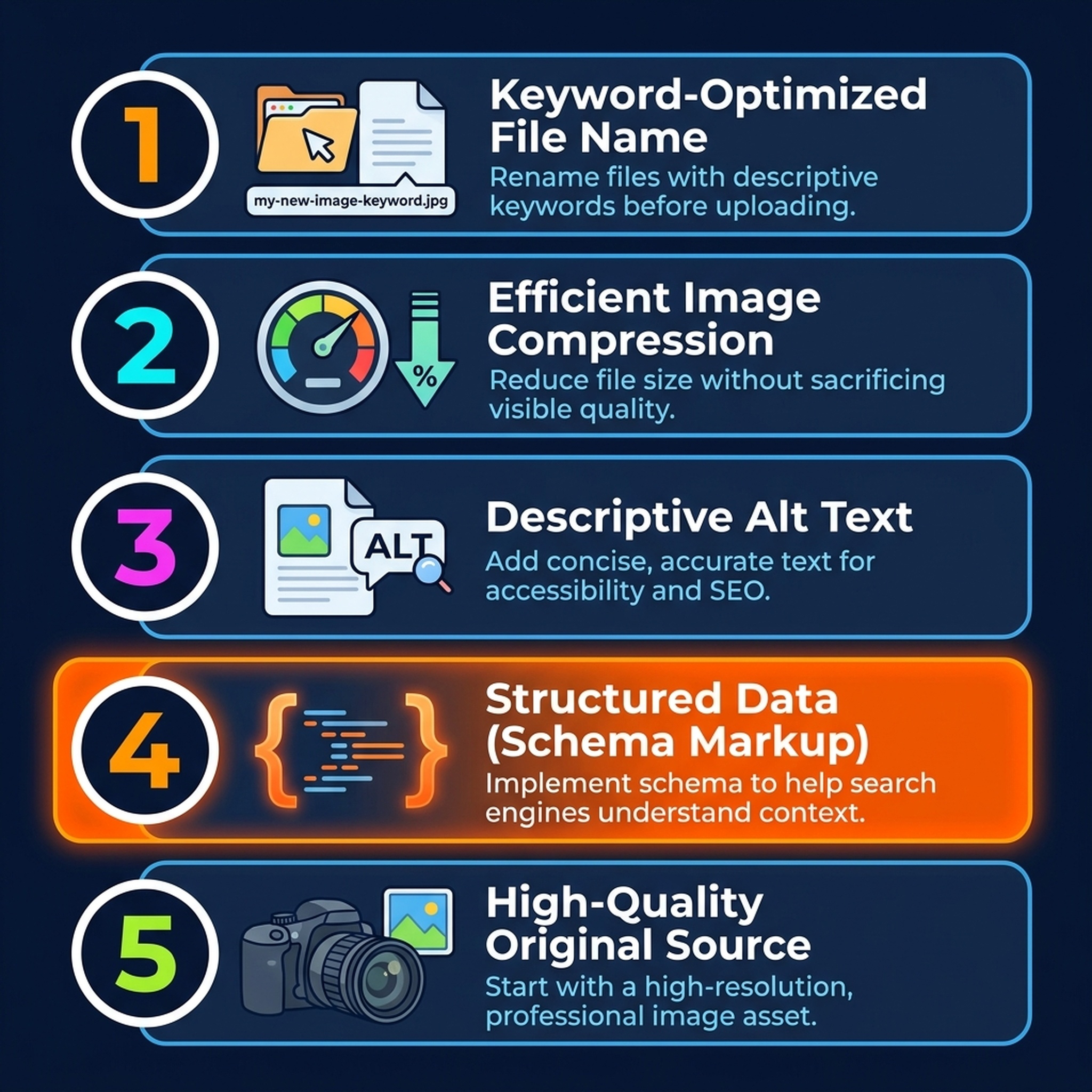
The complete image SEO workflow — step 4 (schema) is where most teams stop optimizing and leave the most traffic on the table.
Step | Action | Who Owns It | Time Required |
|---|---|---|---|
1 | Rename file with target keyword | Content creator | 10 seconds |
2 | Compress to optimal format/size | Content creator or build pipeline | 30 seconds |
3 | Write specific, contextual alt text | Content creator | 1-2 minutes |
4 | Add ImageObject schema | Developer or CMS automation | 5 minutes (first time), 0 after templated |
5 | Verify image is original | Editor | 10 seconds |
The total investment per image is under 3 minutes once step 4 is templated. The return compounds: each optimized image is a new entry point for Google Images traffic, a stronger semantic signal for your page's topic, and a more citable asset for AI search engines.
What This Means for GEO and AI Search Visibility
Traditional image SEO and GEO (Generative Engine Optimization) share the same underlying principle: make your content's expertise machine-readable. Alt text, structured data, and original imagery all serve that goal.
When an AI search engine evaluates whether to cite your page, it assesses:
- Specificity: Does your content contain precise, verifiable information? Original diagrams and data screenshots signal this.
- Context clarity: Can the engine understand what each element represents? Alt text and schema provide this.
- Uniqueness: Is your content differentiated from the thousands of other pages on this topic? Original images demonstrate this.
Teams that treat image optimization as a checkbox exercise miss the strategic layer. Every image on your site is either strengthening or weakening your page's overall authority signal. In 2026, with AI engines parsing visual context alongside text, the gap between optimized and unoptimized images isn't just about Google Images traffic — it's about whether AI search considers your content worth citing at all.
FAQ
Does image SEO still matter if I use a CDN with automatic optimization?
CDNs handle delivery (compression, format negotiation, caching). They don't handle the strategic layer: filenames, alt text, schema, or originality decisions. You still need to optimize the input — the CDN just ensures efficient output.
How long until image SEO changes show in rankings?
File renames and alt text updates can be reflected within 1-2 weeks after Google recrawls the page. Schema markup typically takes 2-4 weeks to process. Original images show impact gradually as they accumulate indexing signals. Expect measurable traffic shifts within 4-8 weeks for a batch of optimizations.
Should I go back and optimize images on old posts?
Prioritize posts already ranking on pages 1-3 of Google for your target keywords. These pages have proven relevance — adding image optimization is a low-effort push that can improve both traditional and AI search signals. Use your SEO tools to identify high-potential pages, then batch-process their images.
Do AI search engines actually read alt text?
Yes. Perplexity, ChatGPT Browse, and Google AI Overviews all process page content including image attributes when generating answers. Alt text that precisely describes data, frameworks, or processes gives these engines more evidence to cite your page as a source.
Author: Julian Mercer, 14-Year Technical SEO Practitioner at Auspia. Julian writes about structured data, crawlability, and the technical foundations that turn content into measurable search visibility.


