The short answer
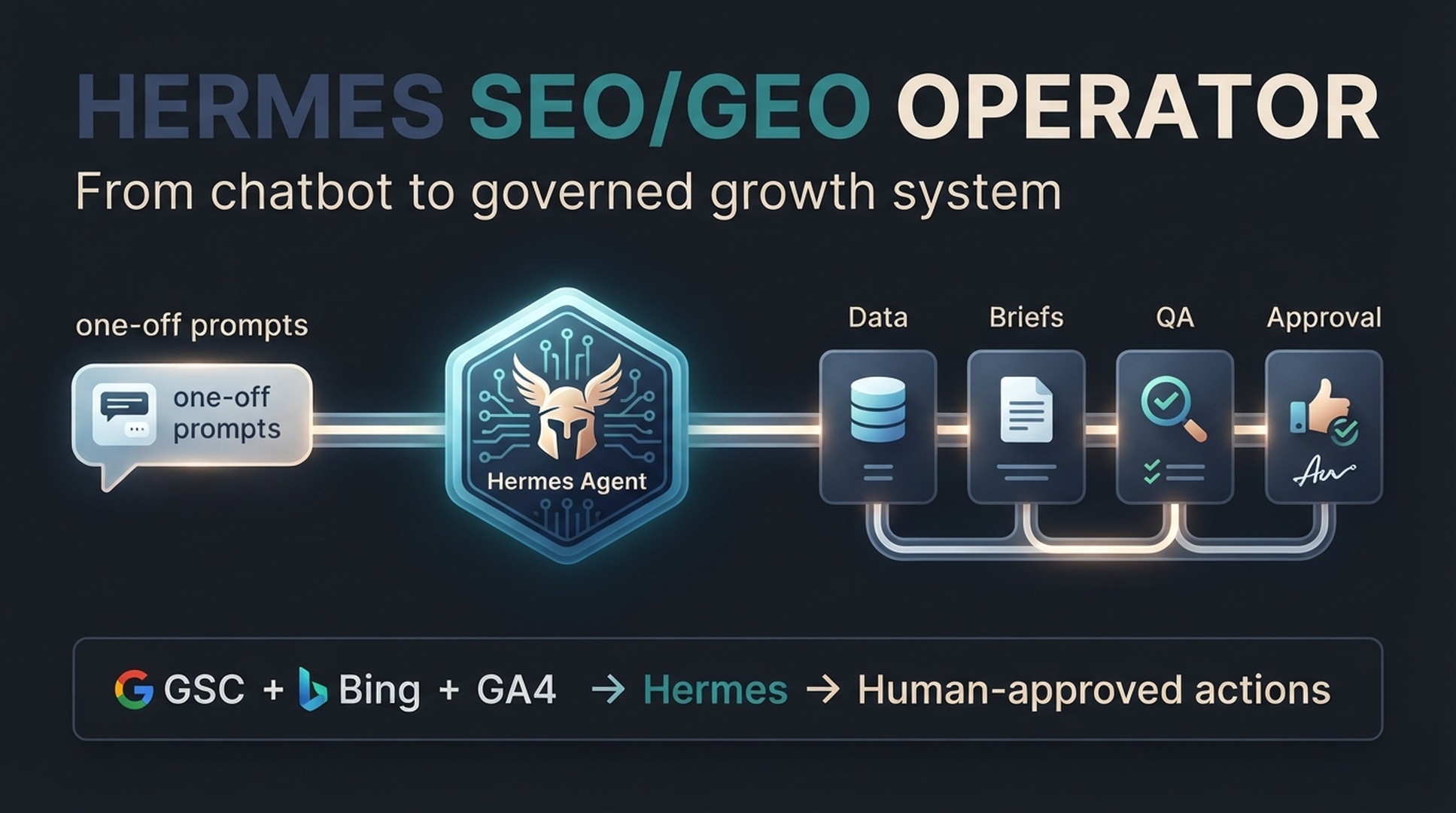
Hermes Agent is useful for SEO and GEO when you use it as a supervised operator: it reads your website context, checks data, breaks work into tasks, prepares drafts or reports, and waits for a human before risky changes go live.
This sounds less flashy than "let an agent publish 500 pages," but it is the safer and more useful path. Search work has many repeatable steps: collect data, find weak pages, map topics, write briefs, check technical issues, improve pages, and measure the next result. Hermes is a good fit because its official documentation describes persistent memory, reusable skills, built-in tools, scheduled automations, messaging gateways, and parallel subagents. Those are operator features, not just writing features.
For GEO, the same principle applies. Google's own guidance says generative AI features in Search are rooted in core Search ranking and quality systems. As of mid-2026, Google also says there are no special technical requirements for AI Overviews or AI Mode beyond being indexed and eligible to appear with a snippet. So a Hermes GEO workflow should not chase magic tags. It should make your site crawlable, useful, structured, specific, and easy to verify.
What this guide gets you
Who it is for. Solo site owners and one-person growth teams who want a repeatable SEO/GEO operation without unsafe automation.
Prerequisites. Hermes installed, a website you manage, and Google Search Console access for that site. GSC, Bing Webmaster, and GA4 exports help in later steps but are not required on day one.
Time and effort. About one to two weeks at one to two hours a day, following the 7-day plan near the end of this guide.
Definition of done. The project folder exists with approval-rules.md in place, one content brief has passed the quality gate, and the first opportunity report is written.
Before you start: what Hermes should and should not do
A beginner mistake is giving an agent too much power too early. Do not start with: "Audit my site, rewrite everything, publish changes, and submit the URLs." That is how an SEO helper becomes a risk.
Start with low-risk work:
Hermes task | Safe for beginners? | Why |
|---|---|---|
Summarize website context | Yes | It helps the agent understand the business before making recommendations. |
Build a content brief | Yes | It produces a plan, not a live change. |
Analyze exported GSC data | Yes | It can find patterns, but it should not invent missing metrics. |
Suggest title/meta tests | Yes | A human can review before implementation. |
Generate internal link candidates | Yes | Useful, but every link needs relevance review. |
Rewrite live pages directly | No | A bad rewrite can damage rankings, conversions, or brand accuracy. |
Change robots.txt, canonicals, redirects, or noindex | No | These can remove pages from search if handled badly. |
Bulk publish AI pages | No | Google warns that using generative AI to create many pages without user value may violate scaled content abuse policies. |
The working rule: Hermes prepares the work; humans approve anything risky.
Step 1: create a clean project folder
Give Hermes a small workspace. Beginners often skip this and paste random instructions into chat. That works for one task, then falls apart after the third or fourth request.
Create this folder structure:
/hermes-seo-project
  /context
    brand.md
    website.md
    audience.md
    competitors.md
  /data
    gsc-export.csv
    bing-webmaster-export.csv
    ga4-export.csv
    crawl-export.csv
  /briefs
  /drafts
  /qa
  /reports
  approval-rules.md
If you do not have all the data yet, leave the files empty or add TODO. The point is to give the agent a stable place to read and write.
Add this to context/brand.md:
# Brand context

Brand name:
Website:
Primary product or service:
Target customers:
Main countries or languages:
Top competitors:
Topics we want to be known for:
Topics we should avoid:
Claims we are allowed to make:
Claims we are not allowed to make:
Preferred tone:
Add this to approval-rules.md:
# Approval rules for Hermes SEO/GEO work

Hermes may:
- Analyze exported data.
- Create briefs, drafts, reports, and QA checklists.
- Suggest page updates.
- Suggest internal links.
- Flag technical SEO issues.

Hermes must not:
- Publish or update live pages without approval.
- Delete pages.
- Change robots.txt, sitemap, noindex, canonical, redirects, or structured data without technical review.
- Invent metrics, sources, customer results, or citations.
- Submit URLs for indexing without approval.
- Create bulk pages only to target keywords.

Every recommendation must include:
- URL or page name
- Evidence
- Suggested action
- Expected SEO impact
- Expected GEO impact
- Risk level
- Approval needed: yes/no
This file is not exciting. Keep it anyway. It prevents vague instructions later.
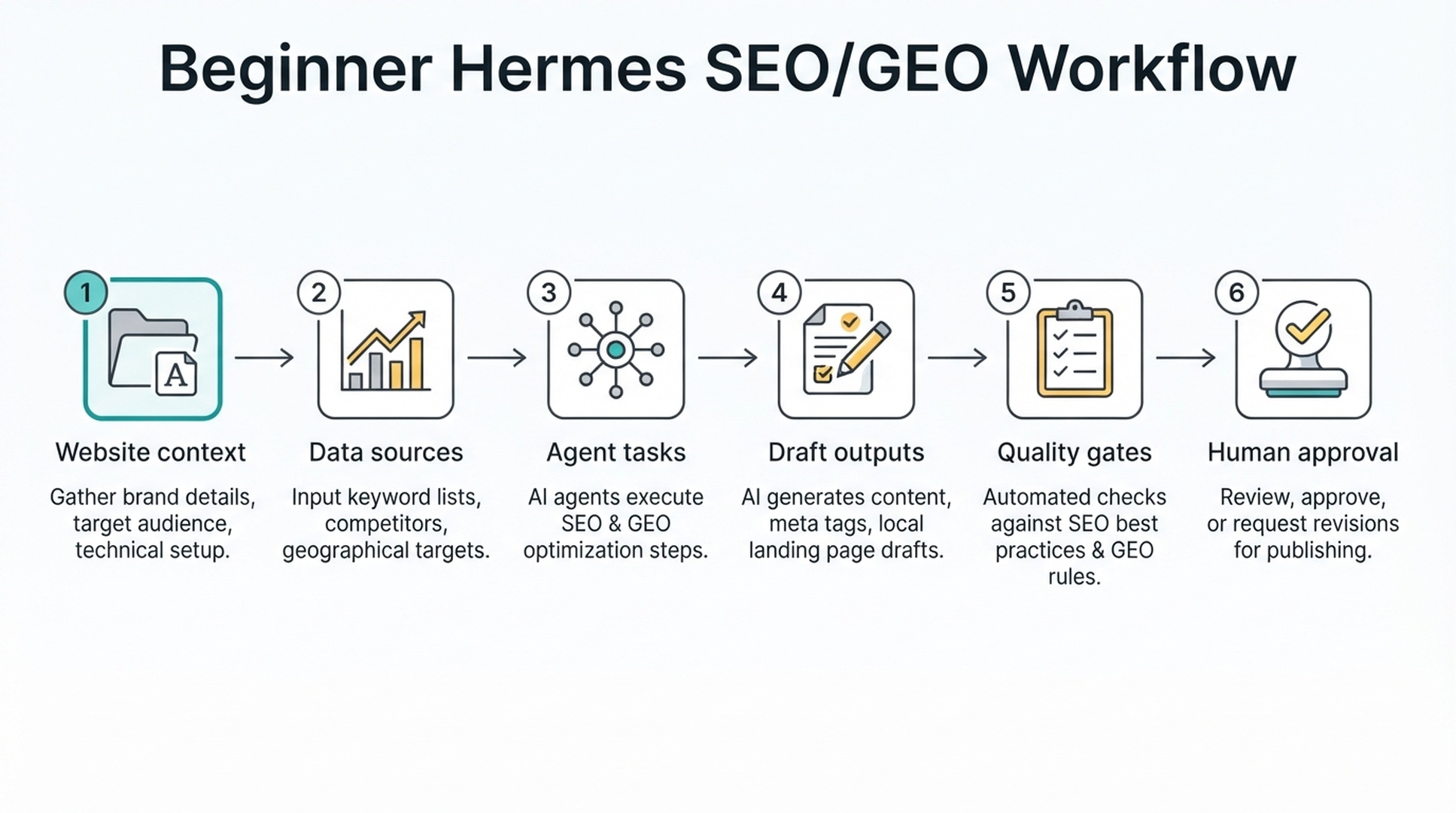
Step 2: give Hermes the right first instruction
Skip the strategy questions until the agent knows the site. Start with a setup prompt instead.
Copy this prompt:
You are my supervised SEO/GEO operator.

Your job is to help me build a repeatable workflow for search visibility, AI search visibility, content quality, and technical SEO hygiene.

Important rules:
- Do not publish anything.
- Do not edit live pages.
- Do not invent data.
- If a metric or source is missing, write "missing".
- Every recommendation must include evidence and risk level.
- Any action that affects live pages requires human approval.

First, read the project context files.
Then return:
1. A short summary of the website.
2. The missing information you need.
3. The safest first 5 SEO/GEO tasks.
4. The files you will create for each task.
5. The approval gates required before implementation.
The expected output should look like this:
## Website summary
[Hermes summarizes only known facts.]

## Missing information
- GSC export is missing.
- GA4 landing page report is missing.
- Competitor list is incomplete.

## Safest first tasks
| Task | Output file | Risk | Approval needed |
|---|---|---|---|
| Build content inventory | /reports/content-inventory.md | Low | No |
| Find low-CTR pages from GSC export | /reports/low-ctr-opportunities.md | Low | No |
| Draft one content brief | /briefs/topic-name.md | Low | Yes before writing |
| Review technical blockers from crawl export | /qa/technical-seo-check.md | Medium | Yes before fixes |
| Create GEO prompt map | /reports/geo-prompt-map.md | Low | No |
If Hermes immediately recommends publishing pages, changing robots.txt, or rewriting the whole site, tighten the instructions. A useful SEO operator should know when to stop.
Step 3: connect SEO and GEO work without mixing them up
SEO and GEO overlap, but they are not the same workflow.
SEO usually starts from keywords, pages, links, crawlability, snippets, and performance data. GEO starts from the questions people ask AI systems, the entities those systems need to understand, and the evidence a model can use when forming an answer.
Use this simple split:
Work item | SEO view | GEO view | Hermes output |
|---|---|---|---|
Topic planning | Which keywords and search intents deserve pages? | Which AI prompts should this brand be eligible to answer? | Topic cluster + prompt map |
Content brief | What page can rank for the query? | What answer blocks, facts, and examples make the page citable? | SEO/GEO brief |
Technical check | Can crawlers access and index the page? | Can AI search features access text and snippets? | Technical QA report |
Refresh | Which pages lost clicks or impressions? | Which pages lack clear answers or current facts? | Refresh plan |
Measurement | Clicks, CTR, position, landing pages | Mentions, citations, prompt visibility, referral quality | Weekly supervision report |
A good beginner workflow keeps both columns visible. If you only think in keywords, you miss AI search questions. If you only think in prompts, you may ignore the search index that AI features still rely on.
Step 4: run a first beginner-safe SEO/GEO task
The safest first task is not a full article. It is a brief.
Give Hermes one target topic and ask for a brief that a human can approve.
Create a beginner-friendly SEO/GEO content brief for this topic:
[TOPIC]

Use the website context files and any available data exports.

Return:
1. Target reader
2. Search intent
3. GEO prompt intent
4. Primary keyword
5. Related questions
6. Entities to define clearly
7. Recommended page structure
8. Required evidence or sources
9. Internal link opportunities
10. Title options
11. Meta description options
12. Human approval checklist

Do not write the full article yet.
If data is missing, mark it as missing.
The brief should include enough detail that a human can say yes, no, or revise. Here is the quality bar:
Brief section | Good output | Weak output |
|---|---|---|
Search intent | "Beginner wants to understand how to set up Hermes for SEO work without unsafe automation." | "Informational." |
GEO prompt intent | "User asks an AI assistant which SEO tasks can be delegated to Hermes safely." | "AI search." |
Entities | Hermes Agent, SEO, GEO, Google Search Console, Bing Webmaster Tools, GA4, AI Overviews | "AI tools." |
Evidence | Official Hermes docs and Google Search Central guidance | "Industry experts say." |
Approval gate | Human reviews title, claims, sources, and implementation risk | "Approve content." |
If the brief is vague, do not move to drafting. Ask Hermes to tighten the brief first.
Step 5: add a data file, even if it is just an export
Hermes gets much more useful when it can inspect real data. You do not need API integrations on day one. Start with exports.
Beginner data files:
File | Where it comes from | Minimum columns |
|---|---|---|
| Google Search Console Performance export | Query, Page, Clicks, Impressions, CTR, Position |
| Bing Webmaster Tools export | Query, Page, Clicks, Impressions, Crawl issue if available |
| GA4 landing page report | Landing page, Organic sessions, Engaged sessions, Conversions |
| Screaming Frog, Sitebulb, or another crawler | URL, Status code, Title, Meta description, Canonical, Indexability |
Then ask Hermes:
Analyze the files in /data and create /reports/first-seo-geo-opportunity-report.md.

Find:
1. Pages with impressions but low CTR.
2. Pages with clicks declining compared with the previous period, if comparison data exists.
3. Pages with organic sessions but weak engagement or conversions.
4. Pages with technical crawl or indexability issues.
5. Pages that may need clearer answer blocks for GEO.

For every recommendation, include:
- Evidence from the data
- The likely issue
- Suggested next action
- SEO impact
- GEO impact
- Risk level
- Human approval needed

Do not invent missing data.
This is where Hermes starts behaving like an operator. It is no longer guessing from a topic. It is reading evidence.
Step 6: create a quality gate before any draft becomes a page
Google's guidance on AI-generated content is practical: using AI for research and structure can be useful, but mass-producing pages without added value can create spam risk. Treat that as your operating rule.
Create qa/content-quality-gate.md:
# Content quality gate

A draft cannot be published until it passes these checks.

## Accuracy
- [ ] All factual claims are sourced or verified.
- [ ] No invented statistics.
- [ ] No invented customer results.
- [ ] No fake citations.

## Usefulness
- [ ] The article solves a real reader problem.
- [ ] The article adds examples, workflow, template, or original explanation.
- [ ] The article is not just a rewrite of pages already ranking.

## SEO
- [ ] Search intent is clear.
- [ ] Title and meta description match the page.
- [ ] Internal links are relevant.
- [ ] Page can be crawled and indexed.

## GEO
- [ ] The article has a short direct answer near the top.
- [ ] Important entities are named clearly.
- [ ] Tables or lists make facts easy to extract.
- [ ] Claims are specific enough to cite.

## Approval
- [ ] Editor approved.
- [ ] SEO owner approved.
- [ ] Technical reviewer approved, if technical changes are involved.
Then give Hermes this QA prompt:
Review this draft against /qa/content-quality-gate.md.

Return:
1. Pass/fail for each section.
2. Specific weak paragraphs.
3. Claims that need source checks.
4. Places where the article sounds generic.
5. Suggested fixes.
6. Whether this is safe to publish.

Do not approve the draft if facts, sources, or user value are weak.
This may feel slow. That is intentional. The safer workflow is slower at the start and faster later because the rules are reusable.
What a simple Hermes SEO/GEO workflow looks like
Once the basics are in place, your weekly workflow can be small:
Monday: Hermes reads GSC, Bing Webmaster, GA4, crawl, and prompt visibility data.
Tuesday: Hermes creates a top 10 action queue.
Wednesday: Human reviews the top 3 actions.
Thursday: Hermes prepares briefs, refresh plans, or QA reports.
Friday: Human-approved updates are implemented and logged.
Next Monday: Hermes checks whether the changes moved the right metrics.
The action queue should use a score, not vibes:
Score factor | Question |
|---|---|
Traffic opportunity | Does the page already have impressions, rankings, or demand? |
Conversion relevance | Is the page tied to product, signup, demo, lead, or revenue intent? |
GEO potential | Could this page answer AI search prompts clearly? |
Implementation effort | Can the team fix it this week? |
Risk | Could the action hurt indexing, rankings, brand trust, or conversions? |
A beginner can run this with CSV exports. A mature team can later connect APIs, scheduled automation, and notifications.
Where screenshots help
Use real screenshots when they make the tutorial easier to follow. For this article, two screenshot types are useful:
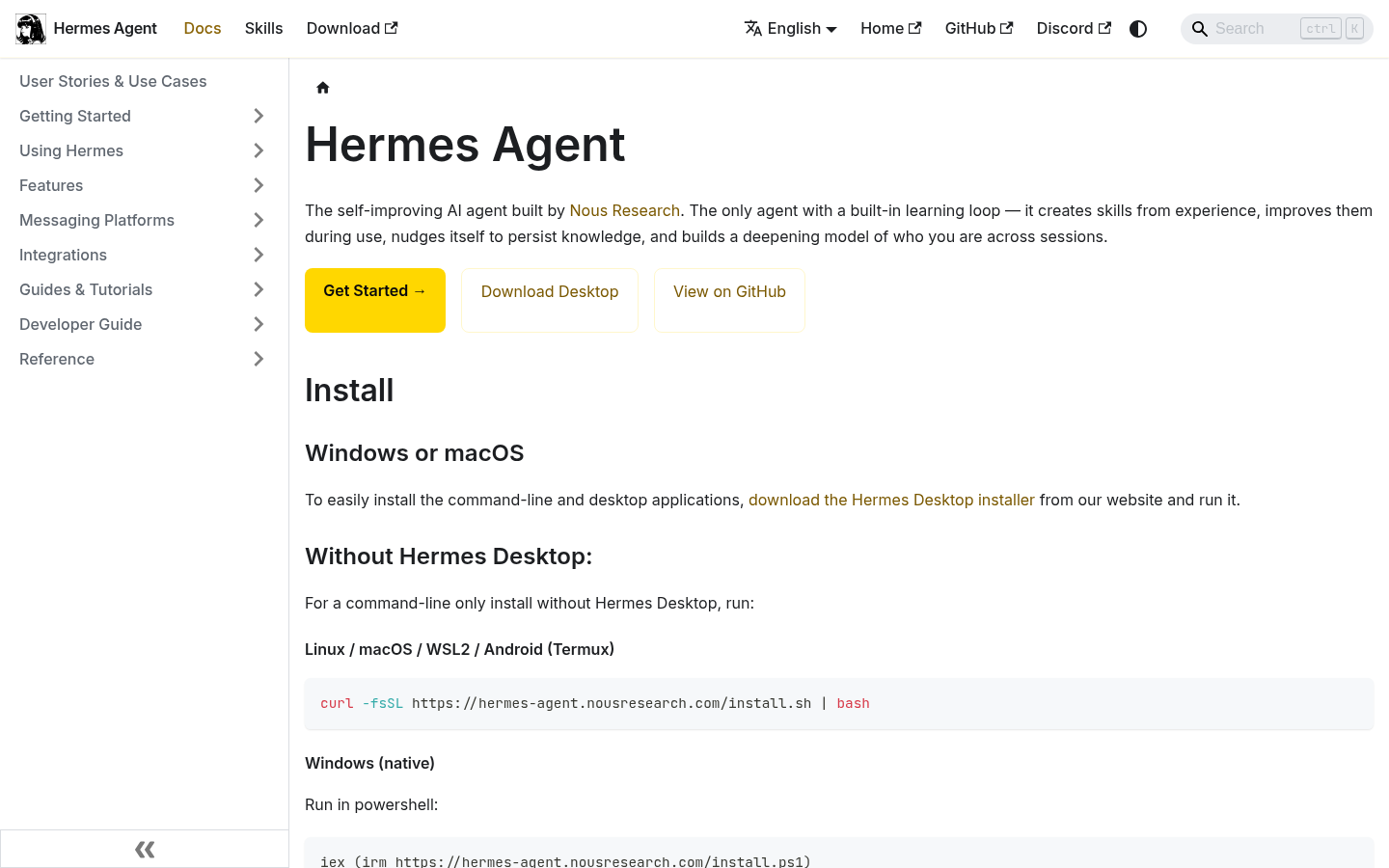
Caption: The Hermes documentation is the right starting point for setup, tools, memory, skills, MCP, security, and scheduled automation.
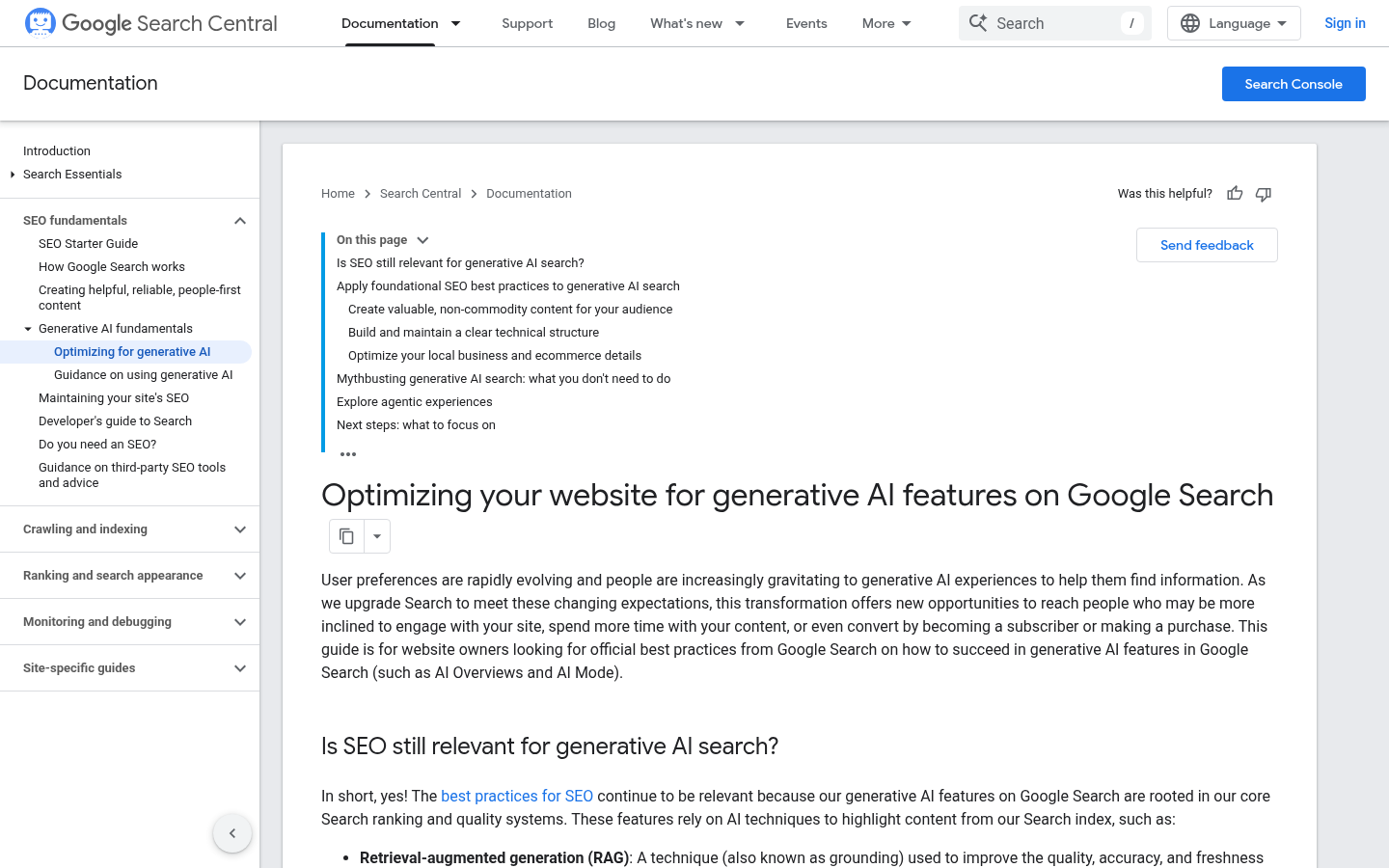
Caption: Google's guidance is useful because it keeps GEO work grounded in search fundamentals instead of speculative hacks.
For later articles in this series, screenshots should be more operational: GSC performance exports, Bing Webmaster dashboards, GA4 landing page reports, crawl reports, and prompt tracking sheets. Use public or redacted data only.
Beginner mistakes to avoid
The risky mistakes are usually simple:
Mistake | Why it causes trouble | Safer alternative |
|---|---|---|
Starting with bulk article generation | It creates low-value pages before you understand demand. | Start with briefs and one approved draft. |
Letting Hermes edit live pages | One bad instruction can change important pages. | Work in Markdown or staging first. |
Ignoring data | The agent guesses priorities. | Add GSC, Bing, GA4, and crawl exports. |
Treating GEO as magic | You chase tricks instead of improving pages. | Focus on crawlability, clarity, evidence, and useful answers. |
Skipping source checks | AI can invent facts or citations. | Require source links and human review. |
No approval rules | The agent cannot know what is risky. | Keep |
One more practical note: "make this SEO optimized" is a request that fails without context. Tell Hermes what SEO means for your site: the target reader, market, product, data, constraints, and approval rules.
A practical 7-day starter plan
If you are new, use this plan instead of trying to build the whole system at once.
Day | Task | Output |
|---|---|---|
Day 1 | Install Hermes and create the project folder |
|
Day 2 | Fill in brand, website, audience, and approval rules | Context files |
Day 3 | Export GSC, Bing Webmaster, GA4, and crawl data if available | CSV files in |
Day 4 | Ask Hermes for the first opportunity report |
|
Day 5 | Choose one low-risk page or topic | Human-approved task |
Day 6 | Ask Hermes for a content brief or refresh plan |
|
Day 7 | Run the quality gate and decide whether to draft | QA report |
Hermes is the open-source agent framework from NousResearch. Its CLI entry point is hermes chat; install and quickstart steps are in the official documentation. On Day 1, verify that hermes chat starts and create the project folder from Step 1.
Do not measure success by how many words the agent wrote. Measure it by whether you now have clearer priorities, better briefs, fewer risky changes, and a repeatable review process.
Troubleshooting
Hermes cannot read the project files. Make sure the /context and /data files exist in the folder you point it at, and use absolute paths in your prompt. If the agent still reports empty files, ask it to list the directory contents and confirm the filenames out loud.
CSV column names do not match the prompts. The prompts in this guide expect standard names such as Query, Page, Clicks, and Impressions. If your export uses different names, ask Hermes to show the first rows of the CSV, then tell it which columns to use, instead of renaming the file.
Missing data is treated as zero. A blank cell can look like a decline or a zero click count. Remind Hermes that "missing" is a valid value, and ask every report to include a data coverage note so you can tell absence apart from zero.
Approval rules stop being followed. Re-read approval-rules.md with Hermes at the start of a session and ask it to restate the rules in its own words. If a rule still gets ignored, tighten the wording, move the rule into the setup prompt, and pause the task until the agent complies.
Auspia take
Hermes is useful for SEO/GEO because it can sit between your data and your publishing process. That middle layer is where most teams are messy. They have Search Console data in one place, Analytics in another, content docs in another, and technical issues in someone's backlog.
A supervised Hermes workflow can connect those pieces, but only if you design it with boundaries. The best first version is not autonomous publishing. It is an action queue with evidence, risk levels, and approval gates.
A simple next step, build the folder structure, add approval-rules.md, and run one brief. If that works, add data. If that works, add a weekly report. Scale only after the process is predictable.
FAQ
Can Hermes automatically publish SEO articles?
It can prepare drafts and publishing packages, but beginners should not let it publish automatically. Use human approval for any live page update, especially when the content includes claims, data, technical instructions, or brand positioning.
Is Hermes different from using ChatGPT or Claude for SEO?
Yes. A normal chatbot is usually a one-off conversation. Hermes is designed as a longer-running agent environment with memory, skills, tools, scheduled automation, messaging gateways, and subagents. For SEO/GEO, that makes it better suited to repeatable operations such as weekly reports, briefs, QA, and task queues.
Does GEO require special schema or AI-specific files?
For Google AI Overviews and AI Mode, Google's documentation says, as of mid-2026, there are no additional technical requirements beyond being indexed and eligible to appear with a snippet. Structured data still matters when it matches visible page content, but there is no special schema that guarantees inclusion.
What data should I connect first?
Start with exports from Google Search Console, Bing Webmaster Tools, GA4, and a site crawler. API integrations can come later. The first goal is to teach Hermes how to make recommendations from real evidence.
What should Hermes never do without approval?
Do not let it change robots.txt, noindex, canonical tags, redirects, live page copy, structured data, navigation, or internal links without review. Those changes can affect indexing, rankings, conversions, and brand trust.
Can Hermes guarantee AI search citations?
No. No tool can guarantee citations in AI answers or AI Overviews. Hermes can help improve the inputs that matter: crawlability, useful content, clear entities, specific answer blocks, source quality, and consistent measurement.
Author: Maya Ellison, GEO Strategy Researcher at Auspia. Maya writes about AI search visibility, brand entity clarity, and practical GEO operating systems for growth teams.