


The practical answer
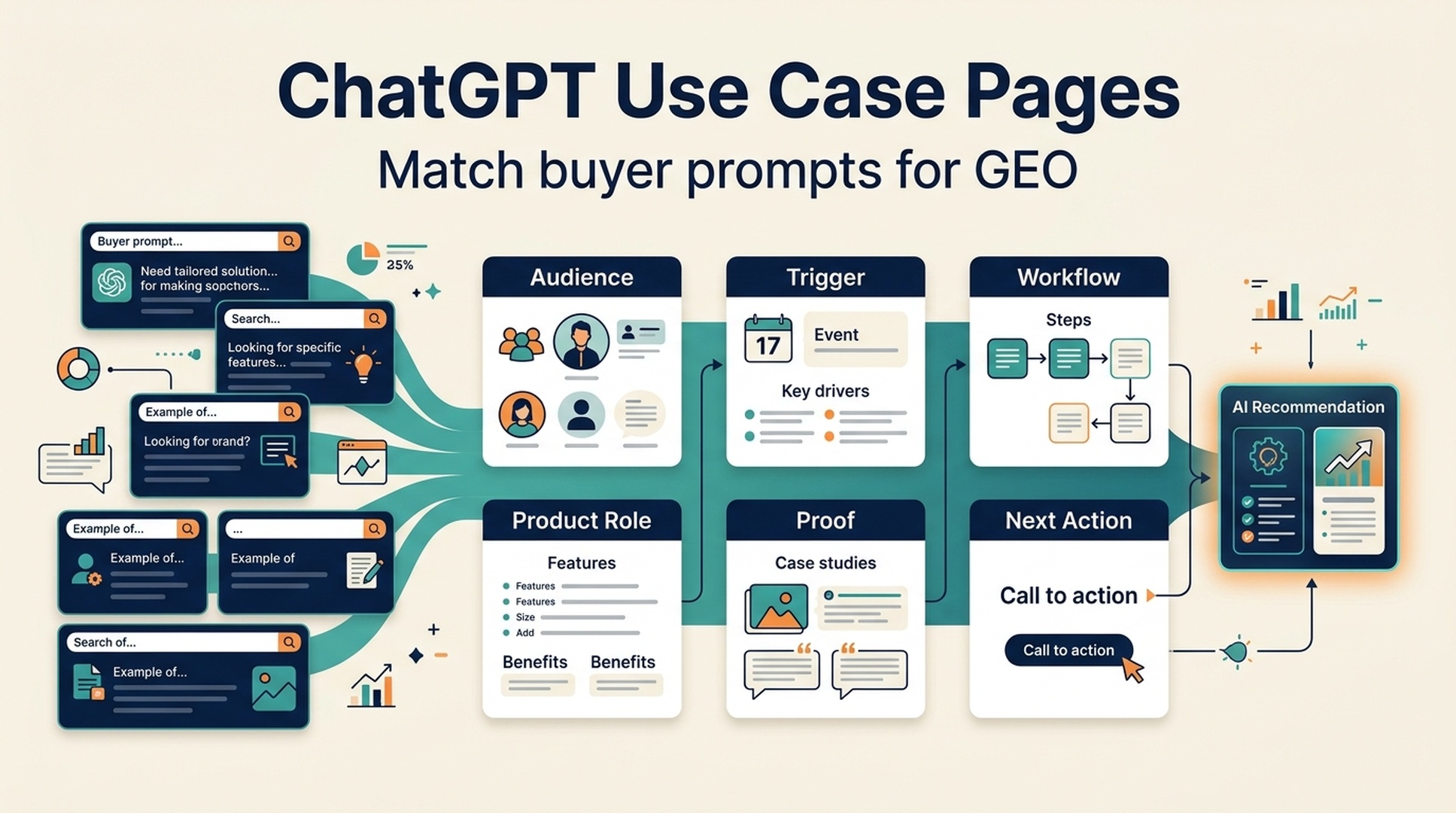
Use case pages help ChatGPT GEO because buyers rarely ask only for a product category. They ask for a tool, method, or workflow for a specific situation: "for content teams," "for SaaS marketing," "for local businesses," "for reporting," "for competitor analysis," or "for fixing wrong brand descriptions." If your site does not map your product to those situations, AI answer systems may not know when to recommend you.
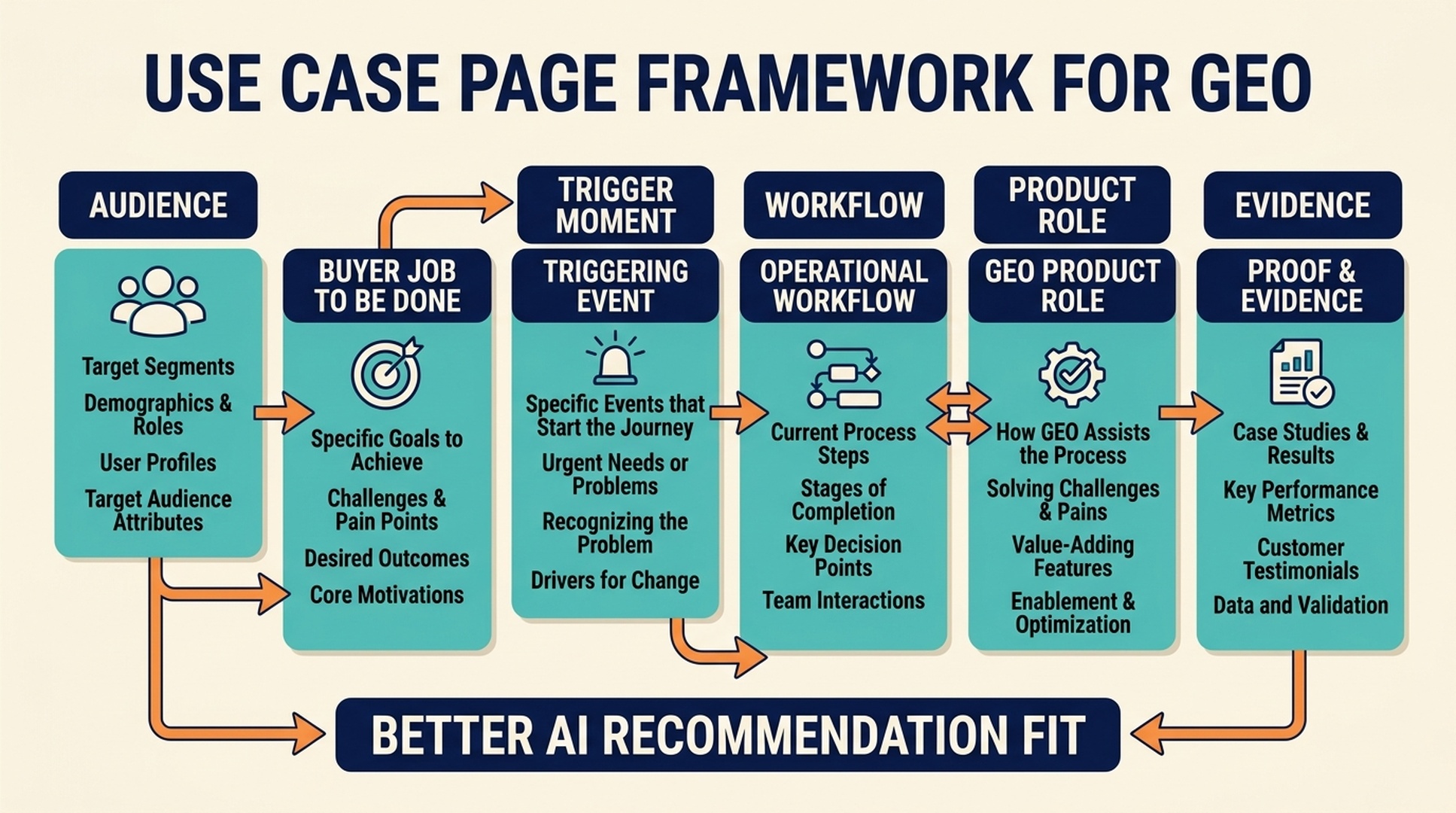
A strong use case page explains who the page is for, what job the buyer needs to do, what triggers the need, how the workflow works, what proof supports the claim, and when the solution is not the best fit. It turns a generic product into a specific answer.
For ChatGPT GEO, use case pages are where brand entity, buyer intent, and recommendation context meet.
Why use case pages matter for AI recommendations
ChatGPT-style recommendations are often situational. A buyer does not just ask, "What is the best software?" They add context.
Examples:
- What tool should a B2B SaaS content team use to measure ChatGPT visibility?
- How can an agency audit AI search presence for clients?
- What is the best way for a local service business to appear in AI answers?
- Which platform helps ecommerce teams improve product discovery in AI shopping?
- How can a startup fix wrong brand descriptions in ChatGPT?
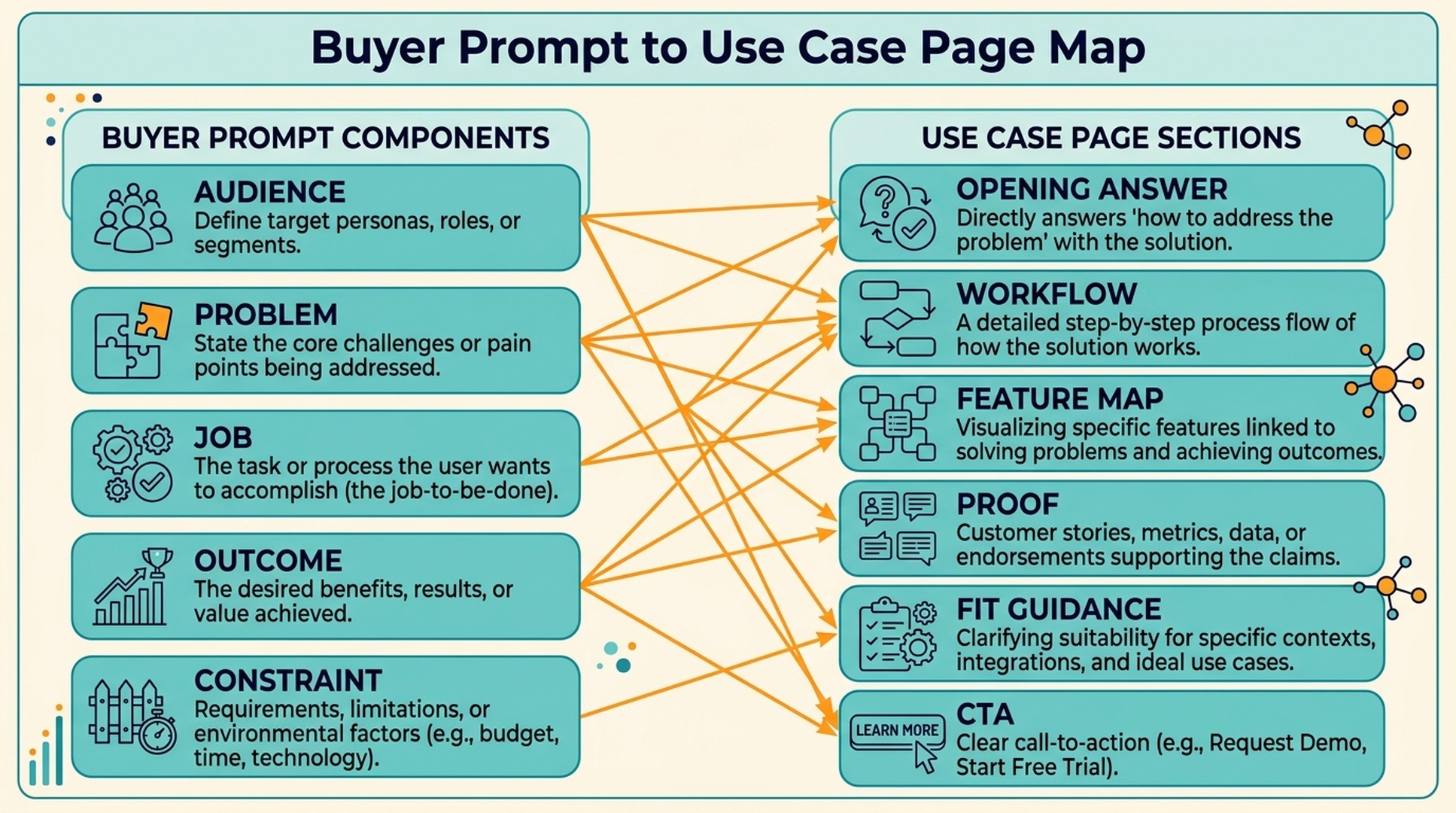
These are use-case prompts. They combine audience, problem, workflow, and outcome.
If your website only has a homepage and broad product page, the AI system has to infer fit. A use case page makes the fit explicit.
The use case page test
A GEO-ready use case page should answer these questions quickly:
Question | Why it matters |
|---|---|
Who is this for? | gives the page a specific audience entity |
What job are they trying to do? | connects the page to buyer prompts |
What trigger creates the need? | matches real problem moments |
What workflow solves it? | makes the page actionable |
What proof supports the workflow? | adds recommendation confidence |
What should the reader do next? | creates a conversion path |
When is this not the right fit? | improves trust and answer accuracy |
If a page cannot answer these questions, it is probably a landing page with a use-case label, not a real use-case page.
Start with the buyer prompt
Use case pages should begin from prompts, not only from internal product features.
A prompt-first brief might look like this:
Prompt component | Example |
|---|---|
Audience | B2B SaaS content team |
Problem | brand is missing from ChatGPT answers |
Job | measure visibility and plan content fixes |
Desired outcome | better brand mentions and accurate descriptions |
Constraints | small team, no dedicated GEO analyst |
Turn that into a page angle:
GEO workflow for B2B SaaS content teams that need to measure ChatGPT visibility and prioritize content updates.
That is much stronger than:
AI-powered content visibility solution.
Build the page around a workflow
A use case page should not just say the product helps. It should show how.
Use this structure:
- Situation: what is happening?
- Problem: why does it matter?
- Workflow: what should the team do?
- Product role: where does your product help?
- Evidence: why trust the approach?
- Next action: what should the reader do now?
For example, a use case page for "AI search visibility for content teams" might include:
- build a prompt library
- run brand/category/comparison prompts
- score answer quality
- identify missing pages or weak entity signals
- create content briefs
- rerun prompts after publishing
This workflow is easier for ChatGPT to summarize and recommend than a vague list of benefits.
Map features to the buyer job
Do not list features in isolation. Tie each feature to the use case.
Buyer job | Product capability | Why it matters for GEO |
|---|---|---|
Find where the brand is absent | prompt visibility checks | identifies missing recommendation contexts |
Understand wrong descriptions | entity audit | reveals category or source inconsistencies |
Compare against competitors | competitor overlap | shows who appears instead |
Plan page updates | GEO content briefs | turns prompt gaps into content tasks |
Report progress | recurring scorecard | tracks answer quality over time |
This gives AI systems a clean relationship between problem, product, and outcome.
Include trigger moments
Trigger moments are situations that make the buyer care now.
Examples:
- a competitor appears in ChatGPT answers but your brand does not
- sales hears prospects mention AI recommendations
- the company launches a new product category
- a rebrand creates wrong AI descriptions
- content traffic is flat and the team wants AI visibility
- leadership asks for an AI search baseline
- comparison pages are missing from the site
Trigger moments help the page match real prompts and sales conversations.
A strong section might be:
Use this workflow when your brand is described correctly in direct prompts but missing from category and alternatives prompts. That usually means ChatGPT can identify the company, but does not yet associate it strongly with the market or buying situation.
That level of detail is GEO-friendly.
Add proof close to the workflow
Use case pages need proof. The proof does not always need to be a big case study, but it should make the workflow believable.
Useful proof assets:
- screenshots
- templates
- scorecards
- documented examples
- anonymized workflows
- product docs
- customer stories
- public checklists
- before/after prompt examples
- third-party references
If the page says "measure ChatGPT visibility," show the scoring method. If it says "prioritize content fixes," show the brief or checklist.
Use fit and not-fit guidance
Use case pages should include who should and should not use the workflow.
Example:
Best fit
- teams with public pages and content assets
- brands in categories where buyers ask for recommendations
- teams that can publish content and update profiles
- companies willing to measure prompts over time
Not the best fit
- teams expecting instant ChatGPT citations
- products with no public evidence yet
- companies that cannot publish public content
- private internal tools with no discovery goal
This makes the page more trustworthy and helps AI answers recommend it appropriately.
Connect the use case page to a content cluster
A use case page should link naturally to supporting pages.
For example:
- category explainer: what is ChatGPT GEO?
- product page: what the platform does
- comparison page: alternatives and fit
- template page: GEO content brief template
- audit guide: 30-minute ChatGPT GEO audit
- evidence guide: third-party evidence for GEO
- technical guide: llms.txt or robots.txt for AI readability
One natural next step is an AI search visibility checker, because readers can test whether the use case applies to them.
Use case page checklist
Before publishing, check:
Check | Pass? |
|---|---|
The buyer audience is named clearly | |
The page starts from a real prompt or problem | |
The workflow is concrete | |
Product features are mapped to buyer jobs | |
Trigger moments are included | |
Proof appears near the workflow | |
Fit and not-fit guidance are included | |
The page links to supporting evidence or templates | |
The next action matches the use case | |
The page avoids generic benefit language |
If the page feels like it could apply to any audience, narrow it.
How to measure use case page performance
Track search and AI signals.
For SEO:
- impressions for use-case queries
- clicks from problem and audience queries
- assisted conversions
- engagement with workflow sections
- internal link clicks to product or tool pages
For ChatGPT GEO:
- whether the brand appears in use-case prompts
- whether the answer describes the right audience
- whether competitors appear instead
- whether your workflow is mentioned
- whether the AI answer cites or references the right pages where visible
- whether wrong use-case associations disappear
Use a stable prompt set for each use case. Do not rely on one prompt.
Common mistakes
Mistake 1: making use case pages too generic
"For marketing teams" is often too broad. "For B2B SaaS content teams measuring ChatGPT visibility" is more useful.
Mistake 2: leading with features instead of jobs
Buyers and AI systems need to know what the feature helps someone do.
Mistake 3: skipping proof
A use case page without examples or proof feels like a promise, not a source.
Mistake 4: ignoring not-fit guidance
Not-fit guidance makes recommendations more accurate and helps avoid poor-fit leads.
Mistake 5: failing to connect the cluster
A use case page should not be isolated. Link it to category, product, comparison, proof, and template pages.
FAQ
What is a use case page for GEO?
A use case page explains how a product, service, or workflow helps a specific audience solve a specific problem. For GEO, it helps AI answer systems understand when the brand should be recommended.
Are use case pages better than blog posts for ChatGPT GEO?
They serve different jobs. Blog posts explain topics and workflows. Use case pages connect the product to a buyer situation, which is especially useful for recommendation prompts.
How specific should a use case page be?
Specific enough to name the audience, problem, workflow, and outcome. If the page could apply to every team in every industry, it is probably too broad.
Should use case pages include product features?
Yes, but features should be tied to buyer jobs. A feature-to-use-case table is more useful than a generic feature list.
How many use case pages should a SaaS company create?
Start with the top three to five use cases that match high-intent buyer prompts and sales conversations. Expand only when you can support each page with proof and a clear workflow.
Author: Hannah Pierce, 12-Year B2B SEO Growth Practitioner at Auspia. Hannah writes about B2B SEO, pipeline-focused content, buyer journeys, and AI search visibility for SaaS teams.


