


The short version
Amazon GEO in 2026 is not a trick for stuffing more keywords into a listing. It is the work of making an ASIN easy for Alexa for Shopping, formerly Rufus in the U.S., to understand, trust, compare, and recommend.
Start in the wrong place and you waste the whole pass. Do not rewrite the title first. Do not polish the bullets first. Do not ask an AI writer for five prettier benefit lines and call it GEO.
Use this order instead:
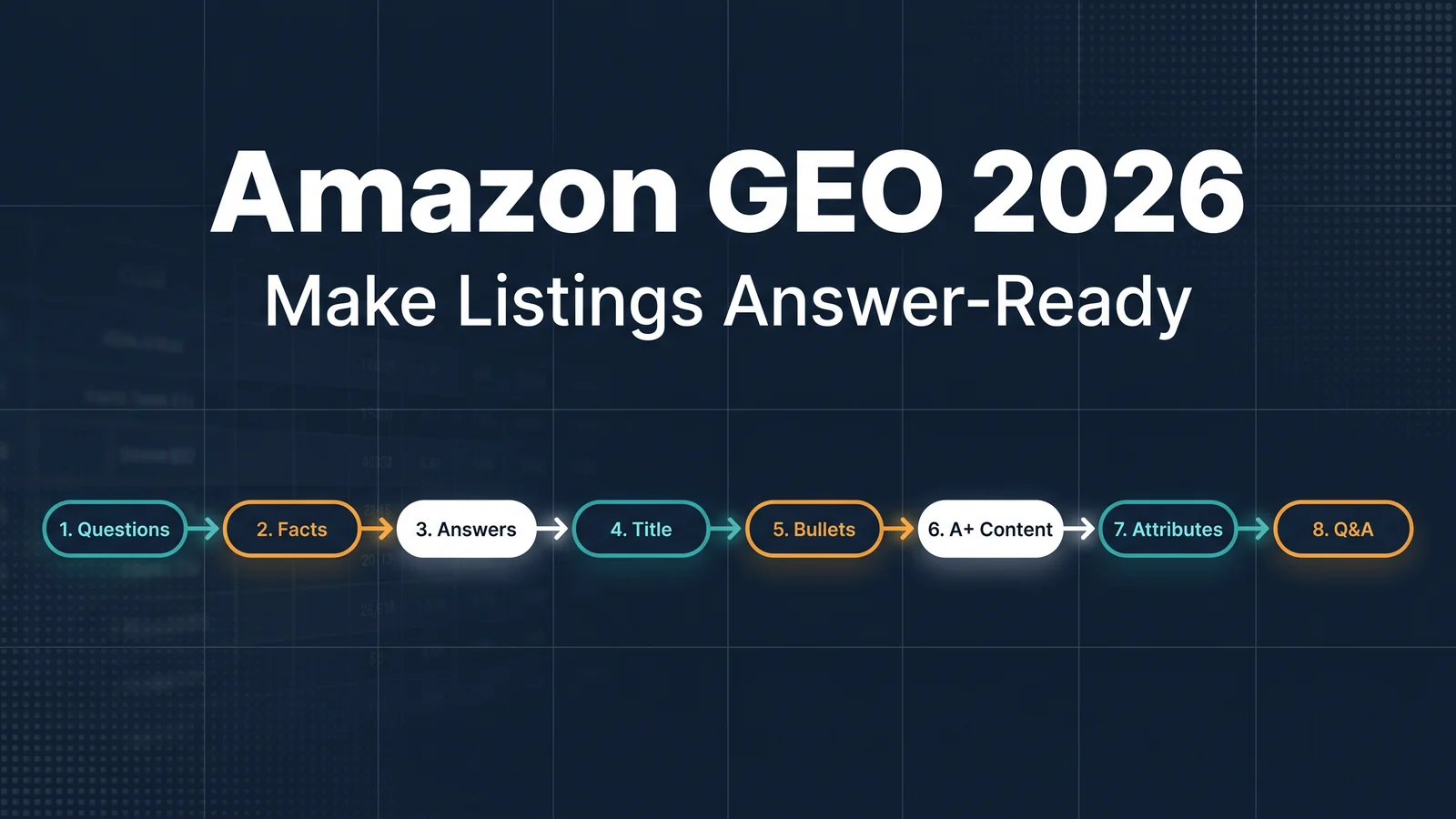
Product attributes -> product fact consistency -> buyer question coverage -> answer units -> title -> bullets -> A+ Content -> Q&A and monitoring
That order matters because AI shopping assistants do not read a listing like a shopper scanning for one keyword. They assemble answers from a chain of evidence: structured attributes, title, bullets, A+ Content, reviews, community Q&A, and sometimes information from across the web. If the facts conflict, the assistant has a reason to skip you. If the facts are missing, it has nothing safe to say.
Amazon's own Rufus announcement describes the assistant as trained on Amazon's product catalog and information from across the web, with answers based on listing details, customer reviews, and community Q&As. Amazon also notes that Rufus was renamed Alexa for Shopping in the United States on May 13, 2026. For sellers, the label matters less than the behavior: shoppers are asking conversational buying questions, and Amazon is turning listing information into answers.
So here is the practical version. Eight steps. No mysticism.
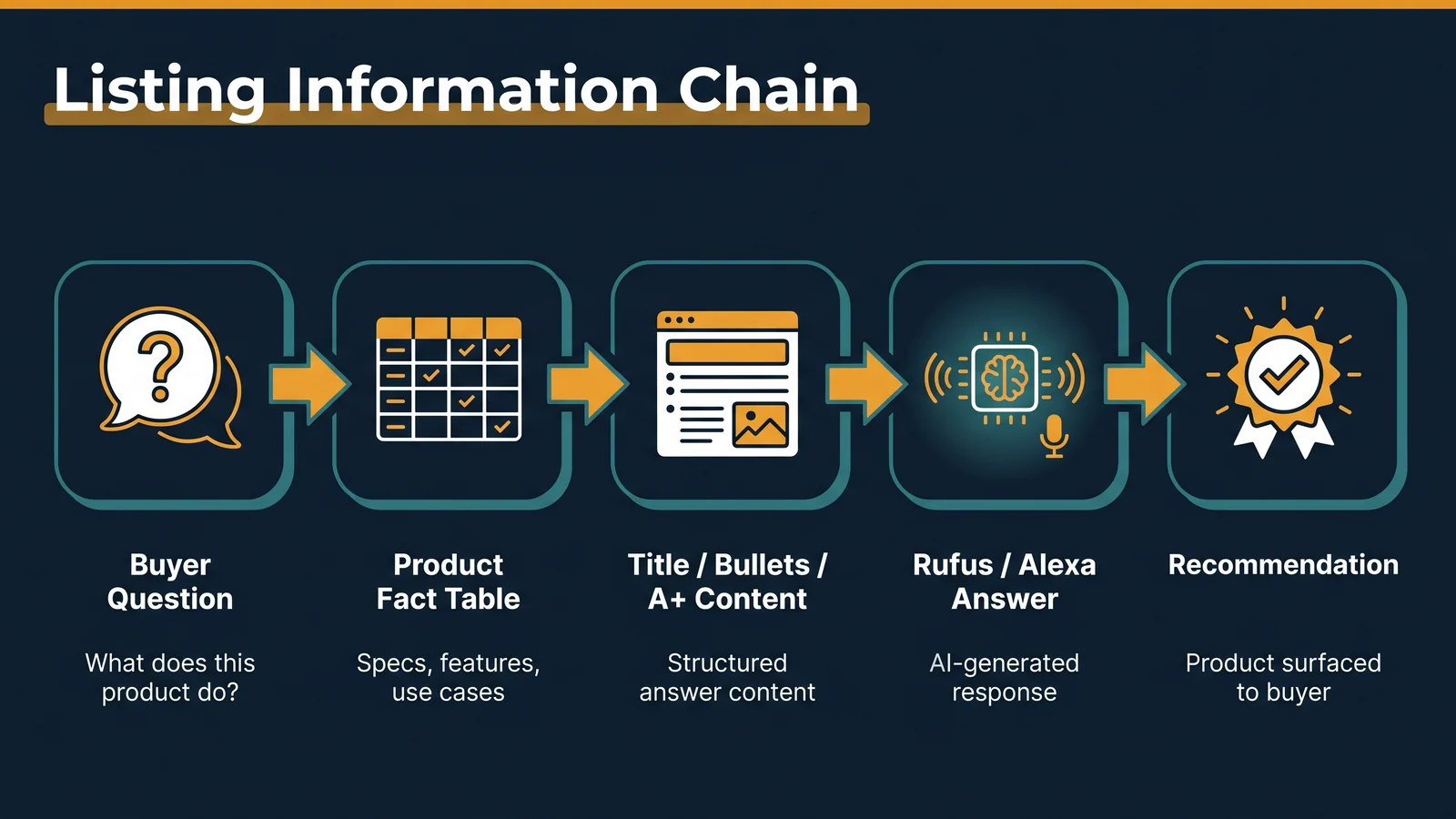
The listing information chain: buyer question -> product facts -> answer-ready modules -> AI answer -> recommendation.
Step 1: build a buyer question library
The first job is not writing. It is listening.
For every priority ASIN, collect at least 50 to 100 buyer questions. Do not stop at the questions already visible on your product page. Pull from:
- Amazon Customer Questions & Answers
- review text from your ASIN and close competitors
- negative competitor reviews, which often show the most painful buying doubts
- Search Query Performance and Top Search Terms in Brand Analytics, if your brand has access
- customer support tickets, returns notes, chat logs, and warranty claims
- Reddit, TikTok comments, YouTube reviews, and niche forums for the product category
Sort the questions into six buckets:
Question type | What buyers ask | Example for a travel backpack |
|---|---|---|
Fit | Who is this for? | "Does it fit under an airline seat?" |
Problem | What job does it solve? | "Will it protect a laptop in rain?" |
Specs | What are the exact facts? | "How many liters is it?" |
Compatibility | What does it work with? | "Does it fit a 16-inch MacBook Pro?" |
Comparison | Which one should I choose? | "How is this different from the 35L version?" |
Risk | What could go wrong? | "Do the zippers fail after a few months?" |
This question library becomes the control panel for the whole listing. If a question matters to buyers and the listing cannot answer it, you have found a GEO gap.
A useful shortcut: open your product page, use Alexa for Shopping or Rufus where available, and ask questions such as "What do people want to know before buying this?" or "What are the biggest differences between this and similar products?" Treat the output as a draft, not truth. Cross-check it against real reviews and Q&A.
Step 2: create one product fact table
Every ASIN needs a private product fact table. This is not the listing copy. It is the source of truth behind the copy.
Include three sections.
First, hard facts: dimensions, weight, materials, capacity, color variants, certifications, included parts, country-specific plugs, battery details, voltage, cleaning instructions, warranty terms, and safety notes.
Second, use-case fit: best-fit situations, acceptable situations, and poor-fit situations. Be honest here. A product that is wrong for a buyer creates returns, bad reviews, and weak AI answer confidence.
Third, boundaries: maximum load, temperature range, device compatibility, age limits, regulatory constraints, replacement-part availability, and anything buyers might misunderstand.
This table should feed the title, bullets, A+ Content, backend attributes, Q&A, brand site copy, and support scripts. If one field changes, update the table first and then update every surface.
Why be so strict? Because AI answers are brittle when facts disagree. If the title says "20-hour battery," bullets say "up to 18 hours," A+ says "all-day battery," and reviews mention 12 hours, the assistant has to decide which version to trust. Often it will answer vaguely. Sometimes it will quote a competitor instead.
Step 3: write answer units before listing copy
Do not write bullets yet. Write answer units.
An answer unit is a short, factual paragraph that answers one buyer question. It should be specific enough for a shopper and clean enough for an AI assistant to reuse.
Use this structure:
Feature or fact + use case + how it works + buyer benefit + boundary if needed
Example for a portable power station:
512Wh battery capacity: The unit can charge a 60W laptop several times during a weekend trip. It supports USB-C PD for compatible laptops and AC output for small appliances. It is not designed for high-draw devices such as hair dryers or full-size heaters.
That is better than "Long-lasting power for every adventure." The second line may sound nicer, but it gives Alexa almost nothing to answer with.
Create at least 30 answer units for an important ASIN. Some will become bullets. Some will become A+ FAQ text. Some will become Q&A answers. Some will live on your brand site or support docs. The point is consistency.
Step 4: rebuild the title for entity clarity
In old listing SEO, the title often became a keyword suitcase. In Amazon GEO, the title still has to carry search terms, but it also has to identify the product cleanly.
A practical 2026 title formula:
Brand + product type + core spec + primary use case + compatibility or audience + variant
For example:
Northline 40L Travel Backpack, Carry-On Laptop Backpack with 16-Inch Laptop Sleeve, Water-Resistant Weekender Bag for Business Travel, Black
Before publishing, run five checks:
Check | Why it matters |
|---|---|
Does the first part say what the product is? | Assistants need entity clarity before they can compare. |
Is the product type specific? | "Bag" is weaker than "carry-on laptop backpack." |
Is the main use case visible? | Purpose-based questions are common in AI shopping. |
Is compatibility stated cleanly? | Device, age, size, and model fit are frequent buying questions. |
Are empty claims removed? | "Best," "amazing," and "perfect" add little evidence. |
Keep the title readable. Amazon shoppers still have to click it. GEO does not excuse a title that feels like a parts catalog.
Step 5: give each bullet one job
Most weak Amazon bullets fail for the same reason: every bullet tries to sell everything.
Assign one information job to each bullet:
Bullet | Job | What to include |
|---|---|---|
1 | Product identity | What it is and the core use case |
2 | Compatibility | What devices, situations, sizes, or variants it works with |
3 | Practical experience | What using it actually feels like |
4 | Durability or performance | Battery, material, certification, load, test condition, or warranty |
5 | Fit and limits | Who should buy it and who should not |
Write in natural language. Keyword density is a side effect, not the goal.
Bad bullet:
Premium waterproof travel backpack for laptop, school, work, business, hiking, commuting, airplane, men, women, college, durable backpack.
Better bullet:
Water-resistant 40L carry-on design: The coated exterior helps protect clothes and electronics during light rain, while the padded sleeve fits most 16-inch laptops. For heavy storms, use a rain cover.
The better version answers a real question. It gives the assistant facts, conditions, and a boundary.
Step 6: turn A+ Content into an answer library
A+ Content should not be a poster gallery. It is one of the best places to add structured product explanation.
For Amazon GEO, every strong A+ page should include:
- a comparison table between models, sizes, or use cases
- a "best for / not best for" module
- a short FAQ built from the question library
- one visual explainer showing how the product works
- a module that clarifies materials, compatibility, care, or safety
- consistent claims that match the title, bullets, and backend attributes
A comparison table is especially useful because shoppers ask comparison questions: "Which version is better for travel?" "Is the larger model worth it?" "How does this compare with a cheaper option?"
Do not hide all useful information inside images. Design matters, but text matters too. If a module says "engineered for every journey" in the graphic but the editable text field is empty, you have made the page prettier and less answerable.
Step 7: fill backend attributes like they are public copy
Backend attributes are easy to ignore because shoppers do not always see them. That is exactly why they get messy.
Treat them as structured product data for machines. Fill every relevant field you can defend:
- material, color, dimensions, weight, capacity, count, and included components
- compatible devices or model numbers
- age range, size range, or use environment
- certifications and compliance details
- care instructions and safety warnings
- variation relationships and browse node accuracy
Amazon's listing guidance already pushes sellers to provide clear product information and notes that generative AI features can help create titles, descriptions, and attributes. Use those tools if they save time, but do not let them invent details. Attributes are not a creative writing space.
One missing attribute can block a recommendation. If the assistant is comparing "dishwasher-safe lunch boxes" and your product is dishwasher-safe but the attribute is blank, you are asking the model to infer. In ecommerce, inference is a tax.
Step 8: use Q&A to close the last gaps
Q&A is where buyers write in plain language. That makes it valuable training material for answer systems.
After you build the question library, identify important questions that are not answered clearly in the listing. Then answer them in the places Amazon allows, following marketplace rules and your brand's normal operating process.
Good Q&A answers are short, specific, and boring in the best way:
Yes. The backpack fits most 16-inch laptops up to 14.1 x 9.8 x 0.8 inches. If your laptop has a thick protective case, check the full device dimensions before ordering.
Weak answer:
Absolutely! It is perfect for all laptops and travel needs.
Avoid fake urgency, planted-looking language, or bulk behavior that could trigger moderation or customer distrust. The goal is not to flood Q&A. The goal is to remove uncertainty.
The 2026 monitoring system
Publishing the new listing is not the finish line. AI shopping behavior changes, competitor listings change, and reviews create new facts every week.
Set up a simple monitoring loop.
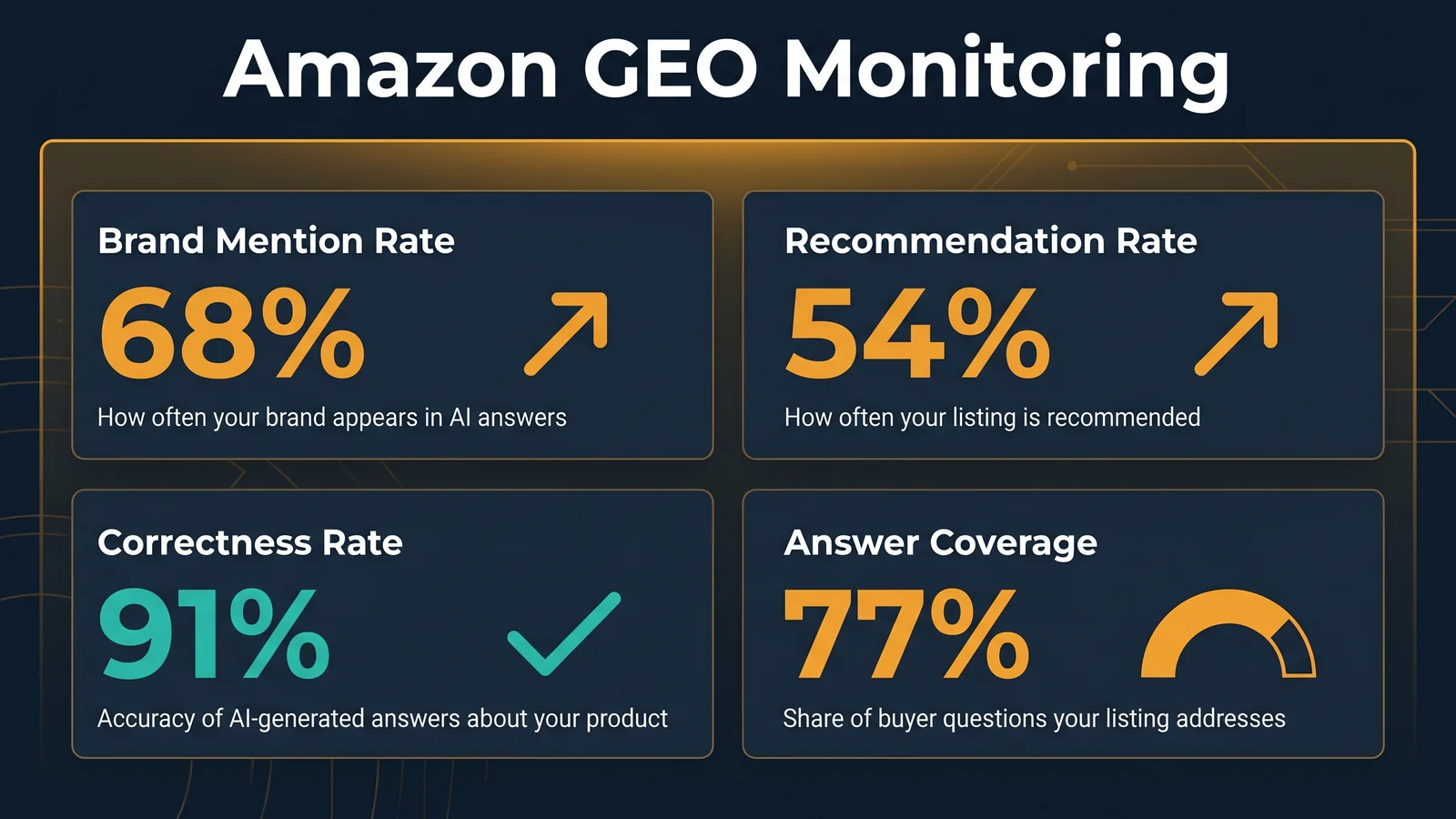
Track visibility, recommendation, accuracy, and answer coverage after every listing update.
Weekly, test 10 to 15 buyer questions per priority ASIN. Use a mix of category, comparison, fit, risk, and use-case questions. Record whether your product appears, how it is described, and which competitors are recommended.
Monthly, run a deeper 50 to 100 question review across your most important ASINs.
Track four metrics:
Metric | What it means | What to do if it drops |
|---|---|---|
Brand mention rate | How often the assistant mentions your brand or product | Improve entity clarity in title, brand story, A+ Content, and off-Amazon brand pages |
Recommendation rate | How often your product is suggested for target questions | Add missing use cases, improve comparison modules, and fix review concerns |
Correctness rate | Whether AI answers describe your product accurately | Remove conflicting facts and update stale claims across listing surfaces |
Answer coverage | How many important buyer questions your listing can answer | Add answer units to bullets, A+ FAQ, Q&A, and support content |
Do not overreact to one prompt. Look for patterns across repeated checks. If the assistant consistently ignores you for "best for apartment kitchens," either your listing does not prove that use case or competitors prove it better.
Common mistakes sellers still make
The first mistake is treating Amazon GEO as a synonym for Amazon SEO. Keywords still matter, but they are not the whole game. AI shopping assistants need answerable facts, not just repeated terms.
The second mistake is cleaning up visible copy while leaving backend attributes incomplete. That is like repainting a storefront while the address is wrong in the database.
The third mistake is making A+ Content beautiful but thin. A+ modules should sell and explain. If a shopper asks "Which model should I buy?" your A+ page should already contain the answer.
The fourth mistake is ignoring negative reviews. Complaints often become future AI answers. If reviews repeatedly say a bottle leaks in a backpack, no amount of polished copy can erase that risk. Fix the product, clarify the use case, or set a boundary.
The fifth mistake is measuring only rank. In AI-assisted shopping, you also need to know whether the assistant mentions you, recommends you, and describes you correctly. A visible product with the wrong description is not a win.
A practical 14-day rollout plan
If you are doing this for the first time, start with one high-value ASIN instead of trying to fix the whole catalog.
Day | Work |
|---|---|
1-2 | Collect buyer questions from reviews, Q&A, Brand Analytics, support logs, and competitor pages |
3 | Build the product fact table and flag conflicting claims |
4-5 | Write 30 answer units for the highest-value questions |
6 | Rewrite the title and bullets from the answer units |
7-9 | Rebuild A+ modules with FAQ, comparison, and fit guidance |
10 | Fill backend attributes and variation relationships |
11 | Update allowed Q&A/support content for unresolved questions |
12 | Run the first GEO prompt test set |
13 | Fix gaps found in AI answers |
14 | Record baseline metrics and schedule weekly checks |
If the ASIN moves in the right direction, turn the workflow into a template for the next product line. If it does not, inspect the boring stuff first: missing attributes, vague use cases, inconsistent specs, and review concerns.
FAQ
What is Amazon GEO?
Amazon GEO is the practice of making Amazon product information easy for AI shopping assistants to understand, compare, and recommend. It focuses on product facts, buyer questions, answer coverage, and consistency across listing surfaces.
Is Amazon GEO different from Amazon SEO?
Yes. Amazon SEO focuses on search visibility, relevance, and conversion within Amazon's search system. Amazon GEO focuses on whether AI shopping assistants can answer buyer questions using your product information. The two overlap, but they are not the same job.
Does keyword research still matter?
Yes, but it should feed buyer questions and use cases. Use search terms to learn how shoppers describe the product. Then answer those intents in titles, bullets, A+ Content, attributes, and Q&A.
How many questions should I test?
For weekly monitoring, 10 to 15 questions per important ASIN is enough to catch movement. For monthly reviews, use 50 to 100 questions across fit, comparison, specs, risk, and use-case prompts.
Should sellers mention Alexa for Shopping or Rufus in listings?
Usually no. Write for buyers, not for the assistant by name. The assistant needs clear product information. Adding "optimized for Rufus" or "Alexa recommended" without proof can look spammy and may create policy risk.
Final takeaway
Amazon GEO in 2026 is mostly disciplined product information work. The sellers who win will not be the ones with the loudest bullets. They will be the ones whose listings answer the questions shoppers actually ask, with facts that stay consistent everywhere Amazon looks.
For teams building a repeatable AI visibility process, Auspia's AI Search Visibility Checker can help structure prompt checks beyond a single manual test.
Sources checked for this article: Amazon's official Rufus announcement and Amazon's official product listing guidance for sellers.
Author: Ryan Chen, Senior Amazon Operations Expert with 10 Years in Marketplace Growth at Auspia. Ryan writes about Amazon GEO, marketplace search behavior, AI-assisted product discovery, and listing optimization playbooks for sellers.


