


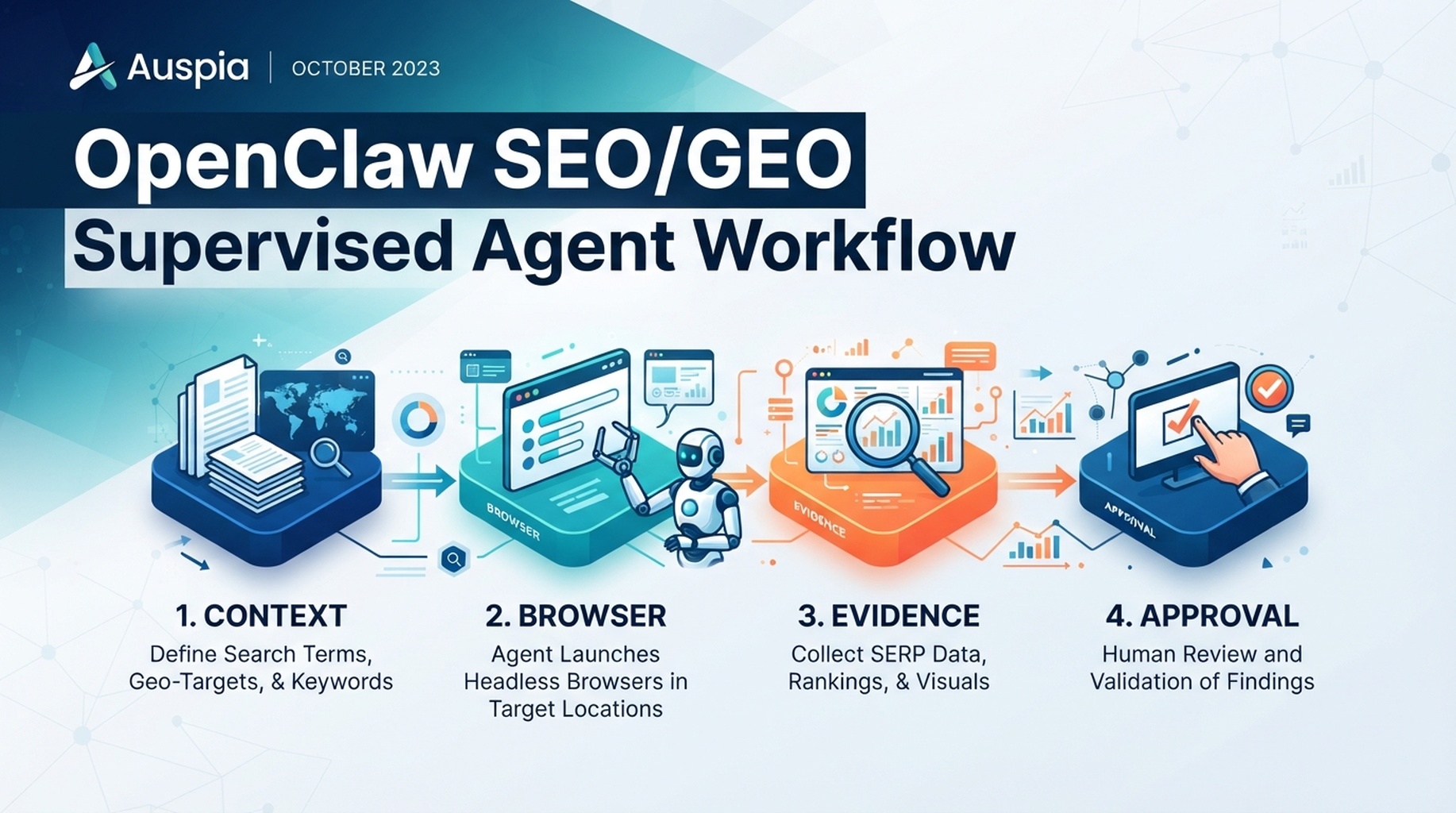
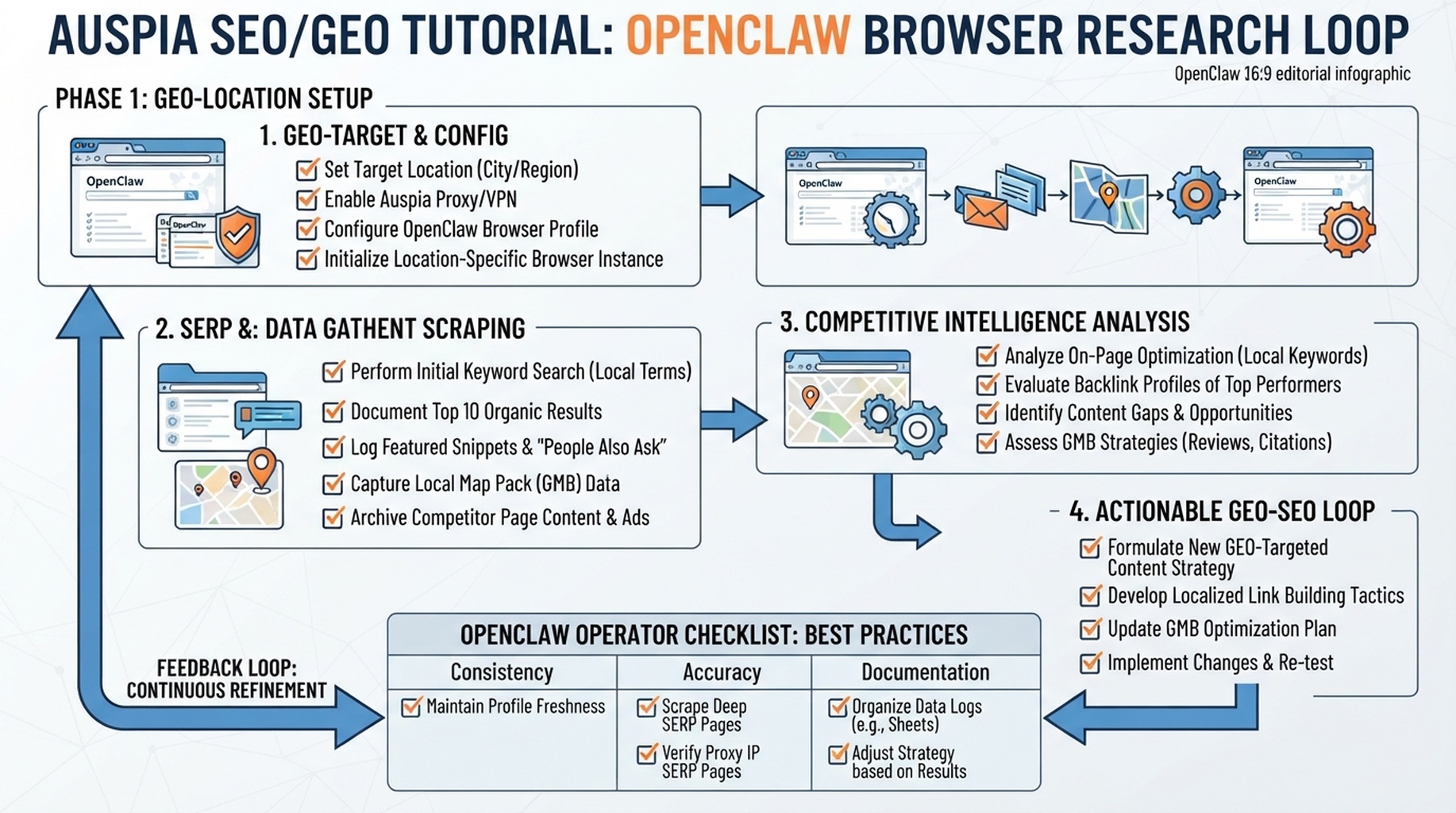
OpenClaw browser research loop: observe, capture, compare, and turn evidence into a reviewable SEO/GEO brief.
Browser automation is for evidence, not magic
Use OpenClaw's browser when the answer depends on what a page actually looks like: rendered headings, visible answer blocks, SERP layouts, competitor comparisons, documentation pages, and AI-answer evidence. Do not use it as a general “go browse and tell me what to do” button.
The best browser workflow has a narrow mission: collect evidence, label it, compare it, and stop before account actions. For SEO/GEO research, the browser should produce a research packet, not a published page.
The four research jobs worth automating
Job | What OpenClaw should inspect | Output |
|---|---|---|
SERP intent check | Public search results and top ranking pages | Intent summary, SERP features, competitor angle |
Competitor page teardown | 3 to 5 public competitor URLs | Structure map, evidence patterns, gaps |
Own-page rendered audit | Your public page after JavaScript renders | Visible heading/content/link issues |
AI-answer observation | Public AI answer surfaces when available | Cited sources, missing entity facts, prompt notes |
A browser session should focus on one of these jobs. Mixing all four into one prompt usually creates shallow summaries.
Set the browser boundary before the run
Use this query before any browser task:
Act as `seo-operator` and prepare a browser research run.

Allowed:
- open public URLs I provide
- inspect rendered text, headings, links, schema-visible content, and screenshots
- click public navigation only when it helps understand the page
- save notes and screenshots to the SEO workspace

Blocked:
- login pages
- forms
- account settings
- checkout flows
- CMS/admin pages
- robots.txt or sitemap submissions
- production edits

Before browsing, show the URL list, what you will inspect, and what output file you will create.
Workflow 1: SERP intent check
Use this when you are deciding what a page should satisfy.
Research the search intent for this query: [query].

Use browser automation only on public pages. Capture:
1. the apparent SERP intent
2. recurring page types in the top results
3. SERP features or answer patterns
4. repeated entities, comparisons, numbers, or proof points
5. what our page must answer in the first screen

Return a table with URL, page type, angle, evidence style, and what our page should copy structurally but not copy textually.
Good output does not say “competitors have better content.” It says “three top pages answer pricing questions before feature details, while our page opens with brand positioning.”
Workflow 2: competitor page teardown
Give OpenClaw a small competitor set. Ask it to compare structure, not imitate wording.
Layer | What to capture | What to avoid |
|---|---|---|
Above the fold | H1, value proposition, first answer | Copying claims |
Section order | Problem, comparison, proof, FAQ, CTA | Treating order as universal |
Evidence | screenshots, tables, customer proof, citations | Inventing evidence you do not have |
Internal links | hub links, related guides, product links | Adding links without reader need |
GEO readiness | concise answers, entity facts, examples | Keyword stuffing |
Prompt:
Compare these competitor pages for SEO and GEO structure.

URLs:
- [competitor URL 1]
- [competitor URL 2]
- [competitor URL 3]

Do not rewrite our page yet. Build a teardown with:
- common section patterns
- evidence types they use
- questions they answer clearly
- questions they leave unanswered
- opportunities for our page to be more useful
- screenshots or notes for each observation

End with a recommended structure for our page, not finished copy.
Workflow 3: rendered page inspection
This is where OpenClaw's browser is more useful than a plain text fetch. It can catch issues that only appear after render: hidden copy, broken anchors, modal interference, missing headings, collapsed FAQ content, or JavaScript navigation.
Ask for a “reader path” audit:
Inspect this public URL as a first-time visitor: [URL].

Capture the rendered page path from top to bottom. For each major section, record:
- visible heading
- what question the section answers
- whether the answer is explicit or implied
- internal links visible in the section
- confusing UI, hidden content, or missing context
- GEO extraction risk: low, medium, or high

Return a section-by-section table and a short fix queue.
Workflow 4: AI-answer observation
AI-answer surfaces can vary. Treat this as observation, not a precise ranking report.
Run a manual AI-answer observation for these prompts:
- [prompt 1]
- [prompt 2]
- [prompt 3]

For each prompt, record:
- answer summary
- cited or mentioned sources if visible
- competitors mentioned
- whether our brand/page appears
- missing facts that would make our page more citable
- screenshot or evidence note

Do not claim stable rankings. Label this as a dated observation.
The evidence packet format
Every browser run should produce a file like browser-research-YYYY-MM-DD.md:
## Browser research packet

Date:
Agent:
Research job:
Queries or prompts:
URLs inspected:
Screenshots saved:

## Observations
| Source | Evidence | Interpretation | Confidence |
| --- | --- | --- | --- |

## Opportunities
| Page | Opportunity | Evidence | Suggested next step | Approval |
| --- | --- | --- | --- | --- |

## Do not act on yet
- Items that need analytics confirmation
- Items that require engineering review
- Items based on one unstable AI answer observation
Field notes from real use
- Browser tasks work best with 3 to 5 URLs, not 30.
- Screenshots are useful only when tied to a claim. “Screenshot saved” is not evidence unless the report says what it proves.
- Ask OpenClaw to separate observations from recommendations. Otherwise it will jump from one competitor screenshot to a rewrite plan.
- For GEO, capture the exact prompt and date. AI answer observations age quickly.
- Do not let browser automation click forms or login prompts “just to see.” That is where research becomes operational risk.
FAQ
Should OpenClaw browse live SERPs for every keyword?
No. Use browser research for priority queries, confusing intent, important competitors, and pages you plan to update. Use exports for bulk analysis.
Should screenshots go into the final article or report?
Only when they prove a point. Most screenshots belong in the evidence folder, while the report should summarize what the screenshot shows.
Can OpenClaw browse competitor sites?
Yes, if they are public pages and the agent follows normal public browsing boundaries. Do not bypass paywalls, logins, or access controls.
OpenClaw SEO/GEO learning path
This article is part of the OpenClaw SEO/GEO operator series. Follow the sequence if you are building the workflow from scratch:
- Use OpenClaw as an SEO/GEO operator
- Set up your first OpenClaw SEO agent
- Connect OpenClaw to GSC, Bing Webmaster, GA4, and SEO data
- Use OpenClaw browser automation for SEO and GEO research
- Build keyword clusters and a 90-day content calendar
- Use Google Trends for daily content ideas
- Create a GEO prompt map
- Refresh old content for SEO and GEO
- Improve internal linking and site architecture
- Run a technical SEO/GEO audit
- Build an OpenClaw SEO/GEO agent swarm
- Run daily SEO/GEO monitoring
- Add SEO/GEO quality gates
Where to go next
- Previous: How to Connect OpenClaw to GSC, Bing Webmaster, GA4, and SEO Data
- Next: How to Build Keyword Clusters and a 90-Day Content Calendar with OpenClaw
- Related: How to Run a Technical SEO/GEO Audit with OpenClaw
Sources and notes
Use the official OpenClaw docs as the source of truth for current command syntax and capabilities:
- OpenClaw official site: https://openclaw.ai/
- OpenClaw GitHub README: https://github.com/openclaw/openclaw
- OpenClaw agents CLI docs: https://docs.openclaw.ai/cli/agents
- OpenClaw browser docs: https://docs.openclaw.ai/tools/browser
- OpenClaw cron CLI docs: https://docs.openclaw.ai/cli/cron
- OpenClaw scheduled tasks docs: https://docs.openclaw.ai/automation/cron-jobs
- OpenClaw Skills docs: https://docs.openclaw.ai/tools/skills
- OpenClaw ClawHub docs: https://docs.openclaw.ai/clawhub
Author: Lena Ortiz, Analyst of 1,000+ AI Search Results at Auspia. She writes field-tested workflows for turning browser observations into evidence-backed SEO and GEO decisions.


