


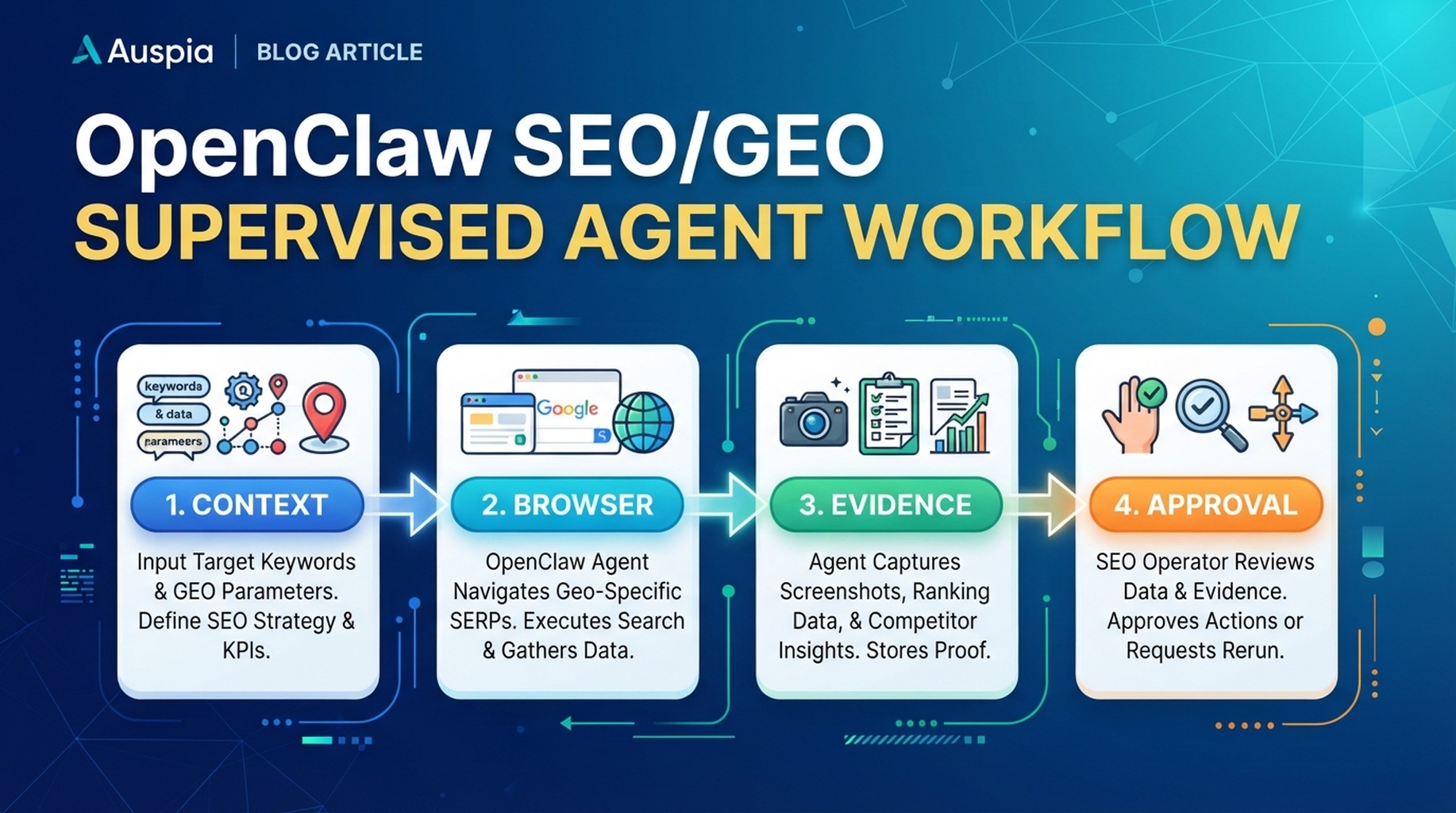
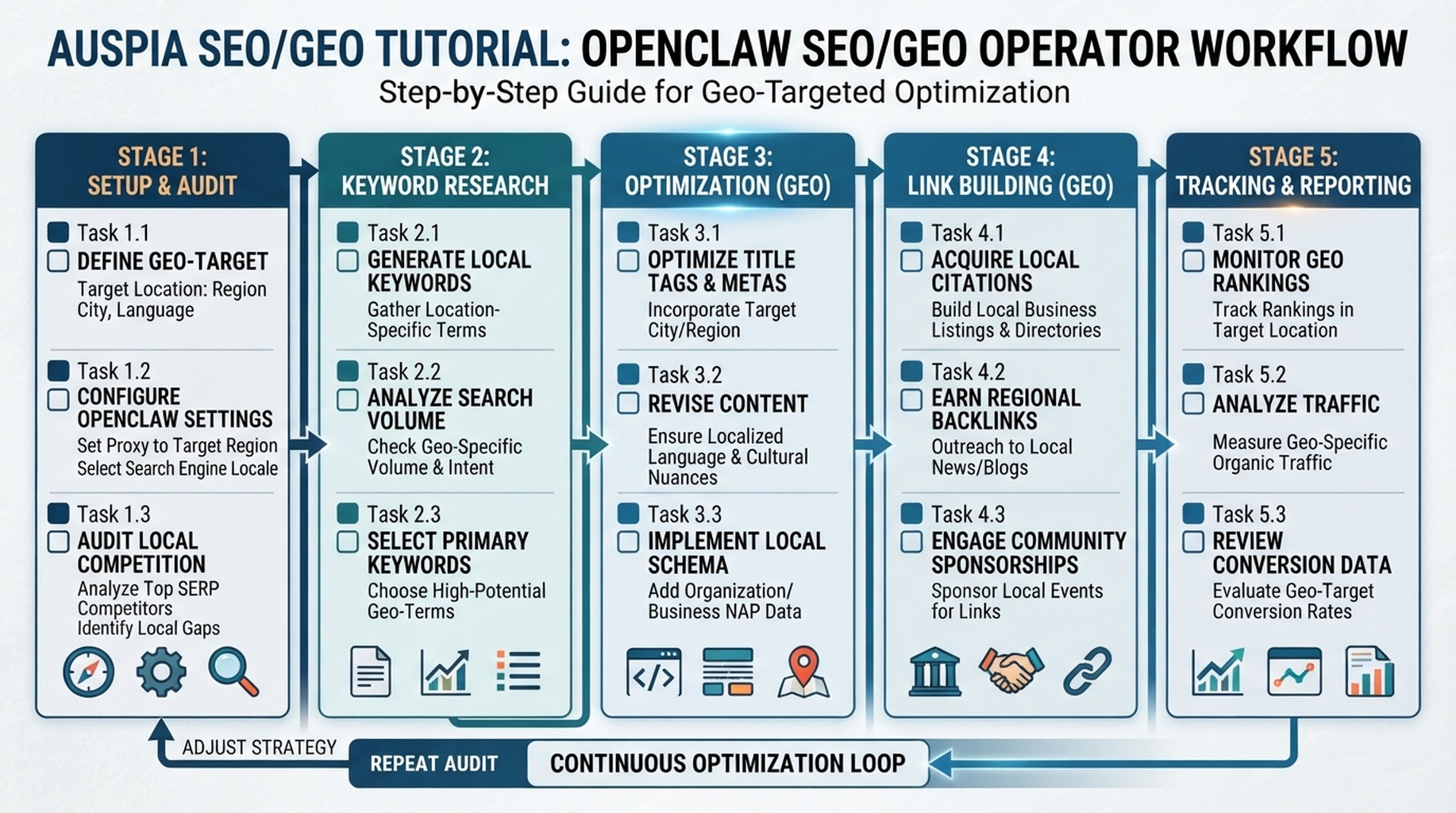
OpenClaw SEO/GEO operator workflow: context, evidence, diagnosis, action queue, and approval.
The operator mindset
OpenClaw is most valuable when it behaves like a junior SEO/GEO operator with a good memory and strict boundaries. It should gather evidence, compare pages, draft briefs, and keep action queues clean. It should not become an unsupervised publisher.
This article is the series map: what to use OpenClaw for, where it fails, and how to divide work across the rest of the workflow.
What to delegate first
Work | Good for OpenClaw? | Why |
|---|---|---|
Turn exports into priority tables | Yes | Pattern recognition and formatting |
Inspect rendered public pages | Yes | Evidence collection |
Draft content refresh briefs | Yes | Structured synthesis |
Create prompt maps | Yes | Query expansion plus categorization |
Publish final pages | No, not without approval | Brand and risk decision |
Change technical SEO files | No, ticket only | High production risk |
The operating loop
Ask OpenClaw to work in this loop: context -> evidence -> diagnosis -> decision -> approval -> measurement. If a recommendation skips evidence, send it back. If it skips approval, block it.
Act as my supervised SEO/GEO operator.
For every task, show the evidence used, the decision made, the risk, and whether human approval is required. If evidence is missing, ask for it instead of guessing.
What the workspace should contain
File | Purpose |
|---|---|
| Stable brand, audience, URLs, competitors |
| Which exports/connectors exist and what they prove |
| GEO prompts, target pages, observations |
| Approved and pending work |
| Source rows, screenshots, dated observations |
| Approval and risk rules |
OpenClaw work that compounds
The compounding value is not one clever prompt. It is saved context, consistent reports, and action history. After four weeks, the agent should know which recommendations were accepted, which were rejected, and which signals actually mattered.
A 5-day starter plan
Day | Task | Output |
|---|---|---|
1 | Create dedicated SEO agent and workspace | role + policy files |
2 | Connect CSV exports | data map |
3 | Run browser research on 3 pages | evidence packet |
4 | Build first prompt map | 25 tracked prompts |
5 | Create first action queue | top 10 reviewed actions |
Experience notes
- Do not judge OpenClaw by a single generic audit. Judge it by whether the second and third runs get more precise.
- Keep “blocked because data is missing” as a valid output. That prevents hallucinated advice.
- The best SEO/GEO operator produces fewer recommendations with better evidence.
FAQ
Is OpenClaw replacing an SEO specialist?
No. It is better treated as an operator that prepares evidence and drafts decisions for a human reviewer.
What is the first useful output?
A small action queue with evidence, not a long audit report.
OpenClaw SEO/GEO learning path
This article is part of the OpenClaw SEO/GEO operator series. Follow the sequence if you are building the workflow from scratch:
- Use OpenClaw as an SEO/GEO operator
- Set up your first OpenClaw SEO agent
- Connect OpenClaw to GSC, Bing Webmaster, GA4, and SEO data
- Use OpenClaw browser automation for SEO and GEO research
- Build keyword clusters and a 90-day content calendar
- Use Google Trends for daily content ideas
- Create a GEO prompt map
- Refresh old content for SEO and GEO
- Improve internal linking and site architecture
- Run a technical SEO/GEO audit
- Build an OpenClaw SEO/GEO agent swarm
- Run daily SEO/GEO monitoring
- Add SEO/GEO quality gates
Where to go next
- Series hub: How to Use OpenClaw as an SEO/GEO Operator
- Safety layer: OpenClaw SEO/GEO Quality Gates
Sources and notes
Use the official OpenClaw docs as the source of truth for current command syntax and capabilities:
- OpenClaw official site: https://openclaw.ai/
- OpenClaw GitHub README: https://github.com/openclaw/openclaw
- OpenClaw agents CLI docs: https://docs.openclaw.ai/cli/agents
- OpenClaw browser docs: https://docs.openclaw.ai/tools/browser
- OpenClaw cron CLI docs: https://docs.openclaw.ai/cli/cron
- OpenClaw scheduled tasks docs: https://docs.openclaw.ai/automation/cron-jobs
- OpenClaw Skills docs: https://docs.openclaw.ai/tools/skills
- OpenClaw ClawHub docs: https://docs.openclaw.ai/clawhub
Author: Mara Venn, 14-Year Technical SEO Practitioner at Auspia. She writes about supervised AI workflows that make SEO operations more consistent without removing human judgment.


