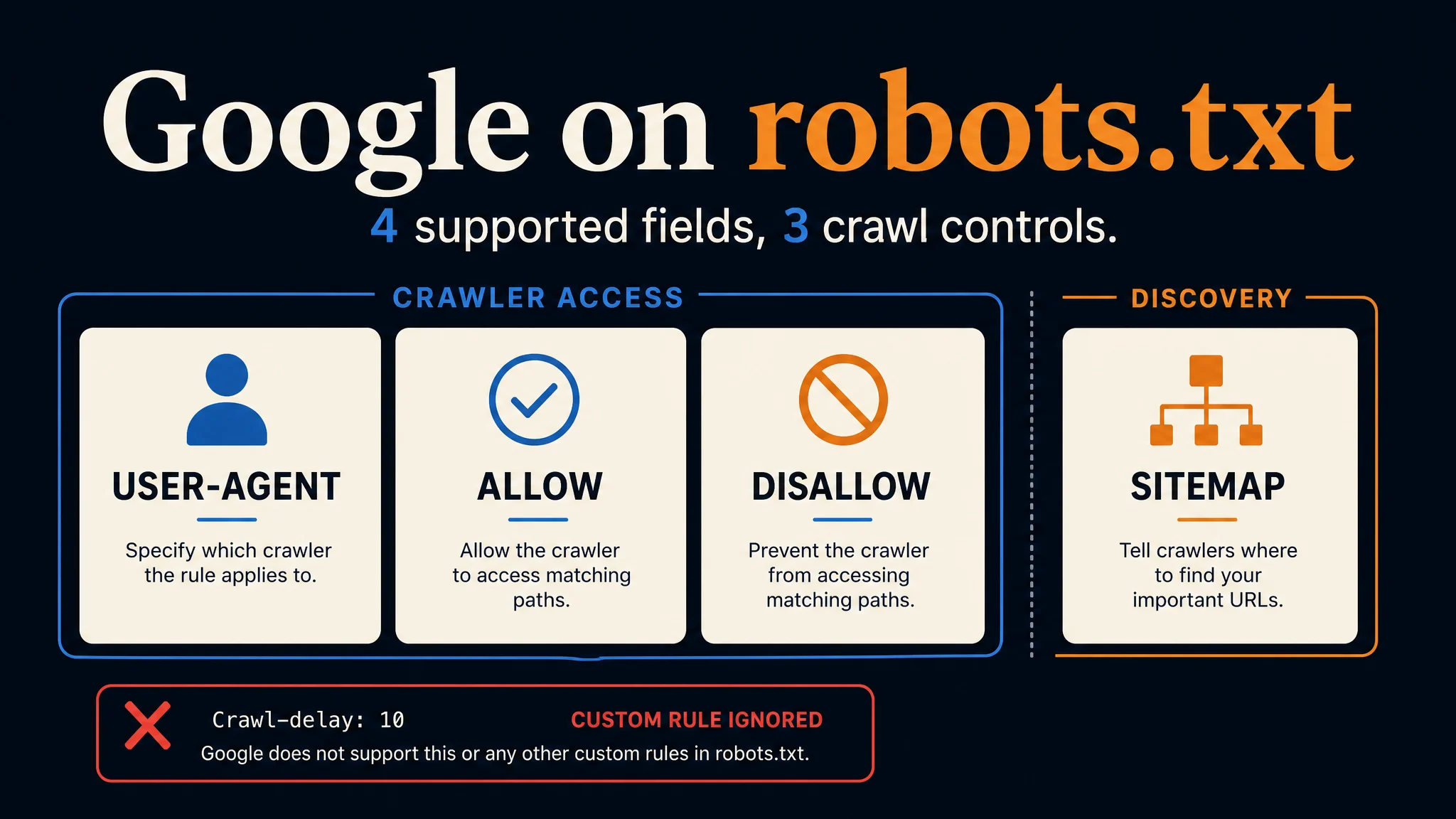
Google Search Central's October 21, 2026 episode of The Non-Canonical Cabinet makes a practical point: a line that reads like a clear instruction to a person may mean nothing to a crawler. Google's robots.txt specification supports four fields: user-agent, allow, disallow, and sitemap. An invented instruction such as Don't crawl: /private/ does not block that path. If no other valid rule applies, Googlebot may crawl it.
This is a fresh explanation of existing behavior, not an announced change to Google's parser.
The episode also distinguishes crawler access from what happens after a crawl. That distinction is real, but it needs one qualification: Google publishes a separate Google-Extended control for specified Gemini training and grounding uses of crawled content. Treating every AI use as either allowed or forbidden by a Disallow line misses how Google's controls are divided.
Four supported fields, three access controls
The list of four in the video is accurate for Google's implementation. The fields do different jobs.
Field | What Google uses it for | Does it decide whether a URL may be crawled? |
|---|---|---|
| Selects the crawler or product token addressed by a group | Indirectly: it identifies which rules apply |
| Blocks crawling of a matching path for that group | Yes |
| Permits crawling of a matching path, including exceptions to broader blocks | Yes |
| Points to a sitemap URL | No |
Google's documentation makes the distinction explicit: its robots.txt rule parser uses user-agent, allow, and disallow; sitemap is supported, but is not an access rule. Other fields, including crawl-delay, are not supported by Google's parser. The IETF robots.txt standard, RFC 9309, defines crawler access preferences and permits crawlers to interpret additional records such as sitemaps.
This is why “Google recognizes four fields” is more precise than “robots.txt has four commands.” It also avoids suggesting that every crawler handles the same extra fields as Google.
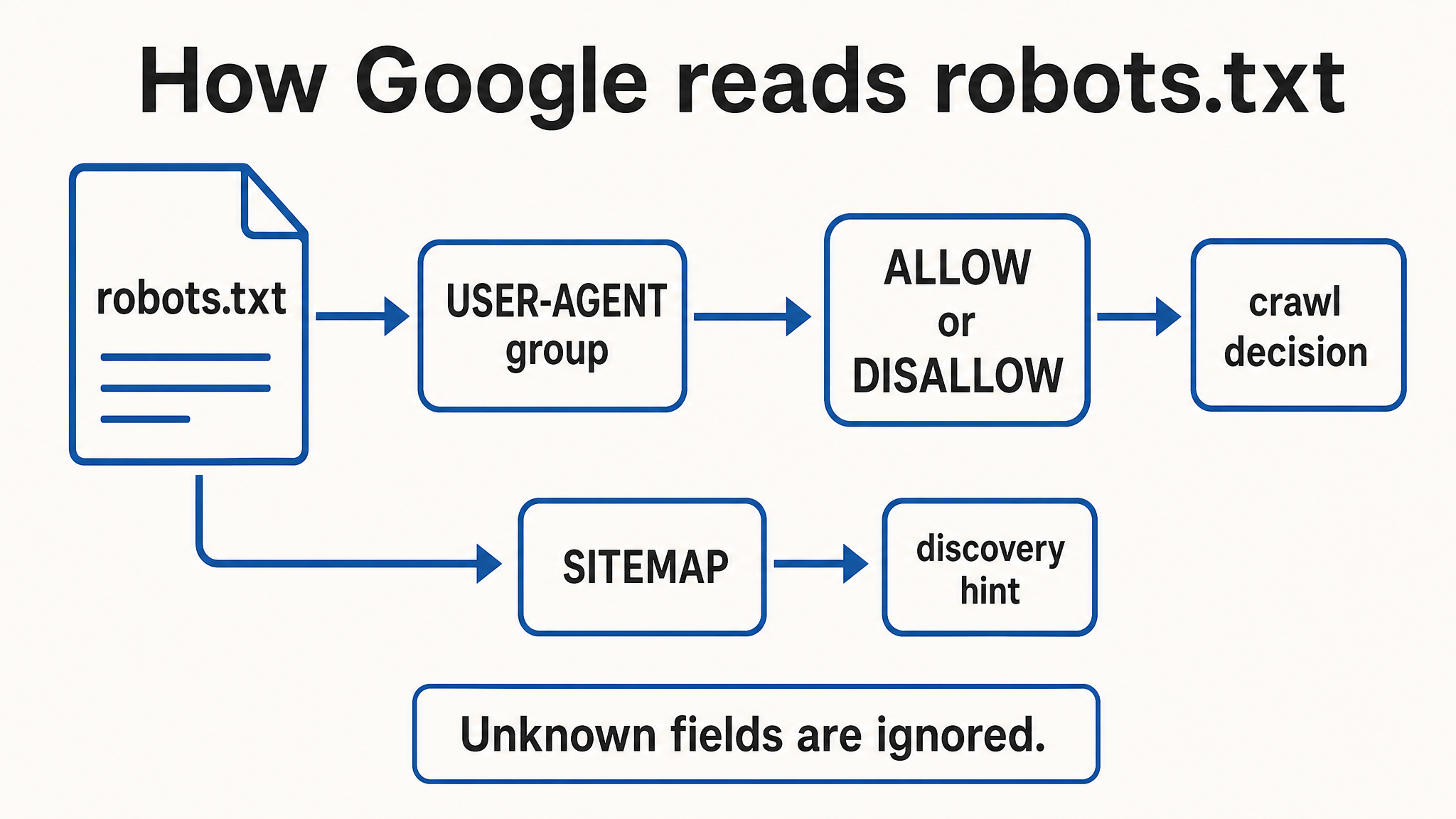
Google's access decision comes from the selected user-agent group and its allow/disallow rules. A sitemap points crawlers toward URLs but does not grant access.
A readable warning can still leave a page open
Consider this file:
User-agent: Googlebot
Don't crawl: /private/
Sitemap: https://example.com/sitemap.xml
The middle line is not a valid Disallow rule. Google ignores invalid lines and uses the valid ones it can parse. Here, the file supplies Googlebot with no crawl restriction for /private/. A working version would say:
User-agent: Googlebot
Disallow: /private/
Sitemap: https://example.com/sitemap.xml
This example does not mean every malformed line makes the whole file useless. Google's parser can keep other valid rules. It means the intended restriction fails unless another valid, applicable rule covers the URL. The official specification also warns that a rule without a path is ignored, and that a path must begin with /.
Small details matter. Rule paths are case-sensitive. Google says it can handle raw UTF-8 paths, but the episode recommends percent-encoding non-English characters and emoji for better compatibility with other crawlers. Test the actual URL and crawler token; don't judge a rule by how convincing it looks in a text editor.
Where the AI claim needs care
As the video explains, RFC 9309 is an access-preference protocol. Its Allow and Disallow rules say which URLs a compliant crawler should fetch. The protocol does not itself specify every permitted downstream use of data already fetched.
Google's own product controls add an important layer:
Goal | Google control to examine | Limit to remember |
|---|---|---|
Manage crawling for Google Search, including its AI features |
| A crawl block is not a dependable way to remove a URL already known to Google. |
Limit what appears from a page in Search or its AI features |
| Google must be able to crawl the page to see a page-level |
Manage specified Gemini model training and grounding uses |
| It has no separate HTTP user agent and does not change inclusion or ranking in Google Search. |
Keep private material private | Authentication or removal of public access |
|
These distinctions come from Google's AI features guidance, crawler list, and crawling explainer. The last page says Google may reuse crawled data to avoid repeat requests while still respecting site choices made through robots.txt and its controls. So the episode's statement about what the protocol specifies should not be stretched into a claim that Google ignores its own AI use preferences after collection.
Nor do these documents promise that adding a new rule erases data from models already trained. If that is your question, the robots.txt episode alone does not answer it.
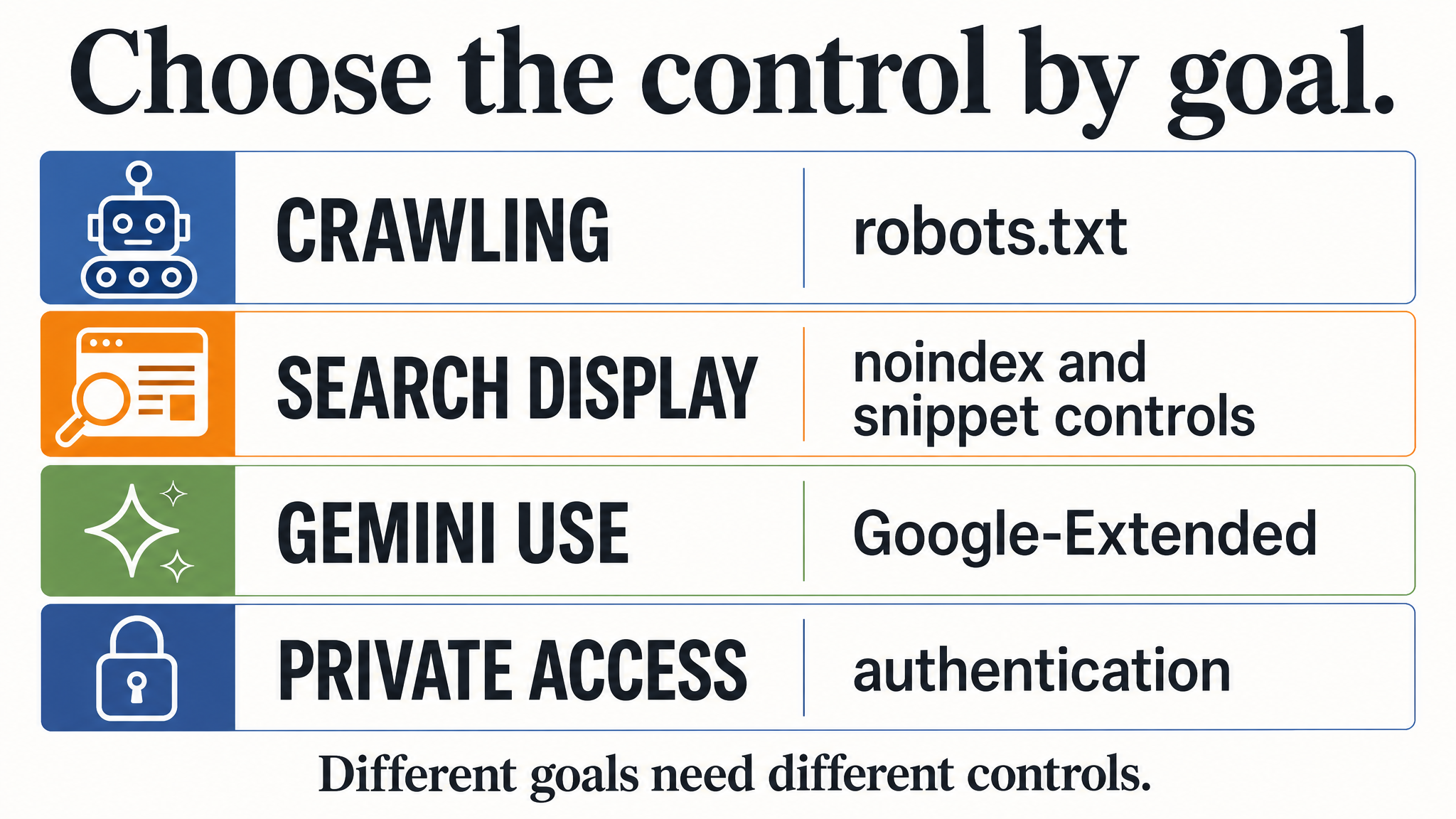
Start with the outcome you want, then choose the control. The four rows address different problems.
A quick check for site owners
- Open the live
/robots.txton each host you care about. The file applies to its own protocol, host, and port; a staging host's rules do not protect production. - Find every intended restriction. Confirm the line is a valid
Disallow: /pathunder the correctUser-agentgroup. Check for a more specific group that changes which rules Googlebot selects. - Test representative URLs, including a path with different capitalization and, if relevant, a percent-encoded international path. Use Search Console's URL Inspection tool for the Google-facing page state.
- Record the actual objective beside each rule: crawl management, Search removal, Search preview limits, Gemini use preferences, or private access. Assign the control that matches the objective.
The audit should end with one concrete result for each important URL: which crawler group applies, whether crawling is allowed, and which separate visibility or use control you rely on. If you cannot answer those three points, the file needs another pass.
The Auspia view
Google's video is a reminder that robots.txt is literal. A single invented line can create a false sense of control, while a valid crawl block can be mistaken for an indexing, confidentiality, or AI training policy. Audit the parser result and the product outcome separately. That gives teams a sounder basis for protecting content and keeping intended pages eligible for Search's AI features.
FAQ
Does Disallow remove a page from Google Search?
No. Google says a blocked URL may still appear in Search without a snippet. Use a crawlable noindex rule when the goal is to keep a page out of Search, or restrict access if the material is private. See Google's robots.txt specification and robots meta tag guidance.
Can I block Gemini uses without blocking Google Search?
Google says Google-Extended manages specified Gemini training and grounding uses and does not affect Search inclusion or ranking. Check the exact products covered in Google's current crawler documentation; it is a product token, not a separate bot you should expect to see in server logs.
Will Google understand a custom “no AI training” line?
Do not rely on it. Google's parser recognizes only its documented fields, and a custom sentence is not an RFC 9309 access rule. Use the documented product control for the Google use you want to manage.
Author: Julian Mercer, 14-Year Technical SEO Practitioner at Auspia. Julian writes about crawlability, site architecture, and the technical foundations of AI-readable content.