


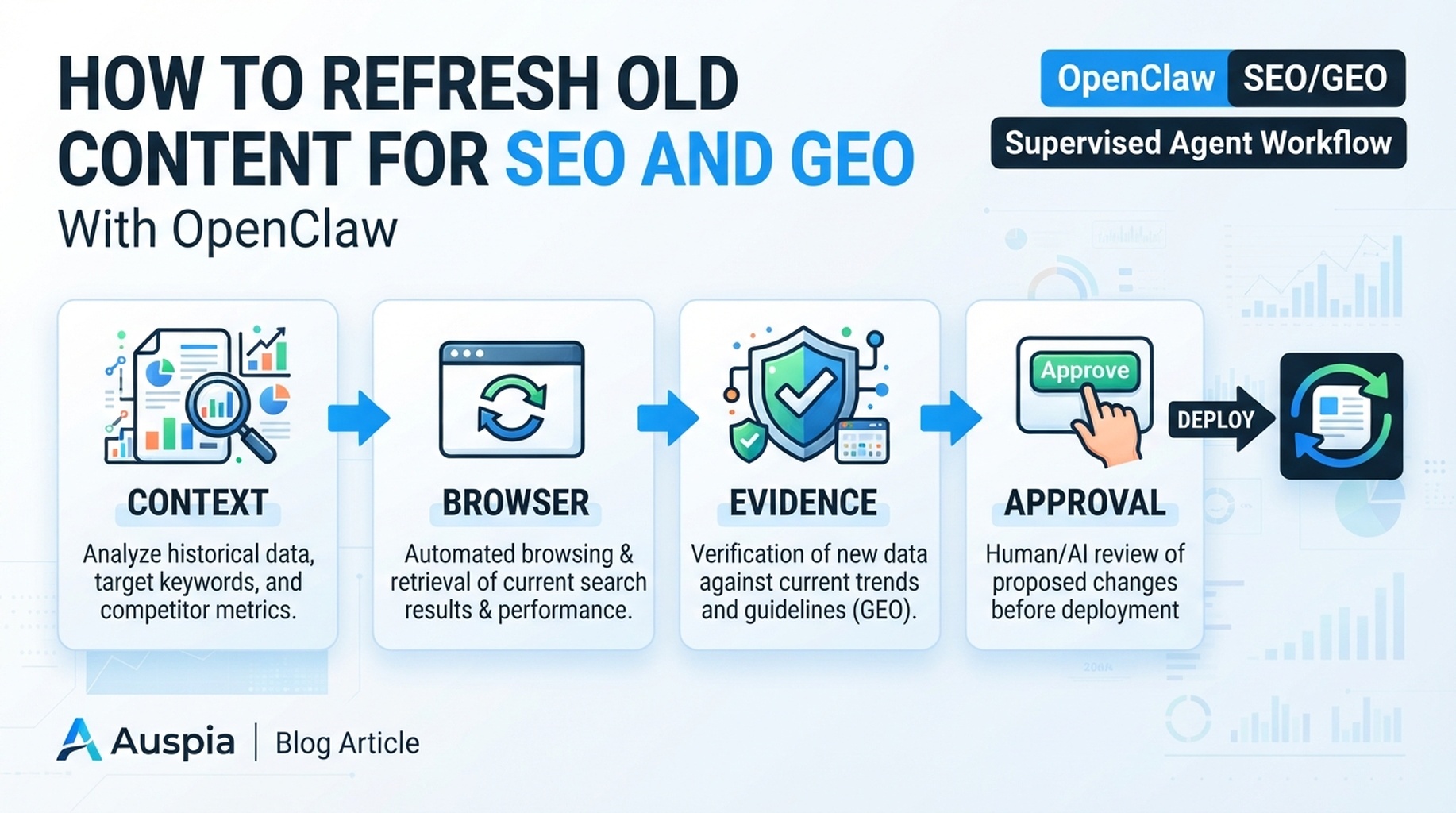
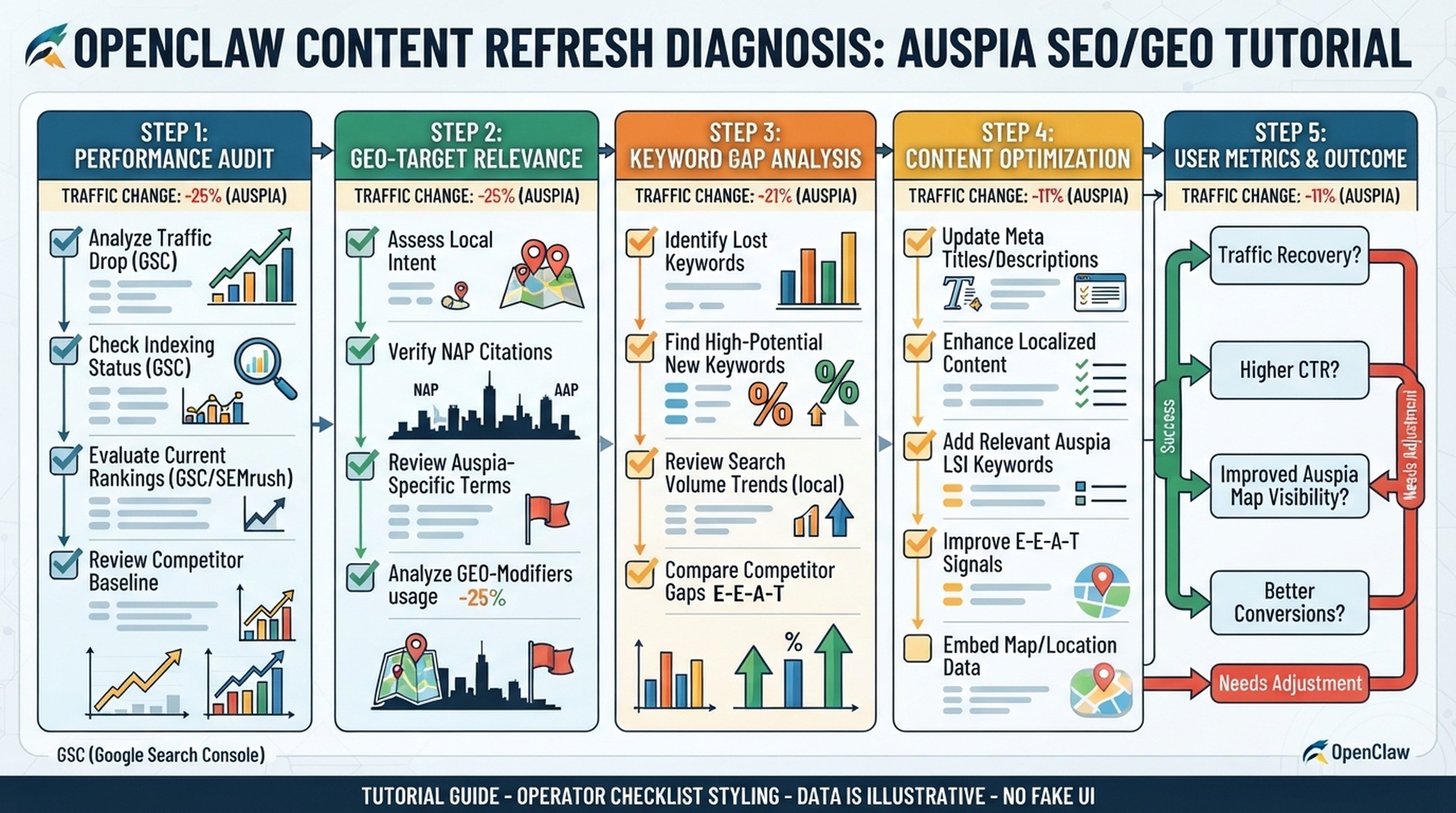
OpenClaw content refresh diagnosis: traffic signal, page inspection, GEO gap, rewrite brief, and approval.
Do not ask OpenClaw to “refresh this article”
That prompt almost always produces generic rewrites. A real refresh starts with diagnosis: why is the page worth touching, which section is underperforming, what answer is missing, and what evidence needs to change?
OpenClaw should produce a refresh brief, not rewrite the page in one pass.
Pick pages with signals, not vibes
Use a trigger table:
Trigger | Data source | Refresh type |
|---|---|---|
Clicks down, impressions stable | GSC or Bing | Improve title, intro, answer match |
Position down for core query | GSC/Bing | Update content depth and internal links |
High traffic, weak conversion | GA4 | Improve CTA and intent fit |
AI answers cite competitors | Prompt map | Add evidence, definitions, examples |
Old facts, old screenshots, old tools | Manual/browser check | Fact and proof refresh |
Prompt:
Find refresh candidates from these exports and URLs.
Do not rewrite yet.
Classify each page by refresh reason: search decline, CTR issue, conversion mismatch, outdated facts, GEO citation gap, or technical visibility issue.
Return the top 10 with evidence and confidence.
Build a section-level diagnosis
For one selected URL, ask OpenClaw to inspect the page like an editor and analyst:
Create a section-level refresh diagnosis for [URL].

Use the current page, GSC/Bing queries, GA4 landing page notes if available, and the GEO prompt map.
For each section, record:
- current section purpose
- query or prompt it should satisfy
- what is missing or outdated
- evidence needed
- recommended edit type: keep, trim, expand, replace, move, add internal link

Do not write final copy yet.
The refresh brief OpenClaw should produce
Section | Problem | Evidence | Edit | Approval note |
|---|---|---|---|---|
Intro | Does not answer the buyer question fast enough | High impressions for “how to...” queries | Add answer-first paragraph | Editorial approval |
Comparison table | Competitors changed | Browser research and SERP pages | Update rows and proof | Fact check required |
FAQ | Questions are generic | Prompt map shows implementation questions | Replace with 5 real questions | Editorial approval |
Internal links | No link to setup guide | Site architecture map | Add contextual link | Low risk |
SEO fixes and GEO fixes are different
SEO refresh | GEO refresh |
|---|---|
Better title/meta for CTR | Clearer answer block for extraction |
Update sections for query intent | Add source-like facts and definitions |
Improve internal links | Map page to prompts and cited entities |
Remove cannibalization | Add examples that AI answers can summarize |
Fix stale screenshots | Add date and evidence context |
Do both when needed, but do not confuse them. A page can rank and still be weak for AI answers.
Final OpenClaw refresh prompt
Create a human-editable refresh brief for [URL].

Output:
1. one-paragraph diagnosis
2. section-level edit table
3. SEO changes
4. GEO changes
5. internal links to add or remove
6. claims that require fact-checking
7. final approval checklist

Do not invent statistics or publish edits.
Field notes
- If a page has no clear query, prompt, or business role, do not refresh it first.
- Preserve sections that already earn traffic unless evidence says they are wrong.
- Ask OpenClaw to mark “delete” recommendations as high-risk; deleting content can remove long-tail coverage.
- Refresh screenshots and dates only when they help the reader trust the page.
FAQ
Should OpenClaw rewrite the whole article?
Usually no. Ask for a section-level brief first, then approve copy changes.
How often should old content be refreshed?
Use triggers. Refresh pages when data, SERP intent, product facts, or GEO observations change.
OpenClaw SEO/GEO learning path
This article is part of the OpenClaw SEO/GEO operator series. Follow the sequence if you are building the workflow from scratch:
- Use OpenClaw as an SEO/GEO operator
- Set up your first OpenClaw SEO agent
- Connect OpenClaw to GSC, Bing Webmaster, GA4, and SEO data
- Use OpenClaw browser automation for SEO and GEO research
- Build keyword clusters and a 90-day content calendar
- Use Google Trends for daily content ideas
- Create a GEO prompt map
- Refresh old content for SEO and GEO
- Improve internal linking and site architecture
- Run a technical SEO/GEO audit
- Build an OpenClaw SEO/GEO agent swarm
- Run daily SEO/GEO monitoring
- Add SEO/GEO quality gates
Where to go next
Sources and notes
Use the official OpenClaw docs as the source of truth for current command syntax and capabilities:
- OpenClaw official site: https://openclaw.ai/
- OpenClaw GitHub README: https://github.com/openclaw/openclaw
- OpenClaw agents CLI docs: https://docs.openclaw.ai/cli/agents
- OpenClaw browser docs: https://docs.openclaw.ai/tools/browser
- OpenClaw cron CLI docs: https://docs.openclaw.ai/cli/cron
- OpenClaw scheduled tasks docs: https://docs.openclaw.ai/automation/cron-jobs
- OpenClaw Skills docs: https://docs.openclaw.ai/tools/skills
- OpenClaw ClawHub docs: https://docs.openclaw.ai/clawhub
Author: Mara Venn, 14-Year Technical SEO Practitioner at Auspia. She writes about practical page refresh systems that protect existing traffic while improving AI-answer readiness.


