


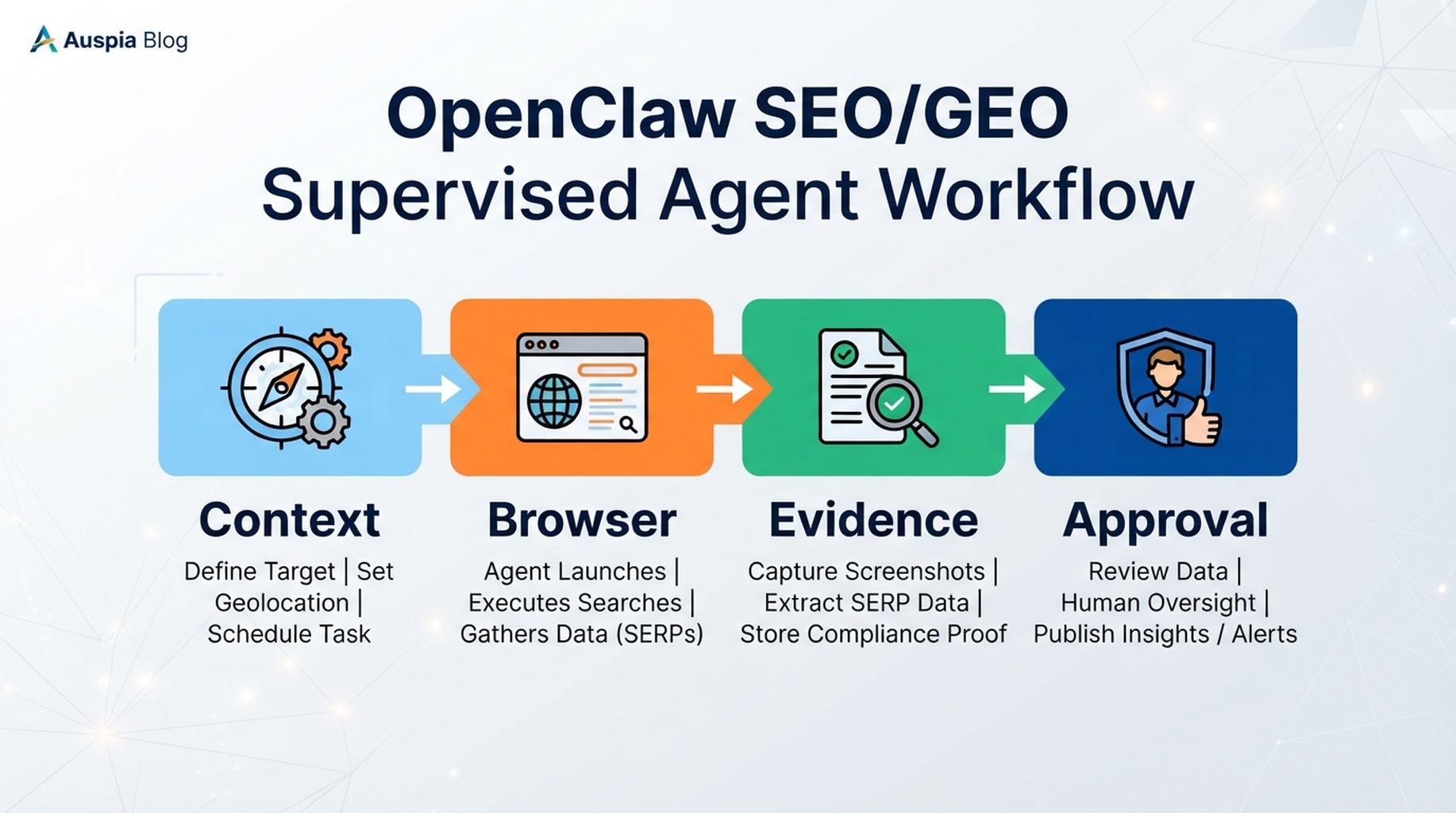
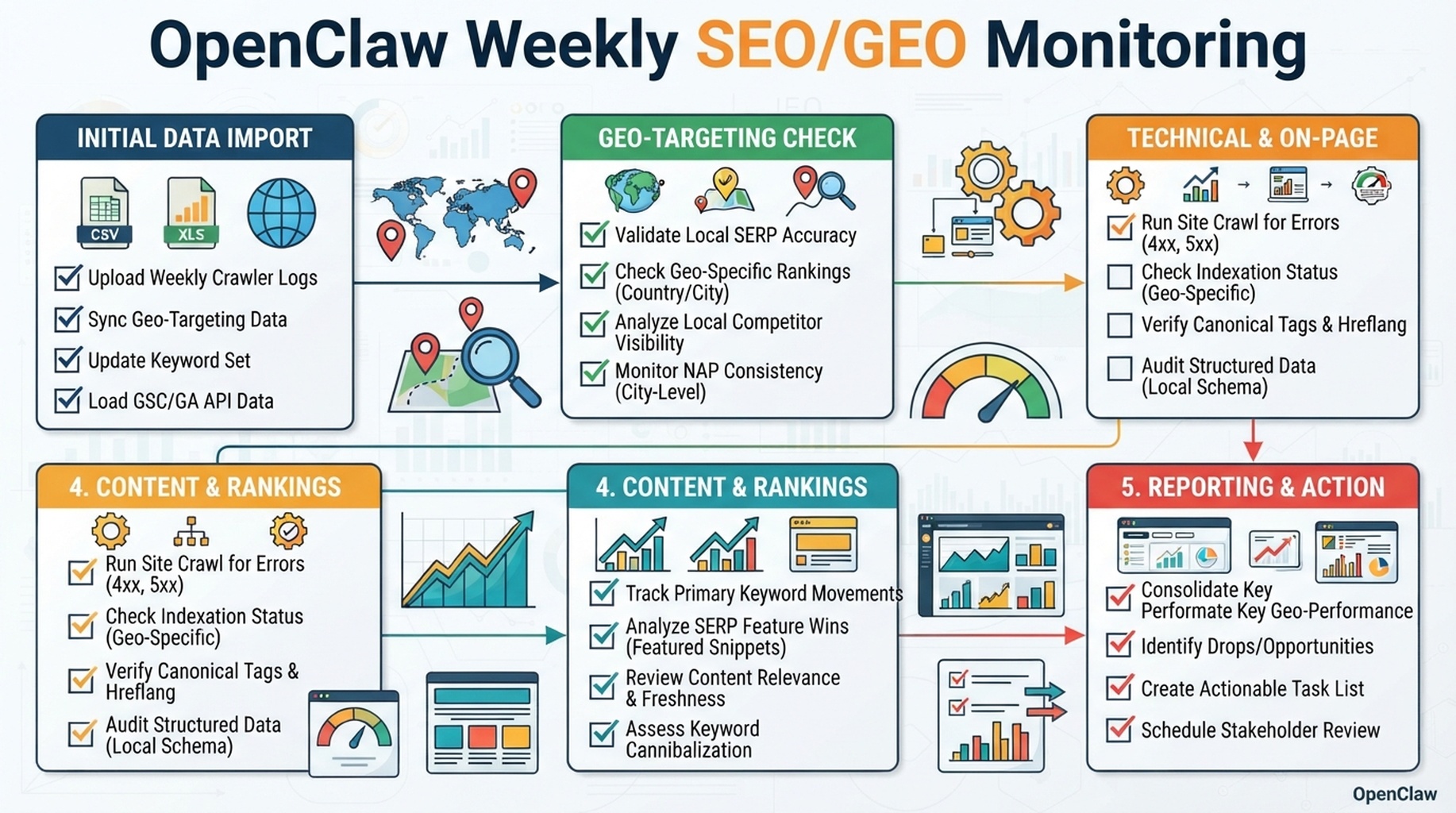
OpenClaw daily SEO/GEO monitoring: scheduled API checks, search result snapshots, citation comparison, and optimization recommendations.
Daily monitoring is the right cadence for AI search
Weekly SEO reporting is useful for slow-moving content planning. It is not enough for GEO monitoring. AI-search answers, citation surfaces, indexed pages, fresh snippets, and competitor mentions can change daily. If OpenClaw is already running as an operator, the better pattern is a daily scheduled task that checks a fixed set of search and AI-answer queries, stores the raw results, compares them with yesterday, and writes a short decision memo.
The goal is not to ask OpenClaw, “How are we doing?” every morning. The goal is to make OpenClaw run the same measurement job every day:
- call approved search and AI-search APIs
- collect index, ranking, mention, citation, and answer evidence
- normalize the response into a daily snapshot
- compare today with yesterday and the 7-day baseline
- flag meaningful changes, not random noise
- recommend optimization actions for pages, prompts, internal links, technical fixes, or content refreshes
OpenClaw should not publish fixes automatically. It should produce a daily monitoring file and update the action queue for human review.
What to monitor every day
A daily SEO/GEO monitor should track a small, stable query set. Do not monitor 2,000 keywords on day one. Start with the pages, topics, and prompts where visibility matters.
Signal | What OpenClaw checks | Example source | Why it matters |
|---|---|---|---|
Index presence | Is the URL discoverable for branded and URL-specific checks? | Google/Bing search operators, Bing Webmaster data, SERP APIs | Catches disappearing pages and crawl/index regressions |
Search result position | Does the page still appear for priority queries? | DataForSEO SERP API, SerpAPI, Bing data, other SERP APIs | Detects ranking movement and SERP intent changes |
AI-search citation | Is your page or brand cited in AI answers? | Perplexity Sonar/API, Perplexity Search API, Felo Search, other cited search APIs | Measures GEO visibility instead of only classic rankings |
Brand mention | Is the brand named even without a citation? | Felo Search, Perplexity API, AI-answer observations | Finds entity visibility changes |
Competitor citation | Which competitors are cited instead? | AI-search APIs, browser observations | Shows what sources AI systems trust today |
Answer quality | Is the generated answer accurate, current, and favorable? | Sonar-style grounded responses, manual review samples | Reveals whether citation text helps or hurts |
Technical warnings | Did monitored pages become blocked, redirected, noindexed, or stale? | crawl checks, rendered browser checks, Bing/GSC exports | Separates content issues from technical failures |
The article URL still contains weekly because the original series URL is already live. The workflow itself should run daily.
The daily monitoring architecture
Use OpenClaw as the scheduler and analyst. Use APIs as evidence sources. Store everything in the SEO agent workspace so the trend is auditable.
openclaw-seo-workspace/
  monitoring/
    queries.csv
    monitored-urls.csv
    sources.md
    snapshots/
      2026-07-04.json
      2026-07-05.json
    reports/
      daily-monitoring-2026-07-05.md
    action-queue.md
    data-quality-log.md
Recommended components:
Component | Role |
|---|---|
OpenClaw cron | Runs the daily monitoring prompt on schedule |
| Reads the plan, calls allowed tools/connectors, writes reports |
Search API adapter | Pulls web search results and ranked URLs |
AI-search API adapter | Pulls generated answers, citations, and cited URLs |
Snapshot store | Keeps raw daily JSON or CSV output |
Diff analyzer | Compares today vs yesterday and 7-day average |
Action queue | Stores optimization ideas that need approval |
Perplexity's official docs describe Sonar as a web-grounded API with citations and its Search API as a way to retrieve ranked, refreshed web results. Felo's public OpenClaw Search skill page describes source-backed real-time search for current research workflows. Treat these as examples of search/answer providers; your implementation can use any approved API that returns sources, URLs, timestamps, and enough metadata for comparison.
Step 1: define the monitored query set
The daily job should be stable. If the query set changes every day, you cannot compare trends.
Create monitoring/queries.csv:
id | type | queryorprompt | target_url | target_brand | market | priority |
|---|---|---|---|---|---|---|
q001 | index |
|
| ExampleBrand | US | high |
q002 | seo |
|
| ExampleBrand | US | high |
q003 | geo |
|
| ExampleBrand | US | high |
q004 | geo |
|
| ExampleBrand | US | medium |
q005 | competitor |
|
| ExampleBrand | US | medium |
Ask OpenClaw to build the first version:
Create `monitoring/queries.csv` for daily SEO/GEO monitoring.

Use my site context, priority URLs, current SEO queries, competitor list, and GEO prompt map.
Include five query types:
1. index checks
2. SEO result checks
3. AI-search citation prompts
4. brand mention prompts
5. competitor comparison prompts

Keep the first version to 25-50 rows. Add a target URL, brand, market, and priority for each row. Do not run the checks yet.
Step 2: choose evidence APIs by job
Do not force one API to do everything. Search APIs and AI-answer APIs answer different questions.
Job | Better source type | Example providers |
|---|---|---|
Raw web result ranking | Search API or SERP API | Perplexity Search API, DataForSEO SERP API, SerpAPI, Bing search data |
Grounded AI answer and citations | AI-search or answer API | Perplexity Sonar/API, Felo Search, other cited answer APIs |
Bing-specific index/query data | Webmaster API or export | Bing Webmaster Tools |
Google search performance | Search Console API or export | Google Search Console |
Public page rendering | Browser automation or crawler | OpenClaw browser, crawler/web fetch tools |
Use read-only keys. The daily monitor does not need permission to publish, submit URLs, change account settings, or edit files.
Step 3: standardize the API response
Different providers return different fields. OpenClaw should normalize them before comparison.
Use this daily snapshot schema:
Field | Meaning |
|---|---|
| Monitoring date |
| Felo Search, Perplexity, Bing, GSC, SERP API, browser, etc. |
| Stable ID from |
| Exact query used |
|
|
| Rank when a ranked result exists |
| Result or citation URL |
| Result or citation domain |
| Result title when available |
| Short result snippet or answer summary |
| Whether the URL was cited in an AI answer |
| Whether your brand was mentioned |
| Competitors found in answer/result |
| High, medium, low based on source and consistency |
| Path to raw provider response |
Prompt:
Normalize today's API results into the daily SEO/GEO snapshot schema.

Rules:
- Keep provider names visible.
- Do not merge web ranking results with AI-answer citations.
- Keep the exact query and timestamp.
- Store raw responses before summarizing.
- Flag missing, rate-limited, or partial API responses in `data-quality-log.md`.
Step 4: create the OpenClaw daily cron job
Use OpenClaw's cron scheduler to run the monitoring prompt every day. The official docs show openclaw cron create with a schedule, prompt, job name, and --agent target.
Example:
openclaw cron create "0 8 * * *" \
  "Run the daily SEO/GEO monitoring workflow from monitoring/daily-monitoring-plan.md. Use approved read-only APIs, store raw snapshots, compare today's results with yesterday and the 7-day baseline, write a daily decision memo, and update action-queue.md. Do not publish, submit URLs, change account settings, or edit production files." \
  --name "Daily SEO/GEO visibility monitor" \
  --agent seo-operator
If your OpenClaw setup supports webhooks or notification channels, send the finished report to your team. Keep raw data in the workspace.
Step 5: write the daily monitoring plan
Create monitoring/daily-monitoring-plan.md:
## Daily SEO/GEO Monitoring Plan

Run time: 08:00 local time
Agent: seo-operator
Inputs:
- monitoring/queries.csv
- monitoring/monitored-urls.csv
- previous snapshot
- previous 7 daily reports
- approved API connectors

Approved providers:
- Search result provider: [Perplexity Search API / SERP API / other]
- AI answer provider: [Perplexity Sonar / Felo Search / other]
- Search console provider: [GSC export or API]
- Bing provider: [Bing Webmaster export or API]
- Browser check: [OpenClaw browser for selected URLs only]

Daily tasks:
1. Run index checks for priority URLs.
2. Run web result checks for priority SEO queries.
3. Run AI-answer checks for priority GEO prompts.
4. Extract cited URLs, mentioned brands, competitors, and answer summaries.
5. Normalize provider outputs into today's snapshot.
6. Compare today with yesterday and the 7-day baseline.
7. Write a daily decision memo.
8. Append only actionable items to action-queue.md.

Blocked actions:
- publishing
- editing CMS or repo files
- submitting URLs
- changing account settings
- changing robots, canonicals, redirects, schema, or sitemap files
Step 6: compare today against yesterday
The value is in the diff. Ask OpenClaw to classify changes, not just list results.
Change type | Detection | Meaning | Possible action |
|---|---|---|---|
Citation gained | Target URL absent yesterday, cited today | GEO improvement or answer drift | Save example, check what changed |
Citation lost | Target URL cited yesterday, absent today | Possible freshness or source quality issue | Inspect competing cited source |
Competitor gained | Competitor cited more often today | Source gap | Compare competitor page evidence |
Brand mention gained | Brand appears without citation | Entity awareness improving | Strengthen source page and internal links |
Index disappearance | URL check fails or result drops out | Technical or crawl issue | Run technical audit before rewriting |
Snippet changed | Search result title/snippet differs | SERP interpretation changed | Review title/meta and answer block |
API/data failure | Provider returns missing/partial data | Measurement issue | Do not make SEO decision from failed data |
Prompt:
Compare today's monitoring snapshot with yesterday and the 7-day baseline.

Classify each meaningful change as:
- citation gained
- citation lost
- competitor gained
- brand mention gained
- index risk
- ranking movement
- snippet change
- data quality issue
- no meaningful change

For each change, include evidence, likely cause, confidence, and recommended next step. Do not recommend a page edit when the problem is missing data or a technical access issue.
Step 7: daily report format
The daily report should be short enough to read in five minutes.
## Daily SEO/GEO Visibility Monitor

Date:
Agent:
Providers used:
Providers failed:
Snapshot files:

## Executive decision
One paragraph: what changed, whether action is needed, and what is blocked.

## Notable changes
| Priority | Query ID | Change | Evidence | Confidence | Recommended action |
| --- | --- | --- | --- | --- | --- |

## AI-search citation changes
| Prompt | Our URL cited? | Competitors cited | Answer summary | Action |
| --- | --- | --- | --- | --- |

## Search/index changes
| Query or URL | Yesterday | Today | Difference | Action |
| --- | --- | --- | --- | --- |

## Data quality notes
- Missing API responses
- Rate limits
- Provider changes
- Low-confidence observations

## Action queue updates
- Added:
- Updated:
- Closed:
- Needs human review:
Step 8: optimization recommendations OpenClaw should make
Daily monitoring should not create random rewrites. Recommendations should match the change type.
Monitoring finding | Better recommendation | Bad recommendation |
|---|---|---|
Competitor cited for implementation prompt | Add a clearer step-by-step section and citeable checklist to target URL | “Improve content quality” |
Brand mentioned but not cited | Strengthen target page entity facts and internal links | “Write more blog posts” |
URL disappeared from index check | Run technical audit for robots/noindex/canonical/status | “Rewrite the article” |
AI answer cites outdated third-party source | Update page with current facts and publication date | “Add keywords” |
Search rank stable but AI citation lost | Compare answer source requirements, not title tag first | “Change meta description” |
API failed | Retry or mark data missing | “Assume visibility dropped” |
Step 9: keep a daily history table
Ask OpenClaw to maintain a compact trend table so the daily reports do not become isolated notes.
Date | Queries checked | Citations gained | Citations lost | Index risks | Competitor gains | Actions added |
|---|---|---|---|---|---|---|
2026-07-04 | 40 | 2 | 1 | 0 | 3 | 4 |
2026-07-05 | 40 | 1 | 0 | 1 | 1 | 2 |
This table is useful for weekly and monthly reviews, but the measurement happens daily.
Practical notes from running this workflow
- Keep the monitored query set small until the diff quality is good.
- Store raw API responses. Summaries alone are not enough for audits.
- Do not compare different providers as if they are the same ranking system.
- Use the same prompt wording daily for GEO checks; otherwise changes may come from your prompt, not the market.
- Watch API rate limits and failed responses. A failed API call is not a visibility loss.
- Review optimization suggestions before adding them to production work.
- If daily alerts become noisy, keep daily collection but only notify on high-priority changes.
FAQ
Should OpenClaw run this every day or every week?
Run collection daily. Summarize weekly if your team is small. GEO and AI-search citation changes are volatile enough that daily snapshots are more useful than a weekly memory-based check.
Can I use Felo Search API and Perplexity API together?
Yes. Use them as separate providers. For example, use a search API for ranked web results and a grounded answer API for citations or answer summaries. Do not merge their outputs without preserving the provider name.
Should the daily task submit URLs when a page disappears?
No. Treat that as a high-priority finding. Ask for human approval before submitting URLs or changing account settings.
How many prompts should I monitor daily?
Start with 25 to 50. Expand only after the daily diff produces useful decisions rather than noise.
What if API results fluctuate every day?
Use confidence labels and a 7-day baseline. Do not rewrite pages because of one low-confidence observation.
OpenClaw SEO/GEO learning path
This article is part of the OpenClaw SEO/GEO operator series. Follow the sequence if you are building the workflow from scratch:
- Use OpenClaw as an SEO/GEO operator
- Set up your first OpenClaw SEO agent
- Connect OpenClaw to GSC, Bing Webmaster, GA4, and SEO data
- Use OpenClaw browser automation for SEO and GEO research
- Build keyword clusters and a 90-day content calendar
- Use Google Trends for daily content ideas
- Create a GEO prompt map
- Refresh old content for SEO and GEO
- Improve internal linking and site architecture
- Run a technical SEO/GEO audit
- Build an OpenClaw SEO/GEO agent swarm
- Run daily SEO/GEO monitoring
- Add SEO/GEO quality gates
Where to go next
- Previous: Build an OpenClaw SEO/GEO Agent Swarm Workflow
- Next: OpenClaw SEO/GEO Quality Gates
- Related: How to Connect OpenClaw to GSC, Bing Webmaster, GA4, and SEO Data
Sources and notes
Use the official OpenClaw and provider docs as the source of truth for current command syntax, API authentication, rate limits, and response fields:
- OpenClaw cron CLI docs: https://docs.openclaw.ai/cli/cron
- OpenClaw scheduled tasks docs: https://docs.openclaw.ai/automation/cron-jobs
- OpenClaw agents CLI docs: https://docs.openclaw.ai/cli/agents
- OpenClaw browser docs: https://docs.openclaw.ai/tools/browser
- Perplexity Sonar API docs: https://docs.perplexity.ai/docs/sonar/quickstart
- Perplexity Search API docs: https://docs.perplexity.ai/docs/search/quickstart
- Felo Search OpenClaw skill page: https://felo.ai/skills/openclaw/felo-search
Author: Jules Tan, GEO Measurement Lead Across 500+ Prompts at Auspia. He writes about turning daily search and AI-answer observations into practical visibility decisions.


