


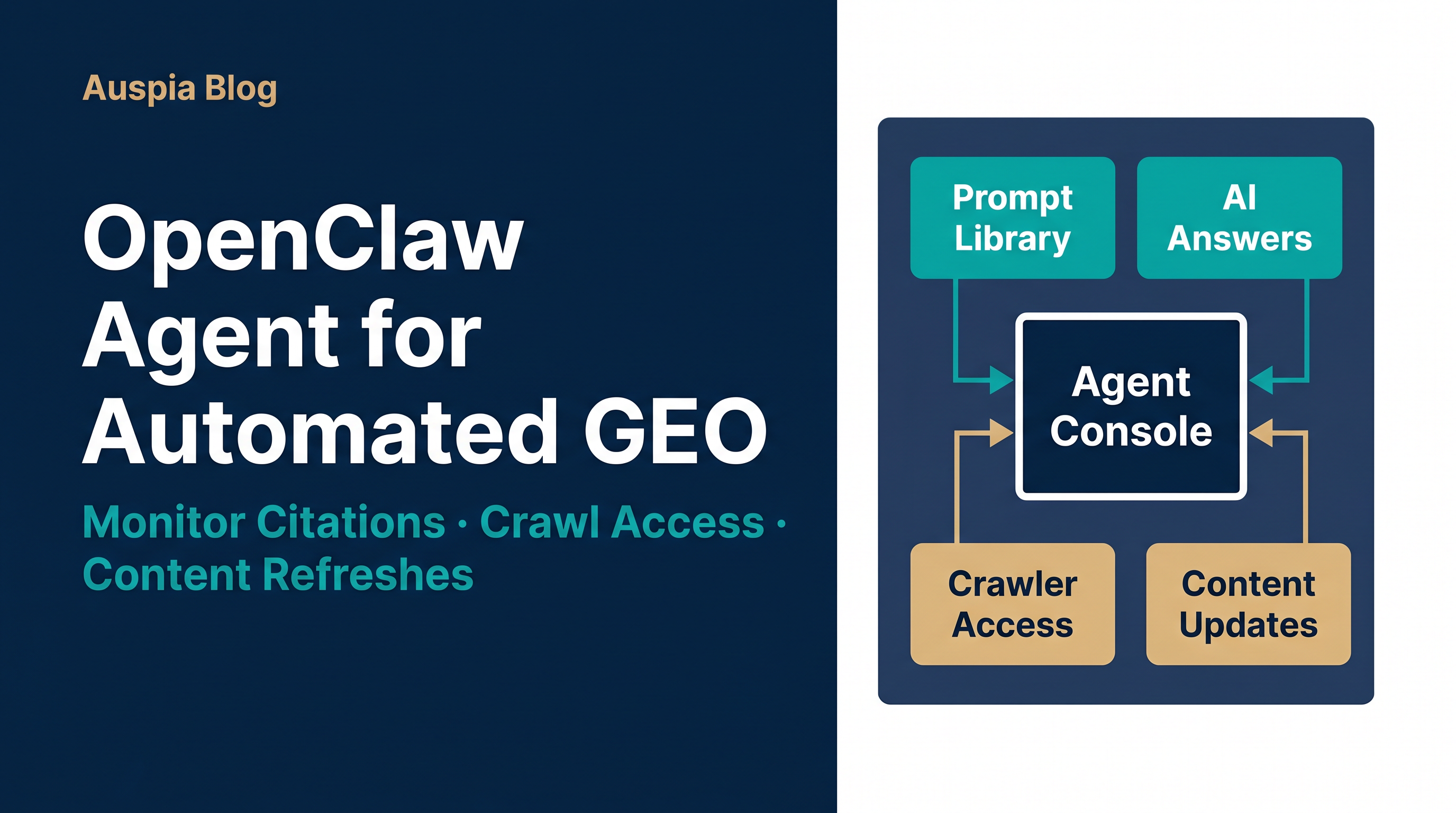
Direct answer
OpenClaw Agent can automate GEO by turning the work into a repeatable loop: discover the questions AI systems answer, check whether your site is crawlable and citable, compare your pages against cited competitors, rewrite weak sections, publish updates, and report what changed. It will not magically win citations. The value is that it can run the boring parts every week without losing context.
This matters because AI search visibility is no longer a one-time content project. Google says its generative AI search features use retrieval-augmented generation and query fan-out, and that the same foundations of crawlability, indexing, helpful content, and clear structure still matter for AI experiences. OpenAI also separates search crawling from model-training crawling through different robots.txt agents, which means teams now need crawler policy decisions, not just keyword briefs.
The practical setup is simple: use OpenClaw as the operator, not the strategist. Give it skills, access, schedules, and guardrails. Let humans approve positioning, claims, and business-critical page changes.
What OpenClaw changes about GEO work
Most GEO programs break down for mundane reasons. Someone exports prompts once, checks ChatGPT manually, rewrites a page, then forgets to check whether the new page is crawlable, internally linked, and actually referenced by AI answers a month later.
OpenClaw is useful because it can keep the loop alive. Its documentation describes an agent runtime with browser automation, exec, sandboxing, web search providers, cron jobs, skills, plugins, and workflow pipelines. It also supports a managed browser profile that can open pages, read them, click, type, take screenshots, and verify results in an isolated browser surface.
For GEO, those capabilities map cleanly to five jobs:
GEO job | What OpenClaw can automate | What humans should still own |
|---|---|---|
Prompt discovery | Collect prompts from Search Console queries, sales calls, support tickets, and AI search tools | Decide which questions are commercially important |
AI answer monitoring | Run recurring searches in ChatGPT, Perplexity, Google AI features, or selected search providers | Interpret whether a mention is useful, misleading, or risky |
Citation gap audit | Compare cited pages, your pages, entities, schema, and evidence blocks | Decide the angle and proof standard |
Technical readiness | Check robots.txt, sitemaps, canonical tags, indexability, JS rendering, and crawler access | Approve crawler policy and legal posture |
Content refresh | Draft answer blocks, FAQs, comparison tables, product evidence, and internal links | Approve claims, compliance language, and final edits |
The trick is not to ask the agent to "do GEO." That prompt is too vague. Ask it to operate a system.
The workflow: automate the GEO loop, not just content writing
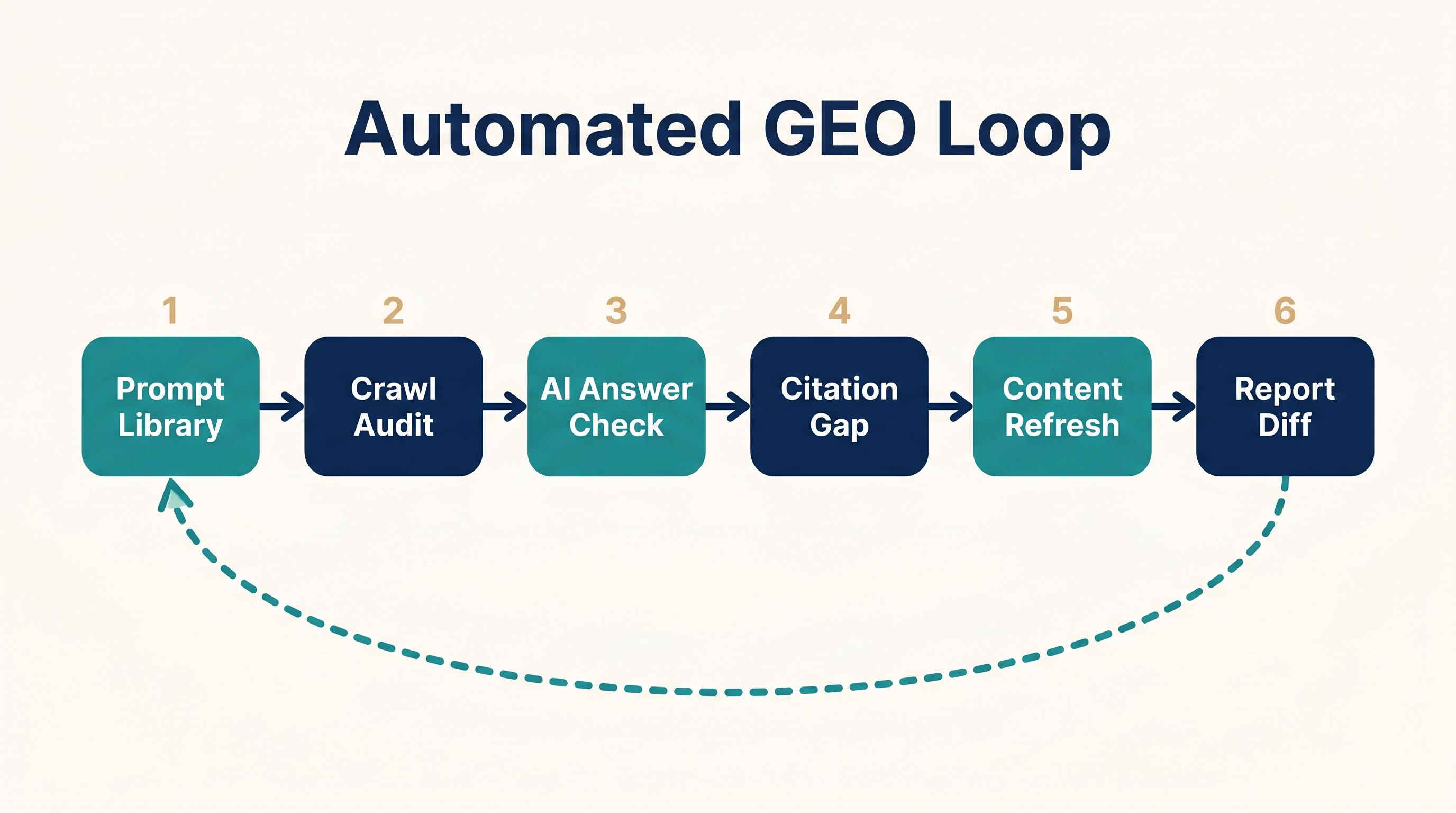
A strong OpenClaw GEO workflow has six stages.
1. Build a prompt library from real demand
Start with 30 to 100 prompts grouped by buying intent. Do not begin with generic prompts like "best CRM" unless you sell into that exact market and have a reason to compete there.
Useful prompt sources:
- Search Console queries that already bring qualified impressions
- Sales objections and demo questions
- Support tickets that reveal comparison and implementation pain
- Competitor pages that show up in AI answers
- Community questions from Reddit, forums, YouTube comments, and industry Slack groups
- Existing Auspia-style GEO checks from tools such as AI Search Visibility Checker
A simple prompt record should include:
Field | Example |
|---|---|
Prompt | "What is the best website SEO audit tool for a small SaaS team?" |
Intent | Evaluation |
Target page |
|
Desired citation type | Tool page, checklist, comparison table |
Competitors to watch | 3-5 domains |
Refresh cadence | Weekly |
OpenClaw can maintain this library as a Markdown or CSV file. That matters. A prompt library hidden in chat history is not an operating asset.
2. Check crawl and AI access before writing more pages
A GEO workflow should fail fast if AI search systems cannot reach the pages that matter.
Have OpenClaw check:
robots.txtrules for Googlebot, GPTBot, OAI-SearchBot, and any AI crawler policy you care about- whether key pages are blocked by
noindex, canonical mistakes, redirects, or auth walls - whether the rendered page contains the answer text, not just client-side fragments that tools miss
- whether the sitemap includes priority pages
- whether important images, PDFs, and docs have descriptive alt text or surrounding explanatory copy
The crawler distinction matters. OpenAI's crawler documentation says OAI-SearchBot is used for ChatGPT search features, while GPTBot is used for crawling content that may be used in training foundation models. A site can choose to allow search visibility while disallowing training use. That is a business decision, but the agent can audit whether the policy is implemented as intended.
For Google, the boring SEO basics still apply. Google's own generative AI guidance says AI features are rooted in core Search ranking and quality systems, and that pages need to be discoverable, crawlable, indexed, and eligible for snippets. If a page is technically invisible, no amount of "GEO formatting" fixes it.
3. Run recurring AI answer checks
OpenClaw's scheduled tasks are useful here. Its cron system can persist jobs, wake the agent at the right time, and deliver output to a chat channel or webhook. Use this for weekly or daily checks instead of relying on someone to remember.
A weekly monitoring prompt can be as direct as this:
Every Monday at 09:00, run the 40 prompts in geo-prompts.csv.
For each prompt, record:
- answer engine or search surface
- cited domains
- whether our domain appears
- cited URL if present
- summary of the answer angle
- missing evidence or entities
- screenshot or saved response when available
Return a CSV diff against last week and a short list of recommended content updates.
Keep the output small. The best report is not a 30-page essay. It is a diff: gained citation, lost citation, new competitor, stale page, technical blocker, recommended update.
4. Compare cited pages against your pages
When your brand is missing, the agent should inspect the pages that are cited. This is where OpenClaw's browser automation and web fetch/search tools are useful.
Ask for evidence, not vibes:
Comparison point | What the agent should extract |
|---|---|
Answer format | Definition, list, comparison, how-to, checklist, stats |
Entity clarity | Brand, product, category, author, date, organization schema |
Proof | Original data, examples, screenshots, customer evidence, benchmarks |
Extractability | Short answer blocks, tables, FAQ, headings, schema, descriptive anchors |
Freshness | Updated date, version references, current platform names |
Conversion path | Tool, demo, template, calculator, signup, audit |
Then ask it to produce an update brief, not a full rewrite first. A good brief says: "Add a 90-word direct answer under H2, add a comparison table, add crawler policy note, add internal link to the tool page, update schema, and cite two primary sources."
5. Refresh content in answer-ready modules
For GEO, the unit of work is often a module rather than a whole article. OpenClaw can draft these modules and create pull requests or CMS drafts.
High-value modules include:
- a direct answer near the top of the page
- a comparison table with clear criteria
- a "who this is for" block
- a constraints section that says when the advice does not apply
- FAQ questions that mirror real prompt variants
- short definitions of entities, tools, standards, and methods
- a source block with dates and primary documentation links
- internal links to related tools or category hubs, such as Auspia GEO resources
This is where many teams overdo it. Do not make pages robotic just because an agent can generate sections quickly. Google's generative AI guidance warns against creating many query-variation pages primarily to manipulate rankings or AI responses. Use the agent to improve useful pages, not to flood the site with thin derivatives.
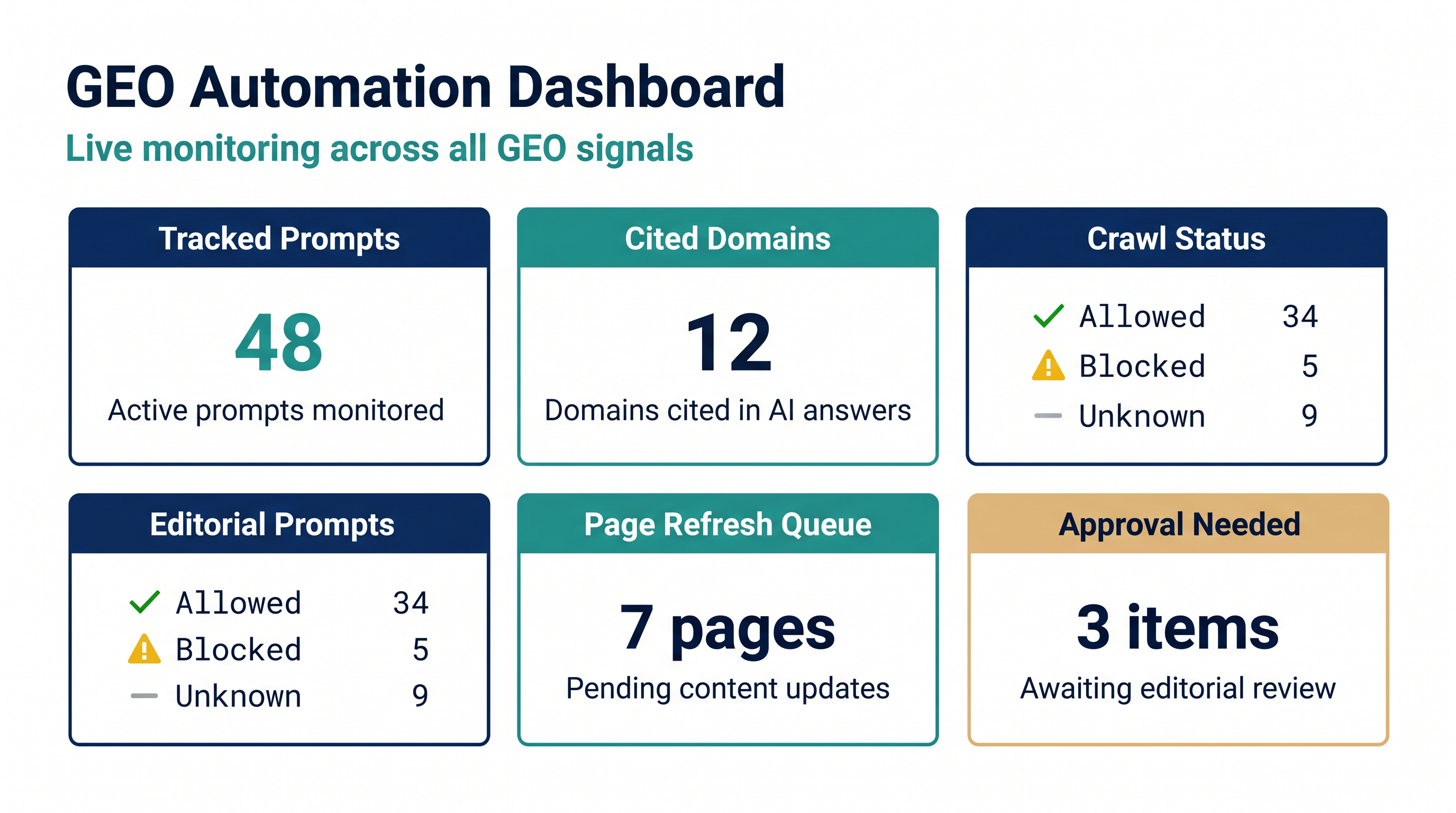
6. Turn monitoring into a decision dashboard
The weekly report should answer five questions:
- Which prompts gained or lost visibility?
- Which pages are technically blocked or weakly structured?
- Which competitors are being cited more often?
- Which content modules should be refreshed this week?
- Which changes need human approval because they affect claims, compliance, or brand positioning?
If the dashboard cannot drive action, it is just another content report.
A practical OpenClaw setup for GEO teams
Here is a workable stack for a small growth team.
Layer | Recommended setup |
|---|---|
Agent workspace | Dedicated GEO workspace with prompt library, reports, and approved style rules |
Skills | GEO audit, content brief, robots.txt audit, citation monitor, CMS draft, screenshot capture |
Browser | Isolated OpenClaw browser profile for verification; user profile only when login is required |
Search providers | One broad web provider plus one AI-search-oriented provider for answer checks |
Schedules | Weekly citation monitor, monthly technical audit, daily checks only for high-value launches |
Outputs | CSV diff, Markdown brief, screenshots, CMS draft, Slack or Telegram summary |
Approval gates | Claim changes, legal copy, crawler policy, published updates, deletion of content |
A useful starter folder might look like this:
geo-ops/
  prompts.csv
  competitors.csv
  crawler-policy.md
  reports/
  briefs/
  screenshots/
  skills/
    geo-citation-monitor/SKILL.md
    geo-content-refresh/SKILL.md
    robots-ai-crawler-audit/SKILL.md
The important part is that the agent can read and update the same assets over time. GEO improves through memory: what was tested, what changed, what worked, and what should not be repeated.
Example skill: citation monitor
A lightweight OpenClaw skill can describe the operating loop in plain language:
---
name: geo-citation-monitor
description: Monitor AI search answers and citation changes for tracked GEO prompts.
---

When asked to run a GEO citation monitor:
1. Read `geo-ops/prompts.csv`.
2. For each prompt, run the configured answer checks.
3. Record cited domains, cited URLs, answer angle, and our visibility state.
4. Compare results with the latest report in `geo-ops/reports/`.
5. Flag gained citations, lost citations, new competitors, and pages needing refresh.
6. Do not publish changes. Create a brief for human review.
This is not fancy, which is the point. A skill gives the agent a repeatable procedure. The more specific the procedure, the less likely the agent is to drift into generic SEO advice.
Quality gates before you let the agent publish
Automated GEO can become a liability if it publishes unreviewed claims. Set hard gates.
Gate | Block publish if... |
|---|---|
Source quality | The draft cites blogs when primary docs or product pages exist |
Claim safety | The copy promises rankings, citations, revenue, or guaranteed AI visibility |
Technical accuracy | The page recommends crawler rules that conflict with company policy |
Duplicate risk | The new page overlaps an existing page without a canonical or consolidation plan |
Human usefulness | The section exists only for an AI prompt and does not help a real buyer |
Visual quality | Images are decorative and do not explain the workflow, matrix, or evidence |
OpenClaw should be allowed to prepare changes quickly. It should not get unrestricted publishing rights until the team has watched enough runs to trust the process.
Common mistakes
The first mistake is measuring mentions instead of useful citations. A passing mention with no link, wrong context, or outdated positioning can hurt more than it helps.
The second mistake is giving the agent too many tools too early. Start with read-only monitoring, then drafts, then CMS updates with approval. Do not begin with autonomous publishing.
The third mistake is treating GEO as separate from SEO. Google is blunt about this: from its Search perspective, optimizing for generative AI search is still optimizing for the search experience. You still need crawlability, clear structure, helpful content, and reliable signals.
The fourth mistake is ignoring crawler policy. Some teams block every AI crawler because they are worried about training use, then wonder why they do not appear in AI search answers. Others allow everything without thinking about licensing, paid content, or competitive risk. Separate search visibility from training access where the platform allows it.
Auspia take
OpenClaw is a good fit for GEO because GEO is operationally messy. It crosses SEO, content, engineering, analytics, and brand. Agents are useful when the work is repetitive, evidence-heavy, and easy to forget.
But the strongest teams will not use OpenClaw to mass-produce generic "AI answer" pages. They will use it to keep a living system: prompts, citations, crawl access, content modules, screenshots, diffs, and approvals.
If you already have traffic pages, start there. Pick ten pages that matter commercially. Use OpenClaw to audit how AI answer systems describe the topic, what they cite, whether your pages are accessible, and which answer-ready modules are missing. Then refresh one page at a time.
That is slower than generating 100 pages. It is also much more likely to produce content that humans trust and AI systems can cite.
FAQ
Can OpenClaw guarantee GEO citations?
No. No tool can guarantee AI citations. OpenClaw can automate monitoring, audits, content briefs, technical checks, and refresh workflows. Citation decisions are controlled by AI search systems and depend on source quality, relevance, crawl access, and many other signals.
Is automated GEO different from automated SEO?
The workflow is different, but the foundation overlaps. GEO puts more emphasis on answer extraction, citation monitoring, entity clarity, and AI crawler access. Traditional SEO fundamentals still matter: crawlability, internal links, helpful content, structured data, and page quality.
Should I allow GPTBot and OAI-SearchBot?
Treat them separately. OpenAI describes OAI-SearchBot as a search crawler for ChatGPT search features and GPTBot as a crawler for content that may be used in foundation-model training. Some teams may allow search crawling while disallowing training crawling. Make that choice with your legal, content, and growth teams.
How often should an OpenClaw GEO agent run?
Weekly is enough for most sites. Daily checks make sense for launches, reputation-sensitive topics, or high-value commercial prompts. Monthly technical audits are usually sufficient unless your site changes constantly.
What should the first automated GEO report include?
Keep it lean: tracked prompts, cited domains, your visibility state, gained or lost citations, technical blockers, content refresh recommendations, and screenshots or saved answer excerpts for important changes.


