


The practical answer
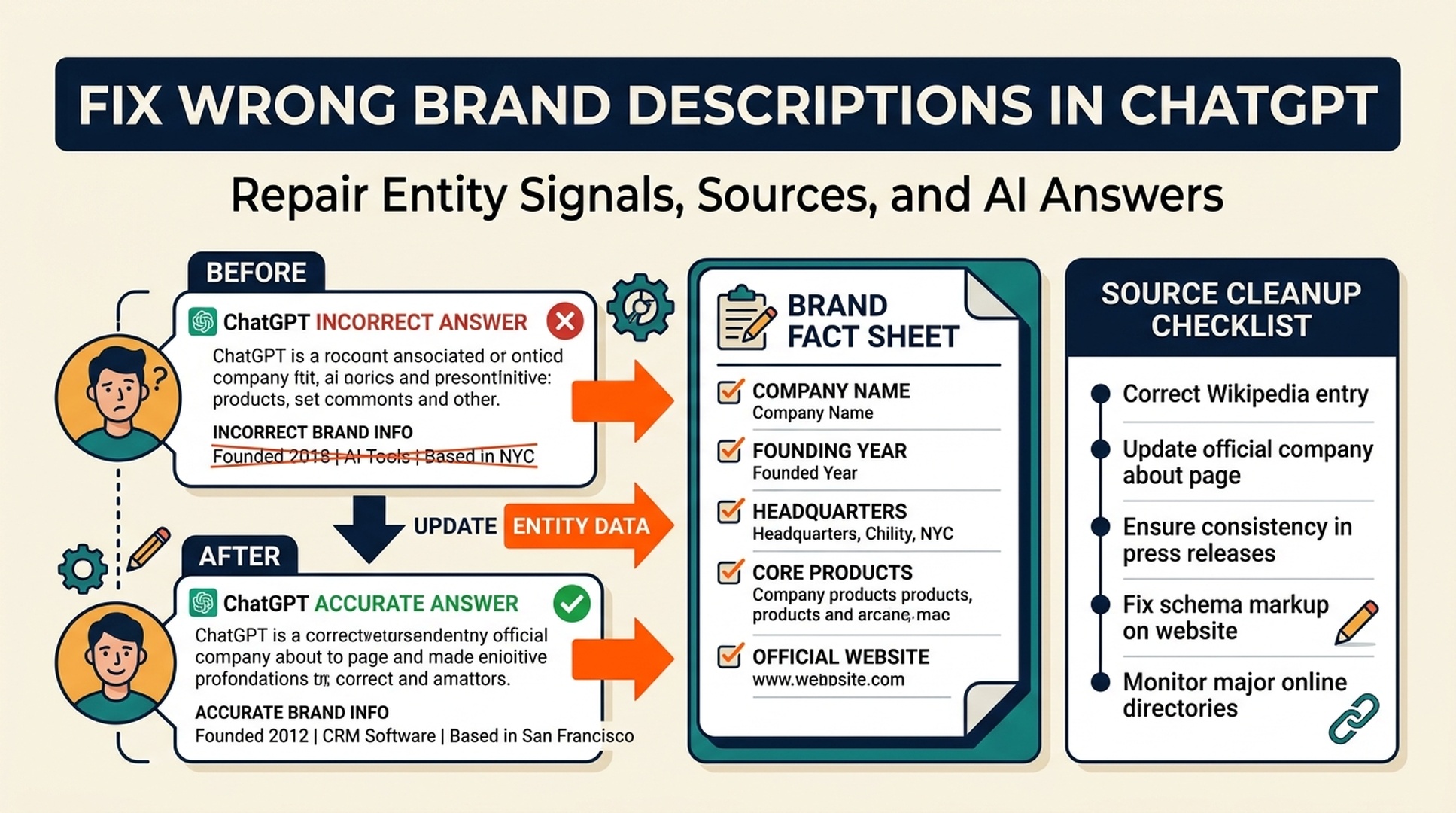
If ChatGPT describes your brand incorrectly, the fix is rarely one prompt or one schema tag. You need to find which public sources support the wrong description, correct the core brand facts on your own site, update stale third-party references, publish clearer evidence, and then monitor whether AI answers change over time.
Wrong brand descriptions usually come from one of five problems: outdated positioning, inconsistent category language, thin product pages, confusing third-party profiles, or a brand name that overlaps with another entity. A good repair workflow treats the problem like an entity cleanup project, not a one-off content edit.
The goal is not to "force" ChatGPT to say what you want. The goal is to make the correct description easier to retrieve, repeat, and verify than the wrong one.
First, define what is wrong
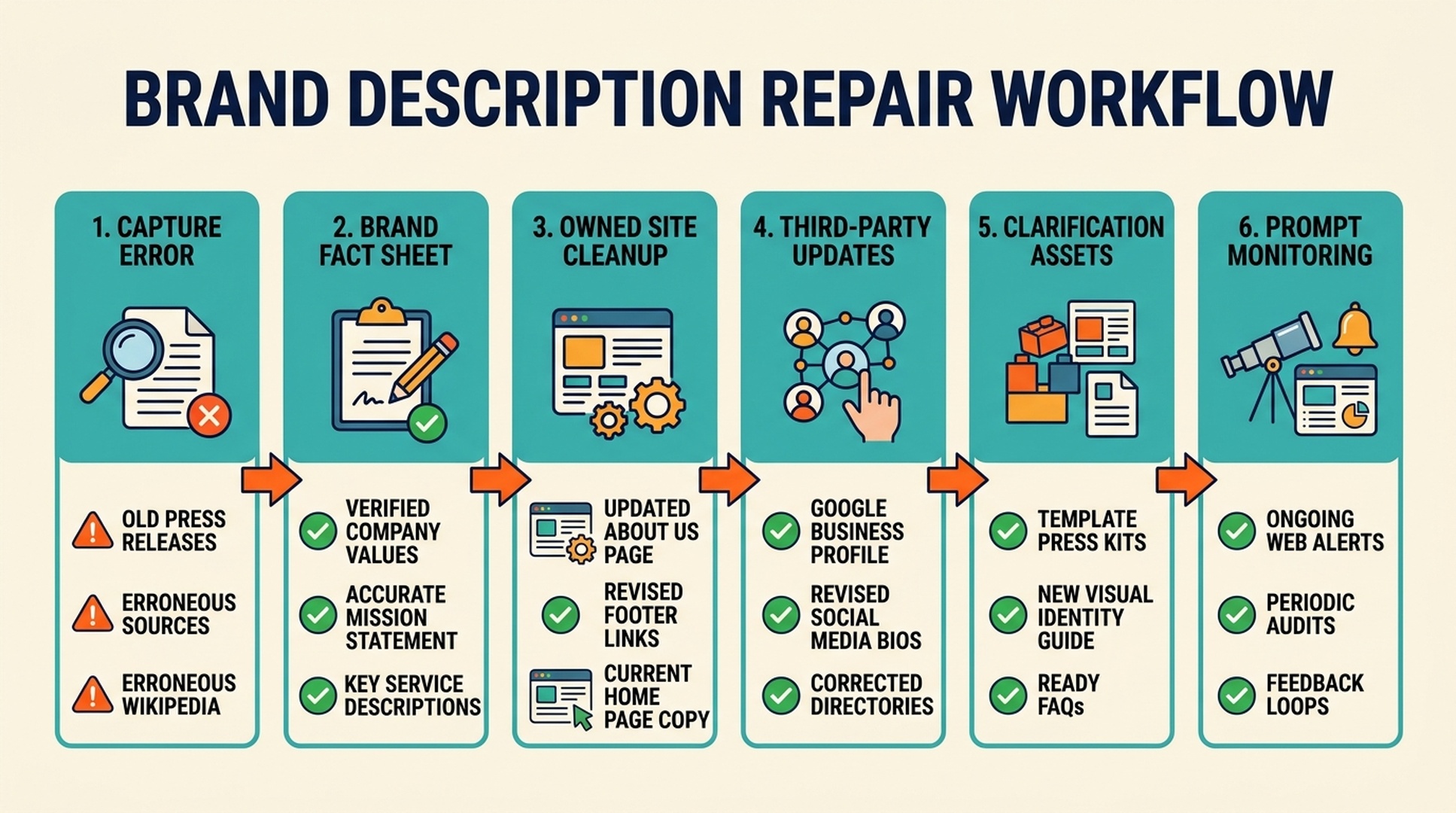
Do not start by rewriting pages. Start by capturing the error clearly.
Create a small issue log with these fields:
Field | Example |
|---|---|
Prompt used | "What is [brand]?" |
AI system | ChatGPT, Perplexity, Gemini, Google AI answer, etc. |
Wrong description | "A social media scheduling app" |
Correct description | "An AI search visibility and GEO workflow platform" |
Error type | old positioning, wrong category, competitor confusion, hallucinated feature |
Severity | low, medium, high |
Source clue | cited page, visible search result, repeated phrase, old profile |
Date checked | June 29, 2026 |
This matters because teams often say "ChatGPT is wrong" without knowing whether the issue is category, audience, product, geography, pricing, competitor confusion, or an outdated feature.
The five most common causes
1. Your old positioning is still public
Many companies reposition but leave old descriptions live in directories, partner pages, podcast bios, job posts, social profiles, and old blog posts. AI systems may still encounter those descriptions.
If your company used to be a content automation tool and now describes itself as an AI search visibility platform, both versions may exist online. ChatGPT may blend them.
2. Your own site uses too many categories
One page says "AI SEO platform." Another says "content intelligence platform." Another says "growth automation assistant." A press page says "marketing analytics software."
All may be partially true, but together they create entity drift.
Pick a primary category. Use secondary categories only when they clarify, not when they compete.
3. Your product pages are too vague
AI systems need concrete facts: what the product does, who uses it, when it is useful, what it connects to, and what proof supports the claim.
A vague SaaS homepage can look good to humans and still be hard for AI systems to summarize.
4. Third-party pages use outdated descriptions
Software directories, review profiles, marketplace pages, and partner listings often outlive the positioning they were created with. These pages can keep repeating old category language.
Because they are external, teams forget to update them.
5. Your brand name is ambiguous
If your brand name overlaps with another company, product, place, acronym, or generic phrase, ChatGPT may merge entities. This is common for short names, common words, and companies in crowded categories.
Ambiguous names need stronger disambiguation signals: full legal/company name, product category, domain, founders or team, location if relevant, and consistent descriptions across profiles.
Step 1: Build a correct brand fact sheet
Before correcting the web, define the correct version.
Your brand fact sheet should include:
- official brand name
- website domain
- one-sentence company description
- primary category
- secondary category, if needed
- target audience
- main use cases
- product names
- competitors or alternatives
- features that exist
- features that do not exist
- proof points you can support publicly
- phrases to avoid
Example format:
Fact | Correct version |
|---|---|
Brand | Auspia |
Domain | auspia.ai |
Category | AI search visibility and GEO workflow platform |
Audience | SEO, content, and growth teams |
Core use case | Measure and improve brand visibility in ChatGPT-style AI answers |
Avoid | generic "AI growth platform" without context |
This sheet becomes the source of truth for every page update.
Step 2: Audit your own site first
Your website should be the clearest source about your brand. If it is inconsistent, external cleanup will not hold.
Audit these pages:
Page | What to check |
|---|---|
Homepage | Does the first screen say what the company does? |
About page | Does it repeat the correct category and audience? |
Product pages | Are use cases and features concrete? |
Pricing page | Does it reinforce product category and fit? |
Docs/help center | Do feature names match public claims? |
Blog templates | Do author bios and CTAs use current positioning? |
Comparison pages | Do they clarify alternatives and fit? |
Footer/schema | Is organization information current? |
Look for old taglines, inconsistent category names, and unsupported claims.
Step 3: Find the public sources feeding the error
You may not be able to know every source behind an AI answer, but you can usually find clues.
Search for the exact wrong phrase in Google, Bing, and your own site. Search with quotation marks when possible. Then search combinations:
- "[brand]" "wrong category"
- "[brand]" "old tagline"
- "[brand]" "old product name"
- "[brand]" "competitor name"
- "[brand]" "review"
- "[brand]" "alternative"
- "[brand]" "pricing"
Also check:
- LinkedIn company page
- X/Twitter profile
- YouTube channel description
- GitHub org profile
- Chrome/marketplace listings
- review platforms
- product directories
- partner pages
- podcast guest pages
- conference bios
- PR wires and media pages
Put each source into your issue log.
Step 4: Prioritize corrections by influence and control
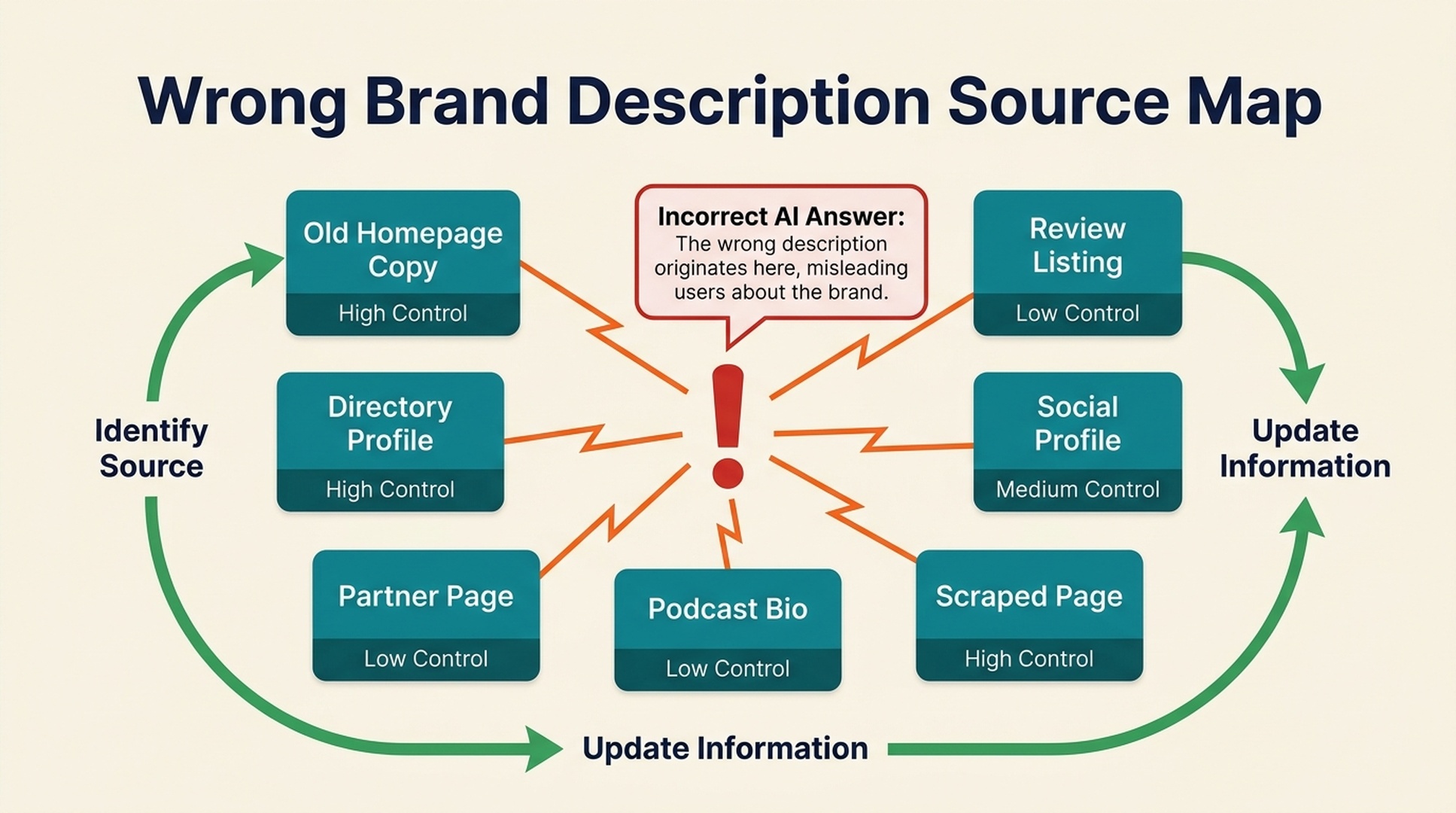
Not every outdated page deserves the same effort.
Use this priority table:
Source type | Control | Likely value | Action |
|---|---|---|---|
Homepage/product pages | high | high | update immediately |
About/docs/comparison pages | high | high | update immediately |
Official social profiles | high | medium | update this week |
Review/directory profiles | medium | medium-high | request or edit update |
Partner pages | medium | medium-high | send corrected copy |
Podcast/event bios | medium-low | medium | request update if visible |
Random scraped pages | low | low | ignore unless ranking or cited |
Low-quality duplicate pages | low | low | do not chase every one |
Fix high-control, high-value pages first. Then move to external pages that appear in search results, AI citations, or common buyer journeys.
Step 5: Publish clarification assets
Sometimes correcting old pages is not enough. You need new pages that make the correct description obvious.
Useful clarification assets include:
- an updated about page
- a category explainer
- a "what is [brand]?" page
- an alternatives page
- comparison pages
- integration pages
- product documentation
- public templates or workflows
- case studies
- a press/media kit with approved descriptions
A press or media kit is especially useful because it gives partners, podcasts, directories, and journalists a copy source. Include:
- approved short description
- approved long description
- category language
- product screenshots
- logo files
- founder/team bios if relevant
- links to proof pages
- phrases to avoid
Step 6: Add structured data, but do not rely on it alone
Schema can help clarify organization facts. It should support the content, not replace it.
For brand description repair, review:
- Organization schema
- WebSite schema
- sameAs links
- Product schema where relevant
- SoftwareApplication schema for SaaS products
- Article schema on key explainers
- Breadcrumb schema
Make sure structured data matches visible page content. If schema says one thing and the page says another, you have not solved the entity problem.
Step 7: Rerun prompts and track changes
After updates, rerun the same prompt set. Use stable prompts so you can compare over time.
Track:
- whether the wrong description still appears
- whether the correct category appears
- whether outdated features are removed
- whether competitors are still confused with your brand
- whether cited or linked sources changed, if visible
- whether the answer becomes more specific
Use a simple score:
Score | Meaning |
|---|---|
0 | wrong or misleading description |
1 | partially correct but outdated or vague |
2 | correct category but missing use case |
3 | correct category and audience |
4 | correct category, audience, use case, and proof |
5 | correct and recommended in the right context |
Repeat monthly. AI answer changes can take time, and different systems refresh at different speeds.
What not to do
Avoid these shortcuts:
- asking ChatGPT to remember a correction and assuming the public answer is fixed
- publishing one blog post while leaving old profiles unchanged
- stuffing the brand name into every article unnaturally
- creating fake third-party mentions
- overclaiming to replace a wrong description with a different unsupported description
- chasing every scraped page on the internet
- changing category language again before the old cleanup has stabilized
The repair process works best when the correct version is consistent, public, and supported.
A 10-day repair plan
Days 1-2: capture the issue
Run 20 prompts, document wrong descriptions, and classify the error types.
Days 3-4: create the brand fact sheet
Define the correct brand name, category, audience, use cases, product claims, and phrases to avoid.
Days 5-6: update owned pages
Fix homepage, about, product pages, docs, comparison pages, footer copy, and structured data.
Days 7-8: update high-value external references
Refresh social profiles, review profiles, partner pages, directories, podcast bios, and marketplace listings.
Day 9: publish one clarification asset
Publish a category explainer, comparison page, media kit, or "what is [brand]" page that states the correct version clearly.
Day 10: rerun and monitor
Run the same prompts, record changes, and plan the next round of external cleanup.
FAQ
Why does ChatGPT describe my brand incorrectly?
Usually because public information is outdated, inconsistent, thin, ambiguous, or mixed with another entity. ChatGPT may summarize old positioning, vague category language, or external pages you forgot to update.
Can I directly tell ChatGPT to fix my brand description?
You can correct a single conversation, but that does not reliably fix public answers for other users. Durable repair requires updating the public sources that AI systems can learn from, retrieve, or cite.
How long does it take for ChatGPT descriptions to change?
It varies by system, retrieval mode, source refresh, and the strength of the corrected evidence. Owned-site changes can be visible faster in search-based answers, while broader model behavior may take longer.
Does schema fix wrong brand descriptions?
Schema helps when it matches visible content, but it is not a standalone fix. You also need clear page copy, consistent external profiles, updated third-party references, and public evidence.
What if another company has the same brand name?
Use disambiguation signals: domain, product category, full company name, location if relevant, founder/team references if appropriate, sameAs links, product names, and consistent descriptions across external profiles.
Author: Amara Wells, Knowledge Graph Researcher for 250+ Brand Entities at Auspia. Amara writes about entity clarity, knowledge graph readiness, brand data, and AI search disambiguation.


