


Why Google business data now deserves attention before a website
Recent tracking of citations in Google's AI search experience found Google-owned pages had become the second-largest cited domain. That is a useful wake-up call for local businesses. When an AI answer needs basic local information, it may surface a Google-hosted business record instead of leading with an independent website.
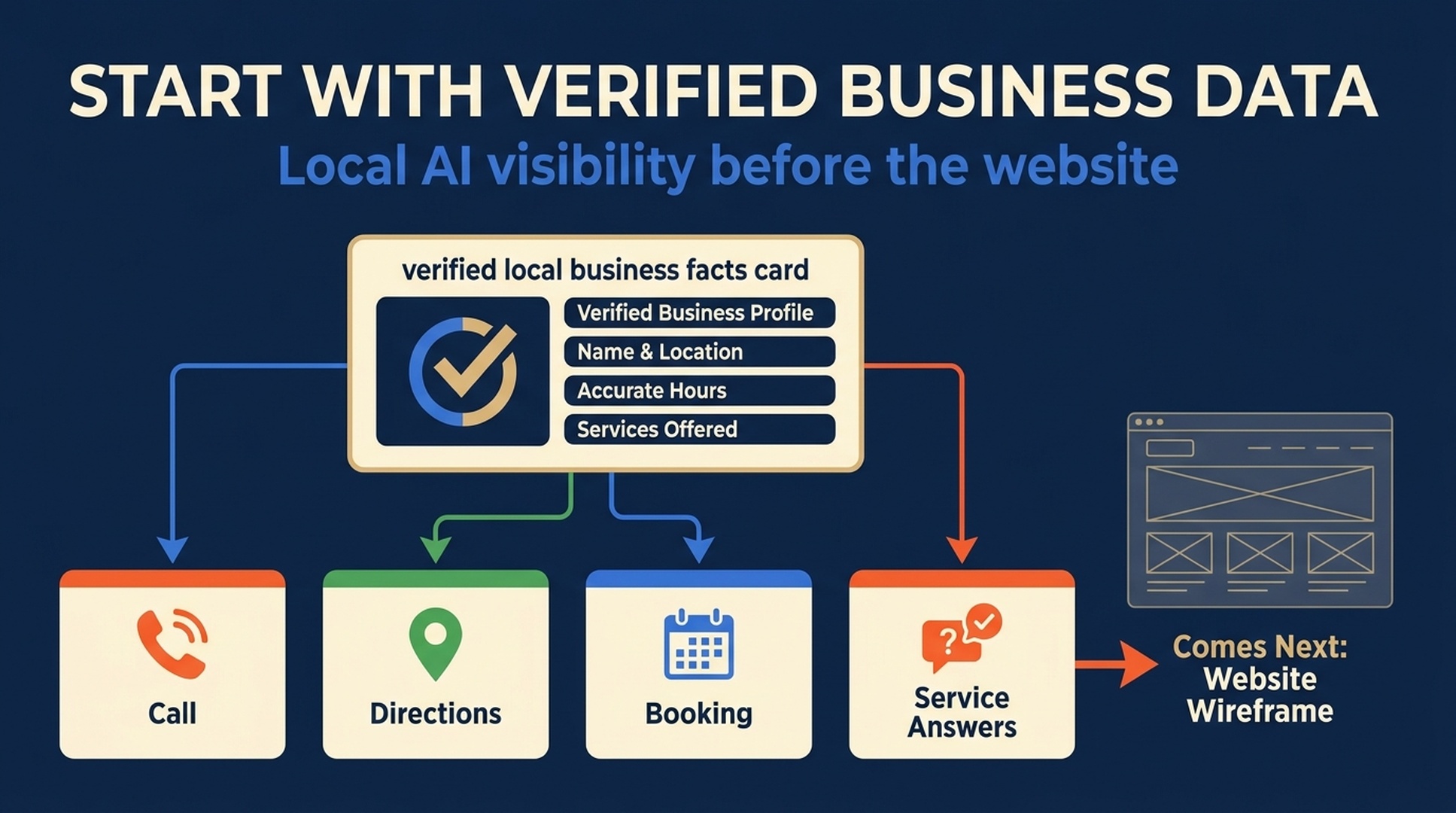
For a customer, that record can carry the business name, category, hours, phone, directions, reviews, photos, and a short description of what the company actually does. In other words, Google business data is no longer just background profile work. It can be part of the information layer an AI answer uses to help a person decide what to call, visit, or book.
This does not mean a Google Business Profile guarantees an AI citation, a website visit, or a lead. It does mean that inaccurate or neglected profile data can leave a business out of a more important part of the customer journey than many teams assume.
The myth: no website means no way to be found in AI answers
That is too absolute. A local business without a website is at a disadvantage when a customer needs an explanation, comparison, price context, or a detailed service answer. It is not invisible by default.
The practical first move is to make the data Google can verify accurate enough to help a real customer choose, even before a website exists.
The order matters. Do not publish a thin five-page site while the phone number is wrong, the service area is vague, and the profile says the business is open when it is not. Fix the operational facts first. Then build pages for the questions that need more room than a profile provides.
What a Google business record can do, and what it cannot
A complete Google Business Profile can help a nearby customer recognize the business, decide whether it is relevant, and take an immediate action. It is especially useful for intent such as:
- "Is there a [service] near me?"
- "Is this place open now?"
- "Does this provider serve my area?"
- "How do I call, visit, or book?"
It is a poor container for questions that require explanation and proof. A customer comparing two service options, checking an unusual eligibility condition, or trying to understand why a quote varies needs more than a category label and a review score.
Customer need | Start with Google business data | Add a website when the answer needs |
|---|---|---|
Find the business | Real name, primary category, map position, phone, hours | A clear brand or service explanation |
Confirm local fit | Address or truthful service area, appointment model, directions | Neighborhood-specific conditions or boundaries |
Decide whether to contact | Services, photos, attributes, booking route, current reviews | Pricing factors, exclusions, process, or case proof |
Check trust | Verified ownership, genuine customer feedback, correct public facts | Licenses, detailed credentials, policies, and original evidence |
The useful distinction is simple: a profile is an operational public record. A website is the place where the business can answer longer questions in its own words. Build both, but do not wait for the second before repairing the first.
Prepare the information pack before opening or editing a profile
The fastest way to create bad local data is to fill out a profile from memory while the owner, dispatcher, and marketing team all use slightly different versions of the business. Prepare a one-page facts pack first. Give every field an owner who can confirm it.
Field | What to record | Check before publishing |
|---|---|---|
Public name | The name customers see on signage and use in normal conversation | Remove location keywords, taglines, or services that are not part of the real name |
Business model | Storefront, service-area business, hybrid, or multi-location | Confirm whether customers can visit the listed address |
Contact route | Primary phone, booking path, email if used, and escalation owner | Call, click, and complete the booking path as a customer would |
Hours | Regular hours, special hours, emergency rules, and appointment-only status | Check who will update holidays and temporary closures |
Service truth | Core services, specialties, exclusions, and real coverage area | Remove services the team cannot currently provide |
Proof | Current photos, licenses where relevant, review process, and customer-facing policies | Keep evidence current and do not upload stock imagery as if it shows the location |
Change log | Date, changed field, reason, owner, and places updated | Use it for moves, rebrands, seasonal changes, and new service boundaries |
If this pack does not exist, pause. More profile fields will only distribute the uncertainty further.
A 90-minute minimum setup for a business with no website
This is not a shortcut for avoiding a website forever. It is the smallest responsible starting point for a new local business, a business that lost its old site, or a team waiting on a site rebuild.
First 30 minutes: establish the customer-facing identity
Confirm the public name, actual operating model, primary category, local phone, hours, and service boundary. Do not use a virtual office as a customer-facing storefront. Do not add extra categories just because the terms have search volume. The point is to describe the business customers can really use. For the detailed ownership, category, service-area, and policy checks behind this step, use the Google Business Profile compliance checklist.
Next 30 minutes: make the next action work
Add a booking URL only if it goes to a working customer path. If there is no site, use the available direct action honestly rather than sending customers to an unfinished page. Test directions, calls, appointments, and messages from a mobile device. A profile with a broken booking button is worse than a profile with no booking button.
Final 30 minutes: add proof and an update routine
Use recent, genuine photos that help a customer recognize the place, team, equipment, or service process. Agree on who owns changes to hours, phone numbers, moves, and service availability. Add a recurring monthly check, plus a same-day check after any important business change.
The first website should answer the questions the profile cannot
Once the business facts are stable, the first website does not need twenty city pages. One useful page can do more than a large collection of generic pages.
For a local plumber, that page might explain the real service area, emergency availability, types of jobs accepted, quote factors, licenses, and how to reach the right team. For a clinic, it might clarify appointment rules, practitioner qualifications, insurance boundaries, and accessibility. The right content depends on the customer decision, not on a template.
Start with these four blocks:
- What the business does, who it helps, and who it is not suited for.
- Where and when it operates, including honest service boundaries.
- How the customer starts, books, requests a quote, or gets urgent help.
- Evidence that a careful buyer can check, such as licenses, process details, policies, and relevant customer proof.
The profile and the page must agree. A page cannot safely promise 24-hour emergency coverage if the profile gives limited hours and the phone goes unanswered overnight.
Do not confuse a visible card with a guaranteed AI citation
Google business data can make a local company easier to identify in Google surfaces. It does not create a guarantee that an AI answer will name the company, cite a particular card, send traffic to the business, or produce a qualified lead.
That boundary matters because "citation" can sound more valuable than it is. An answer may show a Google-hosted card that contains a business's facts. The customer may then call, ask for directions, compare other options, or leave without visiting the company's website. Measure the action that matters: correct calls, qualified bookings, route requests, and accurate business descriptions.
Use a short review table instead of declaring victory from a single answer:
Check | Good result | What to investigate if it fails |
|---|---|---|
Local business question | The business is described accurately when it appears | Category, service area, hours, public name, and third-party conflicts |
Customer action | Calls, directions, or bookings reach the right destination | Phone routing, address, map pin, booking URL, and temporary closures |
Detailed service question | The customer can find a useful page or clear next step | Missing service page, vague exclusions, absent pricing context, or weak internal links |
Repeat check | Important facts remain correct after a business change | Ownership, change log, source corrections, and recheck cadence |
The practical rule for local GEO
If a business has no website, start by creating a truthful public information layer that Google and customers can use. If a business has a website but the local profile is neglected, repair the profile before adding more content. If both exist, let the profile handle recognition and immediate action while the site handles explanations and evidence.
That is a more durable local GEO plan than chasing a special AI format. It gives customers usable information today and gives the business a clean foundation for pages, reviews, local proof, and prompt testing later. When the team is ready to test those prompts, the local GEO platform guide explains why Google AI, Gemini, ChatGPT, and Perplexity should not be treated as one ranking system.
FAQ
Can a local business appear in Google AI experiences without a website?
It can have a Google-hosted business record that helps customers find and act on the business. A website is still important for detailed questions and for pages that may qualify as supporting links in Google Search features. Neither a profile nor a website guarantees an AI answer appearance.
What should a business fix first on Google?
Fix the public name, operating model, address or service area, primary category, phone, hours, and customer action path. These fields can create immediate customer harm when they are wrong.
Does a Google Business Profile replace local SEO?
No. It is one part of local SEO. A profile supports discovery and direct actions; the website, reviews, local proof, and customer experience answer other parts of the decision.
Should we add every possible service and category to the profile?
No. Use categories and services that describe the real offer. Broad or inaccurate claims may attract the wrong customer and make the public record less trustworthy.
What is the first sign that we need a website?
Build a website when customers repeatedly need answers that cannot fit accurately in the business record: pricing context, eligibility, service process, specialty details, policy explanations, or proof that requires more than a short profile field.
Author: Lydia Hart, Brand Entity Strategist for 200+ Entity Audits at Auspia. Lydia writes about business facts, local proof, and the public records that make a company easier to verify.


