


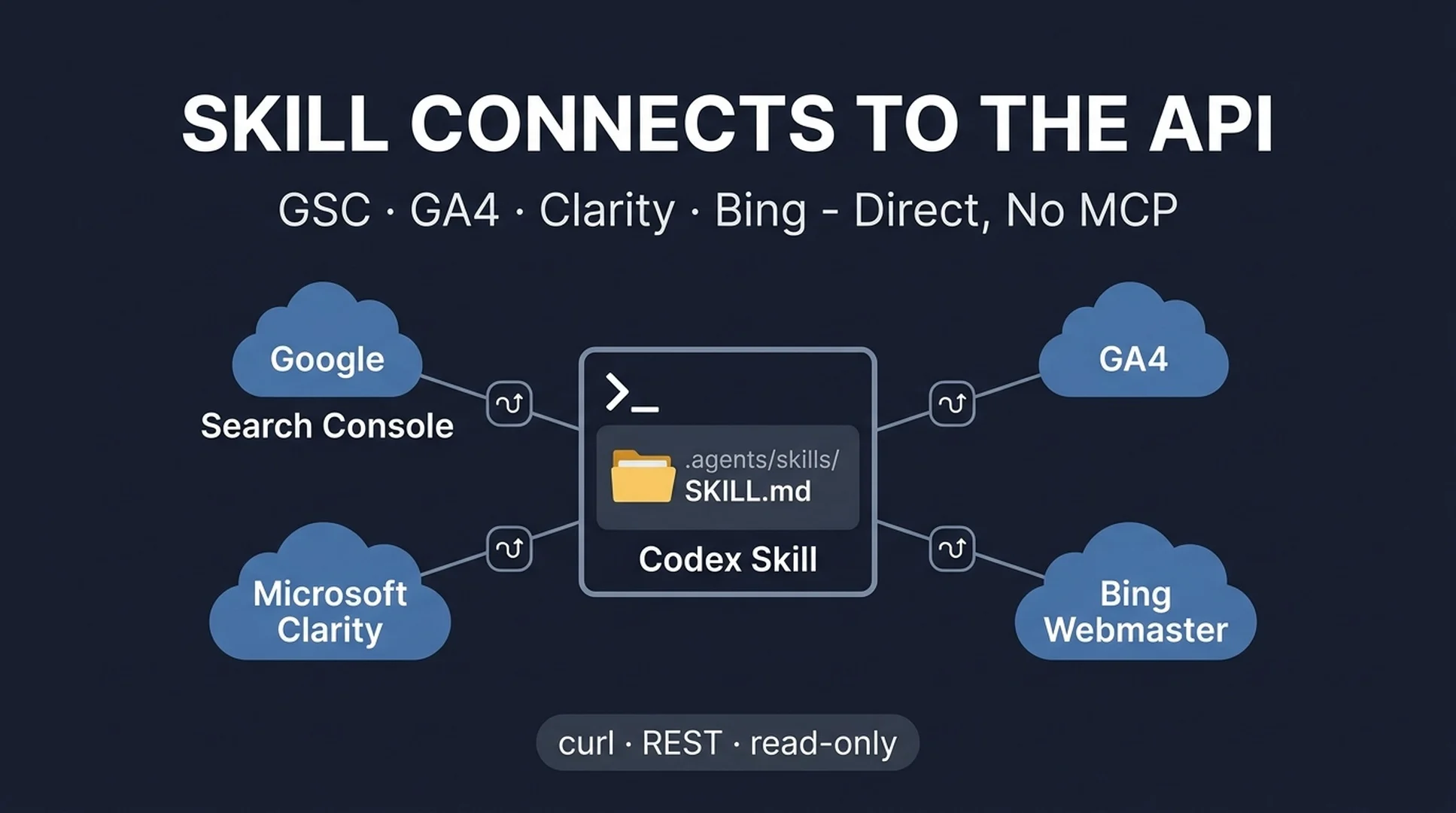
One skill, four APIs, zero MCP servers
There are two ways to let Codex work with your SEO data. One is MCP: you register a server package that wraps each tool's API into structured tools Codex calls by name. The other is a skill: a folder of plain instructions that tells Codex how to call those same APIs itself, with curl. Both work. This guide takes the second route and uses no MCP server at all.
You end up with one skill in your project that refreshes a Google access token, calls the Google Search Console and GA4 APIs, calls the Microsoft Clarity and Bing Webmaster APIs, joins everything by URL, and writes a prioritized opportunity report. The skill is the connector. If you would rather have MCP servers for these four tools, the companion guide covers that path; this one is the no-server alternative.
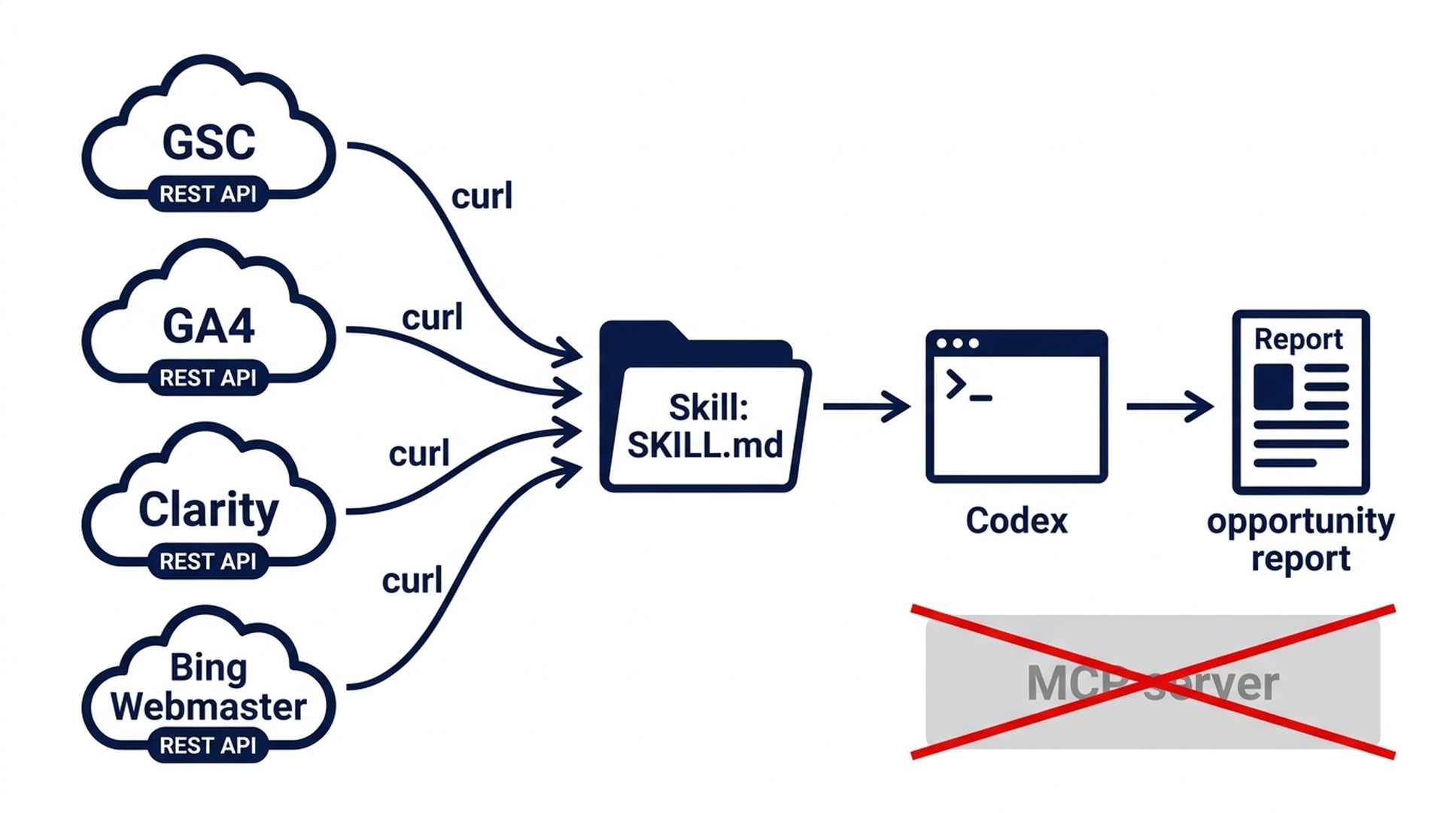
The skill is the connector: it calls the vendor APIs directly, so no MCP server sits in the path.
What you're building, and what "done" looks like
Who this is for: anyone who runs Codex, wants live SEO data in one report, and does not want to install or vet four separate MCP server packages.
What you'll build: a skill named seo-data-api-report in .agents/skills/, the folder where Codex reads the open Agent Skills standard. On each run it calls the four vendor APIs directly, saves the raw JSON, and joins the results by URL.
What done looks like: you set a handful of environment variables once, ask for the report (the skill auto-triggers on its description), and Codex returns a markdown table of opportunities plus a saved file at ./seo-geo/reports/seo-opportunities-<period>.md. Next week you run the same command against live data.
Time: 20-30 minutes the first time. Most of it is the one-time Google OAuth step below; Bing and Clarity take a couple of minutes each.
Why a skill can replace an MCP server
An MCP server is software that exposes an API as tools. A skill is documentation that teaches Codex to call the API directly. For four read-only query APIs, the direct route has real advantages: nothing to install, no server process to keep alive, no codex mcp add registration, and no third-party package to review. The calls are just HTTPS requests with a token in the header or query string.
Codex reads skills from .agents/skills/ using the same open Agent Skills format that other agents support. Only two frontmatter fields matter for Codex: name and description. The description is what lets the skill auto-trigger: when your request matches it, the skill loads on its own.
Two honest limits. First, the first-time OAuth handshake for Google stays a human step: you log in once in a browser and save a refresh token. After that the skill refreshes access tokens on its own. Second, a skill gives you plain instructions, not the structured tool panel MCP provides. If you prefer typed tools and a /mcp status panel, use the companion MCP guide. If you want zero extra software, read on.
The credentials you need once
Tool | What to grab | Where | How the skill uses it |
|---|---|---|---|
Google (GSC + GA4) | Desktop OAuth client ID + secret, then a refresh token | Google Cloud Console → Credentials → Create client (Desktop app) | Refreshes an access token on every run |
GSC | Site URL | Search Console → Settings, or your verified property | Path parameter in the query call |
GA4 | Numeric Property ID | Analytics → Admin → Property settings | Path parameter in |
Microsoft Clarity | API token | Clarity project → Settings → Data Export → Generate new token |
|
Bing Webmaster | API key | Bing Webmaster Tools → Settings → API Access |
|
The Google step is the only fiddly one. Create one Desktop OAuth client, open the consent URL once with the webmasters.readonly and analytics.readonly scopes, and save the refresh token. One client and one refresh token cover both GSC and GA4.
Create the skill folder
mkdir -p .agents/skills/seo-data-api-reportCodex also looks in ~/.agents/skills/ for skills you want available in every project. The project folder is the right starting point because the report path is project-local.
Write SKILL.md (the connector)
Create .agents/skills/seo-data-api-report/SKILL.md with this content. It is a full connector: it checks which credentials exist, refreshes the Google token, calls all four APIs, saves the raw responses, and produces the report. Copy it as-is.
---
name: seo-data-api-report
description: Pulls Google Search Console, GA4, Microsoft Clarity, and Bing Webmaster data directly from their REST APIs and builds a joined SEO opportunity report. Use when asked to compare search data, find pages losing clicks, or produce a weekly report from live API data.
---

## SEO Data API Report

Connect to the four tools' public REST APIs directly with curl, save the raw JSON, and build a joined opportunity report. Read-only. Never edit, submit, or publish anything.

### Credentials (environment variables)

Check which are set, tell the user which sources are wired up, and continue with what exists:

- Shared Google OAuth: `GOOGLE_CLIENT_ID`, `GOOGLE_CLIENT_SECRET`, `GOOGLE_REFRESH_TOKEN`
- GSC: `GSC_SITE_URL` (e.g. `sc-domain:example.com`)
- GA4: `GA4_PROPERTY_ID` (numeric, from Admin > Property settings)
- Clarity: `CLARITY_API_TOKEN`
- Bing: `BING_API_KEY`, `BING_SITE_URL`

### 1. Refresh the Google access token

curl -s https://oauth2.googleapis.com/token \
  -d client_id="$GOOGLE_CLIENT_ID" \
  -d client_secret="$GOOGLE_CLIENT_SECRET" \
  -d refresh_token="$GOOGLE_REFRESH_TOKEN" \
  -d grant_type=refresh_token

Parse `access_token` from the JSON response. Use it for GSC and GA4.

### 2. GSC - last 28 days, query + page

POST https://www.googleapis.com/webmasters/v3/sites/{URL-ENCODE GSC_SITE_URL}/searchAnalytics/query

Body:
{"startDate":"<28 days ago>","endDate":"<today>","dimensions":["query","page"],"rowLimit":1000}

Header: Authorization: Bearer <access_token>
Save to ./seo-geo/api-exports/gsc.json

### 3. GA4 - last 28 days, landing pages + engagement

POST https://analyticsdata.googleapis.com/v1beta/properties/$GA4_PROPERTY_ID:runReport

Body:
{"dateRanges":[{"startDate":"29daysAgo","endDate":"today"}],"dimensions":[{"name":"pagePath"}],"metrics":[{"name":"sessions"},{"name":"engagedSessions"},{"name":"engagementRate"}]}

Header: Authorization: Bearer <access_token>
Save to ./seo-geo/api-exports/ga4.json

### 4. Clarity - last 72 hours only

GET "https://www.clarity.ms/export-data/api/v1/project-live-insights?numOfDays=3&dimension1=URL"

Header: Authorization: Bearer $CLARITY_API_TOKEN
Save to ./seo-geo/api-exports/clarity.json
Label its window honestly: the Clarity API exposes only the last 3 days, capped at 10 requests per day.

### 5. Bing - weekly buckets + 30-day daily

GET "https://ssl.bing.com/webmaster/api.svc/json/GetUserSites?apikey=$BING_API_KEY"
GET "https://ssl.bing.com/webmaster/api.svc/json/GetPageStats?siteUrl=<URL-ENCODE BING_SITE_URL>&apikey=$BING_API_KEY"
GET "https://ssl.bing.com/webmaster/api.svc/json/GetRankAndTrafficStats?siteUrl=<URL-ENCODE BING_SITE_URL>&apikey=$BING_API_KEY"

Save each to ./seo-geo/api-exports/bing-*.json
Label windows: page and query stats come as weekly buckets with no date range; the daily endpoint returns aggregate clicks and impressions for the last 30 days.

### 6. Normalize, join, report

Normalize every export to URL, source, metric, value, period. Join by URL. Flag pages where signals disagree: high impressions but low CTR, high clicks but low engagement, Bing clicks with no GSC impressions. Write a markdown table: URL | source signal | diagnosis | recommended action | confidence. Save to ./seo-geo/reports/seo-opportunities-<period>.md and summarize the top 5 findings in chat.

### Rules

- Read-only. These are all query endpoints. Do not modify content or request indexing.
- Label windows honestly: GSC and GA4 = 28 days, Clarity = last 72 hours, Bing = weekly buckets plus 30-day daily.
- If an env var is missing, say which source is skipped rather than guessing.
- Explain the why behind each diagnosis, not just "optimize this page."
The frontmatter's description is what makes the skill load on its own when you ask for an opportunity report. Codex reads name and description; keep the rest of the body as plain instructions.
The four API calls inside the skill
Tool | Endpoint | Auth | Window | What you get |
|---|---|---|---|---|
GSC |
| Bearer (OAuth) | 28 days | queries and pages, clicks, impressions, CTR |
GA4 |
| Bearer (OAuth) | 28 days | landing pages, sessions, engagement |
Clarity |
| Bearer token | Last 72 hours | engagement by URL, device, source |
Bing |
|
| Weekly + 30-day daily | top pages and queries, daily rank and traffic |
One thing to internalize: these APIs do not all expose the same window. Clarity's public endpoint covers only the last 72 hours and allows 10 requests per day, so a "28-day report" from Clarity is not a thing. Bing's page and query stats arrive as weekly buckets with no date range. The skill labels each source's window in the output, so the report never pretends the numbers are uniform. That honesty is part of why the report stays useful.
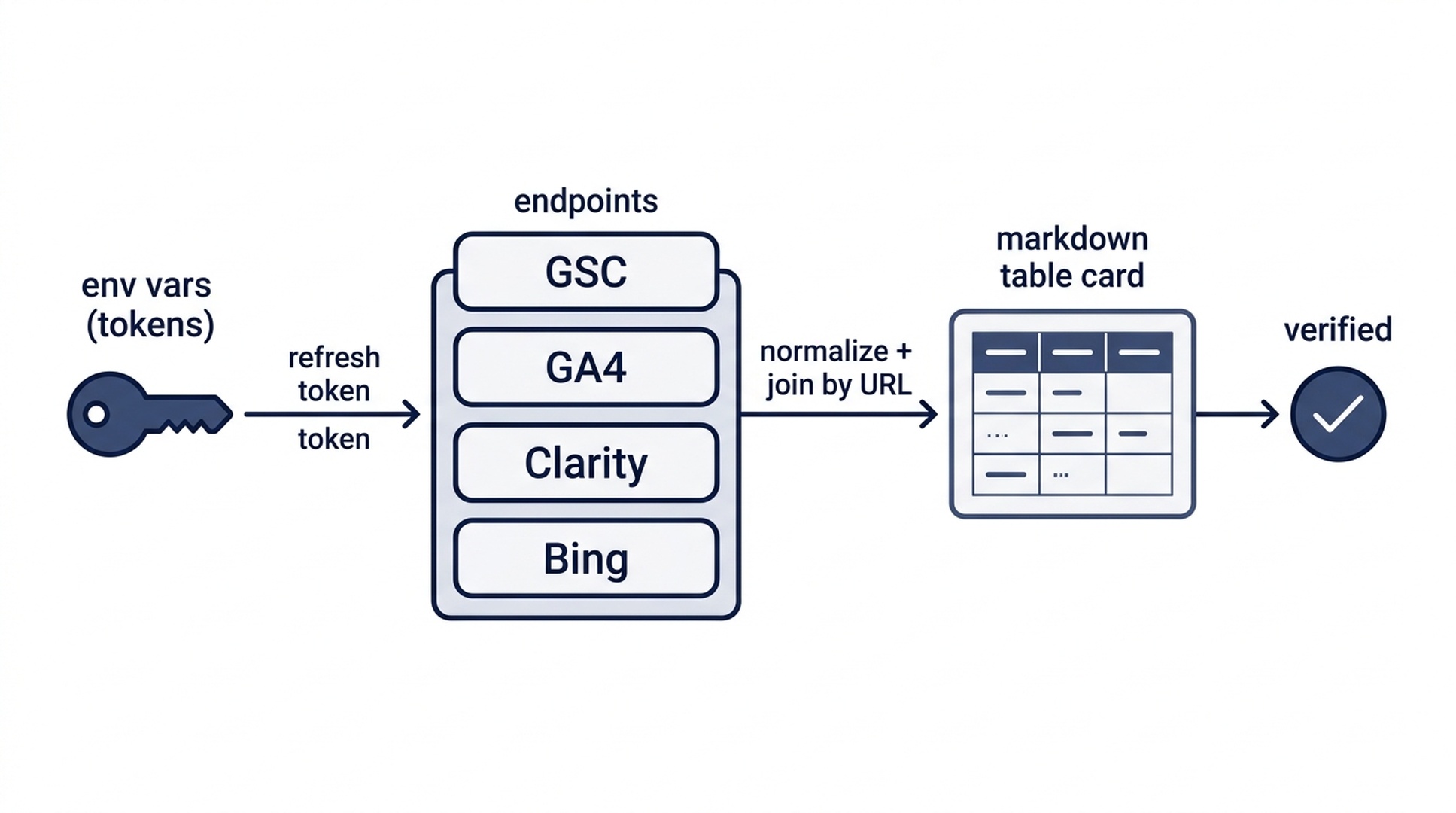
The run: refresh tokens, call four endpoints, join by URL, write the report.
Set your environment variables
The skill reads everything from environment variables, so nothing secret goes in SKILL.md. Export these before the first run. The first three are the shared Google OAuth values used by both GSC and GA4; next comes the GSC site URL and the numeric GA4 property ID, then the Clarity token and the Bing key with its site URL.
export GOOGLE_CLIENT_ID="your_client_id"
export GOOGLE_CLIENT_SECRET="your_client_secret"
export GOOGLE_REFRESH_TOKEN="your_refresh_token"
export GSC_SITE_URL="sc-domain:example.com"
export GA4_PROPERTY_ID="123456789"
export CLARITY_API_TOKEN="your_clarity_token"
export BING_API_KEY="your_bing_key"
export BING_SITE_URL="https://www.example.com"
If you would rather not type these each session, put them in a .env file in the project and load it, or use your shell profile. Keep the file out of git.
Run it and check the result
Start an interactive Codex session in the project folder and trigger the skill:
- Type
$seo-data-api-reportand press Enter. - Or just ask: "Pull live GSC, GA4, Clarity and Bing data and build the opportunity report." If the description matches, the skill runs without you naming it.
In an interactive session, Codex asks you to approve the curl commands as they run. That approval is a feature: you see each network call before it happens. If you later want to automate the run with codex exec "<prompt>", remember that exec mode starts in a read-only sandbox, so network calls need --sandbox danger-full-access.
Then verify three things before trusting the output:
- Sources accounted for. The report says which sources returned data and which were skipped because a credential was missing, instead of silently dropping Clarity.
- Windows labeled honestly. Clarity rows are marked as the last 72 hours, Bing rows as weekly buckets, and GSC/GA4 as 28 days.
- A why, not just a what. Every flagged page has a diagnosis and a recommended action, not a bare "optimize this page."
If a call fails, read the error back to Codex. A 401 means a bad or expired token; a 400 with InvalidApiKey on Bing usually means the key was not regenerated after accepting the API terms; a 429 on Clarity means you hit the 10-request daily cap and should wait a day.
Keep it safe
- Tokens live in environment variables, never in SKILL.md. The skill file gets committed; your refresh token and API keys should not.
- The calls are read-only. Every endpoint here is a query. The skill must never modify content, submit sitemaps, or request indexing.
- Respect the Clarity cap. 10 requests per project per day. A failed run plus a retry can burn the budget, so treat the first run of the day as the important one.
- Keep exec sandboxed. For one-off interactive runs you approve each curl call, which is the safest mode. For scheduled runs via
codex exec, only add--sandbox danger-full-accesswhen you understand it opens the network for that run, and keep write actions blocked inside the prompt.
FAQ
Do I need MCP for this? No. This article is the direct-API route: the skill calls the vendor REST endpoints with curl. MCP is the alternative, and the companion guide covers it if you prefer server-based tools.
Where does Codex read skills from? .agents/skills/<name>/SKILL.md in your project, or ~/.agents/skills/<name>/SKILL.md if you want a skill available everywhere. Codex uses the same open Agent Skills format across those locations.
How does the skill get a Google access token? At the start of every run it calls https://oauth2.googleapis.com/token with your stored refresh token and receives a short-lived access token. That is why you only do the browser login once.
Why is Clarity limited to the last 72 hours? That is what the public Clarity API exposes: numOfDays accepts 1, 2, or 3, with a 10-request daily cap. Longer windows are only available through CSV export or the MCP server.
Bing has no 28-day report? Not per query or page. Page and query stats come as weekly buckets without a date range, and the daily 30-day endpoint returns aggregate clicks and impressions only. The skill labels this rather than pretending the window is uniform.
Will the skill work outside Codex too? The .agents/ location follows the open Agent Skills standard, so other agents that read the same format can load the same SKILL.md. Codex is the trigger, but the file is not Codex-specific.
Is it safe to put tokens in environment variables? It is the standard pattern. Keep the tokens out of the skill file and out of git, use a .env file or shell profile, and rotate a key if it is ever committed by accident.
Author: Camille Rhodes, Architect of 300+ AI Content Workflows at Auspia. Camille writes about turning repeatable marketing and SEO processes into AI workflows anyone on the team can run.


