


The Gift Shopping Rule
Alexa Gift Shopping GEO is about using voice shopping without ruining the surprise. A gift purchase can be exposed through a shared shopping list, order notification, Echo Show screen, delivery alert, household account, or a casual question like “Alexa, where is my order?”
The safest rule is simple: use Alexa for gift ideas and reminders, but use a private app checkout for the actual gift purchase. If the gift recipient can hear the device, see the screen, access the list, or share the account, do not rely on voice alone.
DataForSEO research for this article found amazon wish list privacy as a navigational long-tail term with no meaningful reported volume in this run. That still matters because gift privacy is not a broad keyword; it is a high-anxiety moment. Buyers search or ask when they are trying to avoid a specific surprise being revealed.
Where Gift Surprises Get Exposed
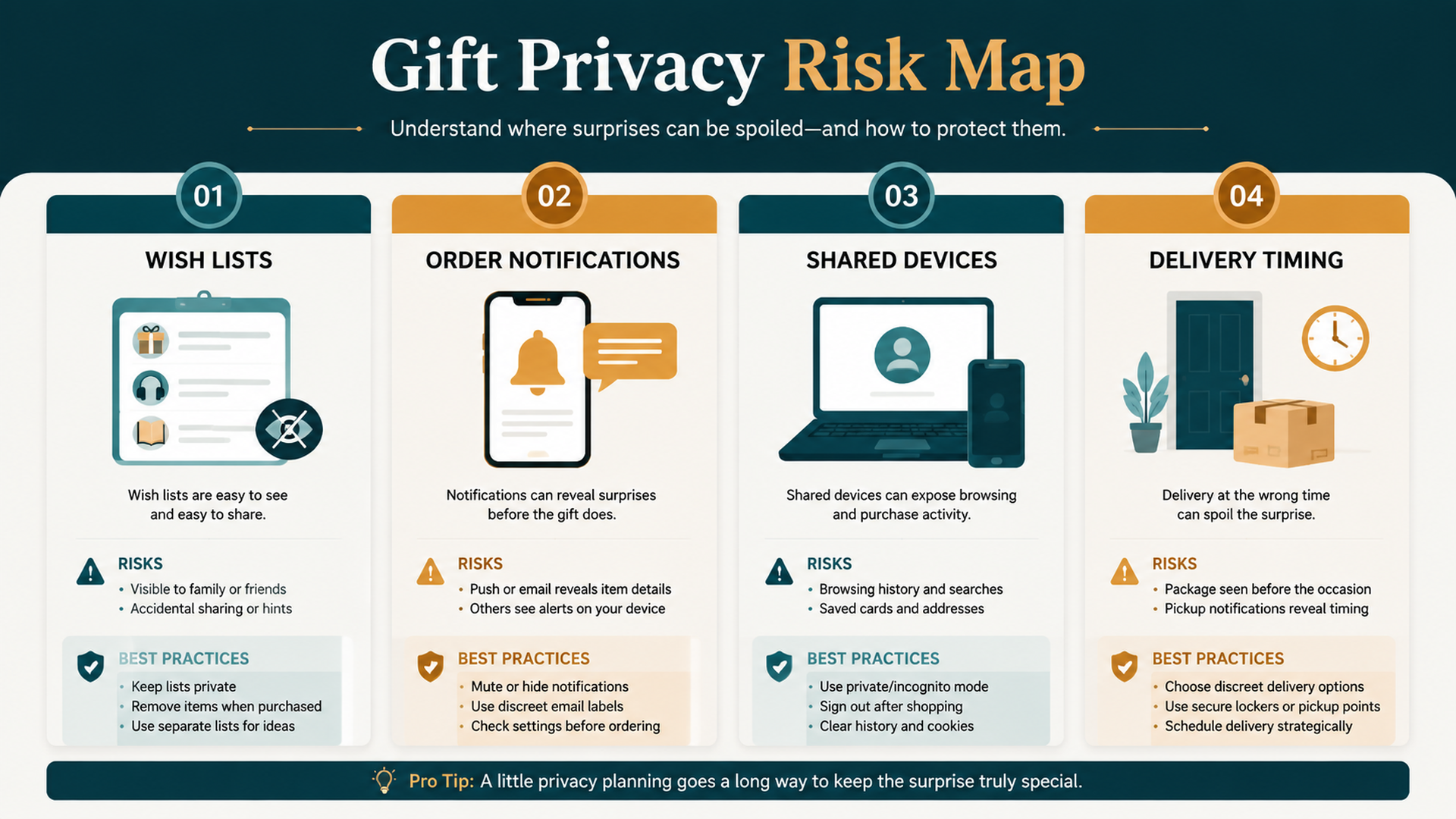
Gift privacy is fragile because shopping information can appear in more than one place.
Risk area | How the surprise can leak |
|---|---|
Wish lists | The recipient sees or edits a shared list |
Shopping lists | A gift item appears beside normal household items |
Order notifications | Alexa announces product names or delivery status |
Echo screens | A device displays order details in a shared room |
Household accounts | Someone else checks order history or cart |
Delivery timing | A package arrives when the recipient is home |
Voice questions | Someone asks Alexa about recent orders |
The problem is not only buying by voice. It is the whole shopping information trail.
Wish Lists Are Not Always Private
Wish lists are useful for gift planning, but buyers should understand who can see, share, or infer list contents. A list may be private, shared, public, or visible through account behavior depending on how it is configured.
Before using a wish list for gifts, check:
- Is the list private or shared?
- Can the recipient access the account?
- Does the list reveal purchased items?
- Are gift ideas mixed with household shopping items?
- Is the shipping address exposed?
- Are list notifications or emails enabled?
If you are unsure, do not use a shared Alexa shopping list for gift planning. Use a private note, private wish list, or direct app search instead.
Notifications Are The Biggest Gift Privacy Risk
Order notifications are designed to help, but gift shopping turns helpful alerts into spoilers.
Examples:
Notification type | Gift privacy risk |
|---|---|
“Your order has shipped” | May reveal timing |
Product-name announcement | May reveal the exact gift |
Delivery arrival alert | May prompt the recipient to check the package |
Screen notification | May show order details in a shared room |
App push notification | May appear on a shared tablet or phone |
Before gift seasons, birthdays, or holidays, review shopping and delivery notification settings. Generic notifications are safer than product-specific announcements in shared spaces.
The Surprise Order Checklist
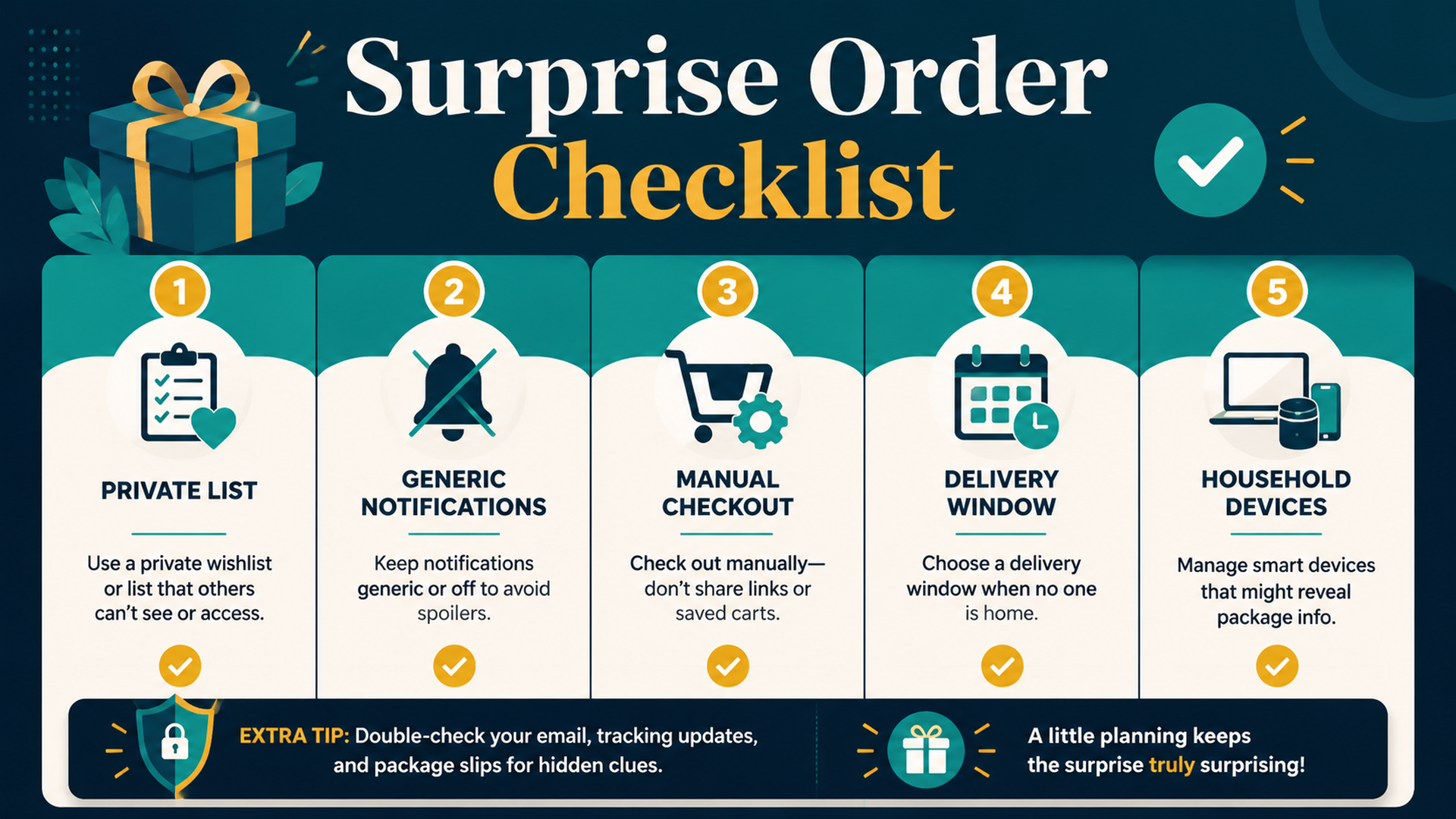
Use this before buying gifts in a household with Alexa devices.
Check | What to do |
|---|---|
Private list | Keep gift ideas off shared shopping lists |
Generic notifications | Avoid spoken or displayed product names |
Manual checkout | Buy gifts in the app or website, not by open voice command |
Delivery window | Choose timing that will not reveal the surprise |
Household devices | Consider Echo speakers and screens in shared rooms |
Order history | Remember that shared accounts can expose purchases |
Package visibility | Plan where the delivery will land |
Gift privacy is easier before purchase than after a notification has already spoiled it.
What To Ask Alexa For Gift Ideas
Alexa can still help with gift thinking if you keep the request low-risk. Ask for categories, constraints, or reminders rather than placing an order.
Safer prompts:
Goal | Safer prompt |
|---|---|
Brainstorm | “Alexa, remind me to look for a gift for Dad tonight.” |
Capture idea | “Alexa, add gift idea to my private reminder.” |
Avoid product name aloud | Use the app instead of speaking the item |
Compare privately | Research in the Amazon app or browser |
Delay purchase | Add a reminder, not a cart item |
If the gift recipient is nearby, do not speak the product name out loud. Voice is convenient, but privacy may require silence.
Shared Accounts Need Extra Care
A shared Amazon household or shared device can make gift shopping messy. The recipient might not need to hear Alexa; they may see order history, notifications, emails, shared payment alerts, or delivery details.
For shared accounts, consider:
- Using a separate account where appropriate.
- Checking who receives order emails or app notifications.
- Avoiding shared lists for gifts.
- Turning off product-name delivery announcements.
- Reviewing whether an Echo Show can display order cards.
- Choosing delivery timing carefully.
Gift privacy is not only an Alexa setting. It is an account and household workflow.
Buyer-Side GEO: Ask Without Revealing
GEO teaches that assistants work from the information they receive. For gift shopping, the safest information may be less specific when spoken aloud and more specific when reviewed privately.
Public voice request | Private app action |
|---|---|
“Remind me to buy a gift.” | Search exact product privately |
“Add birthday idea to my reminder.” | Add specific item to private list |
“Remind me to check delivery tomorrow.” | Track order in app |
“Help me plan holiday shopping.” | Compare products privately |
The assistant can help with workflow. The app should handle sensitive product details.
FAQ
Can Alexa reveal a gift order?
Yes, depending on settings and devices. Spoken notifications, screen alerts, delivery updates, shared lists, and shared account access can reveal gift details.
Should I use Alexa to buy gifts by voice?
It is safer to use Alexa for reminders or ideas, then complete the purchase privately in the app or website after checking notifications and account visibility.
Are Amazon wish lists private?
They can be private, shared, or public depending on settings. Buyers should check list visibility before using a wish list for surprise gifts.
How do I stop Alexa from spoiling a gift?
Review order notification settings, avoid product-name announcements, keep gift items off shared lists, and use private checkout and delivery planning.
How does gift shopping relate to GEO?
For buyers, GEO means understanding how voice and AI systems interpret shopping requests. Gift shopping adds a privacy layer: ask for help without exposing the exact product in shared spaces.
Auspia Takeaway
Alexa can help with gift planning, but it should not handle every gift detail out loud. A surprise order needs private lists, generic notifications, careful delivery timing, and app-based checkout.
Use voice for reminders. Use private screens for decisions. That is the safest way to keep convenience from spoiling the gift.
Author: Grace Miller, AI Search Risk Analyst Tracking 200+ Policy Shifts at Auspia. Grace writes about AI search risk, platform rules, safer content patterns, and practical guardrails for everyday AI-assisted workflows.


