The Senior-Friendly Rule
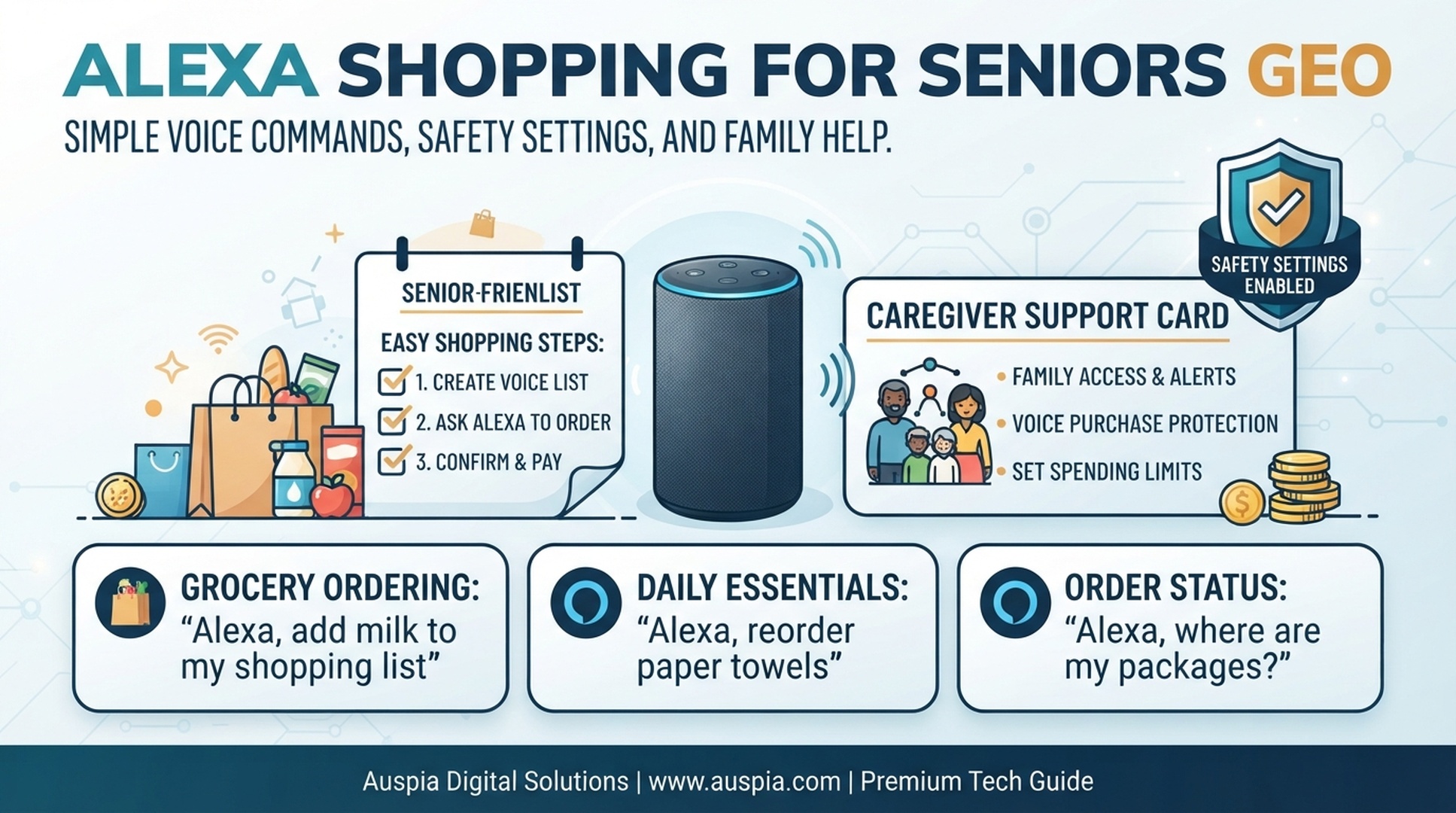
Alexa Shopping for Seniors GEO is about making voice shopping simple, safe, and reviewable. For older adults, Alexa can be helpful for shopping lists, reminders, delivery updates, and repeat household items. The risky part is letting voice commands become purchases without clear review.
The safest setup is: simple commands, shopping-list-first behavior, voice purchasing controls, family or caregiver review, and reminders for delivery or returns.
DataForSEO research for this article showed alexa for seniors as a navigational intent keyword. That suggests many users are not searching for advanced shopping automation; they are trying to understand whether Alexa can help an older adult with everyday tasks in a manageable way.
What Alexa Shopping Can Help Seniors Do
Alexa can reduce friction when typing, small screens, or remembering errands becomes harder.
Need | Alexa can help with | Safer boundary |
|---|---|---|
Remember groceries | Add items to a shopping list | Review list before buying |
Repeat basics | Set reorder reminders | Confirm product and price in app |
Track deliveries | Ask for status or set reminders | Check exact tracking privately |
Avoid missed packages | Remind someone to check the porch | Verify delivery photo or app status |
Coordinate family help | Share list or reminder | Assign one person to review |
The key is to use voice as a memory aid, not a silent checkout system.
A Senior-Friendly Alexa Shopping Setup
Start with a setup that keeps commands short and decisions visible.
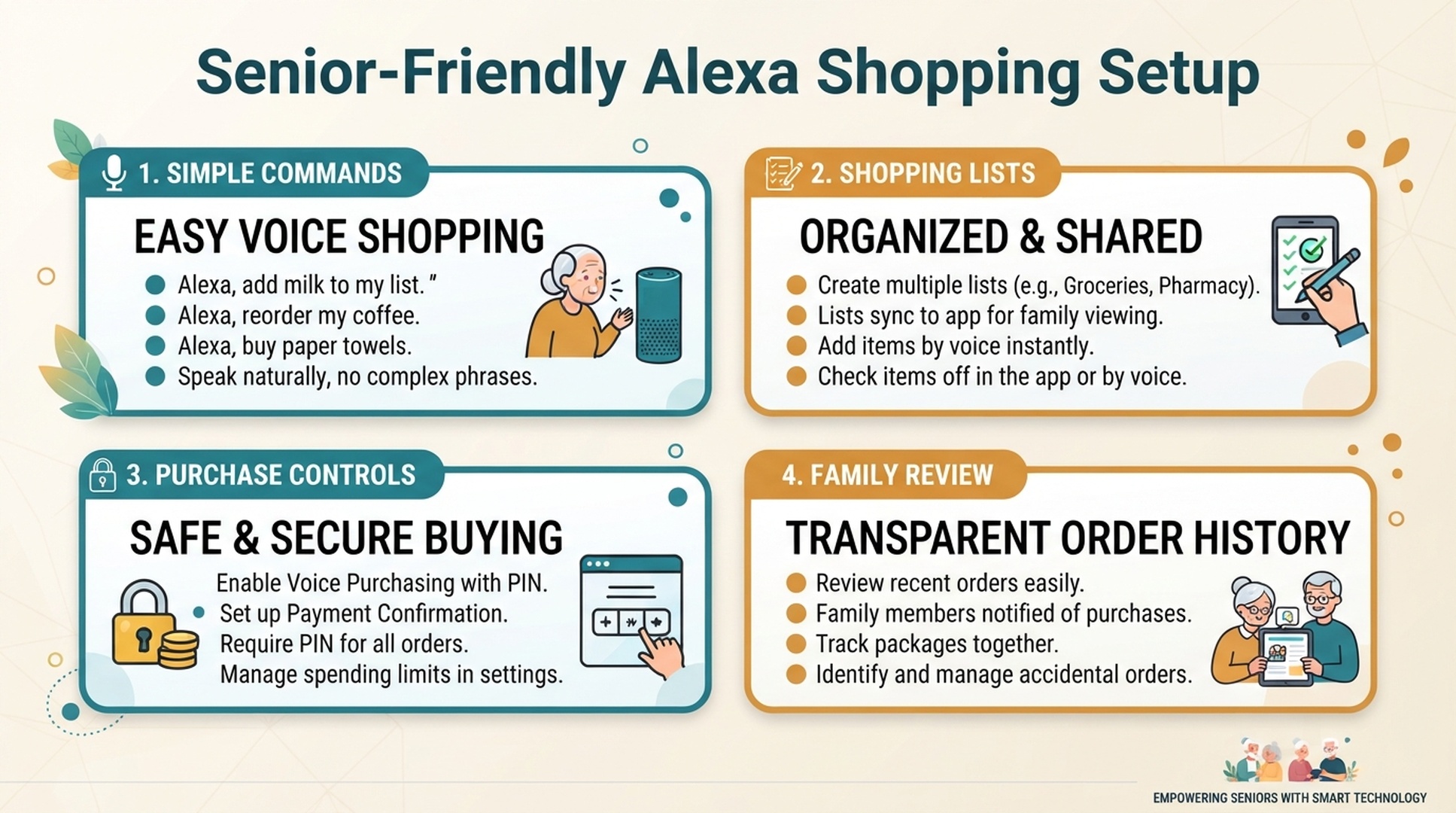
Setup area | Recommended default |
|---|---|
Simple commands | Use short list commands like “add milk to my shopping list” |
Shopping lists | Put most requests into a list, not checkout |
Purchase controls | Disable voice purchasing or require confirmation |
Family review | Let a trusted person review cart, reorders, and returns |
Delivery reminders | Use reminders for package arrival and return deadlines |
This setup gives the senior independence while keeping expensive or sensitive actions reviewable.
Simple Commands That Work Better
Commands should be easy to remember and hard to misunderstand.
Goal | Simple command |
|---|---|
Add grocery | “Alexa, add milk to my shopping list.” |
Add quantity | “Alexa, add two boxes of tissues to my shopping list.” |
Check list | “Alexa, what's on my shopping list?” |
Reminder | “Alexa, remind me at 6 PM to check my order.” |
Delivery | “Alexa, remind me tomorrow to check the porch.” |
Return | “Alexa, remind me Friday to return the package.” |
Family help | “Alexa, remind me to ask Sarah to review my cart.” |
Avoid vague commands like “buy more,” “order the usual,” or “get my medicine.” Those commands can be misunderstood or become risky.
Caregiver Safety Checklist
Caregivers should focus on settings, habits, and review points rather than removing all independence.
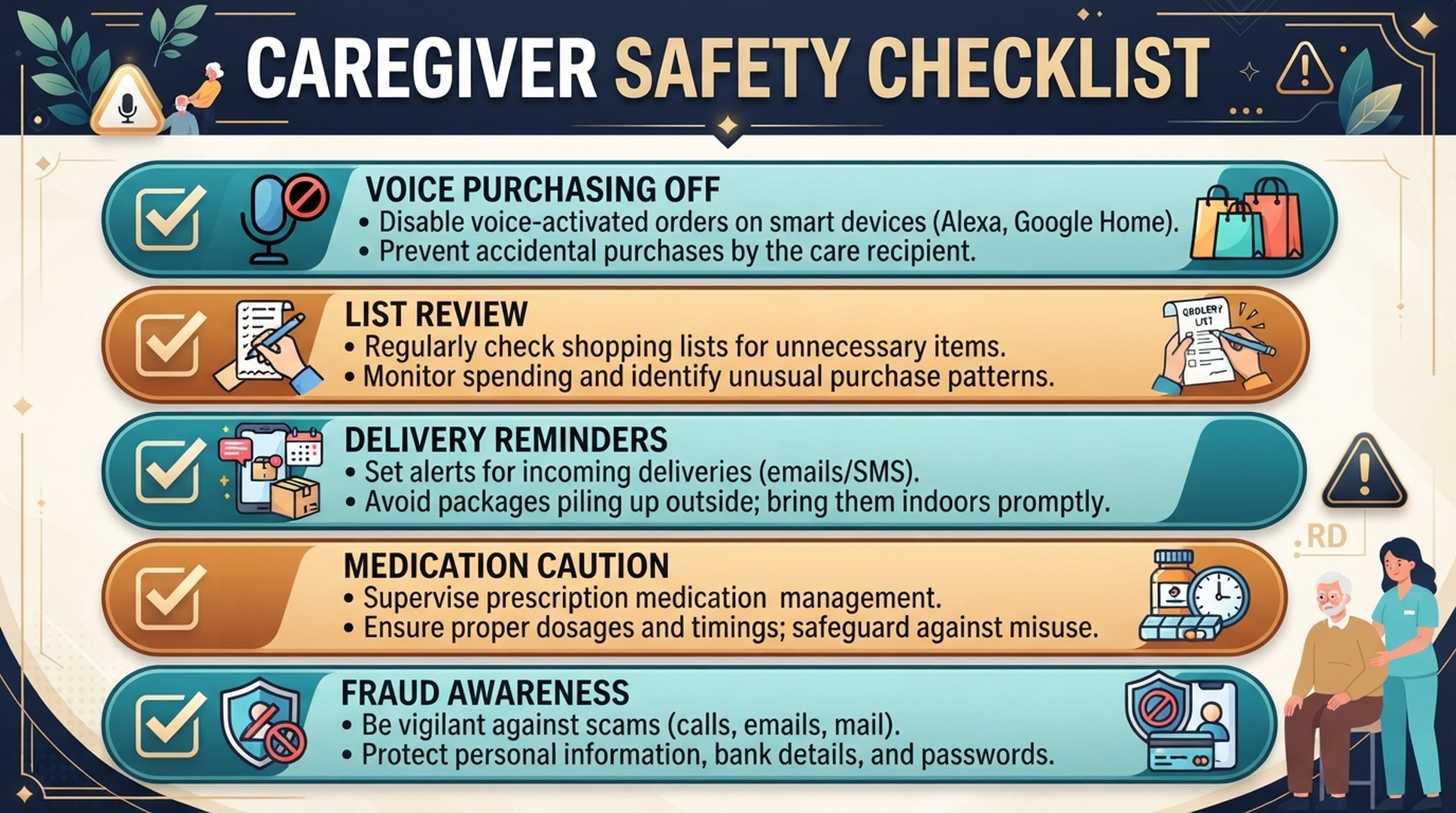
Safety check | Why it matters |
|---|---|
Voice purchasing off or protected | Prevents accidental or pressured purchases |
List review | Catches wrong items, duplicates, and vague requests |
Delivery reminders | Helps prevent missed or stolen packages |
Medication caution | Health-related items need extra review |
Fraud awareness | Seniors may be more vulnerable to scam-like prompts or fake urgency |
Notification privacy | Avoids exposing personal purchases aloud |
Return reminders | Prevents missed return windows |
A good caregiver setup protects the buyer without making every small task dependent on someone else.
What Seniors Should Not Buy By Voice
Some categories need app or caregiver review.
Category | Why voice-only buying is risky |
|---|---|
Medication or supplements | Safety, dosage, and claims need review |
Expensive electronics | Model and seller details matter |
Subscription products | Repeat charges can be confusing |
Medical devices | Fit, compatibility, and return policy matter |
Gifts | Privacy and delivery timing matter |
Unknown brands | Reviews, seller, and return terms need checking |
For these, Alexa can set a reminder, but the app or caregiver should handle the purchase.
Family Help Without Taking Over
Family support works best when roles are clear.
A helpful model:
- The senior uses Alexa to add items and reminders.
- A family member reviews the list weekly or before checkout.
- Purchases happen in the app after confirming price, quantity, and seller.
- Delivery reminders are shared when packages matter.
- Return deadlines get reminders before the window closes.
This keeps the senior involved while reducing mistakes.
Buyer-Side GEO: Clarity Helps Everyone
GEO is about making intent understandable to AI systems. For seniors, it also means making commands understandable to people.
A good command is:
- Short.
- Specific.
- List-first.
- Easy to repeat.
- Safe if misunderstood.
“Add paper towels to my shopping list” is better than “buy household stuff.” The first creates a reviewable reminder. The second asks the system to guess.
FAQ
Is Alexa shopping useful for seniors?
Yes, especially for lists, reminders, delivery updates, and simple repeat household tasks. Purchases should still be reviewed in the app or by a trusted helper.
Should voice purchasing be turned off for seniors?
Often yes, especially if accidental purchases, confusion, or shared devices are concerns. A safer setup is list-first shopping with app review.
What are the best Alexa shopping commands for seniors?
Simple commands such as “add milk to my shopping list,” “what is on my shopping list,” and “remind me to check my package” are usually safest.
Can caregivers manage Alexa shopping safely?
Caregivers can help by reviewing settings, disabling or protecting voice purchasing, checking lists, setting delivery reminders, and monitoring return deadlines.
How does this relate to GEO?
For buyers, GEO means clearer voice requests. Seniors benefit when commands are specific, easy to understand, and designed to create reviewable next steps.
Auspia Takeaway
Alexa can be a helpful shopping assistant for seniors when it supports memory and routine. It becomes risky when it skips review.
Use voice for lists and reminders. Use family support and app review for purchases, reorders, returns, and sensitive items.
Author: Nora Whitfield, AEO Specialist for 800+ Answer Patterns at Auspia. Nora writes about answer engine optimization, FAQ design, and clear question-and-answer content for AI-assisted search experiences.