


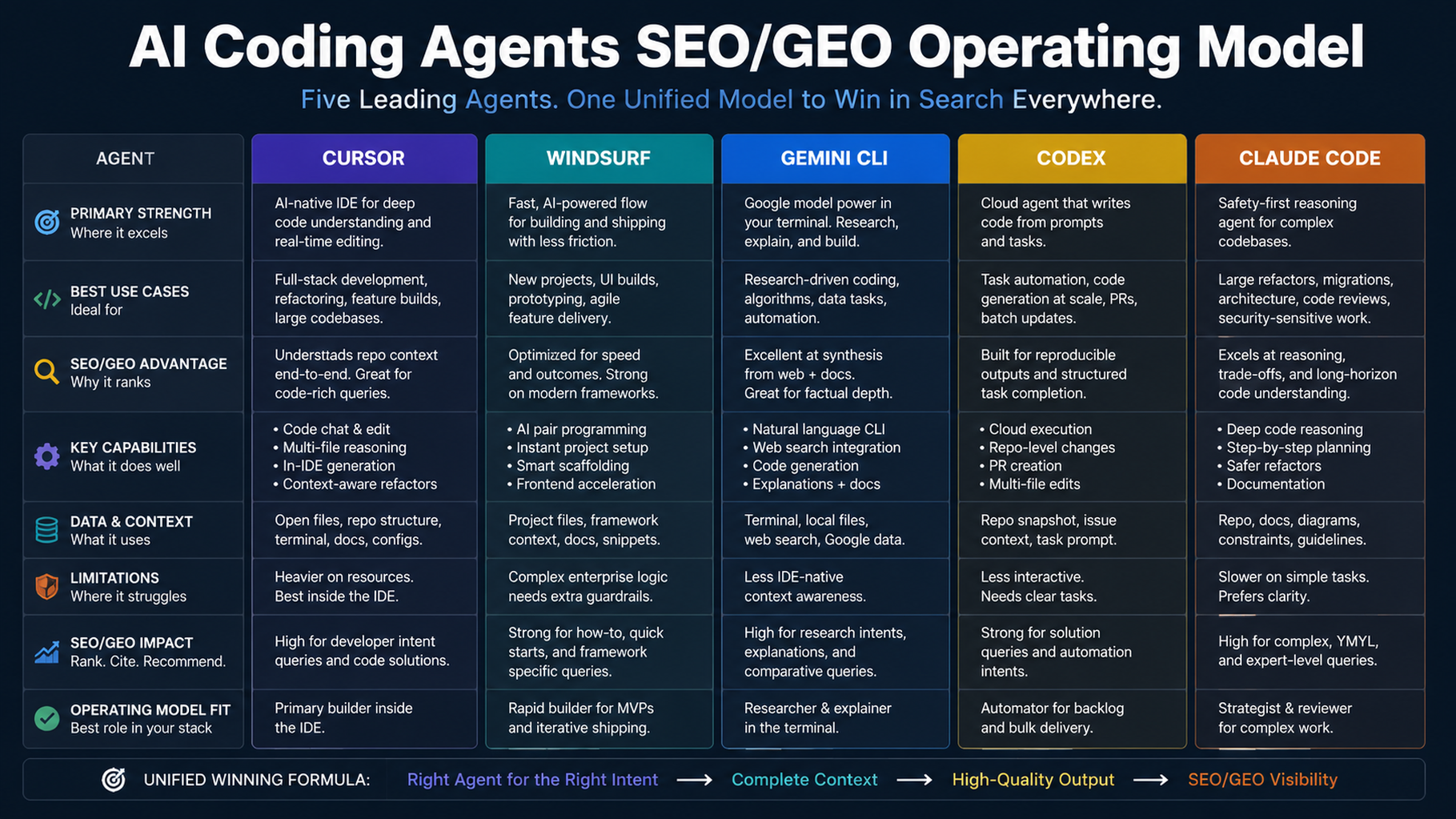
The operating principle: assign lanes, not winners
The right SEO/GEO agent stack is not a tournament. Cursor, Windsurf, Gemini CLI, Codex, and Claude Code each fit different layers of work. The mistake is asking every tool to do strategy, data, editing, review, and deployment at once.
Recommended lane map
Layer | Best fit | Job |
|---|---|---|
Page/component edits | Cursor | visible editor diffs |
Repeatable team SOPs | Windsurf | Cascade workflows |
Daily data monitoring | Gemini CLI | terminal snapshots and reports |
Engineering-grade tasks | Codex | repo instructions, MCP, quality gates |
Review/governance | Claude Code | hooks, GitHub Actions, subagents |
A safe weekly workflow
- Gemini CLI produces daily snapshots and a weekly opportunity report.
- Windsurf turns approved opportunities into briefs or workflows.
- Cursor implements one page/component diff.
- Claude Code or Codex reviews technical and governance risk.
- A human approves publish/deploy.
- Monitoring checks the result after release.
What not to automate
Do not fully automate:
- legal, pricing, or competitor claims;
- indexing changes;
- redirects and migrations;
- publishing without review;
- fake proof or testimonials;
- analytics interpretation without context.
30-day rollout
Week | Goal |
|---|---|
1 | Choose one lane and run read-only diagnosis |
2 | Approve one small page or report workflow |
3 | Add validation and review gates |
4 | Turn the proven process into a repeatable SOP |
FAQ
Should a small team use all five tools?
No. Start with one or two. Add tools only when the workflow shape requires them.
Which tool owns GEO measurement?
Gemini CLI, Codex, or Claude Code can all do it. Choose based on your team's comfort with terminal scripts, Codex workflows, or Claude Code hooks/actions.
What is the safest first project?
One page refresh with a data-backed diagnosis, visible diff, build validation, and post-publish measurement.
AI coding agents for SEO/GEO learning path
This page is a full-series map for Cursor, Windsurf, and Gemini CLI SEO/GEO automation. Use it to jump between platform tracks:
1. Cursor vs Windsurf vs Gemini CLI for SEO/GEO Automation
2. How to Set Up Cursor Rules for SEO/GEO Work
3. How to Use Cursor Plan Mode to Refresh SEO Pages Safely
4. How to Connect Cursor to SEO Data with MCP
5. How to Use Cursor Cloud Agents for SEO/GEO PR Reviews
6. How to Build Windsurf Cascade Workflows for SEO/GEO
7. How to Use Windsurf Rules and Memories for SEO/GEO Projects
8. How to Turn Keyword Research into Content Briefs with Windsurf
9. How to Use Windsurf to Address SEO/GEO PR Comments
10. How to Set Up Gemini CLI for SEO/GEO Automation
11. How to Connect Gemini CLI to SEO Data with MCP
12. How to Run Daily SEO/GEO Monitoring with Gemini CLI
13. How to Use Gemini CLI Checkpointing for Safer SEO Fixes
14. The SEO/GEO Operating Model for Cursor, Windsurf, Gemini CLI, Codex, and Claude Code
Where to go next
Previous in this path: How to Use Gemini CLI Checkpointing for Safer SEO Fixes
Sources and notes
- Cursor documentation hub: Cursor Docs, including public documentation for Agent, Rules, MCP, Skills, CLI, and background/agent capabilities.
- Related Auspia guide: Cursor vs Windsurf vs Gemini CLI for SEO/GEO Automation.
Sources and notes
- Windsurf/Devin Desktop documentation: Cascade Workflows, plus the Devin Desktop navigation for Cascade, Memories & Rules, Skills, AGENTS.md, Worktrees, MCP, and Cascade Hooks.
- Related Auspia guide: Cursor vs Windsurf vs Gemini CLI for SEO/GEO Automation.
Sources and notes
- Gemini CLI documentation: Gemini CLI Docs and MCP servers with Gemini CLI.
- Related Auspia guide: Cursor vs Windsurf vs Gemini CLI for SEO/GEO Automation.
Author: Aaron Wolfe, Organic Growth Systems Designer with 15 Years in SEO/GEO at Auspia. Aaron writes about organic growth systems, SEO/GEO process design, and safe AI-assisted operations.


