


What you will build
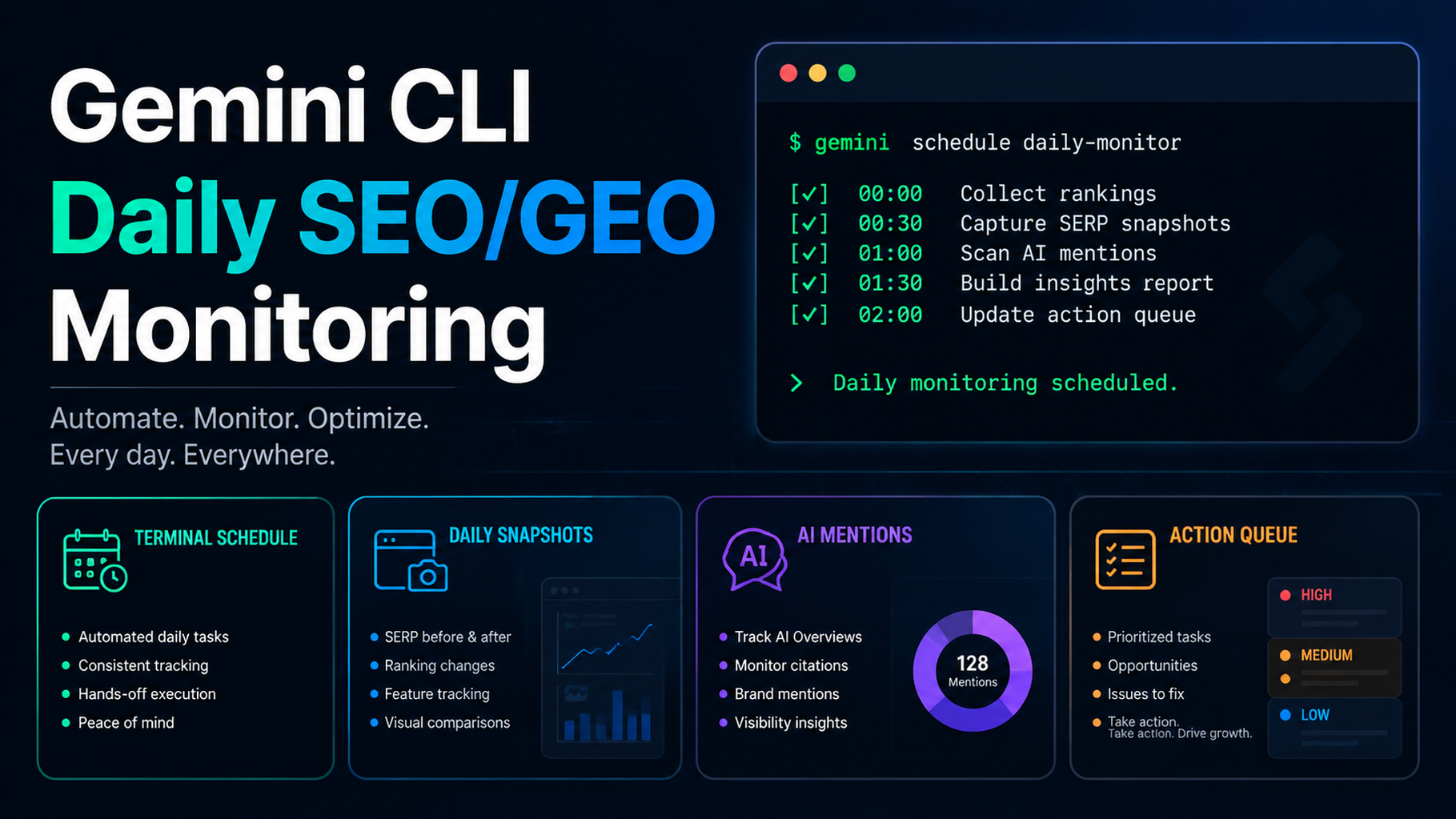
This tutorial creates a daily SEO/GEO monitoring loop with Gemini CLI. It does not auto-edit your website. It collects snapshots, compares them with yesterday and a 7-day baseline, then writes a conservative action queue.
You will create:
seo-geo/monitoring/
  prompts/core-prompts.md
  snapshots/YYYY-MM-DD/
  reports/YYYY-MM-DD.md
  scripts/compare-snapshots.mjs
Step 1: create the monitoring folders
mkdir -p seo-geo/monitoring/prompts seo-geo/monitoring/snapshots seo-geo/monitoring/reports seo-geo/monitoring/scripts
cp seo-geo/prompts/core-prompts.md seo-geo/monitoring/prompts/core-prompts.md 2>/dev/null || true
If you do not have a prompt file yet, create one:
cat > seo-geo/monitoring/prompts/core-prompts.md <<'EOF'
# Monitoring prompts
- What are the best tools for [category]?
- What does [brand] do?
- [brand] vs [competitor]
- How do I solve [problem] for [audience]?
EOF
Step 2: create today's snapshot folder
TODAY=$(date +%F)
mkdir -p seo-geo/monitoring/snapshots/$TODAY
Add files manually or from scripts:
seo-geo/monitoring/snapshots/2026-07-06/gsc-pages.csv
seo-geo/monitoring/snapshots/2026-07-06/bing-queries.csv
seo-geo/monitoring/snapshots/2026-07-06/ga4-pages.csv
seo-geo/monitoring/snapshots/2026-07-06/ai-answers.json
seo-geo/monitoring/snapshots/2026-07-06/crawl.json
Step 3: create a manual AI answer snapshot
If you do not have an API yet:
[
  {
    "prompt": "What are the best tools for [category]?",
    "surface": "manual",
    "brand_mentioned": false,
    "citation_urls": [],
    "competitors": ["Competitor A", "Competitor B"],
    "notes": "Our brand is missing from category answer."
  }
]
Save it as:
seo-geo/monitoring/snapshots/YYYY-MM-DD/ai-answers.json
Step 4: create the comparison script placeholder
cat > seo-geo/monitoring/scripts/compare-snapshots.mjs <<'EOF'
import fs from 'node:fs';
const today = process.argv[2];
const previous = process.argv[3];
if (!today) {
  console.error('Usage: node compare-snapshots.mjs TODAY_DIR [PREVIOUS_DIR]');
  process.exit(1);
}
console.log(JSON.stringify({ today, previous: previous || null, status: 'TODO: compare files' }, null, 2));
EOF
Step 5: run the daily Gemini CLI prompt
Run today's SEO/GEO monitoring review.

Read:
- seo-geo/monitoring/prompts/core-prompts.md
- latest folder in seo-geo/monitoring/snapshots/
- previous snapshot folder if it exists

Do not edit website files.
Create seo-geo/monitoring/reports/YYYY-MM-DD.md with:
1. executive signal: green, yellow, or red;
2. search visibility changes;
3. AI answer mention/citation changes;
4. crawl or indexing risks;
5. missing data;
6. P0/P1/P2/P3 action queue;
7. follow-up prompts or pages to inspect.
Expected daily report
# Daily SEO/GEO Monitor - YYYY-MM-DD

## Executive signal
Status: yellow
Reason: brand missing from 3 category prompts; no technical P0 issue found.

## Search changes
| URL | Source | Change | Interpretation | Action |

## AI visibility changes
| Prompt | Brand mentioned | Citation | Competitors | Action |

## Technical checks
| Check | Result | Risk |

## Action queue
| Priority | Owner | Action | Evidence |
| P1 | SEO | Review category page answer block | brand missing from category prompt |
Step 6: priority rules
Priority | Use when | Example |
|---|---|---|
P0 | Technical breakage | important page noindex |
P1 | High-value visibility drop | brand disappears from core prompts |
P2 | Content opportunity | low CTR or weak answer block |
P3 | Watchlist | one-day noisy movement |
Gemini CLI should not recommend rewriting a page because one prompt changed once. Ask for repeated signals.
Step 7: weekly decision prompt
Read the last 7 daily monitoring reports.
Create seo-geo/monitoring/reports/YYYY-MM-DD-weekly-decision.md.

Group actions into:
- technical fixes;
- content refreshes;
- new evidence assets;
- prompt library updates;
- watchlist.

Recommend only 3 actions for next week.
Do not edit website files.
FAQ
Daily or weekly?
Collect daily snapshots. Make decisions weekly. Daily data is too noisy for constant edits.
Can this use Felo Search or Perplexity APIs?
Yes, if your team has approved API access. Store outputs as dated JSON and keep API keys out of prompts.
What counts as success?
A report appears every day, uses dated inputs, flags missing data, and creates a conservative action queue without changing production files.
AI coding agents for SEO/GEO learning path
This page belongs to the Gemini CLI SEO/GEO track. Follow these terminal-focused tutorials first, then use the operating model to combine it with editor and workflow agents:
- Cursor vs Windsurf vs Gemini CLI for SEO/GEO Automation
- How to Set Up Gemini CLI for SEO/GEO Automation
- How to Connect Gemini CLI to SEO Data with MCP
- How to Run Daily SEO/GEO Monitoring with Gemini CLI
- How to Use Gemini CLI Checkpointing for Safer SEO Fixes
- The SEO/GEO Operating Model for Cursor, Windsurf, Gemini CLI, Codex, and Claude Code
Where to go next
Previous in this path: How to Connect Gemini CLI to SEO Data with MCP
Next in this path: How to Use Gemini CLI Checkpointing for Safer SEO Fixes
Sources and notes
- Gemini CLI documentation: Gemini CLI Docs and MCP servers with Gemini CLI.
- Related Auspia guide: Cursor vs Windsurf vs Gemini CLI for SEO/GEO Automation.
Author: Gabriel Finch, Search Retrieval Researcher, 1,200+ AI Answers Reviewed at Auspia. Gabriel writes about retrieval systems, AI discovery, and search infrastructure workflows.


