


What you will build
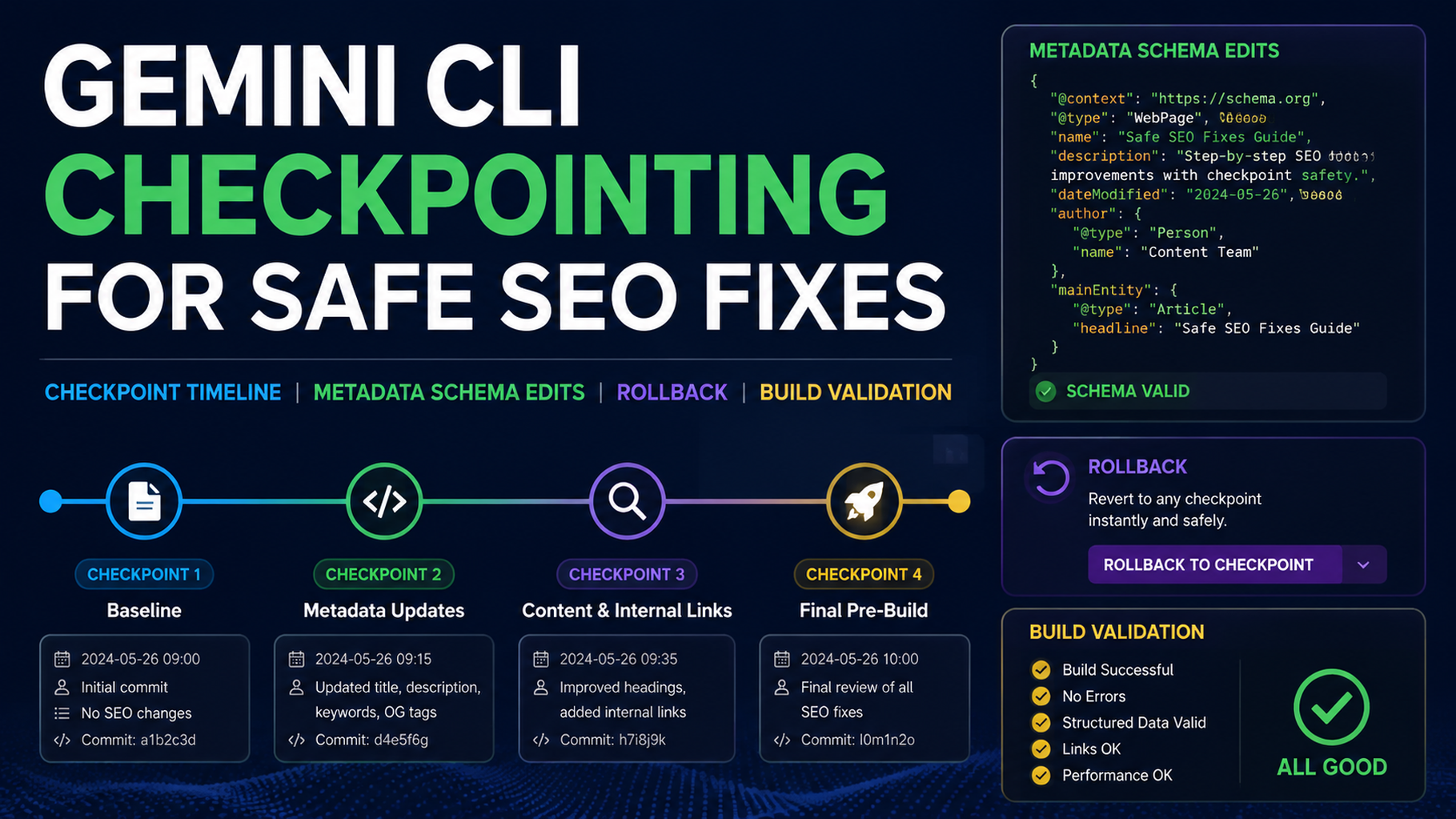
This tutorial shows how to use Gemini CLI for safer technical SEO fixes by creating checkpoints before every risky edit. The goal is not “let the terminal agent fix SEO.” The goal is one risk class, one branch, one diff, one validation report, and one rollback path.
You will create:
seo-geo/checkpoints/
  YYYY-MM-DD-task-name/
    before-git-status.txt
    before-changed-files.txt
    diagnosis.md
    approval.md
    after-validation.md
    rollback.md
scripts/
  seo-geo-checkpoint.mjs
Use this workflow for metadata helpers, schema, internal links, sitemap generation, robots rules, canonical logic, redirects, and page templates.
Step 1: create the checkpoint folders and script
From your website repo root:
mkdir -p seo-geo/checkpoints scripts
cat > scripts/seo-geo-checkpoint.mjs <<'EOF2'
#!/usr/bin/env node
import { execSync } from 'node:child_process';
import { mkdirSync, writeFileSync } from 'node:fs';
import { join } from 'node:path';

const name = process.argv[2] || 'seo-geo-task';
const date = new Date().toISOString().slice(0, 10);
const dir = join('seo-geo', 'checkpoints', `${date}-${name}`.replace(/[^a-zA-Z0-9._/-]/g, '-'));
mkdirSync(dir, { recursive: true });

function run(cmd) {
  try { return execSync(cmd, { encoding: 'utf8' }); }
  catch (err) { return `COMMAND FAILED: ${cmd}
${err.message}
${err.stdout || ''}
${err.stderr || ''}`; }
}

writeFileSync(join(dir, 'before-git-status.txt'), run('git status --short'));
writeFileSync(join(dir, 'before-changed-files.txt'), run('git diff --name-only HEAD'));
writeFileSync(join(dir, 'rollback.md'), `# Rollback

Branch: ${run('git branch --show-current').trim()}

Before applying edits, commit or stash unrelated work. To inspect changes after Gemini edits, run:

\`\`\`bash
git diff
git status --short
\`\`\`
`);
console.log(`Created checkpoint: ${dir}`);
EOF2
chmod +x scripts/seo-geo-checkpoint.mjs
Run it:
node scripts/seo-geo-checkpoint.mjs metadata-test
Step 2: start from a clean branch
Before Gemini CLI edits anything, check your state:
git status --short
If you see unrelated work, stop and commit or stash it first. Then create a branch:
git checkout -b seo-geo/fix-metadata-example
node scripts/seo-geo-checkpoint.mjs fix-metadata-example
A checkpoint is useful only if you know what existed before the agent changed files.
Step 3: ask Gemini CLI for diagnosis only
Open Gemini CLI in the repo root and paste:
We are doing a safe SEO/GEO fix.

First, do diagnosis only. Do not edit files.

Task: inspect metadata/title/description handling for one target page: [URL or local file].

Return:
1. Files that likely control this page's title, meta description, canonical, Open Graph, and schema.
2. The exact risk class: metadata, schema, internal links, sitemap, robots, canonical, redirects, analytics, or content.
3. The smallest safe fix.
4. Validation commands available in this repo.
5. Rollback plan.
6. Files you would edit if approved.

Write the diagnosis to `seo-geo/checkpoints/YYYY-MM-DD-fix-metadata-example/diagnosis.md`.
Wait for approval before editing.
Replace the checkpoint folder name with the one your script created.
Step 4: approve one risk class only
Do not approve metadata, schema, and redirects in the same run. Use this approval format:
Approved risk class: metadata only.
Approved files:
- src/pages/features/reporting.astro
- src/lib/seo.ts only if this page already uses that helper

Not approved:
- schema changes
- canonical policy changes
- robots/noindex changes
- redirects
- sitemap generation
- analytics changes
- unrelated page rewrites

Apply the smallest patch and stop after validation.
If Gemini says it needs to change a shared helper, ask for a second diagnosis that shows every page affected by that helper.
Step 5: validate the diff before reading the summary
After Gemini edits, run:
git diff --stat
git diff --name-only
The changed files should match the approval. If not, stop and ask Gemini to explain why extra files changed.
Then run your available checks:
npm run build
npm run lint
If your repo does not have those commands, ask Gemini to identify the right commands from package.json, framework config, or docs.
Step 6: ask Gemini for the after-validation report
Create `seo-geo/checkpoints/YYYY-MM-DD-fix-metadata-example/after-validation.md`.

Include:
- changed files
- exact SEO/GEO issue addressed
- diff summary
- commands run and outcomes
- manual checks still needed
- rollback command or rollback steps
- what metrics to watch for 14 days

Do not continue to another fix.
A good report names files and commands. A weak report says “SEO improved” without evidence.
Step 7: use stricter rules for high-risk fixes
Fix class | Beginner rule |
|---|---|
Metadata | One page or one template group at a time |
Schema | Validate rendered JSON-LD before merge |
Internal links | Add only relevant links with user value |
Sitemap | Inspect generated sitemap before merge |
Robots/noindex | Require human approval every time |
Canonical | Test at least one representative URL per locale/template |
Redirects | Use a migration plan, not a quick patch |
Analytics | Never change tags in the same task as content edits |
If the task touches robots, canonicals, redirects, or analytics, keep Gemini in diagnosis mode until a human approves the policy.
Beginner copy-paste prompt
I want to use Gemini CLI for one safe SEO/GEO technical fix.

Rules:
- Create or use a checkpoint under `seo-geo/checkpoints/`.
- Diagnose before editing.
- Work on one risk class only.
- Wait for approval before changing files.
- Do not touch robots, noindex, sitemap, redirects, canonical helpers, analytics, or shared templates unless explicitly approved.
- After editing, run validation and write an after-validation report.
- Do not continue to another fix.

Start by inspecting git status and writing the diagnosis only.
FAQ
Is git enough as a checkpoint?
For most website repos, a clean branch plus checkpoint folder is enough. For generated sites, also save before/after crawl outputs or rendered HTML snapshots.
Should one task fix metadata, schema, and redirects together?
No. Separate risk classes so rollback is simple.
What if Gemini edits unrelated files?
Stop. Use git diff --name-only, compare it to the approved file list, and ask Gemini to revert or explain only the unapproved changes. Do not continue the task.
AI coding agents for SEO/GEO learning path
This page belongs to the Gemini CLI SEO/GEO track. Follow these terminal-focused tutorials first, then use the operating model to combine it with editor and workflow agents:
- Cursor vs Windsurf vs Gemini CLI for SEO/GEO Automation
- How to Set Up Gemini CLI for SEO/GEO Automation
- How to Connect Gemini CLI to SEO Data with MCP
- How to Run Daily SEO/GEO Monitoring with Gemini CLI
- How to Use Gemini CLI Checkpointing for Safer SEO Fixes
- The SEO/GEO Operating Model for Cursor, Windsurf, Gemini CLI, Codex, and Claude Code
Sources and notes
- Gemini CLI documentation: Gemini CLI Docs and MCP servers with Gemini CLI.
- Related Auspia guide: Cursor vs Windsurf vs Gemini CLI for SEO/GEO Automation.
Author: Julian Mercer, 14-Year Technical SEO Practitioner at Auspia. Julian writes about crawlability, schema, rendering, and technical foundations for AI-readable content.


