


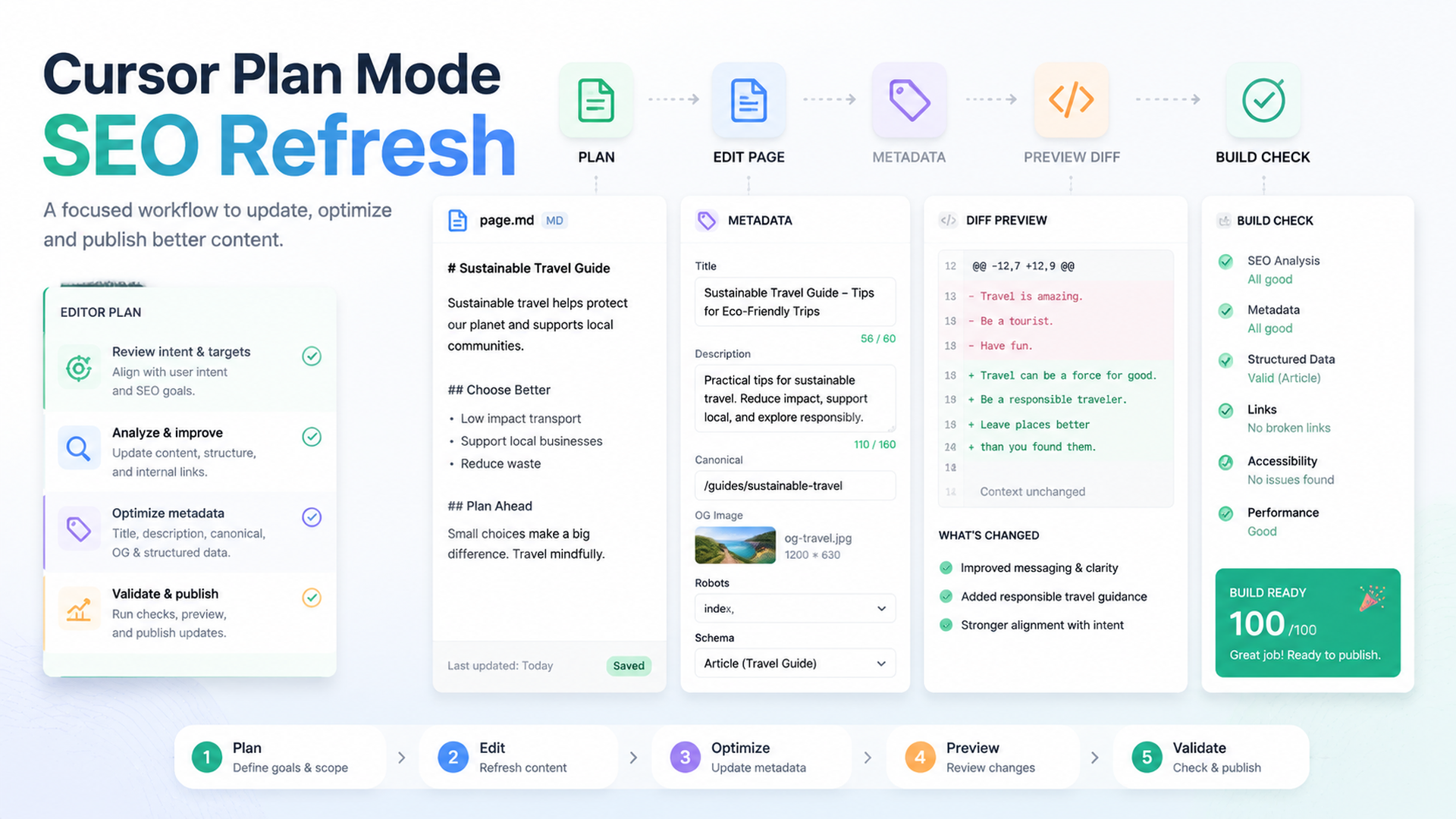
The rule: plan before Cursor edits
Cursor is strongest for SEO/GEO page refreshes when you keep the workflow inside the editor and force the agent to plan before changing files. A page refresh usually touches copy, metadata, schema, internal links, and sometimes shared components. If Cursor changes all of that in one uncontrolled pass, a beginner cannot review the risk.
Use Plan Mode or a planning-first prompt for every meaningful SEO edit. The first output should be a diagnosis and file plan, not a diff.
When to use this workflow
Use this Cursor workflow when:
Situation | Good fit? | Why |
|---|---|---|
Refresh one blog post | Yes | The diff is narrow and reviewable. |
Improve one product or use-case page | Yes | Metadata, headings, answer blocks, and CTA can be reviewed together. |
Fix sitewide schema helper | Maybe | Ask for extra approval because one helper can affect many URLs. |
Rewrite the whole site | No | Start with one page and a rule set first. |
Change robots/canonicals/redirects | Only with explicit approval | These affect indexing and migration risk. |
Step 1: open the right context
Open the target page file, metadata helper, schema component, and any related content file. If the page is generated from a CMS or markdown collection, open the source content as well as the template.
Then prompt Cursor:
Use the SEO/GEO project rules.

I want to refresh only this page: [file path or URL].
Do not edit yet.

Return a page refresh plan with:
1. Search intent and user problem.
2. GEO question this page should answer.
3. Current metadata issues.
4. Current content structure issues.
5. Internal link opportunities.
6. Schema and technical risks.
7. Exact files you would edit.
8. Validation commands to run.
9. Changes that require my approval.
If Cursor cannot name the exact files, stop. Ask it to inspect the repo before editing.
Step 2: approve a small scope
A useful first refresh scope is:
- one title tag;
- one meta description;
- one direct answer block;
- one comparison table or checklist;
- 1-3 internal links;
- safe FAQ cleanup;
- no shared component rewrite unless approved.
Avoid letting Cursor add fake proof. If proof is missing, the page should say TODO in the draft or use a neutral claim.
Step 3: apply the approved edit
Apply only the approved refresh plan.

Constraints:
- Edit only the approved files.
- Do not change pricing, legal claims, testimonials, robots, canonicals, redirects, analytics, or shared templates without asking.
- Mark missing proof as TODO.
- Keep copy specific to this page; do not add generic SaaS filler.
- Run the validation command after editing.

Final response: changed files, validation result, remaining risks, and metrics to watch.
What a good page diagnosis looks like
Area | Weak diagnosis | Strong diagnosis |
|---|---|---|
Intent | “Needs better SEO” | “This page targets buyers comparing AI search visibility tools.” |
GEO | “Add FAQ” | “Add a 70-word answer explaining what the product does and who it is for.” |
Metadata | “Improve title” | “Current title misses category term and use case.” |
Proof | “Add trust” | “Claim needs evidence; use TODO proof slot.” |
Links | “Add internal links” | “Link to measurement guide from the monitoring section.” |
Step 4: review the diff like a PR
Reject diffs that:
- change page intent without approval;
- add unsupported numbers;
- turn headings into keyword stuffing;
- create a generic FAQ that does not match real questions;
- modify shared components unexpectedly;
- break schema by adding fake ratings or reviews.
Step 5: record measurement
Ask Cursor to add a short report:
Create seo-geo/reports/[date]-page-refresh.md.
Include target page, files changed, hypothesis, validation commands, risks, and metrics to check in GSC, Bing, GA4, and AI visibility prompts after publishing.
FAQ
Should Cursor rewrite the whole article?
Only if the diagnosis proves the page is structurally broken. Most refreshes should be section-level.
Should I use Plan Mode every time?
Use it for anything that touches SEO-critical files. Tiny copy edits can be simpler, but beginners should overuse planning at first.
What should I measure after publishing?
Track impressions, CTR, rankings, indexed status, conversions, and AI answer mentions for the target query/prompt set.
AI coding agents for SEO/GEO learning path
This page belongs to the Cursor SEO/GEO track. Follow these Cursor-focused tutorials first, then continue to Windsurf or the operating model when you need a broader stack:
1. Cursor vs Windsurf vs Gemini CLI for SEO/GEO Automation
2. How to Set Up Cursor Rules for SEO/GEO Work
3. How to Use Cursor Plan Mode to Refresh SEO Pages Safely
4. How to Connect Cursor to SEO Data with MCP
5. How to Use Cursor Cloud Agents for SEO/GEO PR Reviews
6. How to Build Windsurf Cascade Workflows for SEO/GEO
7. The SEO/GEO Operating Model for Cursor, Windsurf, Gemini CLI, Codex, and Claude Code
Where to go next
Previous in this path: How to Set Up Cursor Rules for SEO/GEO Work
Next in this path: How to Connect Cursor to SEO Data with MCP
Sources and notes
- Cursor documentation hub: Cursor Docs, including public documentation for Agent, Rules, MCP, Skills, CLI, and background/agent capabilities.
- Related Auspia guide: Cursor vs Windsurf vs Gemini CLI for SEO/GEO Automation.
Author: Elise Morgan, 15-Year Editorial SEO Strategist at Auspia. Elise writes about content refreshes, editorial quality, and search-focused page improvements.


