


The Simple Version
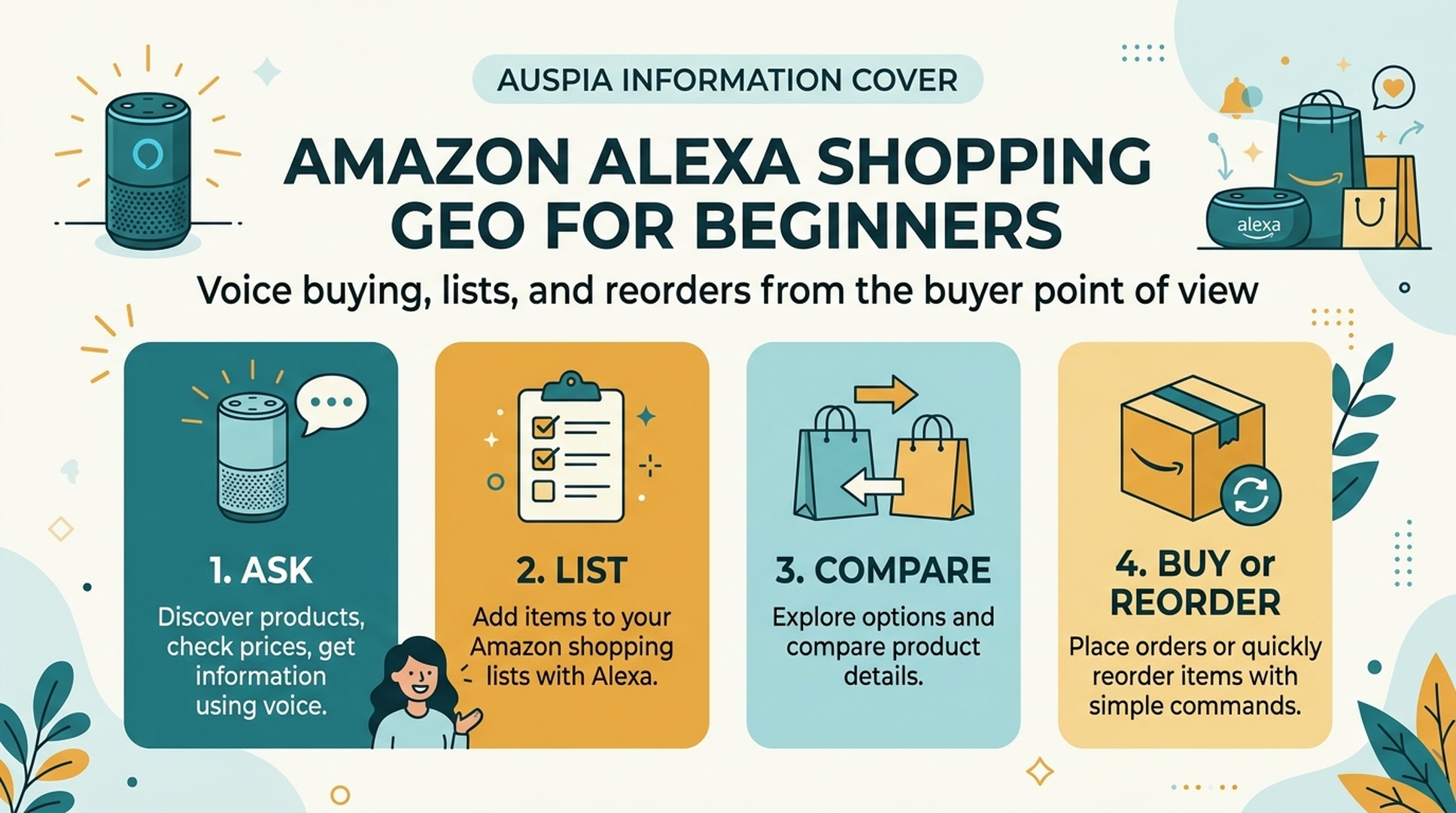
Amazon Alexa shopping is a way to use voice for shopping tasks: adding items to a list, checking a list later, finding products, and reordering familiar purchases. For beginners, the safest way to learn is not to start with instant voice buying. Start with shopping lists, then learn how carts, confirmations, and reorders work.
This article uses “GEO” in a buyer-friendly way. For sellers, GEO means making products easier for AI and voice assistants to understand. For buyers, it means understanding how those systems interpret your requests, what information they may use, and where you should double-check before buying.
DataForSEO research for this beginner track showed query interest around alexa shopping, alexa shopping list, and list-related questions. Even when volume is modest, the intent is practical: people want to know how to use Alexa for everyday shopping without making mistakes.
What Alexa Shopping Can Do
Alexa shopping is not one feature. It is a group of shopping behaviors that can feel similar but have different risk levels.
Shopping action | What it means | Beginner risk level |
|---|---|---|
Add to shopping list | Save an item by voice for later | Low |
Review list | Check or edit items in the Alexa app | Low |
Search for products | Ask Alexa or Amazon to help find an item | Medium |
Add to cart | Put a product into an Amazon cart | Medium |
Voice purchase | Buy by voice if enabled and confirmed | Higher |
Reorder | Buy a previously purchased item again | Medium to higher |
The safest learning path is list first, cart second, purchase last.
A Beginner Shopping Journey
Think of Alexa as a hands-free capture tool before you think of it as a checkout tool.
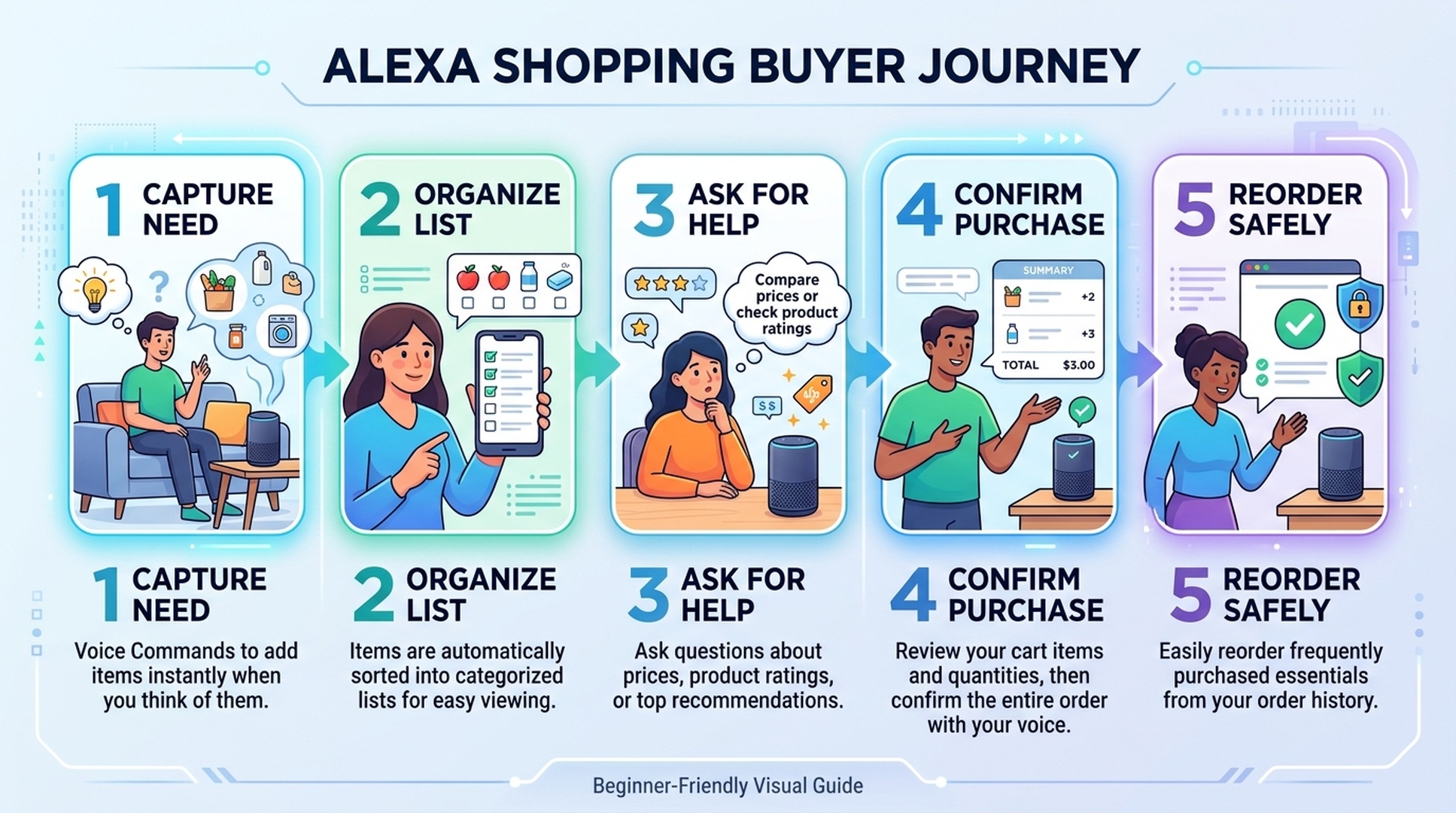
A typical beginner journey looks like this:
- You remember something while cooking, cleaning, or walking through the house.
- You say, “Alexa, add paper towels to my shopping list.”
- Later, you open the Alexa app or Amazon app and review the list.
- You clarify vague items like “batteries” into “AA batteries, 24 pack.”
- You compare price, seller, delivery date, quantity, and reviews.
- You decide whether to buy, save, delete, or reorder.
This is why shopping lists are the best place to start. They give you the convenience of voice without forcing an instant purchase decision.
How Shopping Lists Work
An Alexa shopping list is a voice-created checklist. You can usually add items by speaking naturally, then review them later in the app. The list is useful because it captures intent at the moment you remember something.
Good voice list commands are simple:
Goal | Example command |
|---|---|
Add one item | “Alexa, add milk to my shopping list.” |
Add a specific item | “Alexa, add AA batteries to my shopping list.” |
Add a quantity | “Alexa, add two boxes of tissues to my shopping list.” |
Check the list | “Alexa, what's on my shopping list?” |
Remove an item | “Alexa, remove milk from my shopping list.” |
The key is specificity. “Add coffee” is fine as a reminder, but it is not enough for buying. Before checkout, turn it into a product choice: roast, grind, size, brand, pack count, and delivery timing.
How Voice Buying Differs From List Making
Adding an item to a list is not the same as buying it. That difference matters for safety.
List making is low pressure. It captures a need. Voice buying can make a purchase decision, depending on account settings, device setup, and confirmation steps. Beginners should understand the difference before enabling purchase features.
Use this rule:
If you are doing this | Slow down and check |
|---|---|
Adding a broad item to a list | No big risk; review later |
Asking for a product recommendation | Compare options manually |
Adding to cart | Check item, quantity, price, and seller |
Reordering | Confirm it is the same size, pack, flavor, or model |
Buying by voice | Make sure voice purchasing controls are set correctly |
Alexa can reduce friction, but shopping still needs judgment.
Reorders Are Convenient But Not Automatic Wisdom
Reordering is useful for familiar consumables: filters, coffee, detergent, pet food, vitamins, batteries, and household basics. It can also create mistakes if the old purchase is no longer the best choice.
Before reordering, check:
- Is the size or pack count the same?
- Has the price changed?
- Is the seller still reliable?
- Is the delivery date acceptable?
- Did you previously buy a trial size instead of the regular size?
- Did the product formula, model, or packaging change?
A good reorder habit is simple: use Alexa to remind or start the process, then review the final details before purchase.
Safety Settings Beginners Should Understand
Voice shopping is convenient only if the household setup matches the household risk. A device in a kitchen, living room, or shared apartment may hear children, guests, roommates, or TV audio.
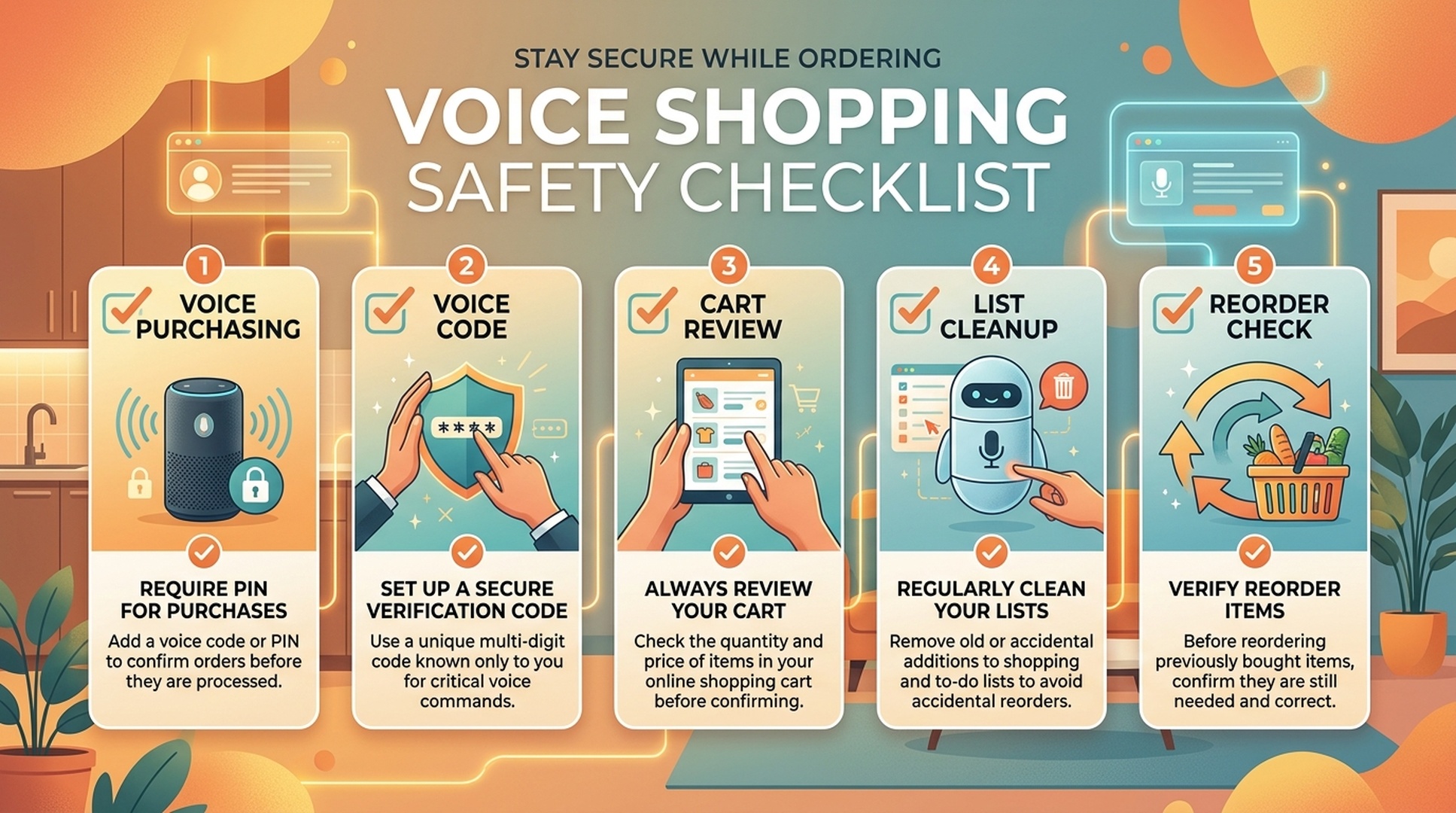
Before using voice buying, review these controls:
Safety area | What to check |
|---|---|
Voice purchasing | Whether buying by voice is enabled or disabled |
Confirmation | Whether a voice code or confirmation step is required |
Household access | Who can speak near the device |
Notifications | Whether order and delivery alerts reveal private purchases |
Cart review | Whether you review cart details before checkout |
Returns | Whether you understand how to cancel or return an accidental purchase |
If you are unsure, keep voice shopping limited to lists until you are comfortable.
How Buyers Can Ask Better Shopping Questions
Better questions usually produce better options. Instead of asking for a vague product, include the real constraint.
Vague request | Better request |
|---|---|
“Find detergent.” | “Find unscented laundry detergent for sensitive skin.” |
“Add batteries.” | “Add AA alkaline batteries, 24 pack.” |
“Reorder filters.” | “Reorder the refrigerator water filter I bought last time.” |
“Find a light bulb.” | “Find a dimmable smart bulb that works with Alexa.” |
“Add dog food.” | “Add salmon dry dog food for small breed adults.” |
This is the buyer-side lesson behind GEO: AI and voice systems work better when the request includes category, use case, constraints, and intent.
Common Beginner Mistakes
Avoid these early mistakes:
- Assuming a shopping list item has already been purchased.
- Saying vague product names and expecting the perfect item later.
- Reordering without checking size, seller, or price.
- Leaving voice purchasing enabled in a shared household without controls.
- Ignoring delivery notifications and order confirmation emails.
- Assuming Alexa understands brand names, flavors, or model numbers perfectly every time.
Most mistakes happen because the user treats voice as final checkout instead of a capture and review tool.
A 7-Day Learning Plan
If you are new to Alexa shopping, learn it in stages.
Day | Practice | Goal |
|---|---|---|
1 | Add five household items to a shopping list | Learn capture commands |
2 | Review and edit the list in the app | Learn cleanup |
3 | Add specific quantities and variants | Improve precision |
4 | Ask for one product category and compare manually | Learn recommendation limits |
5 | Try a reorder check without rushing checkout | Learn reorder review |
6 | Review voice purchasing and notification settings | Improve safety |
7 | Make a personal rule for when to use voice vs app checkout | Build a safe routine |
By the end, Alexa should feel like a useful shopping assistant, not a risky shortcut.
FAQ
Is adding something to an Alexa shopping list the same as buying it?
No. Adding an item to a shopping list usually saves a reminder for later. Buying requires separate purchase behavior, settings, and confirmation steps.
Is Alexa voice shopping safe for beginners?
It can be safe if you start with lists, review settings, use confirmation controls, and check cart details before purchasing. Shared households should be more careful.
What is the best first Alexa shopping feature to learn?
Start with the shopping list. It is useful, low risk, and teaches you how Alexa understands everyday product language.
Can Alexa reorder products automatically?
Alexa can help with reorders, but you should still check quantity, price, seller, delivery date, and product version before confirming any purchase.
How does this relate to GEO?
For buyers, GEO explains why clear questions matter. For sellers, it explains why product facts, reviews, compatibility details, and support answers need to be easy for AI shopping systems to understand.
Auspia Takeaway
Alexa shopping is easiest to understand when you separate reminder, list, cart, purchase, and reorder. Beginners should use voice to capture intent, then use the app or Amazon checkout to verify details.
The smarter you are about asking specific questions, the more useful voice shopping becomes. The safer you are about confirmations, the less likely convenience turns into an accidental purchase.
Author: Nora Whitfield, AEO Specialist for 800+ Answer Patterns at Auspia. Nora writes about answer engine optimization, FAQ design, and clear question-and-answer content for AI-assisted search experiences.


