


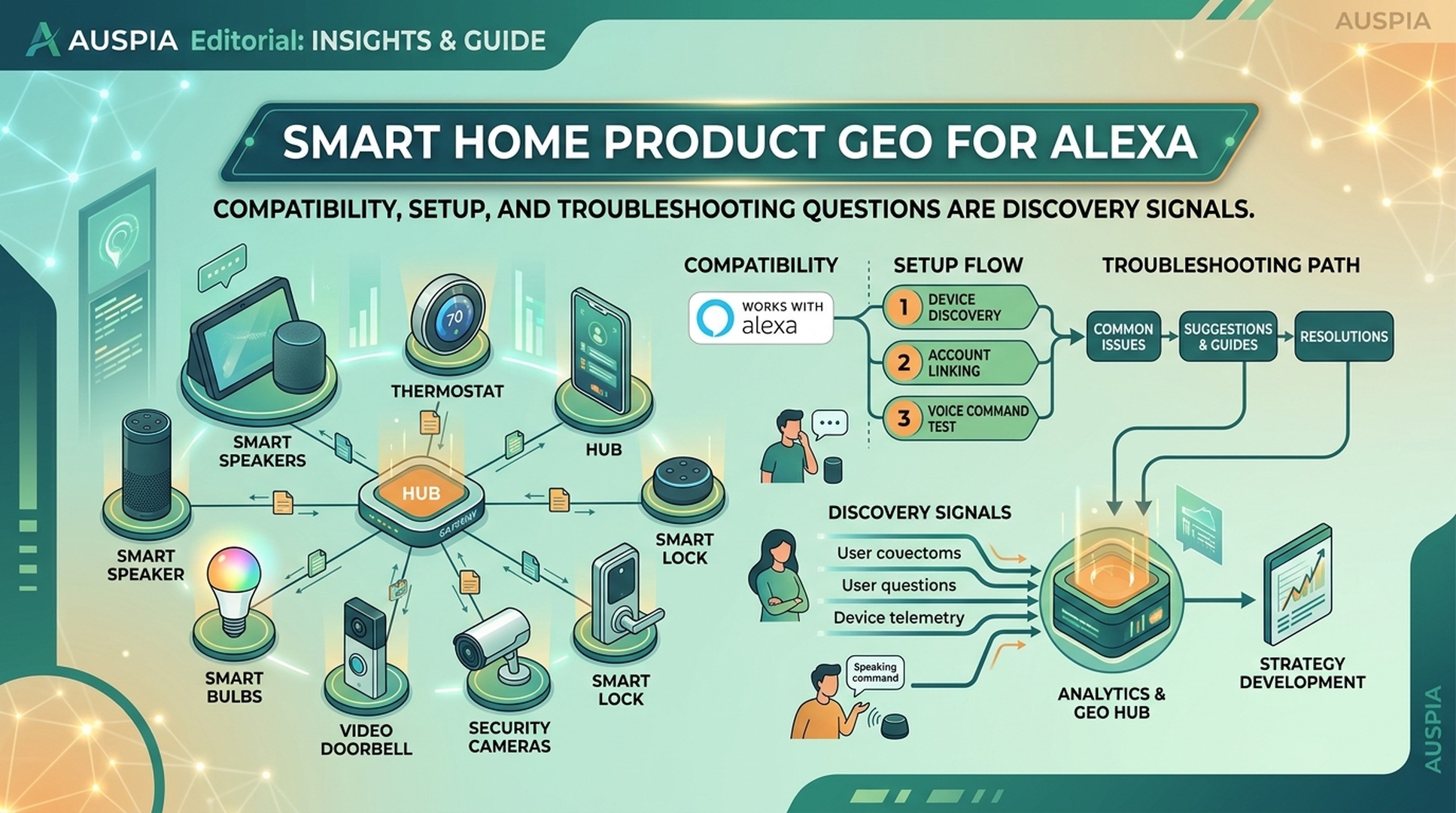
The GEO Opportunity Is Not Just Voice Control
For smart home brands, Alexa GEO is not only about whether a device can be controlled by voice. The bigger opportunity is whether the brand's product content can answer the questions buyers ask before purchase, during setup, and when something breaks.
A smart plug, camera, thermostat, light strip, lock, sensor, or appliance can lose the sale long before the buyer compares price. The buyer wants to know: does it work with Alexa, does it need a hub, which Wi-Fi band does it support, can it join routines, what happens if Alexa cannot find the device, and how hard is setup for a non-technical household?
DataForSEO research for this article showed demand around terms such as works with alexa, alexa setup, and smart home alexa. These are not huge vanity keywords, but they reveal the practical intent that matters: compatibility, setup, and troubleshooting. For GEO, those questions should shape listings, A+ Content, support pages, product manuals, and skill or smart home capability documentation.
The Smart Home GEO Rule
If a buyer has to leave your listing to understand whether your product will work in their home, your listing is not ready for Alexa-era discovery.
Smart home products are different from ordinary Amazon SKUs because the product promise depends on an environment: router, phone app, account linking, hub, firmware, room layout, device group, routine, and household permissions. AI shopping assistants and voice surfaces can summarize product claims only if those claims are explicit, consistent, and grounded in buyer language.
That means a smart home GEO page or Amazon listing should make five things easy to extract:
GEO asset | Buyer question | Why it matters |
|---|---|---|
Compatibility | “Does this work with Alexa and my setup?” | Prevents wrong-fit purchases |
Setup | “How do I connect it?” | Reduces abandonment and returns |
Commands | “What can I ask Alexa to do?” | Makes the benefit concrete |
Routines | “Can I automate it with other devices?” | Increases perceived value |
Troubleshooting | “What if Alexa cannot find it?” | Protects reviews and support load |
Map Questions By The Buyer Journey
A smart home buyer does not ask one clean keyword. They ask a chain of questions as confidence rises or falls.
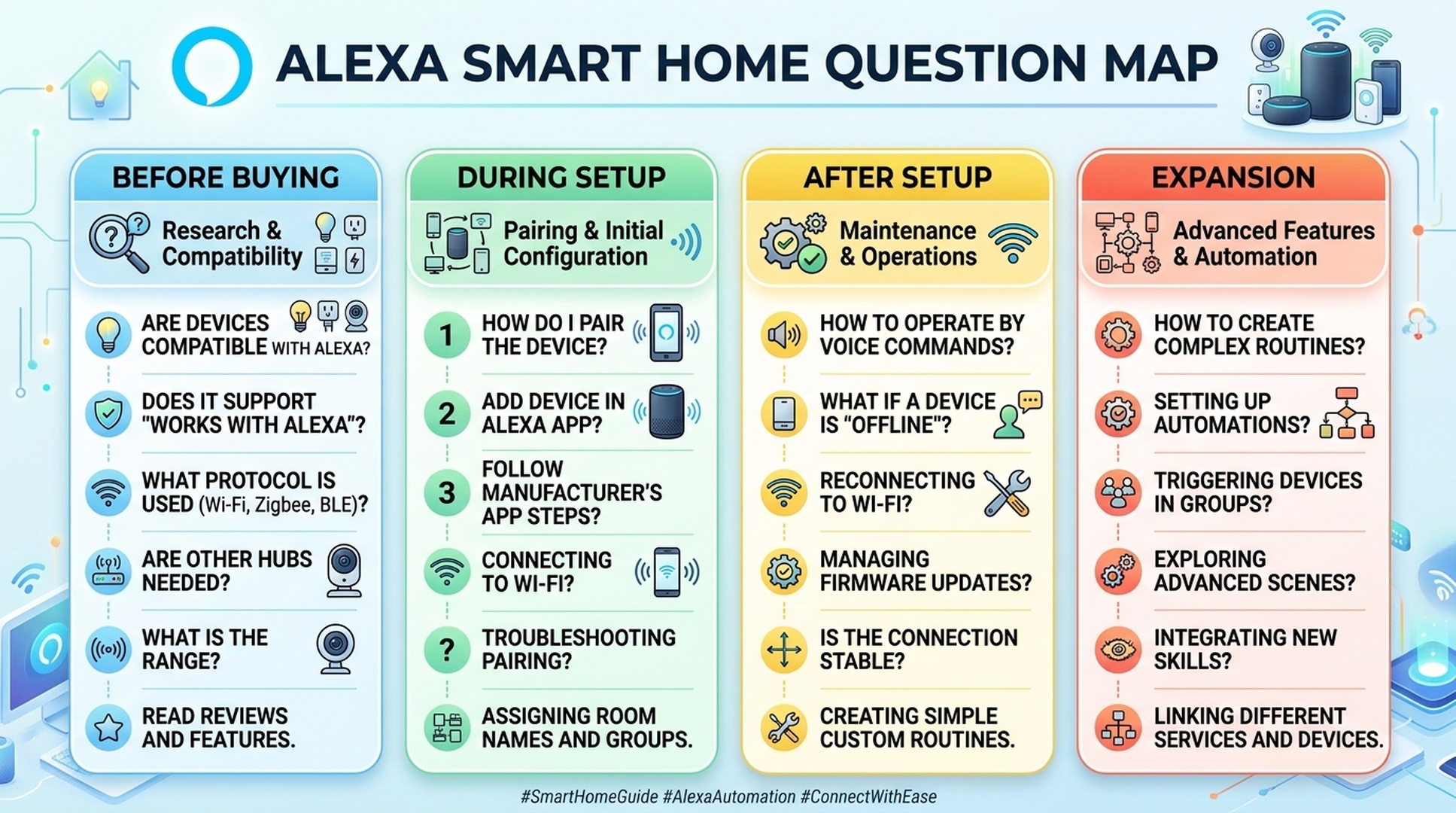
Use this journey map when rewriting product content:
Journey stage | Questions to answer | Best content home |
|---|---|---|
Before buying | Works with Alexa? Need a hub? 2.4 GHz or 5 GHz? Matter support? App required? | Title, bullets, comparison image, A+ Content |
During setup | How do I pair it? Which app do I install? How do I enable discovery? | Quick-start guide, product insert, support page, A+ setup panel |
First command | What exact command works? Can I rename the device? Can I group it by room? | Listing images, FAQ, manual, help-center page |
Routine building | Can it trigger scenes? Can it work with sensors or schedules? | A+ use-case module, support article, video, product page |
Failure recovery | Why is it offline? Why can't Alexa find it? Why does it stop responding? | Troubleshooting FAQ, support page, review response themes |
The aim is not to stuff “Alexa compatible” everywhere. The aim is to make each stage answerable by a human, a search engine, and an AI assistant.
Compatibility Copy That Actually Helps
Many smart home listings say “Works with Alexa” but do not explain the conditions. That is weak GEO because compatibility is rarely binary.
A stronger compatibility block answers:
- Which Alexa devices or Alexa app flows are supported.
- Whether a separate hub, bridge, gateway, or account link is required.
- Which Wi-Fi bands are supported.
- Whether the device supports Matter, Zigbee, Bluetooth, or proprietary app control.
- Which functions are voice-controllable and which still require the app.
- Which countries, app versions, or device generations have limitations.
For example, a weak bullet says:
Works with Alexa for easy voice control.
A stronger bullet says:
Works with Alexa for on/off voice control and room routines after setup in the BrandApp. Requires 2.4 GHz Wi-Fi; no separate hub required. Brightness scenes must be configured in the app before Alexa can use them.
That second version is longer, but it is more useful. It helps buyers self-select and gives AI systems clearer facts to summarize.
Setup Content Is A Conversion Asset
Setup instructions are often treated as post-purchase support. For smart home GEO, they are pre-purchase confidence content.
Buyers search setup questions before they buy because they are estimating effort. A product that seems easy to install can win against a technically stronger product that hides the setup path.
A useful setup section should include:
Setup detail | Why it matters for Alexa GEO |
|---|---|
App name and account requirement | Prevents confusion after unboxing |
Wi-Fi requirement | Avoids common pairing failures |
Device discovery step | Connects the product to Alexa usage |
Naming guidance | Helps voice commands work naturally |
Reset path | Reduces panic when pairing fails |
First successful command | Gives the buyer a clear finish line |
The finish line matters. Instead of saying “complete setup in the app,” say what success looks like: “When setup is complete, say, ‘Alexa, turn on desk lamp,’ and confirm the device responds.”
Troubleshooting Questions Are GEO Gold
Troubleshooting content is where many smart home brands can build a defensible GEO advantage. These questions are specific, recurring, and tied directly to buyer trust.
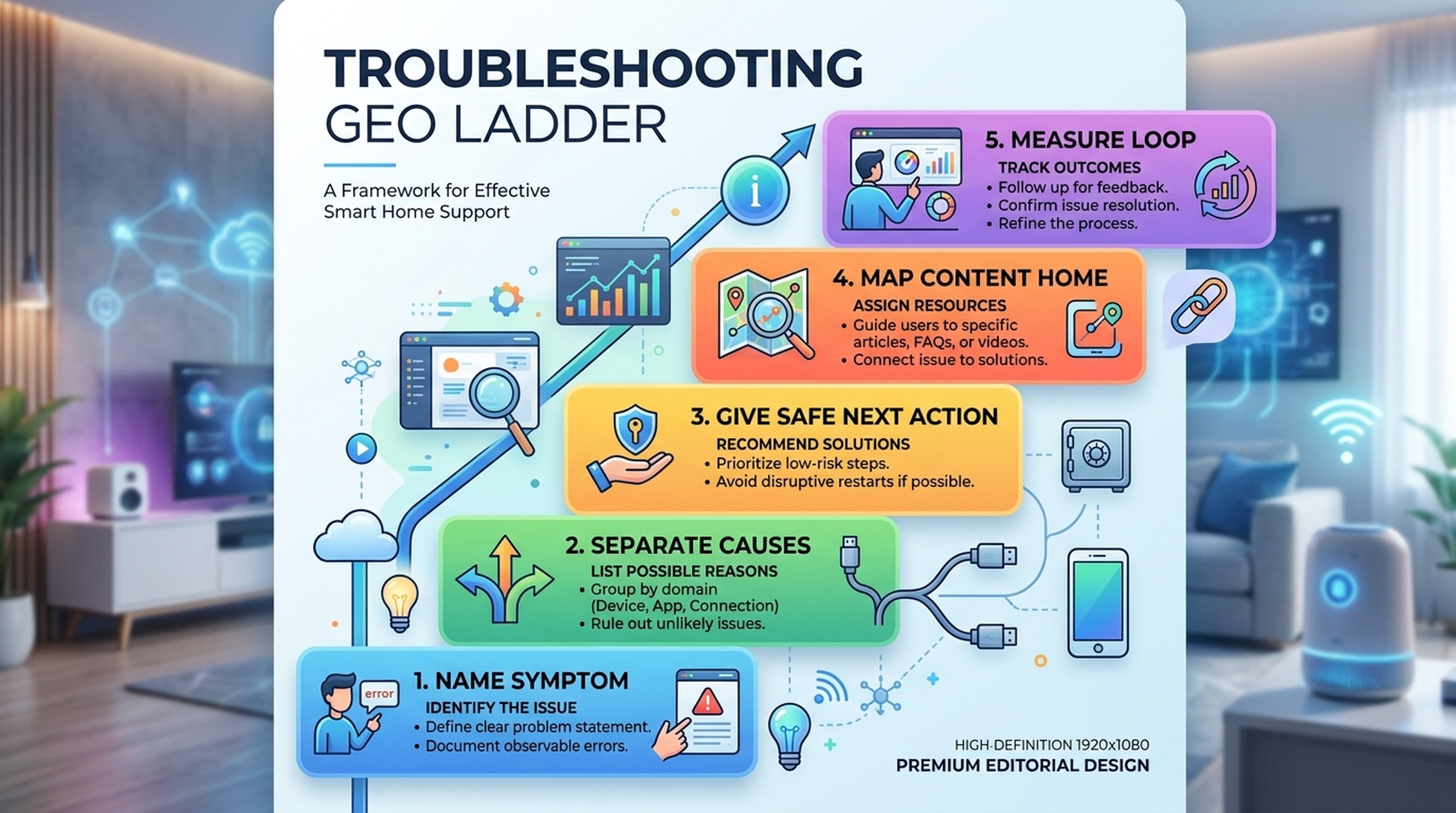
The best troubleshooting content does not blame the user. It names the symptom, separates likely causes, and gives a safe next action.
Symptom query | Better answer structure |
|---|---|
“Alexa can't find my device” | Confirm power, app pairing, Wi-Fi band, account link, then run device discovery again |
“Alexa says device is unresponsive” | Check device power, router connection, app status, firmware, then disable and re-enable integration if needed |
“Alexa turns on the wrong light” | Rename devices, avoid duplicate names, assign room groups, test one command |
“Device keeps going offline” | Check signal strength, router distance, power cycle, firmware, and overloaded network conditions |
“Routine doesn't trigger” | Confirm routine permissions, device capability, schedule, time zone, and sensor state |
This content can live on Amazon Q&A, product manuals, help pages, and brand-owned support pages. If the brand later builds an Alexa skill or deeper smart home integration, these failure modes become intent design input.
The Product Detail Page Should Teach Commands
A smart home listing should not assume buyers already know what to say. Voice command examples make the product easier to imagine and easier to use.
Add a compact command block:
Use case | Example command | Product fact needed |
|---|---|---|
Basic control | “Alexa, turn on the hallway light.” | Device supports on/off control |
Room grouping | “Alexa, turn off the living room.” | Device can be assigned to a room |
Scene | “Alexa, set movie mode.” | Scene must be created in app first |
Schedule | “Alexa, turn on porch lights at sunset.” | Routine support and time zone behavior |
Status | “Alexa, is the front door locked?” | Device supports status reporting |
This turns a feature claim into a usage pattern. It also reduces support questions because buyers understand the difference between native Alexa behavior, app-only functions, and product-specific limitations.
What Amazon Sellers Should Fix First
For Amazon sellers, the fastest wins usually come from cleaning up product content before building a custom skill or investing in advanced voice strategy.
Start with these fixes:
- Add compatibility conditions to bullets, not only images.
- Use one product image or A+ module to show the setup path.
- Include exact voice command examples.
- Create a troubleshooting FAQ for the top five failure modes.
- Mine reviews for setup friction and rewrite content around those phrases.
- Make hub, bridge, Wi-Fi, Matter, and app requirements impossible to miss.
- Add a support page that can be cited, linked, and updated more easily than the listing.
The support page is especially important. Amazon listings are constrained, but a brand-owned page can give detailed, structured answers for search engines and AI assistants.
A 14-Day Smart Home Alexa GEO Sprint
Here is a practical sprint for a marketplace team.
Day | Task | Output |
|---|---|---|
1-2 | Collect queries from DataForSEO, Amazon Q&A, reviews, support tickets | Compatibility/setup/troubleshooting question list |
3-4 | Audit product pages for missing requirements | Gap table by SKU |
5-6 | Rewrite bullets and image captions | Clear compatibility and setup facts |
7-8 | Draft troubleshooting FAQ | Symptom-based answers |
9-10 | Update A+ Content or brand page | Setup path and command examples |
11-12 | Publish support article | Crawlable help asset with structured headings |
13-14 | Measure review/support changes | Baseline for future experiments |
This sprint creates assets that help even if the brand never builds a skill. If the brand does build one later, the sprint becomes the research foundation for intents, utterances, and help responses.
FAQ
What does Smart Home Product GEO for Alexa mean?
It means structuring product, support, and brand content so Alexa-related compatibility, setup, command, routine, and troubleshooting questions are easy for buyers and AI systems to understand.
Should every smart home seller build an Alexa skill?
No. Many products only need clear compatibility, setup, command, and troubleshooting content. A custom skill makes sense only when the product has a repeated voice task or deeper integration need.
Is “Works with Alexa” enough for GEO?
No. The phrase helps, but it does not answer conditions. Buyers still need to know hub requirements, Wi-Fi bands, app setup, supported commands, routine behavior, and limitations.
Where should troubleshooting content live?
Use multiple homes: Amazon Q&A for buyer-facing objections, A+ Content for visual setup, manuals for ownership, and brand support pages for detailed crawlable answers.
How can smart home brands avoid keyword stuffing?
Group questions by buyer stage, then answer them naturally. Use precise terms like “2.4 GHz Wi-Fi,” “device discovery,” “room group,” and “routine” where they help, not as repeated keyword filler.
Auspia Takeaway
Smart home Alexa GEO is won in the details: compatibility conditions, setup finish lines, command examples, and troubleshooting clarity. These are not boring support assets. They are the facts that determine whether buyers trust the product before purchase and whether AI systems can summarize it accurately.
If you want to make a smart home product easier to discover, do not start with a slogan. Start with the questions buyers ask when the device has to work in a real home.
Author: Ryan Chen, Senior Amazon Operations Expert with 10 Years in Marketplace Growth at Auspia. Ryan writes about Amazon GEO, marketplace search behavior, AI-assisted product discovery, and operational playbooks for Amazon sellers.


