


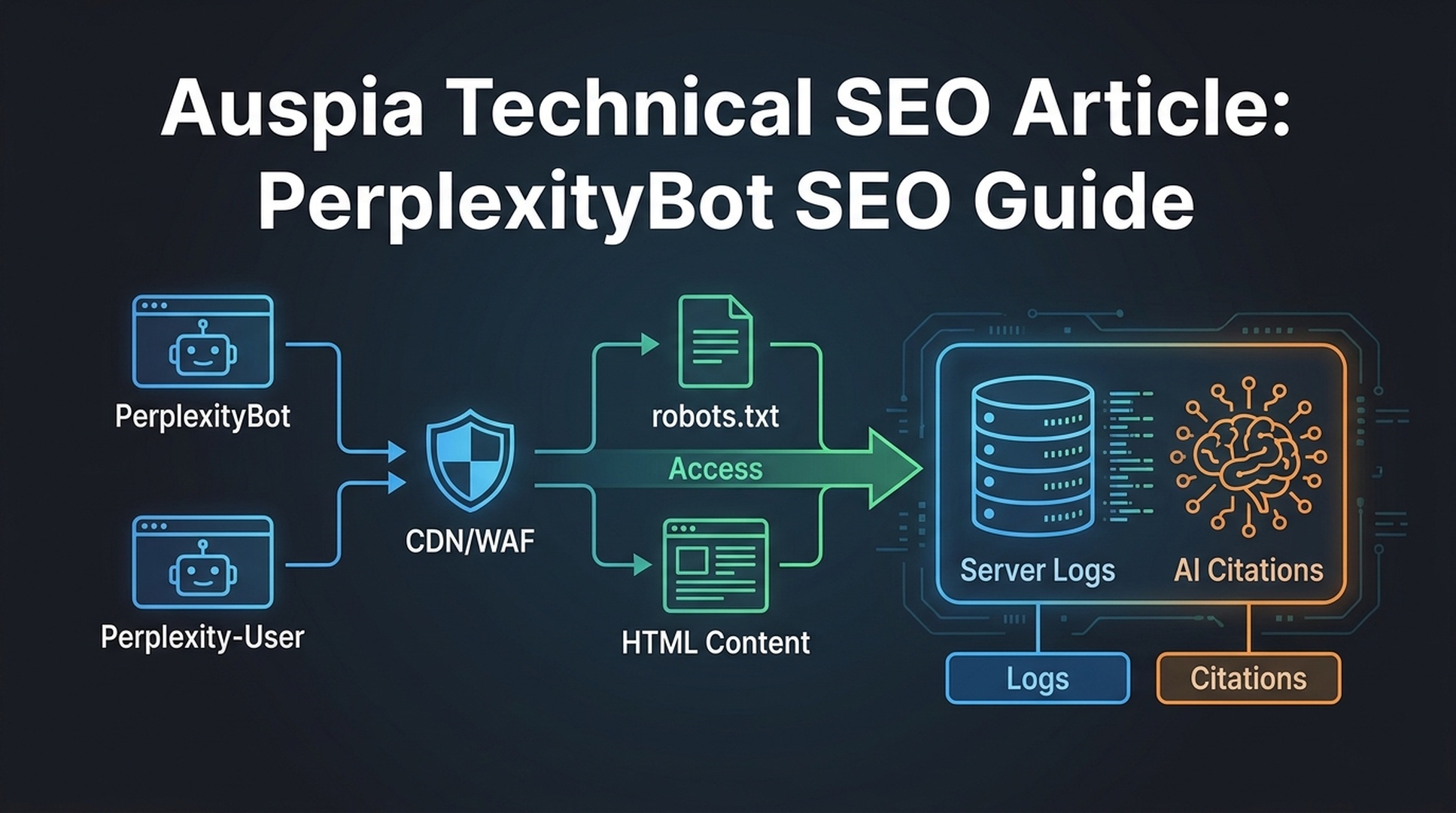
The crawl-access triage
If you want Perplexity to discover, read, and cite your public pages, start with access. Content rewrites matter, but they cannot help if the page is blocked, challenged, hidden behind scripts, or unavailable to the crawler at the moment of retrieval.
A technical Perplexity SEO check should answer four questions:
Question | Why it matters |
|---|---|
Can Perplexity discover the URL? | Discovery affects whether the page can enter Perplexity's search experience. |
Can a user-triggered fetch reach the page? | Perplexity may need to retrieve a page in response to a live user query. |
Can the main content be extracted? | A page that renders poorly may be accessible but still weak as a source. |
Can you verify access in logs? | Testing tools are useful, but server logs show what actually happened. |
This article is a technical guide for SEO teams, developers, and growth teams who want to avoid accidental crawler blocks while keeping sensitive content protected.
PerplexityBot vs Perplexity-User
Perplexity documents two crawler identities that matter for site owners.
User agent | Practical meaning |
|---|---|
| Used for discovering and indexing web content so pages can appear in Perplexity search results. |
| A user-triggered agent that may fetch a page when someone asks Perplexity a question. |
The distinction matters because many teams only think about traditional crawling. Perplexity may also need to fetch a public page during an answer session. If your WAF, bot protection, or rate-limiting rules challenge that request, the page may be hard to use as a cited source.
This does not mean every part of your site should be open. Public marketing pages, docs, product explainers, research pages, and blog posts are reasonable candidates. Account pages, private dashboards, checkout flows, staging sites, and paid content should stay protected.
The access stack: where blocks usually happen
Crawler blocks rarely live in one place. A page can pass one check and still fail another.
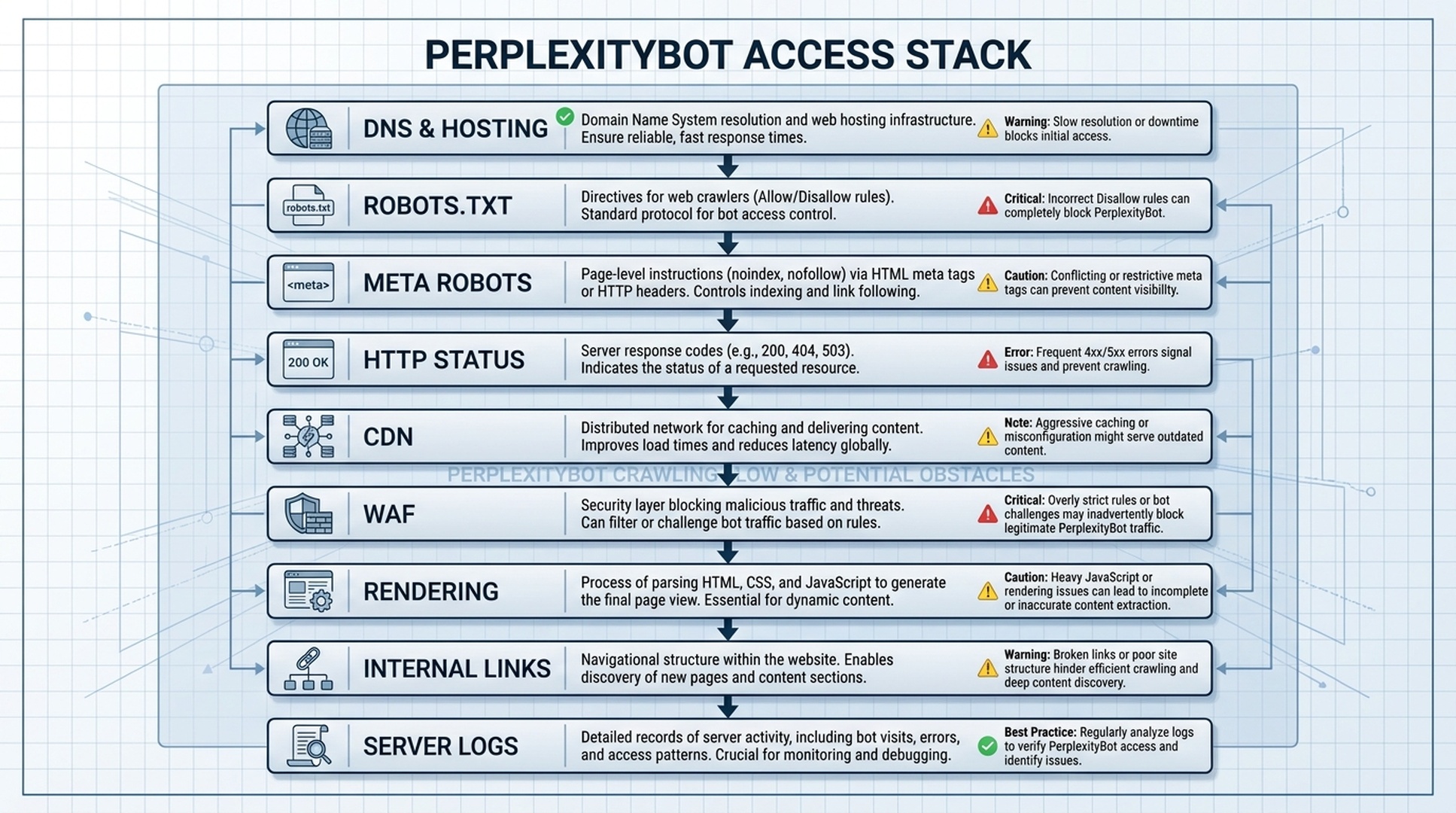
Check the stack in this order:
Layer | What can go wrong |
|---|---|
DNS and hosting | Page is unavailable, slow, or intermittently failing |
Robots.txt | Broad AI crawler rules block public URLs you want cited |
Meta robots | Page is marked |
HTTP status | Page returns 403, 404, 5xx, soft 404, or long redirect chains |
CDN | Security rules block unfamiliar user agents or regions |
WAF/bot protection | Challenge pages, captchas, or JavaScript checks stop retrieval |
Rendering | Main answer content appears only after heavy client-side rendering |
Internal linking | Important source pages are orphaned or hard to discover |
Server logs | You cannot confirm whether Perplexity requests succeeded |
Most teams find issues in CDN/WAF rules or rendering. Robots.txt is easier to inspect, so it gets more attention. The harder failures often sit one layer deeper.
Robots.txt examples for Perplexity SEO
Robots.txt should reflect your content policy. Do not copy a rule from another site without knowing what it does.
A simple allow pattern for public content might look like this:
User-agent: PerplexityBot
Allow: /
If you want to block private or low-value folders while allowing public pages:
User-agent: PerplexityBot
Allow: /
Disallow: /account/
Disallow: /checkout/
Disallow: /admin/
Disallow: /internal-search/
If you have a sitewide AI crawler block, make sure it is intentional:
User-agent: PerplexityBot
Disallow: /
That last rule may be valid for some publishers, legal teams, or private products. For a growth team that wants Perplexity citations, it is usually a blocker.
Robots.txt only governs crawler permission. It does not guarantee citation, indexing, ranking, or inclusion in an answer.
This technical layer is only one part of the system. Pair it with the Perplexity-ready content structure guide so accessible pages are also useful as sources.
WAF and CDN checks
A robots.txt file can say "allow" while the WAF still says "no."
Common problems include:
Problem | Symptom |
|---|---|
Unknown bot challenge | Request gets a captcha, JavaScript challenge, or 403 |
Strict country rules | Crawler request is blocked based on IP geography |
Rate-limit mismatch | User-triggered fetches are throttled too aggressively |
Header-based blocking | User agent is blocked by pattern-matching rules |
Suspicious automation rules | Valid crawler traffic is treated like scraping |
Cache variation issue | Bot receives a different version of the page than users |
Ask your engineering or security team for a specific test. Do not say "allow all AI bots." Say: "For these public URLs, can we verify successful access for documented Perplexity user agents and official IP ranges, while keeping private paths blocked?"
That framing is safer and easier to approve.
Status code and rendering checklist
Perplexity needs a source it can reach and read. A page that technically loads in a browser may still be a poor retrieval target.
Use this checklist for pages you want cited:
Check | Good result |
|---|---|
Canonical URL | One clean URL, no unnecessary redirect chain |
HTTP status |
|
Meta robots | No accidental |
Main content | Available in initial HTML or reliably rendered for crawlers |
Title and H1 | Clear topic, not generic or duplicated |
Date signals | Updated date where freshness matters |
Structured data | Organization, Article, Product, FAQ, or Breadcrumb schema where appropriate |
Internal links | Page is reachable from relevant hub, category, docs, or tool pages |
Load time | Fast enough to avoid timeout or partial retrieval |
Do not obsess over schema before access. Schema helps clarify, but it cannot fix a blocked page.
Server log validation
Server logs are the reality check.
Look for:
- user agent string
- requested URL
- status code
- timestamp
- IP address or network information
- response size
- cache status
- WAF action
- redirect target, if any
A useful log review table looks like this:
URL | User agent | Status | WAF action | Notes |
|---|---|---|---|---|
|
|
| allowed | Good |
|
|
| challenged | Needs WAF review |
| unknown bot group |
| allowed | Check redirect necessity |
If you cannot access logs directly, ask for a sample from your infrastructure owner. You do not need every request. You need enough to confirm whether priority pages are reachable.
A 30-minute PerplexityBot audit
This is the minimum viable audit for one domain.
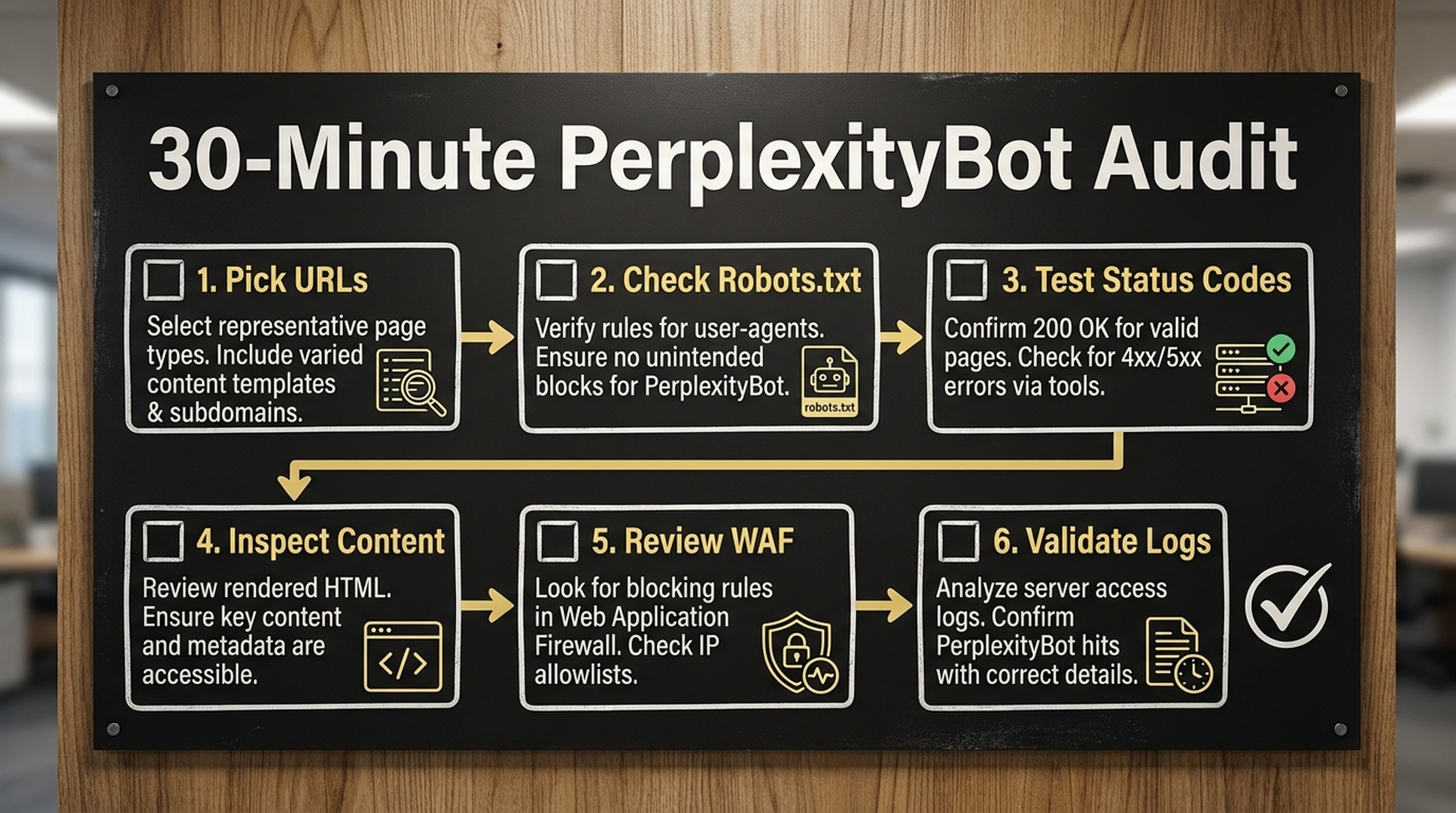
Minute | Task | Output |
|---|---|---|
0-5 | Pick priority URLs | Homepage, product page, docs page, blog guide, tool page |
5-10 | Check robots.txt | PerplexityBot policy and blocked folders |
10-15 | Test status codes | Final canonical URL returns |
15-20 | Inspect rendered content | Main answer text is visible and extractable |
20-25 | Review CDN/WAF policy | No broad block on relevant user agents |
25-30 | Check or request logs | Evidence of successful access or a clear blocker |
Use Auspia's Robots.txt AI Crawler Checker for the first pass, then validate harder issues with logs and infrastructure checks.
What to allow and what to block
A healthy policy is selective.
Content type | Suggested policy |
|---|---|
Public blog posts | Usually allow if you want AI search visibility |
Product and feature pages | Usually allow |
Public docs/help articles | Usually allow |
Research, benchmarks, glossary pages | Usually allow |
Tool landing pages | Usually allow |
User dashboards | Block |
Account, billing, checkout | Block |
Staging and preview URLs | Block |
Internal search pages | Often block |
Thin parameter URLs | Often block or canonicalize |
The goal is not maximum openness. The goal is controlled discoverability for pages that should represent your brand in AI answers.
Common technical mistakes
The most common errors are simple.
Mistake | Why it hurts |
|---|---|
Blocking | The page may not be discoverable for Perplexity search results |
Allowing robots.txt but blocking at WAF | Tools show "allowed," but requests still fail |
Serving crawler challenge pages | The crawler sees security interstitials instead of content |
Hiding key content behind JavaScript | The source text becomes harder to extract |
Leaving important pages orphaned | Discovery and context are weaker |
Forgetting private paths | Overly broad allow rules can expose pages that should stay protected |
Not checking logs | You guess instead of verifying access |
This is why Perplexity SEO needs both SEO and engineering. The SEO team can define target pages and prompts. Engineering can verify access and fix infrastructure blockers.
FAQ
What is PerplexityBot?
PerplexityBot is a Perplexity crawler used to discover and index web content so pages can appear in Perplexity search results. Site owners can set crawler rules in robots.txt and should also check CDN, WAF, and server-log behavior.
What is Perplexity-User?
Perplexity-User is a user-triggered agent that may fetch a page when someone asks Perplexity a question. It matters because a page may need to be accessible during a live answer session, not only during background crawling.
Should I allow PerplexityBot in robots.txt?
If your goal is Perplexity visibility for public marketing, docs, blog, product, or research pages, allowing PerplexityBot for those pages is usually consistent with that goal. Keep private, paid, account, checkout, admin, and staging paths blocked.
Does allowing PerplexityBot guarantee citations?
No. Allowing access only removes one blocker. Perplexity still needs a reason to use your page as a source: clear answers, useful facts, credible evidence, and relevance to the user's prompt.
Can my WAF block Perplexity even if robots.txt allows it?
Yes. Robots.txt is only one layer. CDN security, bot protection, firewall rules, captchas, country rules, and rate limits can still block or challenge requests.
What should I check first if my pages are not cited?
Start with priority URLs. Check robots.txt, final status code, meta robots, WAF/CDN policy, rendered content, and logs. Once access is confirmed, improve the page's answer structure and evidence.
Sources
- Perplexity Docs: Perplexity crawlers
- Perplexity Help Center: How does Perplexity work?
- Perplexity Docs: API overview
Auspia takeaway
PerplexityBot optimization is not about opening your whole site to every crawler. It is about making the right public pages reachable, readable, and verifiable.
Start with access. Confirm robots.txt, WAF behavior, status codes, rendering, and logs. Then improve the content. If Perplexity cannot fetch the page, even the best answer block will sit outside the retrieval path.
Author: Julian Mercer, 14-Year Technical SEO Practitioner at Auspia. Julian writes about crawlability, schema, rendering, site architecture, and technical foundations for AI-readable content.


