


What You'll Finish With
Who this is for: SEO and GEO practitioners who already use Microsoft Clarity and want to understand whether their AI citations come from people searching for their brand or from people discovering their category.
The completed outcome: A clear, data-backed breakdown of your branded vs non-branded AI citation performance, plus a prioritized action list based on what the split reveals.
Prerequisites:
- A Microsoft Clarity project with at least 30 days of data
- Access to the AI Visibility dashboard (Citations experience)
- Your site must have generated at least some AI citations during the tracking period
Time required: 15-20 minutes for the first analysis pass; 30 minutes if you build the full action brief.
Definition of done: You have exported or noted your branded/non-branded Share of Authority split, identified which query type drives more citations, and written down one concrete next action for each category.
Before You Start: Why the Branded/Non-Branded Split Matters
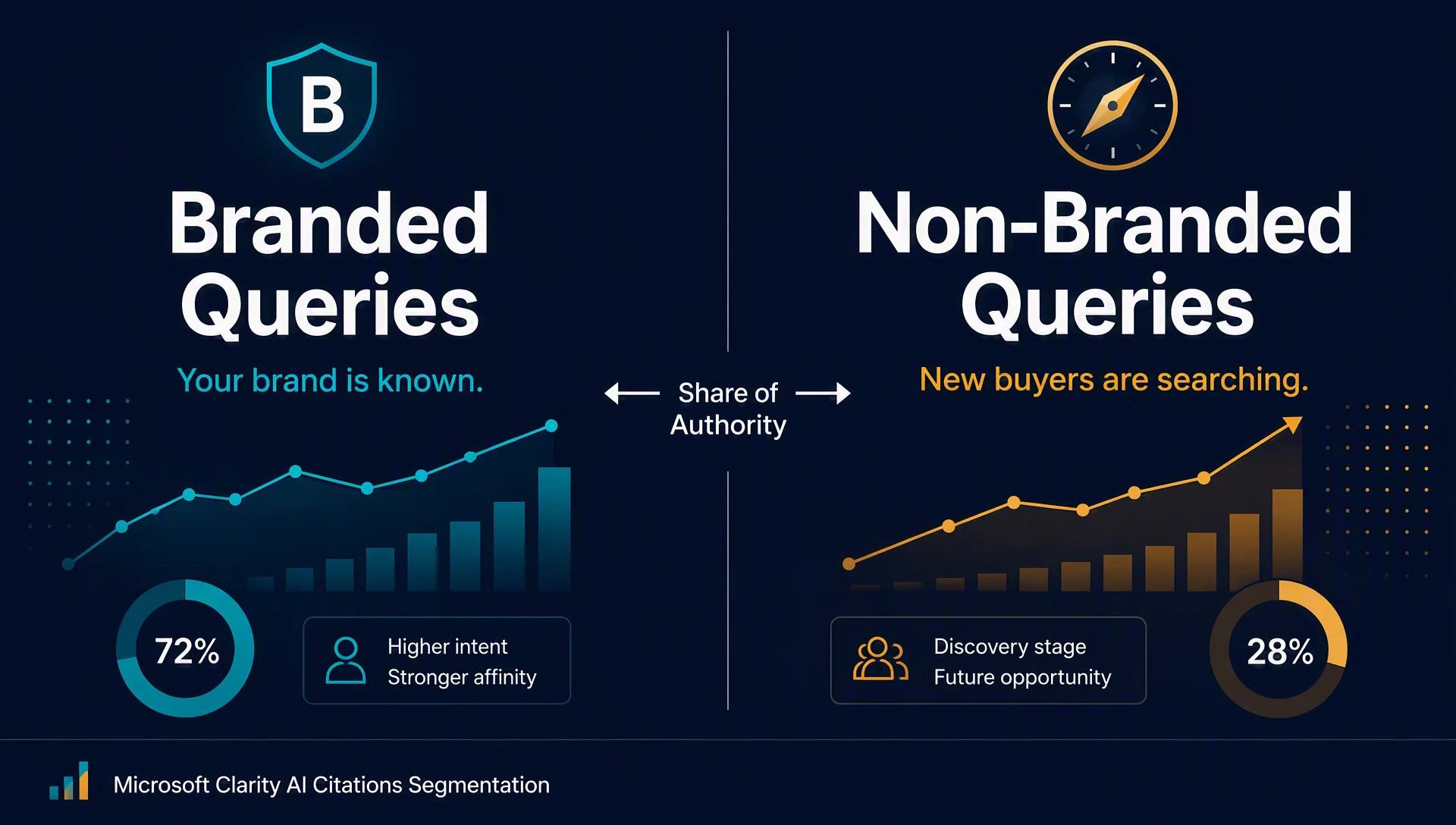
Not all AI visibility comes from the same kind of query — and treating it as one blended number hides what is actually happening.
A brand appearing in 40 AI answers per week sounds healthy. But if 35 of those citations come from branded queries like "Acme pricing" or "Acme vs competitor" and only 5 come from generic queries like "best project management tool," the number tells a different story: strong brand recall, weak category discovery.
Microsoft Clarity's branded query segmentation (released August 2026) splits these signals apart. It labels individual grounding queries as branded, breaks down your Share of Authority by query type, and lets you filter the dashboard to compare performance side by side.
Here is the strategic question the split answers:
If branded citations dominate | If non-branded citations dominate |
|---|---|
Your brand is known, but you're not showing up where new buyers search | You're winning discovery traffic — protect and expand it |
Focus: category-language content, entity clarity, topic coverage | Focus: brand-entity reinforcement, branded content freshness, competitive positioning |
Risk: invisible to buyers who don't know you exist | Risk: weak brand memory when buyers move to evaluation |
This article walks through the full workflow: access the feature, read the labels, interpret the Share of Authority split, filter for comparisons, and convert the data into a prioritized action list.
Step 1: Open the AI Citations Dashboard
Start from your Clarity project's main dashboard.
- In the left navigation, select AI Visibility.
- Click into the Citations tab — this is where Clarity surfaces the queries that grounded AI answers citing your site.
- Confirm the date range covers at least the last 30 days. Shorter windows produce noisy splits, especially if your site generates fewer than 20 citations per week.
What you should see: The Citations dashboard with a queries list, a Share of Authority panel, and filter controls. If the branded segmentation feature is live on your project, you will see branded indicators and a query-type filter near the top of the view.
Quality check: You can see at least some queries in the list. If the dashboard is empty, your site has not generated AI citations during the selected period — skip to the troubleshooting section at the end of this article.
Step 2: Read the Branded Labels in the Queries Card
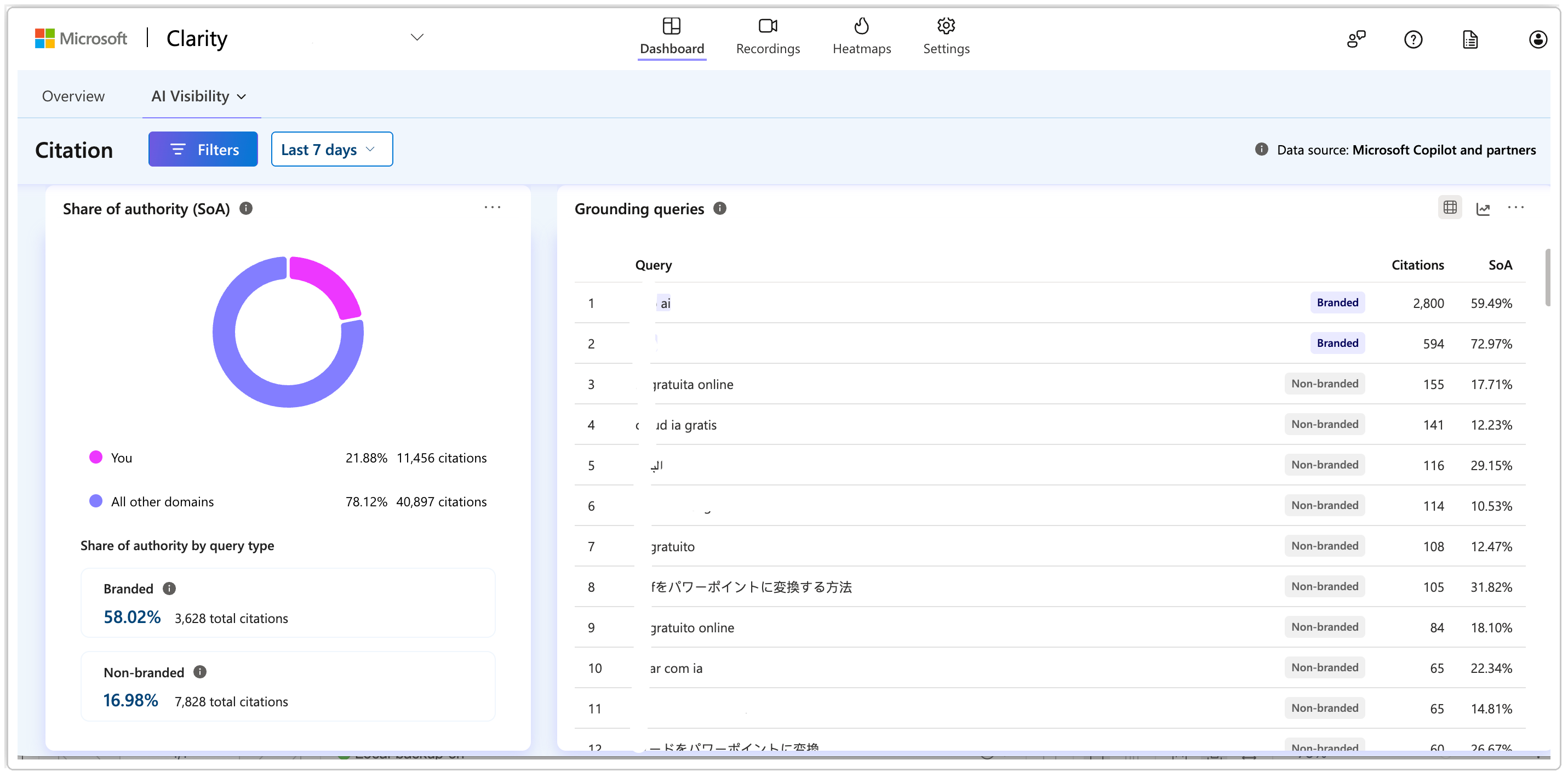
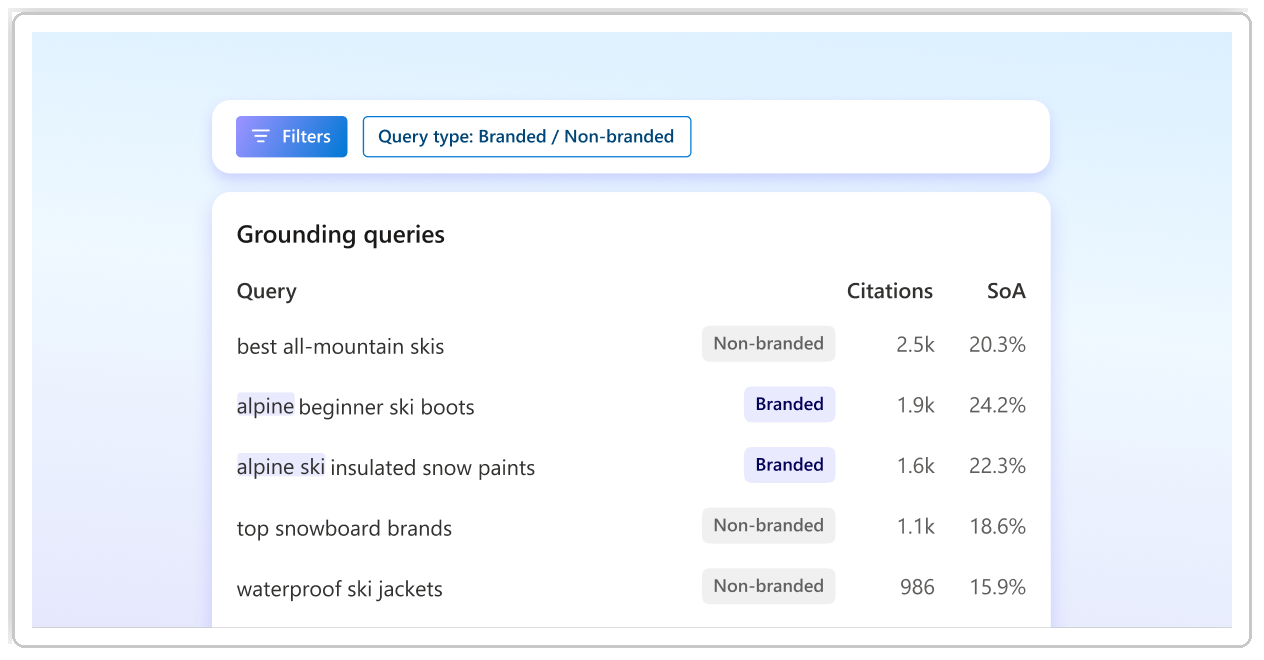
The queries card is your raw signal list. Each row shows a grounding query — the actual search term an AI system used to look up information before citing your site.
With the new segmentation, individual queries now carry a branded label when they reference your brand, product names, or trademarked terms. Everything else is non-branded.
Action:
- Scroll through the queries list and note how many rows show the branded label.
- Spot-check 5-10 branded queries: do they match what you expect? Common branded patterns include your company name, product names, "[brand] pricing," "[brand] login," and "[brand] vs [competitor]."
- Spot-check 5-10 non-branded queries: these are your discovery keywords — the category terms people search before they know about you.
Expected output: A rough mental count: "About 60% of our queries are branded, 40% non-branded." You don't need precision yet — the Share of Authority breakdown in the next step gives you the real metric.
If queries are missing labels: The feature is rolling out progressively. If you don't see branded labels on any query, check whether your Clarity project is on the latest version (the feature went live in August 2026). If labels are still absent after a refresh, use the filter check in Step 4 to confirm whether the segmentation is active on your account.
Step 3: Analyze Share of Authority by Query Type
Share of Authority measures how often your site is cited relative to other sources in the AI answers where you appear. Clarity now breaks this metric into two numbers: your authority score for branded queries and your authority score for non-branded queries.
This is the single most important panel in the workflow — it tells you where your authority is actually strongest.
Action:
- Locate the Share of Authority section on the Citations dashboard.
- Note the branded authority percentage and the non-branded authority percentage.
- Compare the two. A gap of more than 15 percentage points is a meaningful signal.
Interpreting the split:
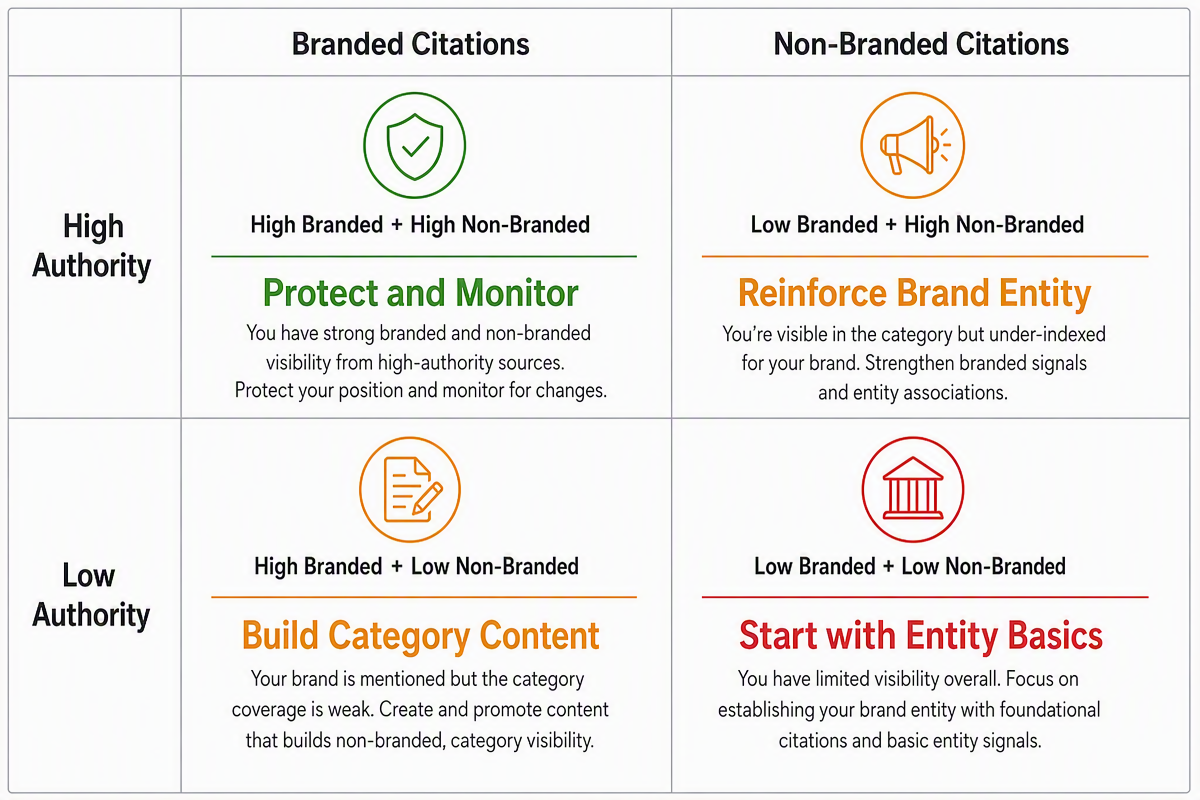
Pattern | What it means | First action |
|---|---|---|
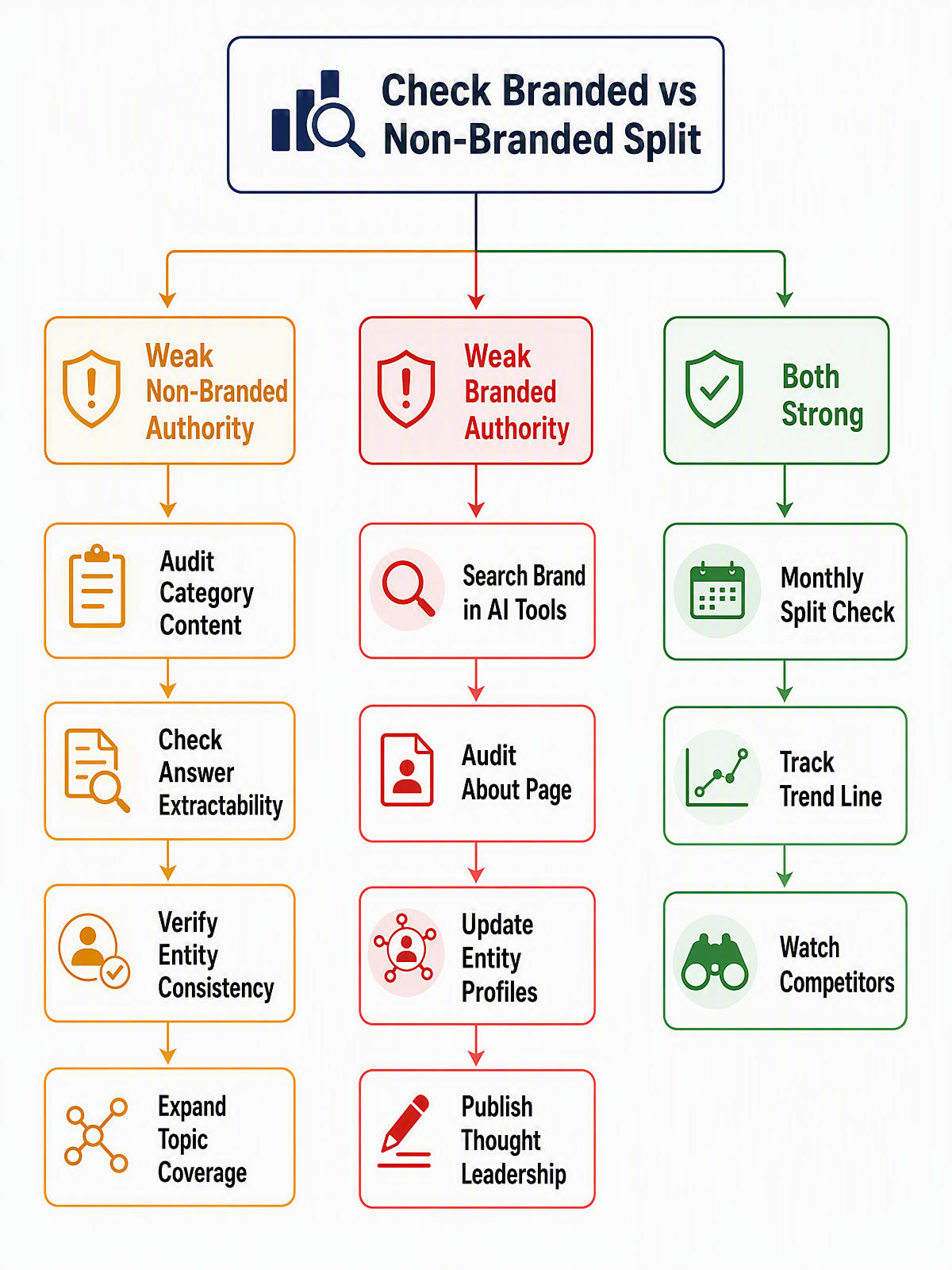
High branded, low non-branded | AI systems cite you when users ask about you, but not when they ask about your category | Audit your category-term content: can an AI extract a clear answer about what problem you solve without already knowing your brand? |
High non-branded, low branded | Your content wins on generic topics, but branded searches don't pull you in strongly | Check your brand entity consistency across the web: about page, Wikipedia/Wikidata, social profiles, and directory listings |
Both high | Strong overall AI presence | Shift to monitoring mode: watch for new competitors entering either query type |
Both low | Limited AI visibility overall | Start with the basics: clean entity signals, structured content with clear answers, and crawlable pages |
Quality check: You have two distinct numbers. If they are identical or the non-branded number is missing entirely, your site may not have enough non-branded citation volume yet — widen the date range or focus on building category content first.
Step 4: Filter and Compare Branded vs Non-Branded Performance
Filters let you isolate each query type and examine the dashboard through a single lens. This is where you move from a snapshot to a comparison.
Action:
- Use the query-type filter (typically a dropdown or toggle near the top of the Citations view) to select Branded only.
- Note: which pages get cited for branded queries? Are they your homepage, product pages, or blog content?
- Switch the filter to Non-branded only.
- Note: which pages get cited for non-branded queries? These are your discovery assets — the pages that introduce your brand to new audiences through AI answers.
- Compare the two page lists. If your homepage dominates branded citations but never appears in non-branded citations, that is expected. If a blog post appears in both, that page is doing double duty — protect it.
Expected output: Two short lists — top 3 pages cited for branded queries and top 3 pages cited for non-branded queries. These become your monitoring baseline.
Recovery path if the filter doesn't appear: If you don't see a branded/non-branded filter, the feature may not be enabled on your project yet. As of August 2026, this is a new rollout. Check the Clarity announcements panel or your project settings for an opt-in toggle. In the meantime, manually classify your top 20 queries using the labels in the queries card (Step 2).
Step 5: Turn Segmentation Insights Into a Prioritized Action List
The data is only useful if it changes what you do. Based on your branded/non-branded split, build a short prioritized list.
If non-branded authority is weak (your main gap):
- Identify 3-5 high-value category queries where you are absent from AI answers.
- Check whether you have a page that directly answers each query. If not, create or update one.
- For existing pages targeting these terms, verify the answer is extractable: does the page state a clear definition, comparison, or how-to within the first 200 words?
- Check entity consistency: does your brand description match across your site, Google Business Profile, and major directories? AI systems cross-reference these sources.
If branded authority is weak (your main gap):
- Search for your brand name in ChatGPT, Perplexity, and Google AI Overviews. What do they say about you?
- Audit your About page, Wikipedia/Wikidata entry, and Crunchbase or equivalent profile for accuracy and completeness.
- Ensure your brand name, description, and category are consistent across all owned properties.
- Publish or refresh one piece of branded thought-leadership content that clearly states your category position.
If both are strong:
- Set a monthly calendar reminder to re-check the branded/non-branded split.
- Watch the trend line, not the absolute number — a rising non-branded share means your category authority is growing.
- When you publish new category content, check back after 30 days to see if non-branded citations increase.
Verify Your Setup
Before you close the dashboard, run this 5-point verification:
- [ ] You have recorded your current branded Share of Authority percentage
- [ ] You have recorded your current non-branded Share of Authority percentage
- [ ] You have identified which query type dominates your citations
- [ ] You have listed your top 3 pages for each query type
- [ ] You have written down one concrete action for your primary gap
If any item is unchecked, go back to the relevant step before finishing.
Maintain the Signal
This is not a one-time check. Add it to your monthly GEO review:
- Monthly: Re-check the branded/non-branded Share of Authority split. A shift of more than 10 points in either direction is worth investigating.
- After major content publishes: Wait 30 days, then check whether new category content has generated non-branded citations.
- After a brand campaign or PR push: Check whether branded citation volume increased — this validates whether AI systems picked up the increased brand discussion.
- Competitor watch: If a competitor publishes a major category piece, check in 30-45 days to see whether your non-branded authority shifted.
Common Mistakes
Treating the split as a scorecard instead of a diagnostic. A 70/30 branded/non-branded split is not "bad" — it depends on your growth stage. An early-stage company should expect mostly branded citations and work to build non-branded presence. A mature category leader should see a more balanced split.
Ignoring volume when reading percentages. A site with 5 total AI citations per month cannot draw meaningful conclusions from the split. Wait until you have at least 20-30 citations in a 30-day window before acting on the ratio.
Assuming "branded" means "good." High branded authority with near-zero non-branded authority means you are invisible to buyers who don't already know your name. That is a growth ceiling.
Filtering out one query type and never looking at the other. The value is in the comparison. Always look at both views.
Overreacting to a single month's change. AI citation data is inherently variable — different AI systems, different user behavior, different query patterns. Look for sustained shifts across 2-3 months before making major content investments.
FAQ
Does Clarity track citations from all AI platforms?
Clarity's AI Citations dashboard covers the AI search and answer platforms that disclose their grounding sources to analytics tools. Coverage includes major platforms like ChatGPT and Google AI Overviews, but not every AI system reports citation data in a trackable format. Treat the dashboard as a strong sampled signal, not an exhaustive census.
How does Clarity classify a query as branded?
Clarity automatically detects brand names, product names, and trademarked terms within the grounding queries that led to your site being cited. The classification is algorithmic — you cannot manually tag queries, but the automatic detection covers the most common branded patterns.
Can I export the branded/non-branded breakdown?
Check the export options in your Citations dashboard. Most Clarity data views include a CSV or PDF export. If the branded/non-branded segmentation is included in the export, you'll see a query-type column in the downloaded file.
What if I have zero non-branded citations?
This is common for new sites, small brands, or sites that primarily produce branded content. Start by publishing category-level educational content that answers questions your buyers ask before they know about your product. It typically takes 30-60 days after publishing for AI systems to discover and begin citing new content.
Is this feature free?
Yes. Microsoft Clarity is a free analytics tool with no traffic limits. The branded query segmentation is part of the standard AI Visibility dashboard, available to all Clarity users.
Author: Ethan Marlowe, GEO Measurement Lead Across 500+ Prompts at Auspia. Ethan writes about citation reporting, visibility dashboards, and practical AI answer measurement workflows for growth teams.


