OpenAI’s new LifeVal evaluation asks a practical question: can an AI assistant help someone make progress on the work of everyday life?
The examples are more involved than answering a question. A parent might ask for a shortlist of kindergartens after a move. A family might need a meal plan for someone recently diagnosed with diabetes. Another user might ask an assistant to find a home that fits a budget and commute.
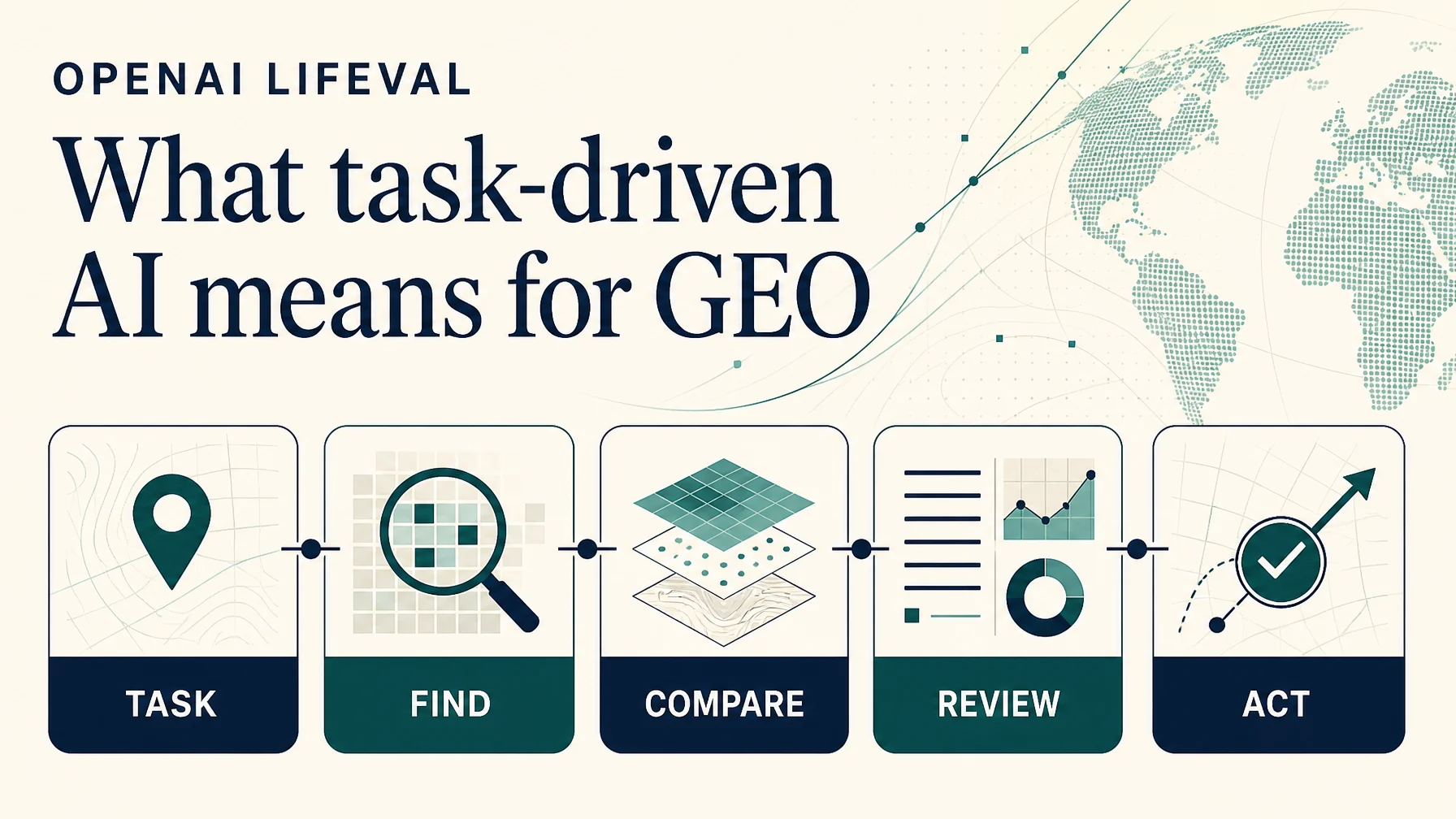
For GEO teams, the useful lesson is to examine the whole task a customer gives an AI assistant. A brand can be mentioned in an answer yet still be left out of the shortlist because the assistant cannot establish its price, location, eligibility, availability, or next step.
That is an interpretation of LifeVal’s direction, not an announced ranking change. OpenAI has not said that LifeVal directly determines which websites ChatGPT cites or recommends.
What is LifeVal?
LifeVal is an OpenAI evaluation introduced on November 2, 2026. It is designed to track model performance on everyday tasks where people want help from AI and personal agents.
OpenAI says it used the evaluation over the preceding year to track and improve model performance. It connects this work to improvements in browser use, computer use, and connectors: capabilities that can help an assistant move through parts of a workflow rather than only provide advice.
LifeVal is an evaluation, not a standalone app, a new ChatGPT subscription, or a GEO score available for websites to obtain.
How OpenAI chose the tasks
OpenAI says it began with the American Time Use Survey and the Multinational Time Use Study, then conducted a demographically representative survey of 3,995 respondents, asking where they most wanted help from a personal assistant. The resulting task areas include caregiving, health, education, household administration, personal finance, shopping, and access to government services.
That selection process matters. LifeVal is organized around activities people want help completing, rather than around a list of marketing keywords or website categories.
What did OpenAI show?
OpenAI’s announcement presents individual examples and accompanying scores:
Example task | Score shown |
|---|---|
Find a suitable kindergarten after moving | 93.1% |
Organize volunteers ahead of a flood | 98.0% |
Find a family home matching specified constraints | 100% |
Arrange a remote game-watching setup with a grandmother | 96.3% |
Prepare a care and meal plan for a parent with a new diabetes diagnosis | 90.4% |
These are OpenAI-reported scores for selected examples. The accessible announcement does not explain enough about the scoring rubric, number of attempts, task conditions, or score distribution to interpret 100% as a real-world guarantee. It also does not associate each of these five displayed figures with a named model.
A high score on a displayed example does not mean an assistant will consistently make the right decision for every family, location, or website. That distinction is especially important for health, financial, and other consequential tasks.
Read the kindergarten example as a GEO problem
Consider the request: a family has moved and wants to compare kindergartens near its new home. A traditional keyword report might contain phrases such as “kindergarten near me,” “kindergarten enrollment,” or “best kindergarten in [city].”
Those queries still matter. But the user’s task contains more conditions:
Find nearby kindergartens that serve a particular address, accept the child’s age, offer suitable hours, explain the enrollment process, and provide enough information for the family to compare options.
An assistant trying to help could need several sources: school pages, district eligibility rules, enrollment dates, location information, and potentially a way to contact or apply to a school.
For a kindergarten or district website, the GEO question becomes more specific: can an assistant find and verify the facts needed for this task, and can the user follow the next step?
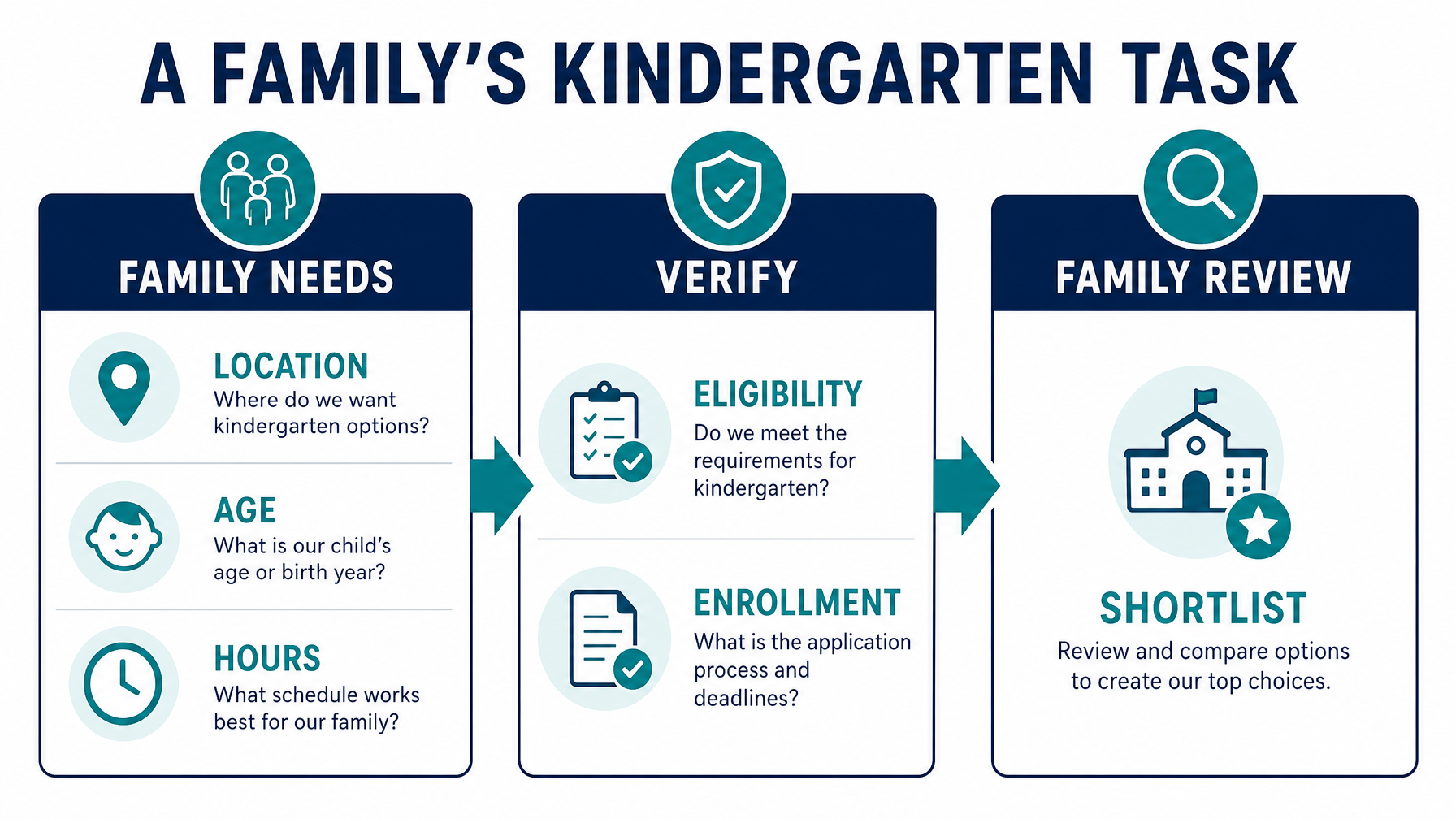
An illustrative task map: a family’s requirements need to connect to verifiable information before a shortlist can be reviewed.
Task stage | Information the assistant may need | Useful website asset |
|---|---|---|
Identify candidates | Location, age group, service area | Clear school and location pages |
Check eligibility | Address rules, age cutoff, required documents | Current eligibility page with effective dates |
Compare options | Hours, programs, fees where applicable | Consistent comparison fields on each school page |
Plan enrollment | Deadlines and application process | A step-by-step enrollment page |
Take the next step | Contact or application destination | A clearly labeled contact or application link |
This is a framework for an audit. OpenAI has not published it as a LifeVal ranking formula.
What LifeVal suggests for GEO
1. Research tasks, not only search terms
A keyword tells you something about demand. A task tells you what a person is trying to accomplish and what constraints might change the answer.
For example, a software buyer may ask:
Find a scheduling tool for a 15-person clinic. We need appointment reminders, permission controls, and pricing we can understand before booking a demo.
A generic page targeting “best scheduling software” may introduce the category. The assistant may also need product-specific information about team size, permissions, reminders, pricing, and whether the product is suitable for the clinic’s jurisdiction.
Start with a small task library built from sales calls, support questions, customer interviews, and site-search logs. Preserve the user’s constraints rather than reducing every request to a short keyword.
2. Make decision facts easy to find and verify
A page can be polished and still leave an assistant unable to answer basic comparison questions. For each important product or service, check whether a reader can identify:
- Who it is for, and who it may not suit.
- Features and meaningful limitations.
- Price or a clear explanation of how pricing works.
- Geographic coverage and eligibility conditions.
- Availability, delivery, or onboarding details where relevant.
- A visible update date and a route to authoritative current information.
Use concrete statements. If pricing depends on a quote, say what affects the quote; do not imply that a public price exists. If availability changes frequently, identify where users can verify it.
Structured data can help describe relevant information, but it should match visible page content. It is not a guarantee that an AI system will cite or recommend a page; even Google says valid structured data does not guarantee a rich result in search. Source: Google Search Central
3. Audit discovery and interaction separately
A page can be discoverable yet difficult to use once an assistant or customer reaches it.
For ChatGPT search, OpenAI says publishers who want their content included in summaries and snippets should check that they are not blocking OAI-SearchBot. OpenAI separately describes GPTBot controls for content a publisher wishes to exclude from potential training. Treat those as distinct decisions. Source: OpenAI publisher FAQ
Then test the destination itself:
- Open the exact page, including relevant redirects.
- Check whether the main information is accessible and current.
- Test labels, buttons, forms, error messages, and keyboard navigation.
- Record where a real user or authorized assistant has to stop and make a decision.
OpenAI specifically recommends descriptive roles, labels, and states for interactive elements when improving compatibility with ChatGPT Agent in Atlas. That is useful accessibility work in its own right; it is not evidence that adding ARIA labels guarantees a citation or a completed transaction. Source: OpenAI publisher FAQ
For sensitive or irreversible actions, include an explicit human review point. A successful test might end at a prepared application or cart awaiting approval, rather than a completed submission or payment.
4. Treat commerce data as an operational asset
For merchants, prices, stock, shipping terms, and product identifiers are part of the answer a shopping assistant may need.
OpenAI’s commerce documentation describes product feeds that provide structured product information for discovery, and its checkout specification describes a separate integration path. OpenAI says building with the Agentic Commerce Protocol is open to all, while Instant Checkout in ChatGPT is available to approved partners. Eligibility and current integration requirements should be checked before planning a rollout. Sources: OpenAI commerce concepts and checkout specification.
A feed is not a promise of placement. OpenAI says ChatGPT shopping results are selected based on perceived relevance, while merchant selection can consider factors including availability, price, quality, and whether the seller is the maker or primary seller. Source: OpenAI shopping FAQ
For a merchant, a sensible first audit is to compare the product page, catalog, and any feed used for AI discovery. If a price or stock status differs, identify which system is authoritative and how quickly updates reach the others.
Build a LifeVal-inspired GEO test
You cannot reproduce LifeVal from the announcement alone. You can, however, build a separate internal evaluation inspired by its task-first approach.
Choose tasks with business value
Select 10–20 realistic customer tasks. Include different budgets, locations, eligibility conditions, and stages of purchase. Keep the prompt set fixed for an initial baseline.
For a scheduling platform, a small set might include:
Task | What to observe |
|---|---|
Find a tool for a 15-person clinic with reminders and role permissions | Is the brand considered? Are its features described accurately? |
Compare three options with transparent monthly pricing | Can the assistant find current pricing or explain its absence? |
Find a suitable option for a clinic in a specified country | Are geographic or compliance claims accurate and supported? |
Help prepare the next step for a trial | Is the trial path clear, and does the user retain control? |
Do not invent missing product capabilities to make a task fit. If the site does not support a claim, record it as unknown or unsupported.
Score each stage
Use a simple rubric that separates a brand mention from a useful outcome:
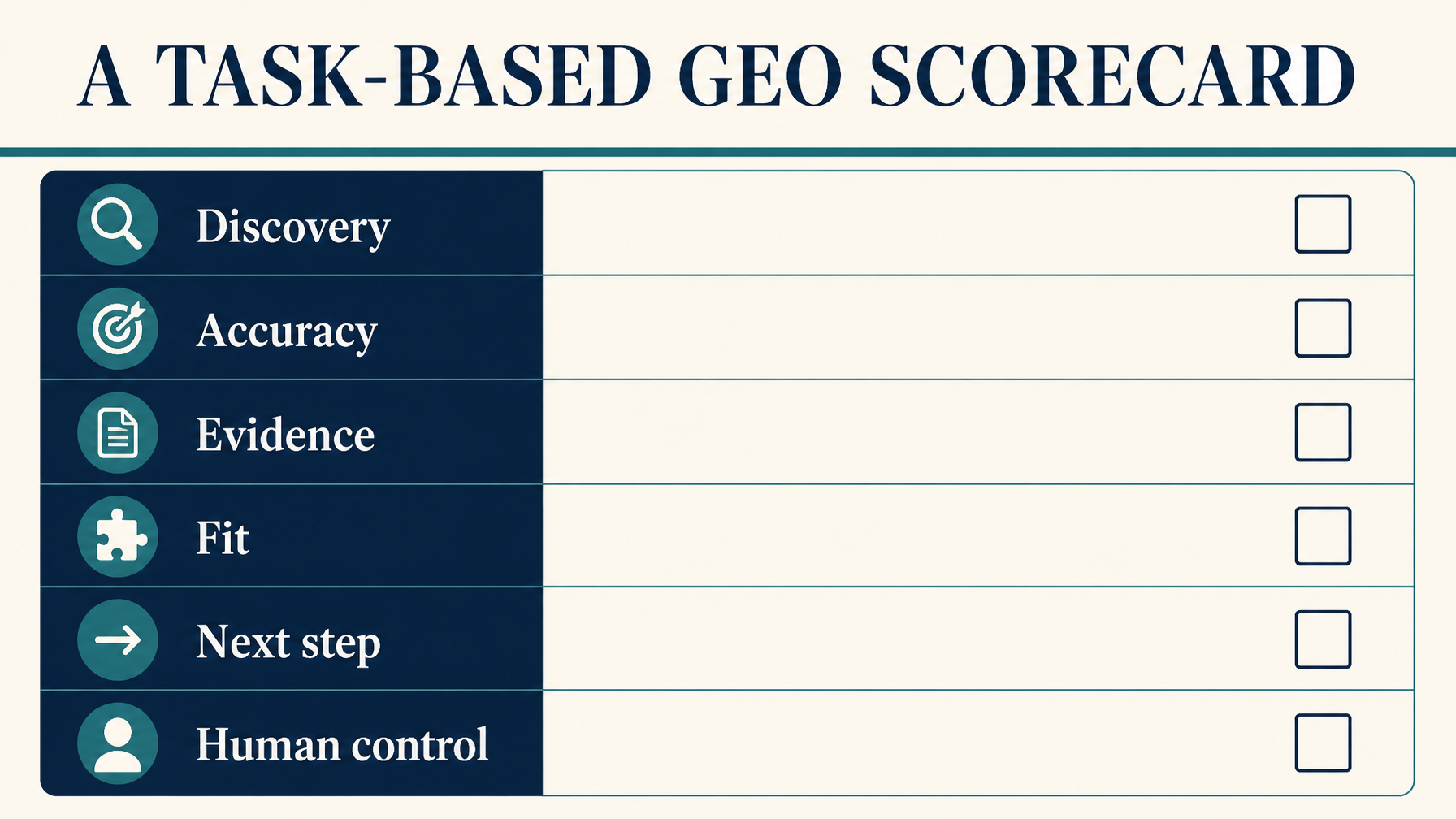
Use the scorecard to diagnose where a task breaks down. It is an independent audit framework, not OpenAI’s LifeVal rubric.
Measure | Example scoring rule |
|---|---|
Discovery | Was the brand included when relevant? Record yes/no. |
Accuracy | Were material claims correct against an authoritative source? Record correct, incorrect, or unverifiable. |
Evidence | Was a relevant source linked or otherwise identifiable? |
Fit | Were the user’s stated constraints respected? |
Next step | Could the user reach an appropriate page or prepare an action? |
Human control | Was approval preserved before a sensitive or irreversible action? |
Keep the raw prompts and responses, model and product surface, date, location, login state, enabled tools, and reviewer notes. AI answers can vary between runs, so repeat tests and report the sample size. A small manual sample is diagnostic evidence, not a reliable market-wide visibility statistic.
Prioritize the failures you can fix
A useful review might look like this:
Observed: The assistant mentions the product but cannot confirm whether reminder messages are included in the plan. Source check: The official pricing page describes “communications” but does not say whether reminders are included. Action: Product and marketing teams verify the feature, then clarify the plan page if the claim is accurate. Retest: Run the same prompt after the page is updated and record whether the answer changes.
An improvement in a retest is useful evidence for your own workflow. It does not by itself prove that the page edit caused the change: model behavior, search results, context, and other variables may also change.
How to measure the business impact
Use several measures rather than relying on a single “AI visibility” number.
Measure | Why it helps | Limitation |
|---|---|---|
Relevant brand inclusion across a fixed prompt set | Shows whether the brand appears in sampled tasks | Results vary by prompt, model, location, and run |
Accuracy of product or service claims | Finds misinformation that can damage a decision | Requires human verification |
Citation or source-link presence | Shows whether users can inspect supporting material | A citation is not the same as a qualified visit |
Task-stage completion | Reveals where discovery, comparison, or interaction fails | Depends on the test environment and permissions |
Qualified referrals and conversions | Connects observable visits to business outcomes | Misses influence that does not lead to a tracked click |
OpenAI says ChatGPT search referral links automatically include utm_source=chatgpt.com. Check that your analytics configuration preserves that parameter and separates meaningful landing pages and conversions. Referral data captures visits that reach your site; it cannot reveal every conversation where your brand was seen or considered. Source: OpenAI publisher FAQ
A practical 30-day response
Week 1: Map tasks. Interview sales and support teams, select 10–20 customer tasks, and identify the facts required to complete each one.
Week 2: Establish a baseline. Run the prompts in the AI surfaces your customers actually use. Save responses and assess discovery, accuracy, evidence, fit, and next steps.
Week 3: Fix the largest gaps. Update a small number of high-value pages or data sources. Assign an owner for each factual claim and verify information with the relevant product, operations, or legal team.
Week 4: Retest and review. Repeat the same tasks under documented conditions. Compare the observations, note uncertainty, and decide which gaps deserve another round of work.
For health, financial, legal, and other high-stakes topics, add subject-matter review and direct users to qualified sources where appropriate. A clear page is not a substitute for professional judgment.
Frequently asked questions
Is LifeVal a new ChatGPT feature?
OpenAI presents LifeVal as an evaluation of model performance on everyday tasks. The announcement does not describe it as a standalone consumer feature or a tool that website owners can install. Source: OpenAI
Does LifeVal affect ChatGPT search rankings?
OpenAI’s LifeVal announcement does not say that LifeVal is a website ranking factor or that it directly controls citations. GEO recommendations based on the benchmark are therefore hypotheses to test, not published ranking rules.
Can I submit my website to LifeVal?
The accessible announcement does not describe a public website-submission process. Merchants can separately review OpenAI’s product-feed and commerce documentation, subject to the access and eligibility requirements described there.
Does a 100% LifeVal example mean ChatGPT will complete that task reliably?
No such conclusion follows from a selected example. Without a detailed public scoring rubric and sufficient information about test conditions and repeated attempts, the displayed score should not be treated as a guarantee for real-world tasks.
Should GEO teams stop tracking keywords and citations?
No. Keywords, citations, referrals, and conversions remain useful. Add task-based tests to understand whether the AI can use accurate information to help a person make a decision or move forward.
Author: Ethan Marlowe, GEO Measurement Lead Across 500+ Prompts at Auspia. Ethan writes about prompt tracking, citation reporting, and AI answer quality.