


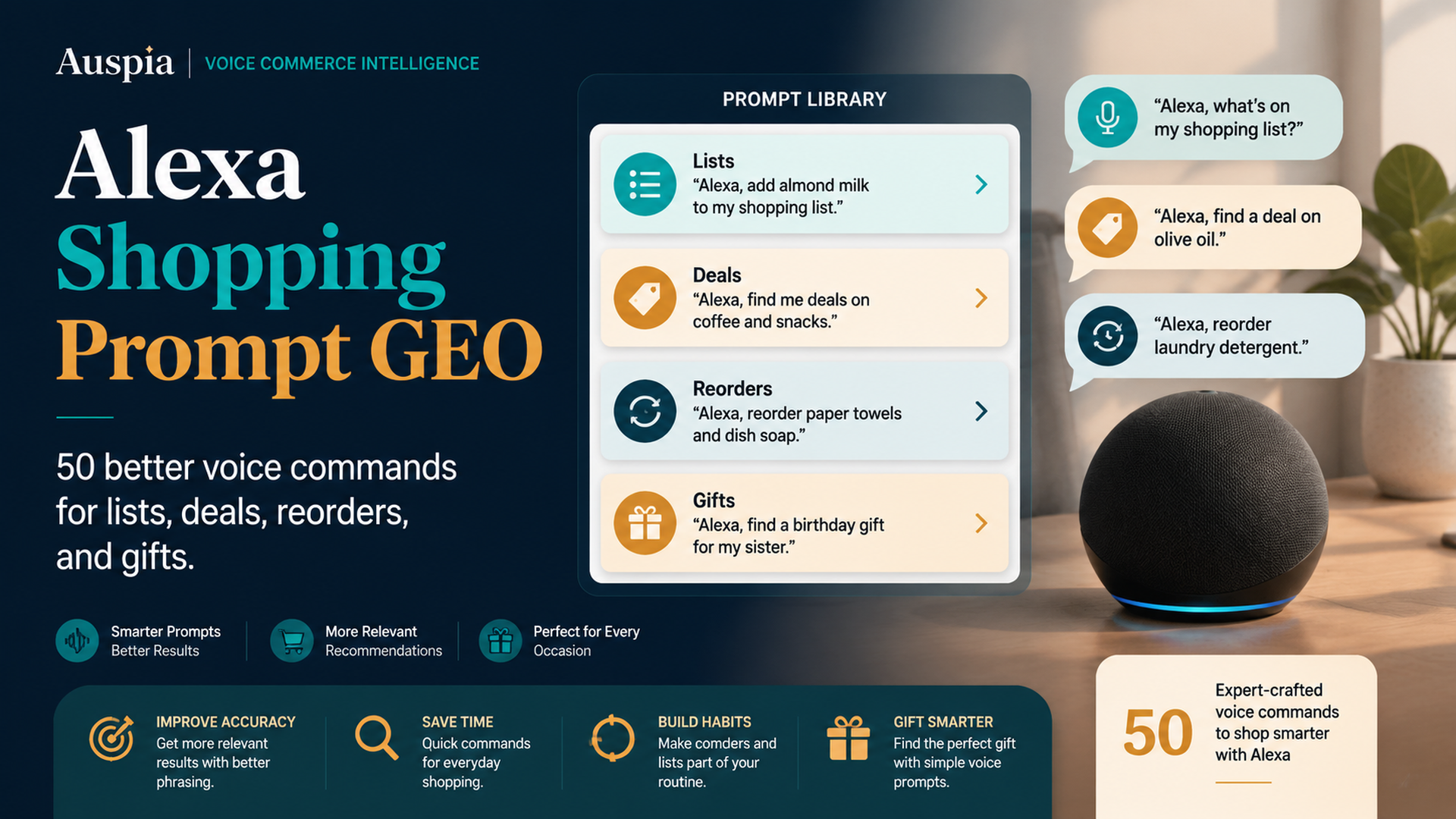
The Useful Prompt Rule
Alexa Shopping Prompt GEO is about asking voice shopping questions that create safe, specific next steps. A good shopping command should include the action, product, constraint, destination, and review expectation. A weak command asks Alexa to guess.
The difference is simple:
- Weak: “Alexa, buy batteries.”
- Better: “Alexa, add AA alkaline batteries, 24 pack, to my shopping list.”
DataForSEO research for this article showed alexa voice commands as an informational keyword. The direct shopping-command data was limited in this run, but the broader intent is clear: buyers want usable voice commands, not abstract explanations. This guide gives 50 commands you can adapt for lists, deals, reorders, gifts, privacy, and troubleshooting.
The Voice Command Formula
Use this formula before speaking a shopping request.
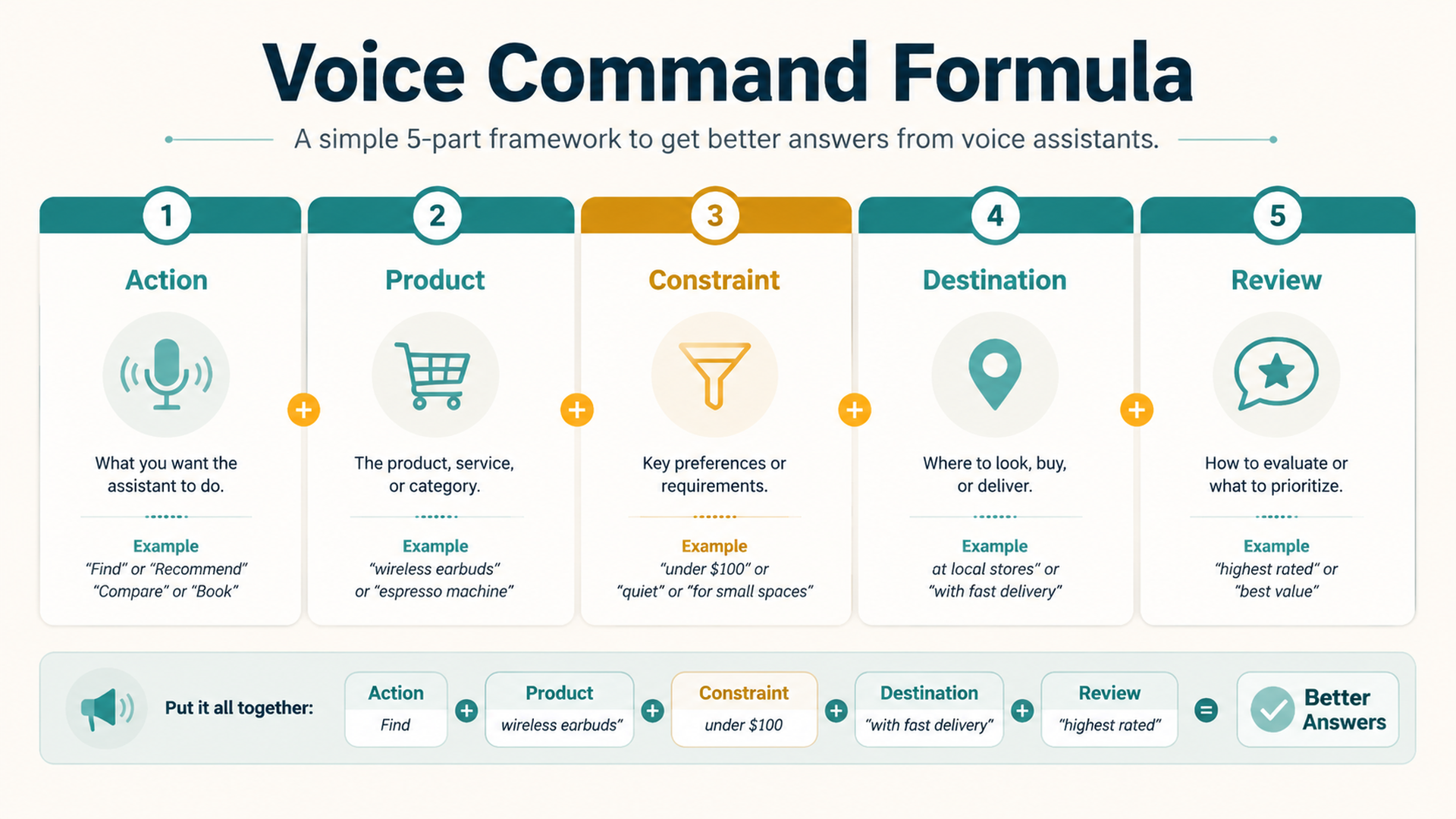
Prompt part | What it means | Example |
|---|---|---|
Action | Add, remind, show, compare, reorder, check | “Add” |
Product | The item or category | “AA batteries” |
Constraint | Size, use case, budget, brand, privacy | “24 pack” |
Destination | List, cart, reminder, private app review | “to my shopping list” |
Review | Whether to buy now or verify later | “so I can review it” |
The safer command usually sends the item to a list, reminder, or cart review instead of immediate purchase.
50 Better Alexa Shopping Commands
Use these as templates. Replace product details with your own item, brand, size, or household rule.
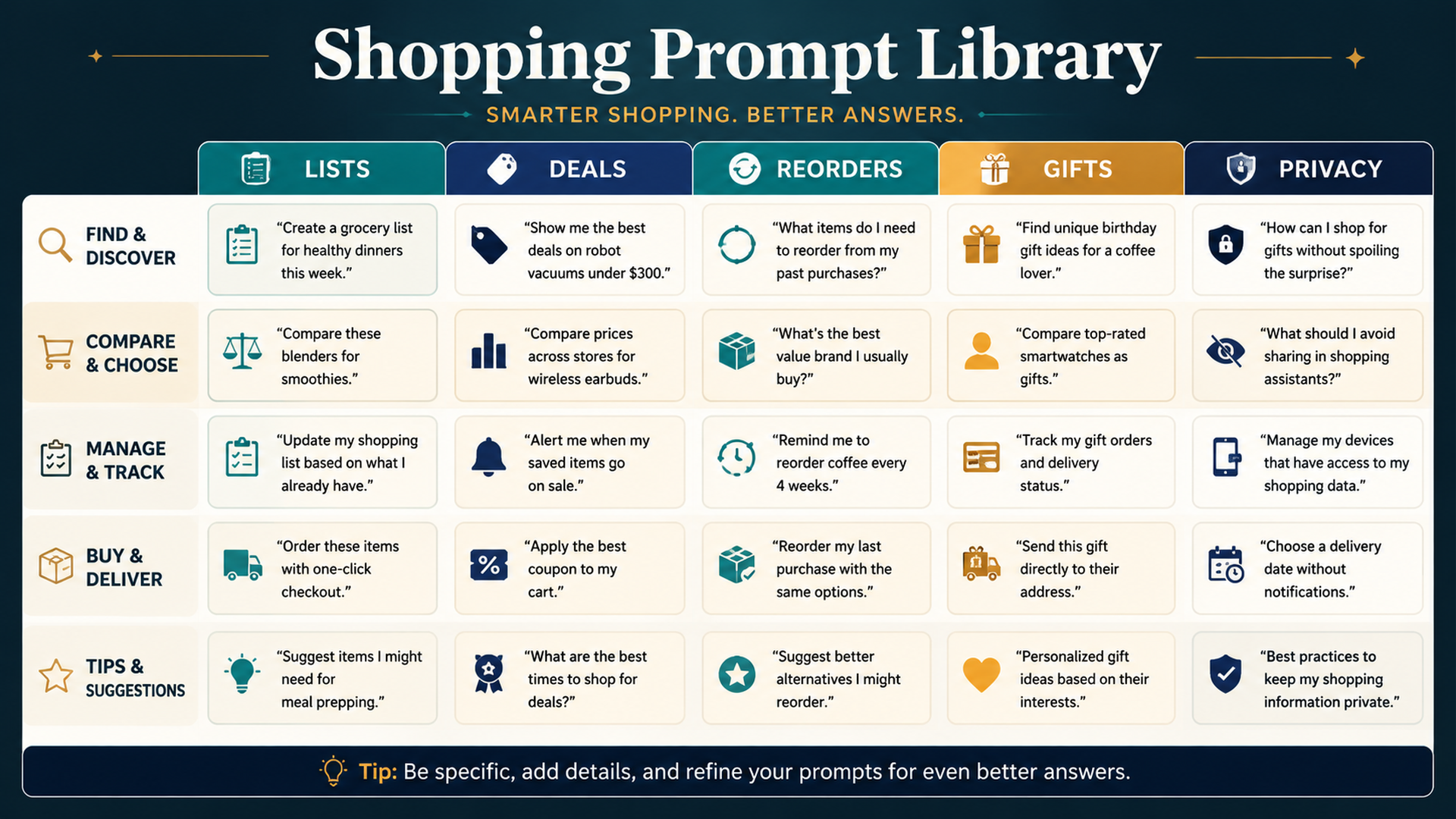
List Commands
- “Alexa, add milk to my shopping list.”
- “Alexa, add AA alkaline batteries, 24 pack, to my shopping list.”
- “Alexa, add fragrance-free dish soap to my shopping list.”
- “Alexa, add salmon dry dog food for small adult dogs to my shopping list.”
- “Alexa, add refrigerator water filter model number to my shopping list.”
- “Alexa, remove paper towels from my shopping list.”
- “Alexa, what is on my shopping list?”
- “Alexa, remind me tonight to clean up my shopping list.”
- “Alexa, add holiday wrapping paper to my household shopping list.”
- “Alexa, add gift idea to my private reminder.”
Deal And Comparison Commands
- “Alexa, remind me to compare prices before buying this.”
- “Alexa, help me compare two smart plugs that work with Alexa and do not need a hub.”
- “Alexa, remind me to check recent reviews before checkout.”
- “Alexa, add this product to my cart so I can review the seller and delivery date.”
- “Alexa, remind me to check whether the coupon changes the final price.”
- “Alexa, compare air purifiers for a small bedroom and low noise at night.”
- “Alexa, remind me to check the return window before buying.”
- “Alexa, help me compare unit price for these household supplies.”
- “Alexa, remind me to check pack count before buying this deal.”
- “Alexa, add this deal to my list, not checkout.”
Reorder Commands
- “Alexa, show me the coffee filters I ordered last time.”
- “Alexa, add my previous refrigerator filter to the cart so I can review it.”
- “Alexa, remind me to reorder dog food tomorrow.”
- “Alexa, add the usual dishwasher tablets to my shopping list.”
- “Alexa, show my last order for AA batteries.”
- “Alexa, remind me to check Subscribe & Save before confirming.”
- “Alexa, add the same detergent to my list, but do not buy it yet.”
- “Alexa, remind me to check whether the pack size changed.”
- “Alexa, show me my previous order so I can compare the current price.”
- “Alexa, add pet litter to my reorder list.”
Gift And Holiday Commands
- “Alexa, remind me tonight to look for a birthday gift.”
- “Alexa, remind me to check gift delivery dates tomorrow.”
- “Alexa, add gift wrap to my holiday shopping list.”
- “Alexa, remind me to buy gifts privately in the app.”
- “Alexa, remind me to check whether gift notifications are off.”
- “Alexa, remind me to compare holiday deals before buying.”
- “Alexa, add party plates to my household list.”
- “Alexa, remind me to check return windows after the holiday.”
- “Alexa, remind me to check shipping cutoffs this weekend.”
- “Alexa, remind me to review my holiday orders privately.”
Privacy And Safety Commands
- “Alexa, remind me to review voice purchasing settings.”
- “Alexa, remind me to check order notifications before gift shopping.”
- “Alexa, add this to my list instead of buying it.”
- “Alexa, remind me to review the cart before checkout.”
- “Alexa, remind me to check who can access this shared device.”
- “Alexa, remind me to remove stale items from the family shopping list.”
- “Alexa, remind me to check voice history after that shopping request.”
- “Alexa, remind me to disable product-name notifications during gift season.”
- “Alexa, remind me to verify seller, quantity, and delivery date.”
- “Alexa, cancel that reminder if it is no longer needed.”
Which Commands Should Not Be Voice Commands?
Some shopping actions are better handled in the app.
Avoid saying aloud | Better app action |
|---|---|
Exact gift names near the recipient | Search privately |
Sensitive personal-care items | Use private cart or list |
High-value electronics | Compare manually |
Health-related purchases | Review product and safety details privately |
Final checkout on shared devices | Confirm in app |
Voice is best for reminders, lists, and low-risk repeat tasks. Private screens are better for sensitive or expensive decisions.
Buyer-Side GEO: Better Inputs Create Better Outcomes
GEO usually helps sellers make product facts easier for AI systems to understand. Buyers can use the same principle in reverse: give the assistant clearer inputs.
A strong voice command includes:
- The exact action you want.
- The product category.
- The detail that prevents mistakes.
- The destination: list, reminder, cart, or order.
- Whether the purchase should be reviewed before checkout.
That is how voice shopping becomes helpful without becoming careless.
FAQ
What is the safest Alexa shopping command?
The safest commands usually add items to a shopping list or reminder instead of purchasing immediately. For example: “Alexa, add AA batteries, 24 pack, to my shopping list.”
Can I use Alexa to compare products?
Yes, but ask with constraints such as budget, use case, compatibility, reviews, and delivery timing. Then verify details in the app before buying.
Should I use voice commands for gifts?
Use voice for generic reminders, but avoid saying exact gift names near the recipient. Complete gift research and checkout privately.
How do I make Alexa shopping commands more accurate?
Include product type, size, brand, pack count, model number, or destination. Avoid vague commands like “buy more” or “order the usual.”
How does this relate to GEO?
For buyers, GEO means understanding how assistants interpret requests. Better prompts give AI shopping systems clearer intent, which reduces wrong matches and accidental purchases.
Auspia Takeaway
The best Alexa shopping command is not the shortest command. It is the command that creates the right next step.
Use voice to capture intent, compare safely, set reminders, and start reorders. Use the app to verify product details, privacy, seller, price, and delivery before buying.
Author: Nora Whitfield, AEO Specialist for 800+ Answer Patterns at Auspia. Nora writes about answer engine optimization, FAQ design, and clear question-and-answer content for AI-assisted search experiences.


