The Deal Rule: Let Alexa Remind You, Not Rush You
Alexa can be useful for deal hunting when it helps you remember products, receive alerts, and review a cart. It becomes risky when a “deal” turns into a fast voice purchase without checking the actual discount, coupon terms, seller, return window, and whether you needed the item in the first place.
That is the buyer-side meaning of Alexa Deal Alerts GEO: understand the questions shoppers ask around price drops, coupons, wish lists, and deal verification, then build a shopping workflow that keeps the human in control.
DataForSEO research for this article showed strong related demand around Amazon deal behavior rather than only Alexa-specific phrasing. In the U.S. dataset, examples included “amazon deals” at about 40,500 monthly searches, “amazon sale” at about 33,100, “amazon deals today” at about 18,100, “next amazon sale” at about 2,900, and “coupons for amazon” at about 2,400. Direct Alexa phrases were smaller, including “alexa shopping list” at about 1,600 and “amazon alexa shopping list” at about 260. That pattern matters: buyers usually search for the deal problem first and the voice assistant workflow second.
The practical answer is simple: use Alexa for reminders, lists, and shopping support; use the Amazon app or website for final discount verification and checkout.
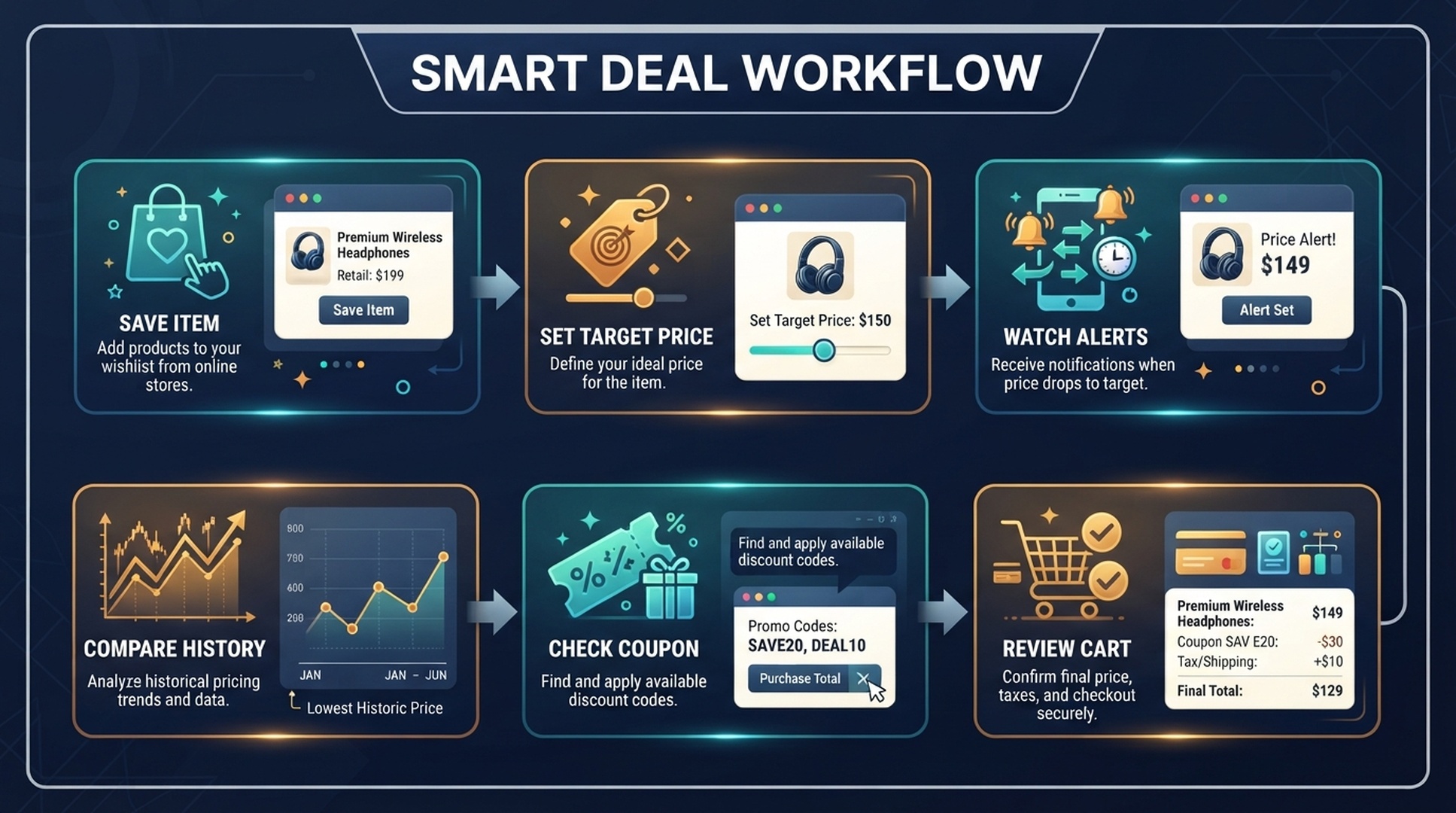
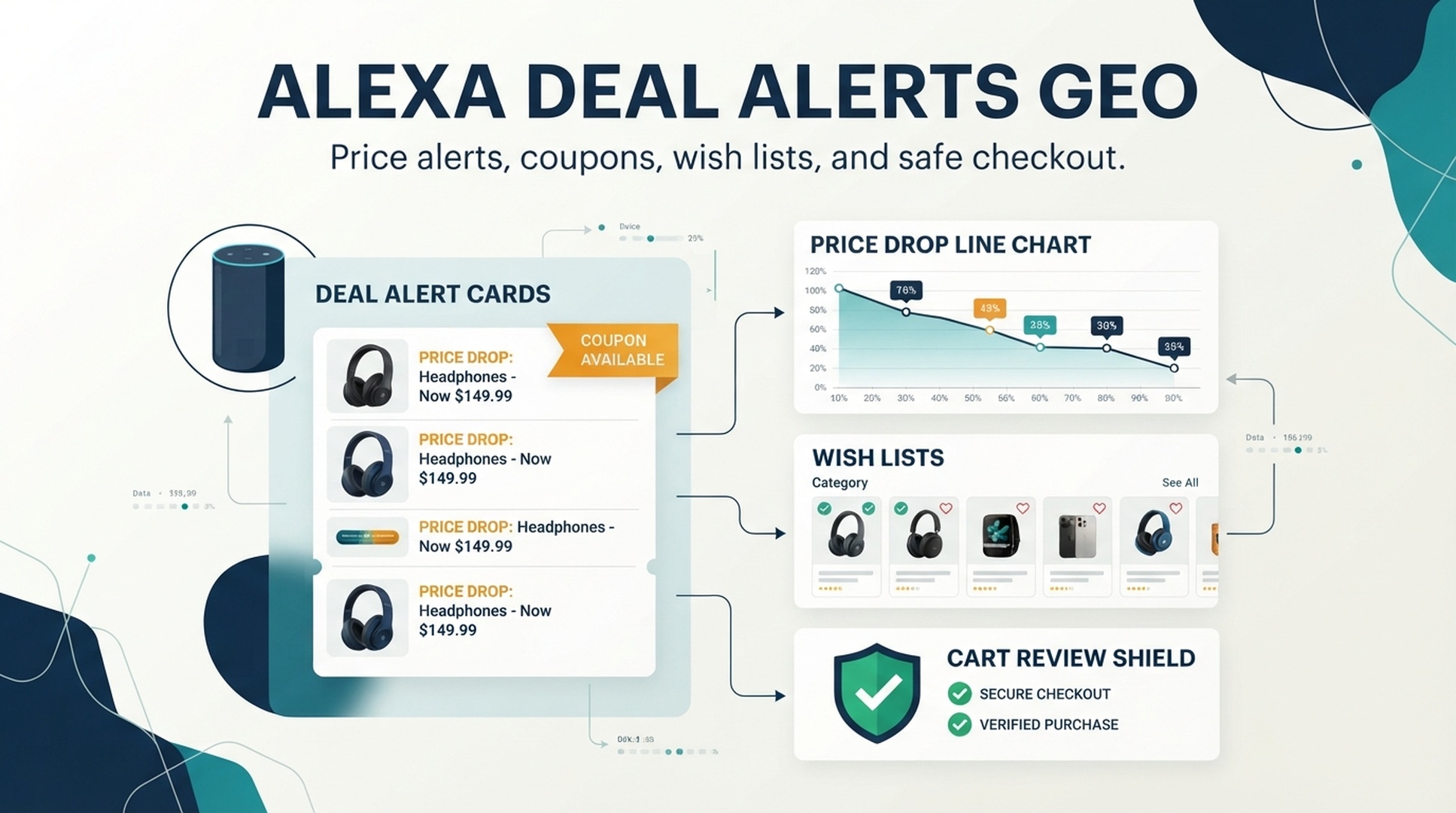
Caption: A safer deal workflow starts with saving the item, watching alerts, comparing the price, checking coupons, and reviewing the final cart.
Why Voice Deal Shopping Needs a Slower Workflow
Deal shopping creates pressure. A buyer sees a countdown, hears about a sale, or receives a notification and feels the need to decide quickly. Voice assistants can make that faster, but faster is not always better.
A good deal decision needs five facts:
Deal fact | Why it matters | Buyer question |
|---|---|---|
Current price | The visible discount may not be the best price | “Is this actually cheaper than usual?” |
Coupon status | Coupons may require a manual clip or have terms | “Did the coupon apply before checkout?” |
Seller and fulfillment | The product page may include multiple sellers | “Who am I buying from?” |
Variant | Deals often apply to one color, size, pack, or model | “Is this the version I wanted?” |
Return window | Some discounted items may have different policies | “Can I return it if it is wrong?” |
Alexa can help surface and organize shopping intent, but a buyer still needs a review layer. Amazon’s customer service pages separate lists, shopping with Alexa, voice purchasing, order placement, and purchase controls. That separation is useful: deal discovery and deal checkout are not the same job.
A Safer Alexa Deal Workflow
Instead of asking Alexa to buy a deal immediately, build a short workflow that slows down the final decision without removing convenience.
1. Save items before the sale
Deal shopping works better when you already know what you want. Add items to a list, wish list, or cart for later review. The earlier you define the target, the less likely you are to buy a random discounted product because it sounded urgent.
Useful commands and habits:
- “Alexa, add wireless headphones to my shopping list.”
- “Alexa, add dishwasher pods to my household supplies list.”
- “Alexa, remind me to check laptop deals on Friday.”
- “Alexa, add the coffee maker to my gift ideas list.”
Do not make the list vague if the item has many variants. “USB-C laptop charger, 65 watt” is better than “charger.” “Size 8 running shoes” is better than “shoes.”
2. Define the target price in plain language
Many buyers do not need a complex spreadsheet. They need a remembered threshold.
Examples:
- “Buy only if the noise-canceling headphones drop below $120.”
- “Restock detergent if the unit price is lower than our usual subscription price.”
- “Buy the air fryer only if the 6-quart model is on sale.”
- “Do not buy the cheaper pet food if it is a different formula.”
If Alexa helps you remember the product, your target price helps you resist a weak discount.
3. Check whether the coupon actually applies
Coupon intent is one of the most important deal-search behaviors. DataForSEO surfaced “coupons for amazon” with meaningful volume, which is a clue that buyers do not only care about sale pages. They care about the final price after promotion terms.
Before checkout, check:
- whether the coupon is clipped or automatically applied
- whether it applies to the exact variant in your cart
- whether it has quantity limits
- whether subscribe-and-save pricing changes the math
- whether shipping changes the total value
A discount is not real until it survives the final cart.
4. Verify the product version
Deals often attach to a narrow version of a product. A lower price may apply to an older model, a small pack, a refurbished item, an unusual color, or a seller you would not normally choose.
Use this quick review:
- Model: Is it the same generation or feature set?
- Size: Is it the expected pack count, capacity, or dimension?
- Condition: Is it new, used, refurbished, renewed, or open box?
- Seller: Is the seller and fulfillment path acceptable?
- Compatibility: Does it fit the device, appliance, pet, recipe, or household need?
Alexa can help you remember to check. The app should help you inspect.
5. Use voice purchasing controls for shared devices
Voice purchasing controls matter more during deal events because urgency increases accidental or impulsive buying. If a smart speaker sits in a kitchen, living room, dorm, office, or family space, review voice purchasing settings before you rely on it for shopping.
Amazon provides help pages for voice purchasing settings and voice codes. Buyers should understand whether voice purchases are enabled, whether a code is required, and who in the household can place orders.
The Deal Safety Checklist
A deal should pass this checklist before you complete the order.
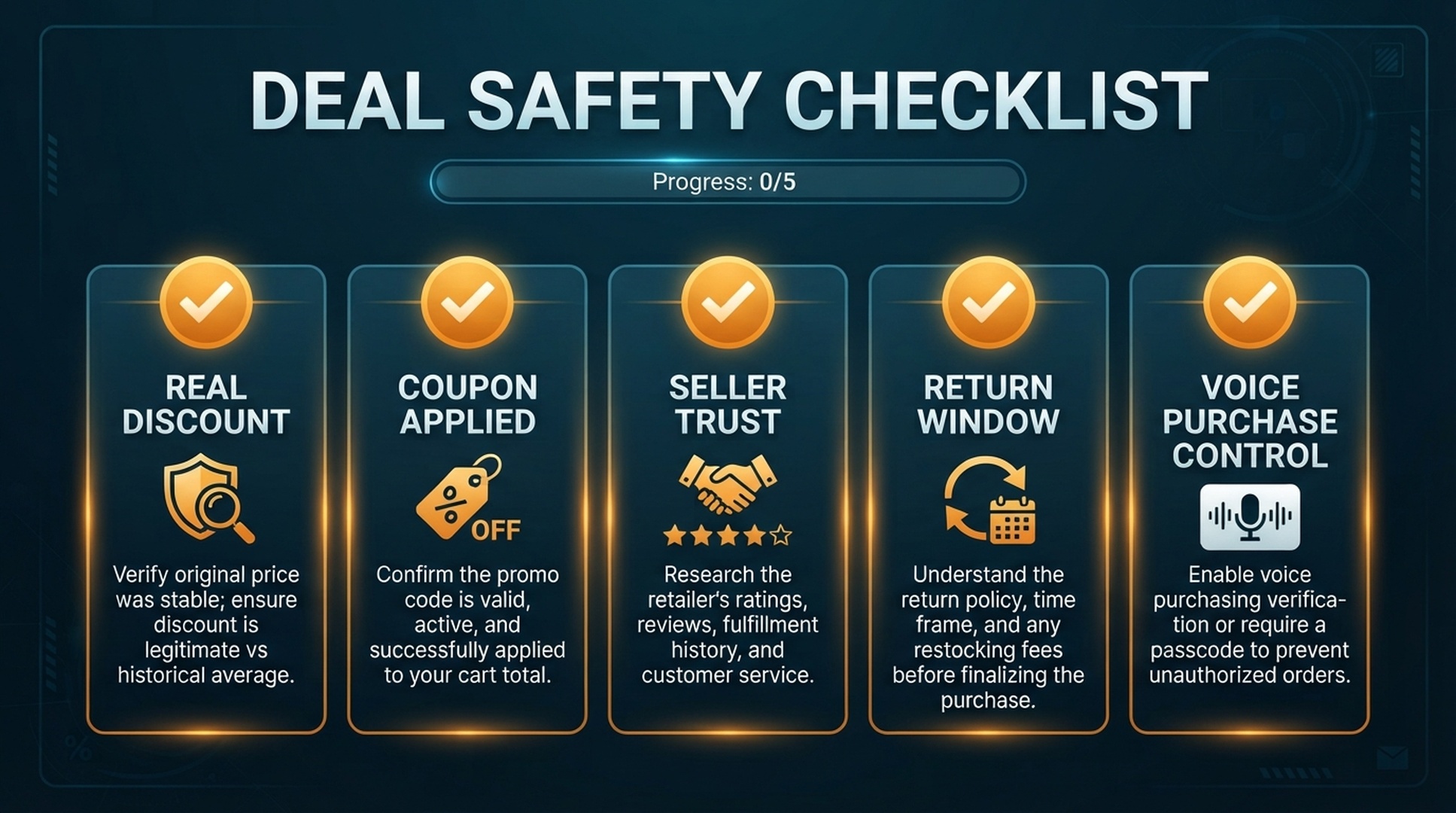
Caption: Deal safety depends on the real discount, coupon application, seller trust, return window, and voice purchase controls.
Check | Pass condition | Warning sign |
|---|---|---|
Real discount | Price is lower than your remembered target | Percent-off looks high but final price is normal |
Coupon applied | Cart total reflects the coupon | Coupon appears on page but not in checkout |
Seller trust | Seller and fulfillment are acceptable | Unknown seller, long delivery, unclear support |
Variant match | Correct model, size, color, and pack count | Deal applies to a different version |
Return window | Return policy fits your risk | Final sale, short window, or category limitations |
Purchase control | Voice checkout settings are intentional | Anyone near the device can order |
This checklist is not anti-deal. It keeps the deal from controlling the buyer.
Better Alexa Commands for Deal Shoppers
Good commands make the assistant more useful and the purchase less impulsive.
Buyer need | Better command |
|---|---|
Track a planned purchase | “Alexa, remind me to check monitor deals tomorrow morning.” |
Avoid a vague item | “Alexa, add 27-inch 4K monitor to my shopping list.” |
Compare with normal price | “Alexa, remind me to compare the unit price before buying detergent.” |
Protect gift privacy | “Alexa, add noise-canceling headphones to my private gift ideas list.” |
Avoid impulse buys | “Alexa, remind me tonight to review the cart before checkout.” |
Household restock | “Alexa, add paper towels to household supplies, only if on sale.” |
Prevent wrong variant | “Alexa, add 6-quart air fryer, not the compact model, to my deal list.” |
Control urgency | “Alexa, remind me when the sale ends so I can review it later.” |
The best command is not always the shortest one. It is the one that preserves the detail that would make the purchase right or wrong.
Deal Questions Buyers Actually Ask
For GEO and content planning, Alexa deal shopping should be mapped to real buyer questions rather than one repeated keyword.
Useful query themes include:
- “How do I find Amazon deals today?”
- “Can Alexa tell me about deals?”
- “How do I know if an Amazon discount is real?”
- “Do Amazon coupons apply automatically?”
- “How do I avoid accidental Alexa purchases?”
- “Can I use Alexa to manage a shopping list during a sale?”
- “How do I compare price drops before buying?”
- “What should I check before buying a discounted product?”
- “How do I stop my family from ordering by voice?”
- “Is a deal still good if shipping is slow?”
For brands, these questions show what deal-ready product pages need: clear variant naming, price-per-unit context, coupon instructions, return information, compatibility details, and FAQ copy that can be extracted by answer engines.
A Buyer’s Deal Review Template
Before checking out, copy this mental template:
Question | My answer |
|---|---|
What exact product did I intend to buy? | |
What price did I consider a good deal? | |
Is this the correct model, size, pack, or flavor? | |
Did the coupon or promotion apply in the cart? | |
Is the seller and fulfillment path acceptable? | |
Can I return it if the product is wrong? | |
Would I still buy it if the countdown disappeared? |
The last question is the most important. If urgency is the only reason to buy, the deal may not be a deal.
What Sellers Can Learn From Alexa Deal Intent
This is a buyer guide, but sellers should pay attention. Deal intent is not just “cheap product.” It is a bundle of questions about risk, timing, trust, and fit.
A deal-ready Amazon listing should make these facts easy to understand:
- exact product variant
- what the promotion applies to
- pack count, size, color, and model
- compatibility and exclusions
- return and warranty expectations
- delivery timing
- review themes that mention value, durability, and use case
- comparison against older or smaller versions
For Alexa GEO, the goal is not to make assistants shout a promotion. The goal is to make the offer easy to interpret when a buyer asks whether the product is worth considering.
FAQ
Can Alexa help me find Amazon deals?
Alexa can support shopping-related tasks, lists, reminders, and voice shopping features depending on account, device, and settings. For deals, use Alexa to organize and remind you, then verify the final product, price, coupon, seller, and cart in the Amazon app or website.
Are Alexa deal alerts the same as price tracking?
Not exactly. A reminder or notification can help you pay attention, but serious price checking still requires comparing the current price, promotion terms, variant, shipping, and checkout total.
Should I buy discounted products by voice?
Use caution. Voice buying is best for familiar, repeatable, low-risk items. For deal products with variants, coupons, seller differences, or return concerns, review the cart manually before checkout.
How do I avoid accidental purchases during a sale?
Review voice purchasing settings, consider disabling voice purchasing on shared devices, use a voice code if appropriate, and make app review the final step before checkout.
What is the safest way to use Alexa during Prime Day or holiday sales?
Build a list before the sale, define target prices, use reminders, check coupons in the cart, verify variants, and avoid buying only because a timer creates urgency.
What deal details should Amazon sellers make clear for GEO?
Sellers should clarify variant, pack count, compatibility, coupon terms, return expectations, and use-case fit. Those details help buyers and AI answer systems understand whether a deal matches the shopper’s intent.
Auspia Takeaway
Alexa deal shopping works when it reduces memory load, not judgment. Let the assistant remember the product, remind you about timing, and organize the list. Let the app or website handle final verification.
For GEO teams, the opportunity is broader than “Alexa deals.” Buyers ask about coupons, price drops, sale timing, accidental purchases, cart review, and whether a discount is real. Content that answers those questions clearly can support both human shoppers and AI-assisted discovery.
Sources: Amazon Customer Service pages on Shopping with Alexa, Place Orders with Alexa, Voice Purchasing settings, Voice Code purchase controls, and Alexa Lists.
Author: Elena Shaw, Prompt Library Strategist, 3,000+ Buyer Prompts Mapped at Auspia. Elena writes about buyer questions, prompt libraries, and how search intent changes when shoppers use AI assistants.